


In today’s fast-paced business world, workforce learning and development are vital to organizational success. But without the right tools, tracking training needs, priorities, and outcomes can be messy and time-consuming. The Training Needs Assessment Tracker in Excel is here to change that — a powerful, automated solution that brings structure, visibility, and accuracy to your training management process.
Built entirely in Excel with smart VBA automation, this ready-to-use tool helps HR professionals, L&D teams, and managers record, update, and analyze employee training data seamlessly. It simplifies everything — from identifying skill gaps to managing progress and generating insightful reports — in just a few clicks.
With an intuitive interface, user login security, dynamic dashboards, and automated forms, this tracker eliminates manual work and makes training management smarter and more efficient.
⚙️ Key Features of the Training Needs Assessment Tracker in Excel
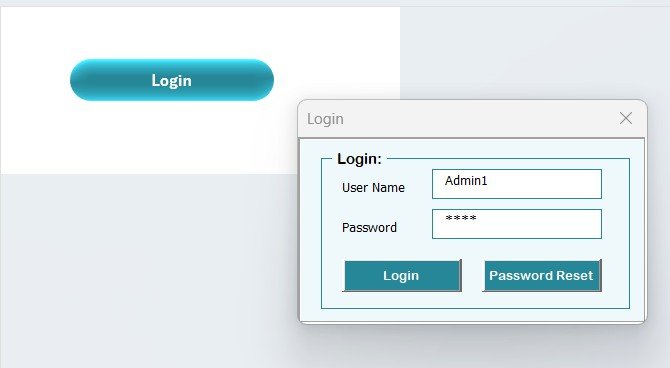
🔐 Login Form with Secure Access:
Only authorized users can log in using unique credentials, ensuring your training data stays protected.
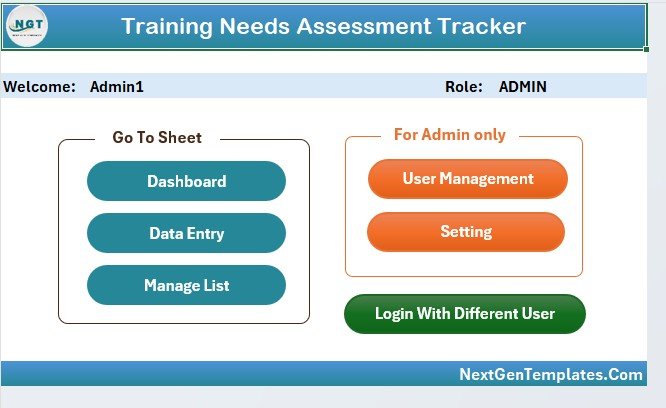
🏠 Main Control Form:
Navigate the entire system effortlessly — manage lists, open the dashboard, access user management, or change settings directly from one central interface.
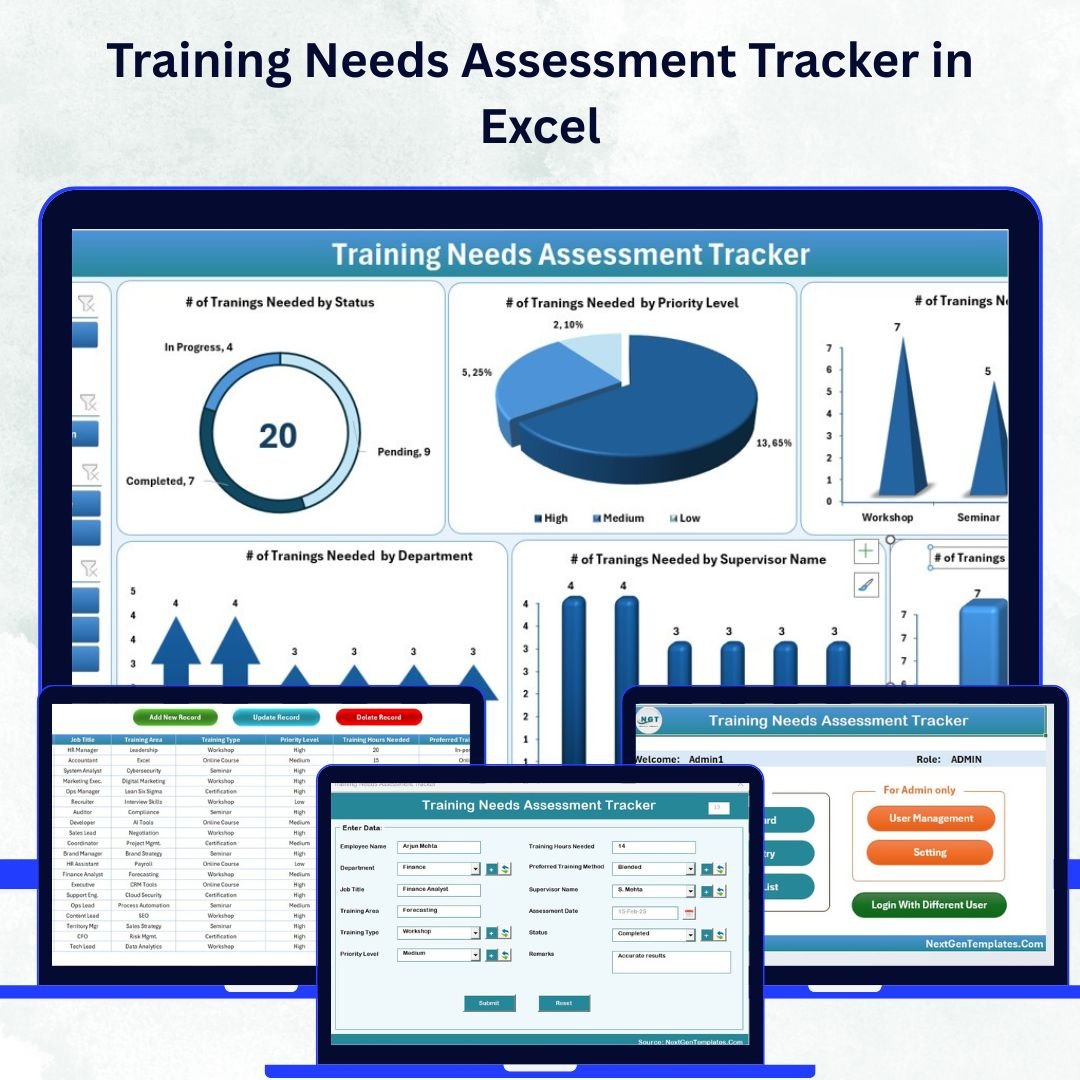
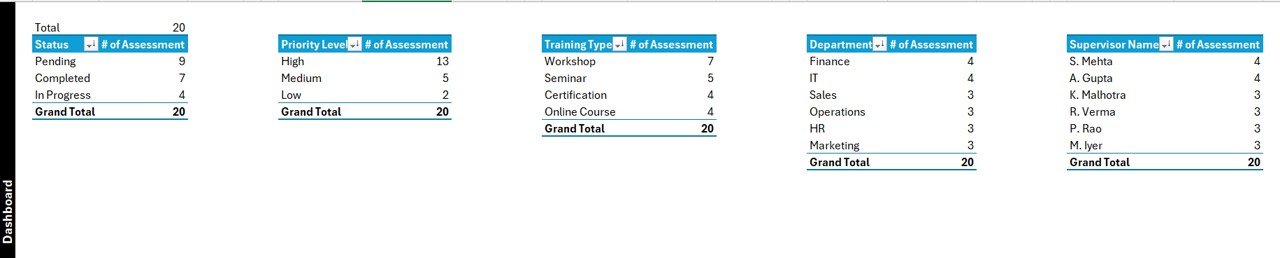
📊 Automated Dashboard:
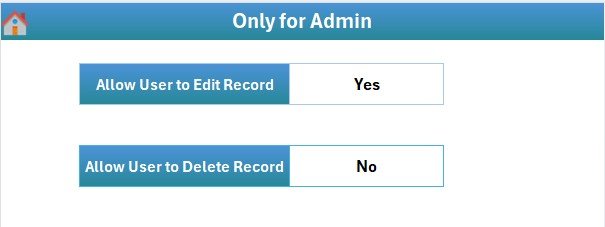
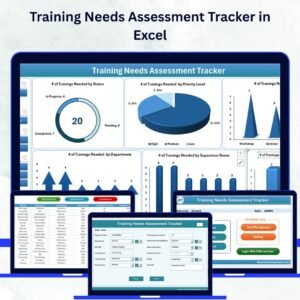
Six interactive slicers (Status, Priority Level, Training Type, Department, Supervisor Name, Training Method) and six dynamic charts give you instant visibility into training needs and progress.
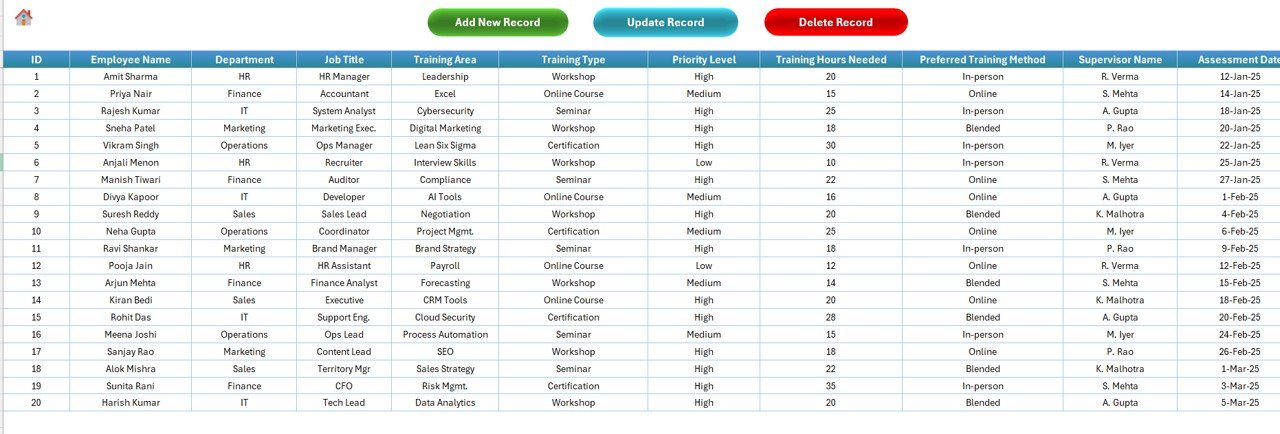
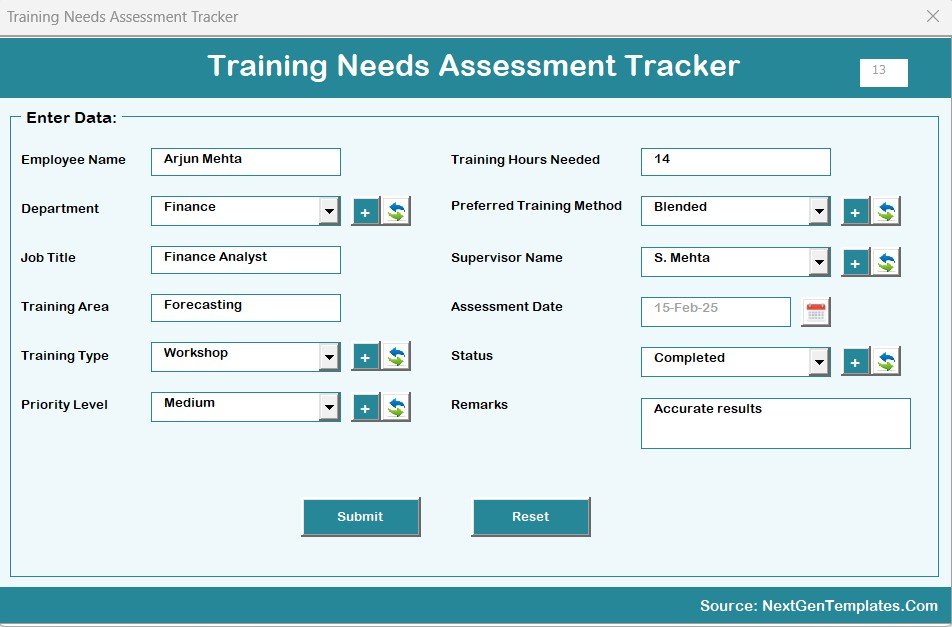
🧾 Data Entry Automation:
Add, update, or delete records using a clean and easy-to-use Data Entry Form — no formulas or manual editing required. The dashboard updates automatically after each entry.
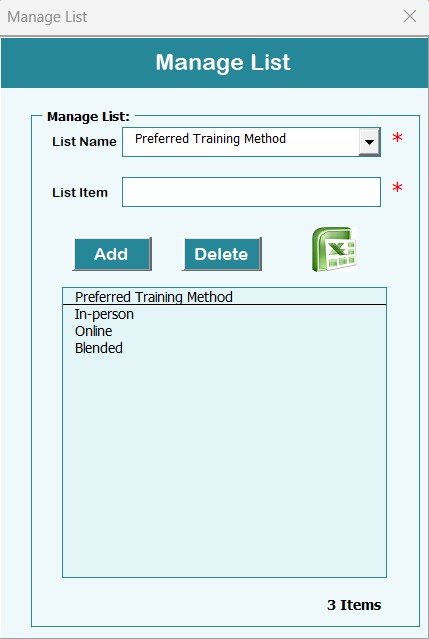
📋 Manage List Sheet:
Maintain dropdown lists for departments, supervisors, or training methods to ensure consistent data input across the system.
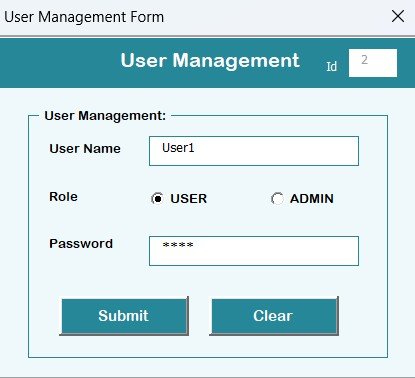
👥 User Management System:
Add new users, modify details, reset passwords, or remove inactive accounts — all with admin-level control.
⚙️ Customizable Settings Sheet:
Adjust login parameters, system behavior, and color themes according to your company’s branding.
📈 Real-Time Data Refresh:
Each action — add, edit, or delete — immediately updates the dashboard visuals for accurate, real-time insights.
💼 No Technical Skills Required:
The built-in VBA scripts handle all automation behind the scenes — users just interact through forms and buttons.
📘 What’s Inside the Training Needs Assessment Tracker in Excel
The tracker includes nine key components, designed for both functionality and ease of use:
1️⃣ Login Form – Secure access control for authorized users.
2️⃣ Main Form – Central hub for navigation and control.
3️⃣ Dashboard Sheet – Interactive visuals to monitor training status, priority, and department-level needs.
4️⃣ Data Entry Sheet – Database of all employee training records.
5️⃣ Manage List Sheet – Dropdown values for departments, supervisors, and training types.
6️⃣ Support Sheet – Backend pivot tables powering the dashboard.
7️⃣ User Management Form – Add, edit, and delete user profiles easily.
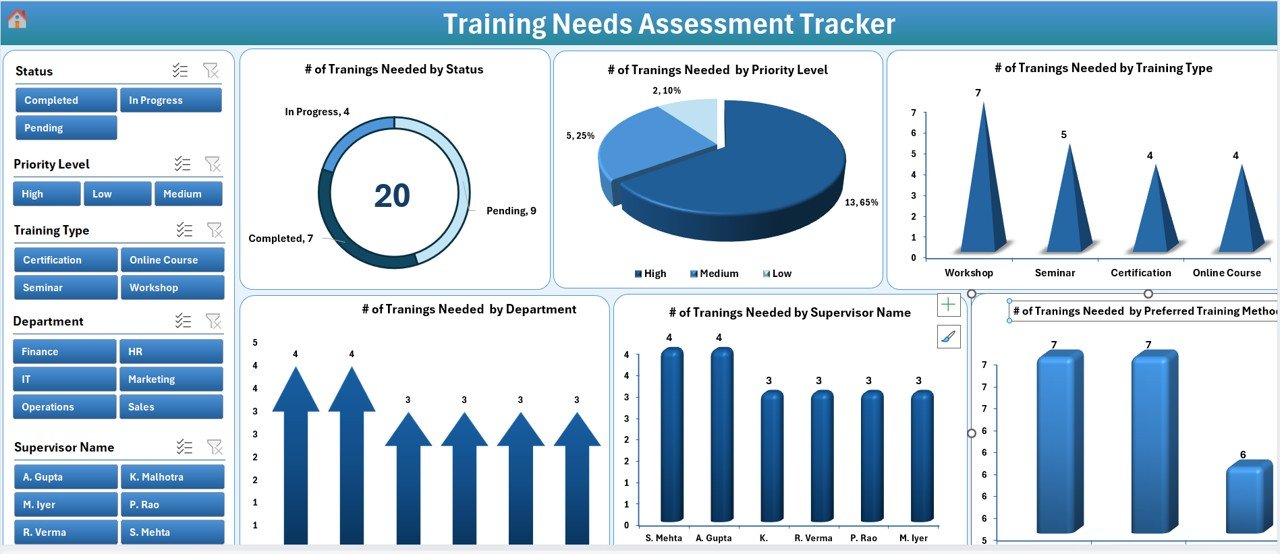
8️⃣ Settings Sheet – Personalize themes, system behavior, and admin access.
9️⃣ Login as Different User – Enable secure multi-user access for managers and HR staff.
This complete structure transforms Excel into a full-fledged training management system without needing expensive software.
⚡ How to Use the Training Needs Assessment Tracker in Excel
🚀 Step 1: Log in using your assigned credentials.
🧭 Step 2: From the Main Form, open the Data Entry section to record or update training needs.
📊 Step 3: View instant updates on the Dashboard through automated visuals.
🧠 Step 4: Filter data by department, priority, or training type using slicers.
⚙️ Step 5: Manage user access and dropdown lists from the respective forms.
💾 Step 6: Customize colors, access levels, and branding in the Settings Sheet.
With these steps, your entire training workflow — from need identification to performance review — runs efficiently in one Excel file.
👥 Who Can Benefit from the Training Needs Assessment Tracker in Excel
💼 HR Professionals: Streamline training need analysis and maintain accurate records.
📚 Learning & Development Teams: Plan, schedule, and measure the success of training programs.
👨💼 Supervisors & Managers: Identify team skill gaps and monitor individual progress.
🏢 Training Coordinators: Track participation, completion, and training delivery.
🚀 Small Businesses & Startups: Manage employee training initiatives without costly HR software.
This tracker is perfect for any organization aiming to align employee development with business objectives — effectively and affordably.
🔗 Click here to read the Detailed Blog Post
🎥 Visit our YouTube channel to learn step-by-step video tutorials
🔗
Visit our YouTube channel to learn step-by-step video tutorials
Watch the step-by-step video tutorial:
Compatibility and Requirements
- Needs Microsoft Excel desktop on Windows with macros enabled, because the file runs on VBA.
- It does not work in Excel for the web, Google Sheets or the Excel mobile apps. Microsoft explains macro settings in Enable or disable macros in Microsoft 365 files.
Frequently Asked Questions
How do users sign in?
Each user logs in through the Login Form with their own credentials. Admins can add users, change details, reset passwords and remove accounts from the User Management Form.
Which slicers does the dashboard have?
Six slicers: Status, Priority Level, Training Type, Department, Supervisor Name and Training Method, along with six charts.
How do I add or change a training record?
Open the Data Entry Form from the Main Form to add, update or delete a record. The dashboard refreshes after each change.
Can I edit the dropdown values?
Yes. The Manage List Sheet holds the departments, supervisors and training types used in the dropdowns.
Can I change the colors?
Yes. The Settings Sheet lets you adjust color themes, login options and system behavior.
Related Training Templates
- Training Needs Assessment Tracker in Google Sheets: the same topic in Google Sheets
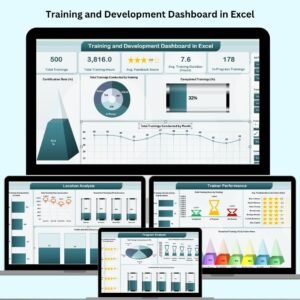
- Training and Development Dashboard in Excel: a full training dashboard
- Training Completion Certification Tracker in Excel: tracks completions and certificates
- Training and Development Report in Excel: a training report for reviews
- HR & Workforce Analytics Bundle: 10 Excel, Google Sheets and Power BI HR templates in one bundle
Browse all Excel trackers or the Excel HR and payroll templates.































Reviews
There are no reviews yet.