

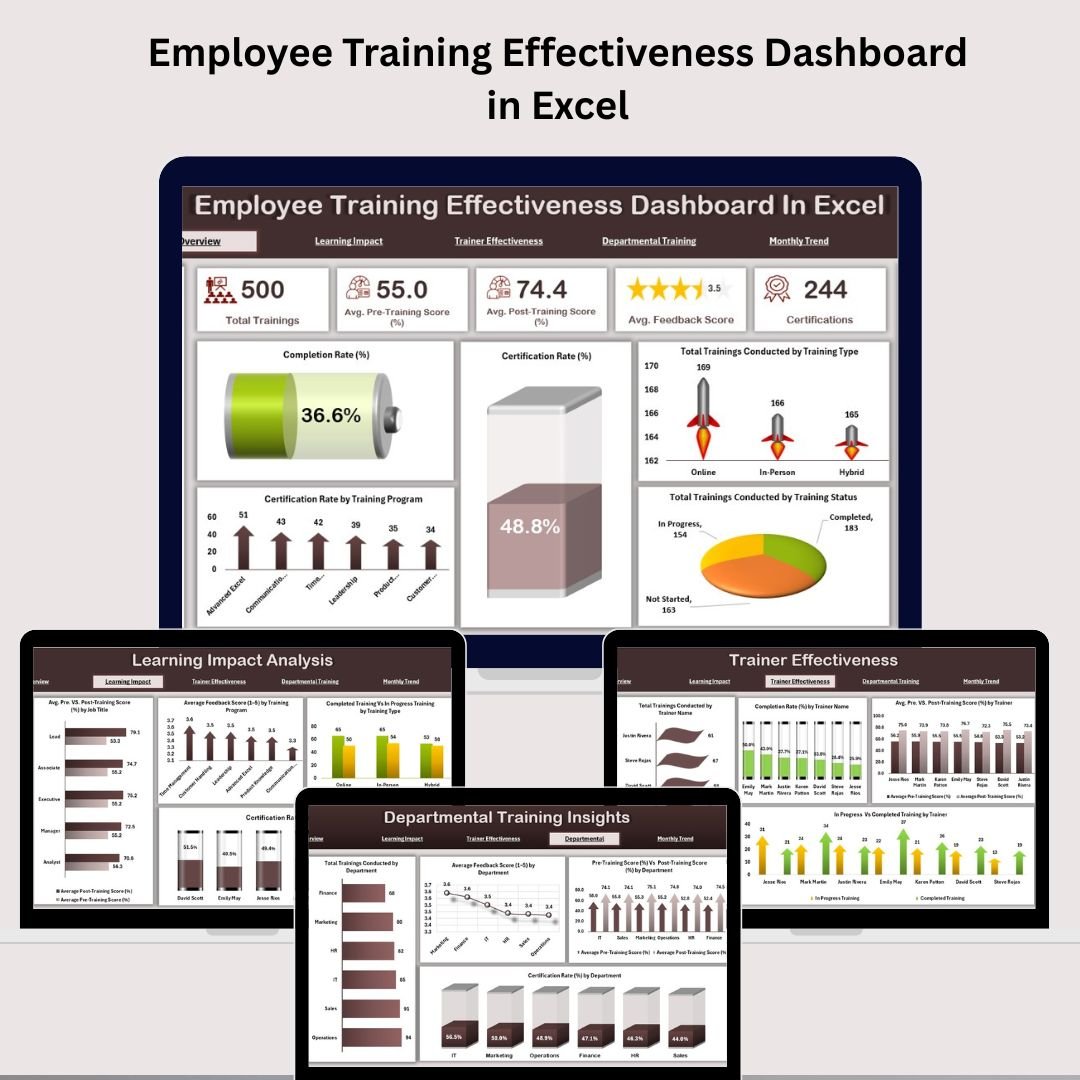



Struggling to prove if your employee training programs are truly effective?
Introducing the Employee Training Effectiveness Dashboard in Excel – a game-changing tool that helps you track, measure, and evaluate the success of every training session with crystal-clear insights.
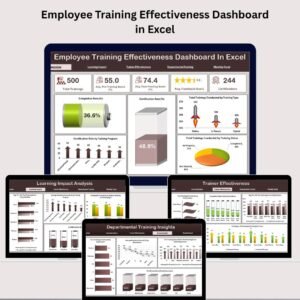
Built for HR leaders, training coordinators, and department heads, this dashboard simplifies everything: from comparing pre- vs post-training scores to analyzing feedback, certifications, completion rates, and trainer impact. All in one beautifully designed Excel file with automated charts and real-time metrics!
🔑 Key Features of Employee Training Effectiveness Dashboard
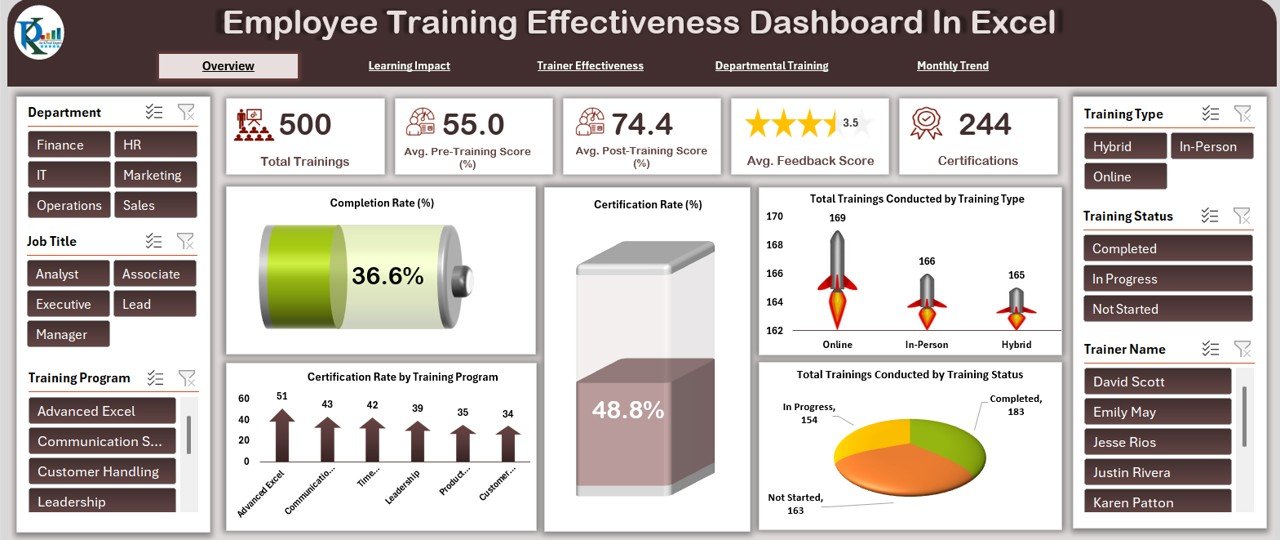
🧩 Overview Sheet – Big Picture Clarity
📊 Cards for quick insights:
Total Trainings Conducted
Avg. Pre & Post-Training Score
Avg. Feedback Score (1–5)
Total Certifications Awarded
📉 Visual Charts for Analysis:
Completion Rate & Certification Rate
Trainings by Type, Status, Department
Certification Rate by Program
Stay ahead by instantly seeing where your training programs excel or fall short.
📦 What’s Inside the Employee Training Effectiveness Dashboard
📊 Overview Sheet Tab
A bird’s eye view of your training program performance with metrics and KPI-driven visual summaries.
🧠 Learning Impact Analysis Sheet Tab
Compare pre- and post-training scores, review feedback by training program, and analyze certification success by trainer and program.
👨🏫 Trainer Effectiveness Sheet Tab
Evaluate trainer performance across multiple dimensions—see who’s delivering impactful training and who needs improvement.
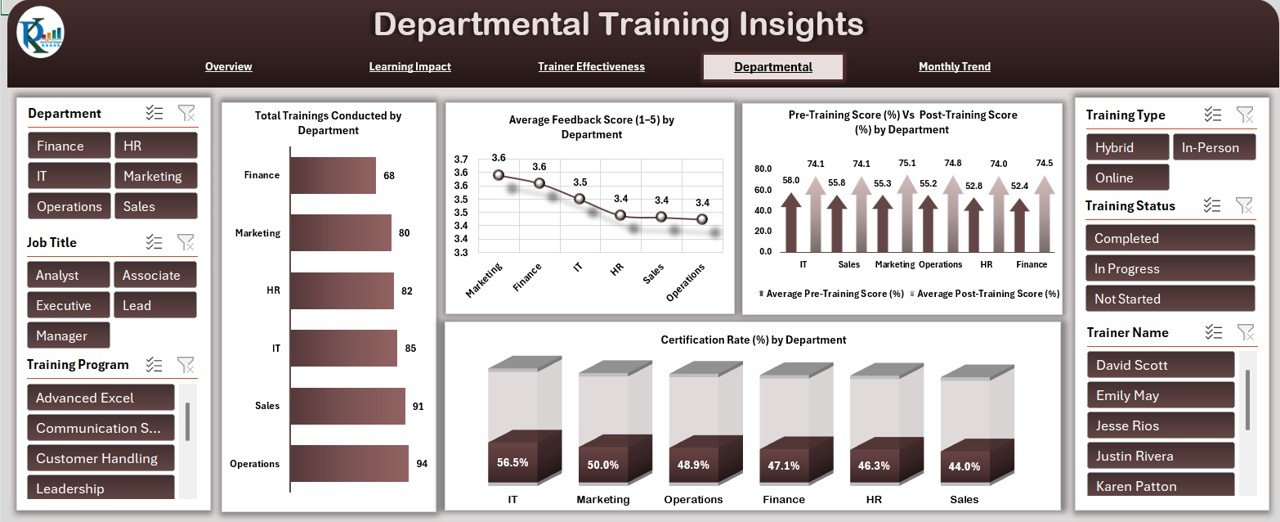
🏢 Departmental Training Insights Sheet Tab
Measure training outcomes department-wise: pre/post score shifts, feedback ratings, and certifications earned.
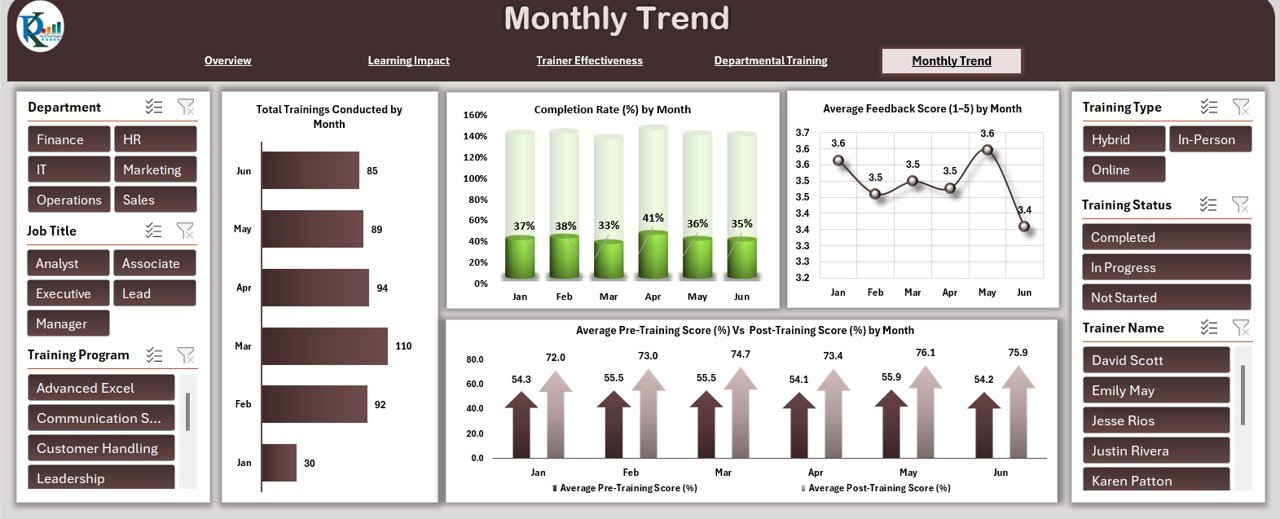
📆 Monthly Trend Sheet Tab
Track performance monthly: completion rates, average scores, feedback trends, and training volume by month.
📋 Data Sheet Tab
Your centralized input area for all training records—auto-feeding all dashboard visuals:
Trainer, Program, Department
Pre/Post Score, Feedback, Certification
Duration, Status, Type, Comments
Just update this sheet and watch your dashboard come to life!
🧑🏫 How to Use the Employee Training Effectiveness Dashboard
✍️ Enter training session data in the Data Sheet
🔄 Automatically update charts & metrics across dashboard tabs
📉 Analyze gaps and improvements using score comparisons
🧠 Evaluate trainer and department performance
📤 Share with stakeholders to improve training decisions
No formulas to write, no complex setup — just plug in your data and see real results!
👥 Who Can Benefit from This Dashboard?
👩💼 HR Teams managing L&D strategies
📚 Training Coordinators seeking feedback insights
🏢 Corporate Departments monitoring employee growth
🎯 Managers needing performance-based training evaluation
📈 Consultants optimizing training investments for clients
🧑🏫 Trainers & Coaches measuring their own impact
💡 Organizations improving ROI of learning initiatives
This dashboard brings data-driven decision-making to your training programs – fast, simple, effective!
📚 Click here to read the Detailed blog post
Watch the step-by-step video Demo:
🎥 Visit our YouTube channel to learn step-by-step video tutorials
👉 Youtube.com/@NeotechNavigators
Compatibility and Requirements
- Works in Microsoft Excel desktop (Excel 2016 or later, or Microsoft 365).
- Results are shown in automated charts. Microsoft explains Excel charts in Create a chart from start to finish.
Frequently Asked Questions
Which sheets are in the file?
Overview, Learning Impact Analysis, Trainer Effectiveness, Departmental Training Insights, Monthly Trend and a Data sheet.
Where do I enter training records?
In the Data sheet: trainer, program, department, pre and post scores, feedback, certification, duration, status, type and comments.
Can I compare scores before and after training?
Yes. The dashboard compares average pre-training and post-training scores by program, trainer and department.
Do I need to write formulas?
No. You update the Data sheet and the charts and metrics on every tab update from it.
Is there a Power BI version?
Yes. The Employee Training Effectiveness Dashboard in Power BI covers the same analysis.
Related Training Templates
- Employee Training Effectiveness Dashboard in Power BI: the same dashboard in Power BI
- Employee Training Effectiveness Report in Excel: a printable report version
- Training and Development Dashboard in Excel: track the wider training program
- Training Completion Certification Tracker in Excel: follow completions and certificates
- HR & Workforce Analytics Bundle: 10 HR templates in one download
Browse all Excel dashboards or the Excel HR and payroll templates.































Reviews
There are no reviews yet.