



Keeping track of returned equipment can become overwhelming, especially in organizations with multiple departments and employees. The Equipment Return Tracker in Google Sheets is the ultimate solution to simplify, automate, and visually manage equipment return records.
This easy-to-use and fully customizable tracker is built to help your business log, monitor, and assess every equipment return efficiently. With powerful charts, real-time collaboration, and organized data tables, it helps you maintain transparency, reduce loss, and improve inventory accountability. 🔄
🔑 Key Features of the Equipment Return Tracker
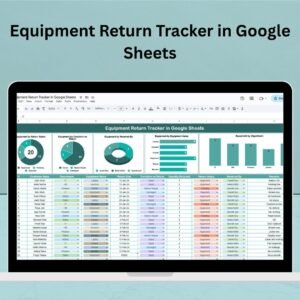
📊 Interactive Charts – Visualize Your Returns
No more manual counting or guessing! This tracker offers built-in charts that update automatically as you enter data:
✅ Equipment by Return Status – Know what’s returned or pending at a glance.
🔧 Equipment by Condition on Return – Track returned items marked as good or damaged.
👤 Equipment by Received By – Monitor who receives what in which department.
📦 Equipment by Equipment Name – See which equipment is returned most frequently.
🏢 Equipment by Department – Discover return patterns by team or location.
These insights empower you to make informed decisions quickly and easily. 📈
📁 What’s Inside the Equipment Return Tracker
This tool consists of one powerful sheet with two key components:
1. 🧮 Tracker Sheet Tab
This is the heart of your return management system. It contains:
Dynamic charts for real-time analysis
A detailed table with the following columns:
ID – Unique entry number
Employee Name – Who returned the item
Department – Their team or division
Equipment Name – Returned item details
Return Date – When the item was returned
Condition on Return – Good, Damaged, etc.
Quantity Returned – Number of items
Return Status – Completed or Pending
Received By – Who accepted the return
Remarks – Any extra notes or comments
The table is clear, filterable, and built for operational ease. ✅
🚀 How to Use the Equipment Return Tracker
Getting started is effortless:
Enter Equipment Return Data – Fill in the table with each new return.
Use Dropdowns for Uniform Entries – For consistency in categories like status and condition.
Track Real-Time Insights – View charts updating automatically based on your data.
Filter and Sort – Organize your data by department, return date, condition, and more.
Share with Team Members – Collaborate in real-time through Google Sheets.
No tech skills needed — just plug in your data and you’re ready to go. 🔄
👥 Who Can Benefit from This Tracker?
This tool is designed for:
🏢 Facilities & Admin Teams – Manage office equipment returns
💻 IT Departments – Track laptops, projectors, and devices
🏫 Schools & Colleges – Manage return of lab gear or library items
🛠️ Maintenance Teams – Log tools and gear efficiently
🧑💼 HR/Operations – Track assets during employee exit processes
Whether you’re a startup, enterprise, or educational institution, this tracker works for you.
📌 Why This Tracker Is a Must-Have
📊 Data-Driven Decisions – Instantly spot delays, damages, or return trends
🧩 100% Customizable – Add more fields, locations, or equipment types
🔄 Real-Time Collaboration – Multiple users can update the tracker simultaneously
🛠️ Zero Learning Curve – Simple, intuitive design for anyone to use
🗃️ Centralized Records – Never lose track of returns again
🧠 Best Practices to Maximize the Tracker
🕒 Update in Real Time – Record returns immediately
🔍 Monitor Status & Condition – Take quick action on pending or damaged returns
🗂️ Organize by Department – Track trends or issues by team
📝 Use Remarks Field Wisely – Log reasons for damage or delay
📥 Download & Backup Regularly – Maintain audit-ready reports
👉 Click here to read the Detailed blog post
Watch the step-by-step video Demo:
🎥 Visit our YouTube channel to learn step-by-step video tutorials
🔗 Youtube.com/@NeotechNavigators
Compatibility and Requirements
- Works in Google Sheets with a free Google account and a web browser.
- Several people can update the tracker at the same time.
- Status and condition use dropdowns. Google explains these in Create an in-cell dropdown list.
Frequently Asked Questions
What columns does the tracker table have?
ID, Employee Name, Department, Equipment Name, Return Date, Condition on Return, Quantity Returned, Return Status, Received By and Remarks.
Which charts are included?
Equipment by return status, by condition on return, by received by, by equipment name and by department.
Do the charts update on their own?
Yes. The charts update automatically as you enter return records.
Is there an Excel version?
Yes. See the Equipment Return Tracker in Excel.
Related Equipment Templates
- Equipment Return Tracker in Excel: the same tracker in Excel
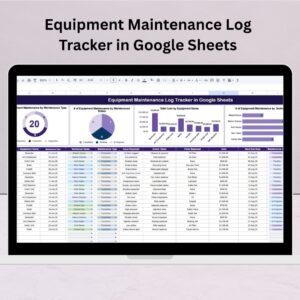
- Equipment Maintenance Log Tracker in Google Sheets: log equipment servicing
- Equipment Borrowing Request Tracker in Excel: track items before they go out
- IT Equipment Maintenance Checklist in Google Sheets: routine IT equipment checks
- Tracker Toolkit: 12 Excel and Google Sheets trackers in one bundle
Browse all Google Sheets trackers or the Excel trackers.
Reviews
There are no reviews yet.