

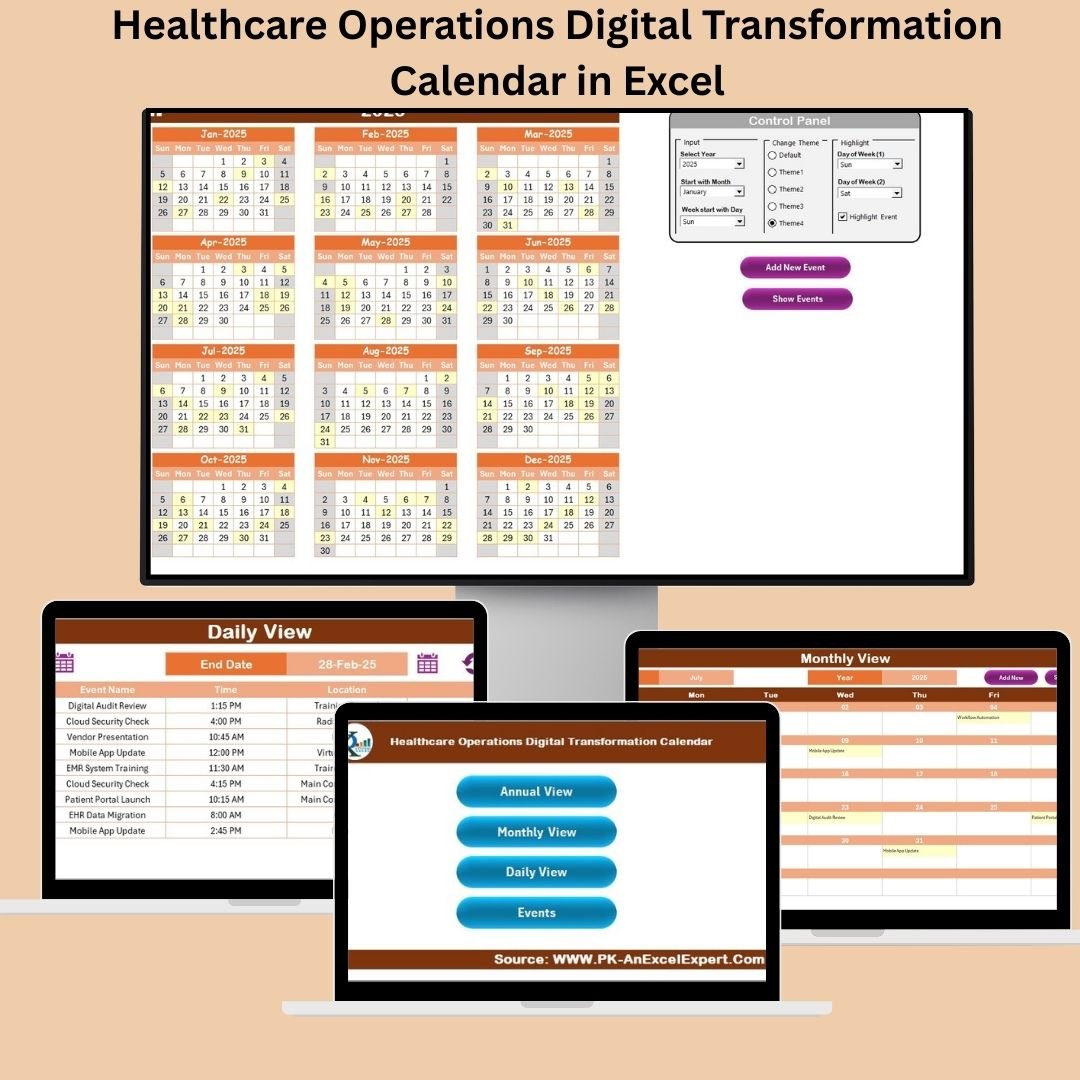

The Healthcare Operations Digital Transformation Calendar in Excel is a powerful, easy-to-use tool designed to help healthcare organizations manage and streamline their operations effectively. Whether you’re tracking annual events, monthly schedules, or daily tasks, this calendar allows you to stay on top of your organization’s key activities with ease. From patient care events to administrative meetings, this template provides an intuitive solution for organizing your healthcare operations in one place.
🔑 Key Features of the Healthcare Operations Digital Transformation Calendar:
Comprehensive Event Tracking: View your healthcare events in annual, monthly, and daily formats, providing a clear overview of all scheduled tasks and activities.
Customizable Interface: Choose from multiple color themes, highlight important days (like weekends and holidays), and tailor the calendar to suit your needs.
User-Friendly Event Management: Easily add, update, or delete events using simple buttons, and keep a detailed record of each event, including time, location, and description.
Real-Time Updates: The calendar automatically updates when you add or modify events, ensuring that all data is current.
Collaboration-Friendly: Share the calendar with your team, allowing everyone to stay informed and collaborate efficiently on event planning and task execution.
What’s Inside the Healthcare Operations Digital Transformation Calendar 📋🔧
This Healthcare Operations Digital Transformation Calendar in Excel consists of five essential worksheets, each designed to manage different aspects of your healthcare operations:
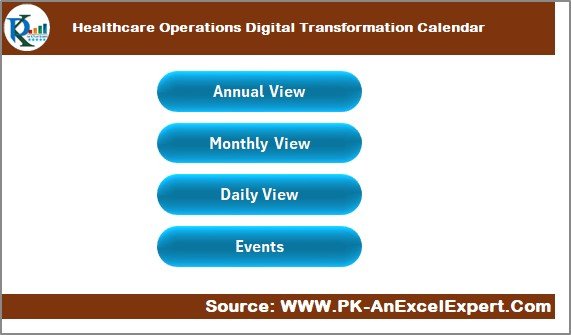
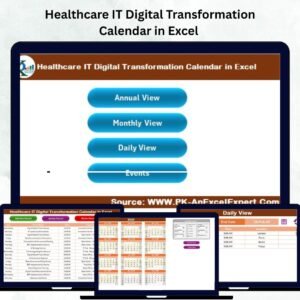
Home Sheet: This serves as the index or landing page for easy navigation. It provides access to:
Annual View, Monthly View, Daily View, and Events Sheets via quick navigation buttons.
Allows you to switch between different calendar views to suit your scheduling needs.
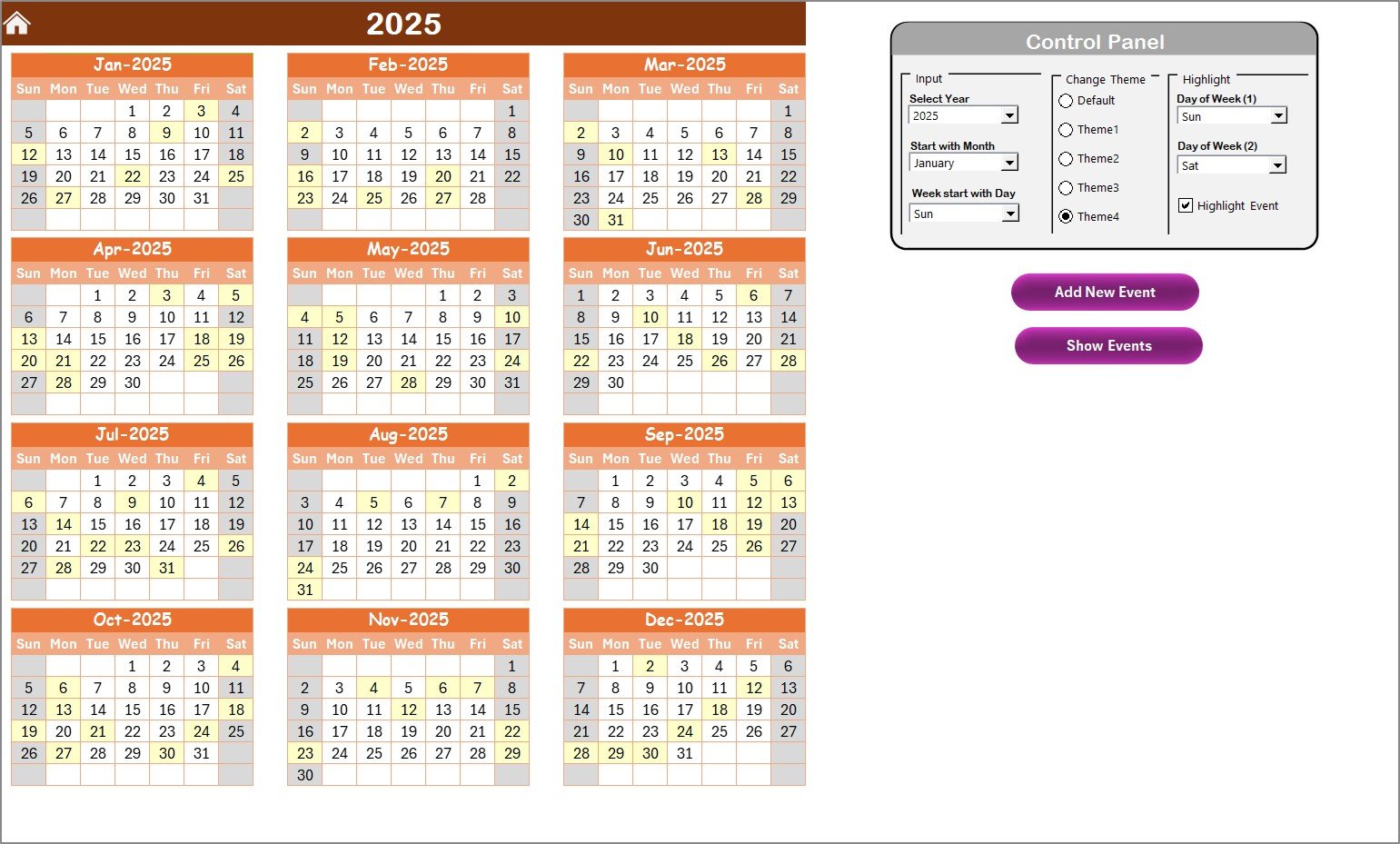
Annual View Sheet: Displays a full year’s calendar with all 12 months laid out. Features include:
Control Panel: Customize the year, starting month, and the day of the week the year begins.
Color Themes: Choose from five pre-set themes to change the workbook’s appearance.
Event Highlighting: Highlight specific days or events for better visibility.
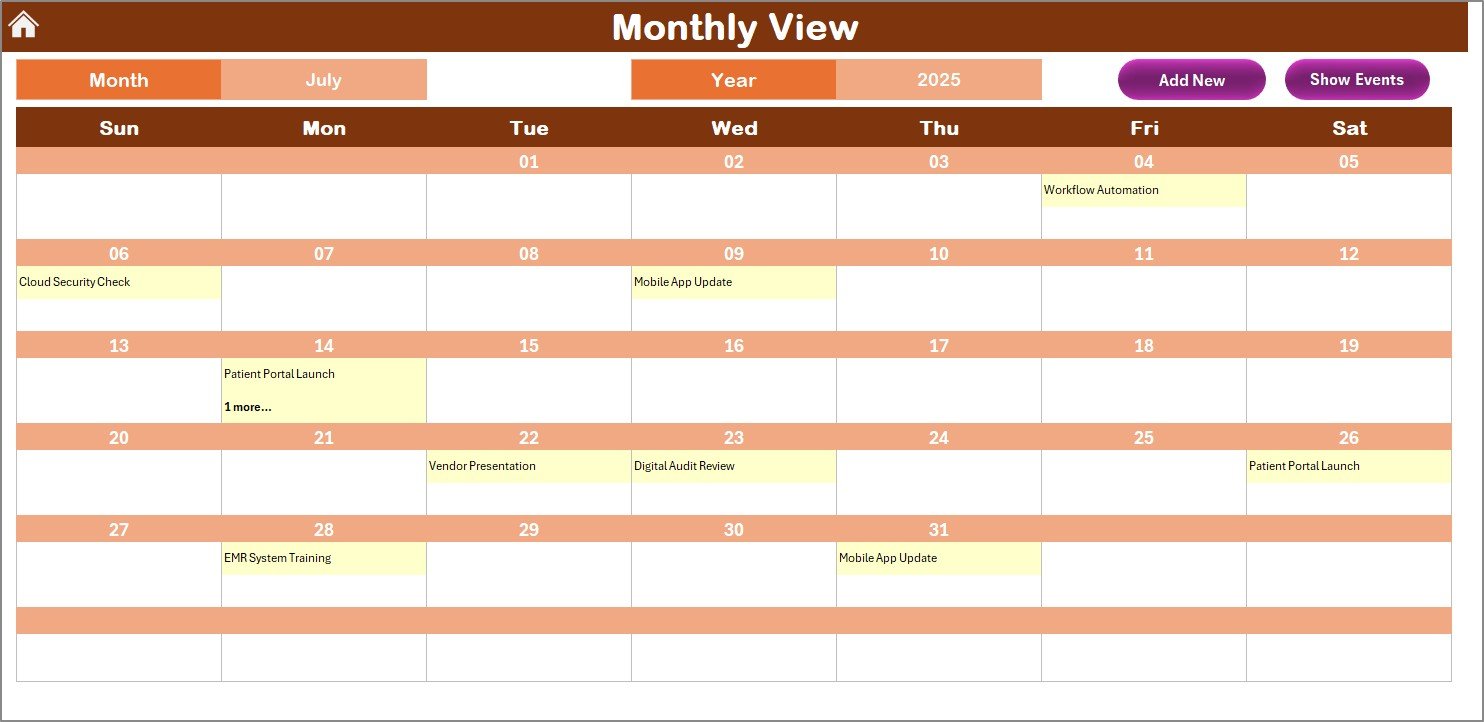
Monthly View Sheet: Provides a calendar for the selected month, showing events for each day. Features:
Month and Year Selector: Easily select any month and year to update the calendar.
Multiple Events on One Day: View multiple events with an indicator (e.g., “more than 1…”) for days with multiple tasks.
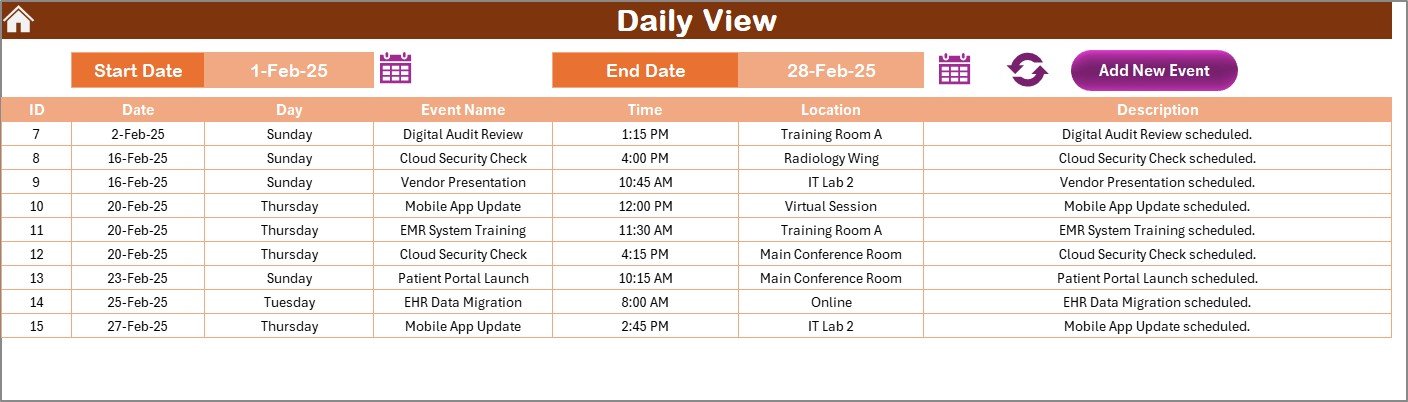
Daily View Sheet: Allows for tracking of events over a specific date range, including:
Start and End Date: Enter a date range and refresh the sheet to update events for that range.
Event Management: Add and manage events for multiple days at once, improving scheduling efficiency.
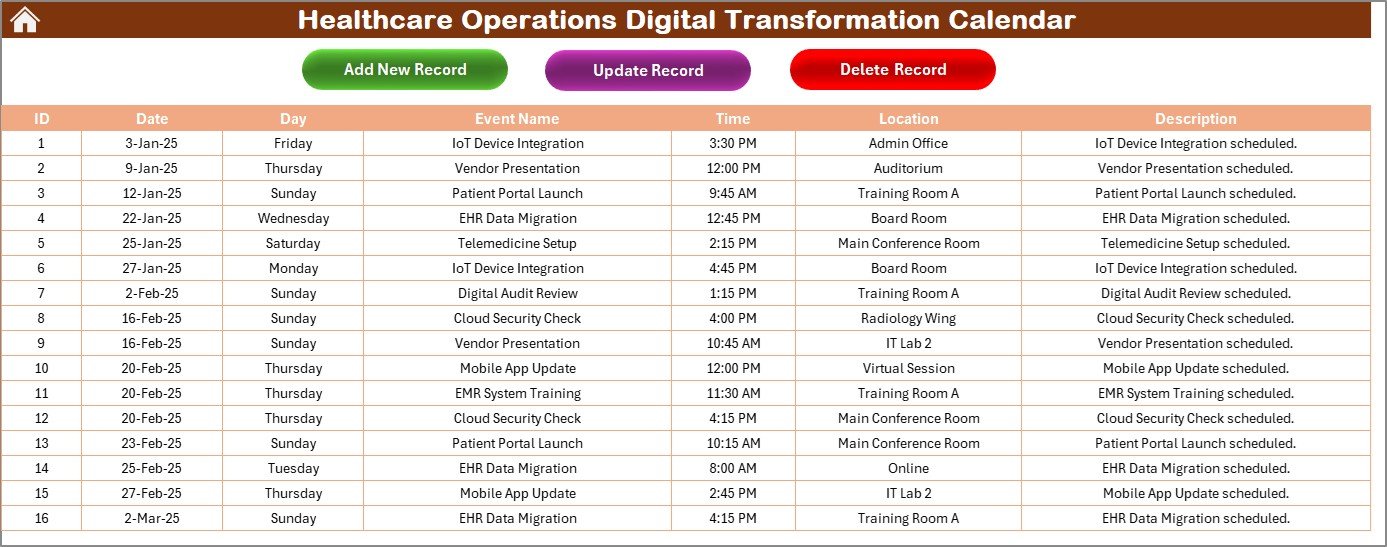
Events Sheet: This acts as a database for all event records. Features include:
Event Details: Track event ID, date, time, location, and description for each entry.
Add, Update, or Delete Events: Use simple buttons to add, update, or delete event records as necessary.
How to Use the Healthcare Operations Digital Transformation Calendar 📅👩⚕️
To get the most out of this Healthcare Operations Digital Transformation Calendar, follow these easy steps:
Download and Open the Template: Open the Excel file and start entering your data.
Customize the Calendar: Choose the year, select color themes, and highlight important dates using the control panel.
Add Events: Click the Add New Event button to input details for your healthcare events.
Track Performance: Use the Annual, Monthly, or Daily Views to stay on top of upcoming events and appointments.
Collaborate with Your Team: Share the Excel file with your team members, allowing them to update and track events in real-time.
Who Can Benefit from This Healthcare Operations Digital Transformation Calendar? 🏥🌐
This calendar is ideal for any healthcare organization that needs to manage a wide variety of events and tasks. Whether you are part of a hospital, clinic, or healthcare administration team, this tool helps streamline event scheduling and improve operational efficiency.
Healthcare Administrators: Easily track key events, meetings, and appointments across different departments.
Doctors and Nurses: Stay informed of appointments, patient care schedules, and important health events.
Healthcare Coordinators: Coordinate between teams, ensuring that all essential tasks are completed on time.
Event Planners: Manage healthcare-related conferences, seminars, and workshops seamlessly.
Advantages of Using the Healthcare Operations Digital Transformation Calendar 💼📊
Comprehensive Event Management: Track all healthcare events from appointments to staff meetings and beyond, with clear and accessible views.
Real-Time Updates: Keep your calendar up to date automatically when changes are made, ensuring your team has accurate and timely information.
Customizable for Your Needs: Tailor the calendar to your organization’s specific needs, including color-coding, highlighting key events, and adding custom event categories.
Collaboration Made Easy: Share the calendar with your team to ensure everyone is on the same page and can update events as needed.
Simplifies Scheduling: Streamline your event scheduling process with intuitive features, saving time and improving overall operational efficiency.
Click here to read the Detailed Blog Post 📖
Visit our YouTube Channel to Learn Step-by-Step Video Tutorials 🎥
YouTube.com/@NeotechNavigators
Compatibility and Requirements
- Works in Microsoft Excel desktop (Excel 2016 or later, or Microsoft 365).
- To change how days are highlighted, see Microsoft’s guide Use conditional formatting to highlight information.
Frequently Asked Questions
Which sheets does the calendar include?
It has five sheets: Home, Annual View, Monthly View, Daily View and Events.
Can I set the year and starting month?
Yes. The control panel on the Annual View sets the year, the starting month and the first day of the week.
Can I change the look?
Yes. You can choose from five color themes and highlight specific days or events.
What if a day has several events?
The Monthly View shows an indicator on days that have more than one event.
What details are stored for each event?
The Events sheet records the event ID, date, time, location and description.
Related Digital Transformation Calendars
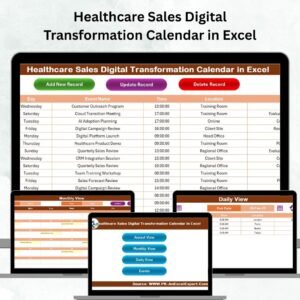
- Healthcare Sales Digital Transformation Calendar in Excel: the same calendar for healthcare sales
- Healthcare IT Digital Transformation Calendar in Excel: the same calendar for healthcare IT
- Healthcare Compliance Digital Transformation Calendar in Excel: the same calendar for compliance teams
- Marketing Digital Transformation Calendar in Excel: the same calendar for marketing
- Healthcare & Hospital Management Bundle: 8 healthcare templates in one download
Browse all Excel calendars or the Excel project management templates.

















Reviews
There are no reviews yet.