



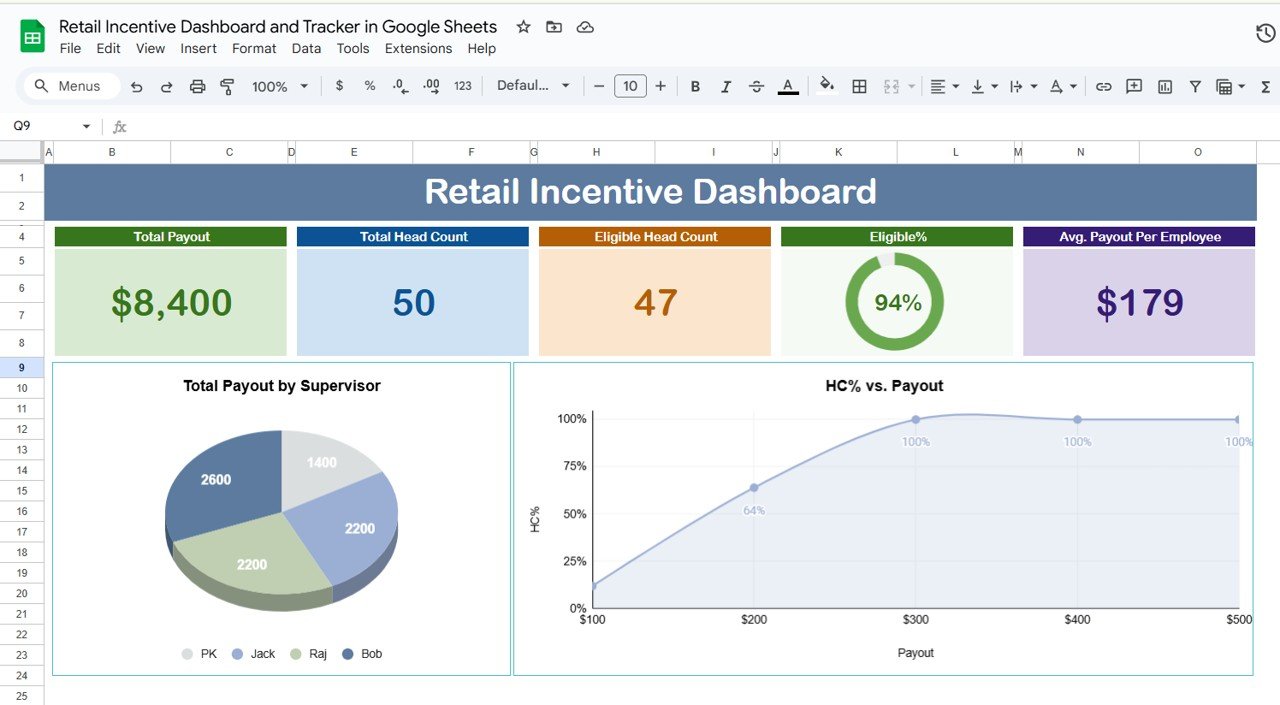
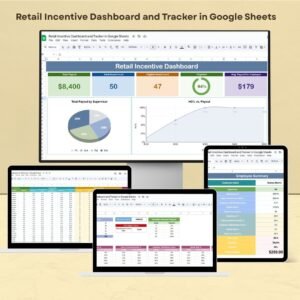
The Retail Incentive Dashboard and Tracker in Google Sheets is an invaluable tool for businesses looking to optimize their retail incentive programs. By using this dashboard, organizations can track key performance indicators (KPIs) related to sales, monitor team progress, and assess incentive payouts in real-time. It enables transparency, efficiency, and streamlined management of incentive structures, ensuring your sales team stays motivated and your targets are met.
This easy-to-use tool integrates various metrics, from sales volume and revenue growth to customer acquisition rates, providing your team with all the insights they need to drive results.
Key Features of the Retail Incentive Dashboard in Google Sheets
📋 Customizable Incentive Metrics
Tailored Performance Tracking: Customize the dashboard to reflect your incentive structures and sales targets, tracking metrics such as sales revenue, bonuses, and commissions.
Dynamic Data Entry: Update sales data in real-time, allowing for instant performance analysis and up-to-date incentive calculations.
📊 Interactive Data Visualization
Comprehensive Charts and Graphs: Visualize sales performance and incentive achievements with bar charts, pie charts, and line graphs to make data interpretation easier.
Conditional Formatting: Use color-coded formatting to highlight top performers, identify areas that need improvement, and emphasize milestones reached.
💻 Real-Time Collaboration and Accessibility
Multi-User Access: Collaborate seamlessly with your team by allowing multiple members to access and update the dashboard in real-time, ensuring the information is always current.
Cloud Accessibility: Access the dashboard from anywhere, at any time, and on any device with internet connectivity, making it ideal for remote work and on-the-go updates.
🛠 Automated Calculations and Reporting
Built-In Formulas: Automatically calculate incentives, bonuses, and commissions based on performance data using Google Sheets’ built-in formulas, saving time and minimizing errors.
Scheduled Reports: Set up automated email reports or notifications to inform stakeholders about incentive program outcomes and progress.
Benefits of Using Google Sheets for Retail Incentive Tracking
✅ Cost-Effective Solution
Google Sheets is a free, powerful tool that allows your organization to manage its incentive programs without the need for expensive software.
✅ User-Friendly Interface
Designed to be easy to use, Google Sheets enables both beginners and advanced users to navigate and manage the dashboard without difficulty.
✅ Scalable and Flexible
As your incentive programs evolve, the dashboard can be quickly adjusted to accommodate new sales targets, bonus structures, or organizational changes.
Getting Started with Your Retail Incentive Dashboard in Google Sheets
Define Incentive Metrics: Identify the KPIs that align with your incentive programs, such as sales targets, revenue, or customer acquisition.
Design the Dashboard Layout: Organize the dashboard with sections for data input, performance tracking, and visualizations to provide a clear and intuitive user experience.
Input Historical and Target Data: Include both past performance data and current targets to help track progress and performance relative to set goals.
Set Up Automated Calculations: Use Google Sheets’ functions to automatically calculate sales and incentive totals, reducing manual errors.
Customize Visual Elements: Add charts, graphs, and conditional formatting to make the dashboard visually engaging and easy to interpret.
Collaborate and Share: Share the dashboard with your sales team and stakeholders, allowing for real-time updates and collaboration on sales performance.
By using a Retail Incentive Dashboard and Tracker in Google Sheets, your organization can efficiently monitor sales performance, motivate your team, and ensure that your incentive programs are achieving the desired results.
Click here to read the Detailed blog post
Retail Incentive Dashboard and Tracker in Google Sheets
Visit our YouTube channel to learn step-by-step video tutorials
YouTube.com/@PKAnExcelExpert
Compatibility and Requirements
- Works in Google Sheets with a free Google account and a web browser.
- Your team can open and update the same file at the same time from Google Drive.
- Google explains how charts work in Google Sheets in Add & edit a chart or graph.
Frequently Asked Questions
What does the Retail Incentive Dashboard track?
It tracks sales revenue, bonuses and commissions against your incentive structure and sales targets, along with metrics such as sales volume, revenue growth and customer acquisition.
Does it calculate incentives for me?
Yes. Built-in Google Sheets formulas calculate incentives, bonuses and commissions from the performance data you enter.
How does it show top performers?
Color-coded conditional formatting highlights top performers and areas that need work, and bar, pie and line charts show results.
Can I change the incentive structure later?
Yes. You can adjust the dashboard for new sales targets, bonus structures or team changes.
Related Incentive and Retail Templates
- Sales Incentive Dashboard and Tracker in Google Sheets: incentives for sales teams
- Manufacturing Incentive Dashboard and Tracker in Google Sheets: incentives for production staff
- Retail Dashboard in Google Sheets: store sales analysis
- Incentive Dashboard in Excel: the Excel option for incentive tracking
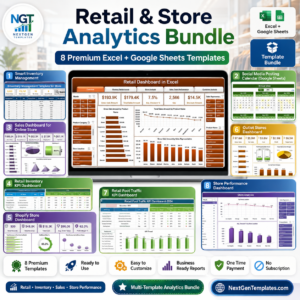
- Retail & Store Analytics Bundle: 8 Excel and Google Sheets retail templates in one bundle
Browse all Google Sheets dashboards or the Google Sheets sales and marketing templates.






Reviews
There are no reviews yet.