

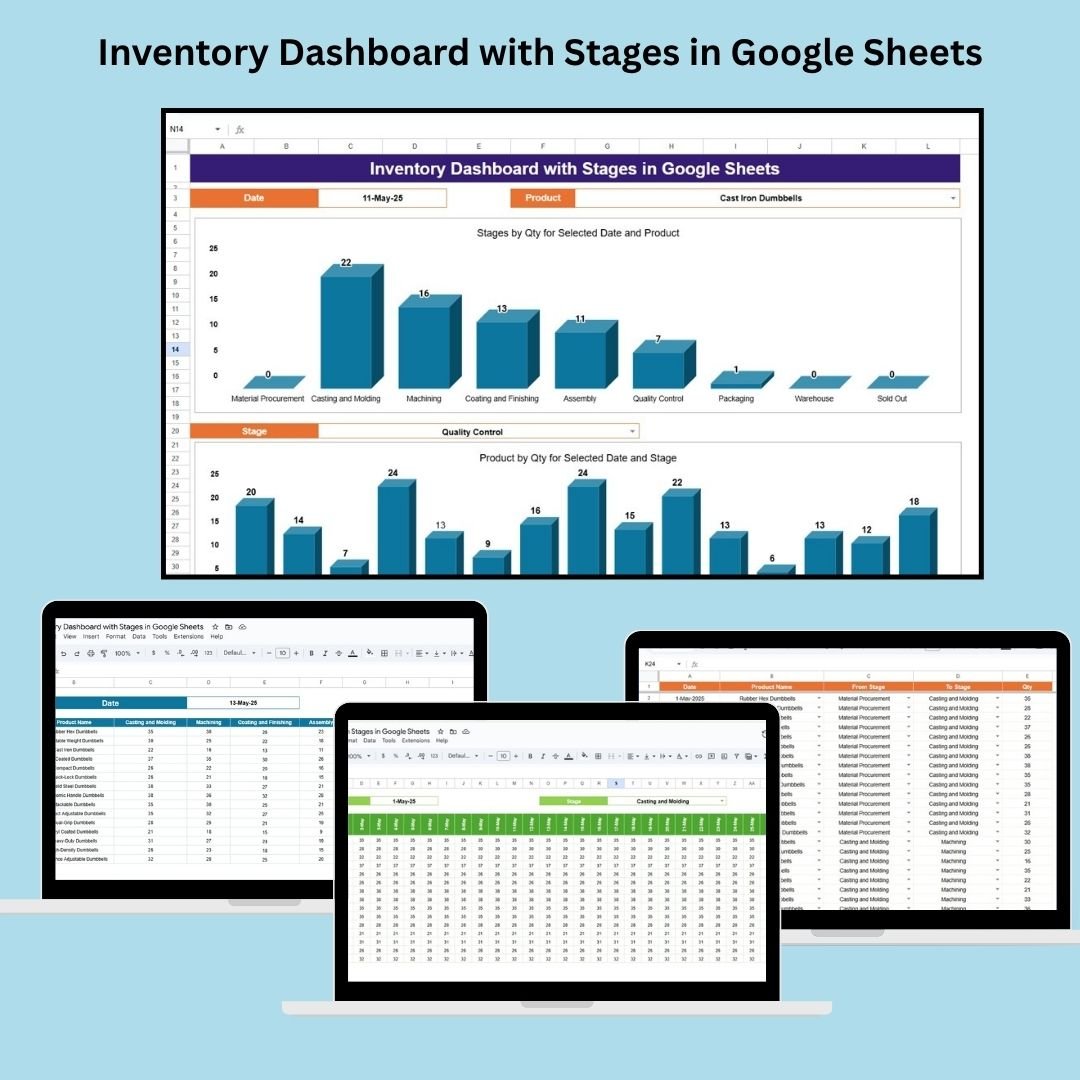

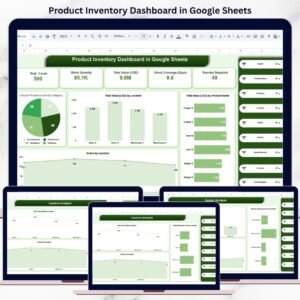
The Inventory Dashboard with Stages in Google Sheets is a powerful tool designed to streamline inventory management and tracking for businesses handling physical products. Whether you’re managing raw materials, finished goods, or the entire supply chain process, this customizable template provides a comprehensive overview of product movement across various stages. With real-time data visualization, businesses can stay on top of their inventory status and make more informed decisions to ensure operational efficiency.
🔑 Key Features of the Inventory Dashboard:
Real-Time Monitoring: Gain immediate insights into the current state of inventory, ensuring your business is always aware of stock levels and production progress.
Visualized Product Movement: Track inventory across multiple stages of the production or sales cycle, from material procurement to product sale.
Comprehensive Reporting: Visualize product quantities in stages via charts, helping you understand how stock is moving across different stages of the supply chain.
Customizable: Tailor the template to your unique business needs, adding or removing stages, adjusting charts, and fine-tuning data to reflect specific product categories.
Collaborative Tool: The Google Sheets interface allows for easy sharing with your team, suppliers, or stakeholders, promoting collaboration and alignment.
What’s Inside the Inventory Dashboard with Stages 📋🔄
This Inventory Dashboard consists of several key worksheets, each designed to track different aspects of inventory management. Let’s dive into the features:
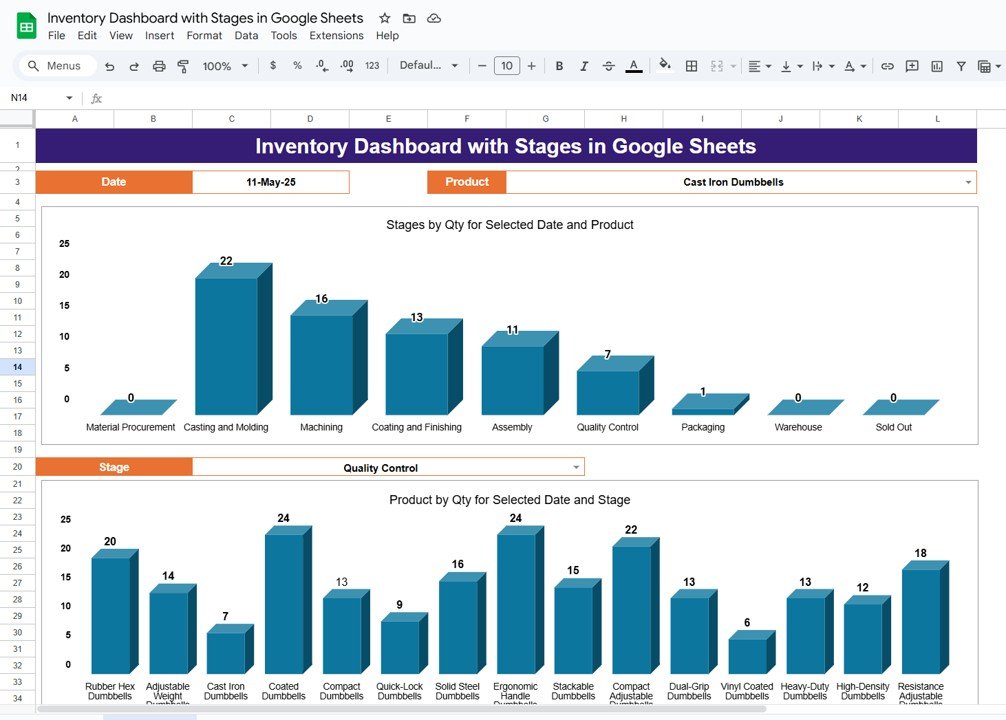
Dashboard Sheet: The main hub for visualizing your inventory, featuring:
Charts: Track quantities at various stages for selected products on specific dates.
Dropdown Menus: Easily select products and dates to see relevant data.
Product and Stage Tracking: Real-time tracking of products across stages for better decision-making.
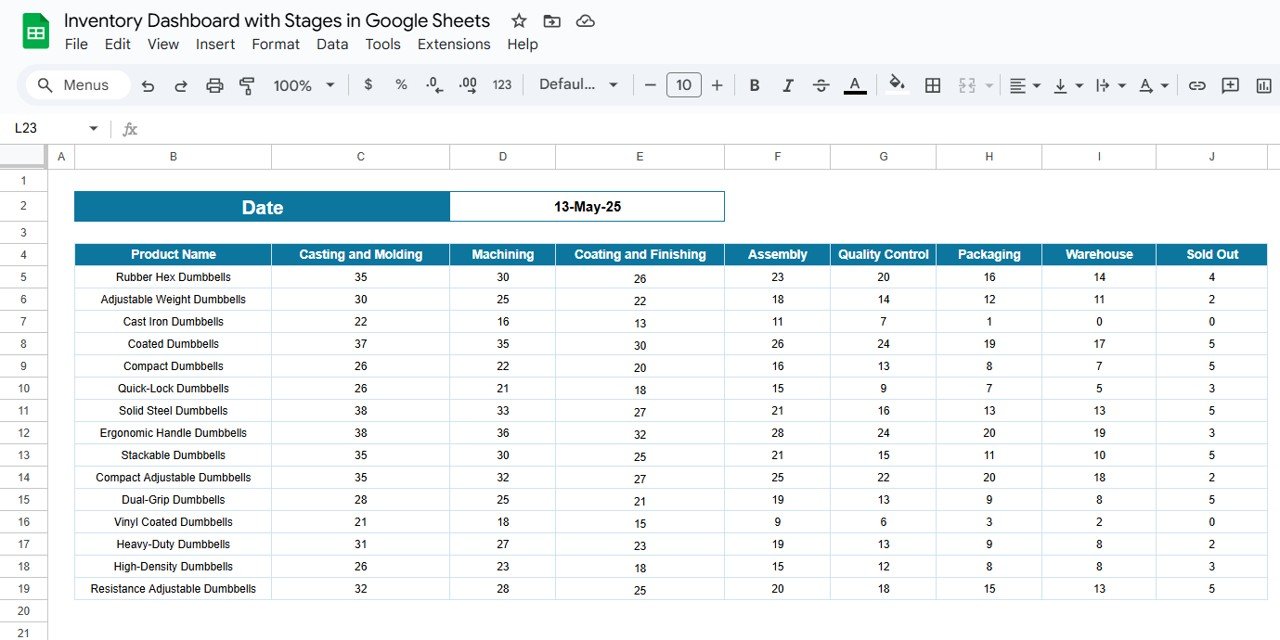
Stage Summary Sheet: This sheet provides a detailed view of products at different stages of production or sales. Features include:
Stage Categories: From material procurement to sold-out status, see where your products are at any given time.
Product Quantity by Stage: View the number of products at each stage of the process to manage stock levels efficiently.
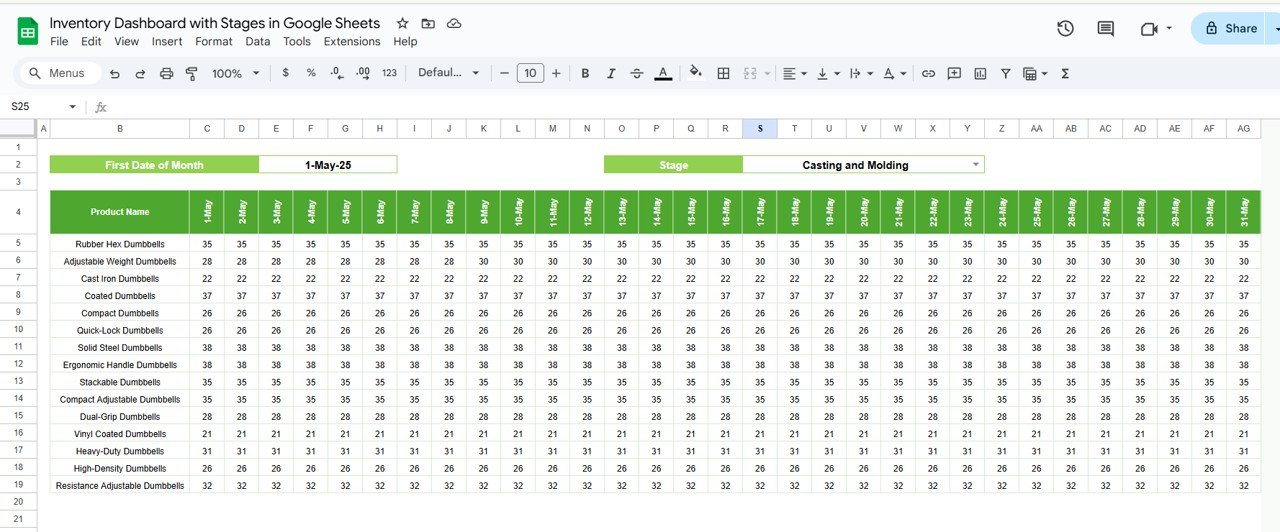
Trend Sheet: Visualize product movement over time with:
Product Movement Analysis: Track how inventory quantities change over time, identifying production bottlenecks or stock imbalances.
Trend Analysis: Monitor the flow of products and spot potential delays or trends in the production process.
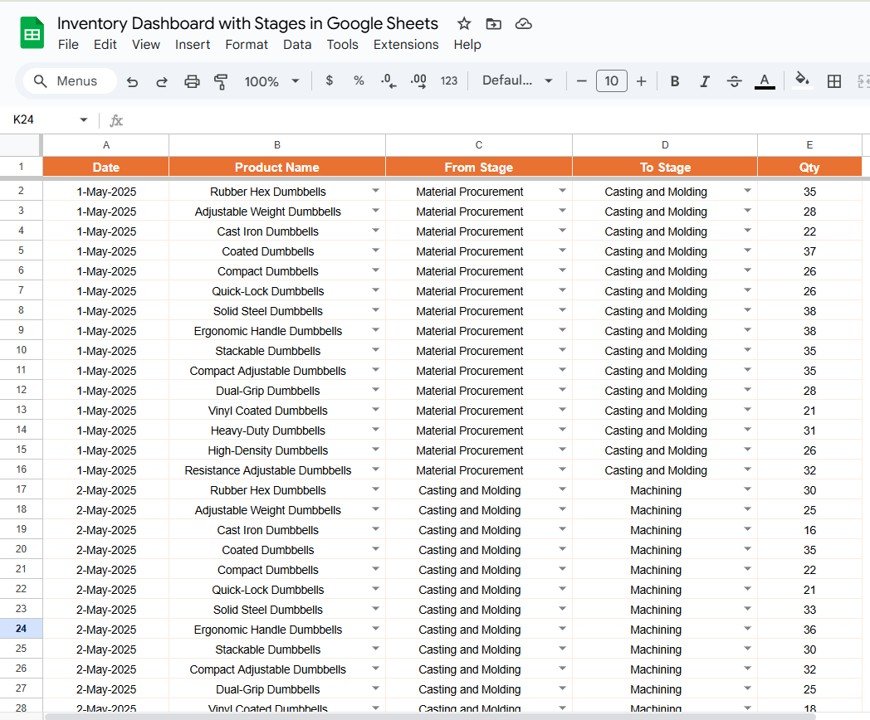
Transactions Sheet: This sheet captures all data related to inventory movement, including:
From Stage and To Stage: Record the movement of products between different stages, such as from assembly to quality control.
Product Name and Quantity: Track which products are moving and in what quantities.
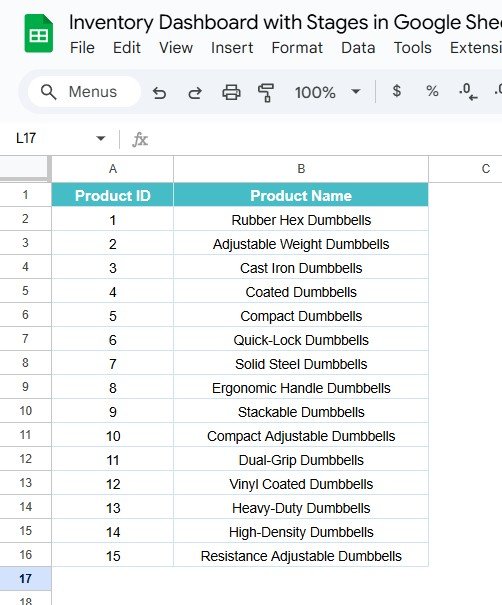
Product Master Sheet: List all your products with unique identifiers, making it easy to reference and categorize products within the dashboard.
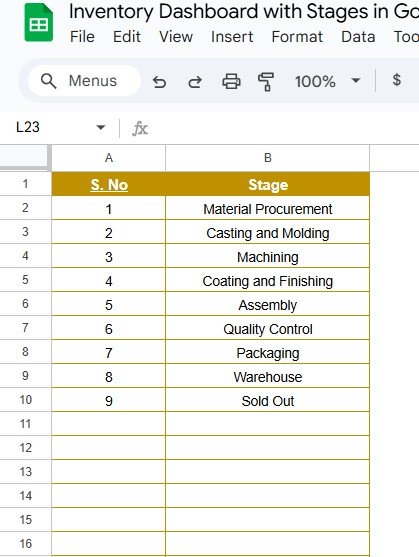
Stages Sheet: Define all the stages in the production or sales cycle, such as:
Material Procurement, Casting and Molding, Quality Control, Packaging, Warehouse, Sold Out
Clear Product Journey: Track every product’s journey across the production process with clarity and ease.
Support Sheet: Contains auxiliary data for supporting calculations and other analytical needs.
How to Use the Inventory Dashboard with Stages 📅📊
To make the most of the Inventory Dashboard with Stages, follow these steps:
Download and Open the Template: Access the Google Sheets dashboard and start entering data.
Input Data: Enter product information, transaction details, and update the Product Master Sheet and Transactions Sheet to track inventory movement.
Visualize Data: Use the Dashboard Sheet to view charts and track the progress of products across stages.
Monitor Trends: Leverage the Trend Sheet to identify trends in product movements and highlight areas of inefficiency.
Share and Collaborate: Share the dashboard with your team to ensure everyone is aligned and has real-time access to critical inventory data.
Who Can Benefit from This Inventory Dashboard? 🏭🔄
This dashboard is ideal for businesses of all sizes that deal with physical products. Whether you’re managing inventory for a small local business or a large manufacturing plant, the template will help streamline your inventory management process.
Small Business Owners: Keep track of your product stock levels and avoid understocking or overstocking.
Manufacturers: Monitor the flow of products through the production process, ensuring smooth operations.
Supply Chain Managers: Manage inventory at each stage, optimize stock levels, and prevent delays in the supply chain.
Warehouse Managers: Track product movement between stages to ensure that warehouse operations run smoothly.
Advantages of Using the Inventory Dashboard with Stages 📈📦
Streamlined Inventory Management: Track product movements at every stage of the supply chain, from procurement to sales, ensuring you stay organized.
Real-Time Updates: The dashboard updates automatically, ensuring you always have the latest inventory data available.
Improved Decision-Making: With visualized charts and real-time data, you can quickly make decisions on inventory reordering, production planning, and more.
Better Stock Control: Avoid overstocking or understocking by monitoring product quantities across different stages.
Customizable for Your Needs: Tailor the template to fit your specific inventory management processes and business needs.
Click here to read the Detailed Blog Post 📖
Watch the step-by-step video tutorial:
Visit our YouTube Channel to Learn Step-by-Step Video Tutorials 🎥
YouTube.com/@NeotechNavigators
Compatibility and Requirements
- Works in Google Sheets. You need a free Google account and a web browser.
- Products and dates are picked from in-cell dropdowns. Google explains dropdowns in Create an in-cell dropdown list.
Frequently Asked Questions
Which sheets are included?
Dashboard, Stage Summary, Trend, Transactions, Product Master, Stages and a Support sheet for calculations.
How do I record stock moving between stages?
Add a row on the Transactions sheet with the From Stage, To Stage, product name and quantity.
Which stages come set up?
Material Procurement, Casting and Molding, Quality Control, Packaging, Warehouse and Sold Out. You can add or remove stages on the Stages sheet.
How do I see one product on the dashboard?
Select the product and date from the dropdown menus on the Dashboard sheet, and the charts show its quantity at each stage.
Can I spot bottlenecks over time?
Yes. The Trend sheet shows how quantities change over time so you can see delays or stock imbalances.
Related Inventory Templates
- Inventory Management System with Product Stages in Excel: stage-based inventory tracking in Excel
- Inventory Management Dashboard in Google Sheets: stock levels and inventory charts
- Multi-Location Inventory Management in Google Sheets: track stock across several sites
- Inventory Management Dashboard in Excel: an inventory dashboard built in Excel
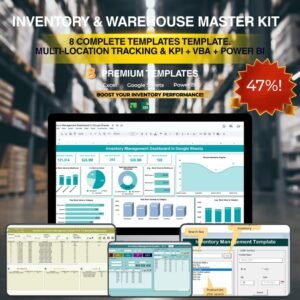
- Inventory & Warehouse Master Kit: 8 inventory and warehouse templates
Browse all Google Sheets inventory templates or the Google Sheets dashboards.










Reviews
There are no reviews yet.