

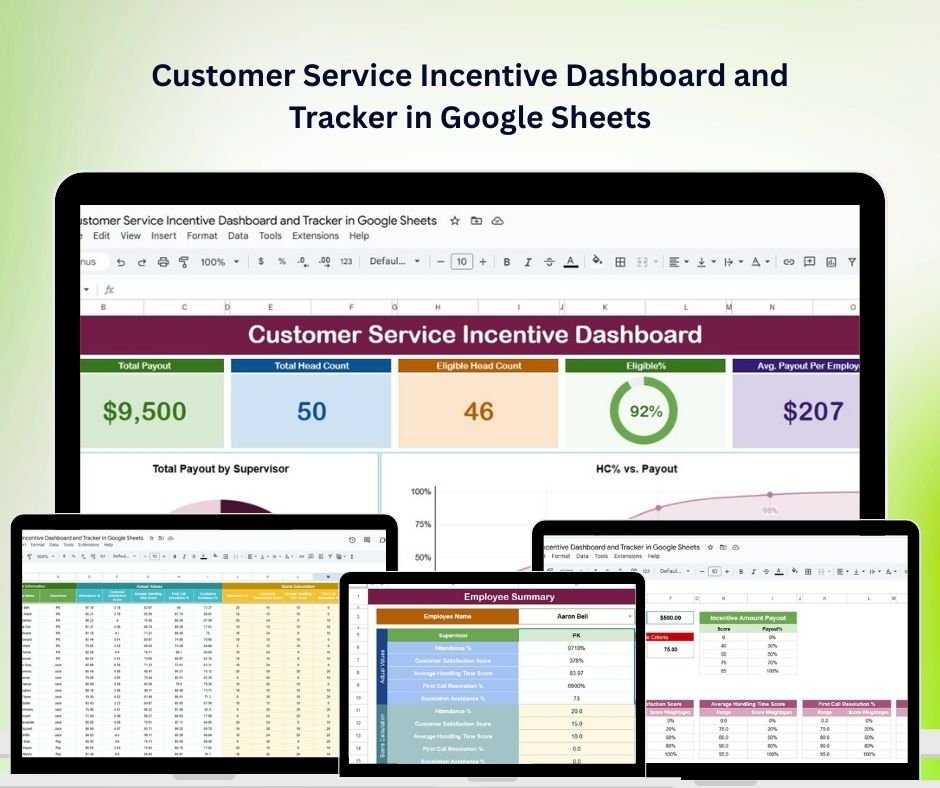
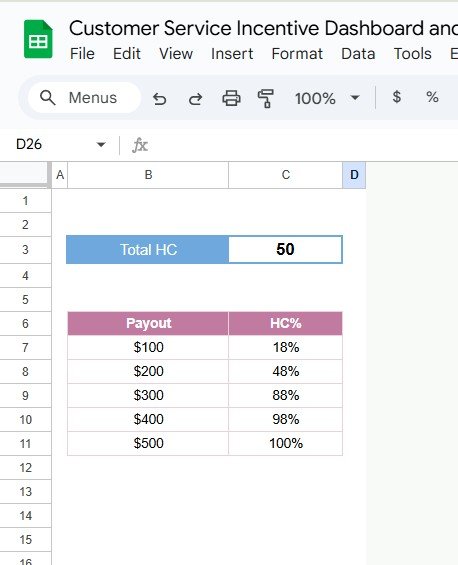

The Customer Service Incentive Dashboard and Tracker in Google Sheets is a powerful tool designed to help businesses monitor and enhance the performance of their customer service teams. By integrating performance metrics with incentive tracking, this dashboard helps motivate teams and ensures that everyone is working towards achieving company goals.
This dashboard allows businesses to track key metrics like customer satisfaction (CSAT), response and resolution times, ticket volume, and more. Additionally, it automates incentive calculations, helps set clear performance targets, and allows for real-time updates and team progress tracking, ensuring that customer service teams stay aligned with organizational goals.
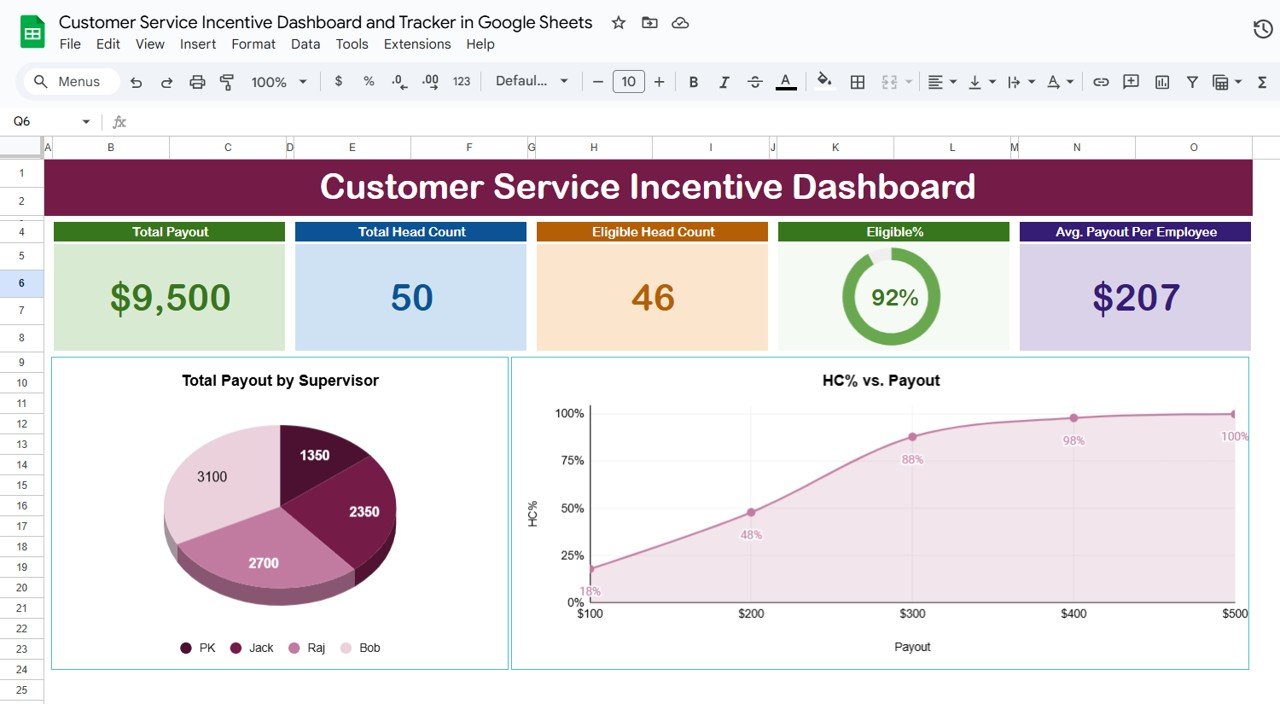
Key Features of the Customer Service Incentive Dashboard and Tracker in Google Sheets
📊 Performance Monitoring
Customer Satisfaction Scores (CSAT): Track customer feedback and assess service quality.
Response and Resolution Times: Monitor the efficiency of issue resolution and response times.
Ticket Volume Analysis: Analyze the number of customer service cases handled over specific periods.
💰 Incentive Tracking
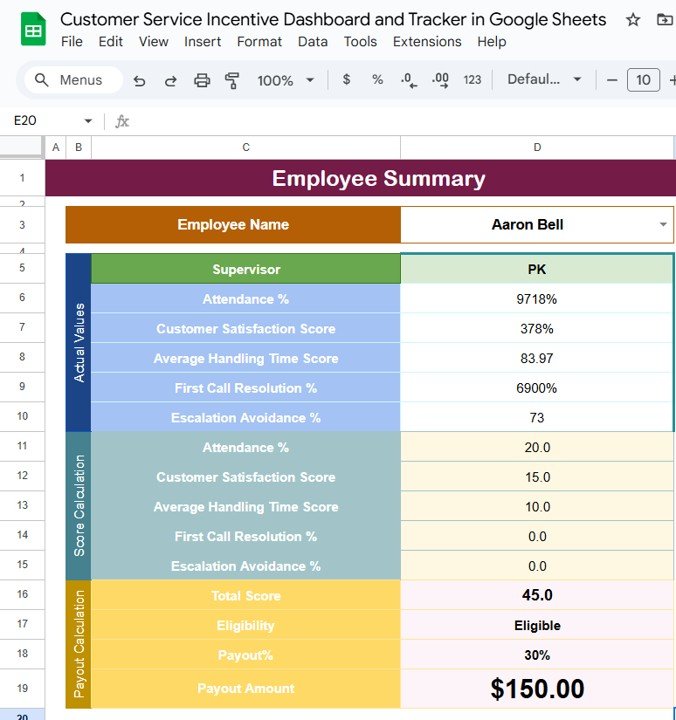
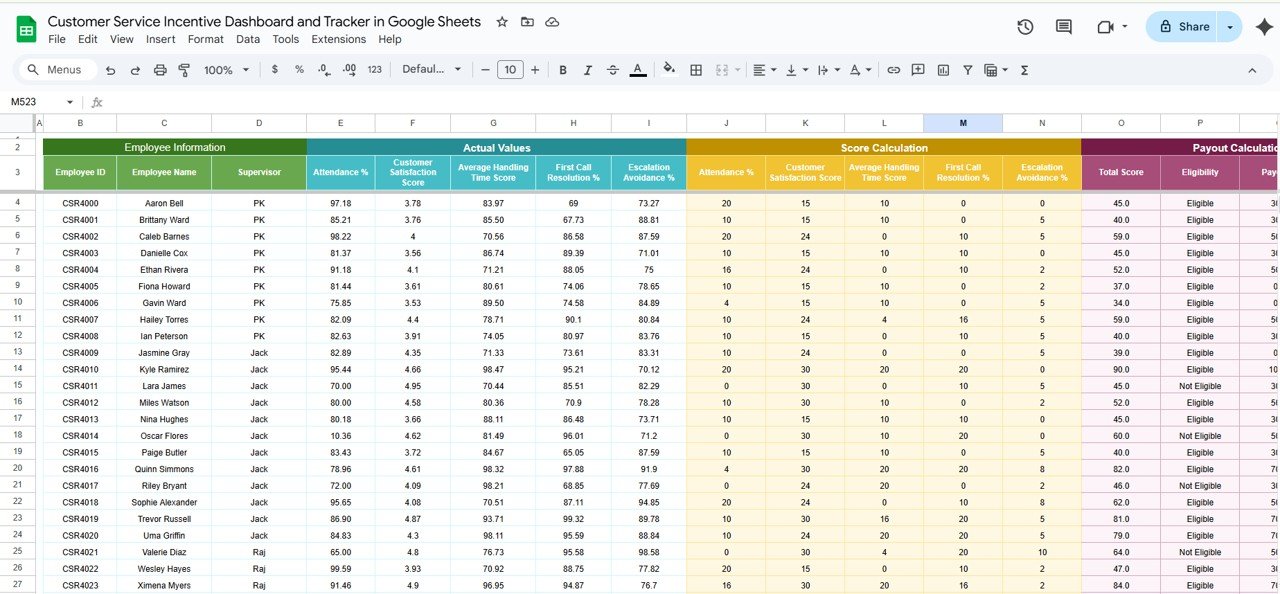
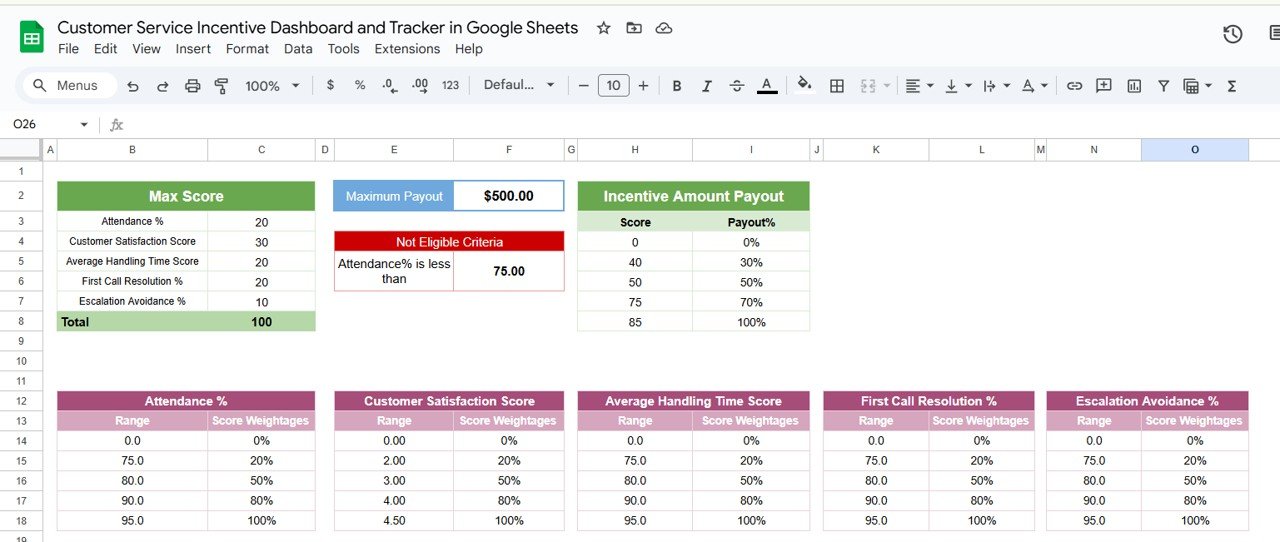
Commission Calculations: Automate incentive calculations based on predefined performance criteria.
Goal Setting: Set clear performance goals and track progress towards meeting them.
Leaderboard Display: Encourage friendly competition by showcasing top performers and motivating the team.
📈 Real-Time Data Visualization
Interactive Charts and Graphs: Use customizable visualizations to interpret performance data effectively.
Dynamic Dashboards: Experience real-time updates as data is entered, giving you up-to-date insights into team performance.
🖥 User-Friendly Interface
Customizable Layouts: Adjust the dashboard to focus on the most relevant metrics to your business.
Collaborative Features: Share the dashboard with team members and stakeholders for transparency and effective collaboration.
🔒 Data Integrity and Security
Cloud-Based Accessibility: Securely access the dashboard from any location, making it easy to track performance and incentives.
Permission Settings: Manage user access to protect sensitive data and ensure the confidentiality of performance metrics.
Benefits of Using the Customer Service Incentive Dashboard and Tracker in Google Sheets
✅ Enhanced Performance
Aligning incentives with key performance metrics encourages customer service teams to strive for excellence.
✅ Increased Transparency
Clear visibility into performance and incentive structures fosters trust and motivates the team to reach their goals.
✅ Data-Driven Decisions
Centralizing performance and incentive data enables businesses to make informed decisions on where to allocate resources for optimal outcomes.
✅ Operational Efficiency
Automating performance and incentive tracking reduces administrative effort, enabling the team to focus on delivering great customer service.
Conclusion
The Customer Service Incentive Dashboard and Tracker in Google Sheets is an invaluable tool for businesses looking to optimize customer service performance. By automating incentive tracking and providing real-time performance insights, this dashboard helps foster motivation, enhance service quality, and ultimately improve customer satisfaction. With its user-friendly design and powerful features, it’s an essential tool for customer service teams striving for excellence.
Click here to read the Detailed blog post
Customer Service Incentive Dashboard and Tracker in Google Sheets
Visit our YouTube channel to learn step-by-step video tutorials
YouTube.com/@PKAnExcelExpert
Compatibility and Requirements
- Works in Google Sheets. You need a free Google account and a web browser.
- Results show in interactive charts and graphs. Google explains charts in Add & edit a chart or graph.
Who Is This Dashboard For?
Customer service managers, support team leads and HR or operations teams that run incentive programs for support agents.
How to Use It
- Open the Google Sheets file with your Google account.
- Enter your team’s performance data, such as CSAT scores, response and resolution times and ticket volume.
- Set the performance goals and incentive criteria for your team.
- Review the charts, incentive calculations and leaderboard as data comes in.
- Share the dashboard with team members and stakeholders, using permission settings to control access.
Frequently Asked Questions
Which metrics does it track?
Customer satisfaction scores (CSAT), response and resolution times, and ticket volume.
Does it calculate incentives?
Yes. Commission and incentive amounts are calculated from the performance criteria you set.
Is there a leaderboard?
Yes. A leaderboard shows the top performers on your team.
Can I control who sees the data?
Yes. Google Sheets permission settings let you manage who can view or edit the dashboard.
Related Incentive and Customer Service Templates
- Sales Incentive Dashboard and Tracker in Google Sheets: incentives for sales teams
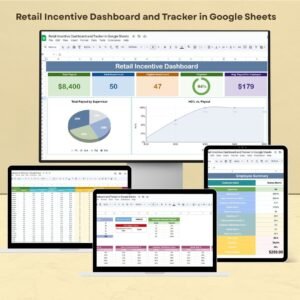
- Retail Incentive Dashboard and Tracker in Google Sheets: incentives for retail staff
- Customer Service Dashboard In Google Sheets: track support performance
- Customer Service KPI Dashboard in Google Sheets: monthly support KPIs against targets
- Incentive Dashboard in Excel: the Excel incentive dashboard
Browse all Google Sheets dashboards.








Reviews
There are no reviews yet.