

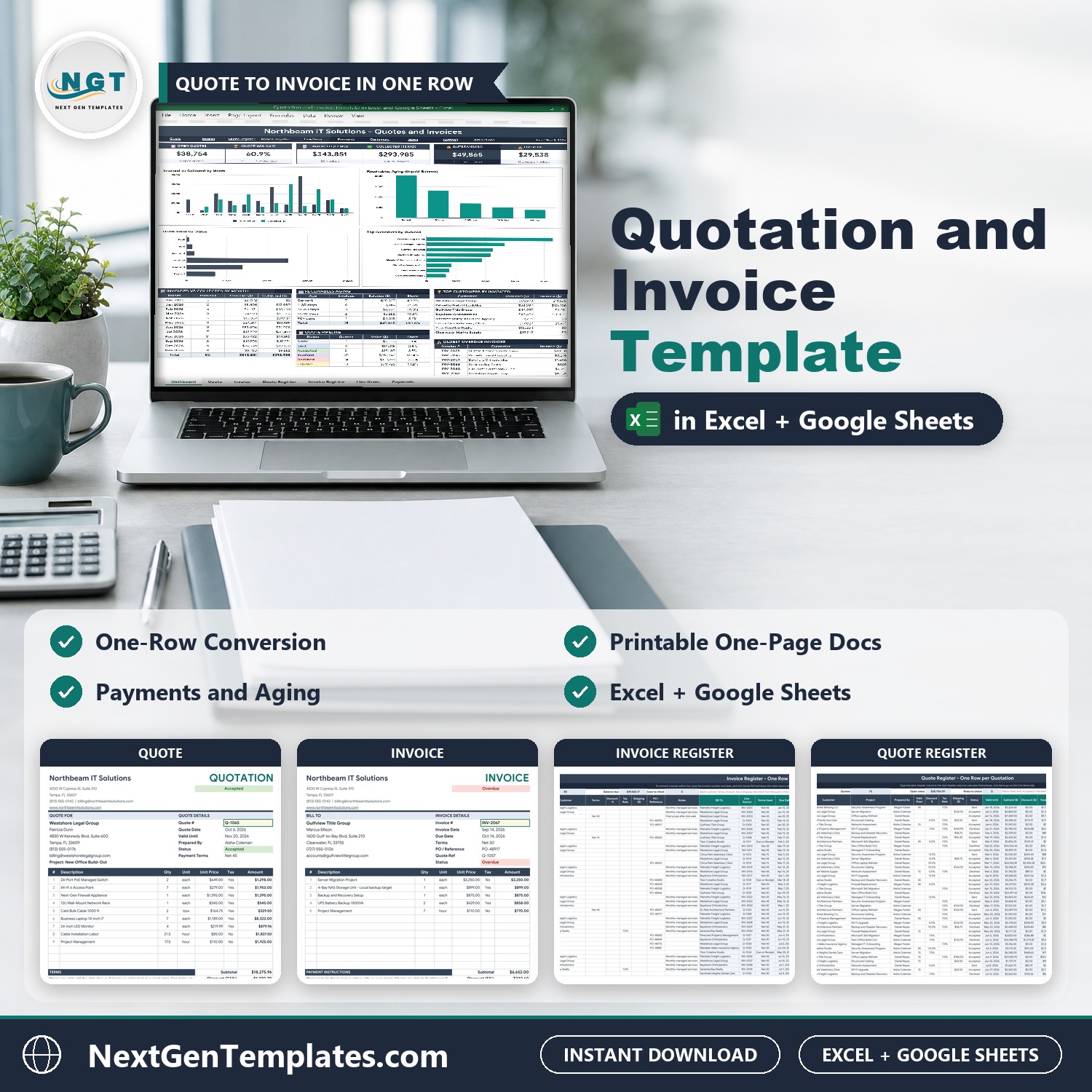

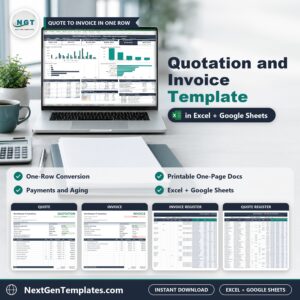
Quotation and Invoice Template in Excel and Google Sheets lets you build a quote once, turn it into an invoice in one row, record the payments and see exactly who owes you what. Pick a quote number in the yellow box and the whole printable document fills itself: company details, customer, every line, discount, taxable amount, sales tax, shipping and total. It ships in two editions, Google Sheets and Microsoft Excel, with the same 12 tabs, the same formulas and sample data for a fictional IT services company in Tampa, Florida.
Watch the Quotation and Invoice Template in Excel and Google Sheets walkthrough
🌍 Join 10,000+ customers in 180+ countries using NextGenTemplates to replace paid SaaS tools with one-time-purchase Excel, Google Sheets, Power BI and HTML templates.
✅ Instant download · One-time payment · No subscription · No per-user fees · Lifetime access
This is a quotation and invoice template for small businesses, freelancers and service companies that send quotes and invoices. It is a manual business document tool with formulas and charts, not a macro tool and not an accounting system: you type your quotes, invoices and payments yourself.
🔑 Key Features of the Quotation and Invoice Template
🧾 A printable one-page Quote and Invoice. Each has room for 12 lines and prints on one Letter or A4 page, with a signature line on the quote.
🔁 Quote to invoice in one row. On the Invoice Register, type the invoice number and date, pick the Quote Ref, and the customer, lines, discount, tax and shipping come across. The quote then shows Invoiced.
💳 Payments with part payments. Log each payment as a row. The invoice status switches between Paid, Partial, Open and Overdue and the balance updates.
⏰ Days overdue and receivables aging. See the balance by Current, 1-30, 31-60, 61-90 and 90+ days, with the oldest overdue invoices to chase first.
📊 A Dashboard with six tiles and four charts. Open Quotes, Quote Win Rate, Invoiced, Collected, Outstanding and Overdue, plus a monthly table, a quote pipeline and top customers.
👥 Customers and Items masters. Dropdowns everywhere, and a taxable Yes or No flag on every item so sales tax is only charged where it applies.
✅ A Check column on every register that tells you what is missing: a customer, a date, a duplicate number or a line.
📦 What’s Inside the Quotation and Invoice Template
The download is a ZIP with two files: the Excel edition (.xlsx, no macros) and a PDF guide that holds the “Make a copy” link to your own editable Google Sheet. Both editions have the same 12 tabs: Dashboard, Quotation, Invoice, Quote Register, Invoice Register, Line Items, Payments, Customers, Items, Settings, Instructions and Explore More Templates.
Page 1: Dashboard (Google Sheets)
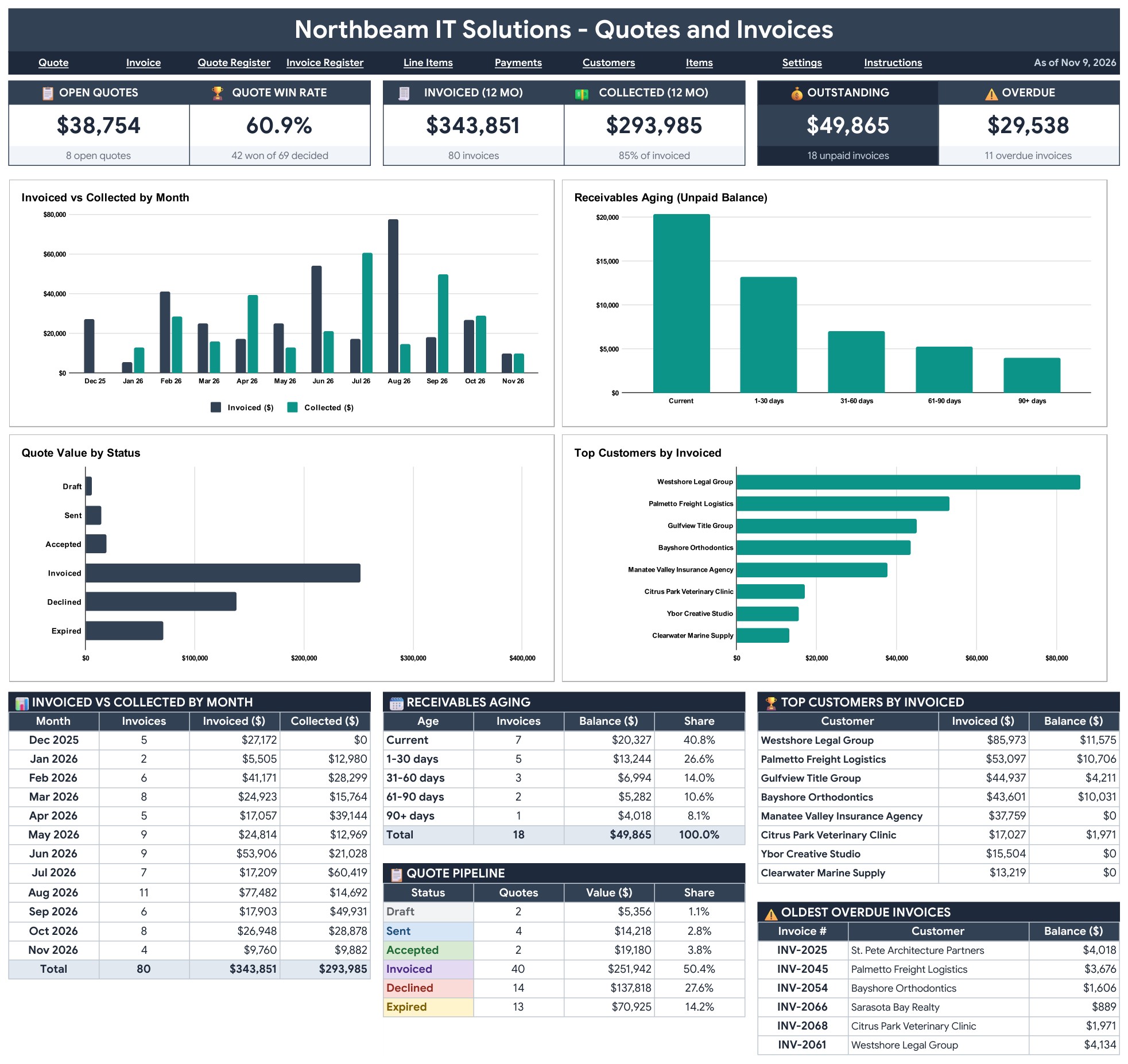
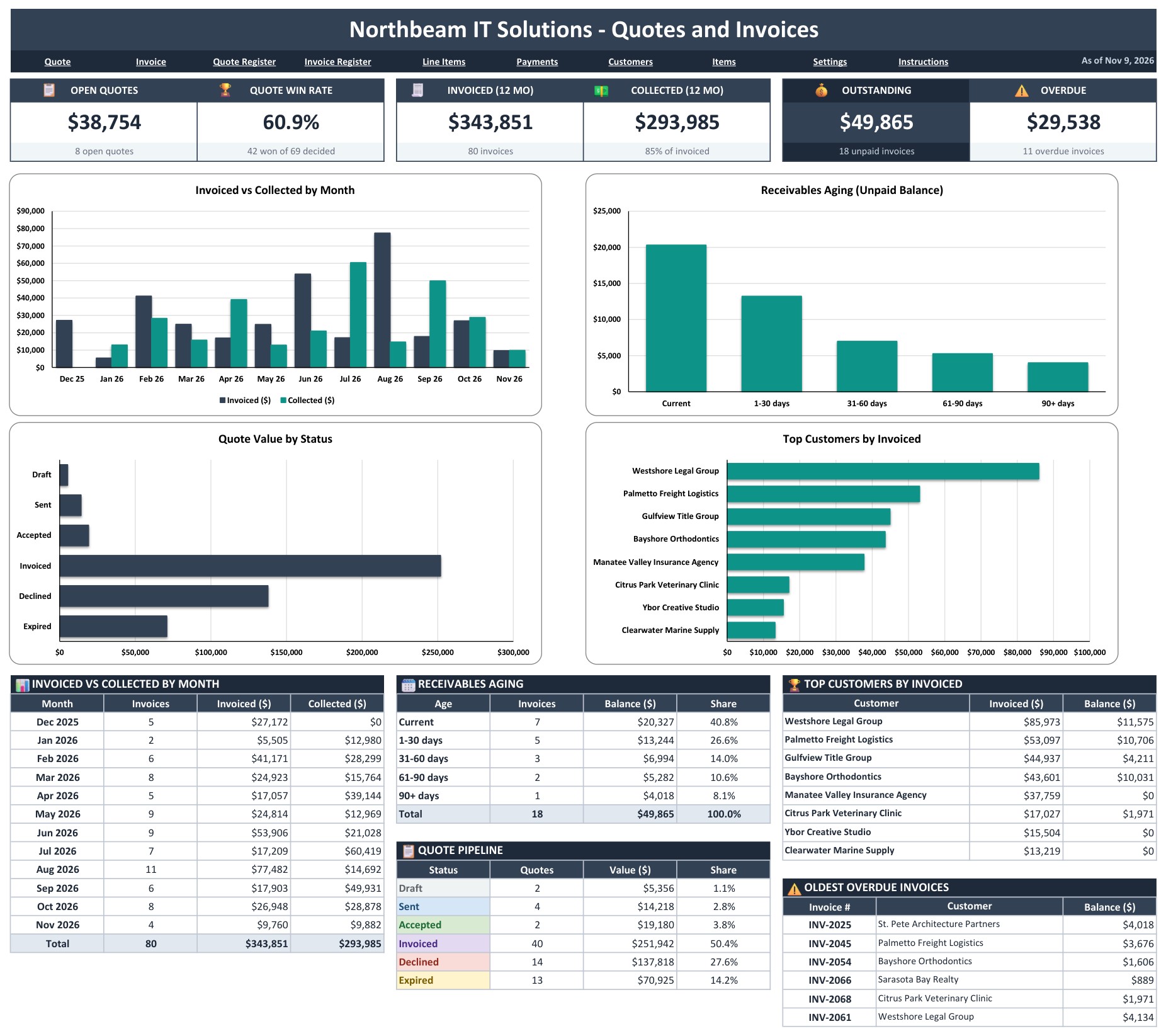
The Dashboard opens with six tiles: Open Quotes, Quote Win Rate, Invoiced (12 months), Collected (12 months), Outstanding and Overdue. Four charts sit under them: Invoiced vs Collected by Month, Receivables Aging, Quote Value by Status and Top Customers by Invoiced. Tables below show the monthly totals, the aging buckets, the quote pipeline, the top customers and the oldest overdue invoices to chase first.
Page 2: Quotation (Google Sheets)
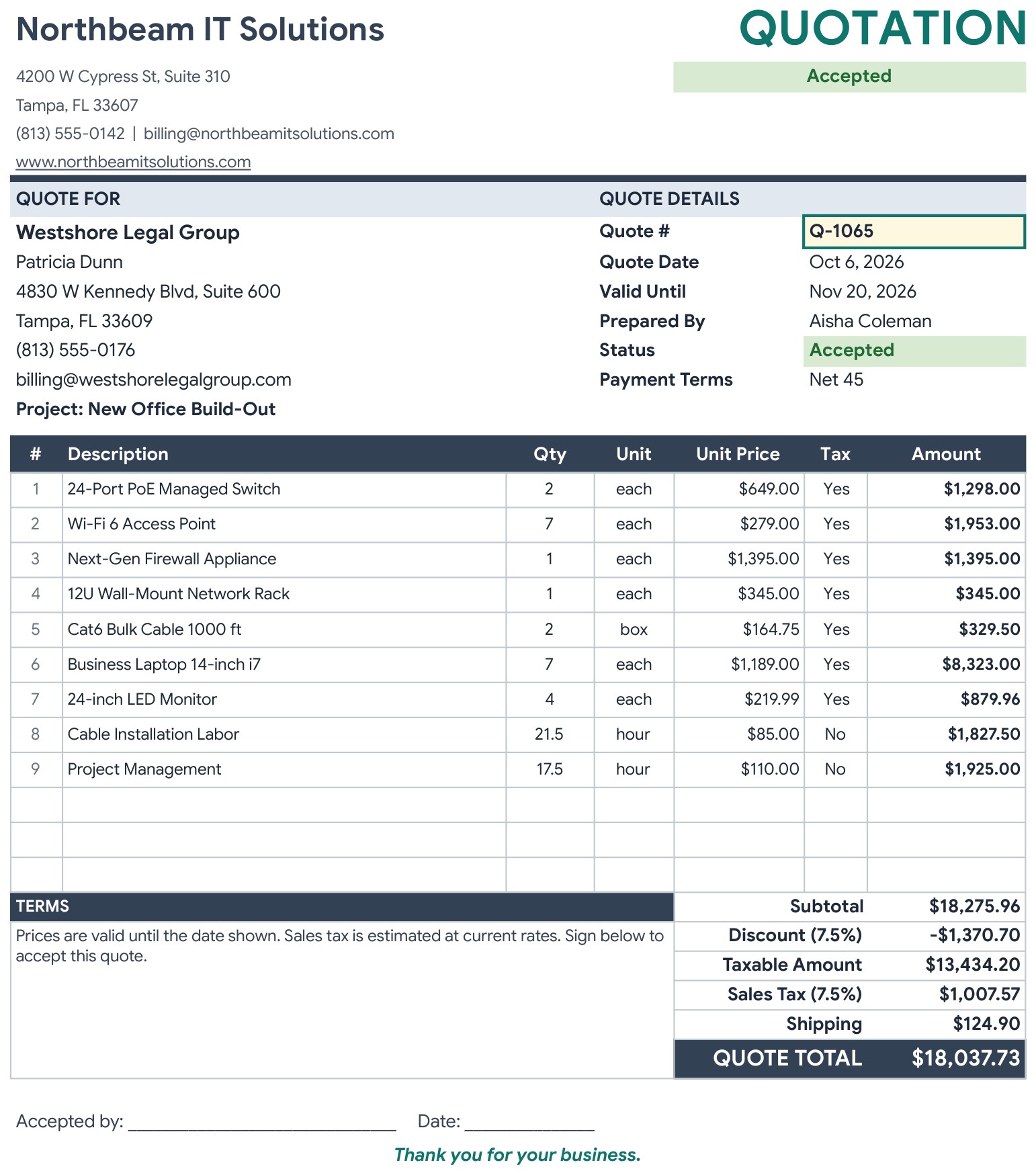
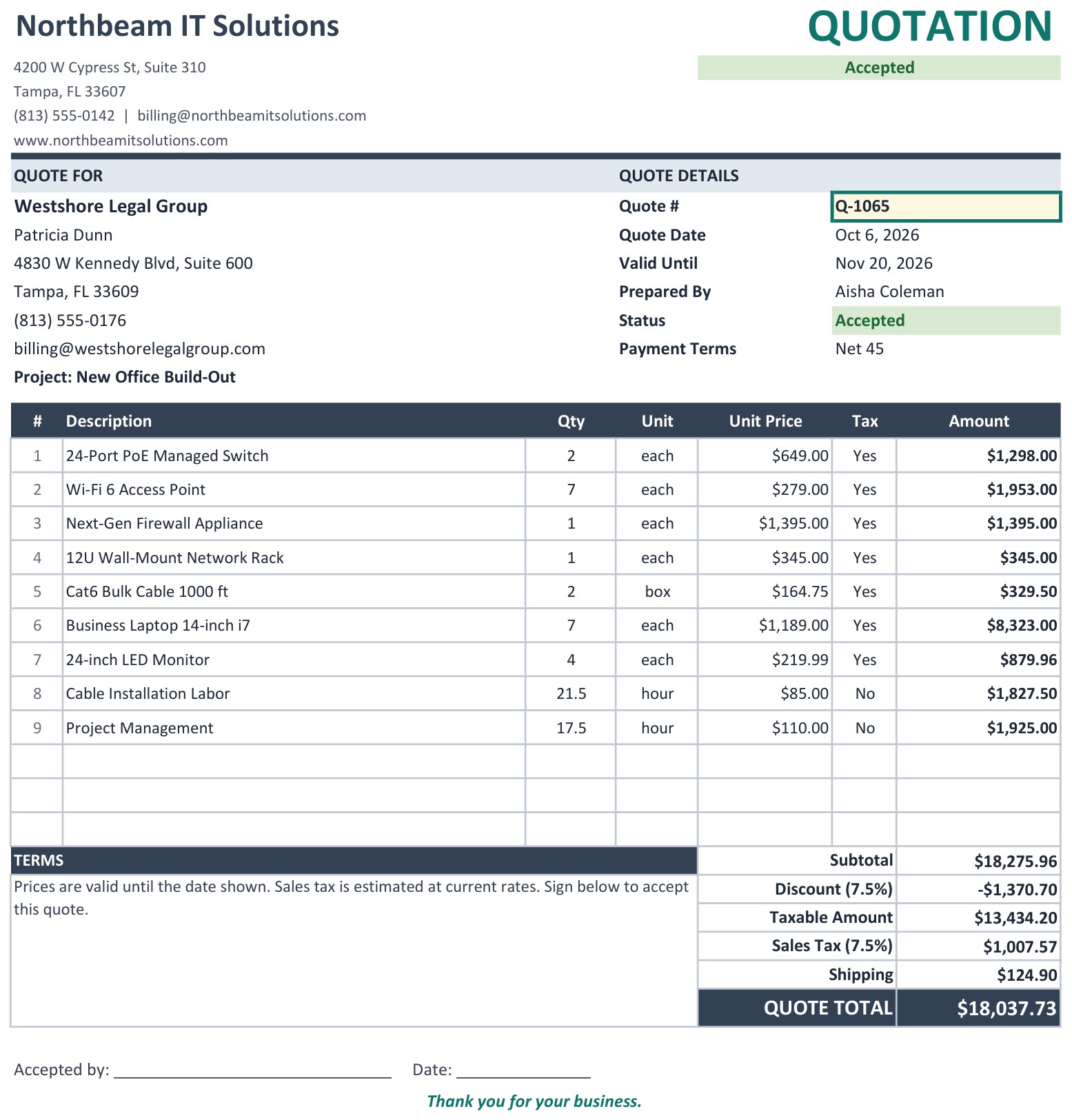
Pick a quote number in the yellow box and the whole printable quote fills itself: your company details, the customer block, up to 12 lines, discount, taxable amount, sales tax, shipping and the quote total, with a signature line for the customer.
Page 3: Invoice (Google Sheets)
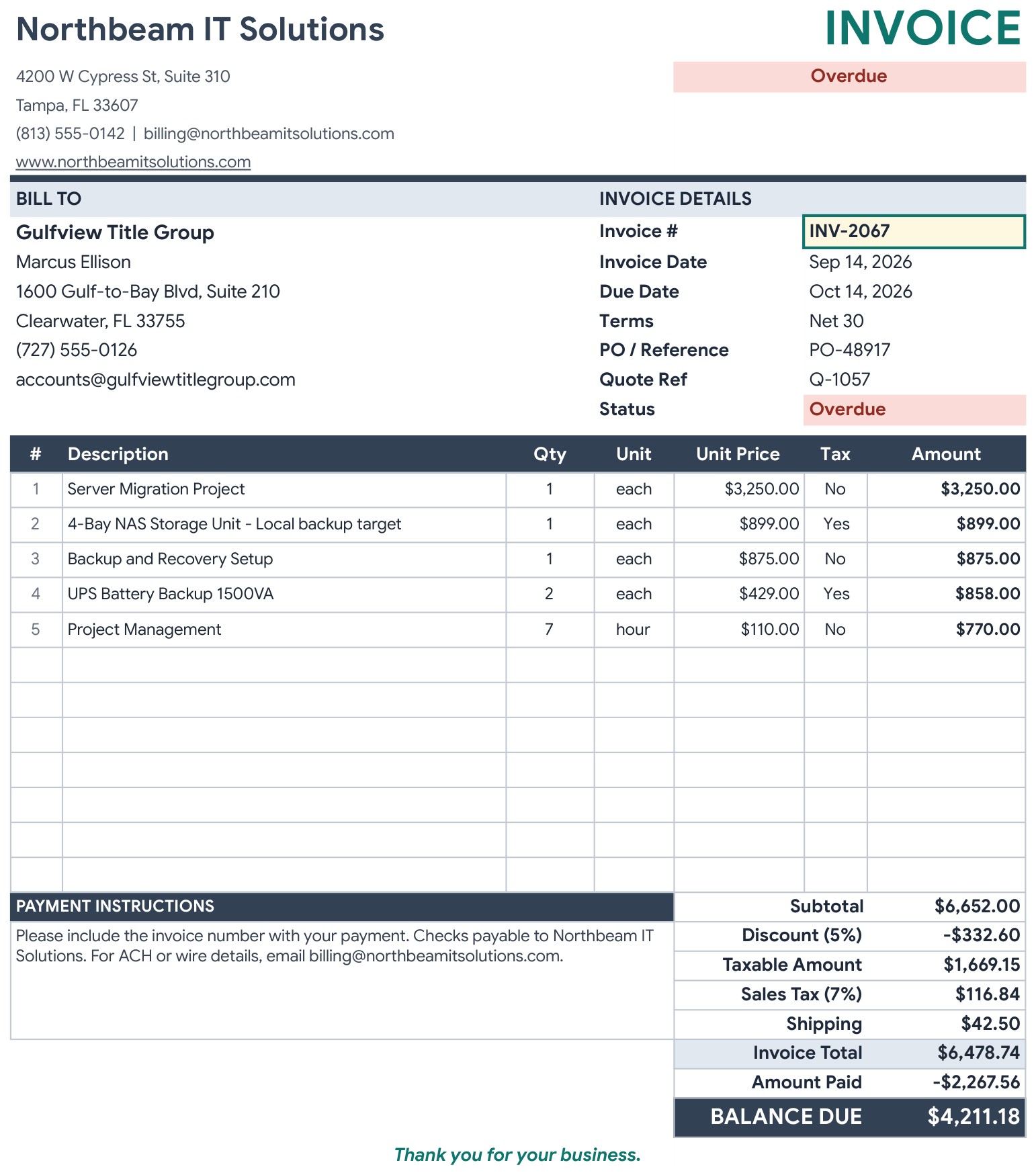
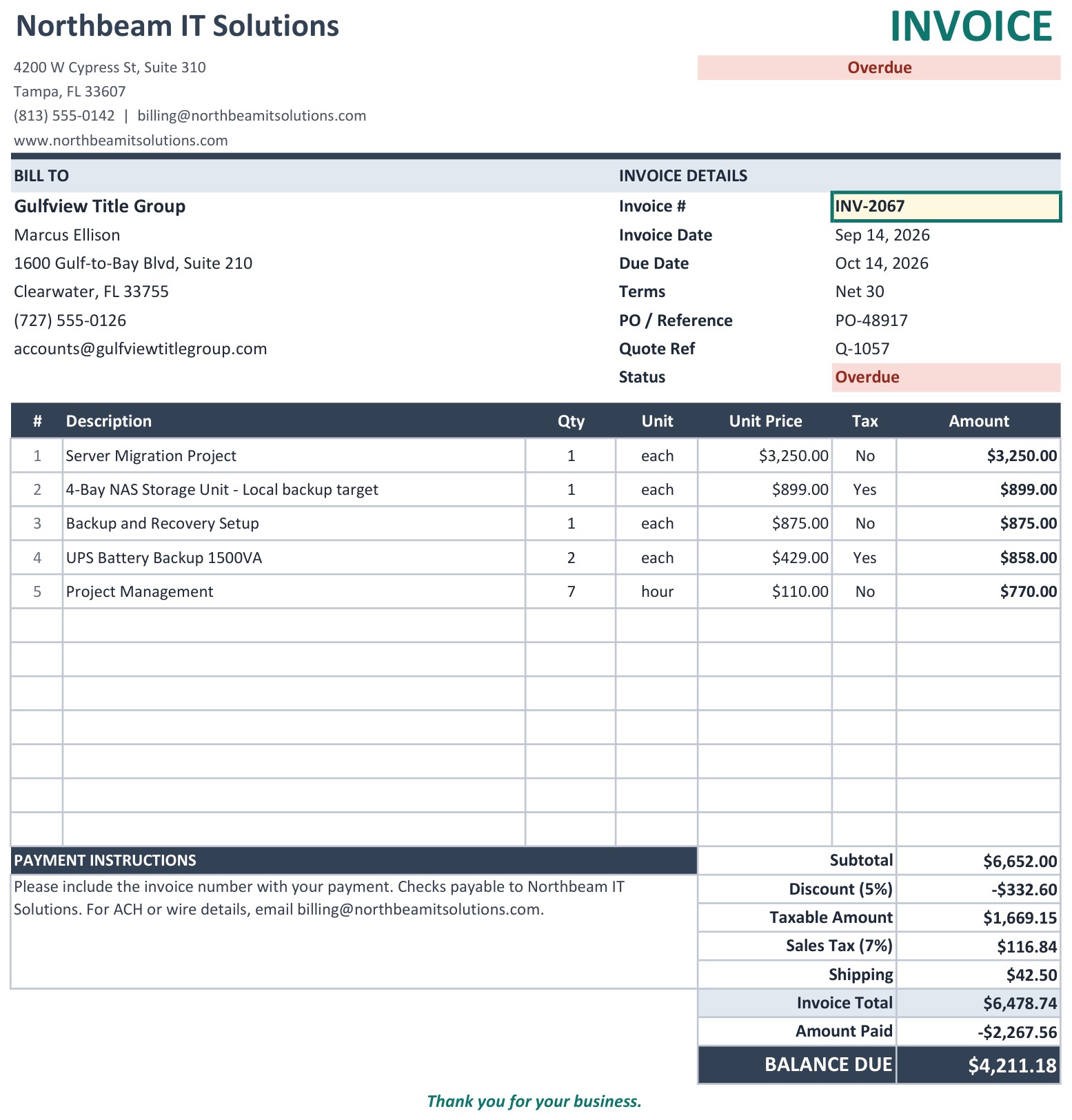
The Invoice tab works the same way. Pick an invoice number and you get the bill-to block, due date, terms, the quote it came from, the amount paid and the balance due, with a status of Paid, Partial, Open or Overdue.
Page 4: Quote Register (Google Sheets)
One row per quote: number, date, customer, project and who prepared it. A strip at the top suggests the next quote number. The calculated columns work out the quote total, the live status (Expired or Invoiced appear by themselves) and a Check column that says what is missing.
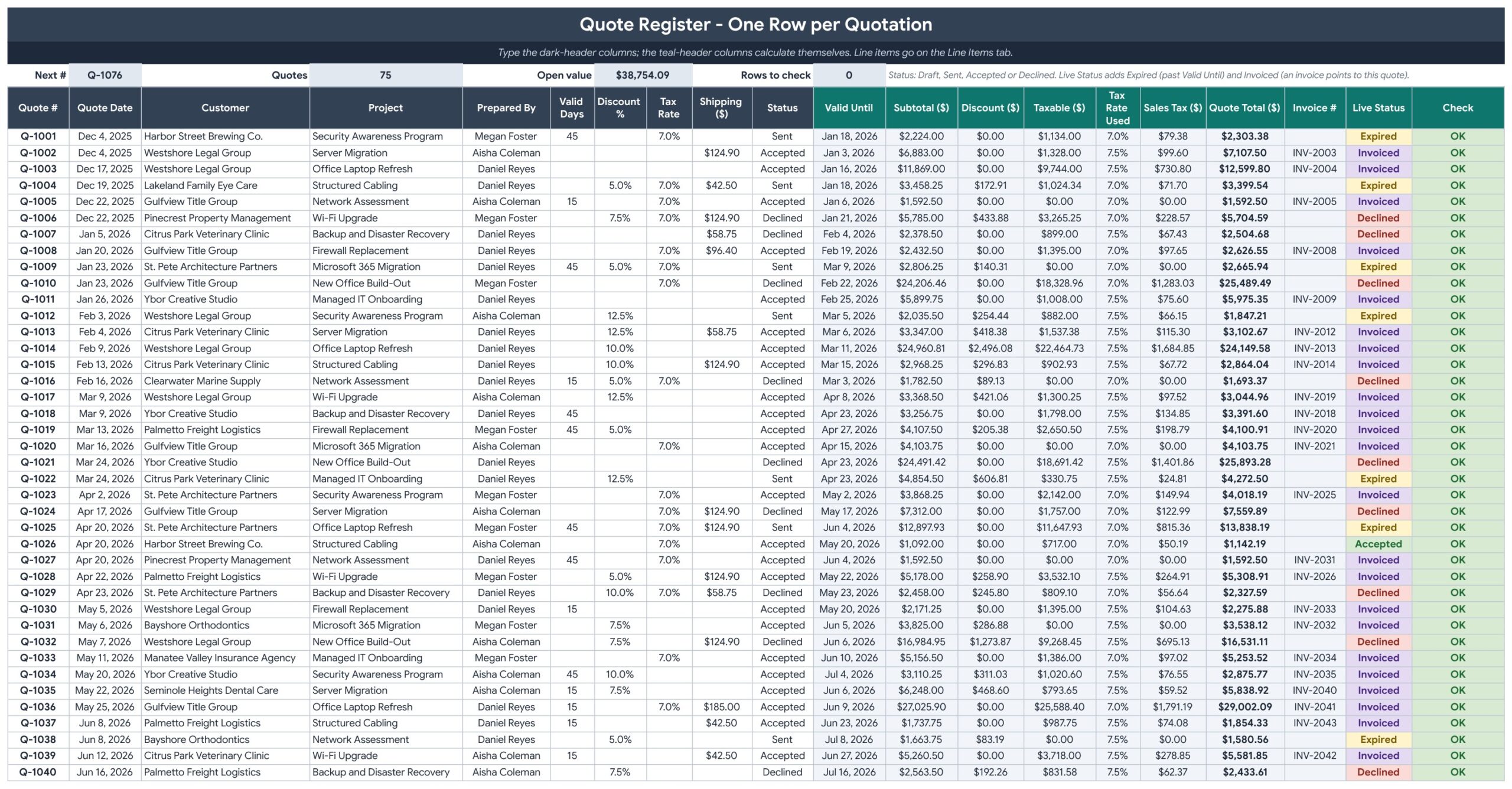
Page 5: Invoice Register (Google Sheets)
To turn a quote into an invoice, add a row, type the invoice number and date and pick the Quote Ref. Customer, terms, discount, tax rate, shipping and every line come across. Days overdue, aging bucket and status calculate for you.
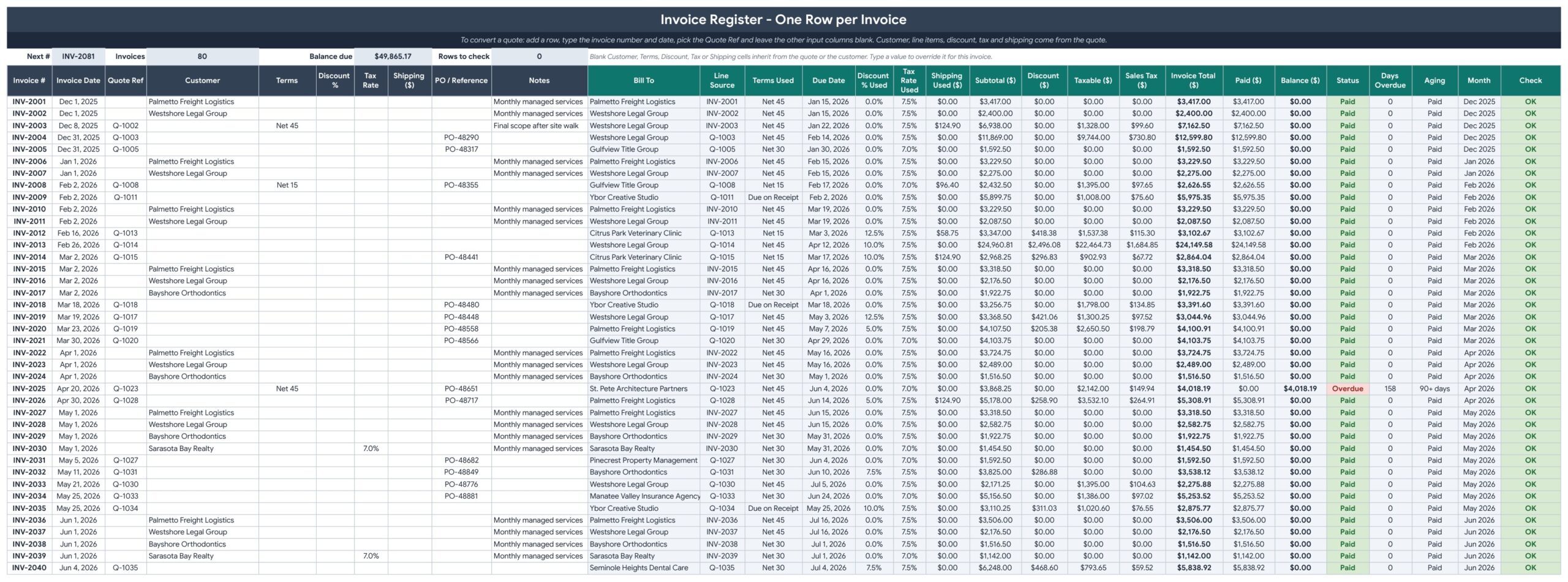
Page 6: Line Items (Google Sheets)
One row per product or service on a quote or invoice. Pick the document and the item, type the quantity, and the unit, price and taxable flag come from the Items tab. A Price Override column handles one-off prices.
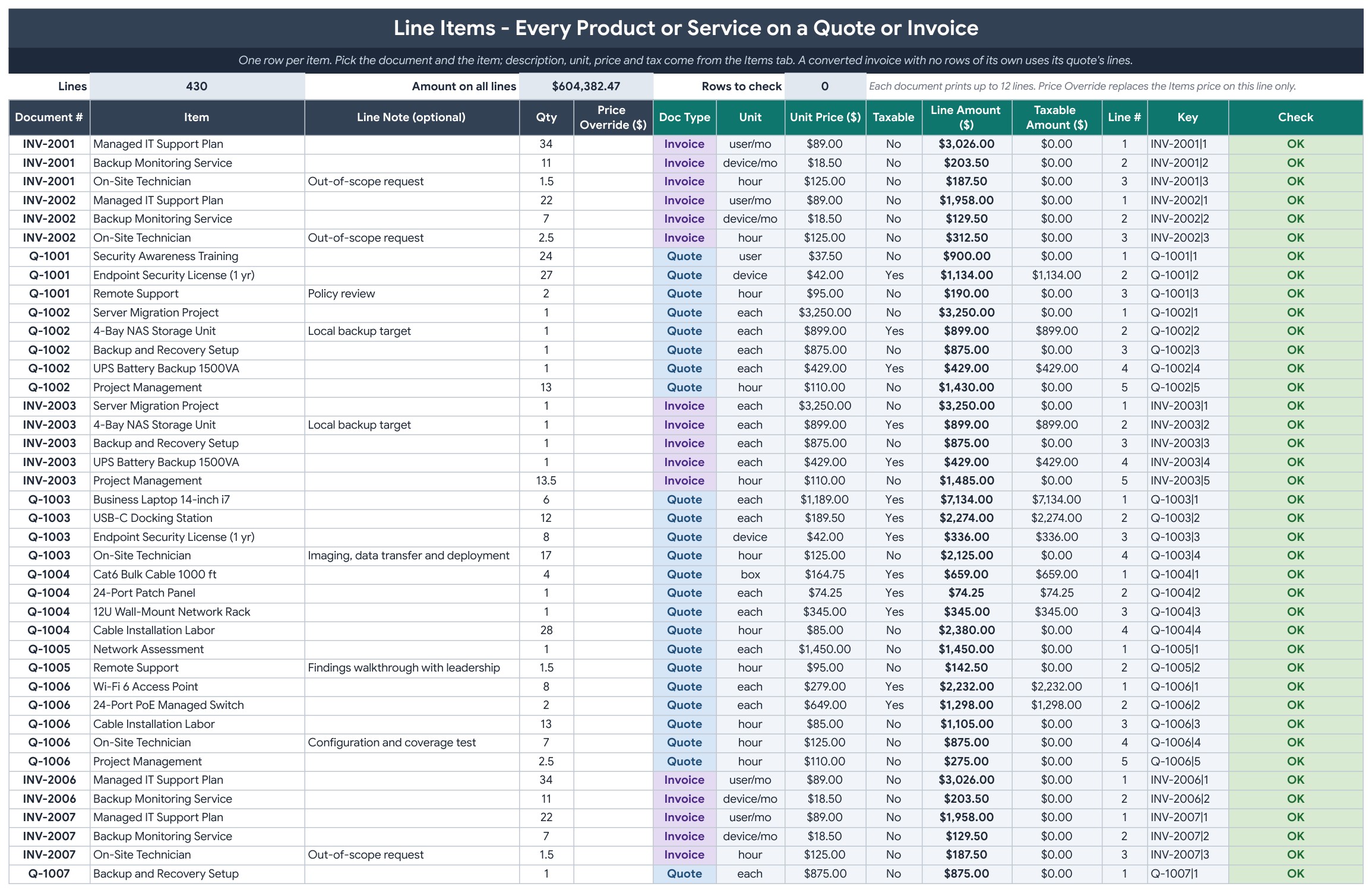
Page 7: Payments (Google Sheets)
Every payment gets one row, and part payments are separate rows. The invoice balance, status and aging update everywhere, and a Check column flags any row with a missing invoice or amount.
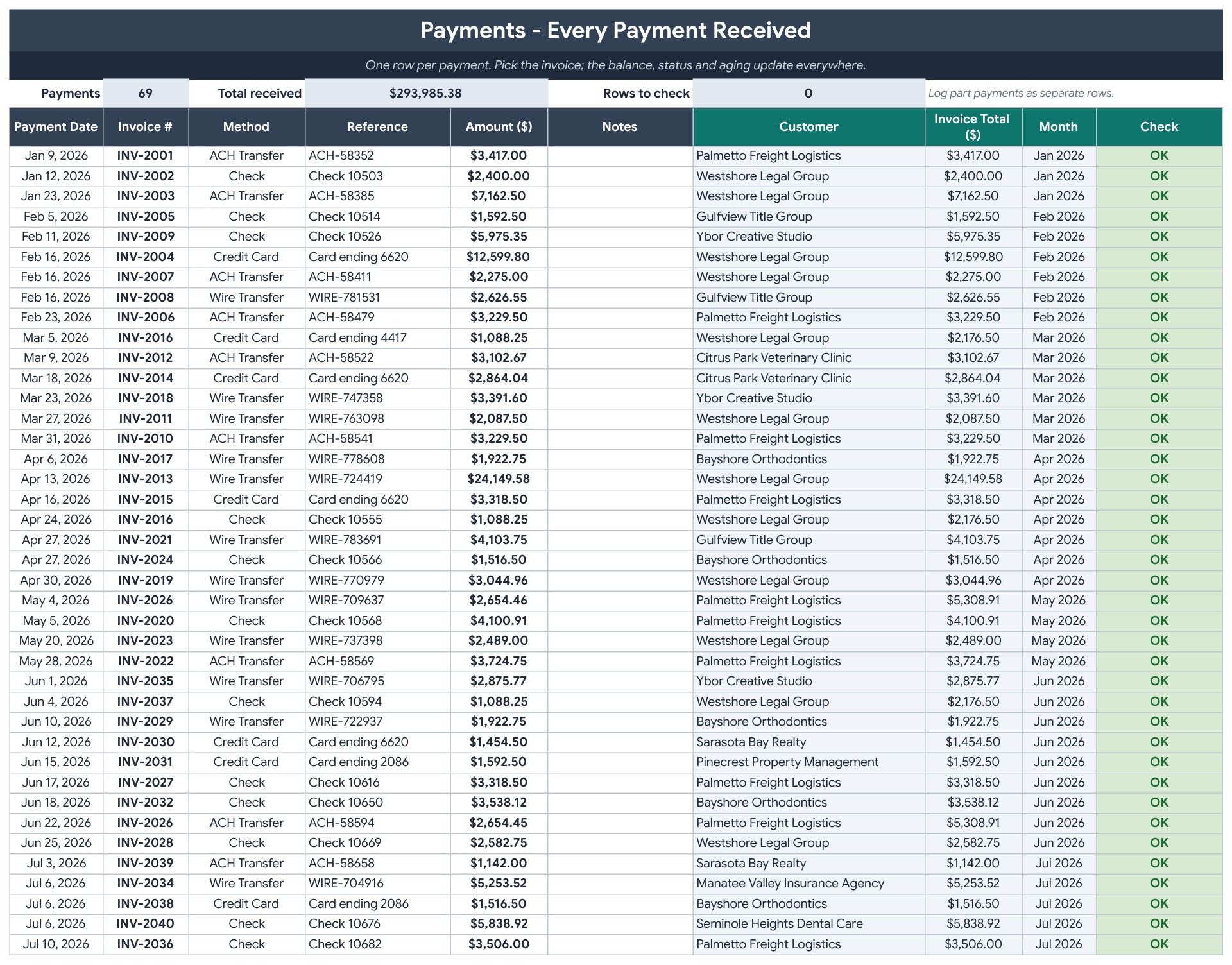
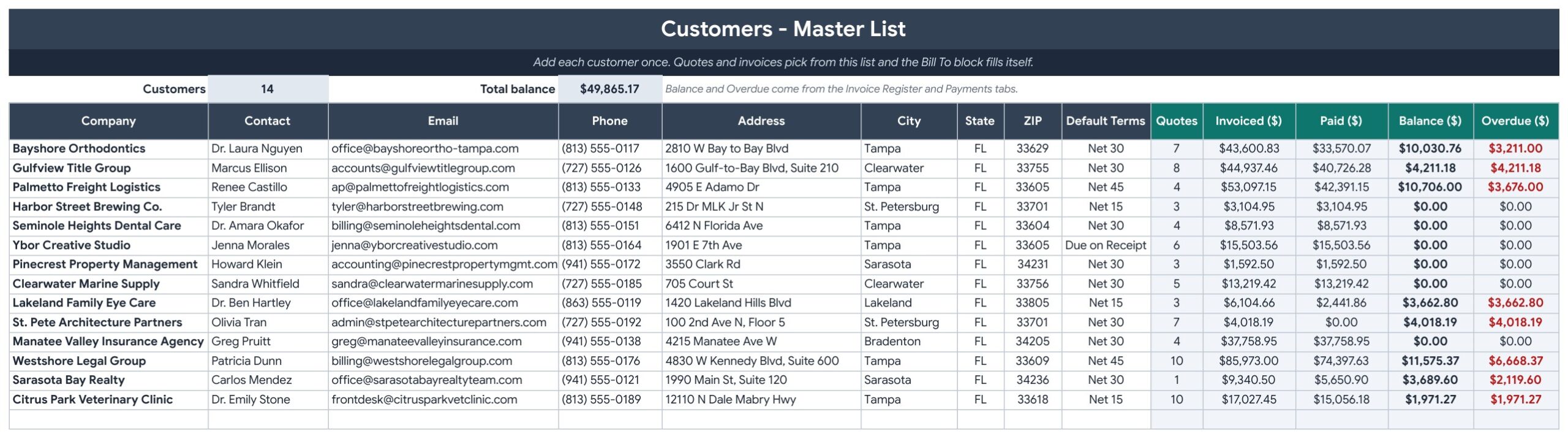
Page 8: Customers (Google Sheets)
Add each customer once. Quotes, invoiced, paid, balance and overdue amounts for every customer calculate by themselves.
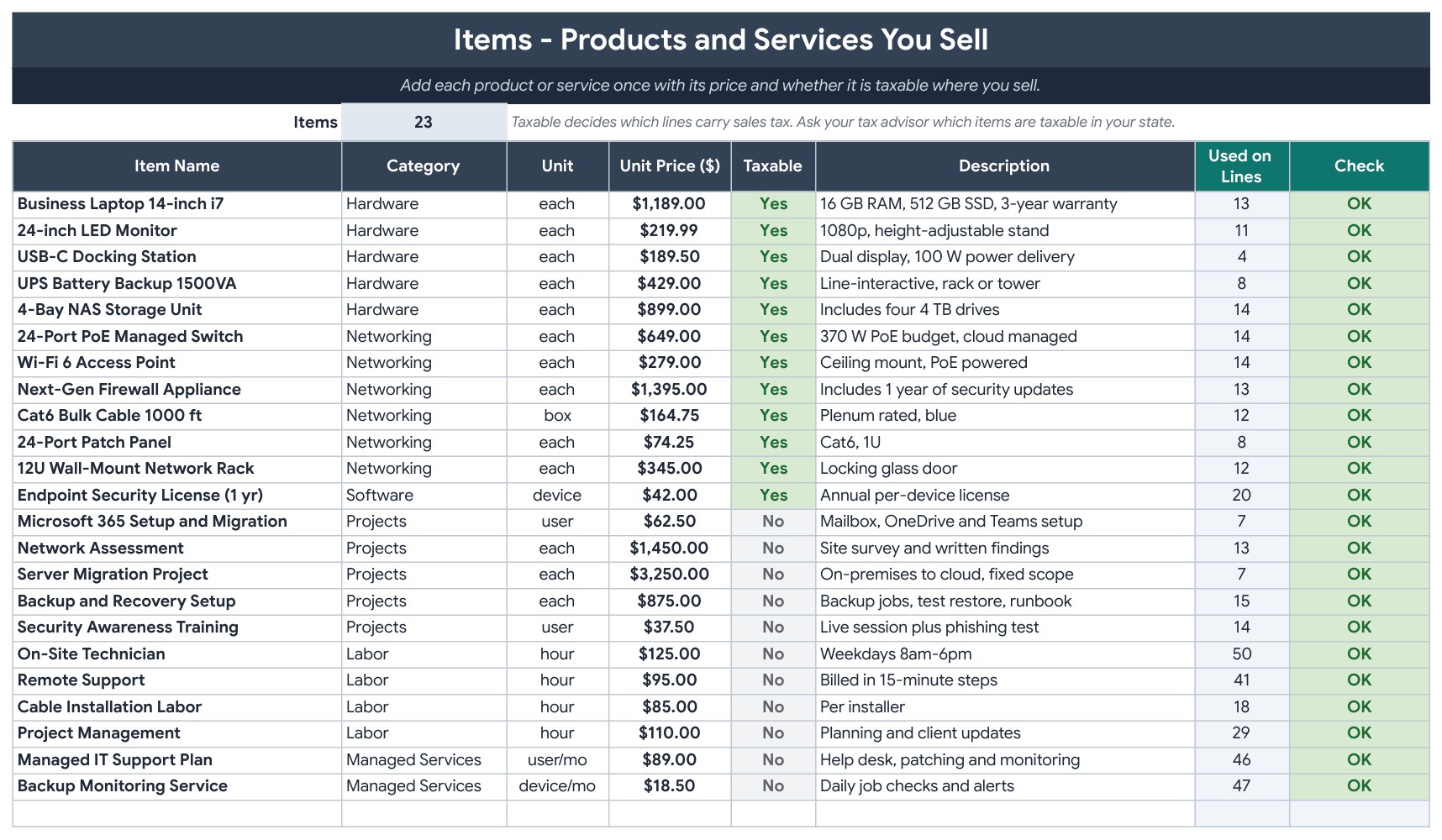
Page 9: Items (Google Sheets)
The price list of everything you sell: category, unit, unit price, a taxable Yes or No flag, a description and how many lines use each item.
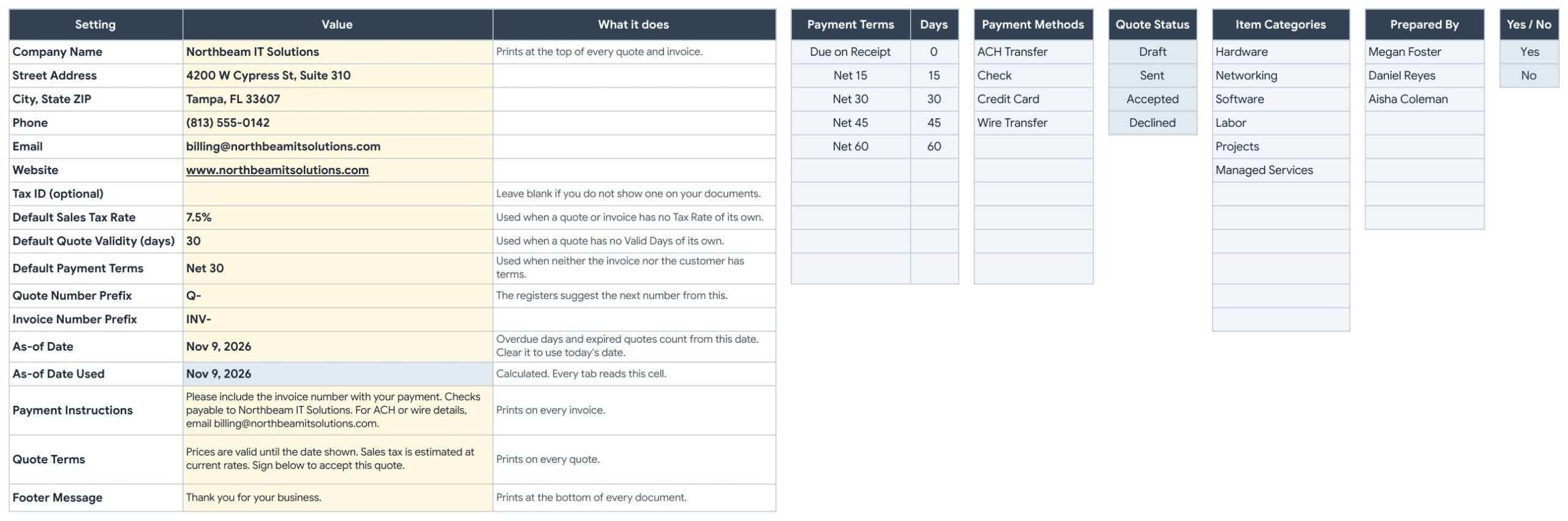
Page 10: Settings (Google Sheets)
Type your company details, the default sales tax rate, quote validity, payment terms, number prefixes and the wording that prints on your documents. The As-of Date drives the overdue days, and the lists on the right feed the dropdowns.
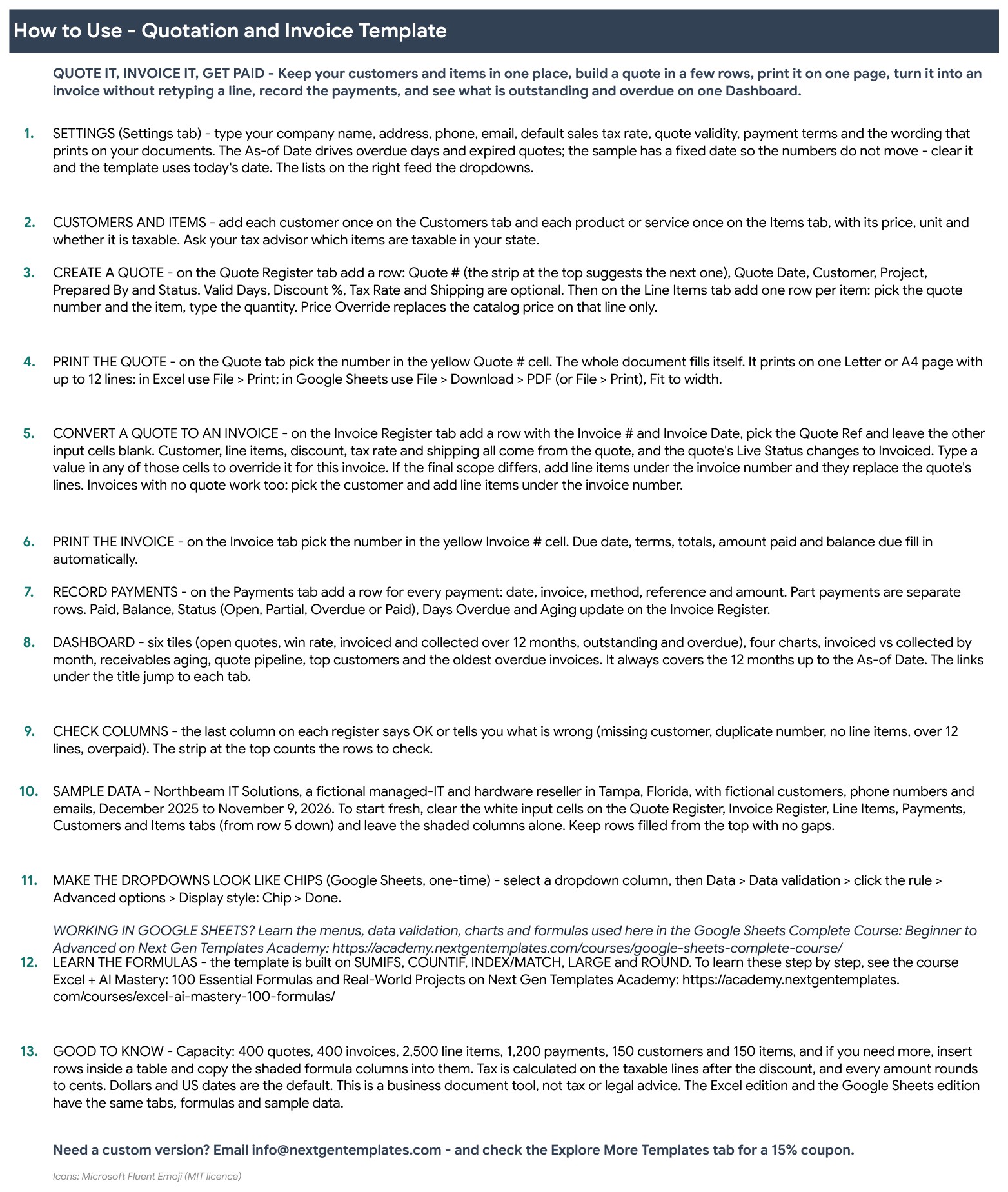
Page 11: Instructions (Google Sheets)
Step by step: set up Settings, add customers and items, create a quote, print it, convert it to an invoice, record payments and read the Dashboard.
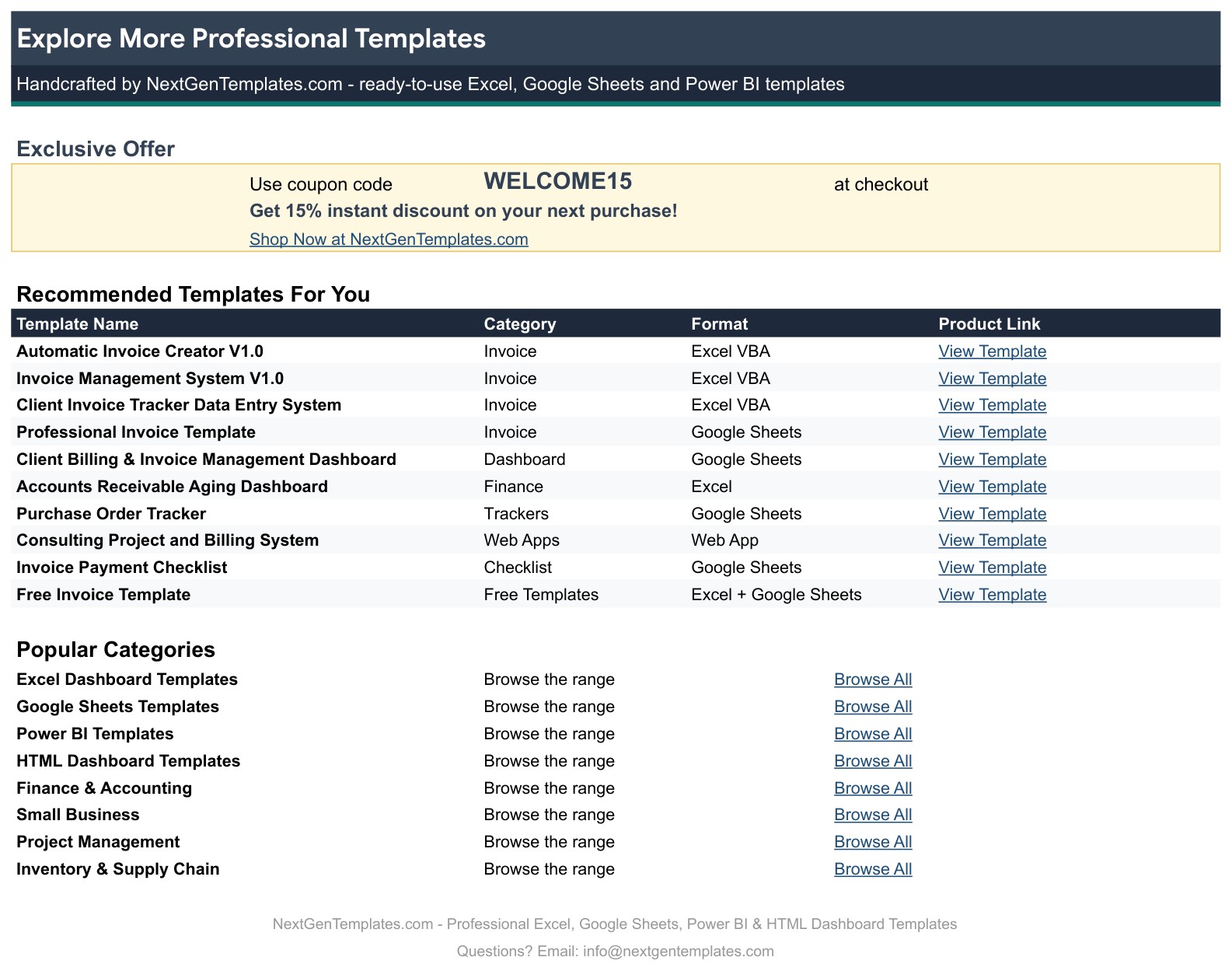
Page 12: Explore More Templates (Google Sheets)
Recommended templates and popular categories, plus a WELCOME15 coupon for 15% off your next purchase.
Page 13: Dashboard (Excel edition)
The same six tiles, four charts and tables in Microsoft Excel, with the same formulas and sample data.
Page 14: Quotation (Excel edition)
The printable quote in Excel. Pick the quote number and print it on one Letter or A4 page.
Page 15: Invoice (Excel edition)
The printable invoice in Excel with line items, discount, tax, shipping, amount paid and balance due.
📊 Quotation and Invoice Template vs. Blank Spreadsheet vs. Invoicing Software: Where This Fits
| Feature | Quotation and Invoice Template (Google Sheets + Excel) | Blank spreadsheet | Invoicing software |
|---|---|---|---|
| Cost | ✅ $6.99 one-time | Free to build, but your time | Monthly subscription |
| Platform | ✅ Google Sheets and Microsoft Excel, both included | One platform | Web app |
| Quote to invoice in one row | ✅ Built in | You retype it | ✅ Usually yes |
| Part payments and aging | ✅ Yes | Build it yourself | ✅ Usually yes |
| Your data stays in your own file | ✅ Yes | ✅ Yes | Stored with the vendor |
| Online payment links and automatic reminders | No, you send the invoice yourself | No | ✅ Often yes |
For small businesses that want tidy quotes and invoices and a clear view of who owes them money, without a subscription, this template sits in the sweet spot.
👥 Who This Template Is For, and Who It’s Not For
✅ This template is built for:
- Freelancers and consultants who send a few quotes and invoices every week
- Service companies, contractors and agencies that quote a project and invoice it after approval
- Small business owners who want to see receivables aging and overdue invoices at a glance
- Bookkeepers who need a simple quote and invoice register for a client
❌ This template is NOT for:
- Businesses that need online payment links, automatic reminders or e-mailing from inside the file
- Anyone who needs full bookkeeping, inventory or tax filing
- Companies that need legally formatted tax invoices for a specific country without checking them first
⚙️ How to Use the Quotation and Invoice Template
- Open the PDF guide and click the “Make a copy” link for Google Sheets, or open the Excel file.
- On the Settings tab, type your company details, default sales tax rate, quote validity and payment terms.
- Add your customers on the Customers tab and your products and services on the Items tab, with the taxable flag.
- Add a row on the Quote Register, then add its lines on the Line Items tab.
- Pick the quote number on the Quotation tab and print it on one page.
- When the customer accepts, add a row on the Invoice Register and pick the Quote Ref. Record each payment on the Payments tab and read the Dashboard.
💼 Real-World Use Cases
An IT services company quotes a new office build-out for $18,037.73, converts it to an invoice in one row and records a $5,000 deposit, leaving a balance of $13,037.73.
A freelancer opens the Dashboard on Monday, sees $29,538 overdue across 11 invoices in the sample data and starts with the oldest ones listed on the right.
A small agency checks the Quote Win Rate and the quote pipeline before deciding how many proposals to send this month.
❓ Frequently Asked Questions
What is a quotation and invoice template?
It is a spreadsheet that creates a printable quote, turns the accepted quote into an invoice and tracks the payments, so you do not retype the same details in three places.
How does the quote to invoice conversion work?
On the Invoice Register, type the invoice number and date and pick the Quote Ref from the dropdown. Leave the other boxes blank and the customer, terms, discount, tax rate, shipping and lines come across from the quote.
Does it work in Google Sheets and in Excel?
Yes. The ZIP holds an Excel edition (.xlsx, no macros) and a PDF guide with the Make a copy link for Google Sheets. Both have the same 12 tabs, formulas and sample data.
How is sales tax calculated?
Tax is charged only on the lines marked taxable on the Items tab, after the discount. Please check with your tax advisor which items are taxable where you sell. This is a business document tool, not tax or legal advice.
Can I record part payments?
Yes. Each part payment is its own row on the Payments tab, and the invoice shows Partial until the balance reaches zero.
Can I print the quote and invoice?
Yes. Each prints on one Letter or A4 page with room for 12 lines. In Excel use File, Print. In Google Sheets use File, Download, PDF with Fit to width.
What does the sample data show?
A fictional IT services company in Tampa, Florida with sample quotes, invoices, payments and customers. Replace the sample rows with your own.
Can I change the currency?
Yes. Currency is $ by default. Select the amount columns and change the number format.
👤 About the Author
Built by PK, Microsoft Certified Professional with 15+ years of Excel, Google Sheets and Power BI experience. Founder of NextGenTemplates. Every template is hand-built and tested before release. Watch the walkthroughs on @PKAnExcelExpert and @NextGenTemplates.
🔗 Explore Related Templates
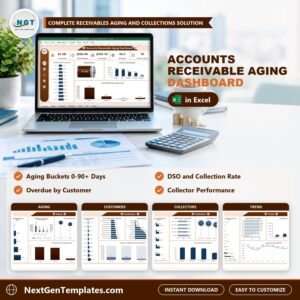
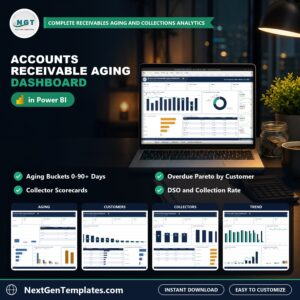
📌 Accounts Receivable Aging Dashboard in Excel: a deeper look at who owes you money.
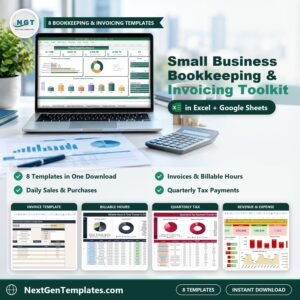
📌 Small Business Bookkeeping and Invoicing Toolkit: eight templates for the whole bookkeeping routine.
📌 Free Invoice Template in Excel and Google Sheets: a simple invoice to start with.
Browse every Google Sheets template in the store.
🎥 Visit our YouTube channel for step-by-step video tutorials
👉 YouTube.com/@NextGenTemplates
📅 Last updated: November 2026


Reviews
There are no reviews yet.