

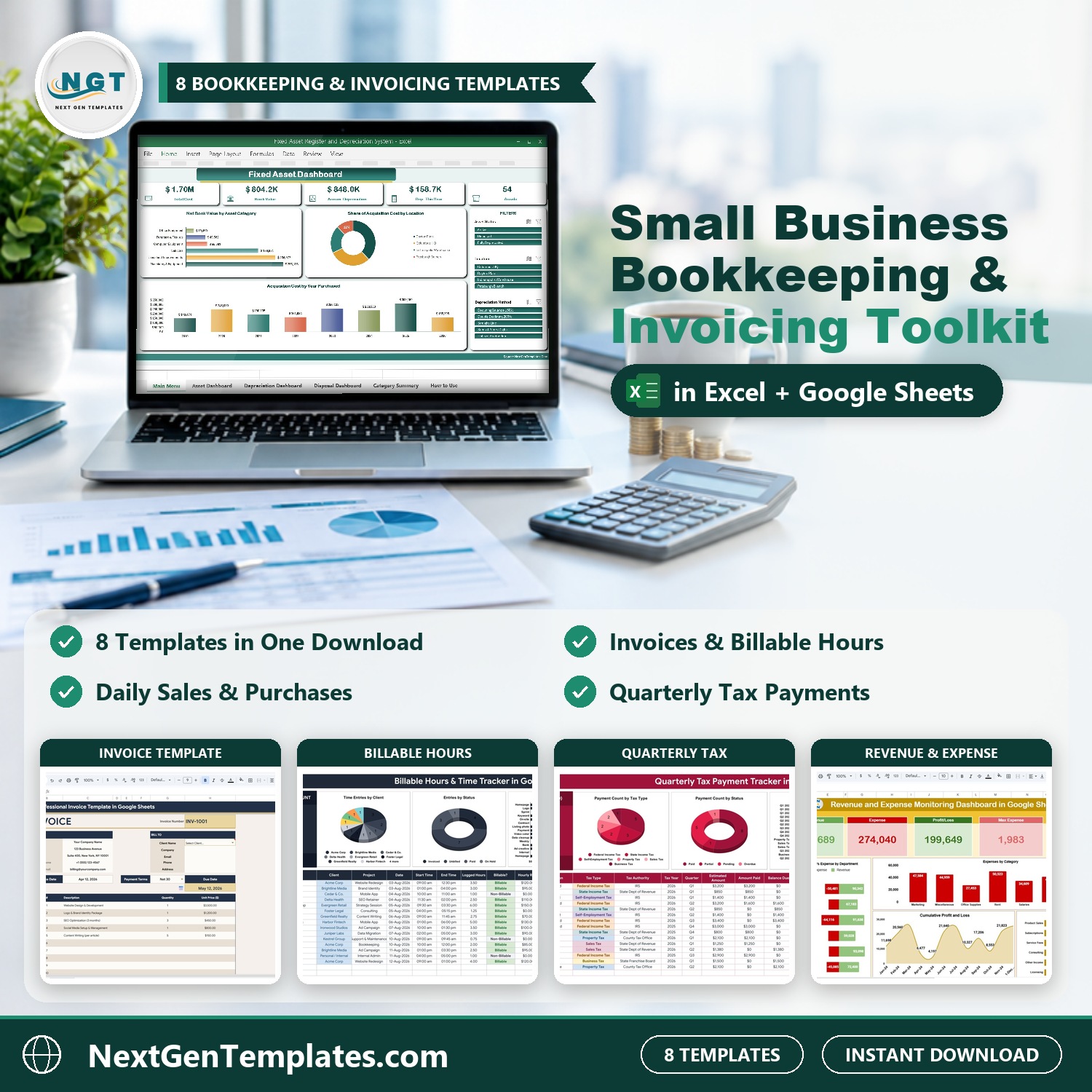
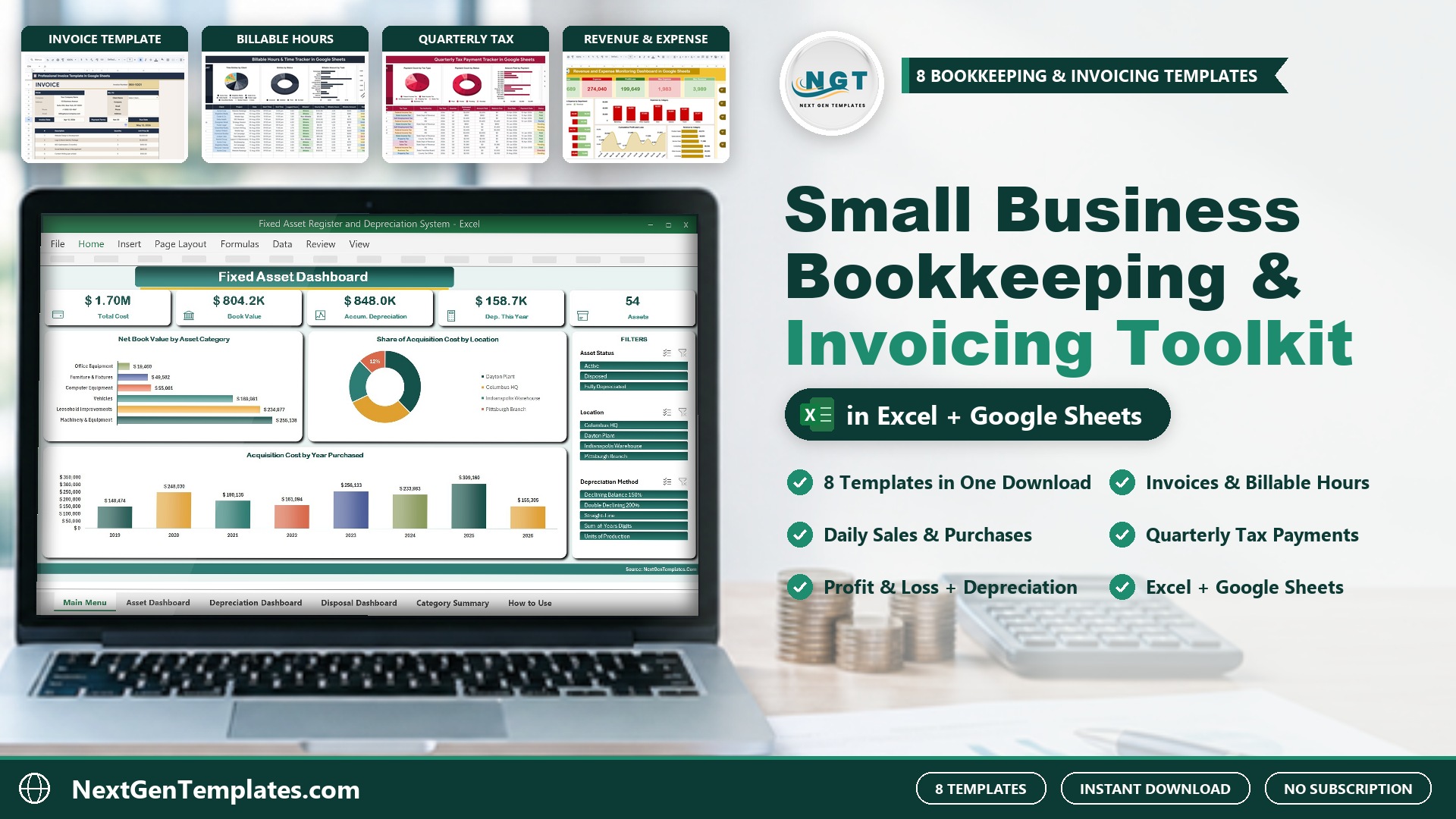

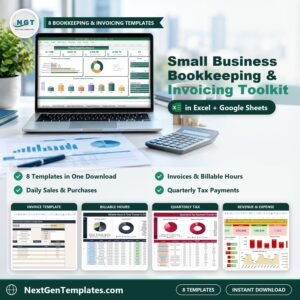
The Small Business Bookkeeping and Invoicing Toolkit puts 8 small business bookkeeping templates in one download: an invoice template, a billable hours tracker, a daily sales and purchase book, an income and expense register, a quarterly tax payment tracker, a profit and loss statement, a revenue and expense dashboard and a fixed asset register with depreciation. Bought one by one they cost $91.93; in this bookkeeping and invoicing toolkit you pay $49.99 and save $41.94 (46%). These bookkeeping templates work in Excel and Google Sheets, so you can keep the books yourself or share them with your bookkeeper.
🌍 Join 10,000+ customers in 180+ countries using NextGenTemplates. ✅ Instant download · One-time payment · No subscription · No per-user fees
Watch the Small Business Bookkeeping and Invoicing Toolkit – 8 Templates (Excel + Google Sheets) walkthrough
🔑 Key Features of the Small Business Bookkeeping and Invoicing Toolkit
- 🧾 Invoice what you work – log billable hours by client and project, then bill them with an invoice template in Google Sheets that keeps a client database and invoice log.
- 📒 Daily books – record sales, purchases, payments and expenses every day and pull reports by date, amount and category.
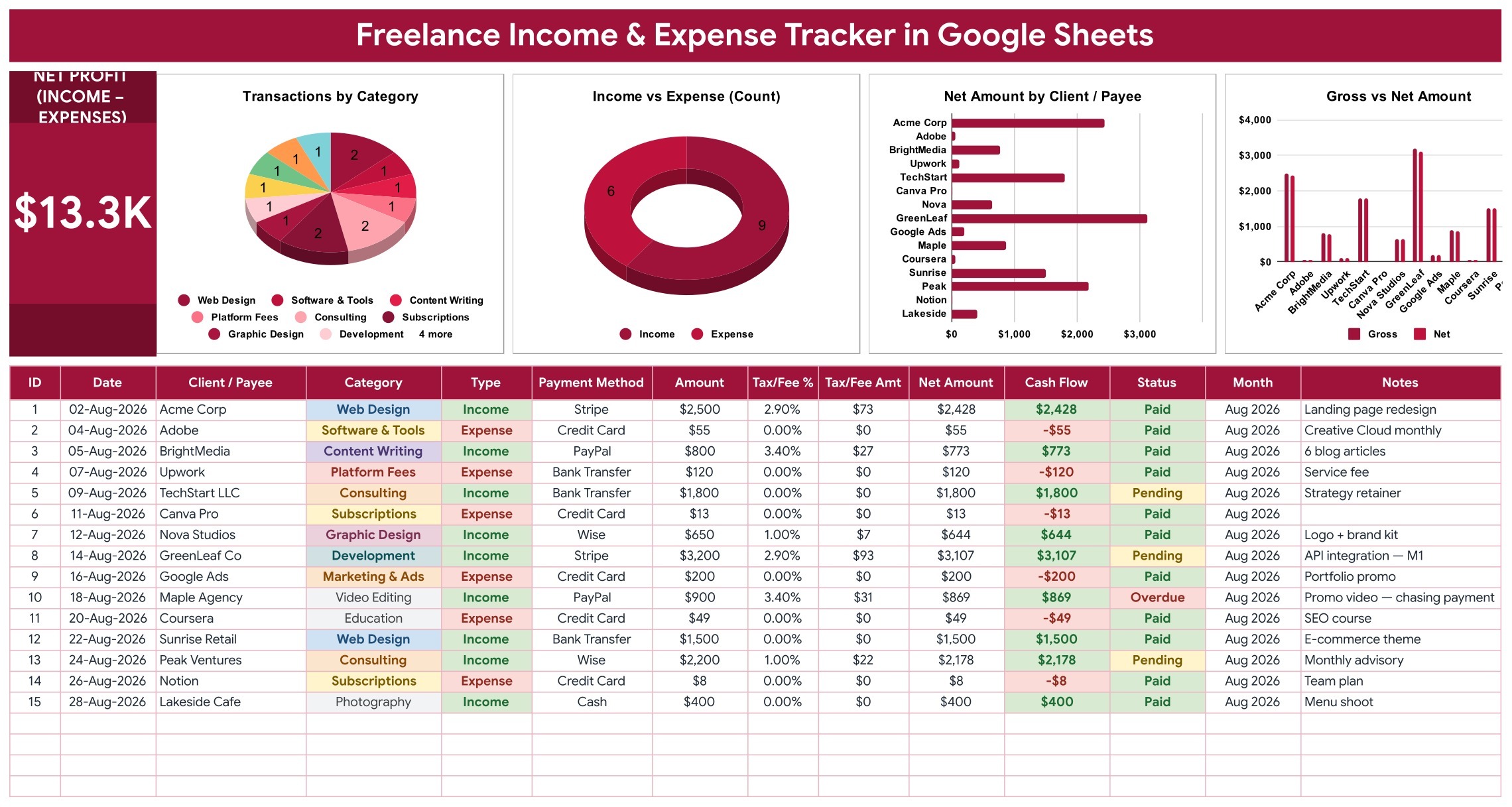
- 💵 Money in and out – an income and expense register with processor fees, net amount and a live Net Profit card.
- 🏛️ Quarterly taxes – track federal, state, self-employment, sales and property tax payments with balance due and overdue flags.
- 📈 Profit and loss – a 12-month P&L with budget vs actual, plus a revenue and expense dashboard with a cumulative profit chart.
- 🏷️ Fixed assets and depreciation – 5 depreciation methods, a monthly schedule and disposals with gain or loss.
- 📊 Filters on every dashboard – slicers in Excel and filter buttons in Google Sheets.
- 💰 One-time payment – you own the small business bookkeeping templates outright; your data stays in your own files or Google account.
📦 What’s Inside the Small Business Bookkeeping and Invoicing Toolkit
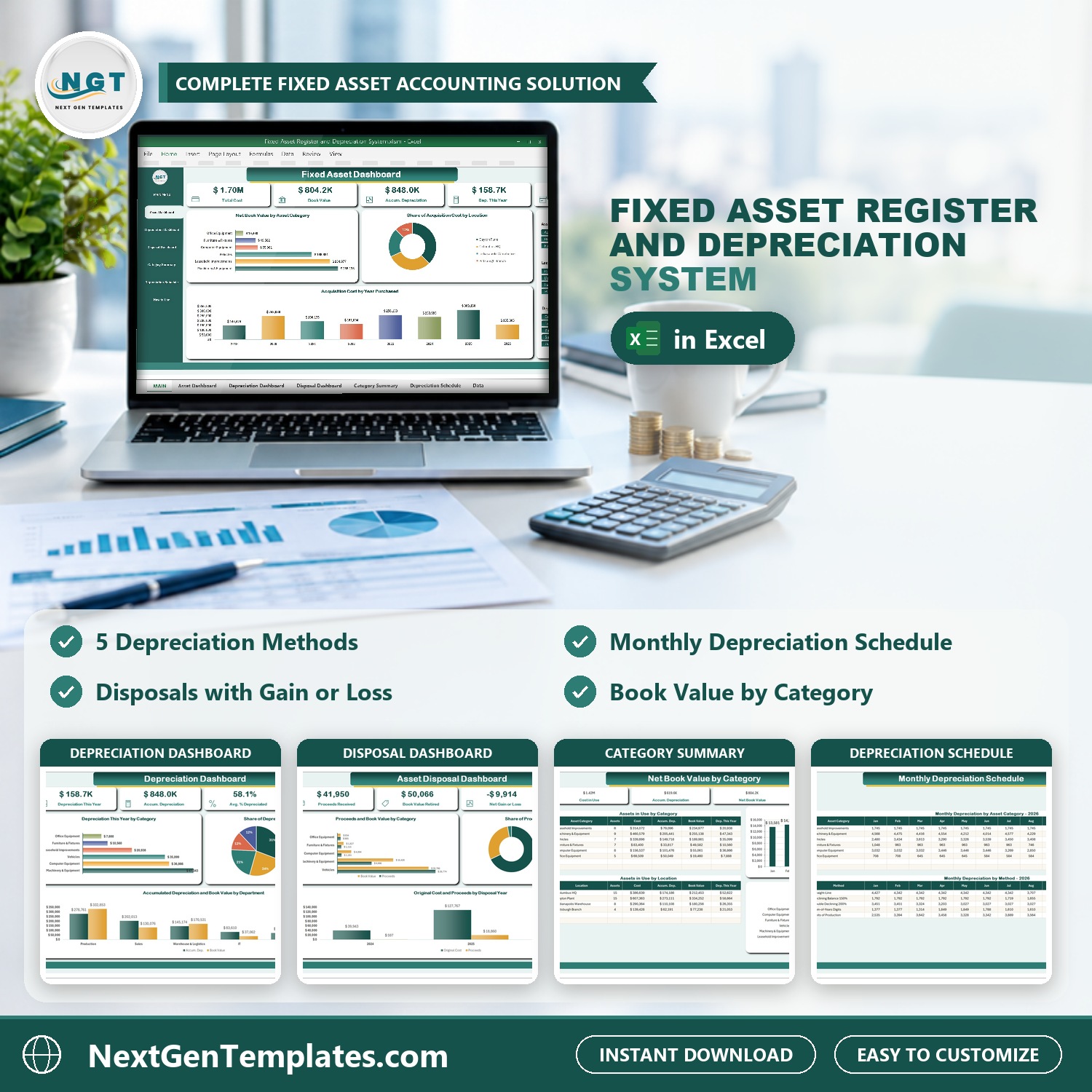
- Fixed Asset Register and Depreciation System V1.0 in Excel VBA (Excel VBA) – Keep a proper fixed asset register in Excel: category, location, department, vendor, invoice and serial number, cost, salvage value and useful life for every asset. It runs 5 depreciation methods (straight-line, 150% and 200% declining balance, sum-of-the-years digits and units of production), builds the monthly depreciation schedule, records disposals with gain or loss, and shows assets, depreciation and disposals on 3 slicer-driven dashboards plus a category summary. Ships with a PDF user manual.

Fixed Asset Register and Depreciation System V1.0 in Excel VBA
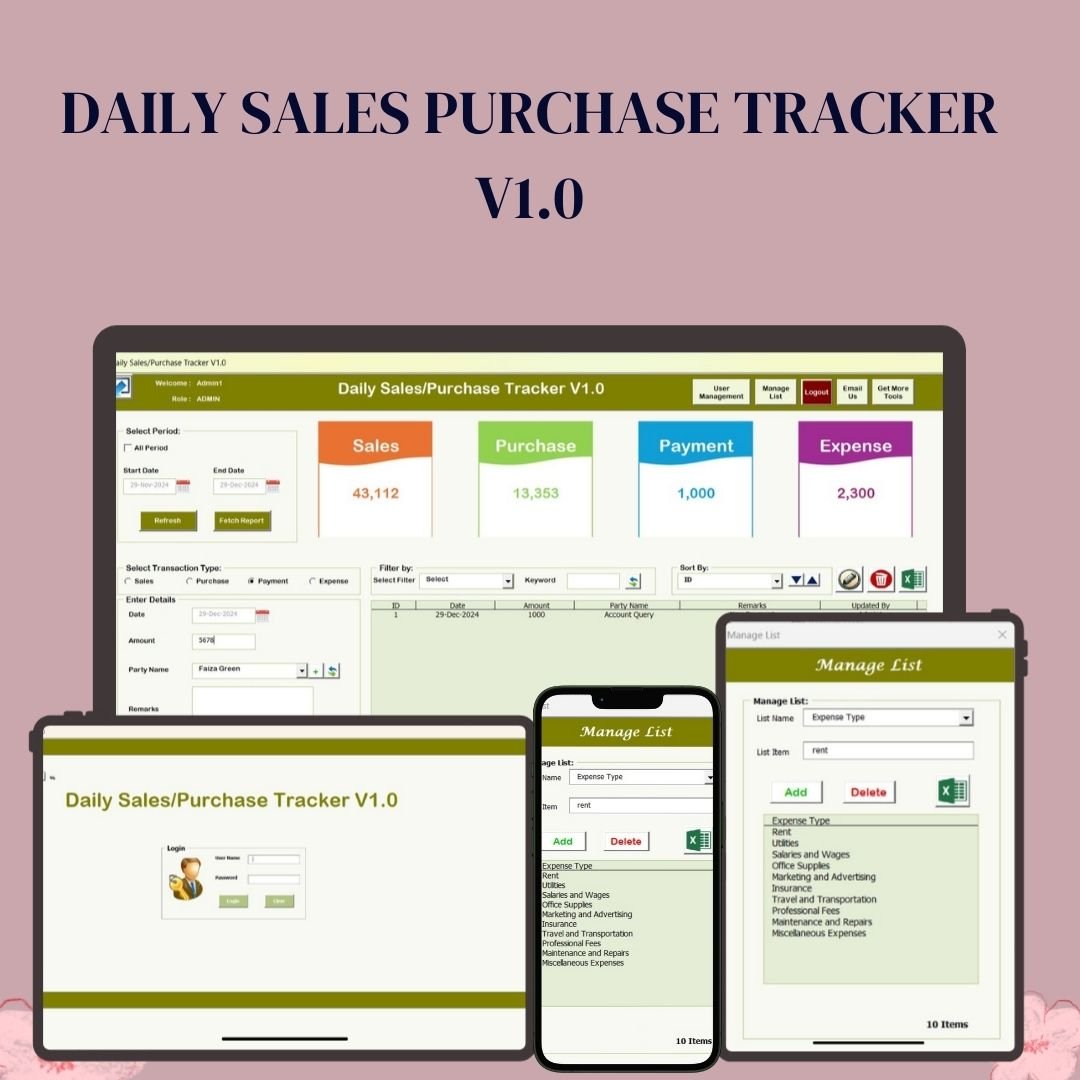
- Daily Sales Purchase Tracker V1.0 in Excel VBA (Excel VBA) – Record every day’s sales, purchases, payments and expenses in one Excel VBA tool. Dashboard cards total each transaction type for the period you pick, reports filter by date, amount and category and export to Excel, and a login with Admin and User roles keeps the books tidy when more than one person enters data.
Daily Sales Purchase Tracker V1.0 in Excel VBA
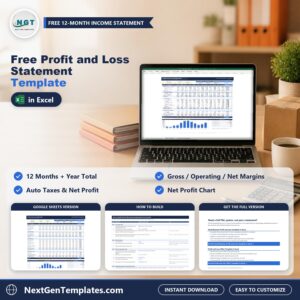
- Small Business Profit and Loss Template in Excel (Excel) – A 12-month profit and loss statement for small businesses: revenue lines, cost of goods sold, operating expenses, gross profit, EBITDA and net income calculate automatically, with a budget vs actual view and a P&L performance dashboard that charts the monthly trend.
Small Business Profit and Loss Template in Excel
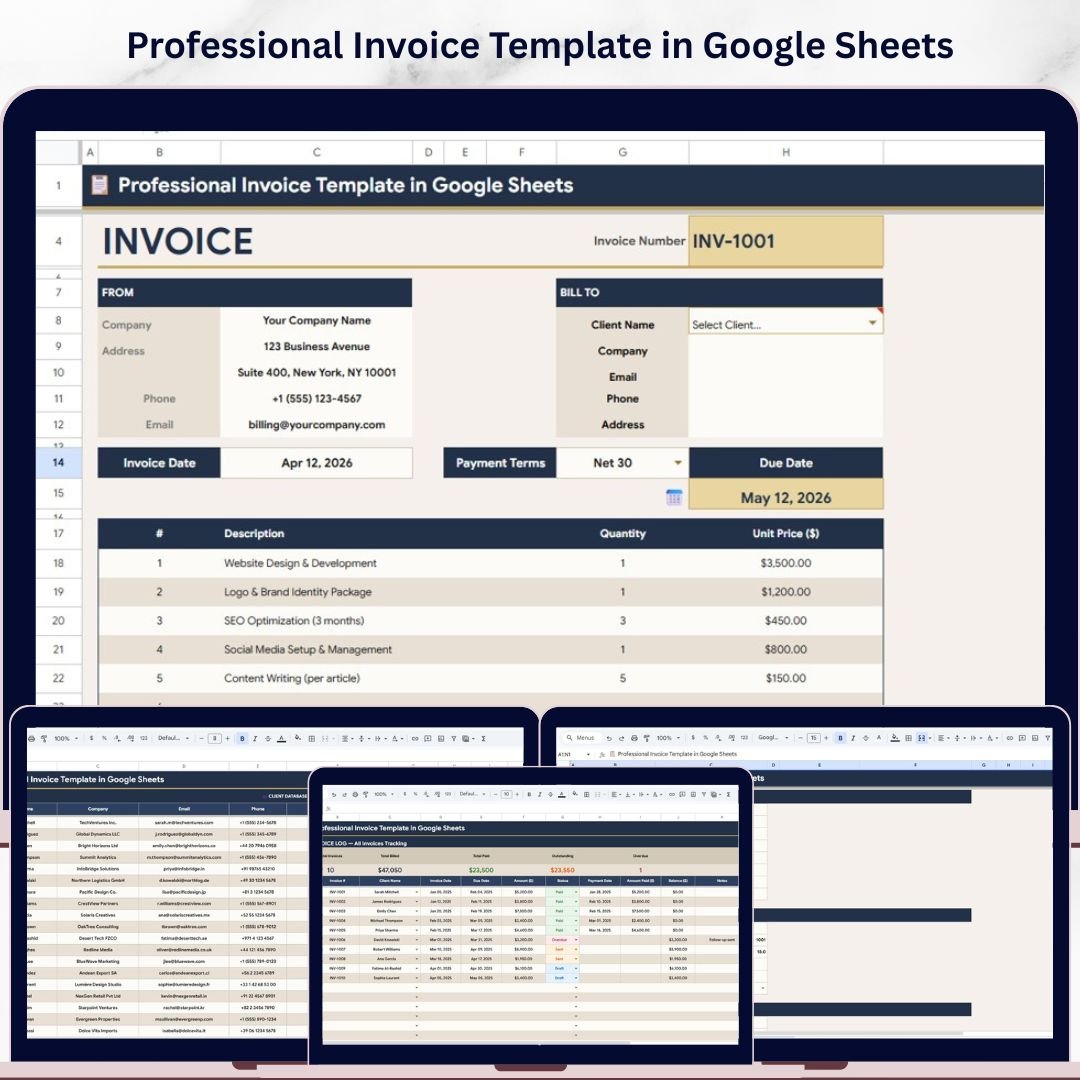
- Professional Invoice Template in Google Sheets (Google Sheets) – Build client-ready invoices in Google Sheets: pick a client and the bill-to details fill in, add line items, and set tax, currency and payment terms once in Settings. The client database and invoice log track what you billed, what was paid and what is still outstanding, with Paid, Sent, Draft and Overdue status.
Professional Invoice Template in Google Sheets
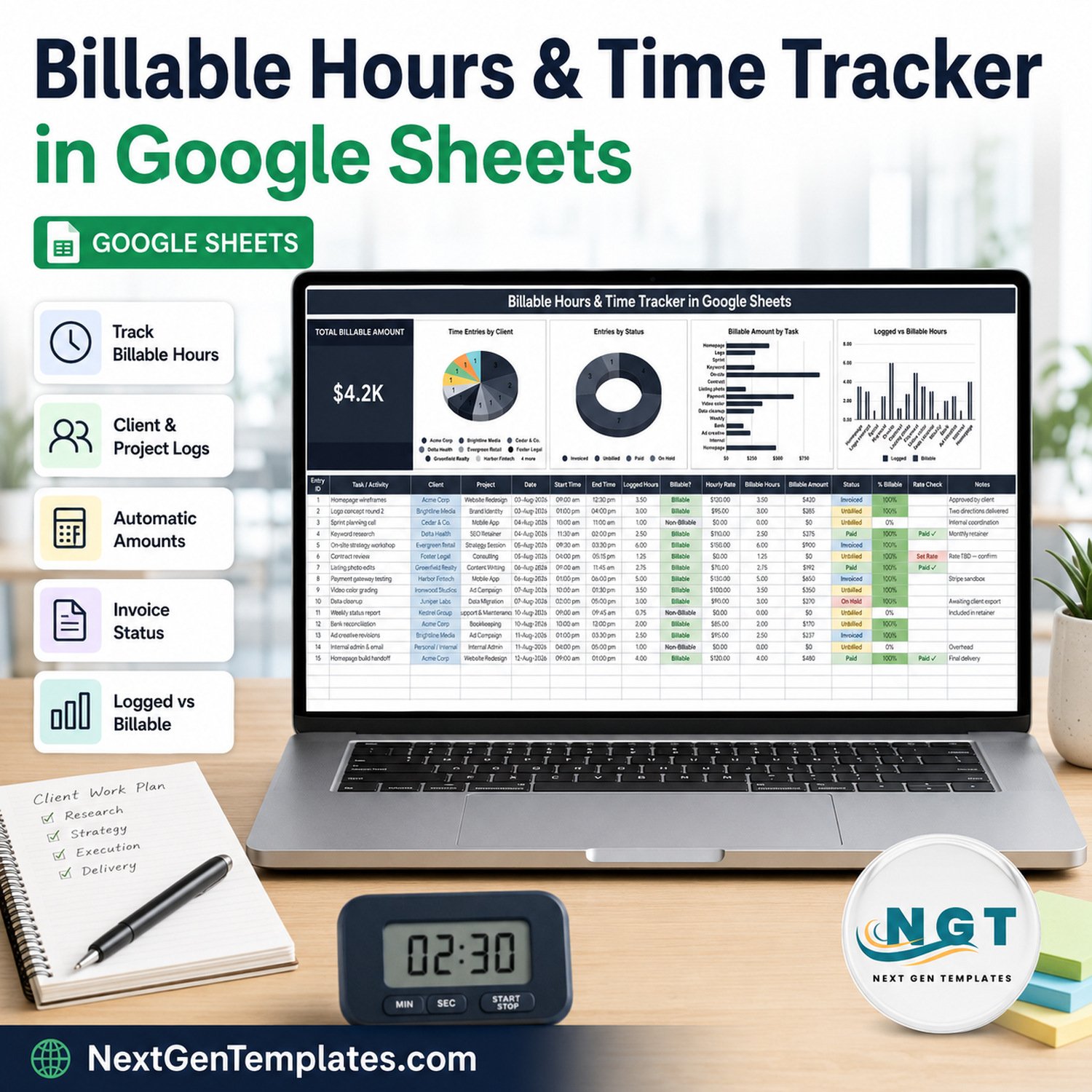
- Billable Hours & Time Tracker in Google Sheets (Google Sheets) – Track every billable minute in Google Sheets: log each task with its client, project, date, start and end time. Logged hours, billable hours and billable amount calculate automatically, a Rate Check flags billable work with no rate, and each entry moves from Unbilled to Invoiced to Paid so you always know what is ready to invoice.
Billable Hours & Time Tracker in Google Sheets
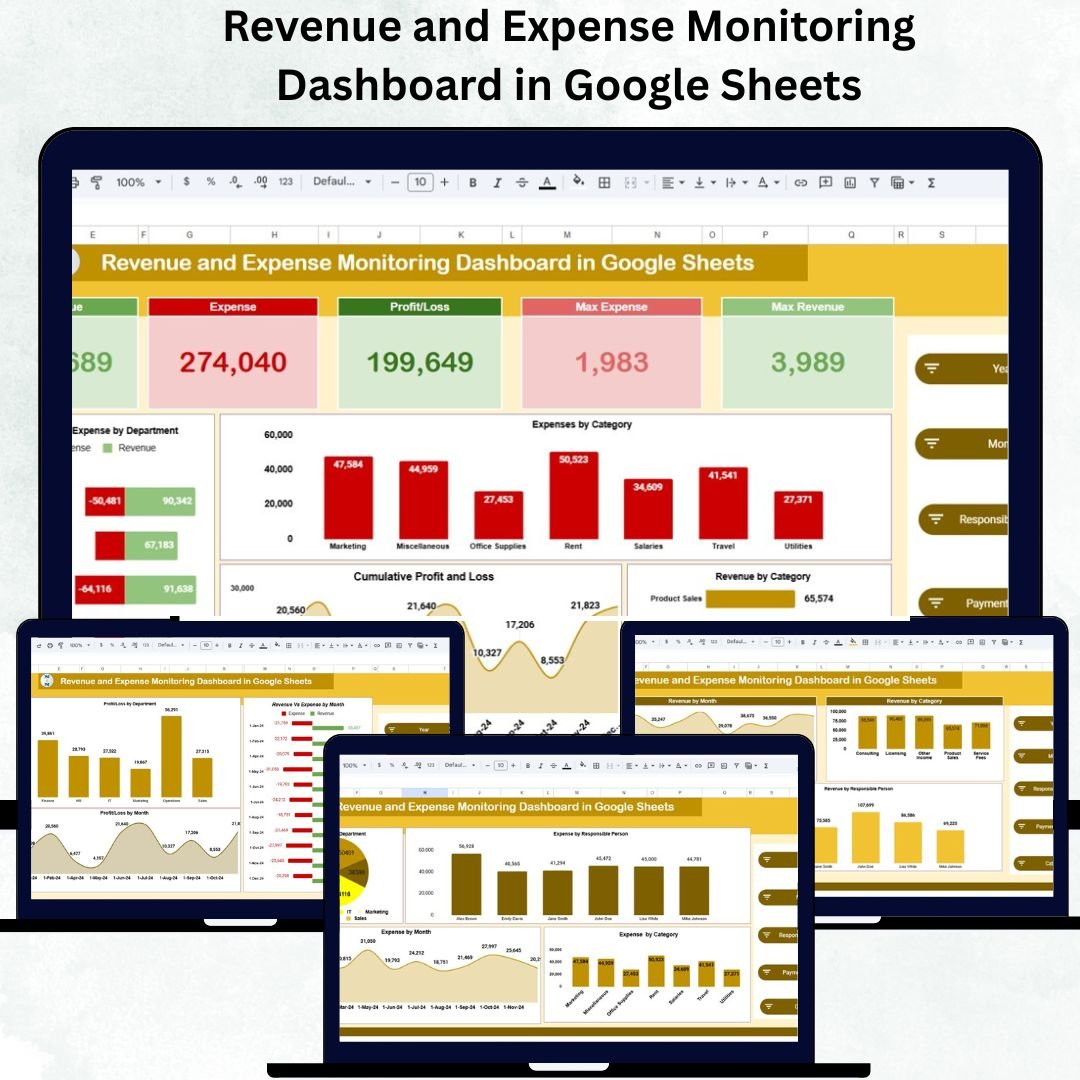
- Revenue and Expense Monitoring Dashboard in Google Sheets (Google Sheets) – Watch revenue, expenses and profit or loss in Google Sheets: KPI cards, expenses by category and department, revenue vs expense by department, a cumulative profit and loss chart and monthly trends, filtered by year, month, responsible person, payment method and category.
Revenue and Expense Monitoring Dashboard in Google Sheets
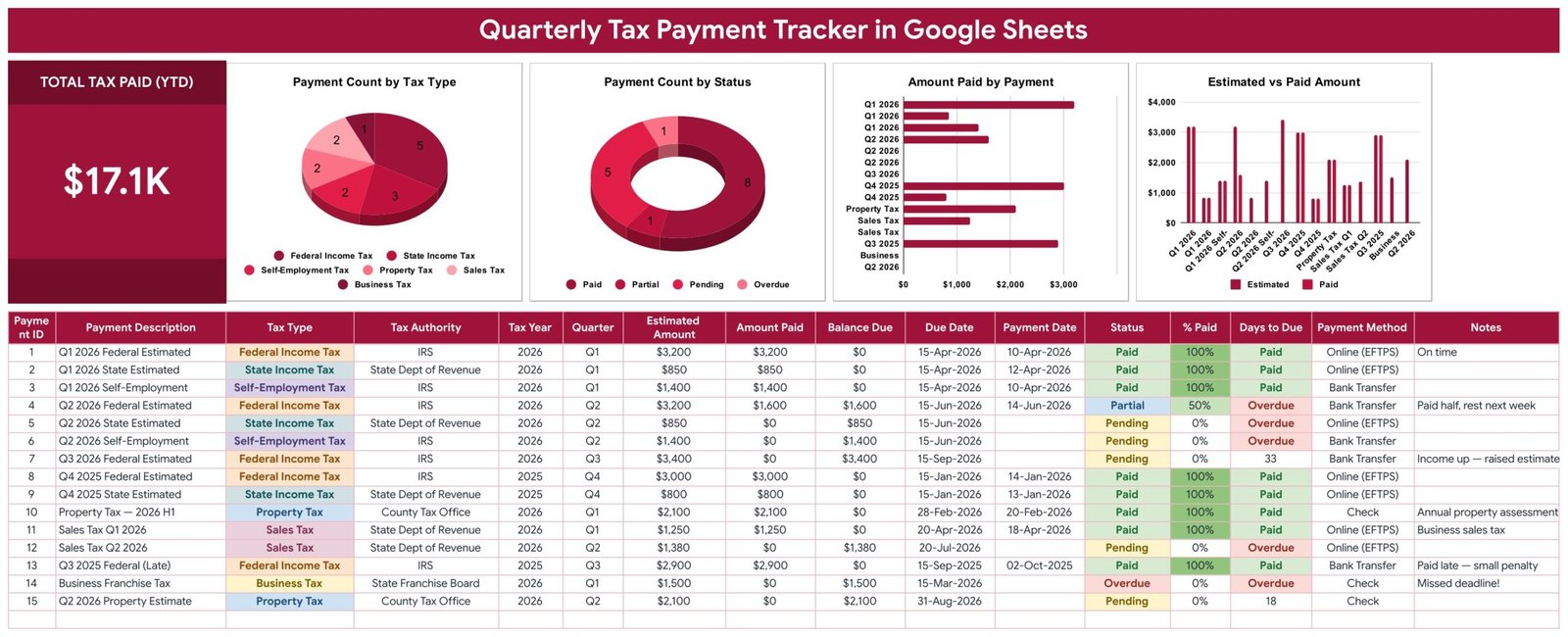
- Quarterly Tax Payment Tracker in Google Sheets (Google Sheets) – Keep every quarterly estimated tax payment in one place: federal, state, self-employment, sales, property and business taxes, with the tax authority, quarter, estimated amount, amount paid, due date and payment method. Balance due, % paid and days to due calculate themselves and flag anything overdue, and four charts show payments by tax type and status.
Quarterly Tax Payment Tracker in Google Sheets
- Freelance Income & Expense Tracker in Google Sheets (Google Sheets) – One register for money in and money out in Google Sheets: date, client or payee, category, type, payment method, amount and tax or fee %. Net amount, signed cash flow and month calculate automatically, a Net Profit card updates as you type, and four charts show transactions by category, income vs expense, net amount by client and gross vs net.
Freelance Income & Expense Tracker in Google Sheets

💡 Smart Comparison – Individual vs Bundle
| Feature | Buying Individually | Small Business Bookkeeping and Invoicing Toolkit |
|---|---|---|
| Templates | 8 separate purchases | 8 templates, one checkout |
| Total price | $91.93 | $49.99 |
| You save | – | $41.94 (46%) |
| Invoicing, billable hours, daily books, taxes, P&L and fixed assets | Pick and match yourself | One small business bookkeeping toolkit |
| Best value | ❌ | ✅ |
| # | Product | Platform | Individual Price |
|---|---|---|---|
| 1 | Fixed Asset Register and Depreciation System V1.0 in Excel VBA | Excel VBA | $29.00 |
| 2 | Daily Sales Purchase Tracker V1.0 in Excel VBA | Excel VBA | $19.99 |
| 3 | Small Business Profit and Loss Template in Excel | Excel | $4.99 |
| 4 | Professional Invoice Template in Google Sheets | Google Sheets | $6.99 |
| 5 | Billable Hours & Time Tracker in Google Sheets | Google Sheets | $6.99 |
| 6 | Revenue and Expense Monitoring Dashboard in Google Sheets | Google Sheets | $9.99 |
| 7 | Quarterly Tax Payment Tracker in Google Sheets | Google Sheets | $6.99 |
| 8 | Freelance Income & Expense Tracker in Google Sheets | Google Sheets | $6.99 |
| Total if bought separately | $91.93 | ||
| Bundle price | $49.99 | ||
⚙️ How to Use the Small Business Bookkeeping and Invoicing Toolkit
- Download the bundle ZIP and unzip it – each of the small business bookkeeping templates sits in its own file or ZIP.
- Set up invoicing first: add your clients and tax settings to the Google Sheets invoice template and start logging work in the Billable Hours & Time Tracker.
- Enter each day’s sales, purchases, payments and expenses in the Daily Sales Purchase Tracker.
- Open each Google Sheets PDF, click its link and make your own copy (File > Make a copy) to put the five Google Sheets templates in your own Google Drive.
- At month end, update the Profit and Loss Template, post depreciation from the Fixed Asset Register and check the next estimated tax payment in the Quarterly Tax Payment Tracker.
👥 Who Can Use These Small Business Bookkeeping Templates
- 🏪 Small business owners who keep their own books
- 🧑💼 Freelancers, consultants and agencies who invoice clients
- 📚 Bookkeepers and virtual assistants who manage several clients
- 🛠️ Service and trade businesses with vehicles, tools or equipment to depreciate
- 🚀 Startups that need small business accounting templates before buying accounting software
Get all 8 bookkeeping and invoicing templates for $49.99
Individual total $91.93 – you save $41.94 (46%). One-time payment, instant download.
Explore more template bundles and subscribe to our YouTube channel for template walkthroughs.






Reviews
There are no reviews yet.