

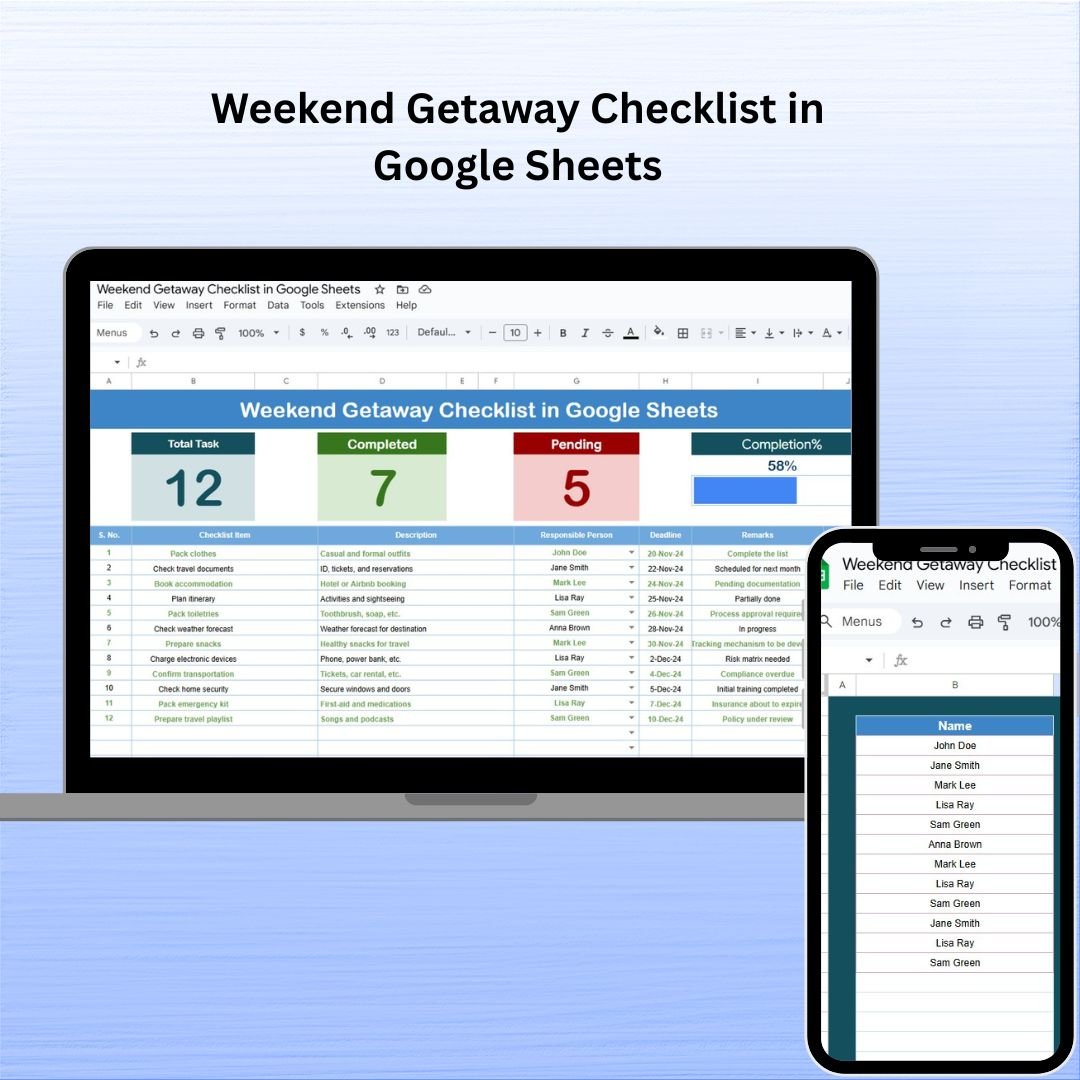

Planning the perfect weekend getaway has never been easier! The Weekend Getaway Checklist in Google Sheets is a simple yet powerful tool designed to keep you organized and on track. Whether you’re planning a spontaneous trip or a well-thought-out escape, this checklist ensures that you won’t leave any essential items behind. With this ready-to-use template, you can manage your packing, travel tasks, and responsibilities in one convenient place.
Here’s everything you need to know about the Weekend Getaway Checklist and how it can streamline your travel planning:
✅ What’s Inside the Weekend Getaway Checklist ✅
The Weekend Getaway Checklist is divided into two main sections to make your trip planning easy and stress-free:
Weekend Getaway Checklist Sheet Tab
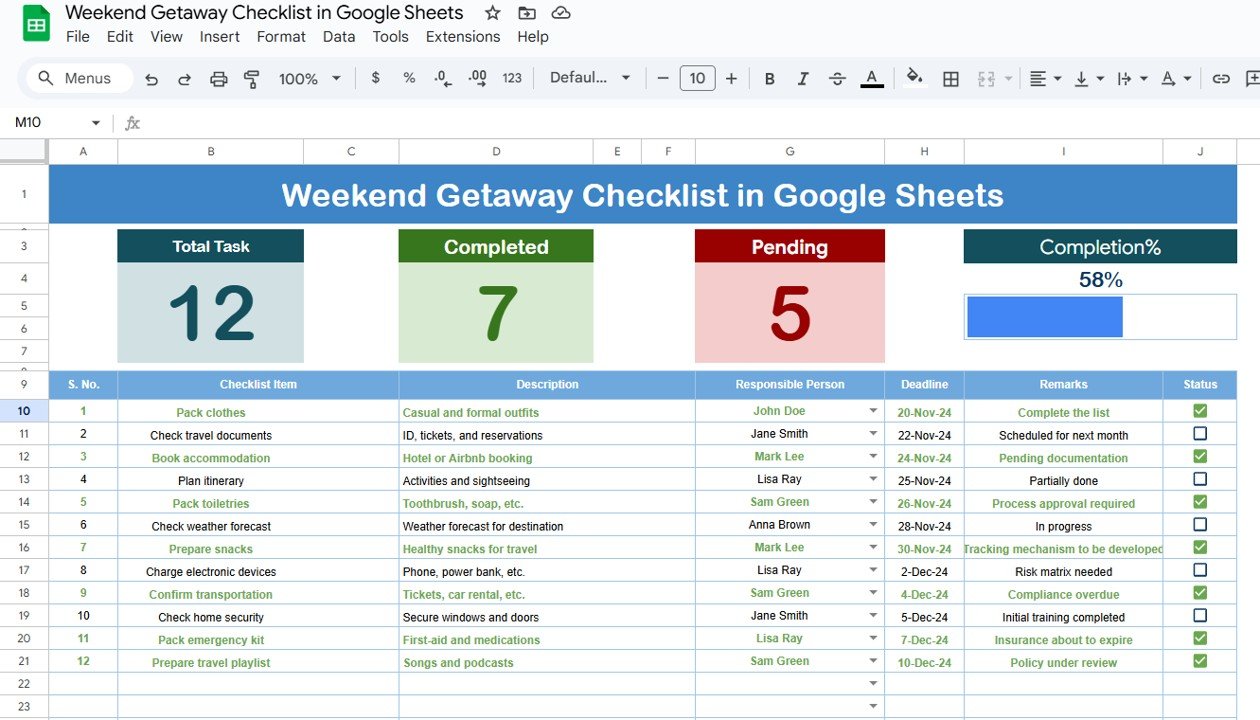
Top Section:
Total Count: The total number of tasks to complete.
Completed Count: Shows how many tasks have been done.
Pending Count: Displays the number of tasks left to complete.
Progress Bar: A visual representation of your progress.
Checklist Table:
This is the heart of the checklist, where you enter all your tasks and items for the trip, such as:Serial No.: For easy reference.
Checklist Item: Each task or item to be done (e.g., “Pack clothes”).
Description: Additional details or instructions.
Responsible Person: Assign each task to a person (yourself or a travel companion).
Deadline: Set completion deadlines.
Remarks: Any notes or special instructions.
Status: Mark tasks as completed (✔) or pending (✘).
List Sheet Tab
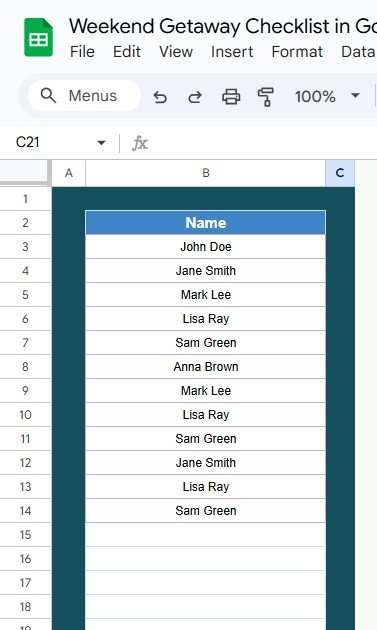
Responsibility Assignment: Easily assign tasks to different people with a drop-down list, ensuring everyone knows what they need to do.
🏖️ How to Use the Weekend Getaway Checklist 🏖️
Start Planning Early: Begin by entering all your tasks and items well in advance of your trip. This allows ample time for preparation.
Assign Tasks: Use the List Sheet Tab to assign specific responsibilities to yourself, friends, or family.
Track Progress: As tasks are completed, mark them with a ✔, and watch your progress bar fill up.
Review & Customize: Adjust the checklist for each getaway—add or remove items depending on the type of trip you’re taking.
🌍 Who Can Benefit from This Weekend Getaway Checklist 🌍
Solo Travelers: Stay organized and ensure you don’t forget any essentials for your solo weekend adventures.
Group Travelers: Easily assign tasks to your travel companions, ensuring everyone is on track and the trip goes smoothly.
Families: Make family weekend getaways easier by sharing the checklist and involving everyone in the preparation.
Last-Minute Planners: Even if your trip is spontaneous, the checklist will help you pack and plan efficiently, preventing last-minute stress.
✨ Key Benefits of the Weekend Getaway Checklist ✨
Organization: Keep all your tasks and items in one place to avoid forgetting anything important.
Collaboration: Share with friends or family to delegate tasks, making planning a breeze.
Progress Tracking: Use the built-in Progress Bar and task counts to stay motivated and on schedule.
Customizable: Tailor the checklist for any type of weekend trip—whether it’s a beach escape, city trip, or outdoor adventure.
Easy Access: Since it’s on Google Sheets, you can update, share, and access it from any device, anywhere.
Click here to read the detailed blog post
Watch the step-by-step video Demo:
Visit our YouTube channel to learn step-by-step video tutorials
Compatibility and Requirements
- Needs a free Google account and a web browser. Google’s How to use Google Sheets guide covers the basics.
- Dropdown lists in the sheet are standard Google Sheets dropdowns. Google explains how to edit them in Create an in-cell dropdown list.
Frequently Asked Questions
What is in the Weekend Getaway Checklist?
Two tabs. The Weekend Getaway Checklist tab has a top section with total, completed and pending counts and a progress bar, plus the checklist table. The List tab holds the names used to assign each task.
Which columns does the checklist table have?
Serial No., Checklist Item, Description, Responsible Person, Deadline, Remarks and Status.
How do I mark a task as done?
Set the Status of the task to completed (✔). The completed and pending counts and the progress bar update as you go.
Can I share it with the people I travel with?
Yes. Share the sheet in Google Sheets and assign tasks to each person with the dropdown list.
Is there an Excel version?
Yes. The Weekend Getaway Checklist Template in Excel covers the same trip planning in Excel.
Related Travel Checklist Templates
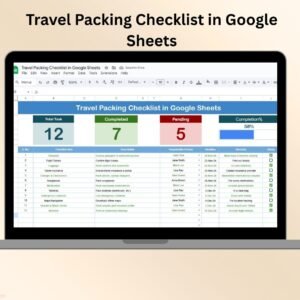
- Travel Packing Checklist in Google Sheets: a full packing list for any trip
- Travel Itinerary Checklist in Google Sheets: plan each day of the trip
- Travel Expense Tracker Checklist in Google Sheets: track what the trip costs
- Family Trip Checklist Template in Excel: a checklist for family trips
- Checklist & SOP Pack: 12 Excel and Google Sheets checklists
Browse all Google Sheets checklist templates or the Google Sheets templates.






Reviews
There are no reviews yet.