

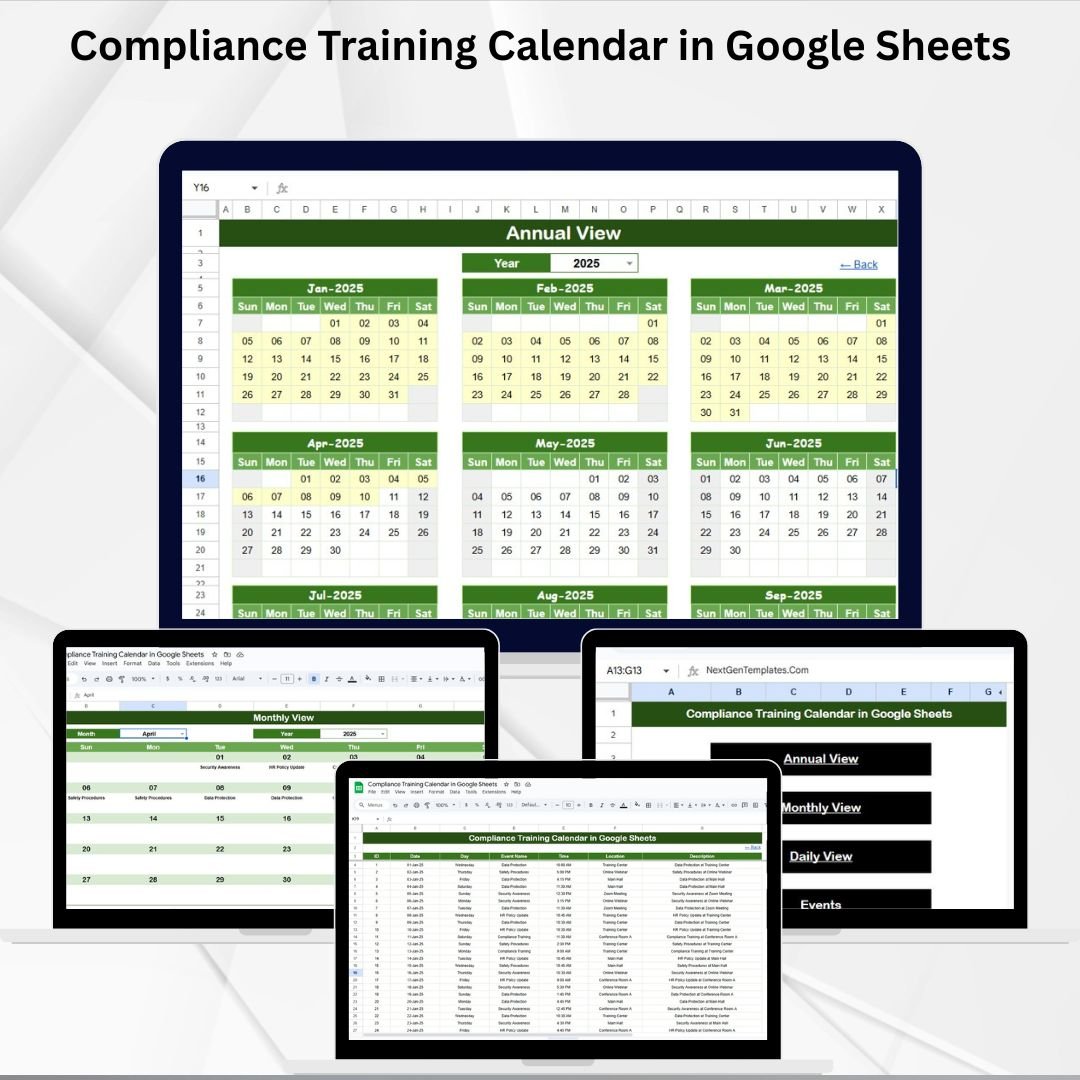

Keeping employees up to date with compliance training is not just good practice—it’s a regulatory necessity. 📑 Organizations that fail to properly track training sessions risk non-compliance, penalties, and operational disruptions. The Compliance Training Calendar in Google Sheets provides a ready-to-use, structured, and collaborative solution to ensure training schedules are always organized, transparent, and up to date.
This cloud-based calendar enables HR, compliance officers, and managers to plan, monitor, and manage mandatory training sessions effortlessly, while ensuring accountability and visibility across departments.
🔑 Key Features of Compliance Training Calendar in Google Sheets
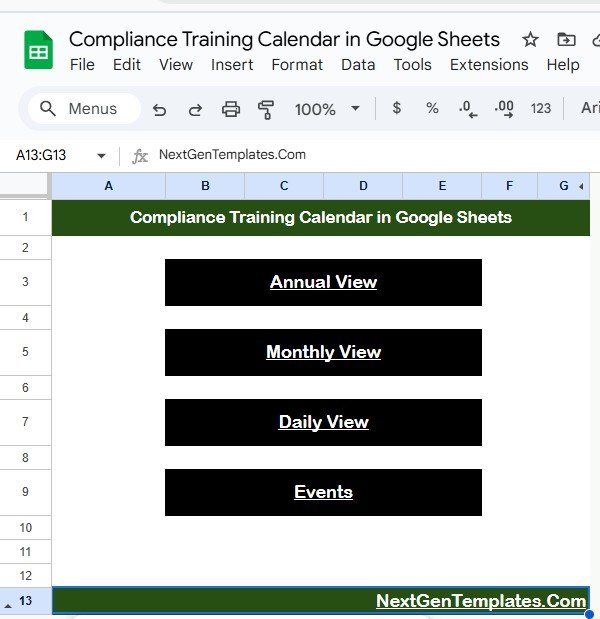
🏠 Home Tab (Navigation Dashboard)
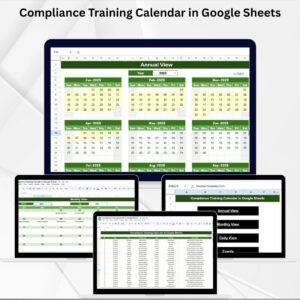
Quick navigation buttons to jump directly to Annual View, Monthly View, Daily View, and Events Database.
Provides a clean entry point and makes navigation simple for busy HR and compliance teams.
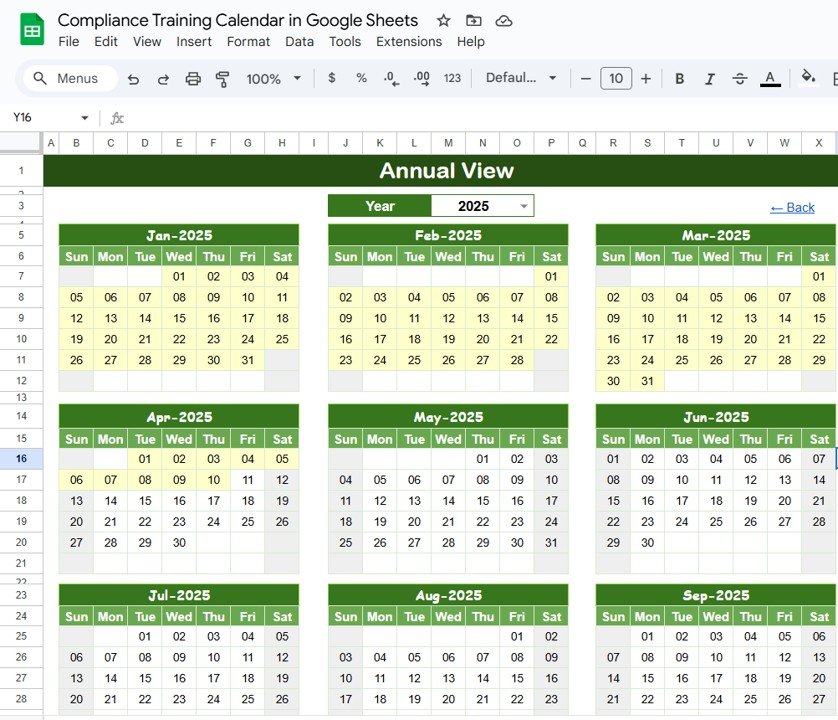
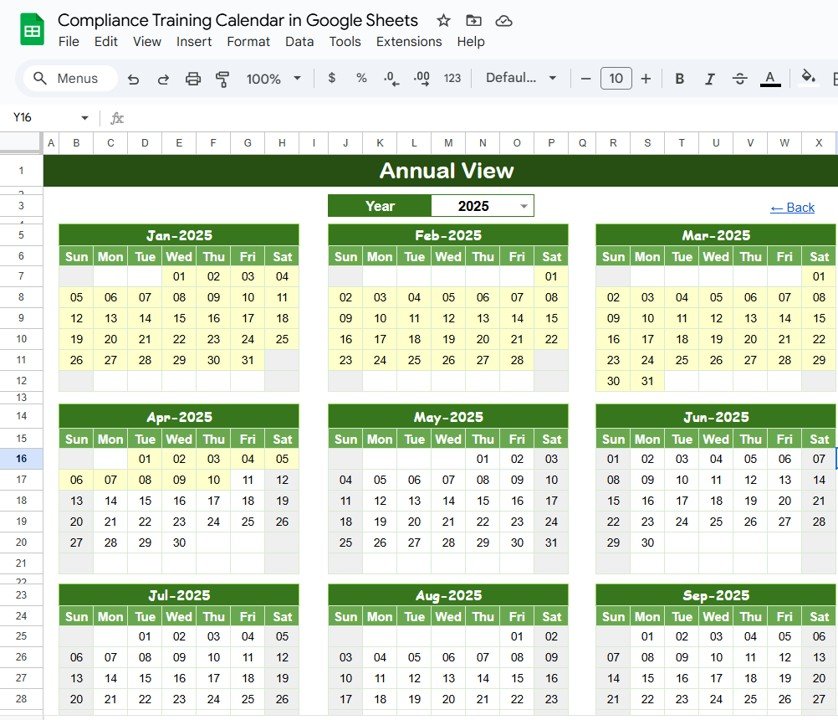
📅 Annual View (Yearly Planning)
Displays all 12 months at once for a full-year overview.
Dynamic year selector, custom start month, and week start day options.
Perfect for mapping annual compliance programs, audits, and certifications.
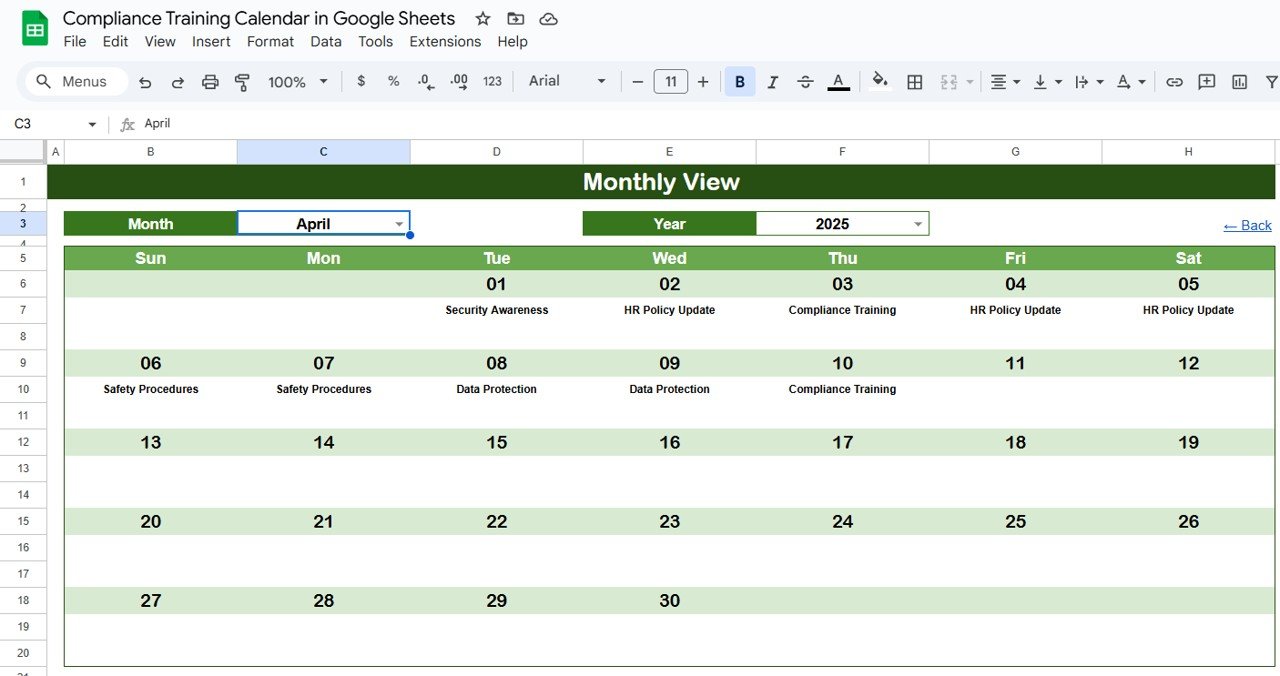
📆 Monthly View (Detailed Breakdown)
Select month and year to update automatically.
View scheduled training events for the chosen month.
If multiple events fall on the same date, it shows “more than 1…” for easy recognition.
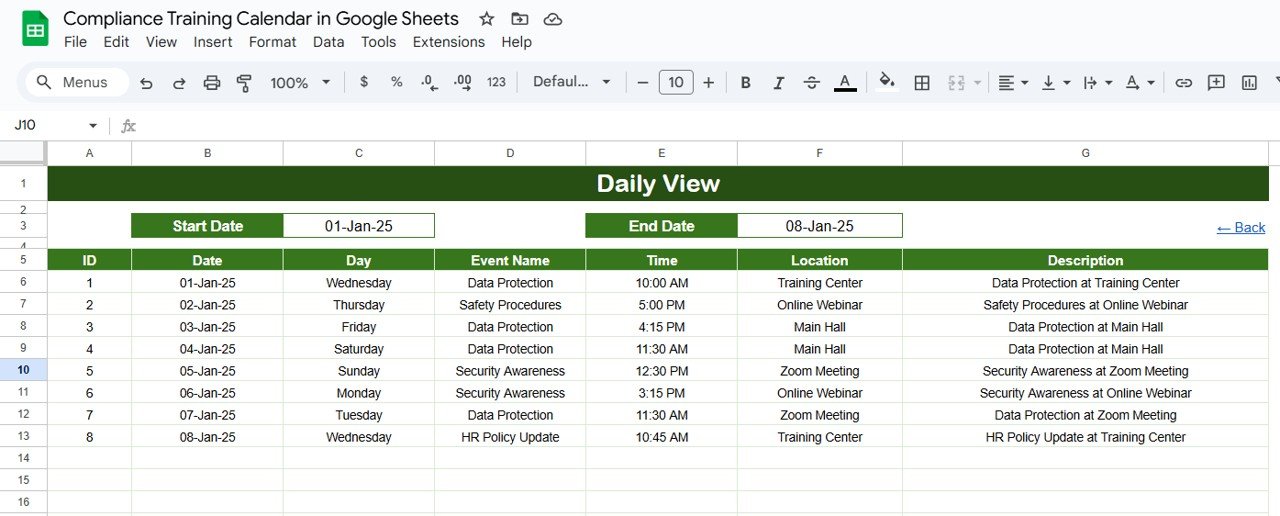
🗓 Daily View (Operational Planning)
Filter training sessions between a Start Date and End Date.
Displays detailed information such as date, day, event name, time, location, and description.
Ideal for trainers and coordinators managing day-to-day schedules.
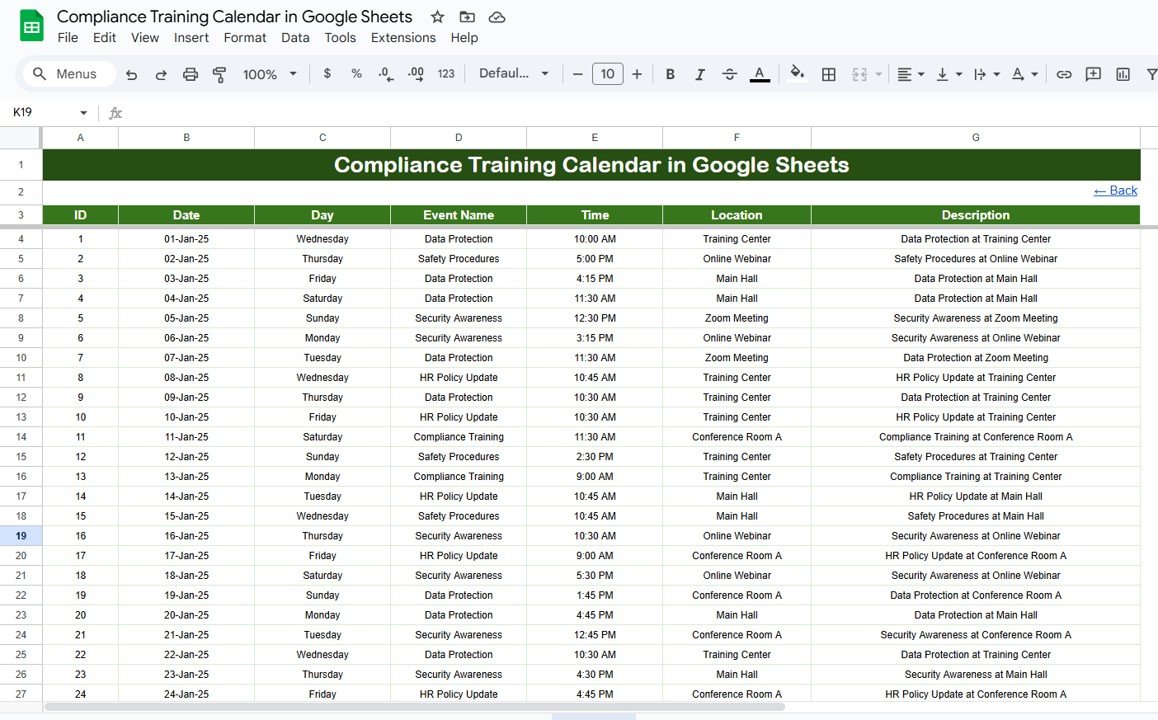
📋 Events Database (Master Record)
Stores all training session details, including:
Training ID
Date & Day
Event Name
Time & Location
Short Description
Acts as the single source of truth powering all other calendar views.
📦 What’s Inside the Template?
When you download this template, you’ll get:
✅ Home Tab with navigation buttons
✅ Annual View Tab for high-level compliance scheduling
✅ Monthly View Tab for month-specific planning
✅ Daily View Tab for detailed operational tracking
✅ Events Tab as the centralized training database
✅ Pre-built formulas and layouts for seamless reporting
✅ Sample data included to get started immediately
👥 Who Can Benefit from This Calendar?
👩💼 HR Teams – Track employee compliance and attendance efficiently.
📑 Compliance Officers – Ensure no mandatory training is missed.
🏢 Managers – Schedule and monitor department-level training needs.
🎓 Trainers & Coordinators – Manage logistics of sessions with clarity.
💼 Small & Large Enterprises – Standardize compliance tracking across multiple teams or locations.
🧾 How to Use the Compliance Training Calendar
📥 Download & Copy the template into Google Drive.
📝 Populate the Events Tab with training session details.
📅 Switch to Annual/Monthly View for long-term planning.
📆 Use Daily View to track sessions in detail.
🤝 Share with HR, managers, and trainers for real-time updates.
🎨 Customize as Needed – Add attendance columns, trainer names, or department tags.
With its plug-and-play setup, your organization can start tracking compliance sessions immediately. 🚀
🔗 Click here to read the Detailed blog post
Watch the step-by-step video Demo:
🔗 Visit our YouTube channel to learn step-by-step video tutorials
Compatibility and Requirements
- Works in Google Sheets with a free Google account and a web browser. Nothing to install.
- New to Google Sheets? Google’s guide How to use Google Sheets covers the basics.
Frequently Asked Questions
Which tabs are in the Compliance Training Calendar?
Five: Home, Annual View, Monthly View, Daily View and Events. The Home tab has buttons that open each view.
What details are saved for each training session?
Training ID, date and day, event name, time and location, and a short description. The Events tab feeds every calendar view.
What happens when two sessions fall on the same date?
The Monthly View shows ‘more than 1…’ on that date. Use the Daily View to see each session.
How do I list sessions for a set period?
Enter a start date and an end date on the Daily View to filter the sessions between them.
Does it come with sample data?
Yes. Sample data is included so you can see how the views work before you add your own sessions.
Related Compliance Calendars
- Compliance Training Calendar in Excel: the Excel edition.
- Legal Compliance Calendar in Google Sheets: legal filing and review dates.
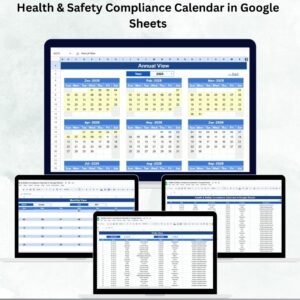
- Health & Safety Compliance Calendar in Google Sheets: safety inspections and drills.
- Legal and Compliance Training and Development KPI Dashboard in Excel: KPIs for compliance training.
- HR Google Sheets Pack: 10 HR templates for Google Sheets.
Browse all Google Sheets calendar templates or the Google Sheets HR and payroll templates.


Reviews
There are no reviews yet.