

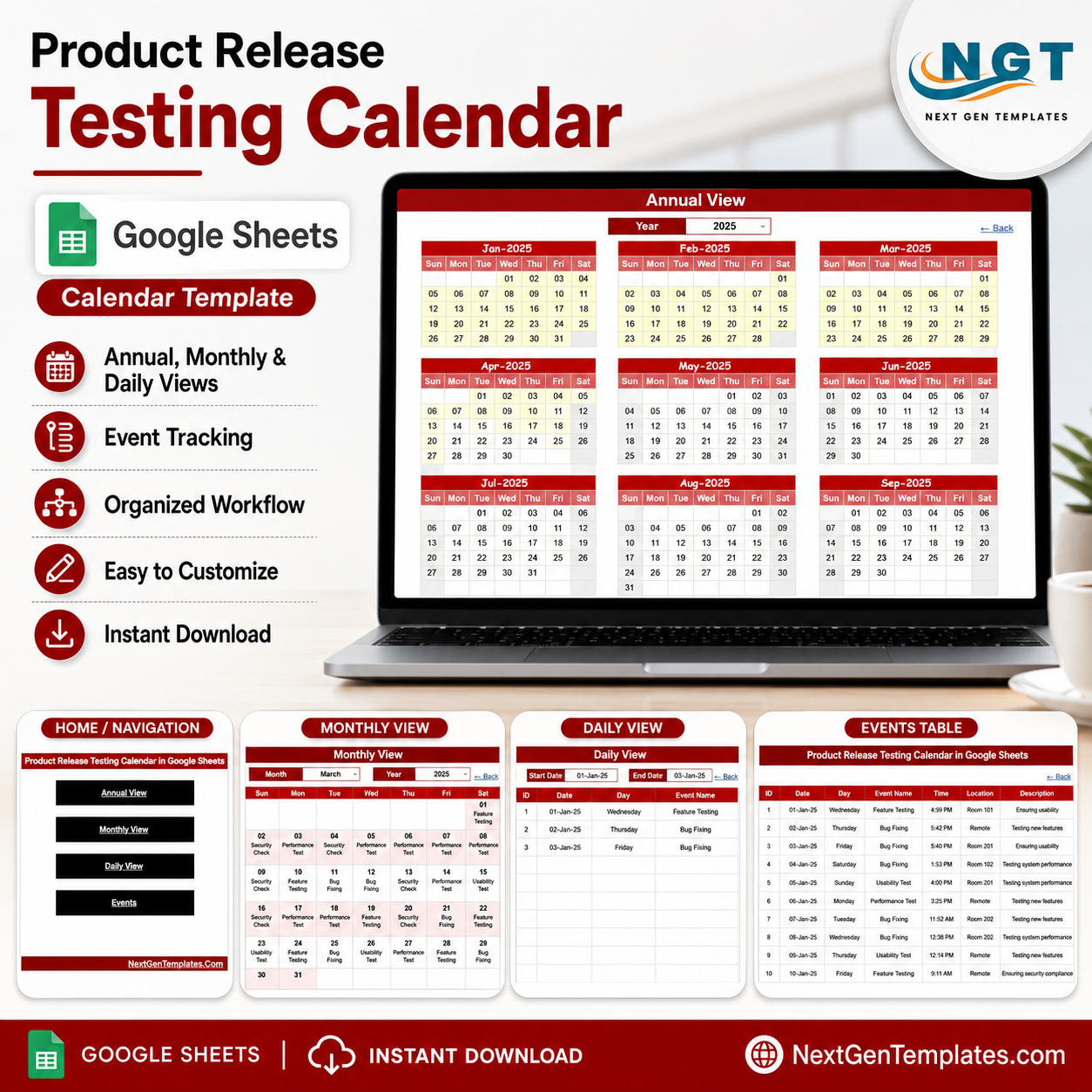
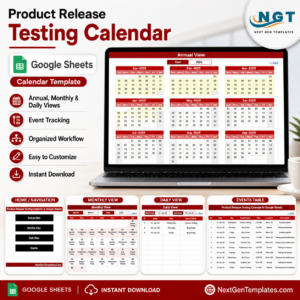
The Product Release Testing Calendar in Google Sheets gives QA teams a 5-page release testing planner with Overview, Annual View, Monthly View, Daily View, and Events tabs. It includes 4 high-level cards, 17 named analysis views, slicers for quick filtering, and a one-time $4.99 price instead of a recurring scheduling app. NextGenTemplates is used by 10,000+ professionals worldwide, making this a low-risk way to organize release readiness.
Product Release Testing Calendar in Google Sheets
Key Features of Product Release Testing Calendar in Google Sheets
This Google Sheets calendar is built for teams that need a shared view of testing dates, test windows, event details, and workload patterns. The Overview page highlights Annual View, Monthly View, Daily View, and Events cards, while charts such as Release Testing Calendar by View, Release Testing Schedule by Year, and Testing Event Records by Date help managers see schedule balance quickly.
The file is browser-based, so product managers, QA leads, testers, developers, and release coordinators can work from the same Google Sheet without passing spreadsheet versions around.
What’s Inside the Product Release Testing Calendar in Google Sheets
Overview Page: The Overview page is the control center, with Annual View, Monthly View, Daily View, and Events cards plus slicers and charts for view type, schedule year, and event dates.
Annual View: The Annual View helps release teams see testing activity across the full year. It includes analysis for Release Testing Schedule by Month, Calendar Dates by Weekday, and Yearly Testing Planning by Year.
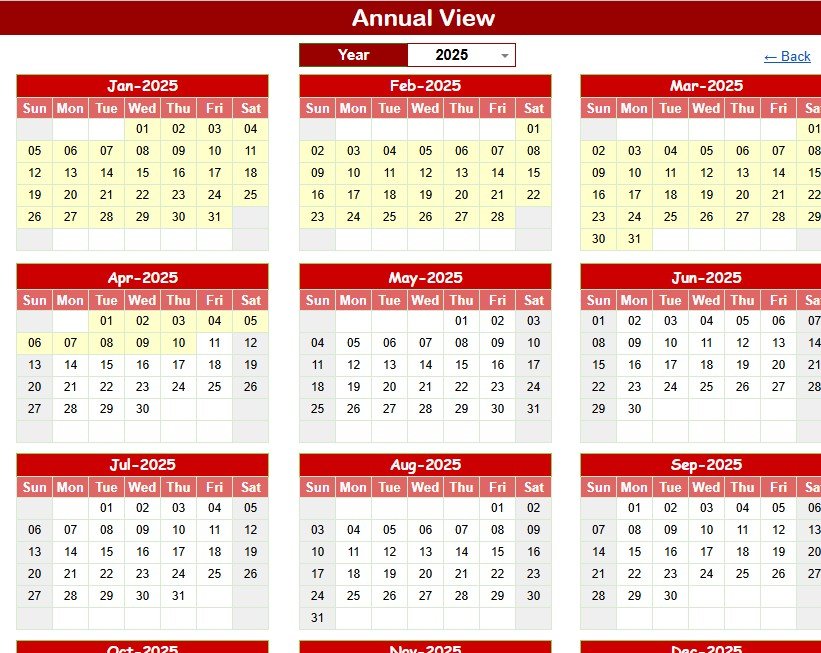
Annual View Sheet tab
Monthly View: The Monthly View lets you inspect the current release month in detail. It includes Monthly Testing Schedule by Date, Testing Activities by Month, Release Test Workload by Day, and Testing Event Type by Calendar Date.
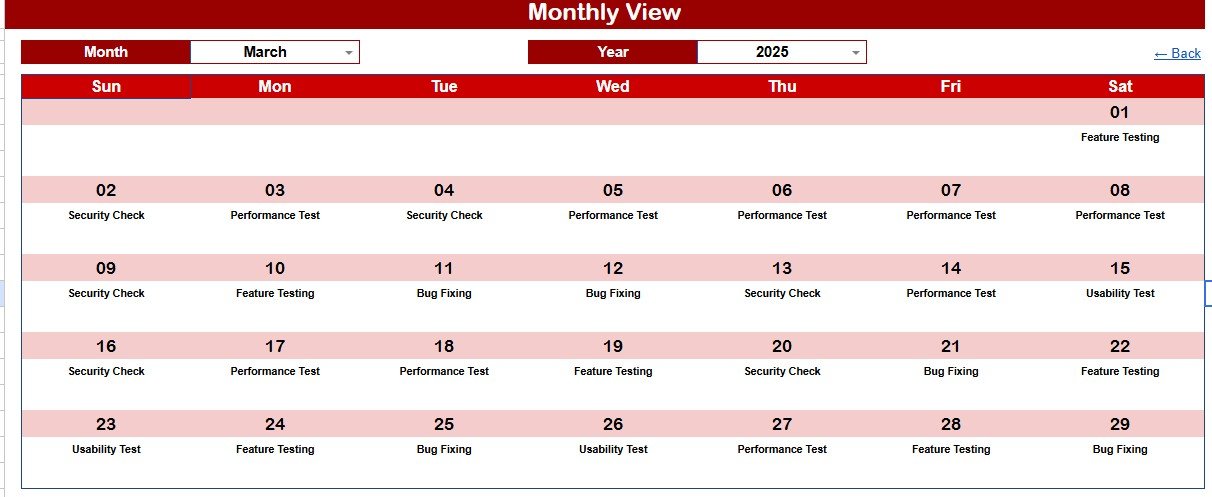
Monthly View Sheet tab
Daily View: The Daily View is for standups, release-day checks, and short date ranges. It shows Daily Testing Events by Date Range, Event Details by Time, Testing Location by Event Name, and Release Activity Description by Event.
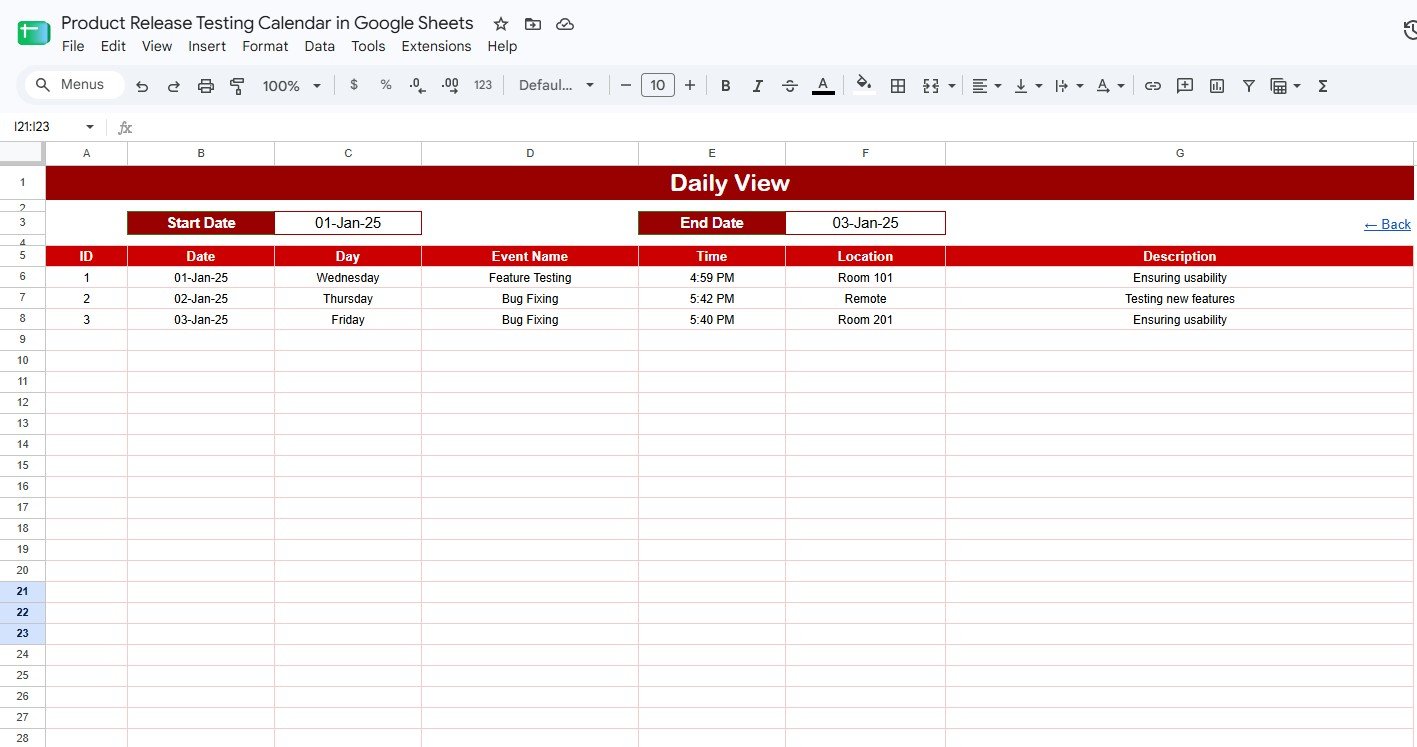
Daily View Sheet tab
Events: The Events sheet is the source table for release testing records. It stores Testing Event Records by Date, Event Name by Day, Testing Location by Schedule, and Event Description by Release Activity.
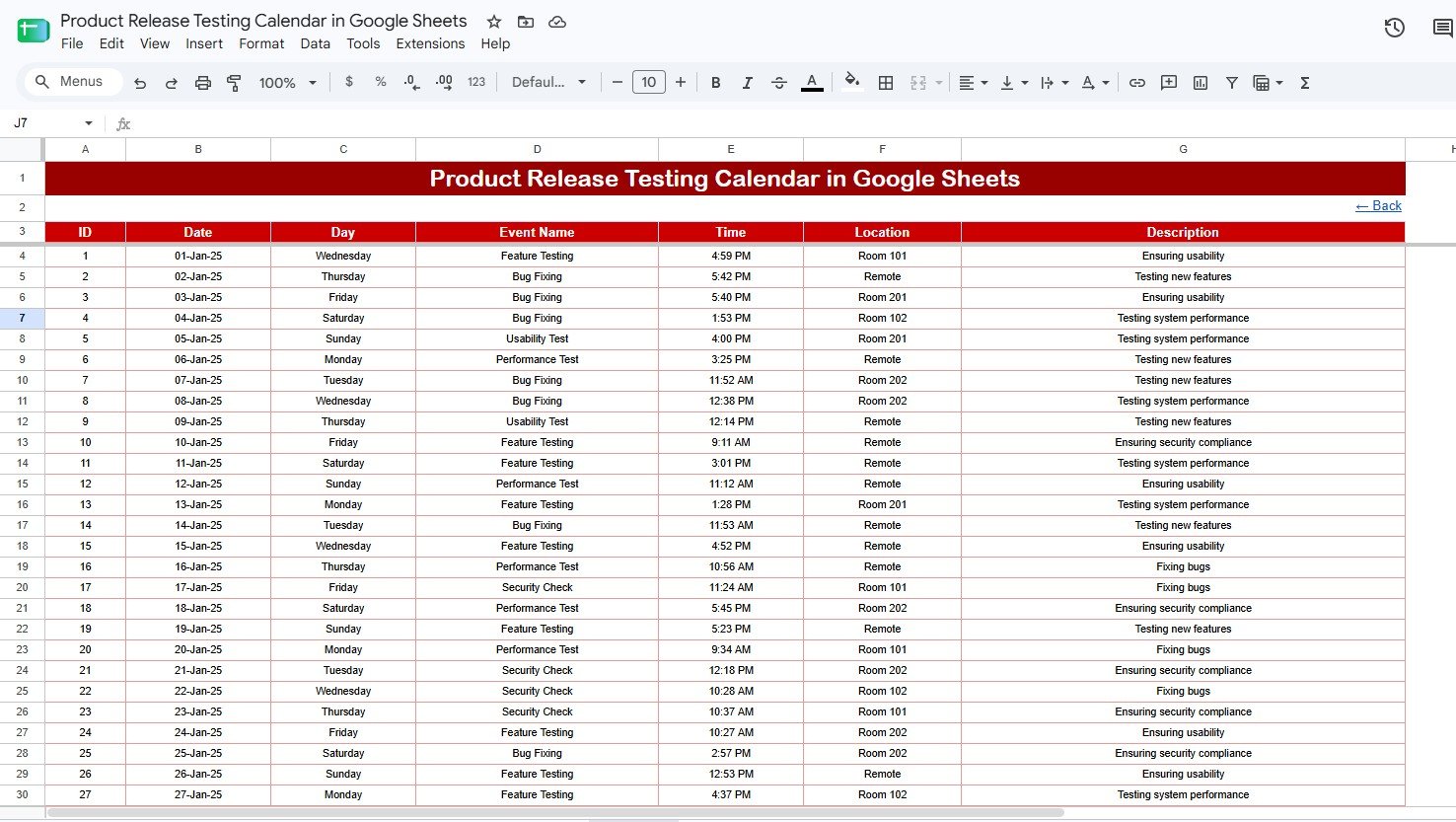
Events Sheet tab
Product Release Testing Calendar in Google Sheets vs. Excel Calendar vs. Paid QA SaaS – Where This Fits
| Feature | This Google Sheets template | Excel calendar alternative | Paid QA SaaS alternative |
|---|---|---|---|
| Cost | $4.99 one-time | $4.99 to $8.99 one-time | Recurring monthly or annual subscription |
| Platform | Google Sheets in the browser | Microsoft Excel desktop or cloud | Proprietary web app |
| Setup time | Under 10 minutes after download | Under 10 minutes after download | Often needs configuration and onboarding |
| Team collaboration | Native Google Drive sharing | Depends on OneDrive or SharePoint setup | Usually included, often per-seat priced |
| Best fit | Release testing calendar and schedule visibility | Offline calendar planning | Full test case, defect, and workflow management |
Who This Template Is For – and Who It’s Not For
This template is for QA leads, product managers, release managers, scrum masters, software testing teams, and small product teams that need a shared calendar for release testing activity. It is especially useful when the team already works in Google Workspace and wants a light, editable planning layer above issue trackers and test case tools.
It is not a replacement for Jira, TestRail, Azure DevOps, or enterprise test management systems. If you need defect workflows, automated test execution, requirements traceability, or compliance approvals, use this template as a scheduling companion rather than the system of record.
How to Use the Product Release Testing Calendar in Google Sheets
Open the included Google Sheets copy link from the download guide and make your own editable copy in Google Drive. Enter release testing events in the Events sheet, then use the Annual View for long-range planning, the Monthly View for release-window planning, and the Daily View for standups or go-live checks. Adjust filters and slicers to review the schedule by year, date, location, event name, activity, and day.
Real-World Use Cases
Aarav, QA Lead: Aarav manages regression testing for a SaaS product with two releases per month. He uses the Annual View to identify crowded periods and the Daily View to brief testers each morning.
Meera, Product Manager: Meera coordinates beta testing, UAT, release candidate checks, and launch-day validation. She shares the Google Sheet with engineering so everyone sees the same dates and event descriptions.
Daniel, Release Coordinator: Daniel tracks environment testing across staging, QA, and production validation windows. The Events sheet gives him one place to update test names, times, locations, and descriptions.
Frequently Asked Questions
What pages are included in the Product Release Testing Calendar in Google Sheets?
The template includes Overview, Annual View, Monthly View, Daily View, and Events pages. Together they support yearly planning, monthly review, day-level tracking, and event record management.
Can multiple team members edit the calendar?
Yes. Because the template runs in Google Sheets, you can share your copy through Google Drive and give team members viewer, commenter, or editor access.
Does this replace a QA test management platform?
No. It is a calendar and scheduling template. Use it for release testing visibility, then keep detailed defects, test cases, and automation results in your existing QA tools.
Can I customize event names and descriptions?
Yes. The Events sheet is editable, so you can adapt event names, locations, dates, and activity descriptions for your testing process.
Is there a recurring subscription?
No. This is a one-time purchase template for internal use. There is no monthly subscription or per-user fee from NextGenTemplates.
Do I need Microsoft Excel?
No. This version is built for Google Sheets. If your team prefers Excel, browse the related Excel calendar templates on NextGenTemplates.
About the Author
Built by PK – Microsoft Certified Professional with 15+ years of Excel, Google Sheets, and Power BI experience. Founder of NextGenTemplates, reaching 300K+ subscribers across YouTube channels. Every template is hand-built and tested before release.
Explore Related Templates
Quality Assurance Testing Calendar in Google Sheets – Plan QA activities across annual, monthly, daily, and event views.
Product Launch Calendar in Google Sheets – Coordinate launch tasks, milestones, and deadlines.
IT System Maintenance Calendar in Google Sheets – Schedule maintenance events, outages, and operational work.
Project Deadline Calendar in Google Sheets – Track project due dates and team milestones.
Browse more Google Sheets Calendar templates and Google Sheets templates.
Get the Product Release Testing Calendar in Google Sheets today for $4.99. Plan release testing, track events, review workload, and keep QA schedules visible in one shared file.
Watch the step-by-step video Demo:






























Reviews
There are no reviews yet.