


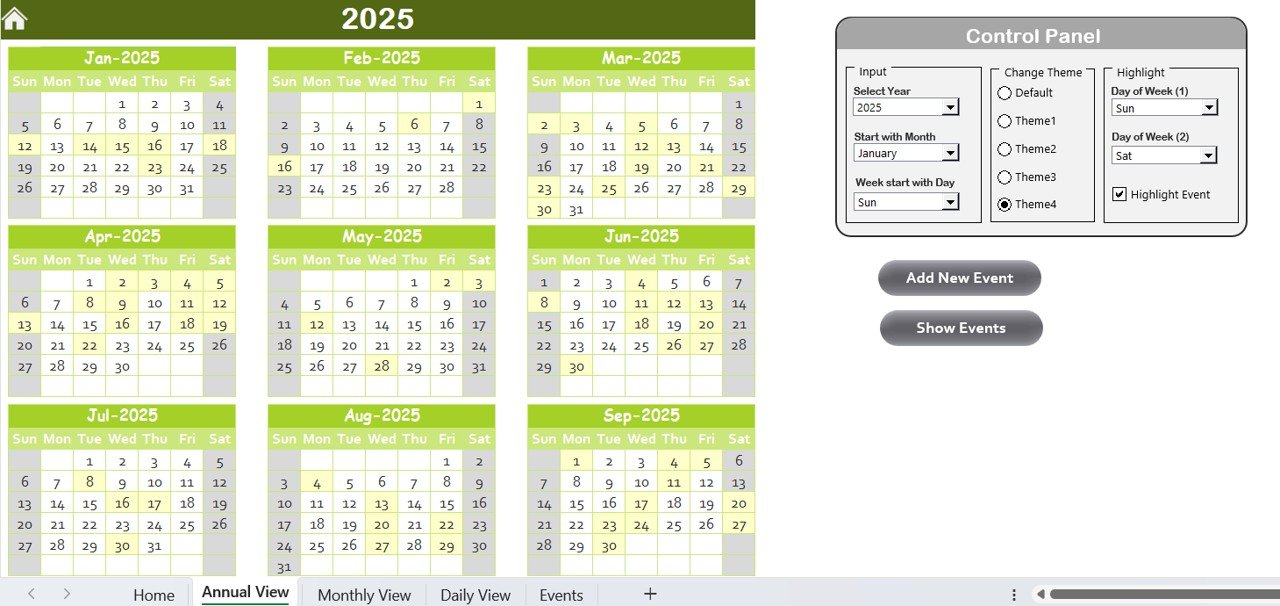


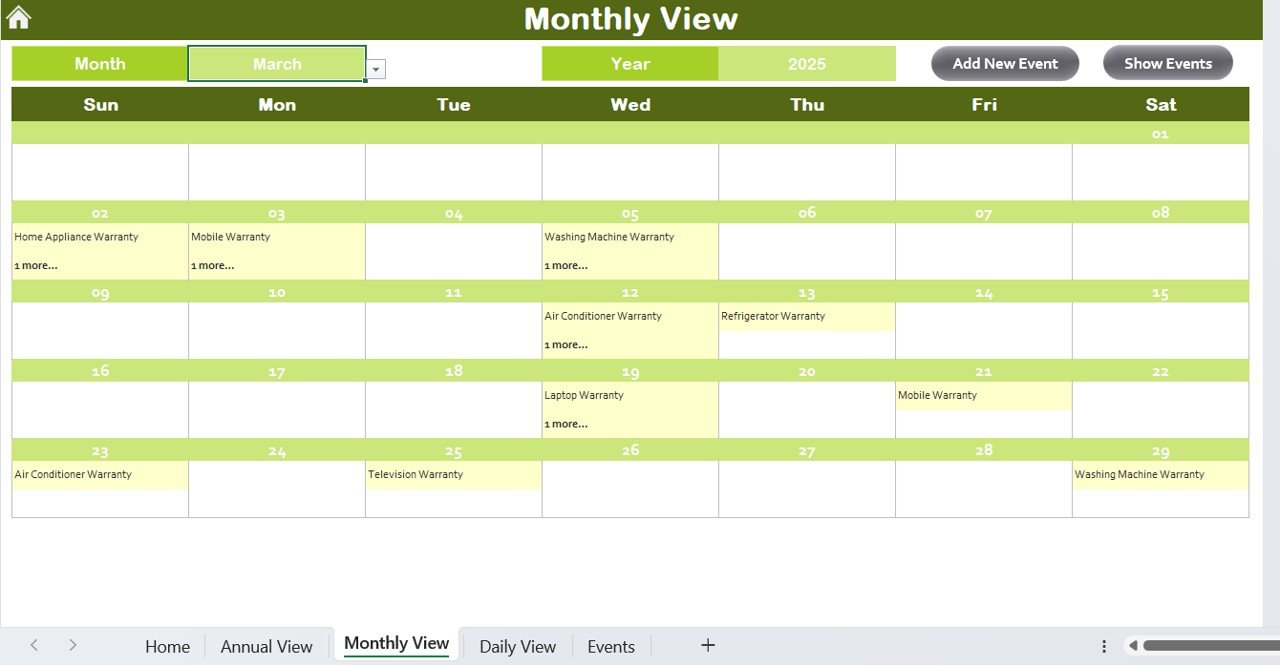

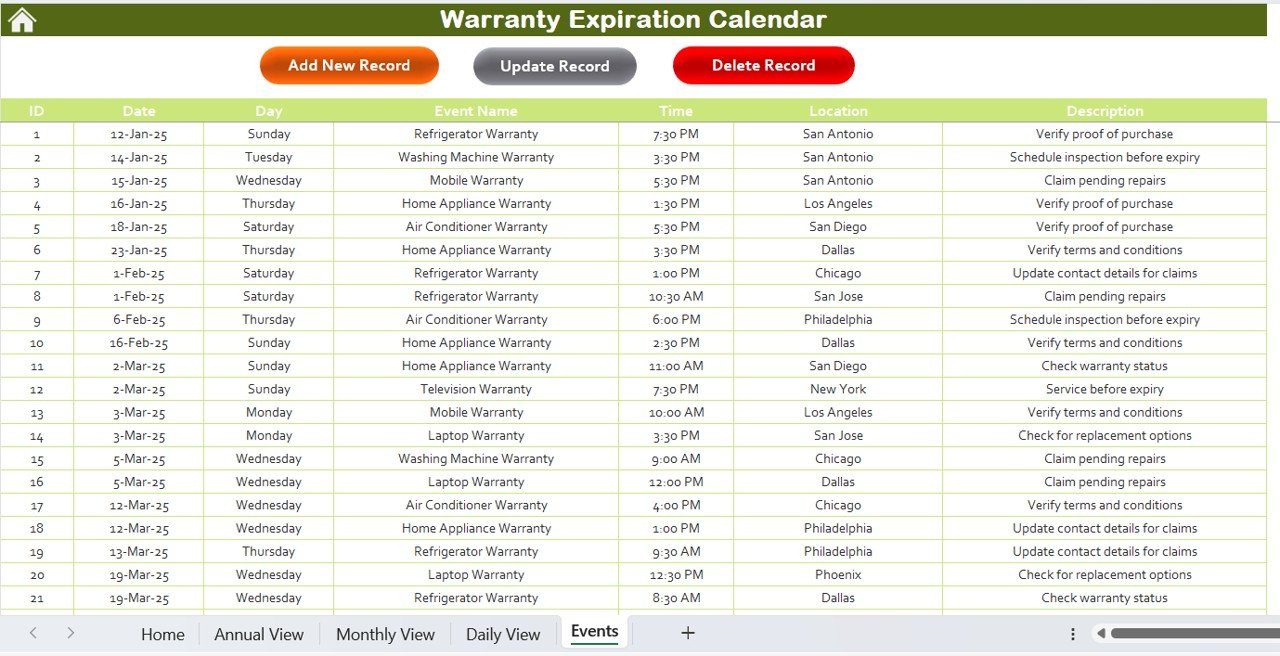



The Warranty Expiration Calendar in Excel is a ready-made template for managing product warranties so you never miss a deadline for a renewal or claim. It suits homeowners, businesses, property managers and small business owners who track household appliances, electronics, vehicles, office equipment or other business assets. You get one organized place to record warranty details, follow expiration dates and act before coverage runs out.
Enter product details, warranty periods and expiration dates. The template then generates reminders and shows what is coming up on a visual dashboard. Tracking warranties this way helps you save money and make the most of your product guarantees before they expire.

Key Features of the Warranty Expiration Calendar in Excel
Comprehensive Warranty Tracking
Track multiple warranties across many products. Record warranty details and expiration dates for each item so you always know when a warranty needs renewing or a claim needs filing.
Real-Time Expiration Monitoring
Reminders and visual indicators show warranty expiration dates in real time. You will not miss a critical date for filing a warranty claim.
Automated Reminders
Set automatic alerts for upcoming warranty expirations. Advance reminders give you time to prepare claims or renewals, with no last-minute surprises.
Customizable for Any Product
Adapt the calendar to any type of product or asset, from electronics to vehicles and appliances. You can change the sections to fit your needs.
Expiration Date Dashboard
An interactive expiration date dashboard shows all upcoming warranty expirations at a glance. Color-coded alerts help you spot and prioritize the warranties that are about to expire.
User-Friendly Interface
The simple design makes it easy to enter, update and track warranty details, so managing all your product warranties takes little effort.
Why You’ll Love This Warranty Tracker
- Stay organized and proactive: Keep all your product warranties in one central place so you are always ready for renewals or claims.
- Avoid missing expiration dates: Automatic reminders and alerts keep you ahead of warranty expiration dates so you can claim on time.
- Customizable for any product: Fit the calendar to your needs, whether you track electronics, appliances or office equipment.
- Visualize expirations with ease: The dashboard gives an overview of all upcoming warranty expirations, helping you decide what to handle first.
- Save money and time: Watching warranty deadlines helps you save on repairs, avoid missed claims and use your full warranty benefits.
What’s Inside the Warranty Expiration Calendar in Excel?
| Component | What It Does |
|---|---|
| Comprehensive Warranty Tracker | Records warranty details for each product, including expiration dates, product types and warranty terms. |
| Reminder System | Sends automatic alerts well before warranty expirations. |
| Expiration Date Dashboard | Shows a visual summary of upcoming warranty expirations, with color-coded alerts for easy identification. |
| Customizable Sections | Lets you change the calendar to track warranties for any type of asset or product. |
| Real-Time Monitoring | Lets you monitor warranties in real time and update statuses as needed. |
Who Can Benefit from the Warranty Expiration Calendar in Excel?
- Homeowners managing household warranties
- Businesses managing equipment warranties
- Property managers keeping track of appliances and furnishings
- Small business owners with multiple product warranties
- Anyone who wants to stay on top of their warranties and avoid missing claims
How to Use the Warranty Expiration Calendar in Excel
- Download the template: Get instant access to your warranty expiration calendar.
- Input product details: Add your products, warranties and expiration dates to the template.
- Track expiration dates: Use the calendar and dashboard to monitor warranty expirations and receive timely reminders.
- Stay prepared for claims or renewals: Act on reminders to renew warranties or make claims on time.
This easy-to-use, customizable warranty expiration calendar helps you stop missing warranty deadlines and save money on repairs or renewals.
Click here to read the Detailed blog post
Visit our YouTube channel for step-by-step video tutorials:
Youtube.com/@PKAnExcelExpert
Frequently Asked Questions
What is the Warranty Expiration Calendar in Excel used for?
It is an Excel template for tracking product warranties and their expiration dates. It helps you renew warranties or file claims before the deadline.
What kinds of products can I track?
You can track warranties for any product or asset, including household appliances, electronics, vehicles, office equipment, furnishings and other business assets.
Does the template remind me before a warranty expires?
Yes. It includes a reminder system with automatic alerts for upcoming warranty expirations, plus visual indicators and color-coded alerts on the dashboard.
Is there a dashboard view?
Yes. The expiration date dashboard gives a visual summary of all upcoming warranty expirations, so you can prioritize the ones about to expire.
Can I customize the sections?
Yes. You can change the sections to track warranties for any type of product or asset that matters to you.
Where can I learn more about using it?
Read the detailed blog post linked above, or watch the step-by-step video tutorials on the PK An Excel Expert YouTube channel.
Last updated: October 2026
Compatibility and Requirements
- Works in Microsoft Excel desktop (Excel 2016 or later, or Microsoft 365).
- Color-coded alerts use conditional formatting. Microsoft explains it in Use conditional formatting to highlight information.
Related Warranty and Asset Templates
- Warranty Expiration Calendar in Google Sheets: the same calendar in Google Sheets
- Product Warranty Claim Tracker in Excel: log and follow up warranty claims
- Product Warranty Claim Tracker in Google Sheets: track claims online
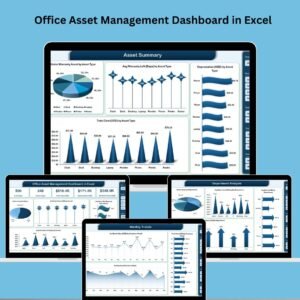
- Office Asset Management Dashboard in Excel: manage the assets under warranty
- Calendar & Planner Pack: 12 calendar and planner templates in one download
Browse all Excel calendars or the Excel trackers.








Reviews
There are no reviews yet.