

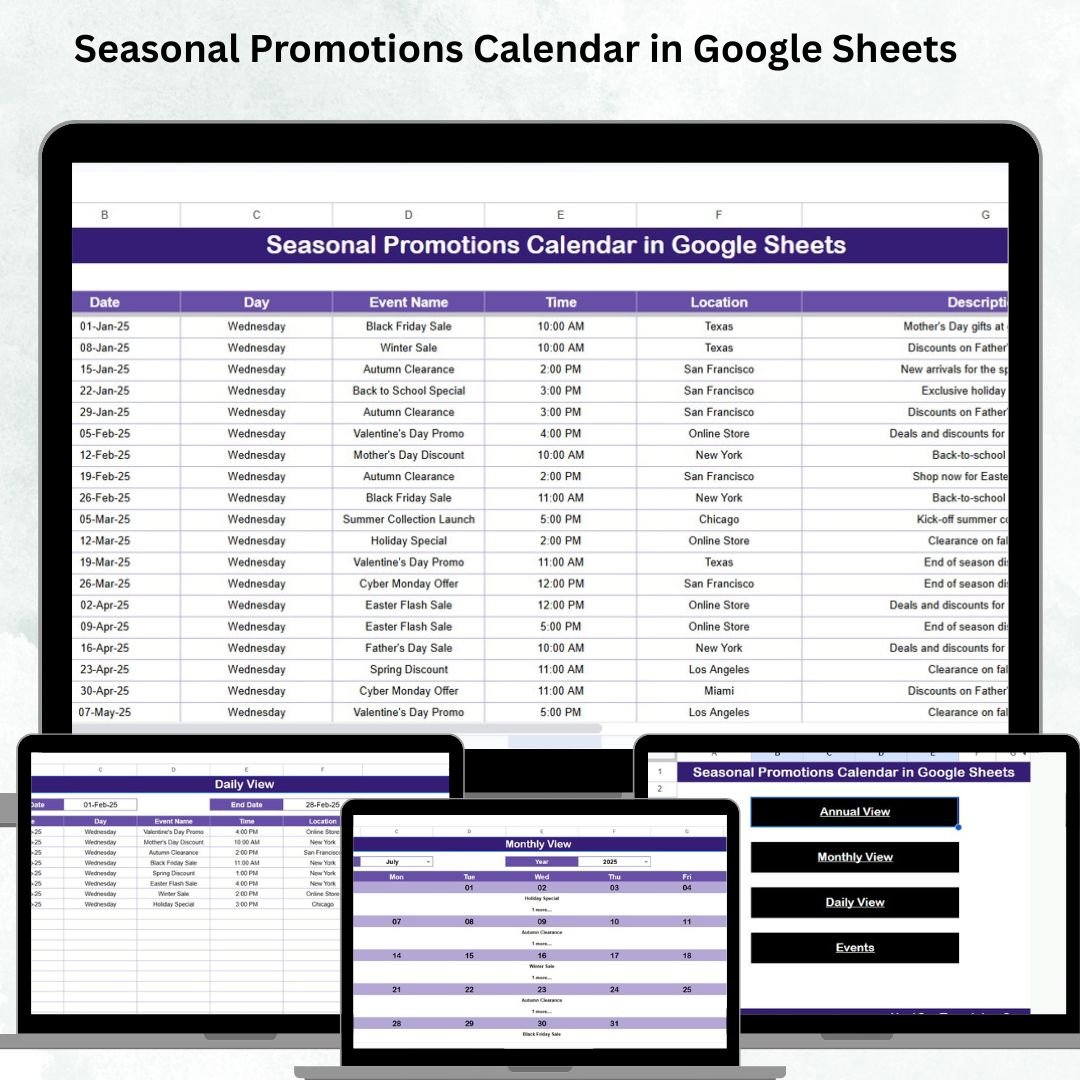

In today’s fast-moving business landscape, timing is everything ⏰. Successful companies know that aligning promotions with seasons, holidays, and customer behavior can dramatically boost visibility, engagement, and sales. But with so many events to track across the year, manual planning often becomes messy and inconsistent. That’s where the Seasonal Promotions Calendar in Google Sheets comes in—a smart, ready-to-use, and flexible system that makes marketing planning easier, faster, and far more effective.Seasonal Promotions Calendar in Google Sheets
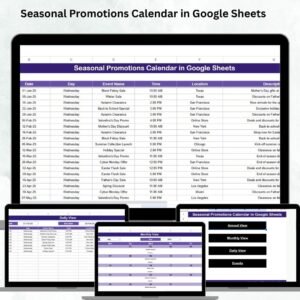
This digital template helps you stay ahead of your competition by organizing every promotion into Annual, Monthly, and Daily views with a central Events Database. Whether you’re a retail store, e-commerce brand, or service provider, this calendar ensures you never miss a sales opportunity again. Let’s explore why this template is a must-have for your business.Seasonal Promotions Calendar in Google Sheets
✨ Key Features of the Seasonal Promotions Calendar
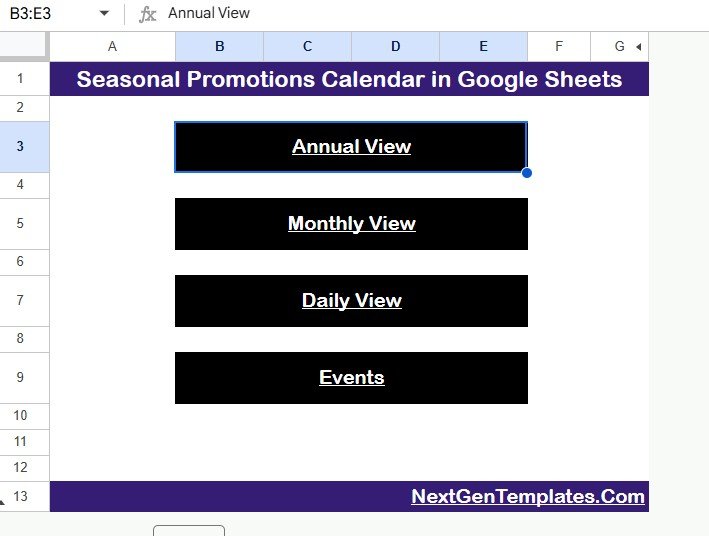
✅ Five Interactive Worksheets – Navigate seamlessly between Home, Annual View, Monthly View, Daily View, and Events Database.
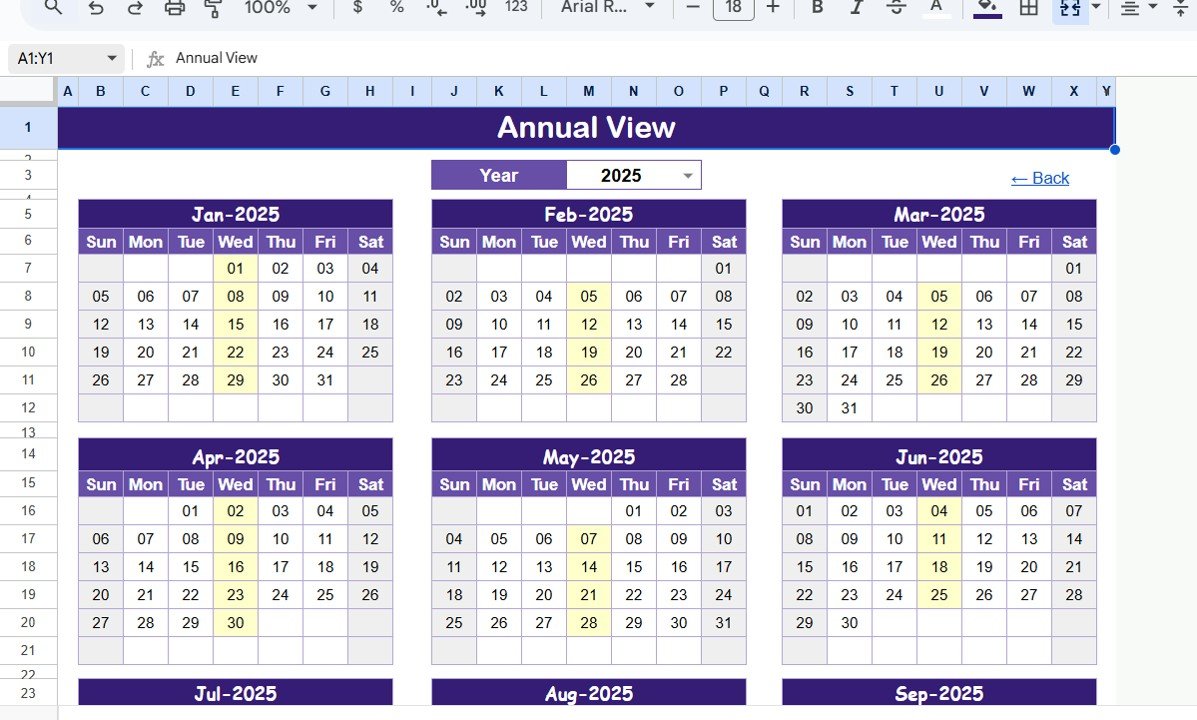
✅ Annual View – See the big picture with a full-year calendar and customize the start month or week. Perfect for long-term planning like Black Friday, Diwali, or Summer Sales.
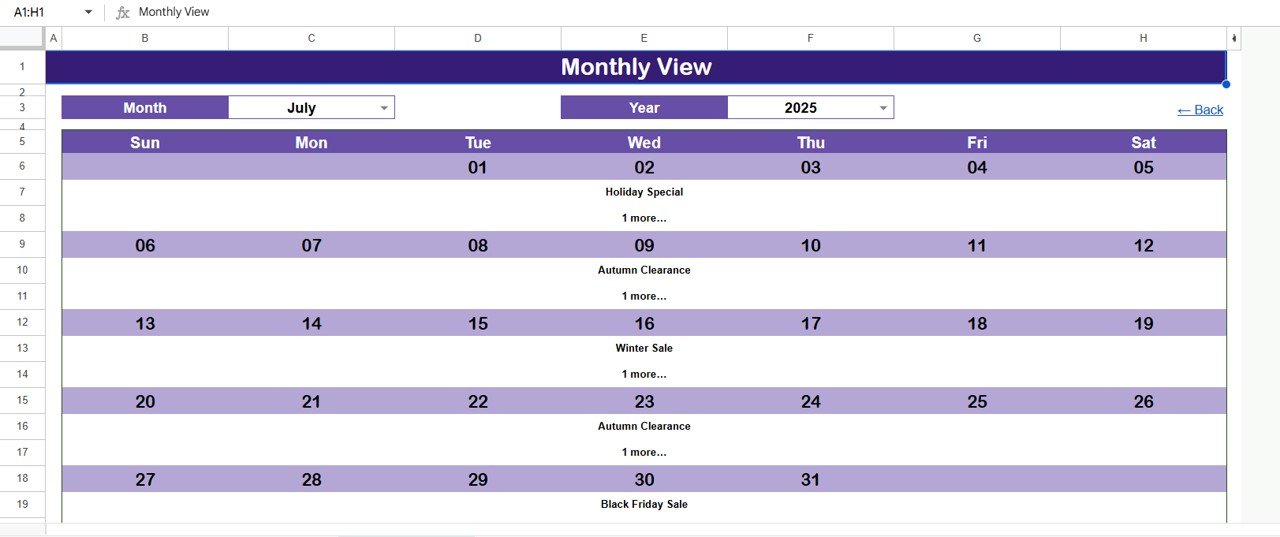
✅ Monthly View – Focus on one month at a time. Spot overlapping events instantly and avoid overbooking.
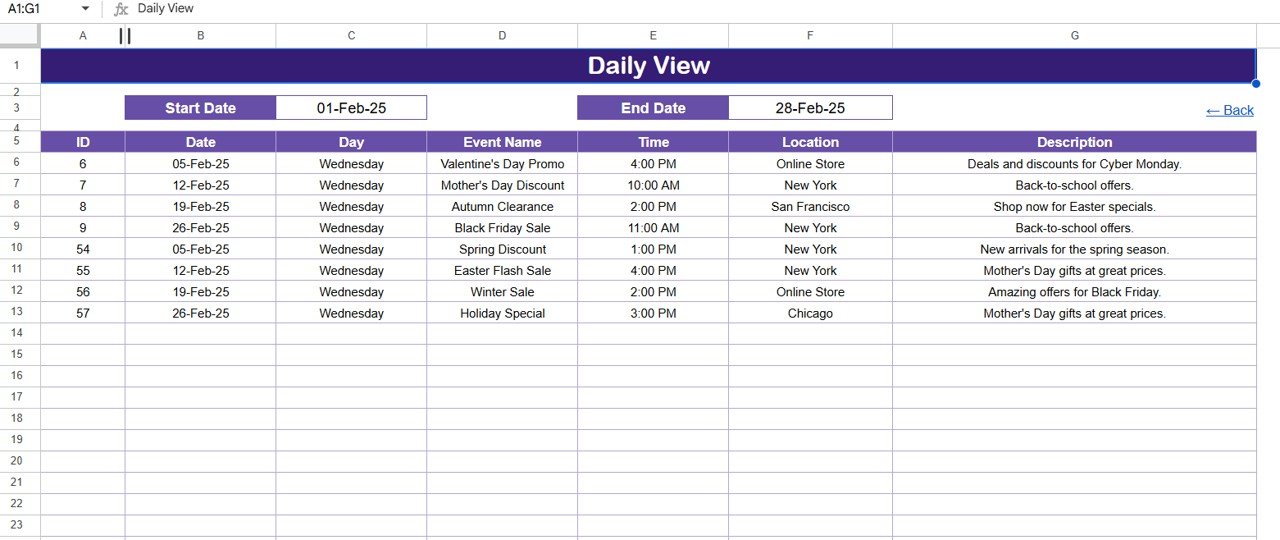
✅ Daily View – Drill down into execution. Track events for specific days with full details. Ideal for last-minute updates and campaign tracking.
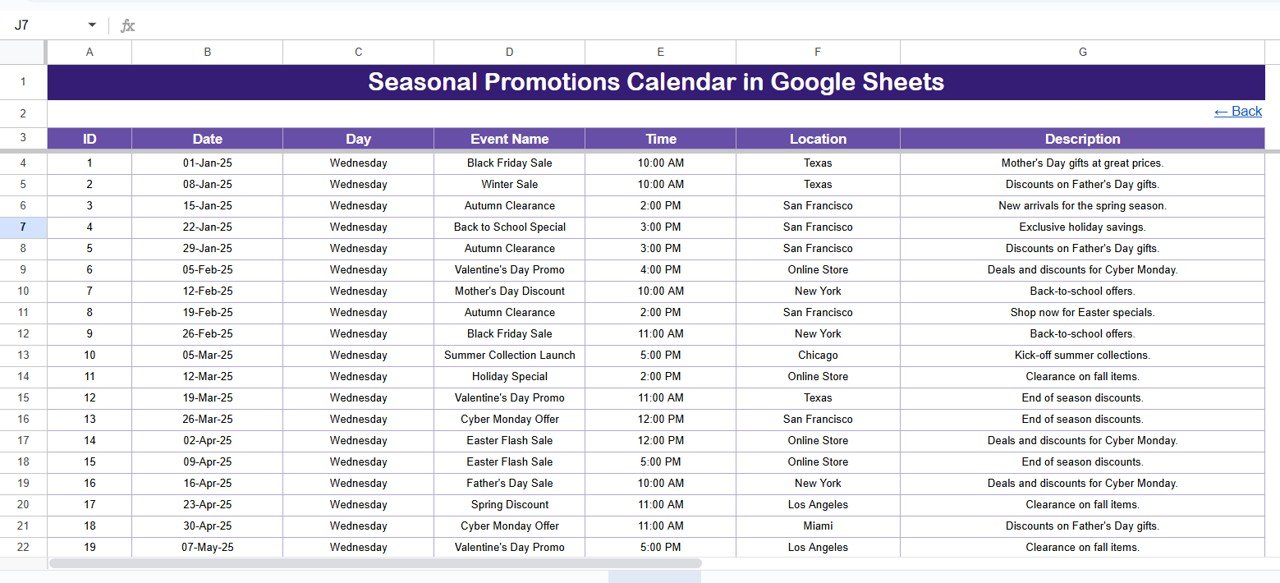
✅ Events Database – Store all campaigns in one place with fields like ID, Date, Event Name, Time, Location, and Description.
✅ User-Friendly Design – No technical skills required. Just open, input, and plan promotions.
✅ Cloud-Based Collaboration – Share with your team in real time and work together on campaign planning.
📦 What’s Inside the Seasonal Promotions Calendar
Inside this template, you’ll get:
Home Sheet 🏠 – A central hub with quick navigation buttons to jump across different views.
Annual View Sheet 📅 – Full-year calendar with customization for fiscal years and week starts.
Monthly View Sheet 🗓️ – A detailed monthly breakdown for seasonal promotions.
Daily View Sheet 📋 – Task-level clarity to ensure no small campaign is overlooked.
Events Sheet 🎯 – Your master list of all promotions with essential fields for analysis and reporting.
Every tab is designed for simplicity while still offering the flexibility to adapt to any business or industry.Seasonal Promotions Calendar in Google Sheets
🛠️ How to Use the Seasonal Promotions Calendar
Start with the Events Sheet – Add all planned promotions with key details.
Plan Annually – Use the Annual View to outline big campaigns like festive discounts or clearance sales.
Drill Down Monthly – Move to the Monthly View to avoid clashes and spot underutilized dates.
Execute Daily – Track progress and manage daily operations with the Daily View.
Review & Adjust – After campaigns, update notes in the Events Sheet to improve future planning.
💡 Pro Tip: Use Seasonal Promotions Calendar in Google Sheetslor coding 🎨 to mark different campaign types like flash sales, new launches, or awareness events for quick recognition.
👥 Who Can Benefit from This Calendar
This calendar is versatile and valuable across industries:
🛍️ Retail Stores – Organize festive sales, clearance events, and seasonal offers.
💻 E-Commerce Businesses – Plan global campaigns like Cyber Monday or Valentine’s Day sales.
🏨 Hospitality & Travel – Schedule holiday packages, dining offers, and seasonal discounts.
🎓 Education Providers – Align promotions with admission cycles and academic seasons.
🌍 Nonprofits & NGOs – Plan awareness and fundraising campaigns linked to important dates.
Whether you’re a small business owner, marketing manager, or freelancer, this tool gives you the clarity and consistency you need to stay competitive.
Click here to read the Detailed blog post
Watch the step-by-step video tutorial:
Visit our YouTube channel to learn step-by-step video tutorials
Compatibility and Requirements
- Works in Google Sheets. You need a free Google account and a web browser.
- Google explains how to get started in Get started with Google Sheets.
Frequently Asked Questions
Which sheets are included?
Five sheets: Home, Annual View, Monthly View, Daily View and Events Database.
What do I enter in the Events Database?
Each promotion gets a row with an ID, date, event name, time, location and description. The Annual, Monthly and Daily views use these entries.
Can I change the start month or the first day of the week?
Yes. The Annual View lets you set the start month, which suits fiscal years, and the start of the week.
Can my team work on it at the same time?
Yes. It runs in Google Sheets, so you can share it and plan campaigns together online.
Is there an Excel version?
Yes. See the Seasonal Promotions Calendar in Excel.
Related Calendar Templates
- Seasonal Promotions Calendar in Excel: the same promotions planner for Excel
- Dynamic Holiday and Event Calendar in Google Sheets: track holidays and events in Google Sheets
- Printable Holiday and Event Calendar in Excel: a free printable event calendar
- Calendar & Planner Pack: 12 calendar and planner templates in one download
Browse all Google Sheets calendars.



























Reviews
There are no reviews yet.