

Managing compliance activities across teams can quickly become complex. Organizations must track regulatory deadlines, internal audits, reporting schedules, employee training, and operational policy reviews. However, when businesses rely on scattered spreadsheets, emails, or manual reminders, important compliance tasks can easily be missed.
Missing compliance deadlines may lead to penalties, operational disruptions, and regulatory risks. Therefore, organizations need a structured system that helps them plan, organize, and monitor compliance activities clearly.
This is exactly where the Team Performance Compliance Calendar in Excel becomes extremely powerful.
The Team Performance Compliance Calendar in Excel is a ready-to-use Excel template designed to help organizations schedule compliance events, track deadlines, and manage team responsibilities in a centralized calendar system. Instead of managing compliance tasks across multiple tools, this template consolidates everything into one structured and visual interface.
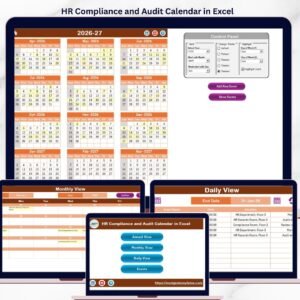
With annual, monthly, and daily calendar views, teams can easily visualize upcoming compliance activities and ensure that no important deadlines are missed.
Because Excel provides flexibility, automation, and easy data management, organizations can maintain accurate compliance schedules while improving coordination across departments.
Whether your organization manages regulatory reporting, internal audits, policy reviews, or training schedules, this template helps ensure that compliance activities stay organized and visible.
As a result, businesses can reduce compliance risks, improve accountability, and maintain better operational discipline.
🚀 Key Features of Team Performance Compliance Calendar in Excel
📅 Multiple Calendar Views
Track compliance schedules using Annual, Monthly, and Daily calendar views, allowing teams to visualize events in different formats.
⚙️ Interactive Calendar Control Panel
Customize the calendar settings by selecting the year, starting month, and starting weekday from the control panel.
🗂 Automated Event Management System
Add, update, or delete compliance events easily using built-in event management forms.
🎨 Customizable Color Themes
Choose from multiple color themes to enhance the visual appearance of the calendar workbook.
📌 Event Highlighting System
Important compliance events are highlighted automatically, helping teams quickly identify critical deadlines.
📊 Centralized Event Database
All events are stored in a structured Events database sheet, ensuring organized compliance data management.
🧭 Easy Navigation Buttons
The Home sheet navigation buttons allow users to quickly switch between Annual, Monthly, Daily, and Event views.
⚡ Dynamic Calendar Updates
When users change calendar settings such as year or month, the entire calendar automatically updates.
📦 What’s Inside the Team Performance Compliance Calendar in Excel
This template includes five structured worksheets that simplify compliance planning and event tracking.
🏠 Home Sheet – Navigation Center
The Home sheet acts as the main index page of the calendar.
It includes navigation buttons that allow users to quickly access:
Annual View
Monthly View
Daily View
Events Database
📅 Annual View Sheet – Full Year Compliance Planning
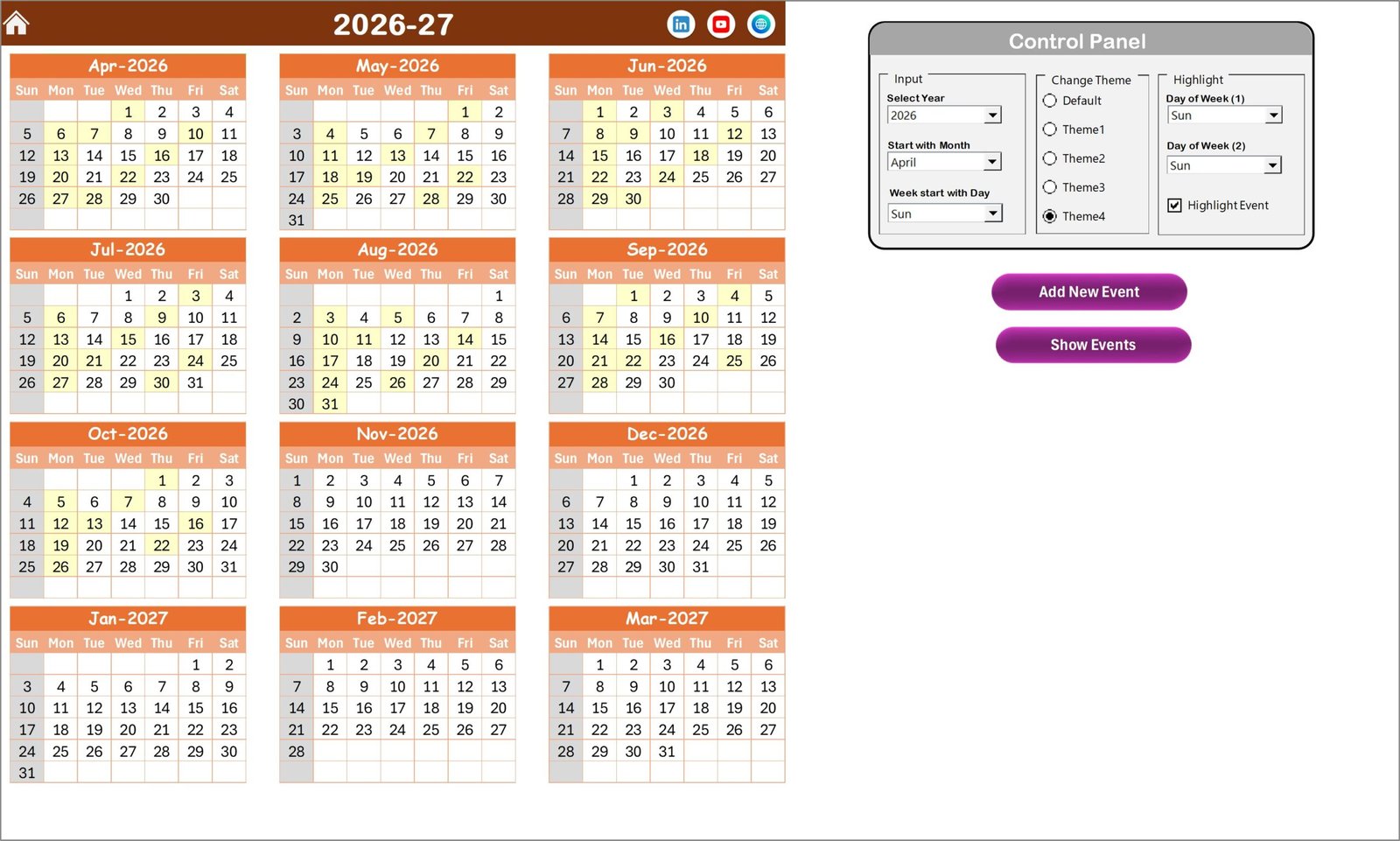
The Annual View displays all 12 months of the year in one interface, making it easier to plan compliance activities throughout the year.
Users can customize the calendar through the control panel and highlight specific days or events.
The sheet also includes buttons for:
Adding new events
Viewing events scheduled for selected dates
📆 Monthly View Sheet – Detailed Monthly Planning
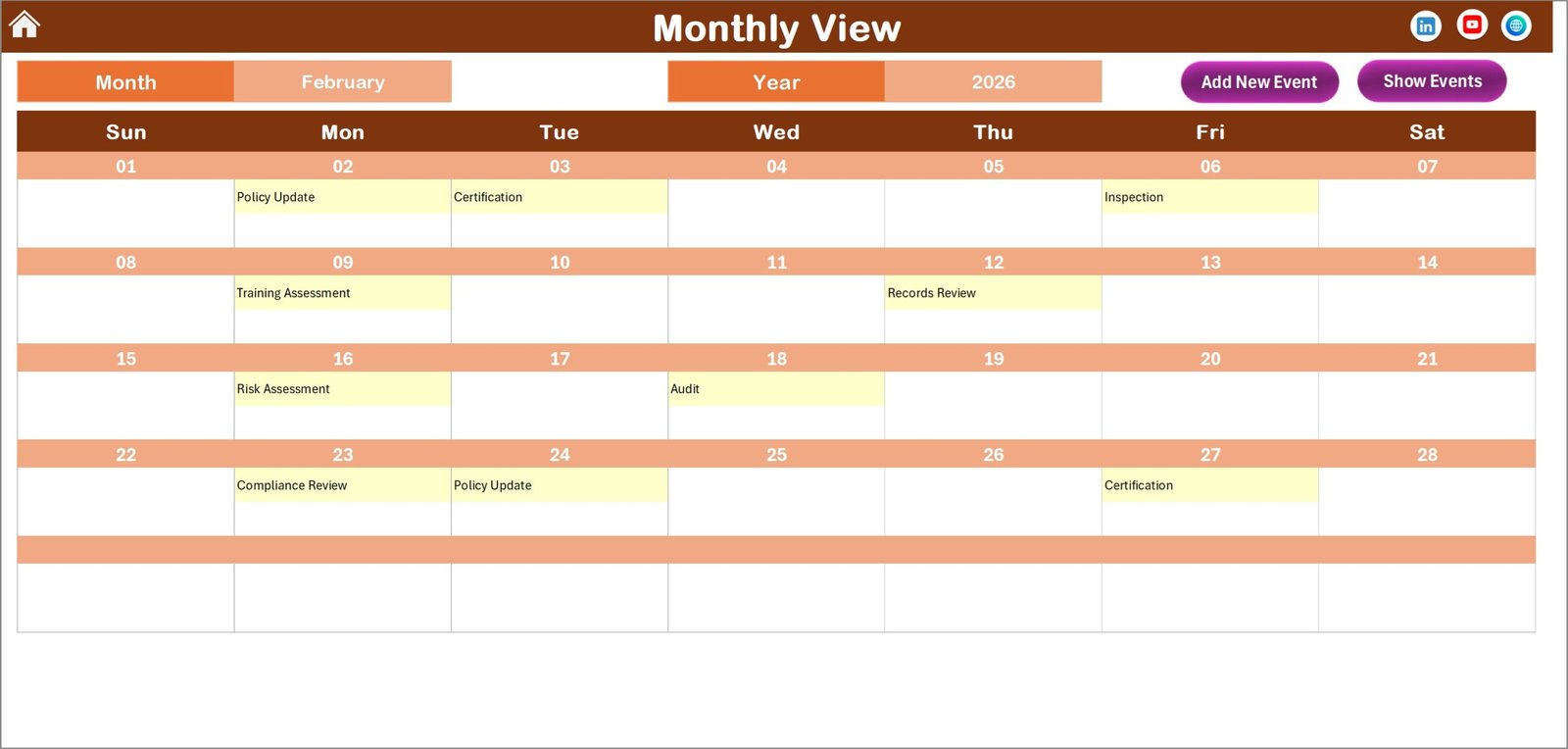
This sheet shows a detailed monthly calendar for selected months and years.
If multiple events exist on a specific date, the calendar displays a notification such as “More than 1…”, allowing users to identify busy compliance days quickly.
Users can also add new events or view existing events directly from the monthly calendar.
📋 Daily View Sheet – Event Tracking by Date Range
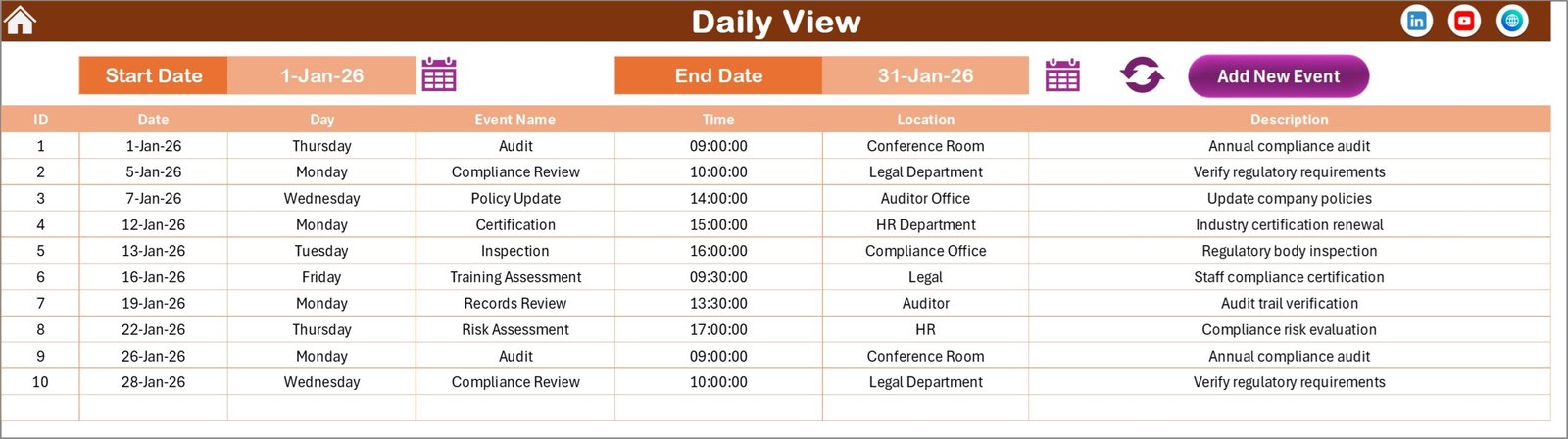
The Daily View provides a detailed list of compliance events within a selected date range.
Users simply choose the Start Date and End Date, click the refresh button, and the calendar displays all events within that range.
This view is extremely helpful for reviewing upcoming compliance activities.
📂 Events Sheet – Compliance Event Database
This sheet acts as the central database for all compliance records.
It stores important event information including:
Event ID
Event Date
Day of the week
Event Name
Time
Location
Event Description
Users can also add, update, or delete event records directly from this sheet.
🛠 How to Use the Team Performance Compliance Calendar in Excel
Using this compliance calendar is simple and user-friendly.
1️⃣ Open the Home sheet and navigate to the desired calendar view.
2️⃣ Customize calendar settings such as year, starting month, and weekday.
3️⃣ Add compliance events using the Add New Event button.
4️⃣ Enter event details including date, time, location, and description.
5️⃣ View upcoming events using the Annual, Monthly, or Daily calendar views.
Once events are entered, the calendar automatically updates and highlights important compliance activities.
This makes it easier for managers and teams to track deadlines and ensure compliance tasks are completed on time.
👥 Who Can Benefit from This Team Performance Compliance Calendar in Excel
This template is ideal for professionals responsible for compliance and operational planning.
🏢 Compliance Managers – Track regulatory deadlines and compliance schedules.
👨💼 HR Teams – Manage training sessions, policy updates, and compliance events.
📊 Audit Teams – Plan internal audits and regulatory reviews efficiently.
📅 Operations Managers – Monitor operational compliance activities across departments.
🏭 Organizations of All Sizes – Maintain structured compliance planning and deadline tracking.
By using this calendar, organizations gain complete visibility into compliance activities, improving coordination and reducing the risk of missed deadlines.
Click hare to read the Detailed blog post
Visit our YouTube channel to learn step-by-step video tutorials
👉 https://youtube.com/@PKAnExcelExpert
Watch the step-by-step video tutorial:
Compatibility and Requirements
- Works in Microsoft Excel desktop (Excel 2016 or later, or Microsoft 365).
- You set the year, starting month and weekday in the control panel. For general help with Excel input cells, see Microsoft’s guide Apply data validation to cells.
Frequently Asked Questions
Which calendar views are included?
Annual, Monthly and Daily views, plus an Events database sheet and a Home sheet with navigation buttons.
Can I change the year and start month?
Yes. The control panel lets you choose the year, starting month and starting weekday, and the calendar updates.
How do I add a compliance event?
Click Add New Event and enter the date, time, location and description.
What happens when a day has several events?
The monthly calendar shows a note such as “More than 1…” so you can spot busy days.
How do I list events for a period?
On the Daily View, choose a start date and end date, then click the refresh button.
Related Compliance Calendar Templates
- Legal Compliance Calendar in Excel: plans legal compliance dates
- Health & Safety Compliance Calendar in Excel: plans safety compliance dates
- Financial Compliance Calendar in Excel: plans financial compliance dates
- Compliance Audit Tracker in Excel: tracks compliance audits
- Calendar & Planner Pack: 12 premium Excel and Google Sheets calendars in one bundle
Browse all Excel calendar templates or the Excel HR and payroll templates.