

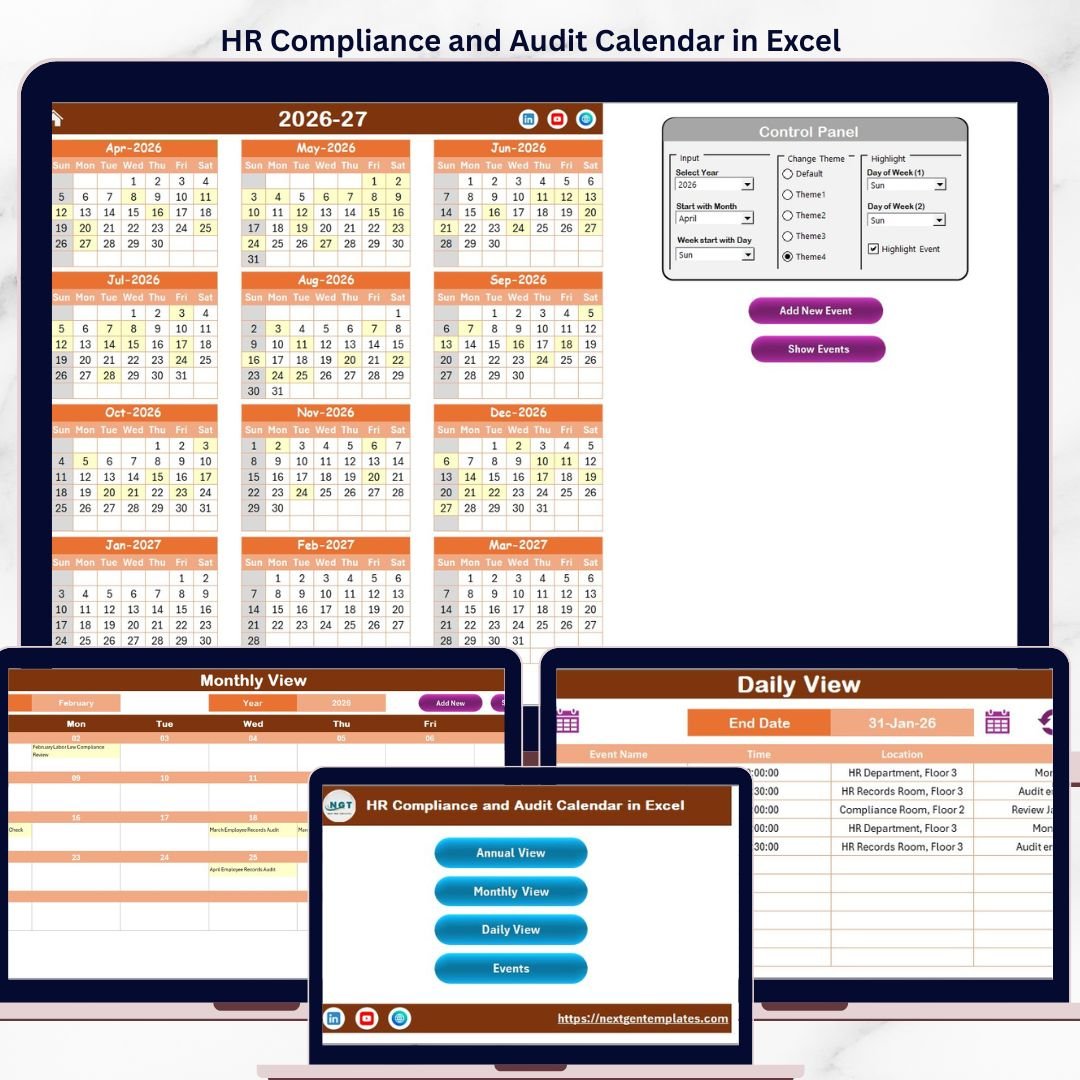

Instead of relying on scattered sticky notes, generic Google Calendar reminders, or expensive HRIS platforms charging $6–$9 per employee per month, this Excel calendar gives HR managers a single centralized tool to track compliance events, schedule audits, and filter deadlines by date range. The template costs $4.99 one-time with no subscription fees, no per-user charges, and lifetime access. Below is a detailed walkthrough of every feature and worksheet.HR Compliance and Audit Calendar in Excel
 HR Compliance and Audit Calendar in Excel
Key Features of the HR Compliance and Audit Calendar in Excel
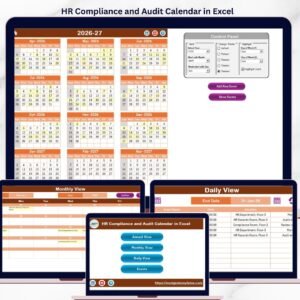
The HR Compliance and Audit Calendar in Excel includes 5 worksheets — Home, Annual View, Monthly View, Daily View, and Events — designed specifically for HR compliance tracking. The Annual View displays all 12 months on a single sheet with configurable weekend shading and event highlighting in yellow. The control panel provides 3 configuration groups: Input (year, starting month, starting weekday), Change Theme (5 color options), and Highlight (select 2 weekdays to shade plus an event highlight toggle).HR Compliance and Audit Calendar in Excel
Each compliance event stores 7 data fields: auto-generated ID, date, day of the week, event name, time, location, and description. Built-in VBA forms handle all data entry — add new events from any sheet, update existing records by selecting the event ID, and delete entries directly from the Events database. The Monthly View shows one event per date cell, displaying “more than 1…” when multiple events fall on the same date. The Daily View lets you filter events by entering a start date and end date, generating a filtered report of upcoming compliance deadlines.HR Compliance and Audit Calendar in Excel
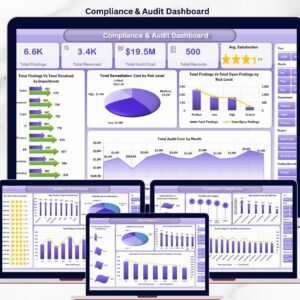
These features make the calendar particularly useful for tracking recurring HR compliance events like annual safety audits, quarterly policy reviews, monthly training certifications, and regulatory filing deadlines. For related Excel templates, explore the Monthly Timesheet Calendar in Excel for employee time tracking, or the Compliance and Audit Dashboard in Excel for KPI-level compliance analytics.HR Compliance and Audit Calendar in Excel
Worksheets Explanation
Home Sheet
The Home sheet serves as the index page for the entire calendar. It features 4 navigation buttons — Annual View, Monthly View, Daily View, and Events — allowing you to jump to any section instantly without scrolling through tabs. This is your starting point every time you open the file.
Annual View Sheet
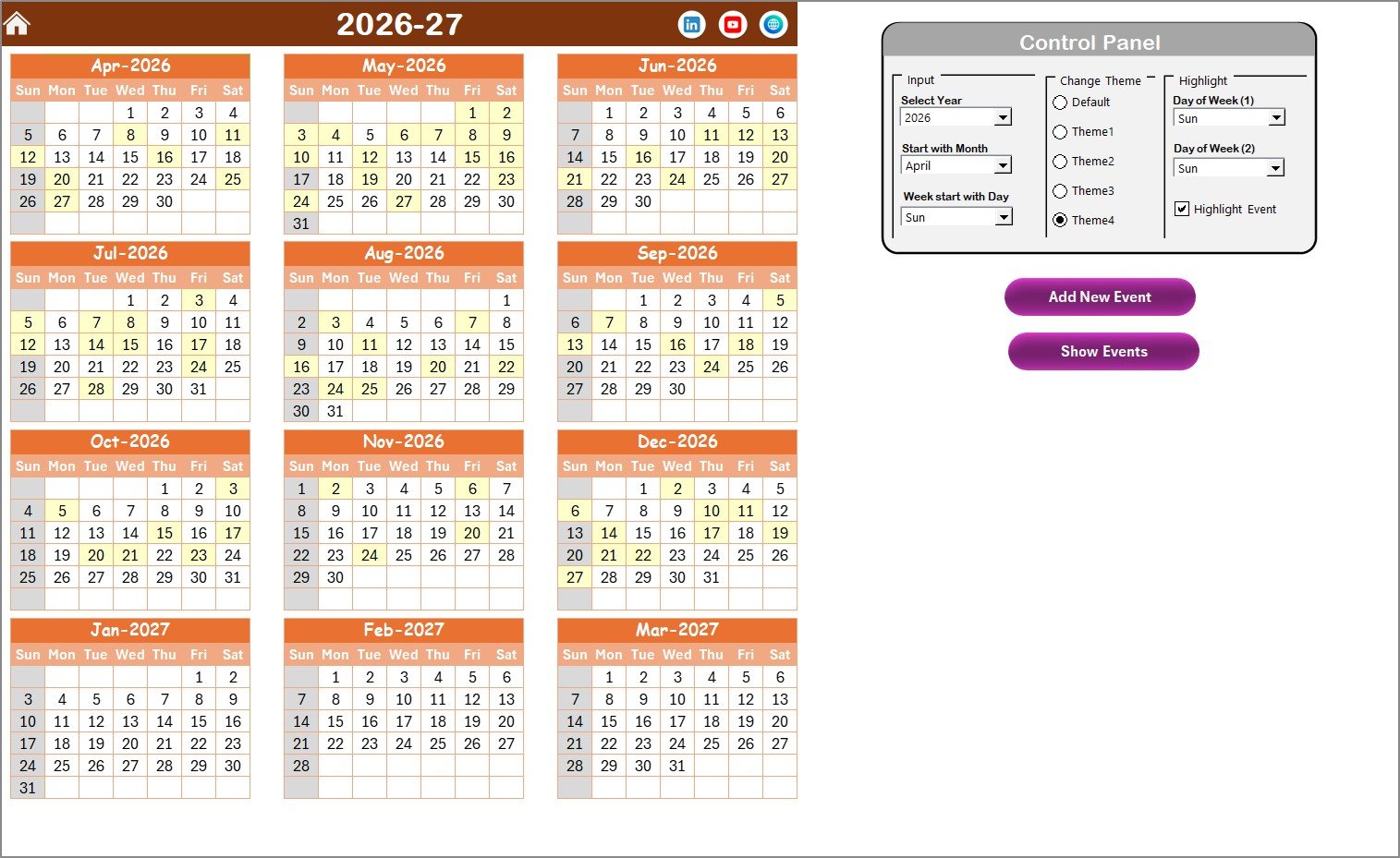
The Annual View Sheet displays 12 months of calendars on a single worksheet. At the top, the control panel is divided into 3 groups:
- Input Group: Select the calendar year, starting month (useful for fiscal year alignment), and starting day of the week.
- Change Theme Group: Choose from 5 built-in color themes that apply across the entire workbook with one click.
- Highlight Group: Select two days of the week to shade in grey (e.g., Saturday and Sunday for weekends). An additional checkbox lets you highlight event dates in yellow directly on the annual calendar.
Two buttons sit on the sheet — Add New Event (opens the VBA form to create an event on the selected date) and Show Event (displays the list of events on the selected date).
 Annual View Sheet
Monthly View Sheet
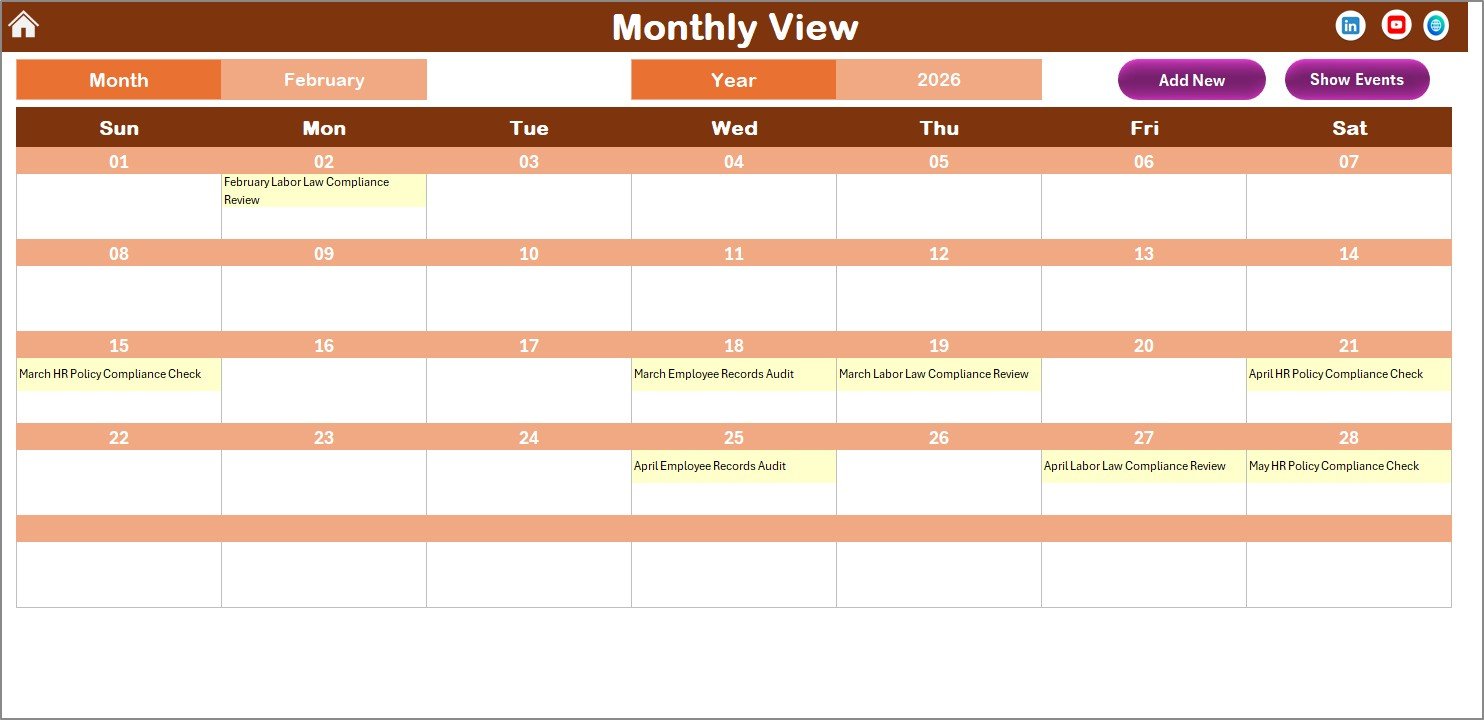
The Monthly View Sheet shows a single calendar for the selected month. Use the dropdowns at the top to select the month and year. The calendar displays one event per date cell — if more than one event exists on a particular date, it shows “more than 1…” as a visual prompt. Two buttons are available: Add New Event (select a date on the calendar, click the button to open the event form) and Show Event (displays all events on the selected date).
 Monthly View Sheet
Daily View Sheet
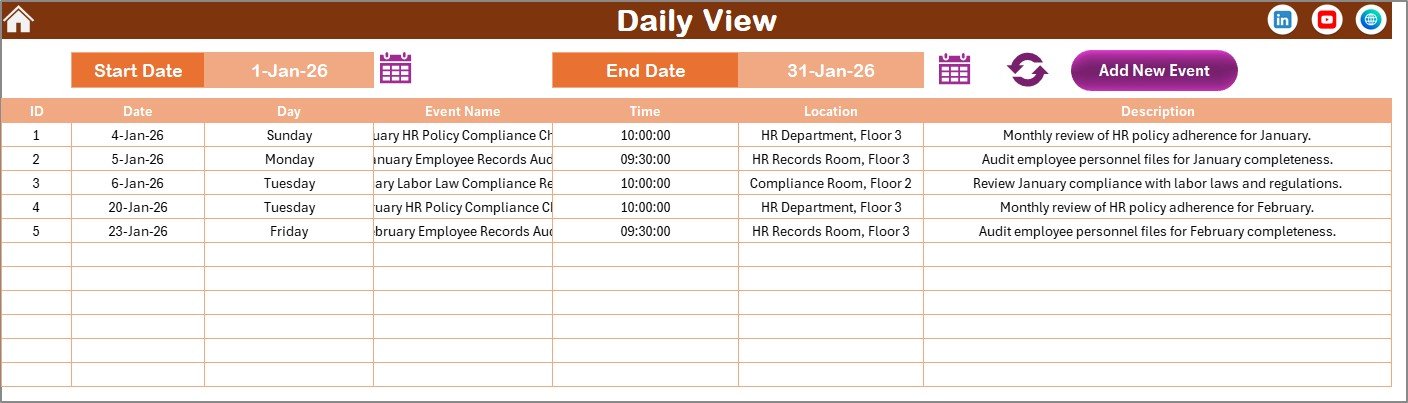
The Daily View Sheet lists all compliance events within a selected date range. Enter a Start Date and End Date using the calendar icon at the top, then click Refresh to display the filtered list. This view is particularly useful for generating quarterly compliance reports or preparing for upcoming audit periods. An Add New Event button is available at the top for quick data entry.
 Daily View Sheet
Events Sheet (Database)
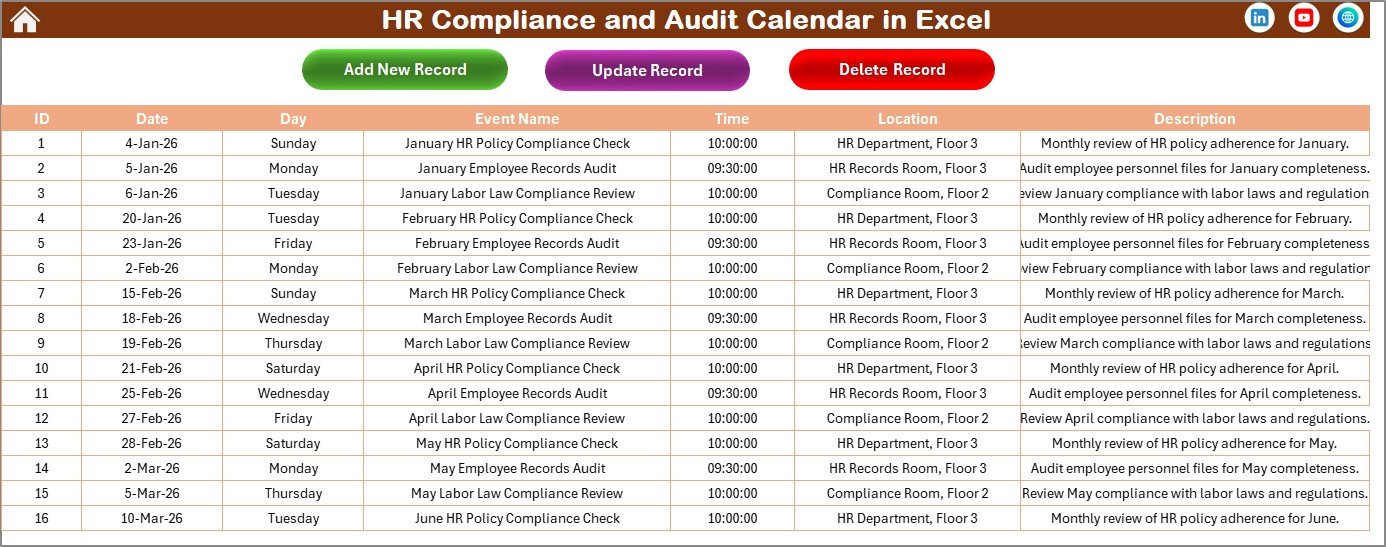
The Events Sheet is the central database where all compliance events are stored. Each event record includes: ID (auto-generated), Date, Day, Event Name, Time, Location, and Description. Three management buttons are available at the top:
- Add New Record: Opens the event form to create a new compliance event.
- Update Existing Record: Select the ID of the record you want to modify, click this button, and the form opens with pre-filled data for editing.
- Delete Record: Select the ID of the event you want to remove and click to delete it permanently.
 Events Sheet
HR Compliance Calendar in Excel vs. Google Calendar vs. BambooHR — Feature Comparison
| Feature | HR Compliance Calendar in Excel | Google Calendar | BambooHR |
|---|---|---|---|
| Cost | $4.99 one-time | Free | $6–$9 / employee / month |
| Platform | Microsoft Excel (desktop) | Browser / mobile | Browser / mobile |
| Setup time | Under 10 minutes | Minutes | Days to weeks |
| HR-specific event fields | ✅ 7 fields per event | ❌ Generic events only | ✅ HR-focused |
| Annual 12-month overview | ✅ Single-sheet view | ❌ Month-by-month only | ❌ No calendar overview |
| Built-in data forms | ✅ Add / Update / Delete | ❌ No forms | ✅ Web forms |
| Offline access | ✅ Full offline | Limited offline | ❌ Internet required |
| 5 color themes | ✅ One-click switch | ❌ Limited customization | ❌ Fixed UI |
| Year-1 cost at 5 users | $4.99 total | Free | $3,600–$5,400 |
For HR teams that want a dedicated compliance tracking calendar without paying per-employee SaaS fees, the HR Compliance and Audit Calendar in Excel sits in the sweet spot.
Who Should Use This Template
✅ Perfect for:
- HR managers at companies with 10–500 employees tracking compliance deadlines, safety audits, and policy renewals
- Small business owners handling their own HR compliance without dedicated software
- HR consultants managing compliance calendars for multiple clients using separate Excel files
- Office administrators responsible for scheduling regulatory filings, training certifications, and license renewals
📖 Click here to read the Detailed Blog Post
🎥 Visit our YouTube channel for step-by-step video tutorials
👉 Youtube.com/@PKAnExcelExpert
Compatibility and Requirements
- Works in Microsoft Excel desktop on Windows with macros enabled. The add, update and delete forms use VBA, so the file does not run in Excel for the web, Google Sheets or mobile.
- The workbook has 5 sheets: Home, Annual View, Monthly View, Daily View and Events. Microsoft explains how to turn macros on in Enable or disable macros in Microsoft 365 files.
Frequently Asked Questions
Which sheets are included?
Five sheets: Home, Annual View, Monthly View, Daily View and Events. The Events sheet is the database that holds every compliance event.
What does each event record store?
Seven fields: an auto-generated ID, date, day of the week, event name, time, location and description.
How do I add, change or delete an event?
Click Add New Event on the Annual, Monthly or Daily View sheet to open the form. On the Events sheet, select an event ID and use Update Existing Record or Delete Record.
How do I see only the deadlines in a date range?
Open the Daily View sheet, enter a start date and an end date, then click Refresh. The sheet lists the events in that range.
Is there a version for another platform?
This page covers the Excel template. For compliance tracking in other tools, see the Compliance and Audit Dashboard in Google Sheets and the Compliance and Audit Dashboard in Power BI.
Related Compliance and Audit Templates
- Audit Schedule Calendar in Excel: a calendar for planning audit dates
- Legal Compliance Calendar in Excel: track legal filing and renewal deadlines
- Compliance Training Calendar in Excel: schedule training and certification dates
- Compliance Audit Tracker in Excel: log audit findings and follow-ups
- HR & Workforce Analytics Bundle: 10 HR templates in one download
Browse all Excel calendar templates.
























Reviews
There are no reviews yet.