

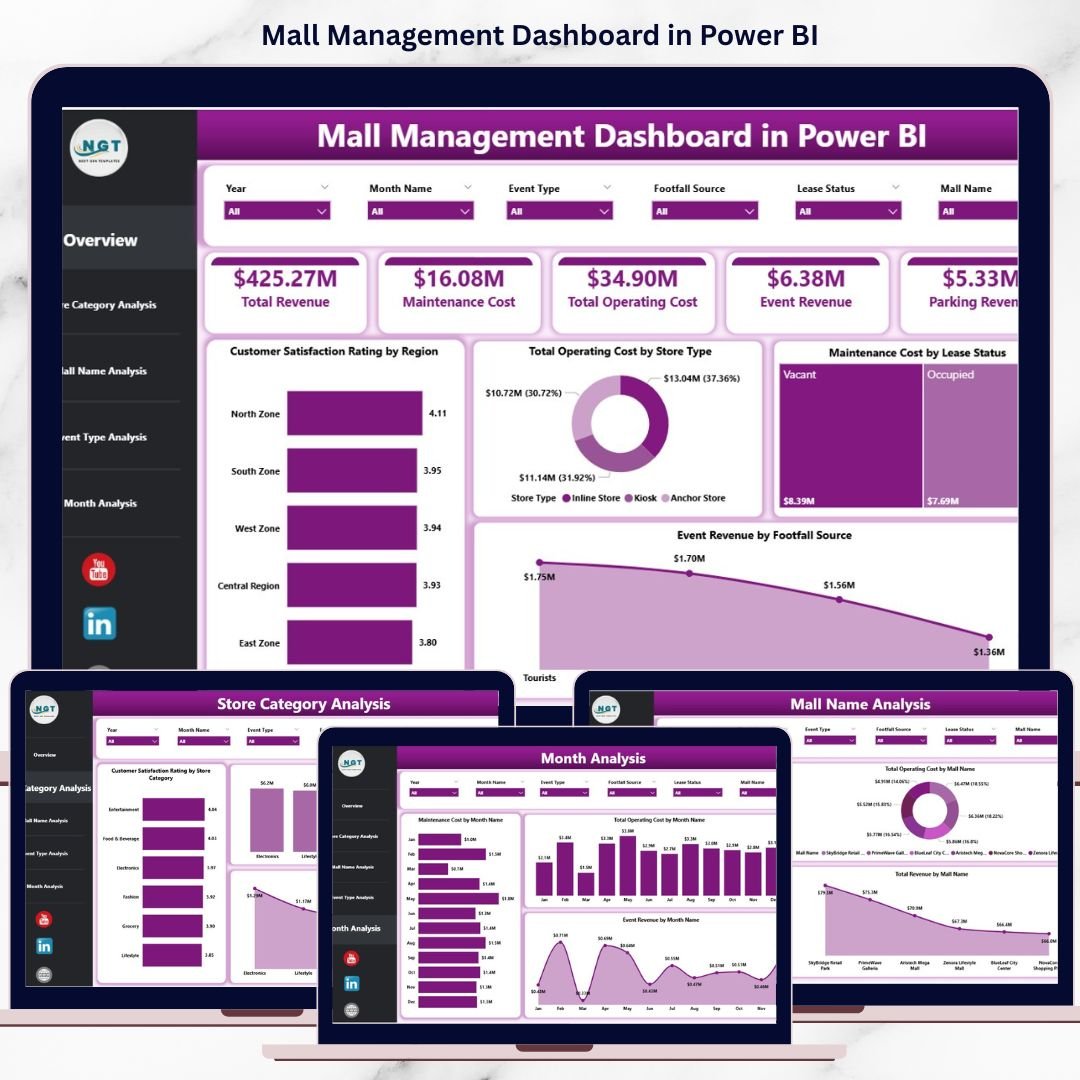

Managing a modern shopping mall goes far beyond leasing stores and collecting rent. Mall Management Dashboard must constantly track operating costs, maintenance expenses, customer satisfaction, event revenue, and store performance—often across multiple malls, categories, and time periods. However, when this data sits in scattered Excel files and static reports, insights remain hidden and decisions become slow.
That is exactly why the Mall Management Dashboard in Power BI becomes a powerful and essential business intelligence solution 🚀.
This ready-to-use Power BI dashboard transforms raw mall data into clear, interactive, and actionable insights. Instead of spending hours preparing reports, mall operators gain a single, centralized view of operational performance. Because Power BI refreshes data dynamically and supports interactive slicers, managers can analyze costs, revenue, and satisfaction metrics instantly.
Whether your goal is improving customer experience, optimizing costs, maximizing event revenue, or benchmarking multiple malls, this dashboard helps you move from reactive management to proactive decision-making.
🔑 Key Features of Mall Management Dashboard in Power BI
🏬 Centralized Mall Performance View – Monitor costs, revenue, and satisfaction from one dashboard
🎯 Interactive Slicers & Filters – Analyze by region, mall name, store category, event type, and time
📊 Executive KPI Cards – Get instant snapshots of critical performance metrics
📈 Multi-Dimensional Analysis – Compare stores, malls, categories, and events effortlessly
⚡ Real-Time Power BI Refresh – Always work with up-to-date operational data
🔍 Clear & Business-Friendly Visuals – Easy to understand for managers and executives
🧩 Scalable & Flexible Design – Adapt KPIs and visuals as mall operations evolve
📂 What’s Inside the Mall Management Dashboard in Power BI
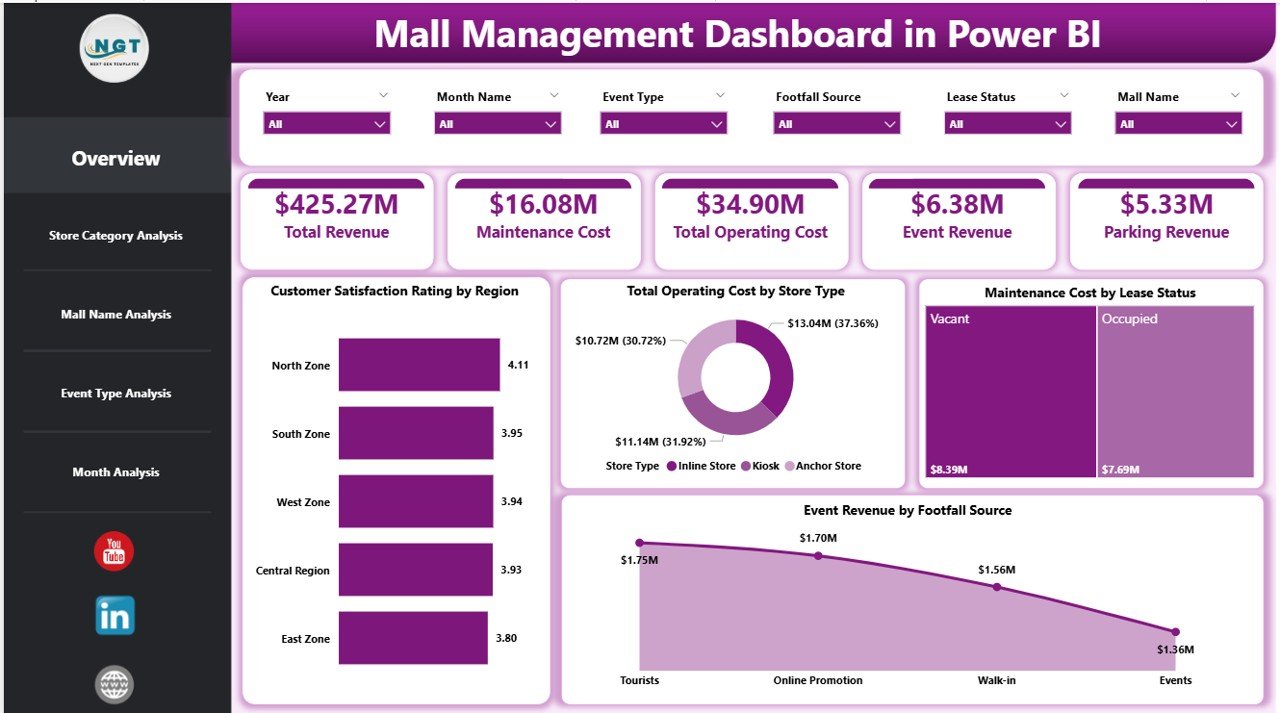
This digital product includes five structured analytical pages, each designed to answer a specific business question:
📌 Overview Page – High-level snapshot with KPI cards and charts for customer satisfaction, operating cost, maintenance cost, and event revenue
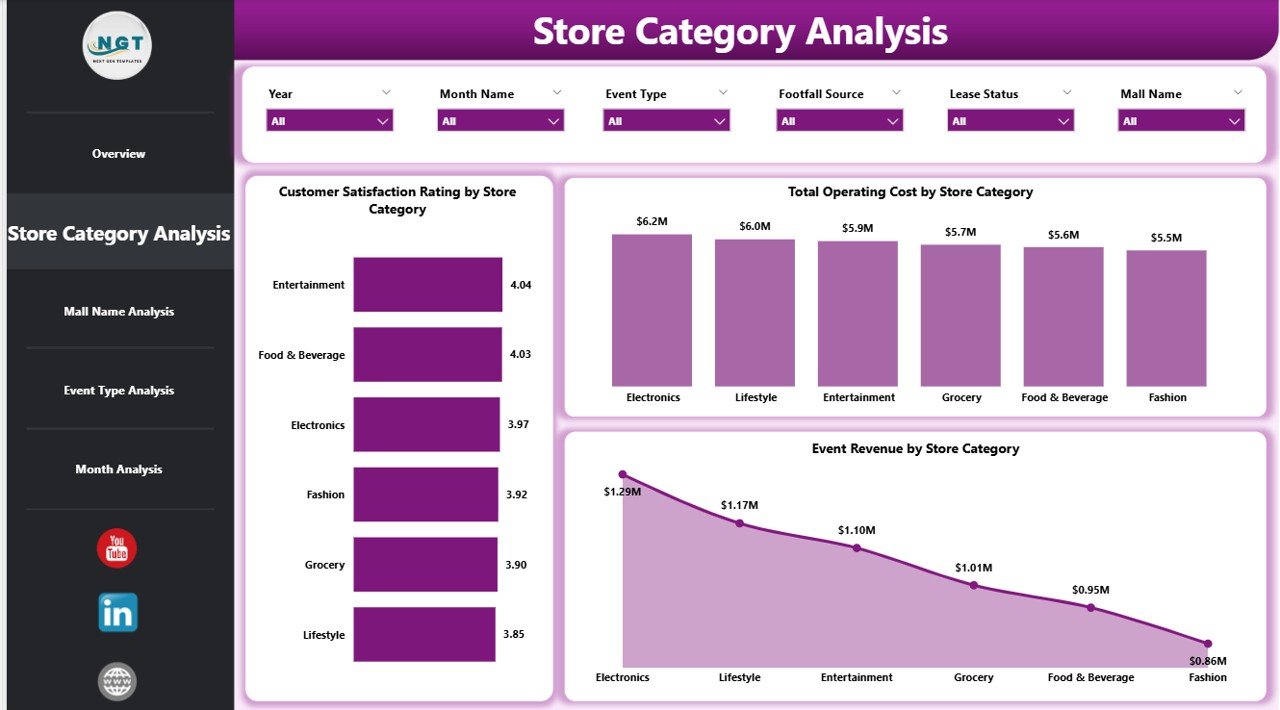
📌 Store Category Analysis Page – Compare satisfaction, costs, and event revenue by store category
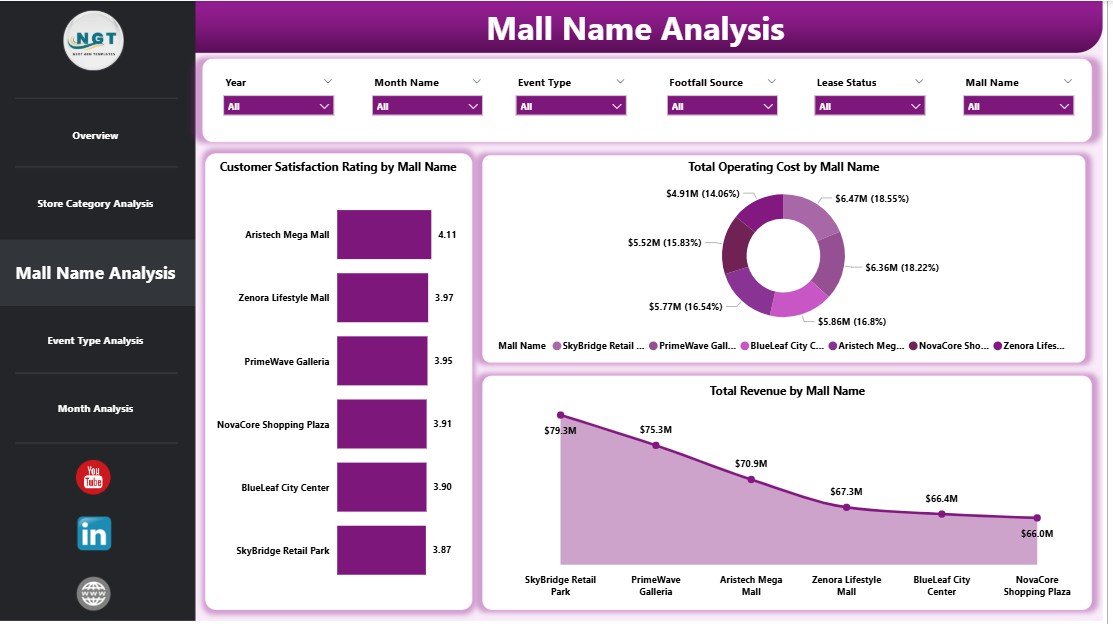
📌 Mall Name Analysis Page – Benchmark customer satisfaction, cost, and revenue across multiple malls
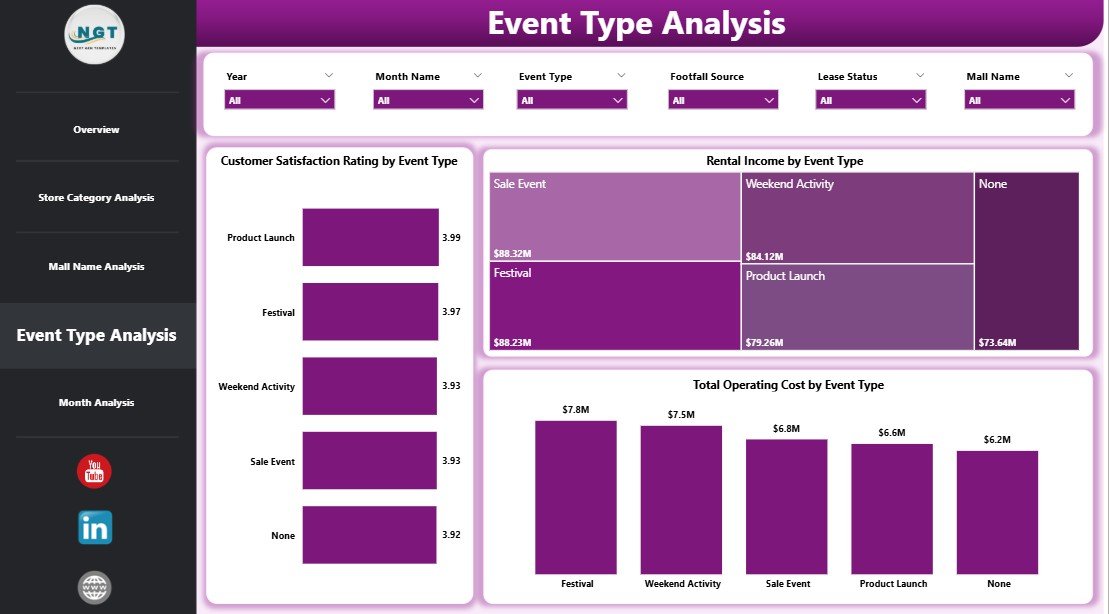
📌 Event Type Analysis Page – Analyze event performance, costs, and rental income by event type
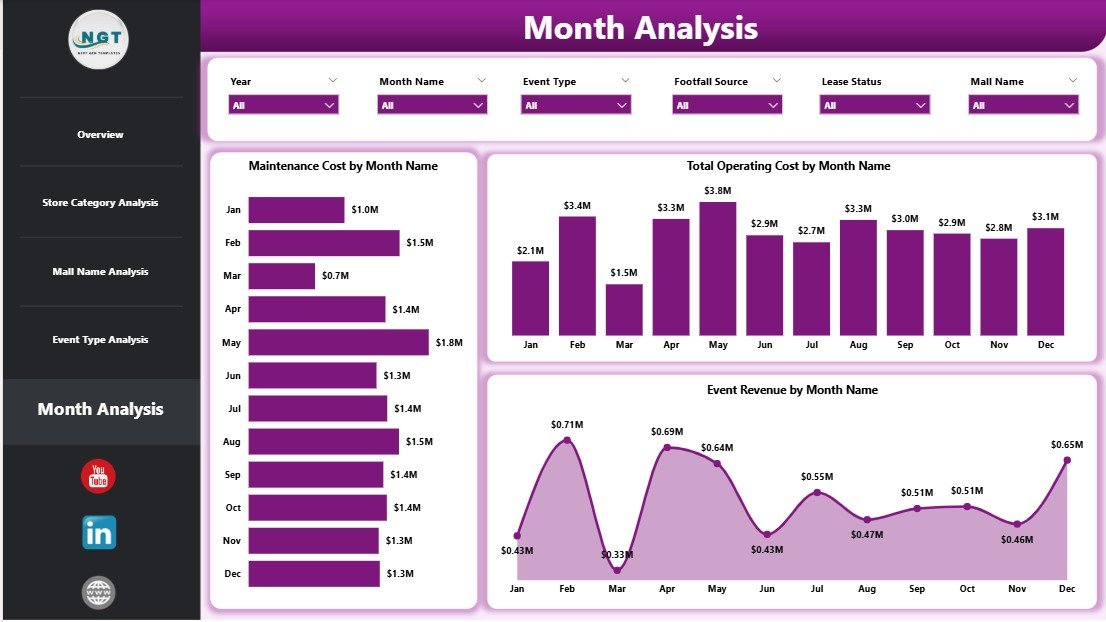
📌 Monthly Trends Page – Track maintenance cost, operating cost, and event revenue trends over time
All pages are fully interactive and respond instantly to slicer selections.
🛠️ How to Use the Mall Management Dashboard in Power BI
Using this dashboard is simple and intuitive:
1️⃣ Connect mall data from Excel, ERP, or database sources
2️⃣ Refresh the Power BI dashboard
3️⃣ Apply slicers to filter by mall, store category, region, or month
4️⃣ Start with the Overview Page for instant clarity
5️⃣ Drill into store, mall, or event analysis pages
6️⃣ Review monthly trends for forecasting and budgeting
7️⃣ Share insights with operations, finance, and leadership teams
No complex setup. No manual reporting. Just clear operational intelligence.
👥 Who Can Benefit from This Mall Management Dashboard in Power BI
This dashboard is ideal for:
🏬 Mall Managers & Administrators – Monitor operations and performance daily
💰 Finance Teams – Control operating and maintenance costs
🛠️ Operations & Facility Teams – Track maintenance and efficiency
🎉 Event & Marketing Teams – Maximize event revenue and ROI
🏢 Leasing Managers – Optimize tenant mix decisions
📈 Senior Management – Gain executive-level visibility across malls
Because the dashboard is flexible, it works for single malls and multi-mall portfolios.
📘 Click here to read the detailed blog post
▶️ Visit our YouTube channel to learn step-by-step video tutorials
Watch the step-by-step video tutorial:
Compatibility and Requirements
- Works in Power BI Desktop, which is free. Microsoft explains the download in Get Power BI Desktop.
- Connect your own mall data from Excel, an ERP system or a database, then refresh the dashboard.
Frequently Asked Questions
Which pages are included?
Five pages: Overview, Store Category Analysis, Mall Name Analysis, Event Type Analysis and Monthly Trends.
What data can I connect?
You can connect mall data from Excel, ERP or database sources and refresh the Power BI dashboard.
Can I compare several malls?
Yes. The Mall Name Analysis page benchmarks customer satisfaction, cost and revenue across multiple malls, so it works for a single mall or a portfolio.
Which metrics does the Overview page show?
KPI cards and charts for customer satisfaction, operating cost, maintenance cost and event revenue.
Can I filter the data?
Yes. Slicers filter by mall, store category, region, event type and month, and every page responds to them.
Is there an Excel version?
Yes. See the Mall Management Dashboard in Excel.
Related Mall Management Templates
- Mall Management Dashboard in Excel: the same dashboard in Excel
- Mall Management KPI Dashboard in Power BI: a KPI-focused Power BI edition
- Mall Management KPI Dashboard in Excel: KPI tracking for malls in Excel
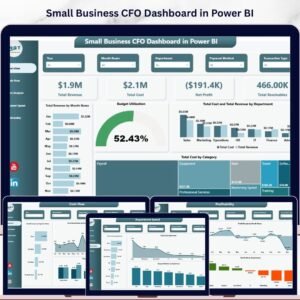
- Small Business CFO Dashboard in Power BI: a finance view in Power BI
- Power BI Dashboard Mega Collection: 15 Power BI templates in one download
Browse all Power BI dashboards.




























Reviews
There are no reviews yet.