

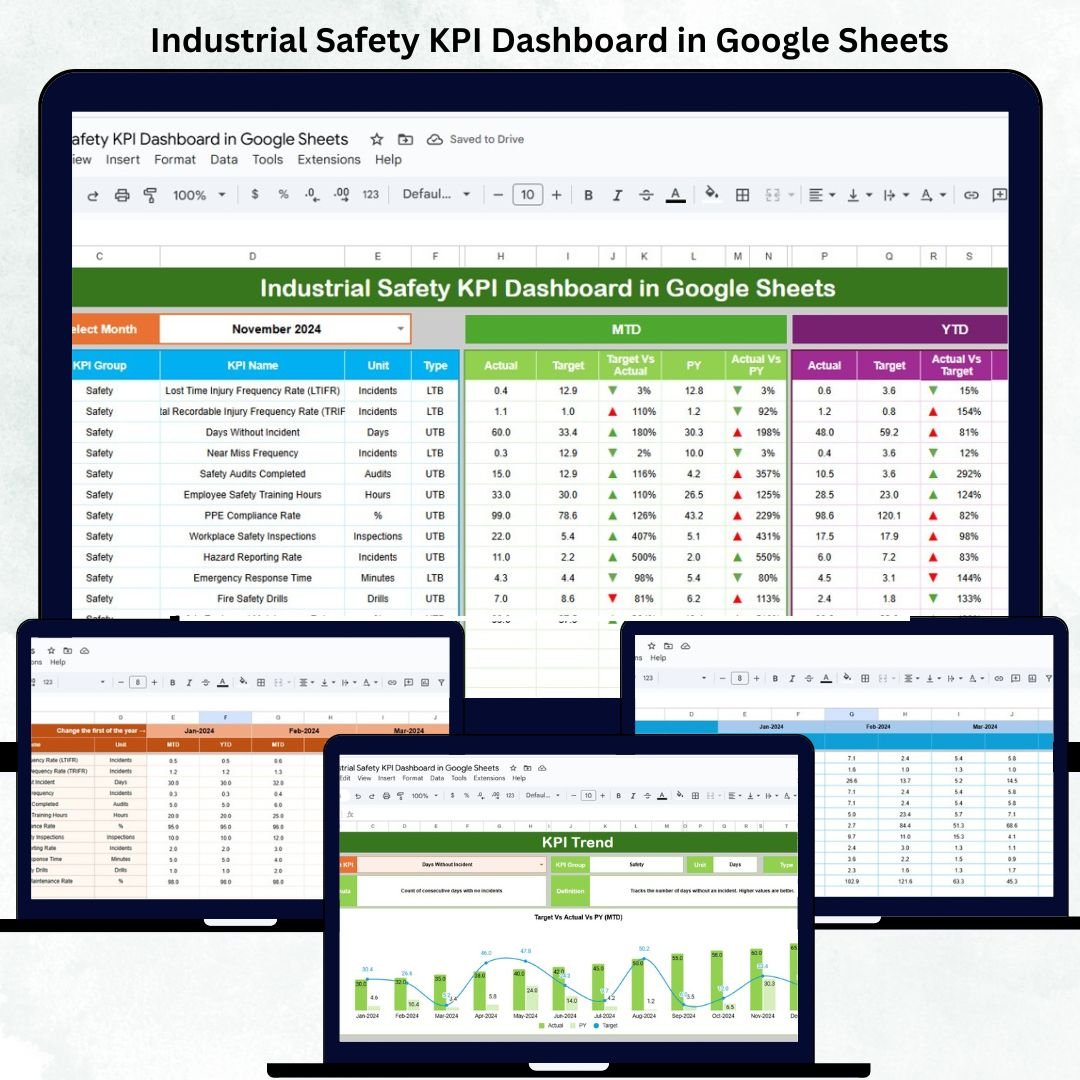

In today’s fast-paced industrial world, safety is more than a compliance requirement — it’s a key measure of organizational excellence. The Industrial Safety KPI Dashboard in Google Sheets is a ready-to-use, automated tool that enables safety professionals and operations leaders to monitor, analyze, and improve workplace safety metrics in real time. 🦺📊
This powerful dashboard transforms raw safety data into clear visuals, actionable KPIs, and insightful trends, empowering EHS (Environment, Health & Safety) teams to make smarter, data-driven decisions — all within Google Sheets. No coding, no complex software — just practical analytics that drive results. ⚙️✅
🔑 Key Features of the Industrial Safety KPI Dashboard in Google Sheets
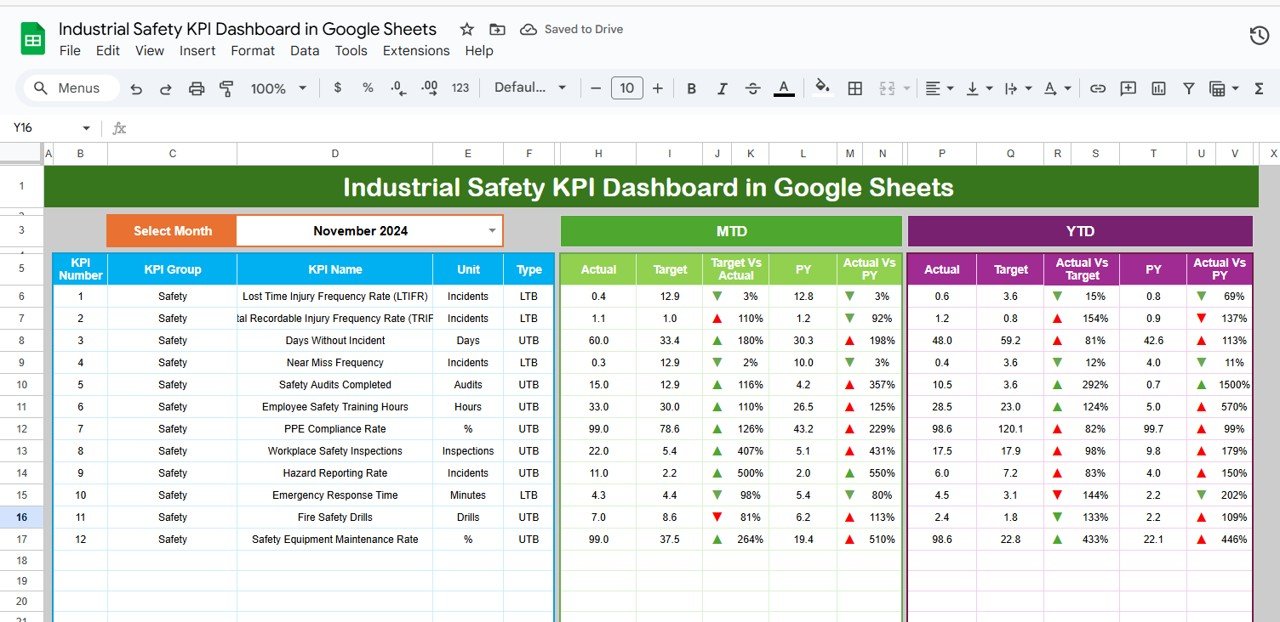
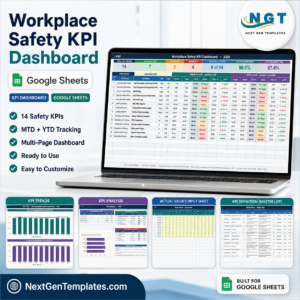
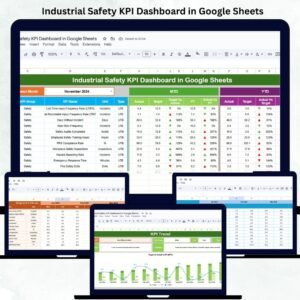
📋 Dashboard Sheet Tab (Main Interface)
Interactive and visually rich dashboard for monitoring safety performance.
Includes month selector (Range D3) for quick MTD (Month-to-Date) and YTD (Year-to-Date) analysis.
Automated conditional formatting:
🟢 Upward Arrow (↑) – Indicates improved performance.
🔴 Downward Arrow (↓) – Highlights areas of decline.
KPI Cards include:
Total Incidents
Lost Time Injuries (LTI)
Total Recordable Incident Rate (TRIR)
Near Misses
Safety Training Completion %
Equipment Inspection Compliance %
Average Days Since Last Incident
Corrective Actions Closed %
PPE Compliance %
Lost Work Days
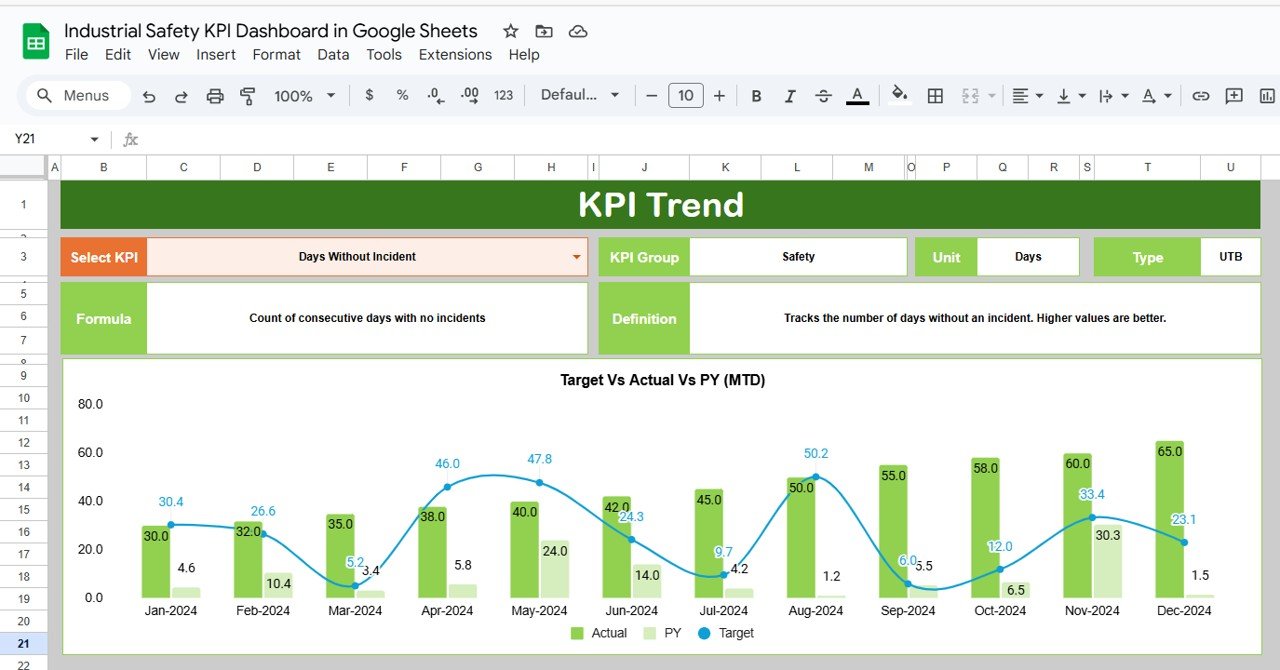
📈 KPI Trend Sheet Tab
Select a KPI (Cell C3) to view detailed monthly trends.
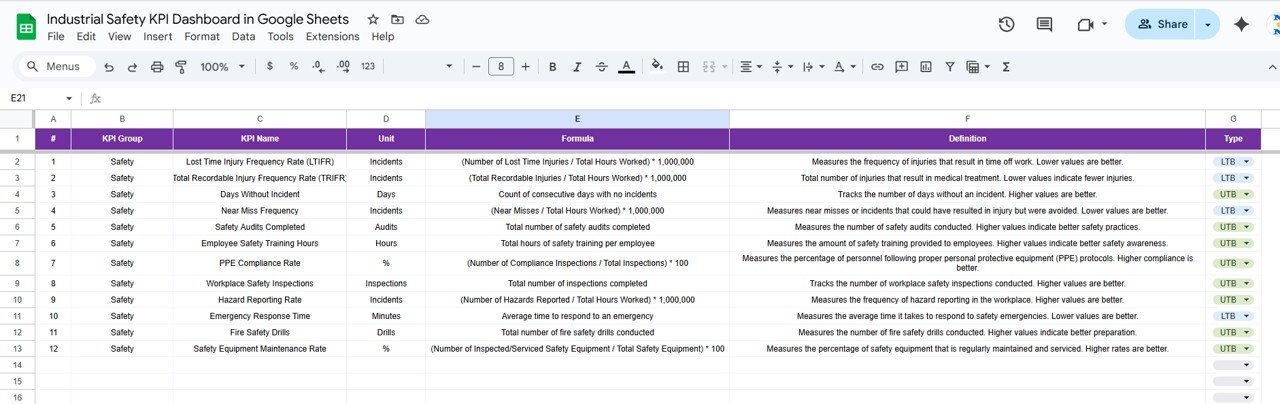
Displays KPI Group, Unit, Type (UTB/LTB), Formula, and Definition.
Enables pattern identification for proactive risk management.
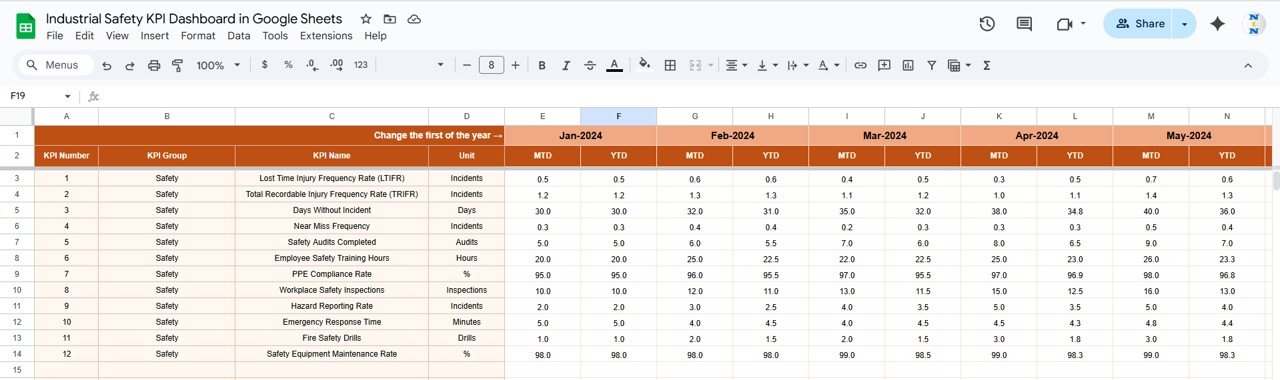
🧾 Actual Number Sheet Tab
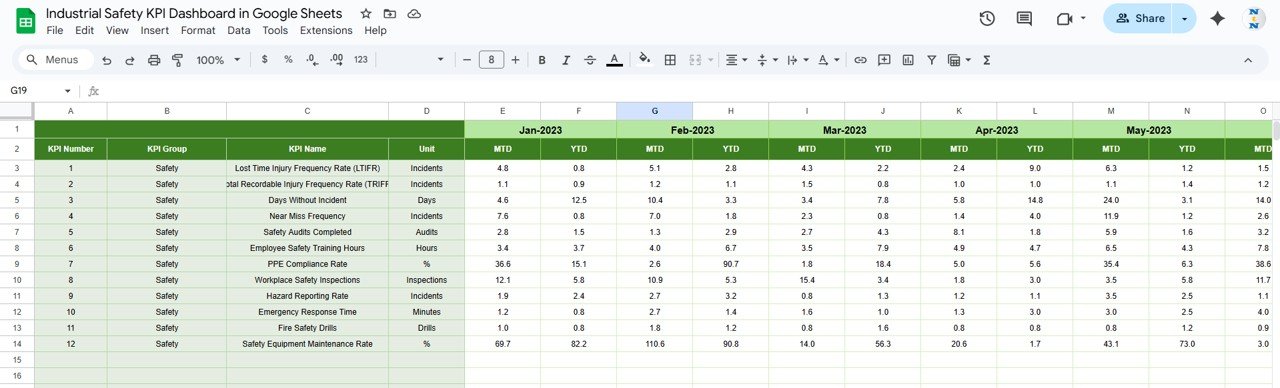
Input monthly safety performance data.
Updates automatically across all dashboard visuals.
Easy to maintain and scale for different locations or plants.
🎯 Target Sheet Tab
Set safety targets for MTD and YTD metrics.
Compare performance versus goals instantly.
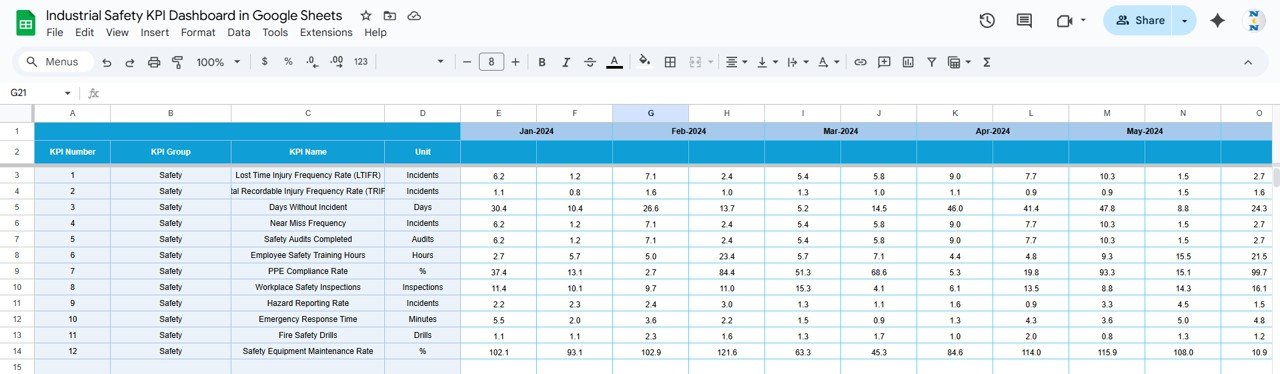
📊 Previous Year Number Sheet Tab
Store and compare previous year’s safety KPIs.
View Year-over-Year (YoY) performance improvements.
📖 KPI Definition Sheet Tab
Master table of all KPIs with formulas, definitions, and measurement types (UTB or LTB).
Ensures clarity and consistency in reporting.
📦 What’s Inside the Industrial Safety KPI Dashboard
✅ Pre-built Google Sheets file with six analytical tabs
✅ Automated KPI calculations with MTD and YTD comparisons
✅ Conditional color-coded visuals for better clarity
✅ Editable targets and thresholds
✅ Year-over-year tracking of key safety indicators
✅ No add-ons or macros required
✅ Collaborative design – accessible to multiple users simultaneously
Everything is structured to make safety tracking and reporting efficient, transparent, and effective. 🚀
🧑💼 Who Can Benefit from This Dashboard
🦺 EHS Professionals – Monitor incident rates, training, and compliance in real time.
🏭 Operations Managers – Identify unsafe patterns and reduce downtime.
📈 Safety Auditors – Track KPI history for performance benchmarking.
👷♂️ Supervisors – Maintain visibility into team safety practices.
💼 Executives & Directors – Gain confidence with accurate, visual safety metrics.
This tool is suitable for manufacturing units, logistics hubs, utilities, oil & gas, construction sites, and all industrial environments where safety is critical.
🧪 How to Use the Industrial Safety KPI Dashboard
1️⃣ Enter Monthly Data: Input KPI values in the Actual Number Sheet.
2️⃣ Set Targets: Define monthly and YTD targets in the Target Sheet.
3️⃣ Review Dashboard: Monitor automated visuals and KPI cards for instant insights.
4️⃣ Analyze Trends: Use the KPI Trend Tab to assess safety progress over time.
5️⃣ Benchmark Performance: Compare results with the previous year’s data.
💡 Pro Tip: Integrate with Google Forms for automatic incident logging and Google Apps Script for SLA or threshold alerts.
🌟 Why Choose This Dashboard
Centralized and visual safety performance tracking
Real-time updates and automated KPI comparisons
Helps achieve compliance and reduce risk exposure
Easy customization for additional KPIs or locations
Supports collaborative monitoring through Google Sheets
Promotes a culture of proactive safety management
With the Industrial Safety KPI Dashboard in Google Sheets, safety data becomes a catalyst for continuous improvement and operational excellence. 🌟
🔗 Click here to read the Detailed blog post
Watch the step-by-step video Demo:
🔗 Visit our YouTube channel to learn step-by-step video tutorials
Compatibility and Requirements
- Works in Google Sheets with a free Google account and a web browser.
- No add-ons or macros are needed, and several people can work in the file at once.
- You pick the month and the KPI from in-cell dropdowns. Google explains these in Create an in-cell dropdown list.
Frequently Asked Questions
Which safety KPIs are included?
The KPI cards cover total incidents, lost time injuries, TRIR, near misses, safety training completion %, equipment inspection compliance %, average days since last incident, corrective actions closed %, PPE compliance % and lost work days.
How many tabs does the file have?
There are six: Dashboard, KPI Trend, Actual Number, Target, Previous Year Number and KPI Definition.
How do I switch months?
Choose the month in cell D3 on the Dashboard tab to see MTD and YTD figures for that month.
What do UTB and LTB mean?
The KPI Definition tab marks each KPI as UTB (upper the better) or LTB (lower the better), so the arrows show improvement the right way.
Related Safety Templates
- Industrial Safety KPI Dashboard in Excel: the same topic for Excel
- Workplace Safety and Incident Management Dashboard in Google Sheets: incident analysis for Google Sheets
- Workplace Safety KPI Dashboard in Google Sheets: general workplace safety KPIs
- Workplace Safety KPI Dashboard in Power BI: safety KPIs built for Power BI
- Incident Report Tracker in Google Sheets: log each incident as it happens
Browse all Google Sheets KPI dashboards or the Excel health and safety templates.












Reviews
There are no reviews yet.