

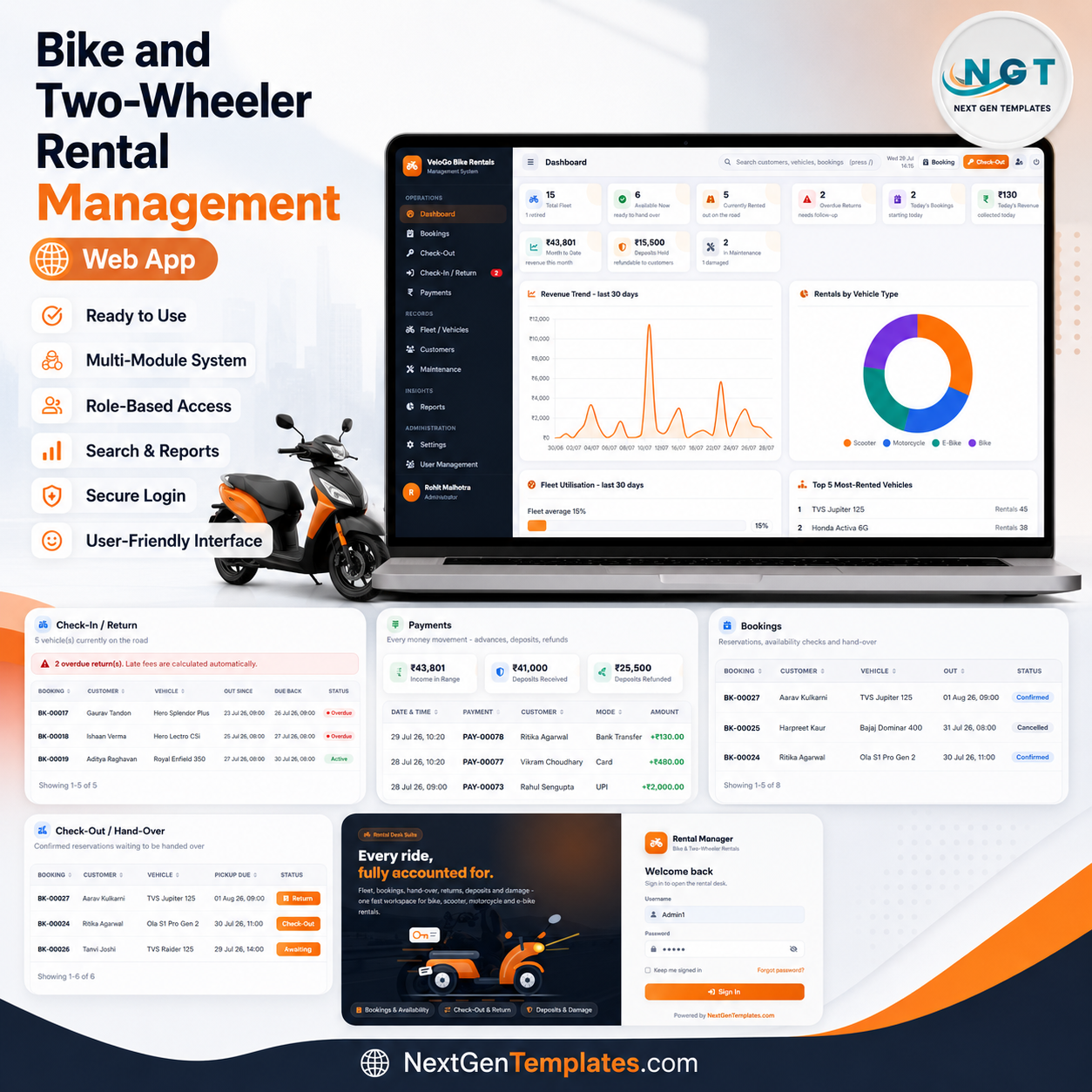

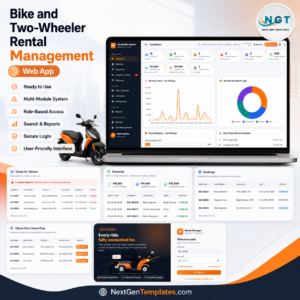
The Bike and Two-Wheeler Rental Management System Web App runs a complete rental desk across 17 screens, with 9 live KPI cards, 4 dashboard charts and 7 built-in reports, storing everything in 14 Google Sheets tabs. It handles hourly, daily and weekly rentals for bikes, scooters, motorcycles and e-bikes, and calculates every late fee, extra-kilometre charge, damage charge and deposit refund automatically. Setup takes about 10 minutes: paste two files, run one function, deploy.
🚀 Try the Live Demo Before You Buy
We have deployed this web app in our own Google account so you can test every page, every role — with real sample data — before purchasing. No signup, no email required.
🔑 Test Login Credentials
Sign in as Admin1 to manage the full system — bookings, fleet, payments, all reports, Settings, User Management and Database Archive — or as Manager1 to handle daily operations — bookings, check-out, check-in/return, payments, fleet, customers and reports. Manager access is intentionally restricted from Settings, User Management, List Management, Audit Log and Database Archive to protect sensitive controls.
💡 What you get after purchase: The full source code (Code.gs + Index.html) plus a step-by-step deployment guide so you can deploy your own private instance in your own Google account in under 15 minutes.
🌍 Join 10,000+ customers in 180+ countries using NextGenTemplates to replace paid SaaS tools with one-time-purchase Excel, Google Sheets, Power BI and Apps Script templates.
✅ Instant download · One-time payment · No subscription · No per-user fees · Lifetime access
🔑 Key Features of the Bike and Two-Wheeler Rental Management System
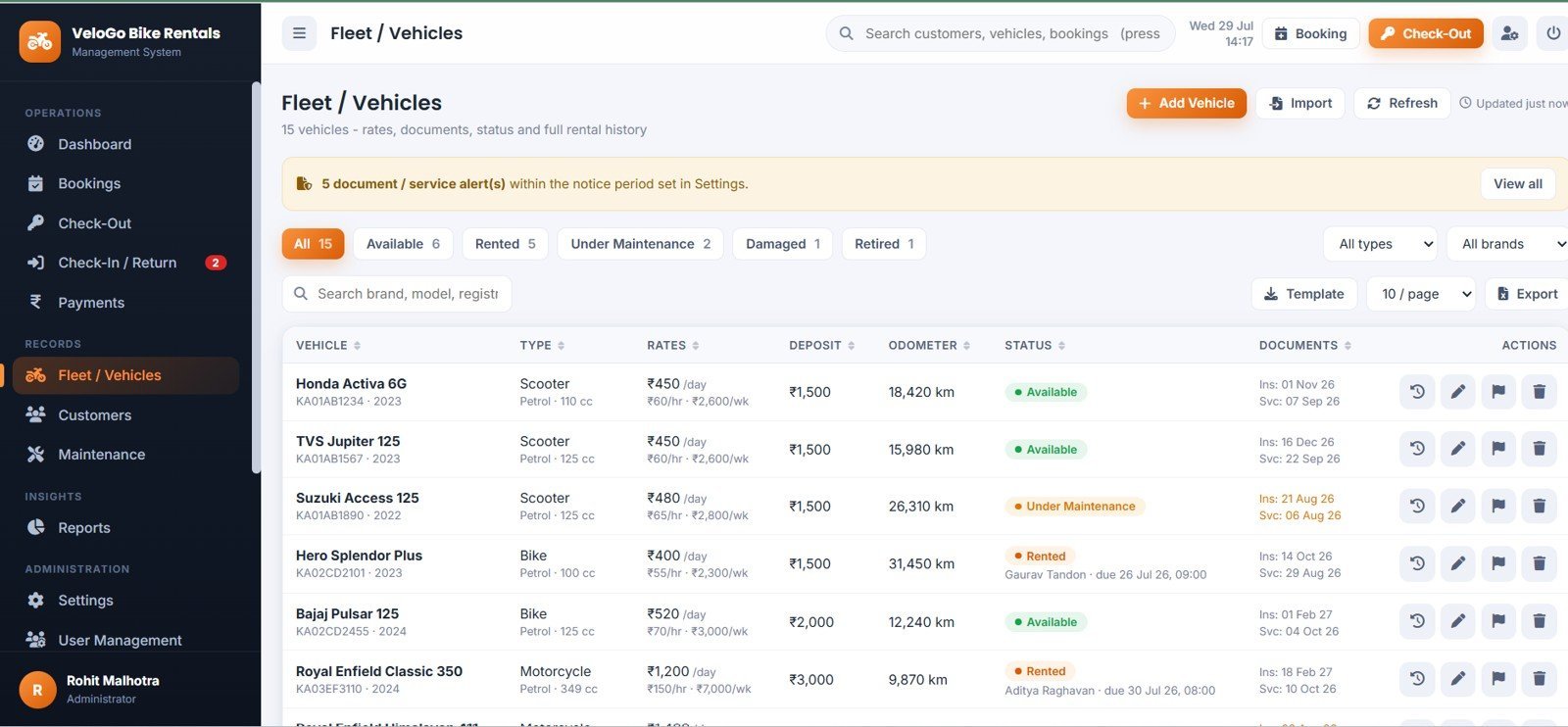
🏍️ Fleet built for two-wheelers. Each vehicle carries a three-tier rate card (hourly, daily, weekly), a security-deposit amount, an odometer reading, insurance and permit expiry dates, and a service-due date and kilometre reading. Five colour-coded statuses — Available, Rented, Under Maintenance, Damaged and Retired — control what can be booked.
🚫 Double-booking is blocked on the server. Two rental windows overlap if each starts before the other ends. That test runs against every confirmed, active and overdue booking on the same vehicle, inside a script lock, so two staff members saving at the same instant still cannot hire the same bike twice.
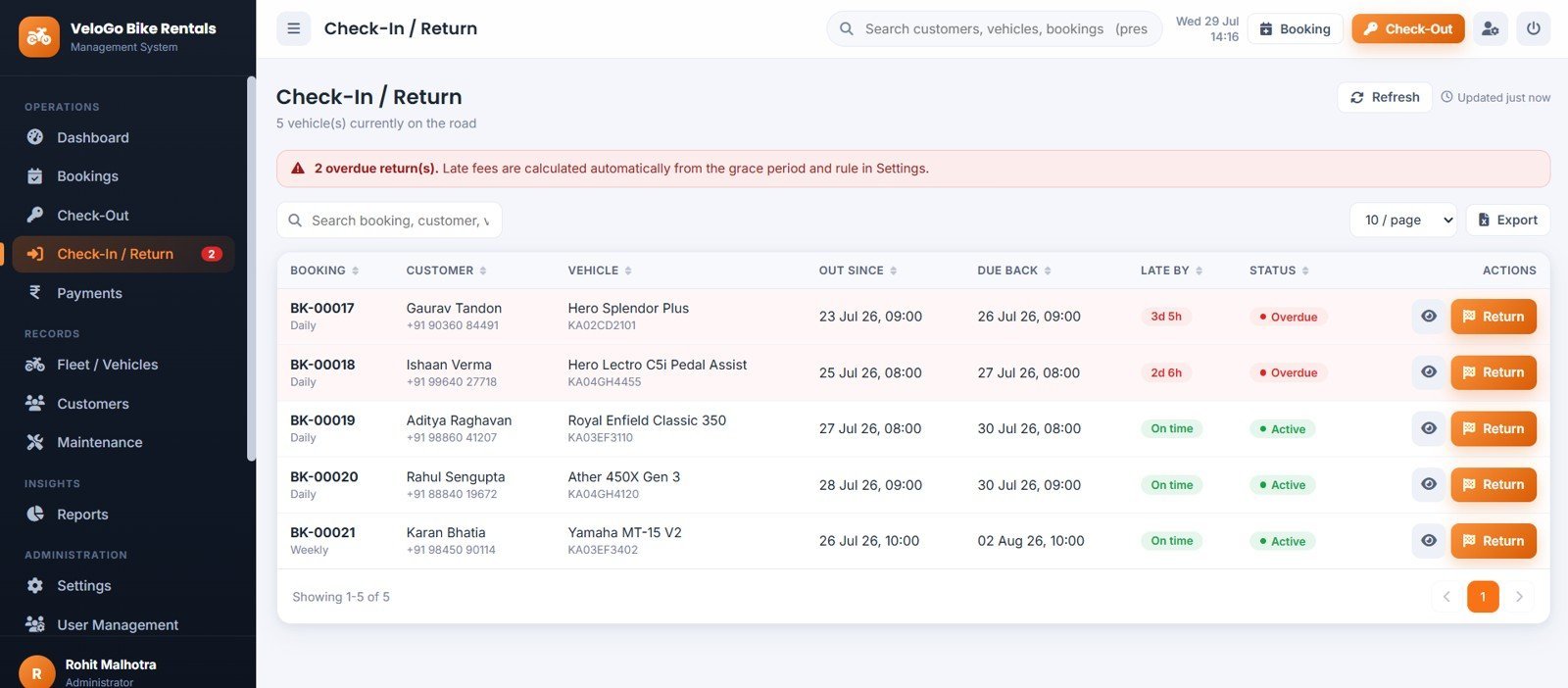
🧮 The final bill calculates itself. On return the app computes base rental for the actual duration, a late fee after your grace period, extra kilometres beyond the free allowance, damage charges and accessory charges — then subtracts the advance and any deposit adjustment. Every amount is rounded to two decimals.
🛡️ Deposits are handled properly. Refund the deposit in full, adjust dues from it and refund the balance, or forfeit it. Each choice is recorded on the printed invoice, written to the payments ledger and rolled up in the Deposit Register report.
📸 Condition evidence at both ends. A six-point checklist — brakes, lights, tyres, horn, mirrors and body — plus photographs uploaded to organised Google Drive folders at hand-over and at return. Damage disputes get settled in seconds.
👥 Three roles, enforced server-side. Administrator, Manager and Rental Desk Operator. Menu items the role cannot use are never rendered, and every write is re-checked on the server — hiding a menu is never the only protection.
⚡ Built for speed. Each module loads once and is then served from browser memory, so moving between pages you have already opened makes no server call at all. Data refreshes only when you press Refresh, apply a filter, or save something.
📦 What’s Inside the Bike and Two-Wheeler Rental Management System
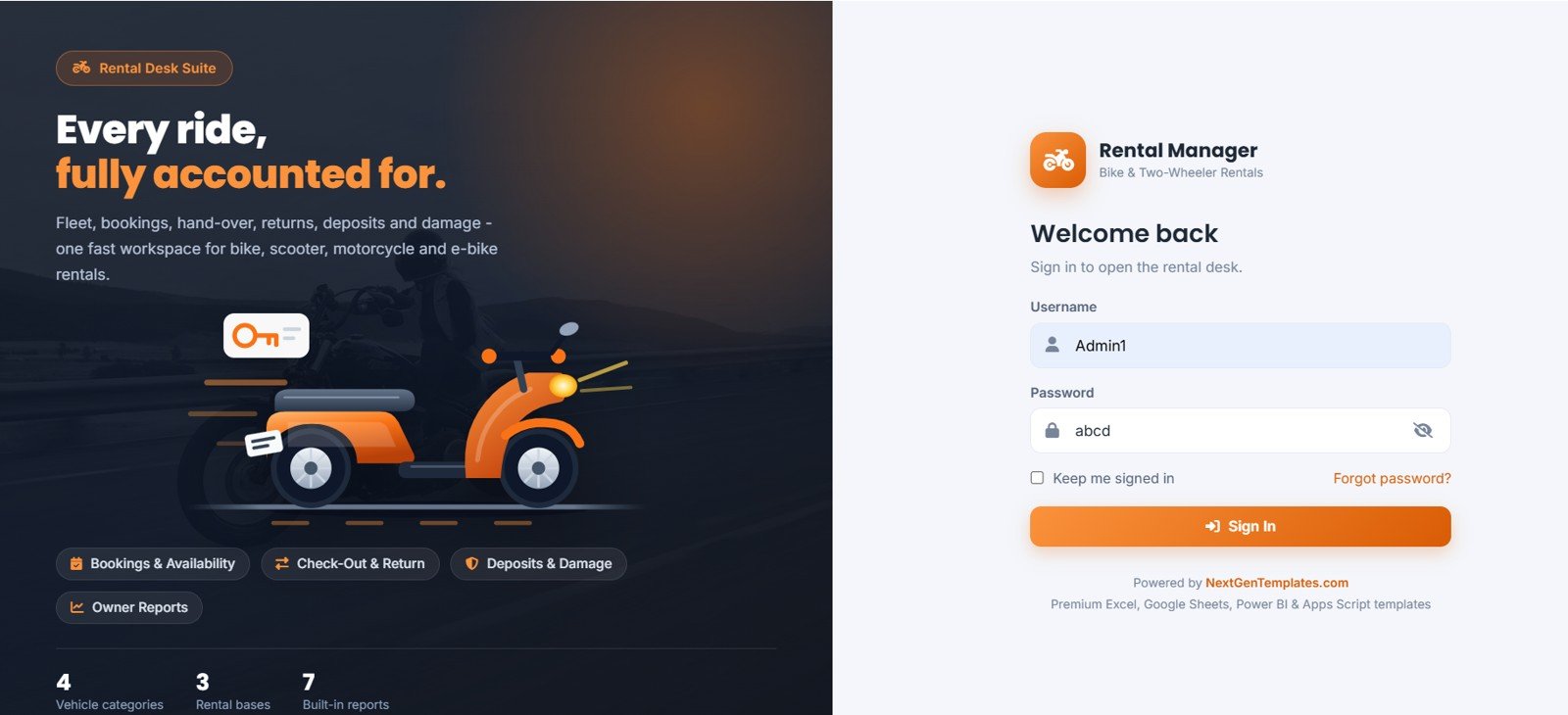
Page 1: Login and Welcome Page
A branded sign-in screen showing Rental Workflow by Bookings and Availability, Check-Out and Return by Rental Desk Activity, Deposits and Damage by Customer Rental Control, Owner Reports by Business Performance, Vehicle Categories by Rental Type, and Built-In Reports by Management Insight.
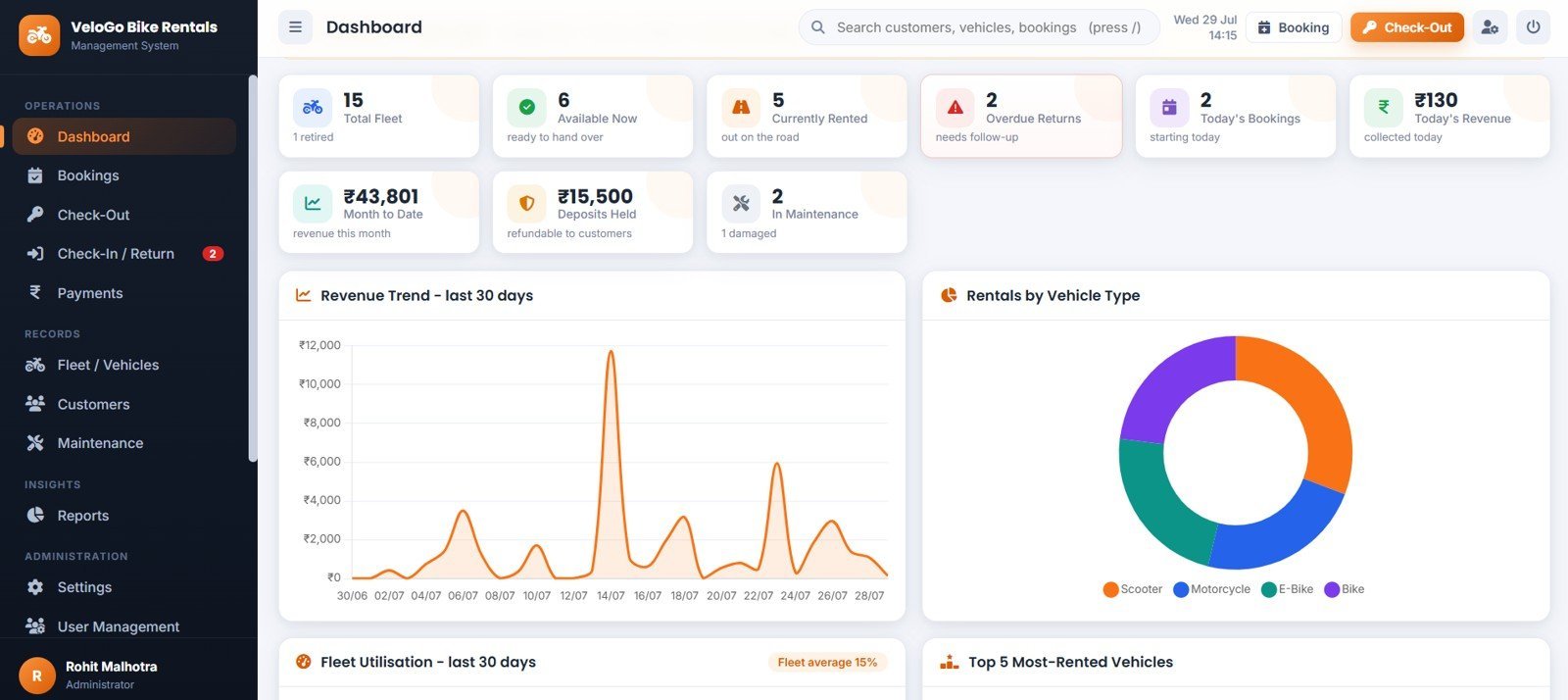
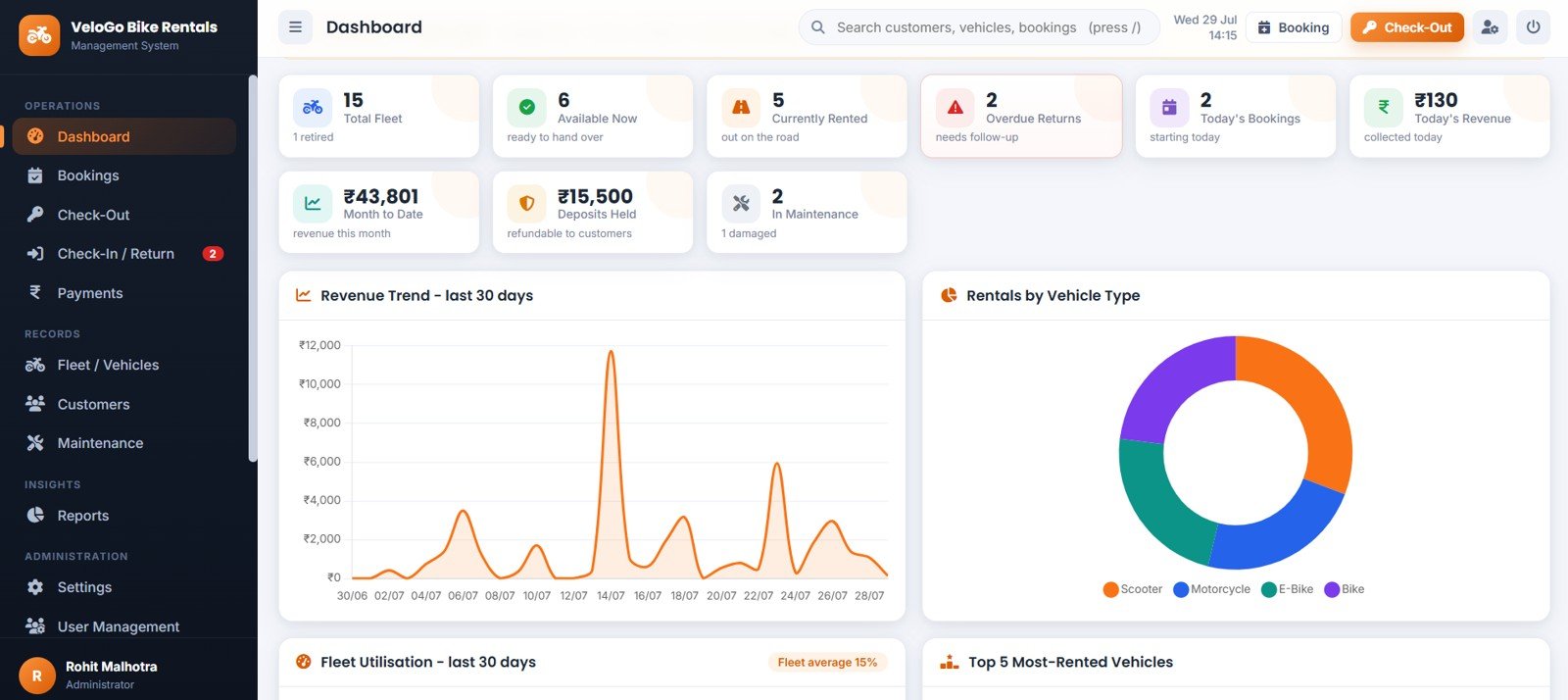
Page 2: Dashboard Overview
Nine KPI cards — Total Fleet, Available Now, Currently Rented, Overdue Returns, Today’s Bookings, Today’s Revenue, Month to Date, Deposits Held and In Maintenance — sit above Revenue Trend by Last 30 Days, Rentals by Vehicle Type, Fleet Utilisation by Last 30 Days, Most Rented Vehicles by Rental Count, Upcoming Pickups by Customer and Vehicle, Due Back Rentals by Customer and Vehicle, Open Maintenance by Vehicle, and Overdue Rentals by Expected Return.
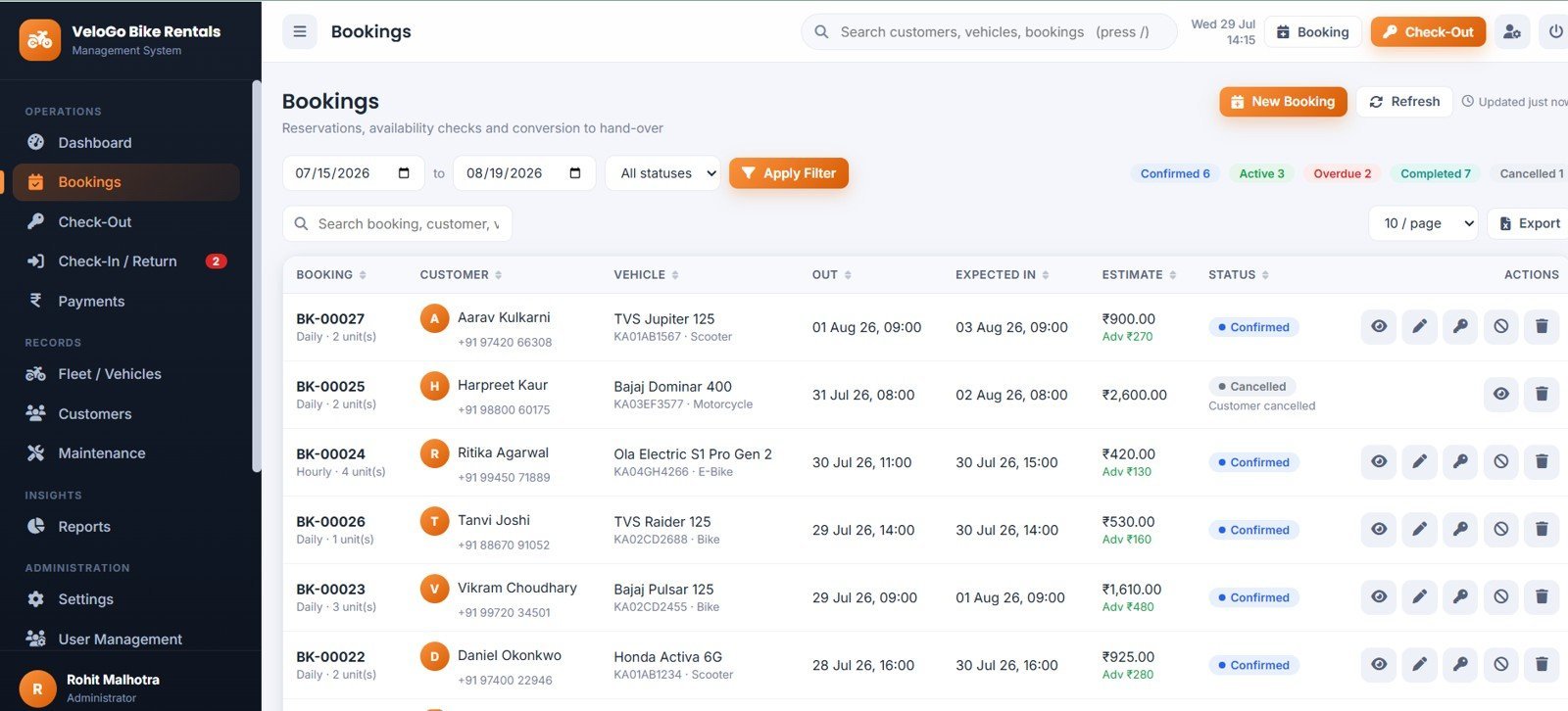
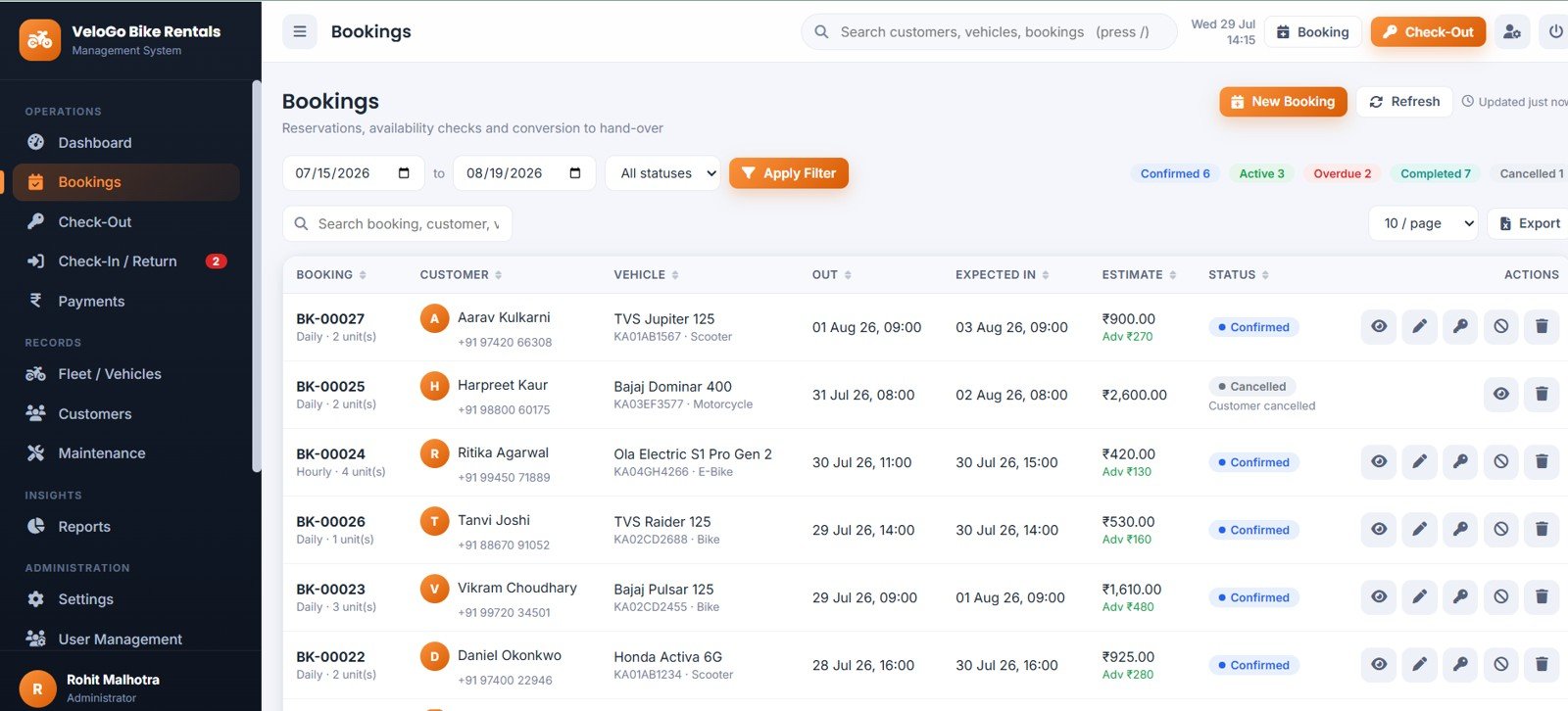
Page 3: Bookings
Reservations by Booking Status, Bookings by Customer, Bookings by Vehicle, Estimate by Reservation and Booking Actions by Workflow Stage, with a searchable vehicle picker that only offers bikes genuinely free for the chosen window.
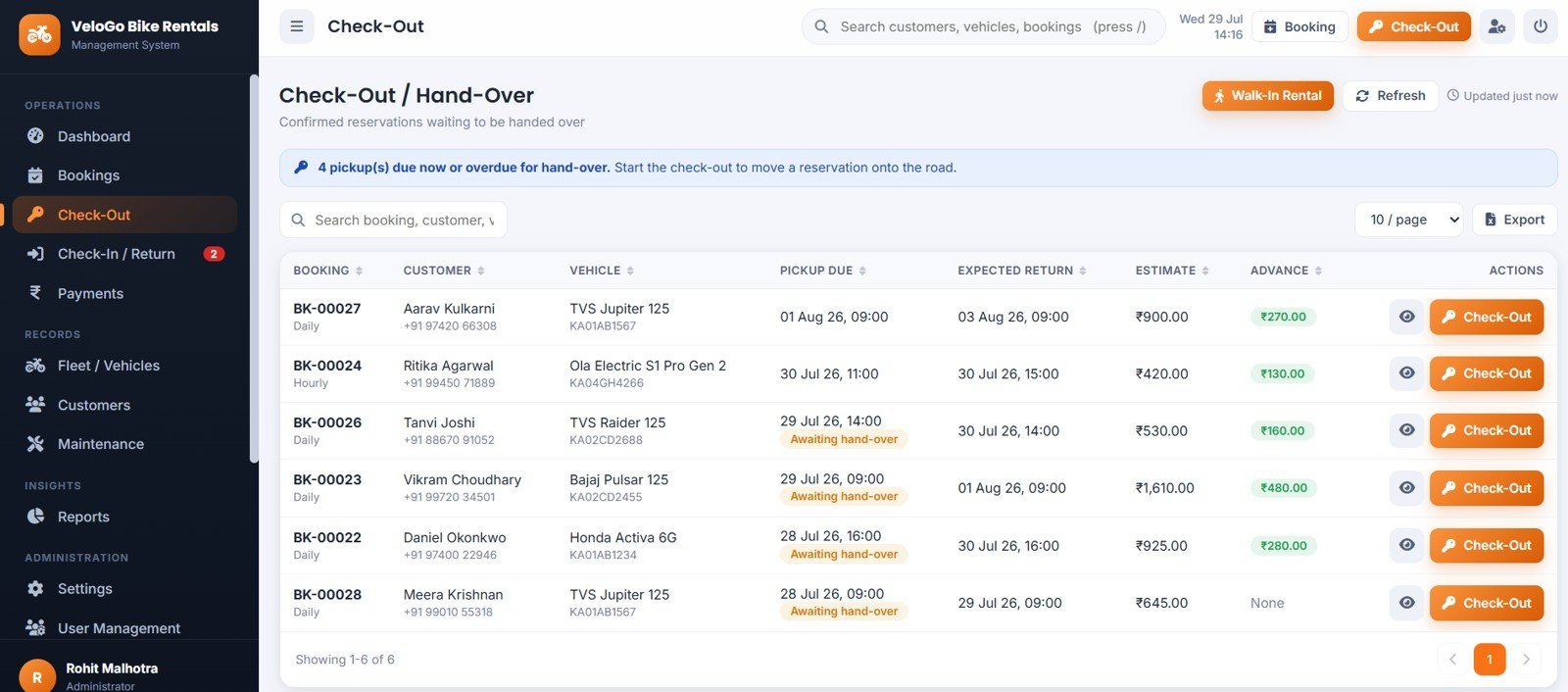
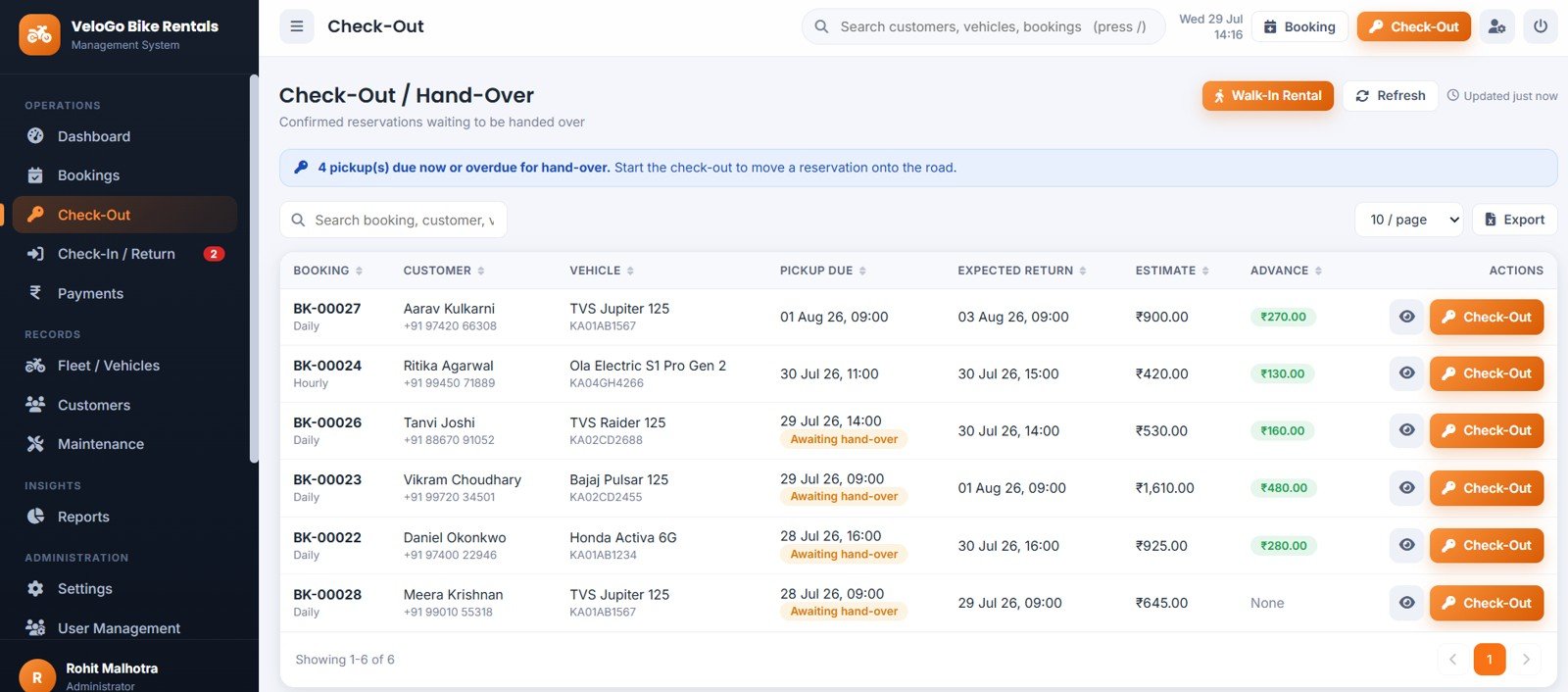
Page 4: Check-Out and Hand-Over
Confirmed Reservations by Pickup Due, Expected Returns by Booking, Advance Amount by Customer and Hand-Over Actions by Reservation, plus odometer, fuel level, deposit capture, condition checklist and the signed agreement.
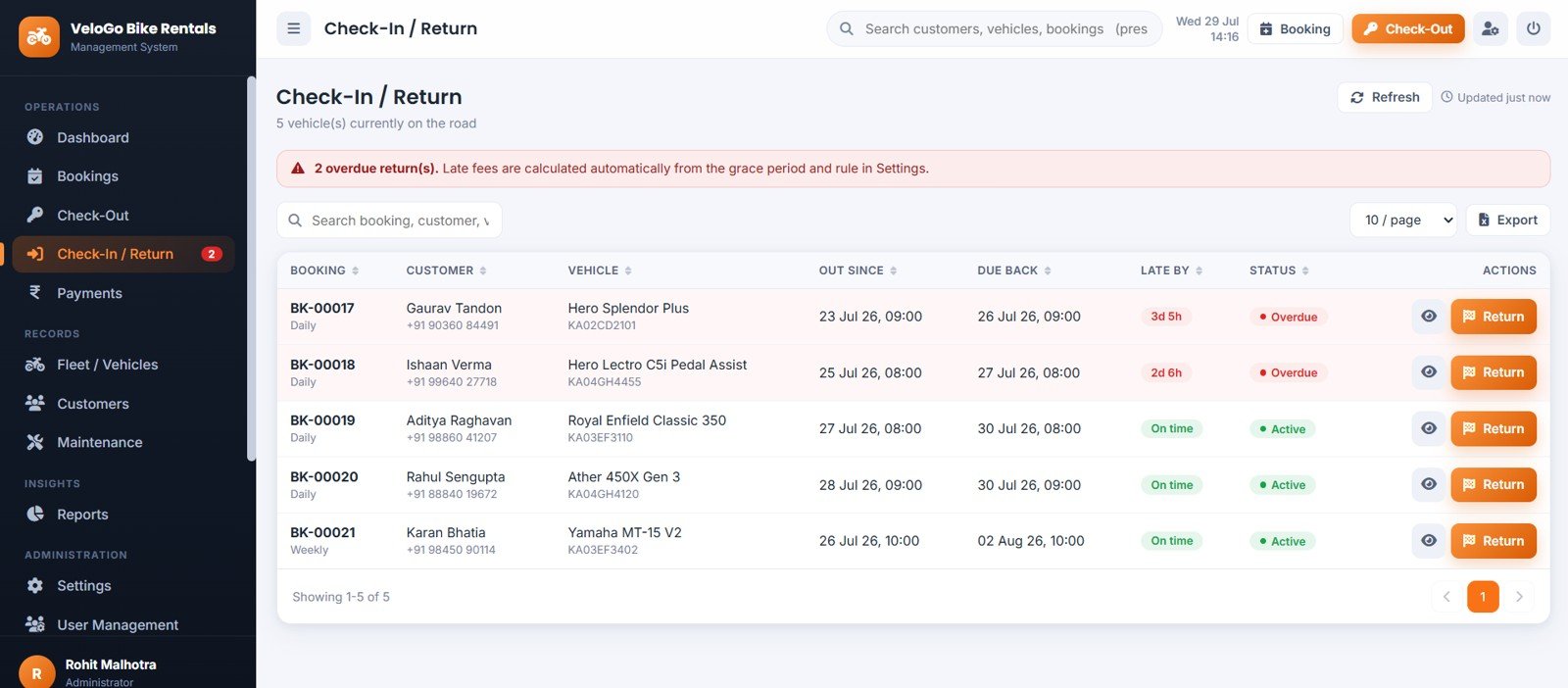
Page 5: Check-In and Return
Vehicles on Road by Customer, Due Back Date by Booking, Late Return by Customer and Return Actions by Active Rental, with a live final-bill panel that recalculates as the operator types.
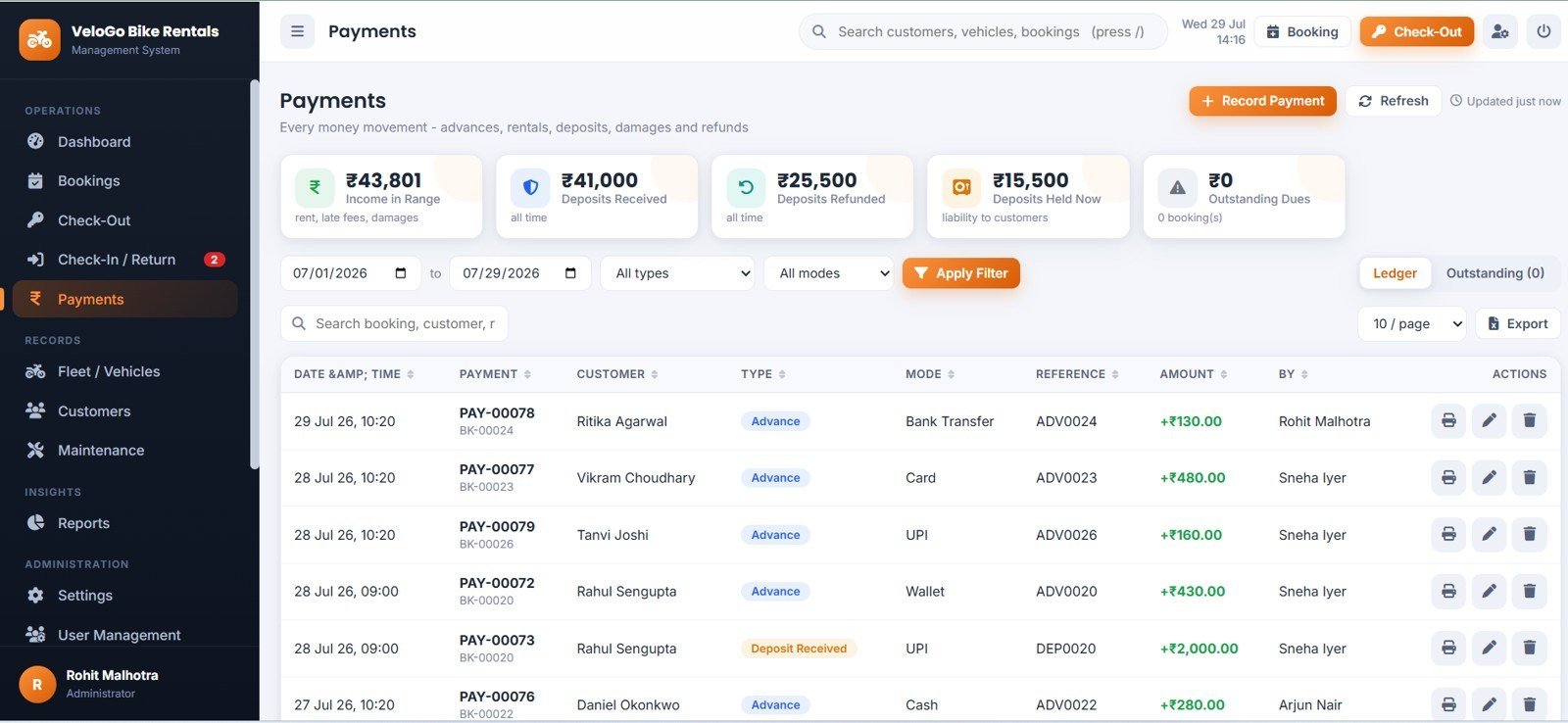
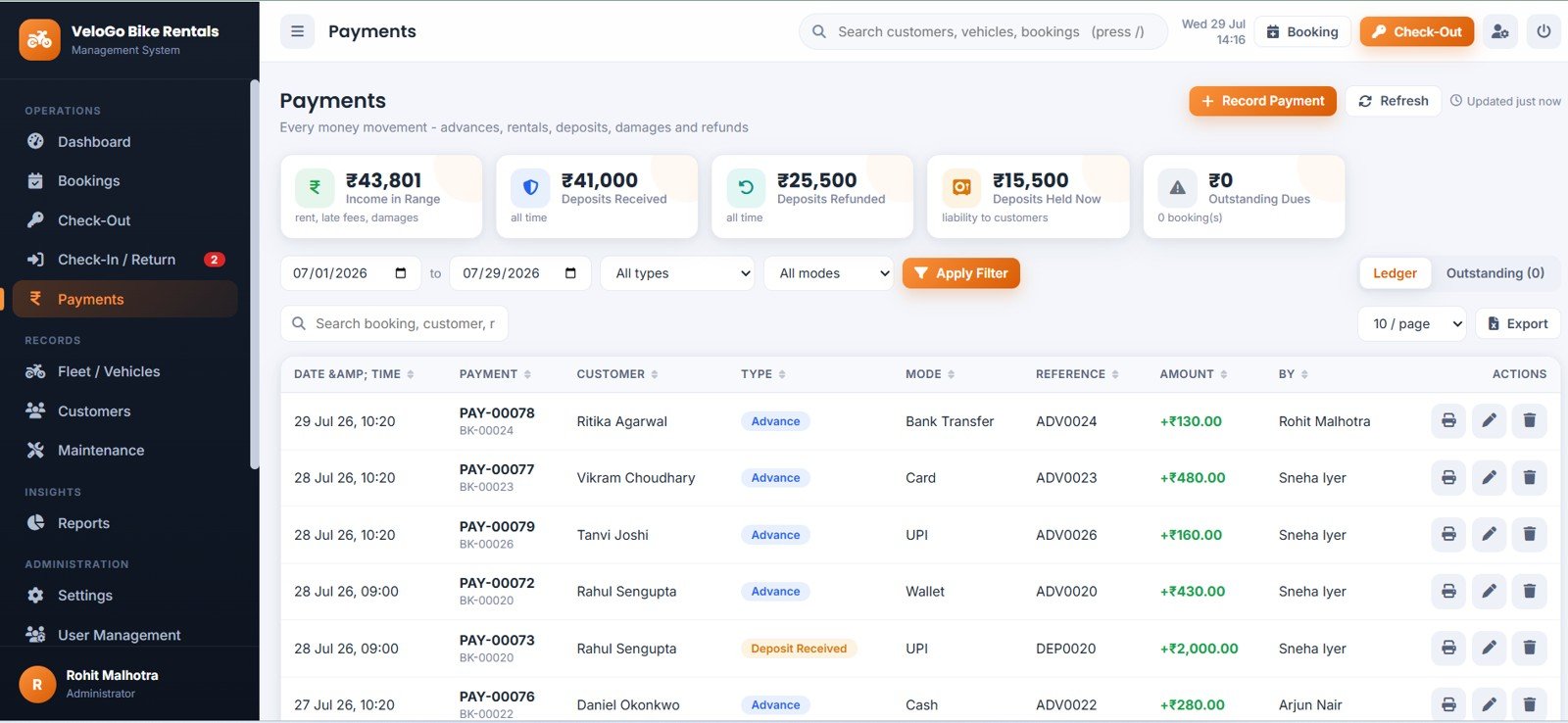
Page 6: Payments
Income in Range by Payment Ledger, Deposits Received by Booking, Deposits Refunded by Booking, Deposits Held Now by Customer Liability, Outstanding Dues by Booking and Payment Amount by Payment Mode, across seven payment types.
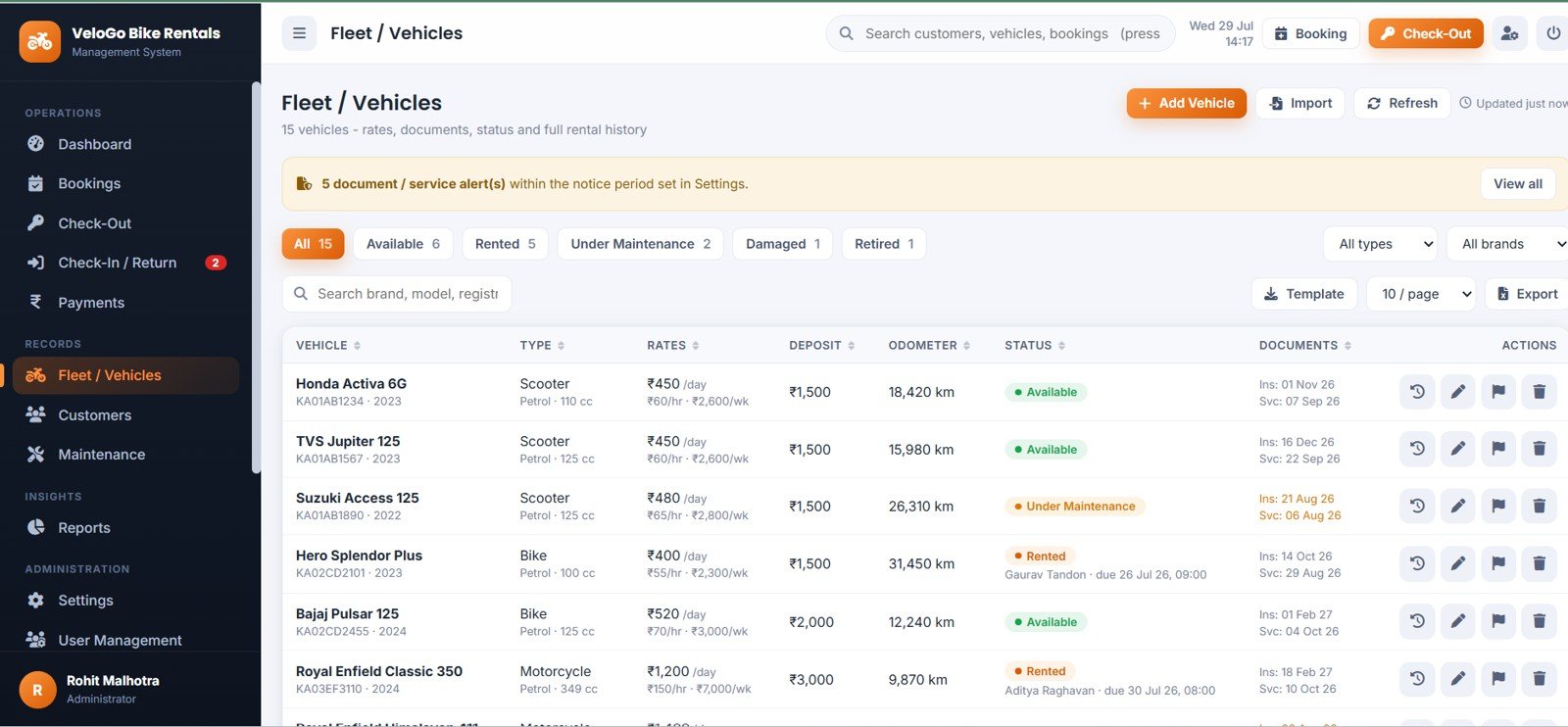
Page 7: Fleet and Vehicles
Vehicles by Status, Vehicles by Type, Rental Rates by Vehicle, Deposits by Vehicle, Odometer Reading by Vehicle and Document Alerts by Vehicle, with per-vehicle history showing revenue, kilometres and maintenance cost.
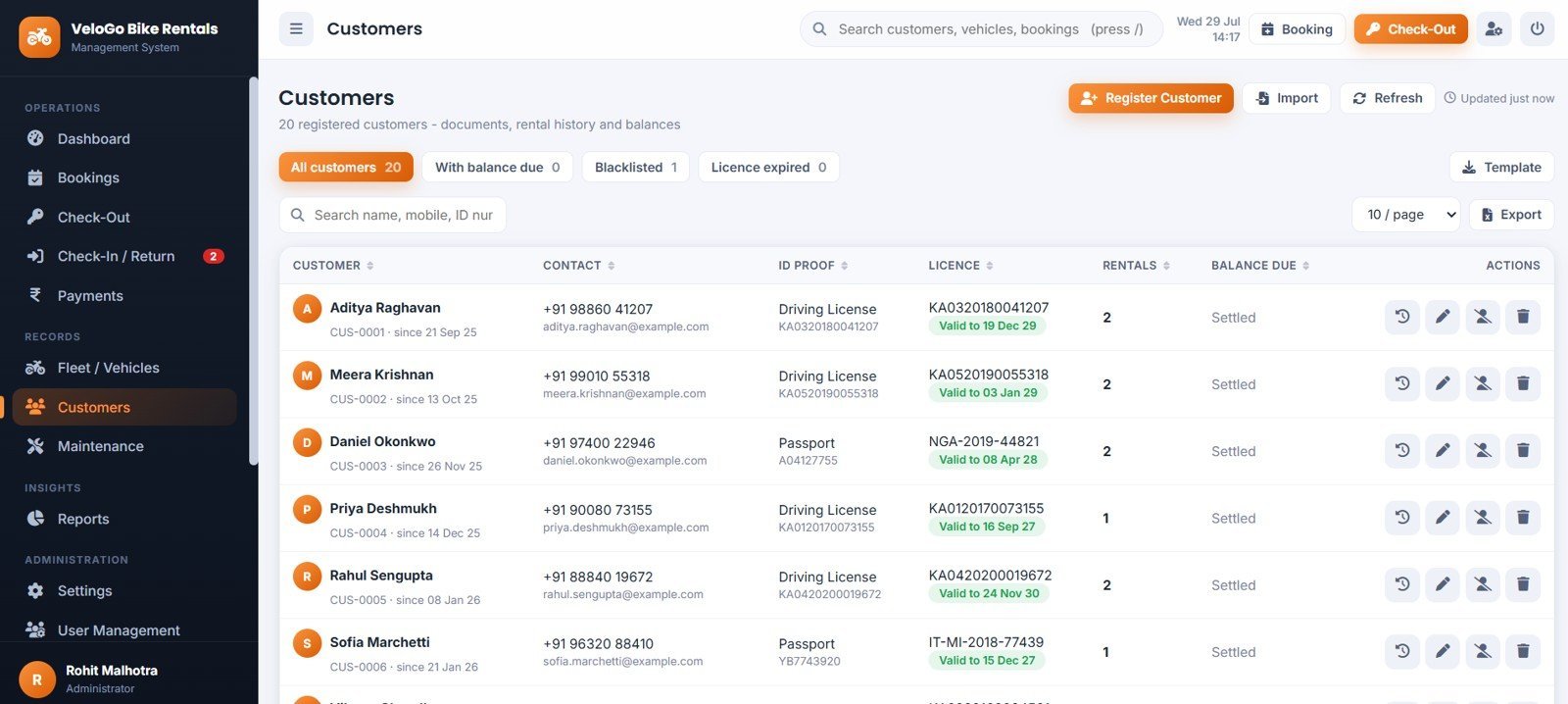
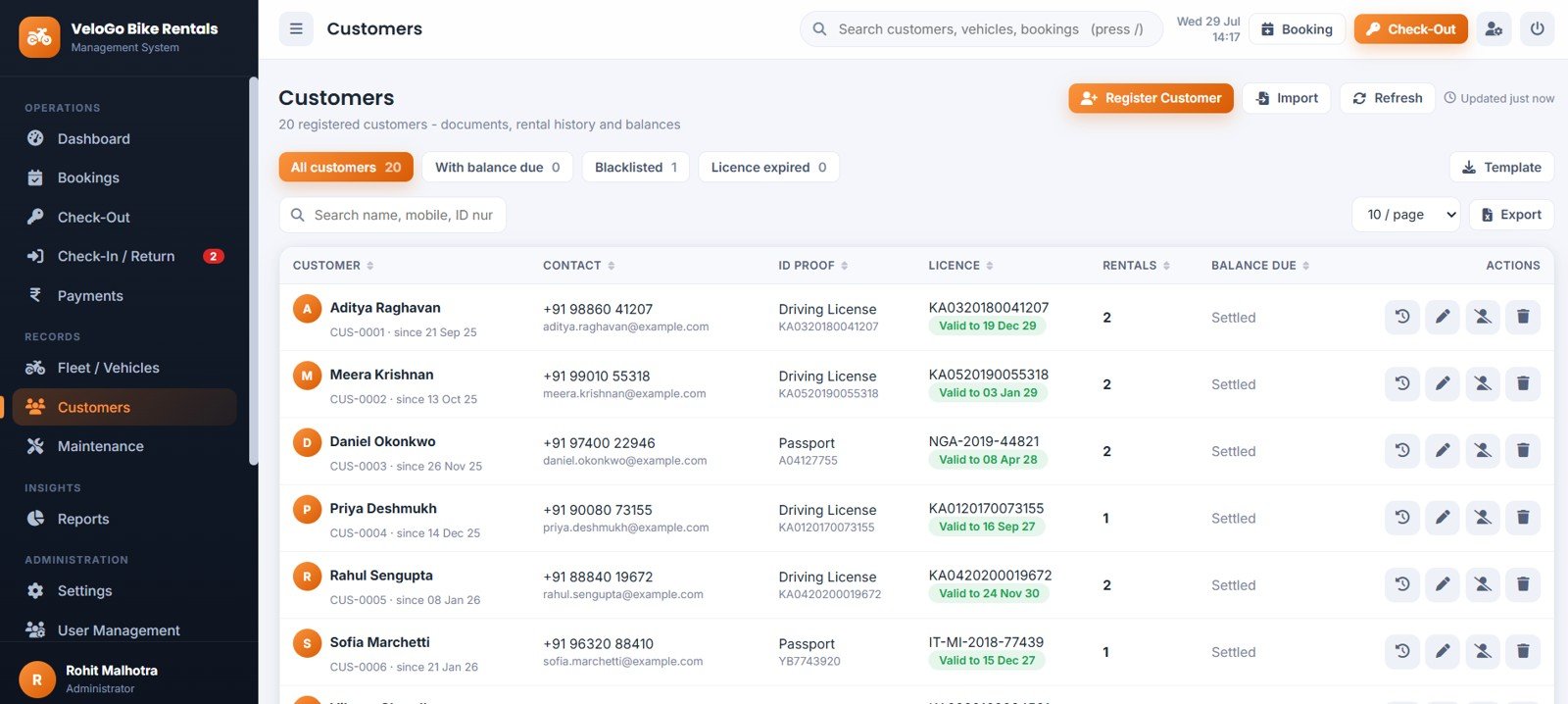
Page 8: Customers
Customers by Account Status, Customers with Balance by Rental Account, Licence Expiry by Customer, Rental Count by Customer and Balance Due by Customer, with blacklisting that blocks new bookings outright.
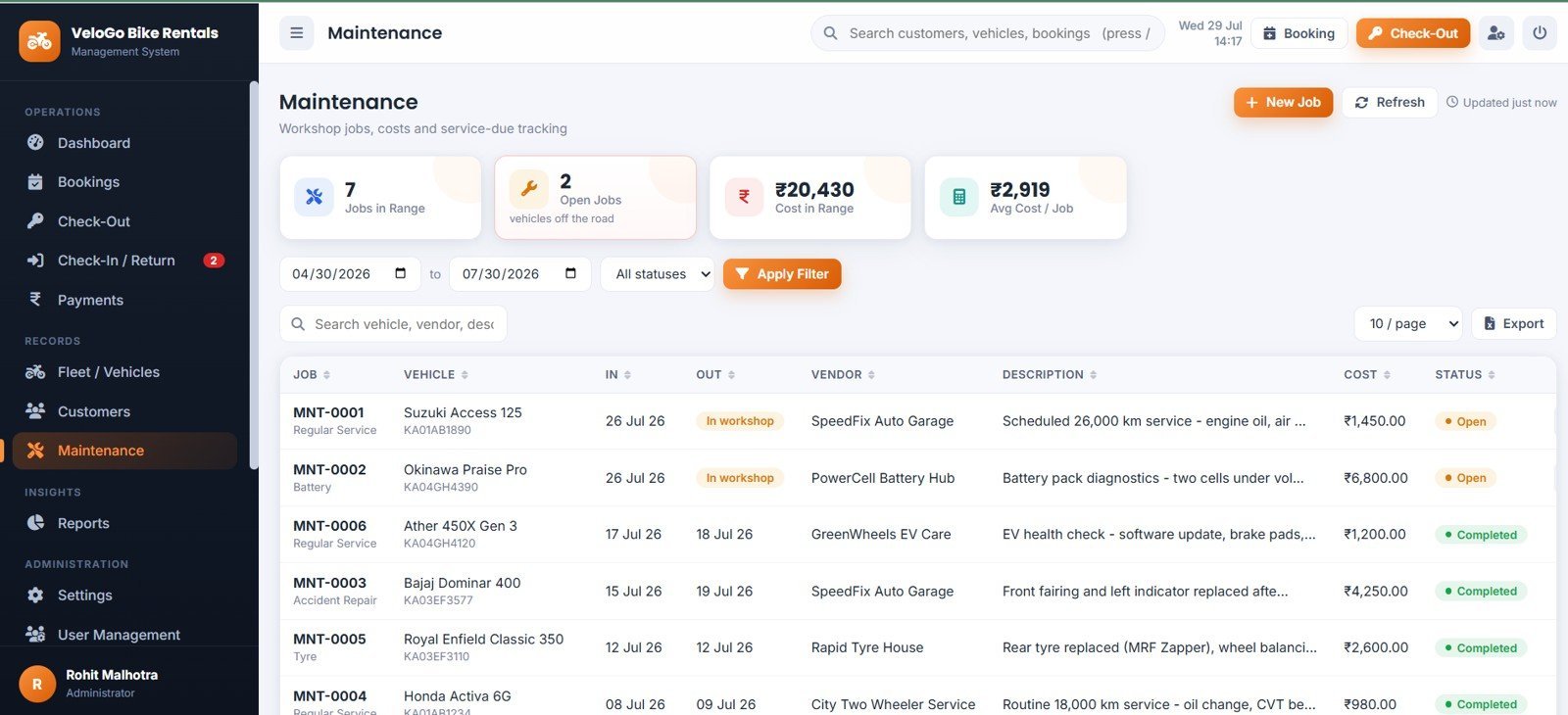
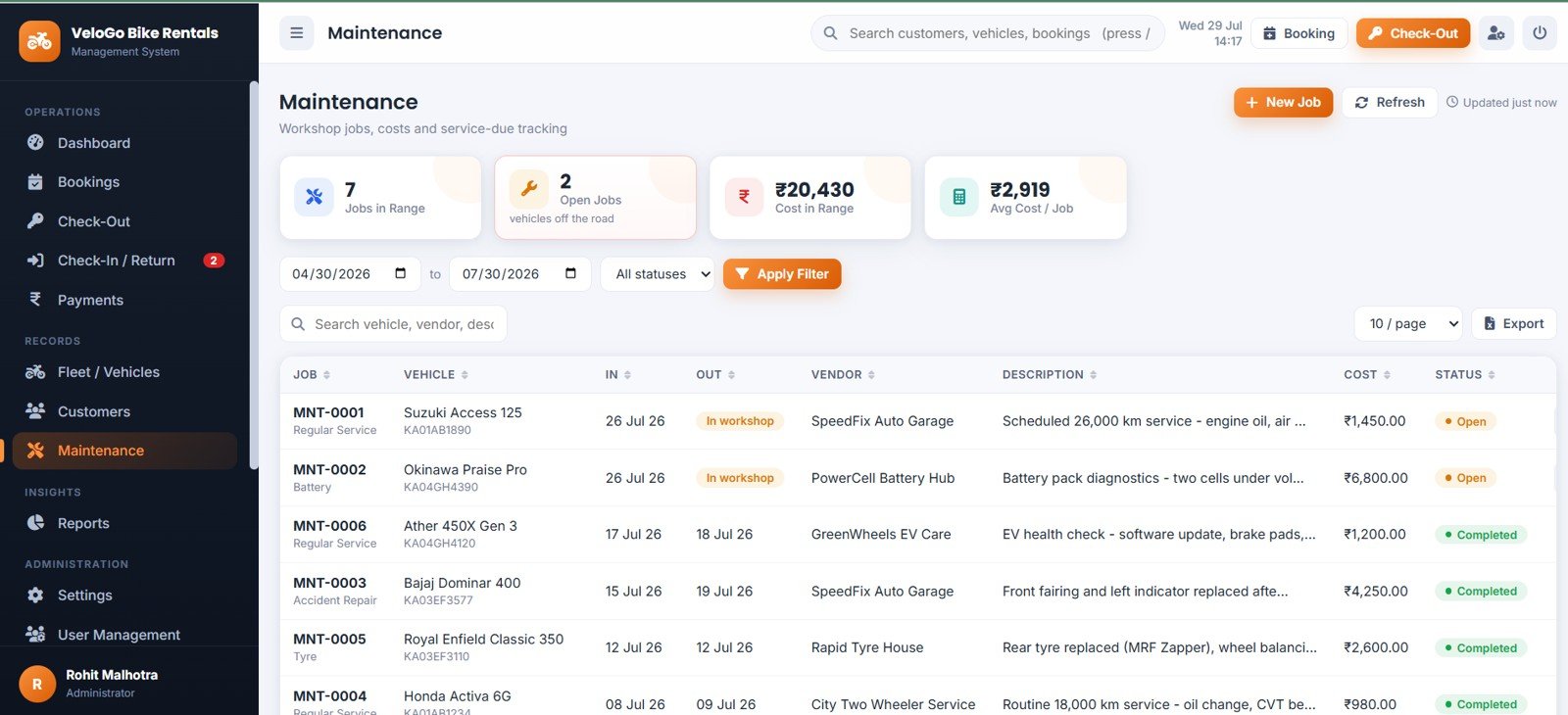
Page 9: Maintenance
Jobs in Range by Maintenance Record, Open Jobs by Vehicle, Cost in Range by Workshop Job, Average Cost by Job and Maintenance Status by Vehicle. An open job removes the bike from booking availability automatically.
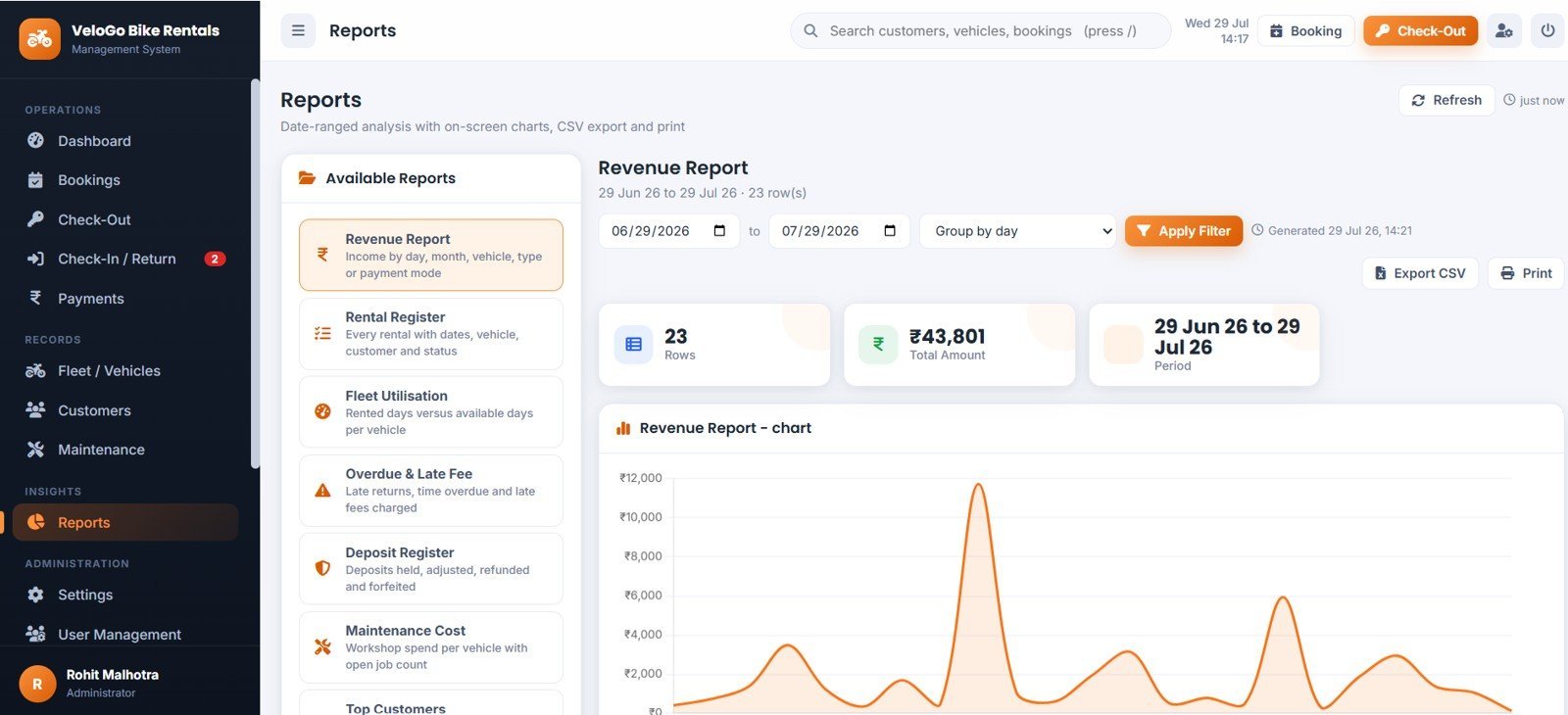
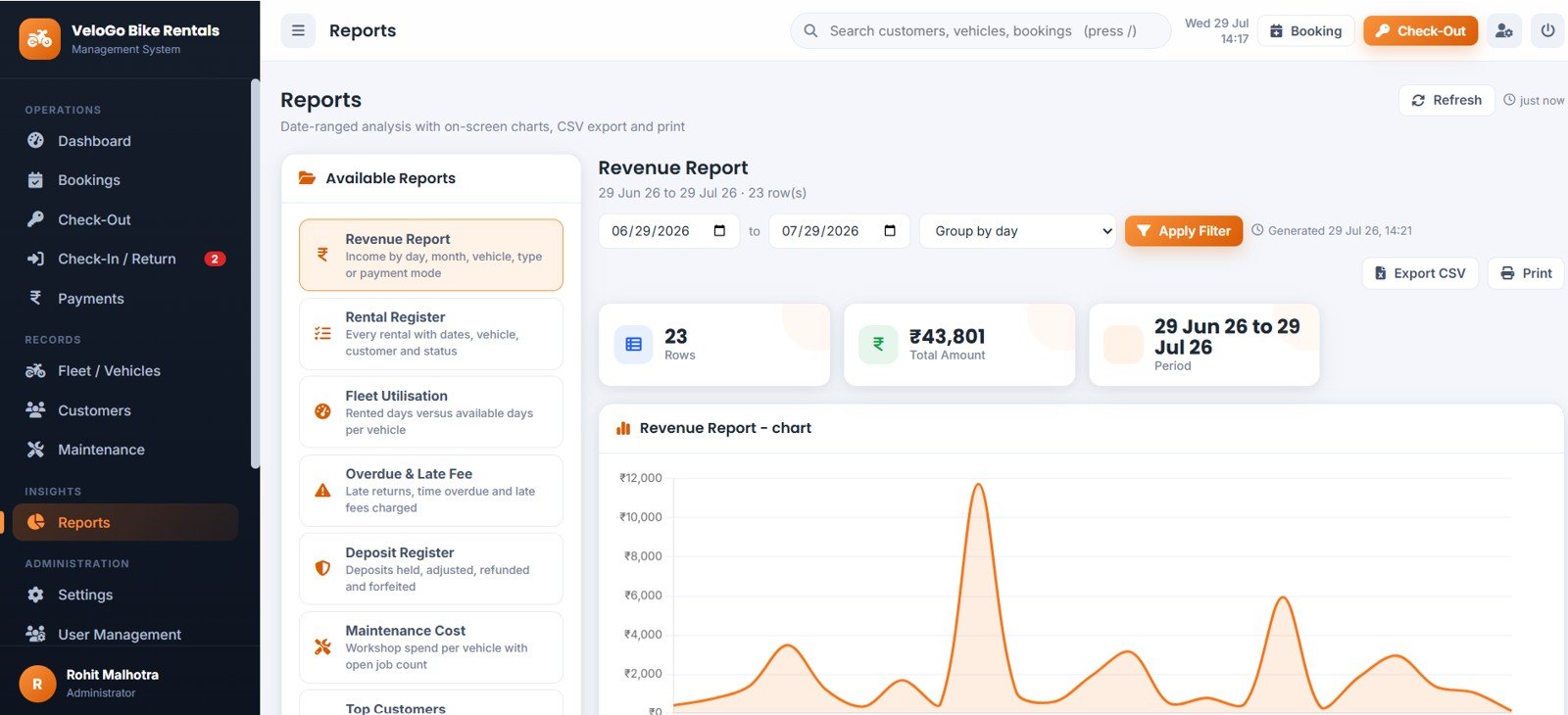
Page 10: Reports
Revenue Report by Date Range, Rental Register by Booking, Fleet Utilisation by Vehicle, Overdue and Late Fee by Rental, Deposit Register by Booking, Maintenance Cost by Vehicle and Top Customers by Revenue and Rentals — each with a chart, CSV export and print.
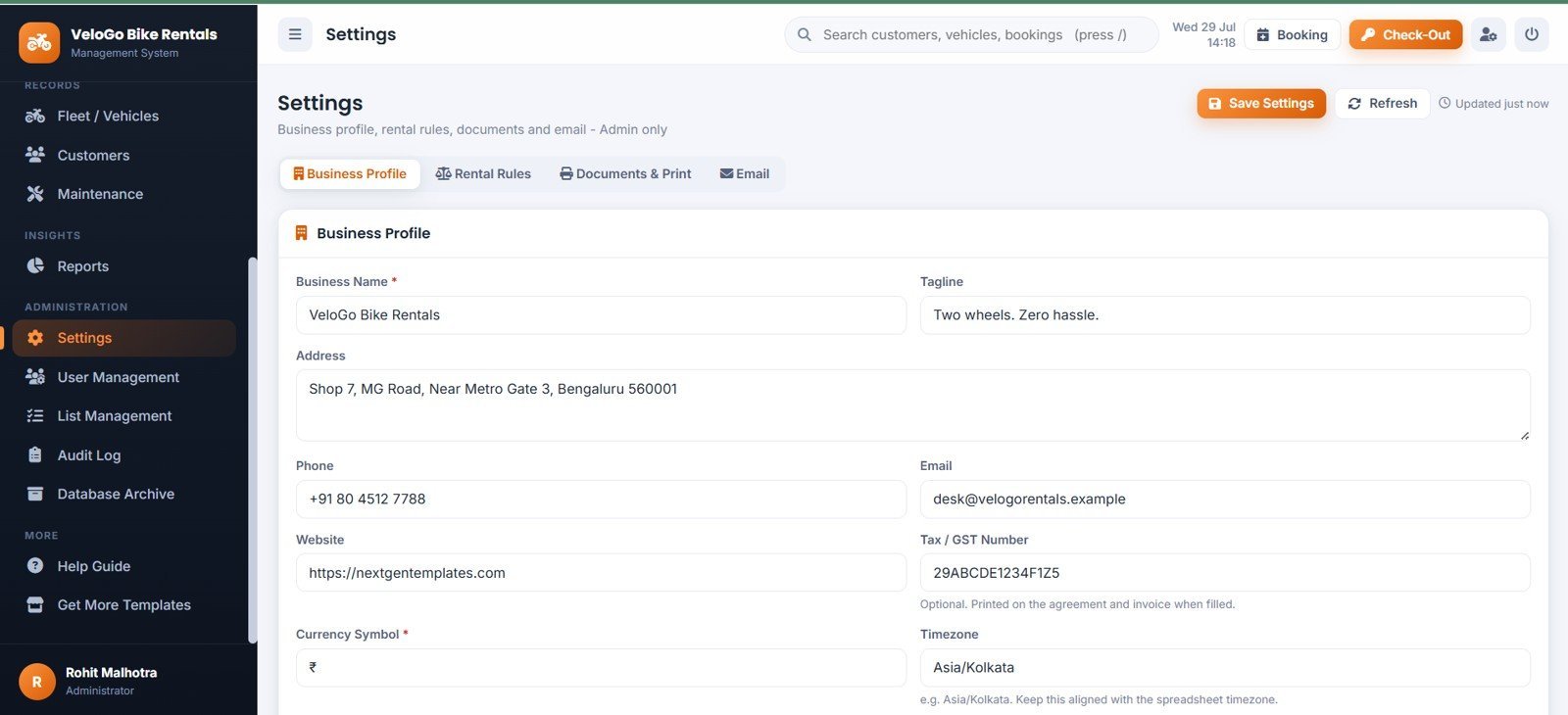
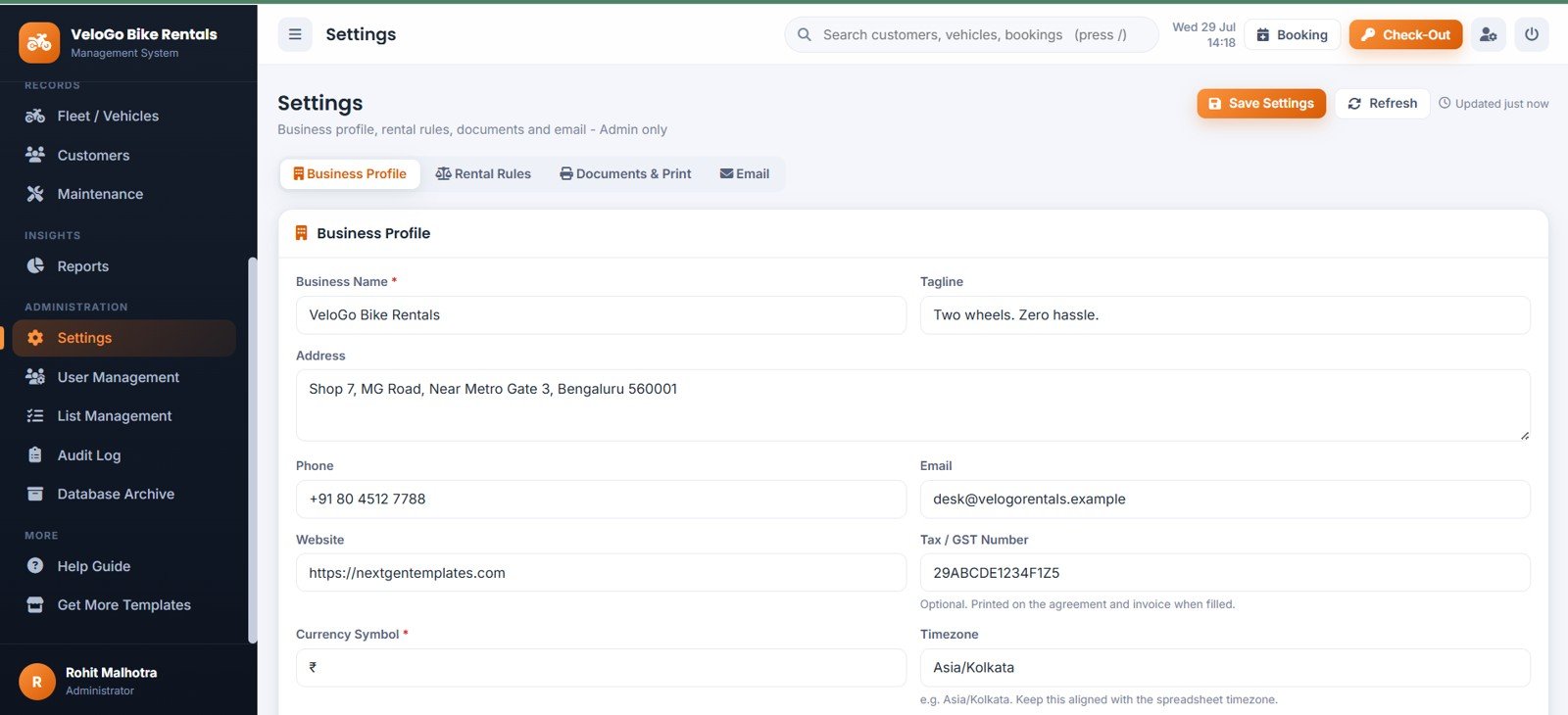
Page 11: Settings
Business Profile by Company Details, Rental Rules by Operating Policy, Documents and Print by Invoice Setup, and Email Settings by Notification Setup — including grace period, late-fee rule, free kilometres and deposit defaults per vehicle type.
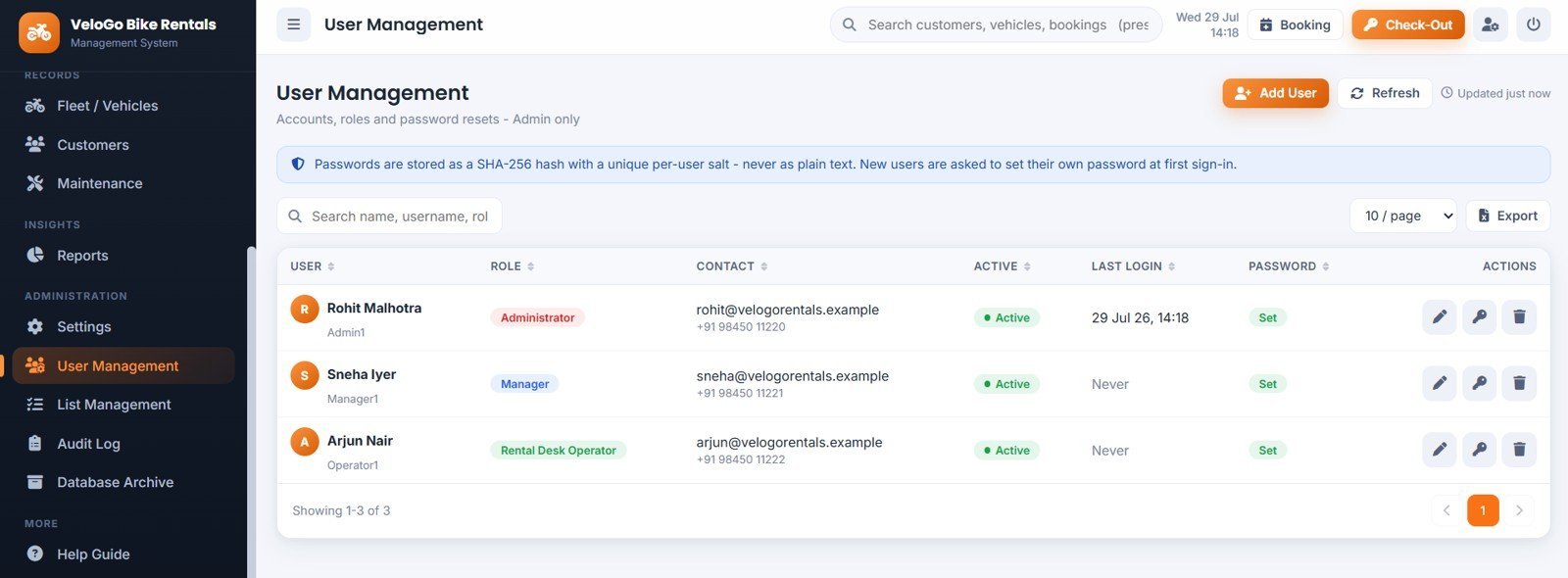
Page 12: User Management
Users by Role, Active Users by Account Status, Last Login by User and Password Status by User. Passwords are stored only as salted SHA-256 hashes and the last active Administrator can never be removed.
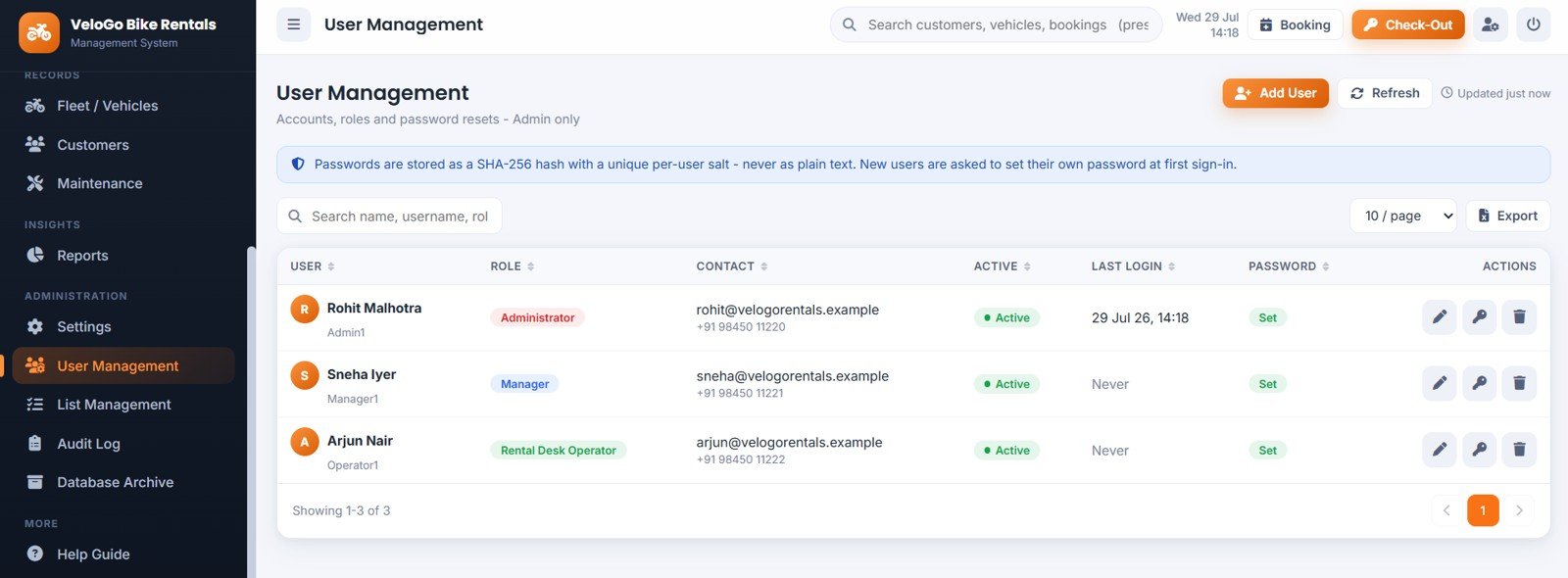
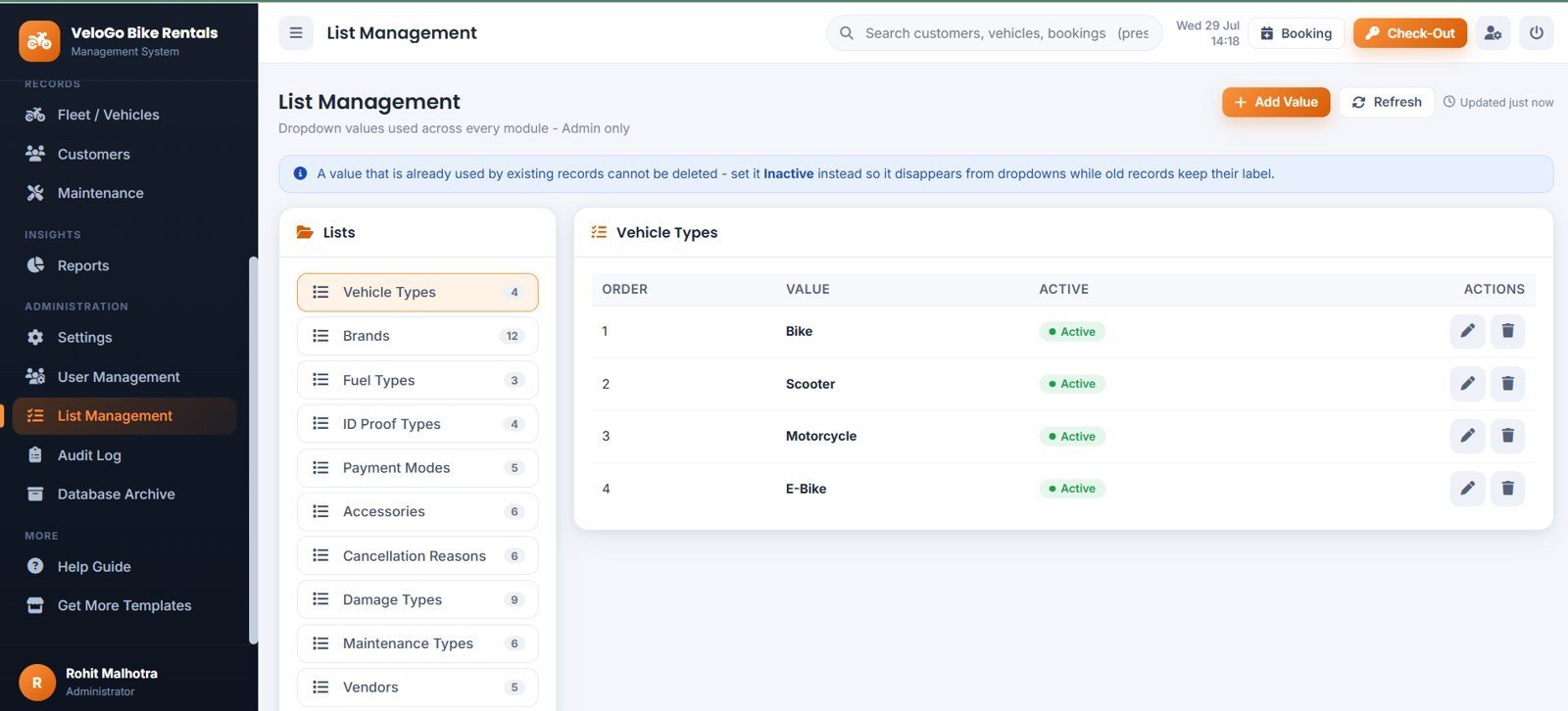
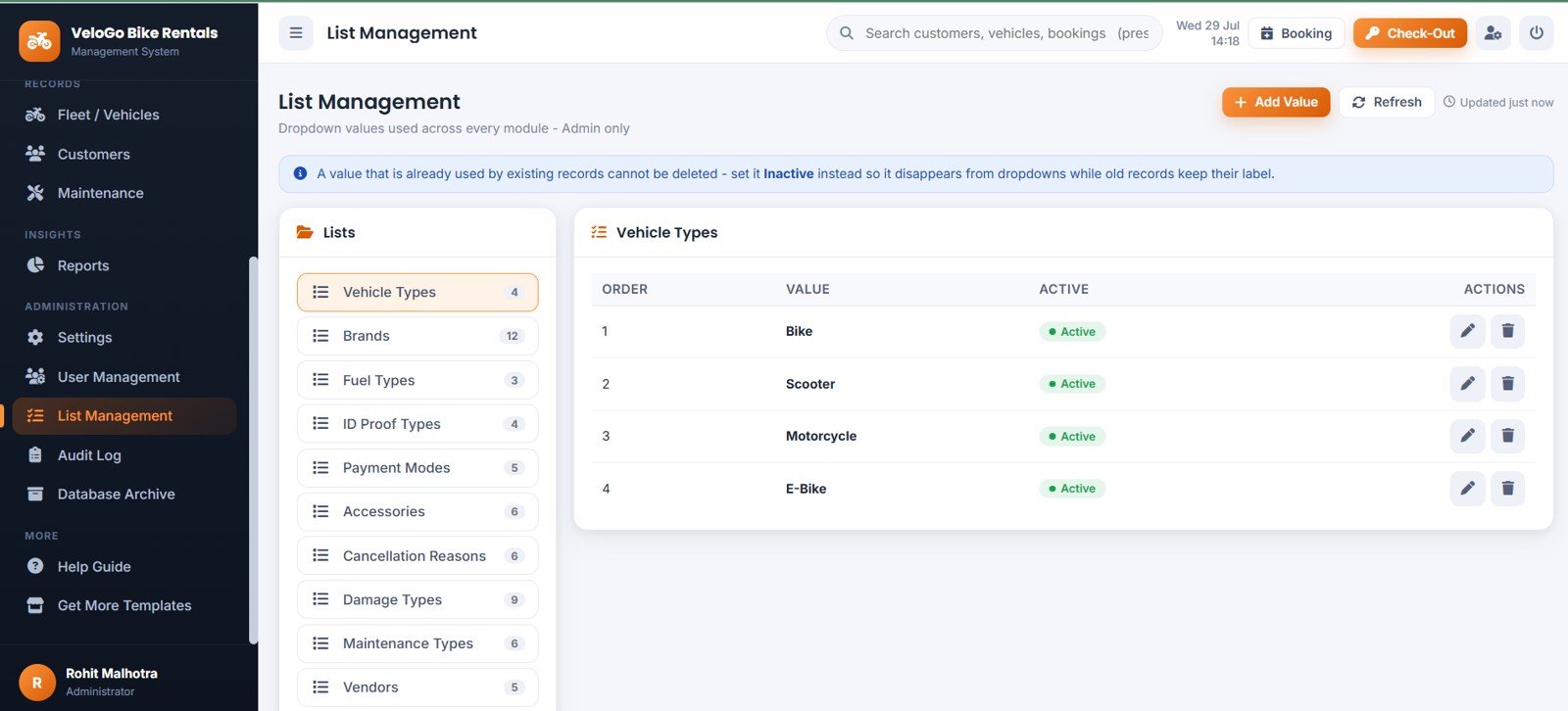
Page 13: List Management
Vehicle Types by List Value, Brands by Master List, Fuel Types by Master List, Payment Modes by Master List, Maintenance Types by Master List and Vendors by Master List — ten dropdown lists you control without touching code.
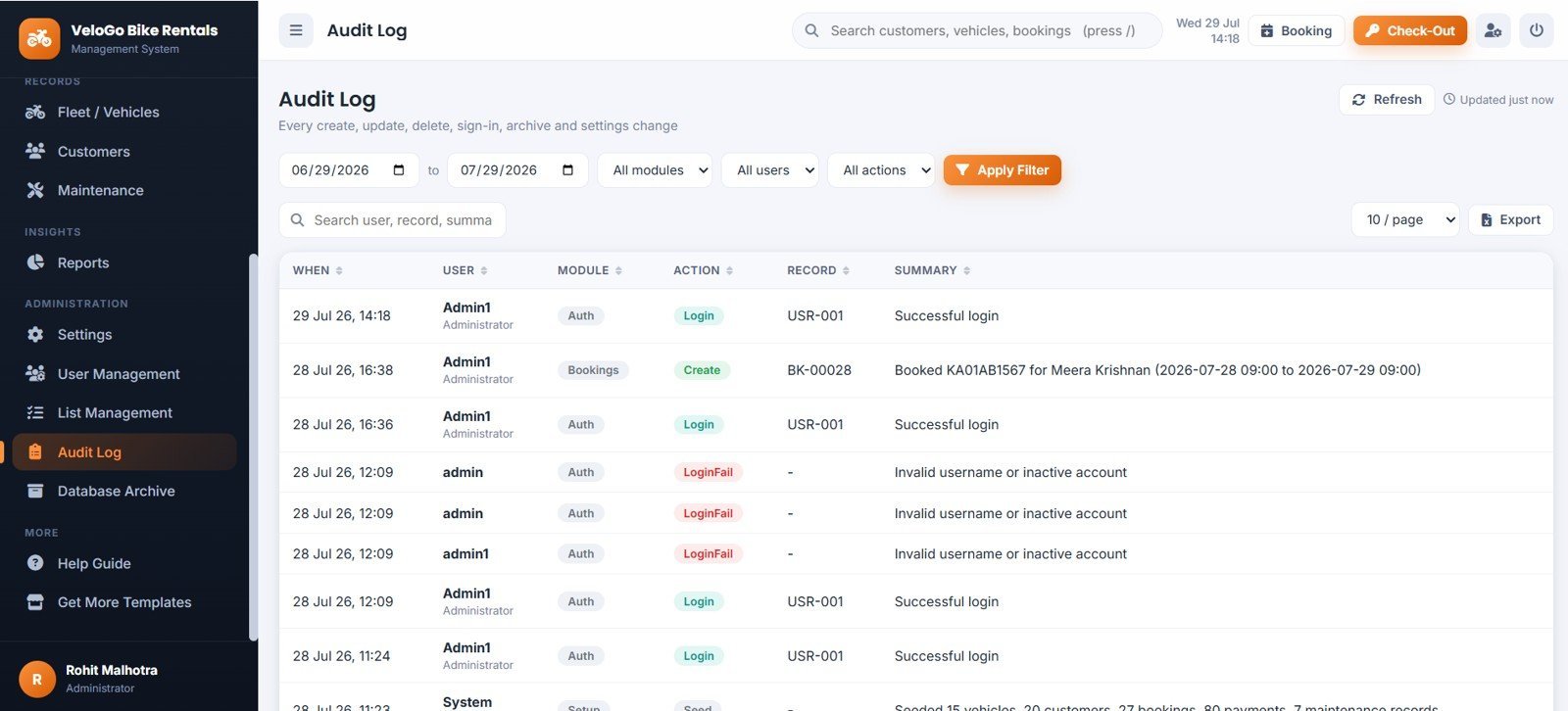
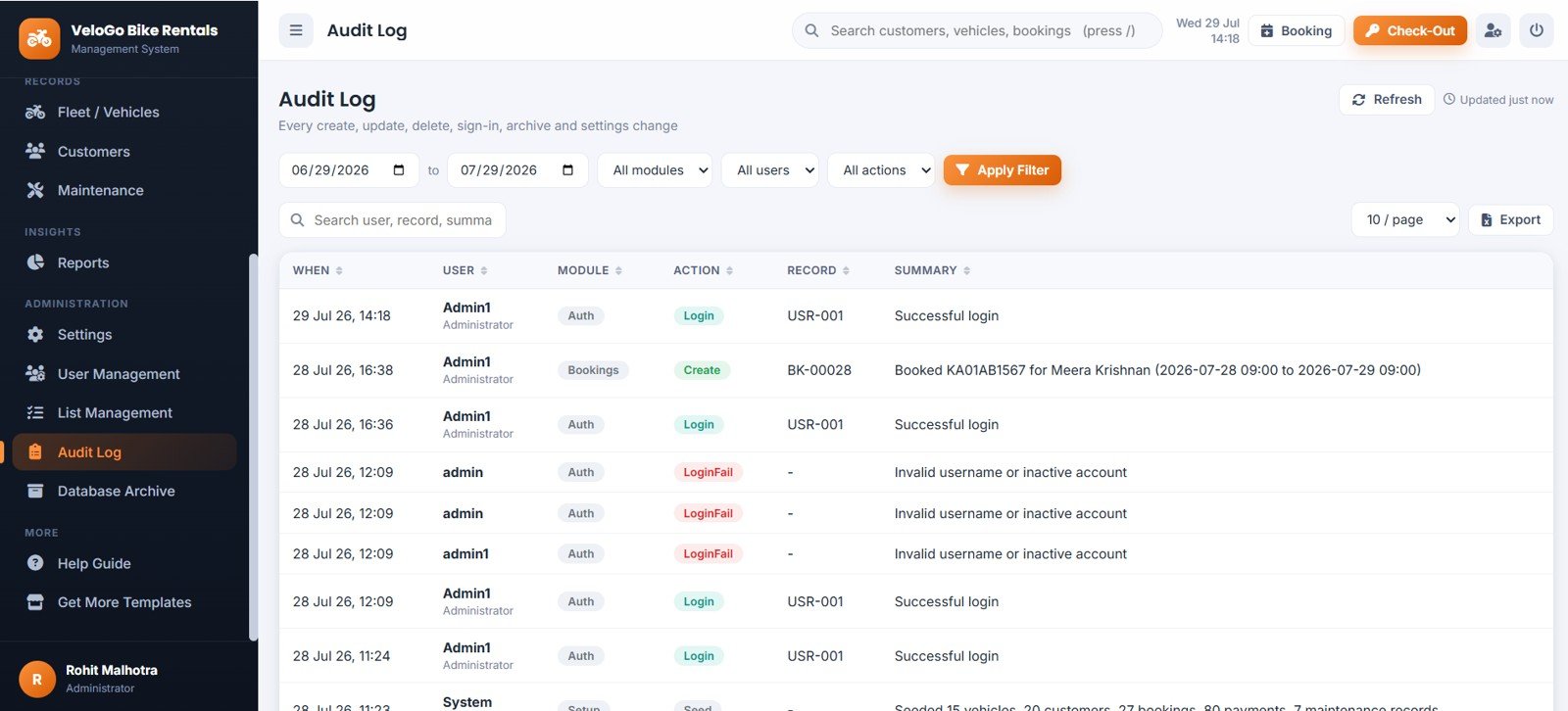
Page 14: Audit Log
Audit Events by Date and Time, Activity by User, Activity by Module, Activity by Action and Record Changes by Summary — every create, update, delete, sign-in and settings change is recorded.
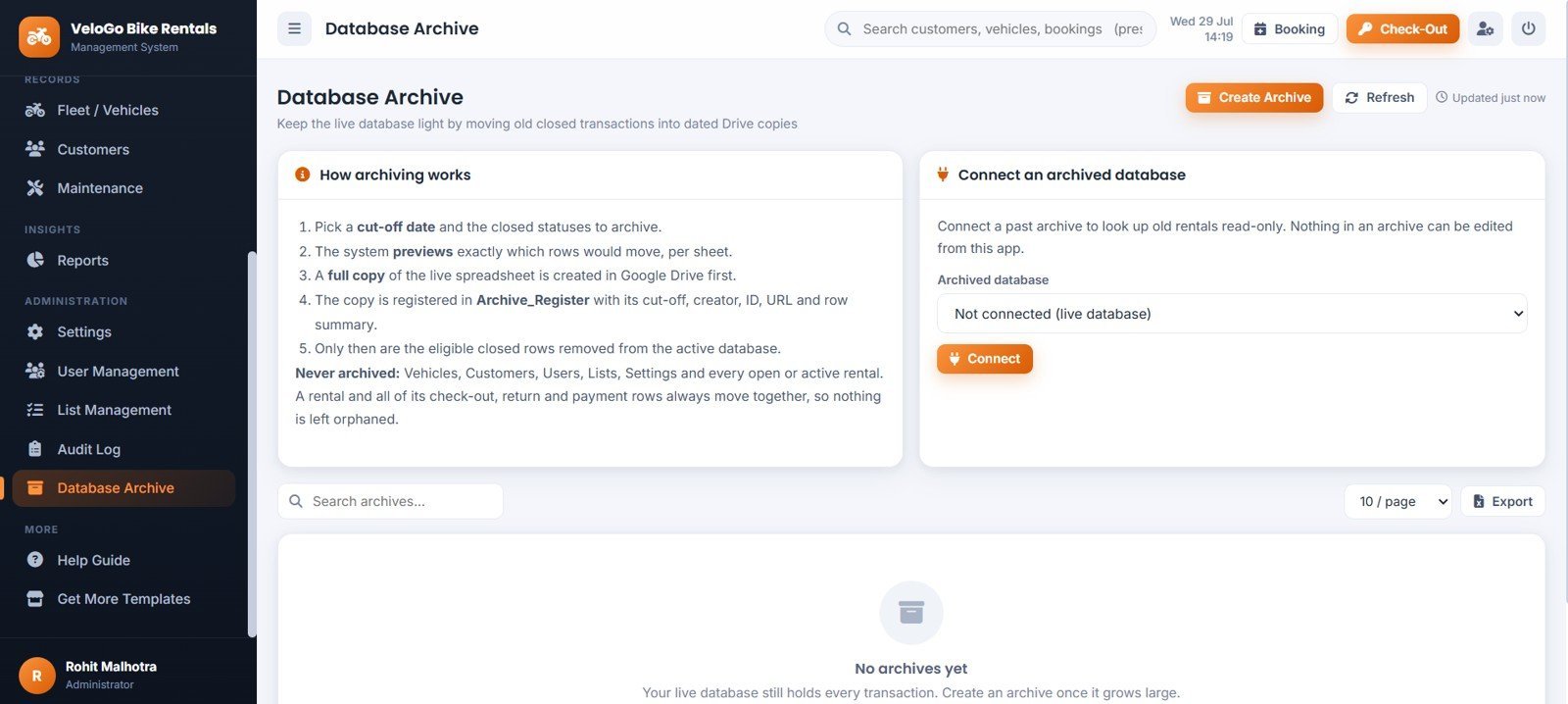
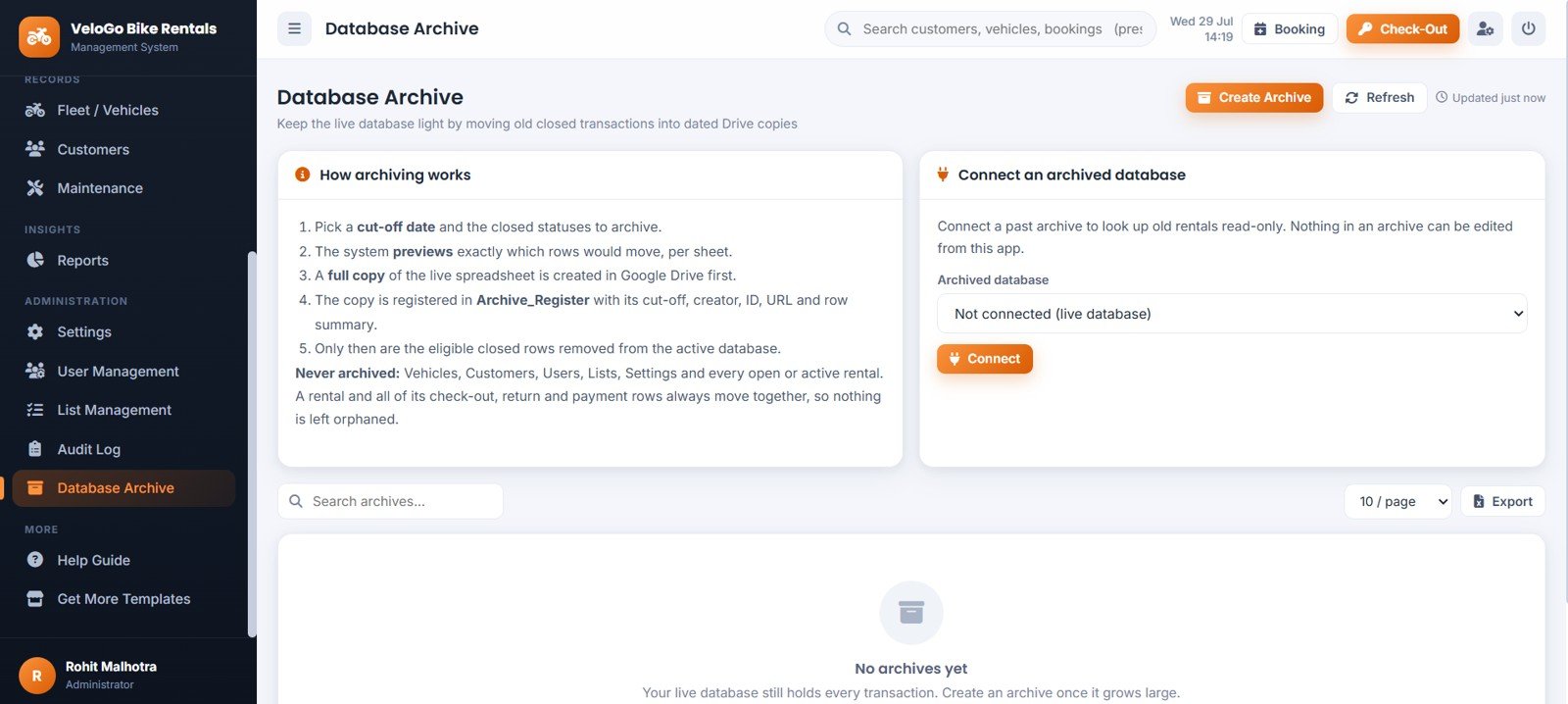
Page 15: Database Archive
Archive Workflow by Closed Transactions, Archived Database by Connection Status and Old Records by Archive Search. Master data and open rentals are never archived, and a full Drive backup is taken before any row is removed.
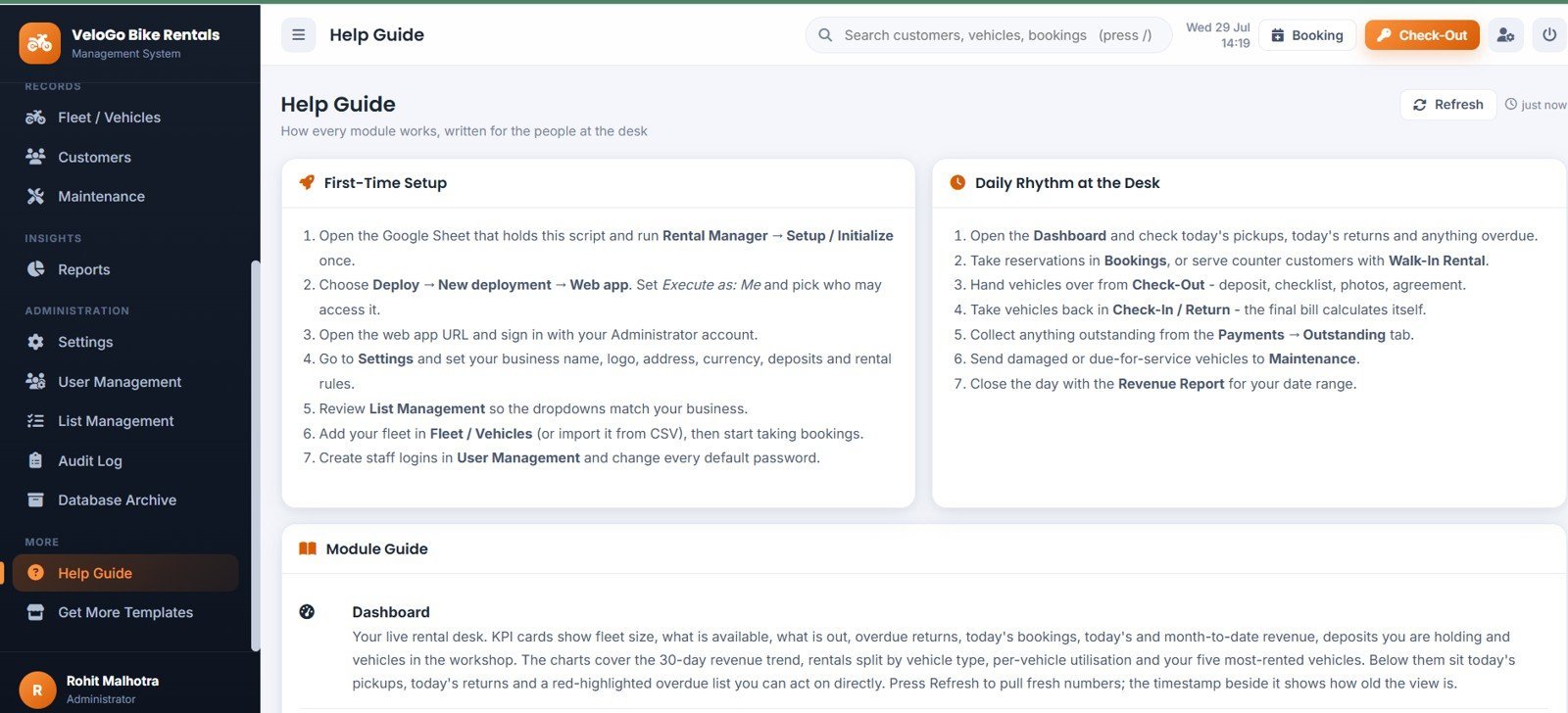
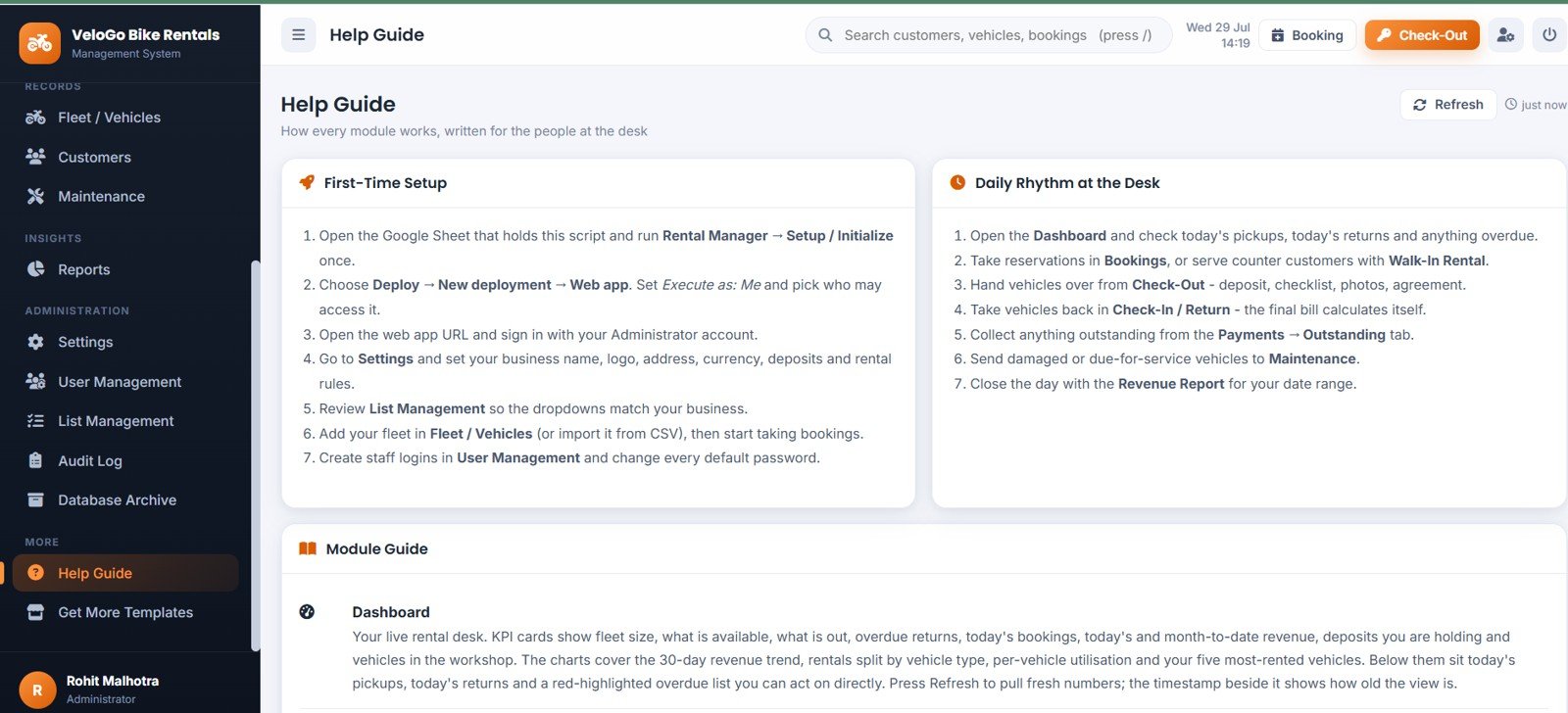
Page 16: Help Guide
First-Time Setup by Implementation Step, Daily Rhythm by Rental Desk Task and Module Guide by App Section — written for counter staff, not developers.
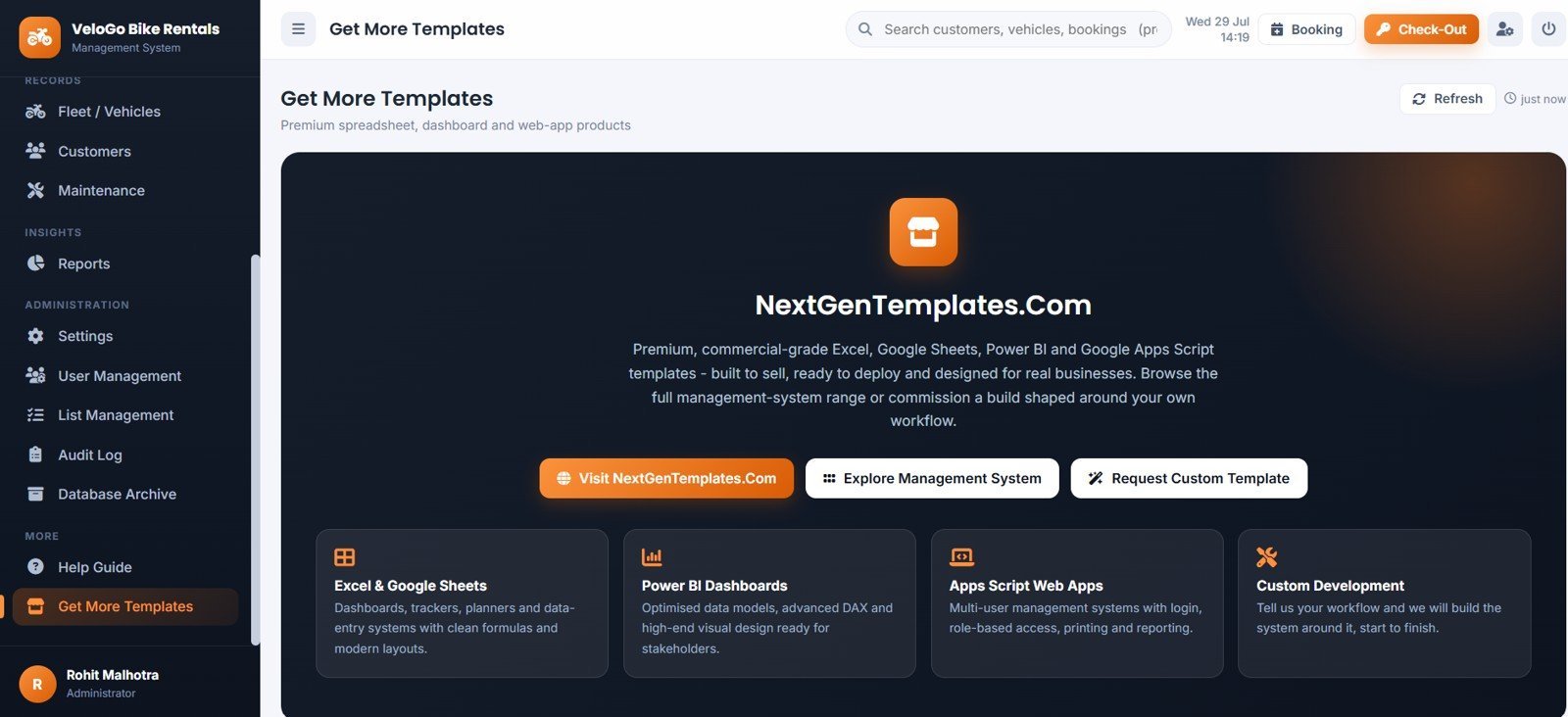
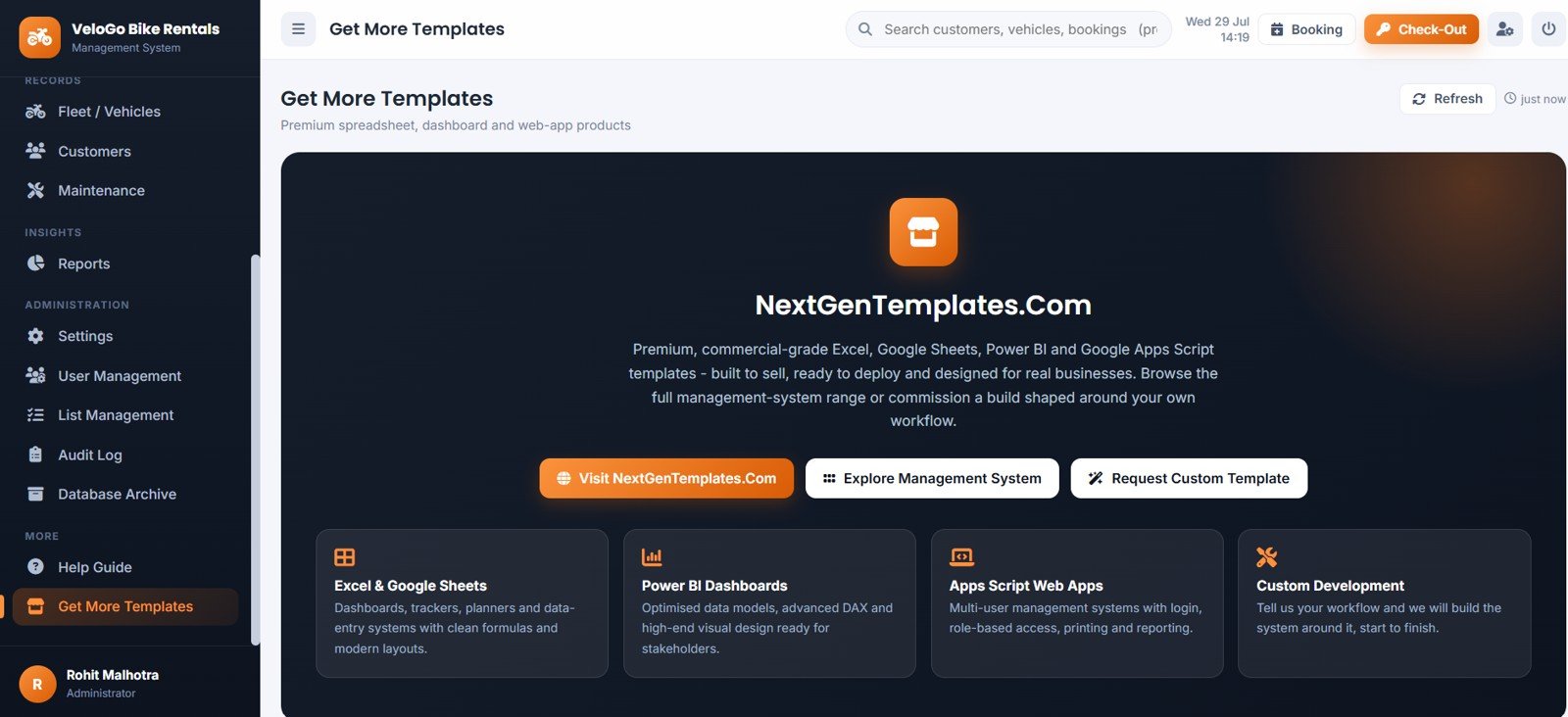
Page 17: Get More Templates
Template Categories by Product Type, Management Systems by Business Need and Custom Development by Project Request, linking straight to the Web Apps & Management Systems catalogue.
📊 Bike and Two-Wheeler Rental Management System vs. Excel Rental Workbook vs. Booqable / HQ Rental Software — Where This Fits
| Feature | Bike and Two-Wheeler Rental Management System | Excel / VBA Rental Workbook | Booqable / HQ Rental Software |
|---|---|---|---|
| Cost | $39.99 one-time ✅ | $6-$30 one-time | ~$29-$300 / month |
| Platform | Browser web app on Google Sheets ✅ | Desktop Excel only | Vendor cloud |
| Setup time | About 10 minutes ✅ | Minutes | Days, often with onboarding calls |
| Multi-user login with roles | 3 roles, server-enforced ✅ | Rarely, and file-level only | Yes, priced per user |
| Double-booking prevention | Server-side overlap lock ✅ | Manual checking | Yes |
| Deposit, damage & late-fee automation | Built in, all three ✅ | Manual formulas | Yes, on higher plans |
| Mobile access | Responsive on any phone ✅ | Poor | Yes |
| Data ownership | Your own Google Sheet & Drive ✅ | Your file | Vendor-hosted |
| Year-1 cost at 5 users | $39.99 total ✅ | $6-$30 | ~$350-$3,600+ |
For rental shops that want proper multi-user booking control, deposit handling and reporting without paying a monthly per-user fee, the Bike and Two-Wheeler Rental Management System sits in the sweet spot.
👥 Who This Template Is For — and Who It’s Not For
✅ This template is built for:
- City bike and scooter rental shops running 5-100 vehicles with 1-5 counter staff.
- Tourist rental outlets in hill stations, coastal towns and heritage cities.
- Hostel, hotel and guest-house rental desks hiring vehicles to guests.
- Delivery-fleet renters supplying two-wheelers to gig and courier riders.
- Operators running mixed petrol, electric and pedal-assist fleets.
❌ This template is NOT for:
- Businesses needing customer-facing online booking with card payment capture — this is a staff-side desk system.
- Operators who need live GPS or IoT telematics feeds from their vehicles.
- Enterprises requiring SOC 2, SSO or a signed data-processing agreement.
- Car and truck rental fleets — the rate card and checklist are shaped for two-wheelers.
⚙️ How to Use the Bike and Two-Wheeler Rental Management System
- Create a new Google Sheet, then open Extensions and choose Apps Script.
- Paste the Code file into Code.gs, then add an HTML file named exactly Index and paste the Index file into it.
- Refresh the sheet and click Rental Manager, then Setup / Initialize, and authorise the script once.
- Deploy as a Web app with Execute as Me, then open the URL and sign in as Administrator.
- Open Settings and enter your business profile, currency, grace period, late-fee rule, free kilometres and deposit defaults.
- Add your fleet in Fleet / Vehicles, or import it from the supplied CSV template.
- Create staff logins in User Management and change every default password.
- Start taking bookings, hand vehicles over from Check-Out and close them in Check-In / Return.
💼 Real-World Use Cases
Ravi runs a 40-scooter rental shop near a metro station. He uses the Bike and Two-Wheeler Rental Management System to take daily bookings, hand over with a photo checklist, and take returns where the late fee and extra kilometres are already calculated — instead of arguing at the counter over a paper register.
Meera manages a hostel rental desk in a tourist town. Her two front-desk staff have Operator logins, so they can book, hand over and take returns but cannot delete records or see the owner reports. She checks Fleet Utilisation monthly to decide which bikes to add.
Anand supplies e-bikes to delivery riders on weekly hire. He uses the weekly rental basis, holds a deposit against each rider, and runs the Deposit Register and Outstanding Dues views every Friday to see exactly what is owed.
❓ Frequently Asked Questions
What does the Bike and Two-Wheeler Rental Management System actually track?
The Bike and Two-Wheeler Rental Management System tracks 9 live KPIs — total fleet, available now, currently rented, overdue returns, today’s bookings, today’s revenue, month-to-date revenue, deposits held and vehicles in maintenance — across 17 screens and 14 Google Sheets tabs.
How long does setup take?
About 10 minutes. You paste two files into a new Apps Script project, name the HTML file exactly Index, run Setup / Initialize once and deploy as a web app. The system arrives seeded with 15 vehicles, 20 customers and 27 bookings so you can test every feature immediately.
How does this compare to Booqable or HQ Rental Software?
Those platforms are subscription products costing roughly $29-$300 a month, and they add customer-facing online booking and payment capture. The Bike and Two-Wheeler Rental Management System is a one-time $39.99 staff-side desk system that keeps your data in your own Google account with no recurring fee.
Can it stop the same bike being booked twice?
Yes. The Bike and Two-Wheeler Rental Management System runs an overlap test on the server, inside a script lock, against every confirmed, active and overdue booking on that vehicle. Two staff members saving at the same moment still cannot double-book it.
How are late fees and extra kilometres calculated?
Late fees start only after your grace period and follow one of three rules: a flat amount per late hour, a flat amount per late day, or a percentage of the daily rate per late day. Extra kilometres are anything beyond your free allowance per rental day, charged at your per-kilometre rate.
Do I need to know coding to run it?
No. You copy and paste two files once during setup. After that everything happens in the browser interface — bookings, hand-over, returns, payments, reports and settings. A 38-page user manual and a deployment video are included.
Will my Google Sheet get too slow over time?
No. The Bike and Two-Wheeler Rental Management System includes an Admin-only Database Archive that copies the spreadsheet to Drive and then removes only old closed rentals. Master data and every open rental always stay in the live database.
👤 About the Author
Built by PK — Microsoft Certified Professional with 15+ years of Excel, Google Sheets and Power BI experience. Founder of NextGenTemplates, reaching 300K+ subscribers across YouTube channels (@PK-AnExcelExpert, @NextGenTemplates, @NeoTechNavigators). Every template is hand-built and tested before release.
🔗 Explore Related Templates
📦 Rental Equipment Management System Web App — the same rental workflow shaped for tools, equipment and event gear.
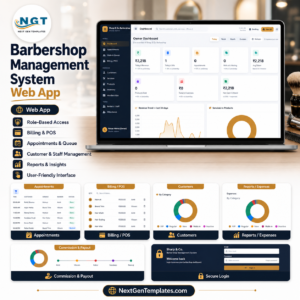
💇 Barbershop Management System Web App — appointments, walk-in queue and counter billing on the same Apps Script architecture.
💰 Payroll and Salary Management System Web App — run staff salaries alongside your rental desk.
Also available as reporting-only dashboards: Car Rental KPI Dashboard in Google Sheets, Car Rental Services Dashboard in Power BI and Vehicle Reservation Tracker in Excel. Browse the full Google Sheets Dashboards range for more.
📖 Click here to read the Detailed Blog Post
🎥 Visit our YouTube channel for step-by-step video tutorials
👉 YouTube.com/@NextGenTemplates
📅 Last updated: July 2026
Watch the demo video:































Reviews
There are no reviews yet.