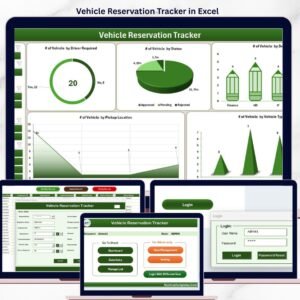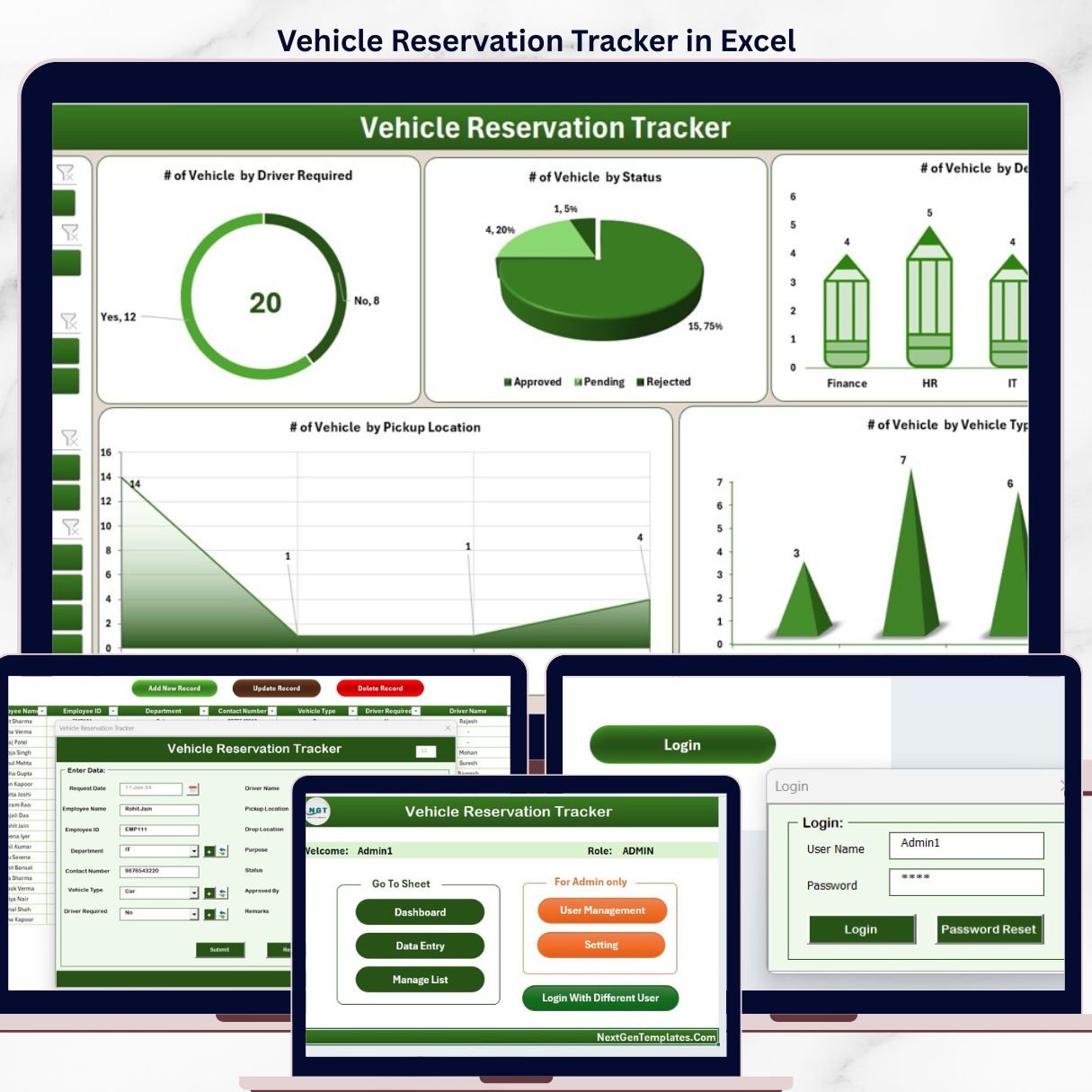
The Vehicle Reservation Tracker in Excel is a VBA-powered workbook with 8 connected worksheets, secured by a Login Form and User Management module, with an interactive Dashboard featuring 4 slicers and 5 charts. The Data Sheet includes Add, Update, and Delete buttons that drive an automated data-entry form — every booking, vehicle assignment, and trip return is logged in under 30 seconds.
🌍 Join 8,400+ teams in 40+ countries using NextGenTemplates to replace paid SaaS tools with one-time-purchase Excel, Google Sheets, Power BI, and HTML templates.
✅ Instant download · One-time payment · No subscription · No per-user fees · Lifetime access
Whether you manage office pool cars, executive sedans, delivery vans, or shared shuttles, this Excel tool gives Admin, Facilities, HR, and Fleet teams a single audit-ready ledger with real-time visibility — no third-party booking apps, no monthly per-driver fees, and no scattered email approvals. 🚗📋
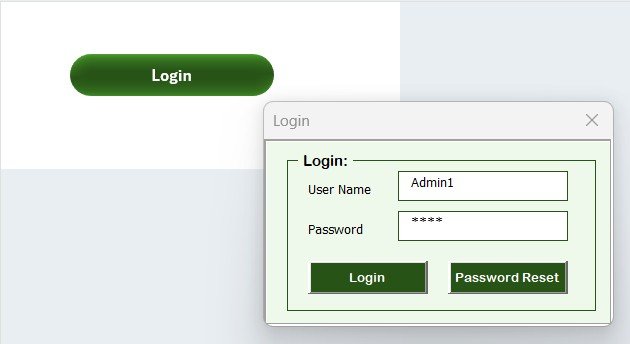
Vehicle Reservation Tracker in Excel — Login Form
🔑 Key Features of Vehicle Reservation Tracker in Excel
🔐 Secure Login Form (Sheet 1): A VBA-built login screen restricts the workbook to authorised users only. Each user logs in with their own credentials, ensuring every booking and approval is tied to a real identity — not a shared file.
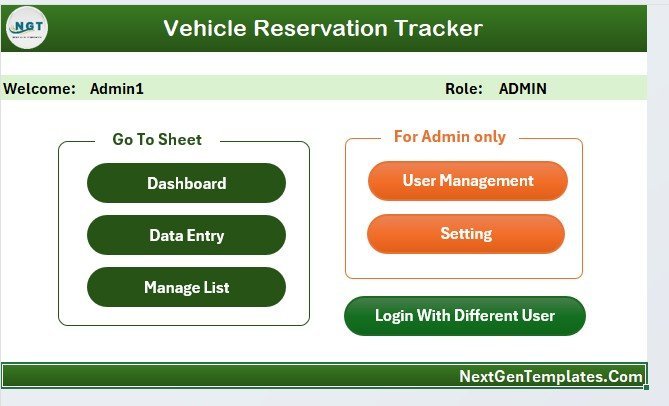
🏠 Home Page Navigator (Sheet 2): A central navigation hub with one-click buttons to jump to the Dashboard, Data Sheet, List Sheet, Settings, and User Management — no more hunting through tabs.
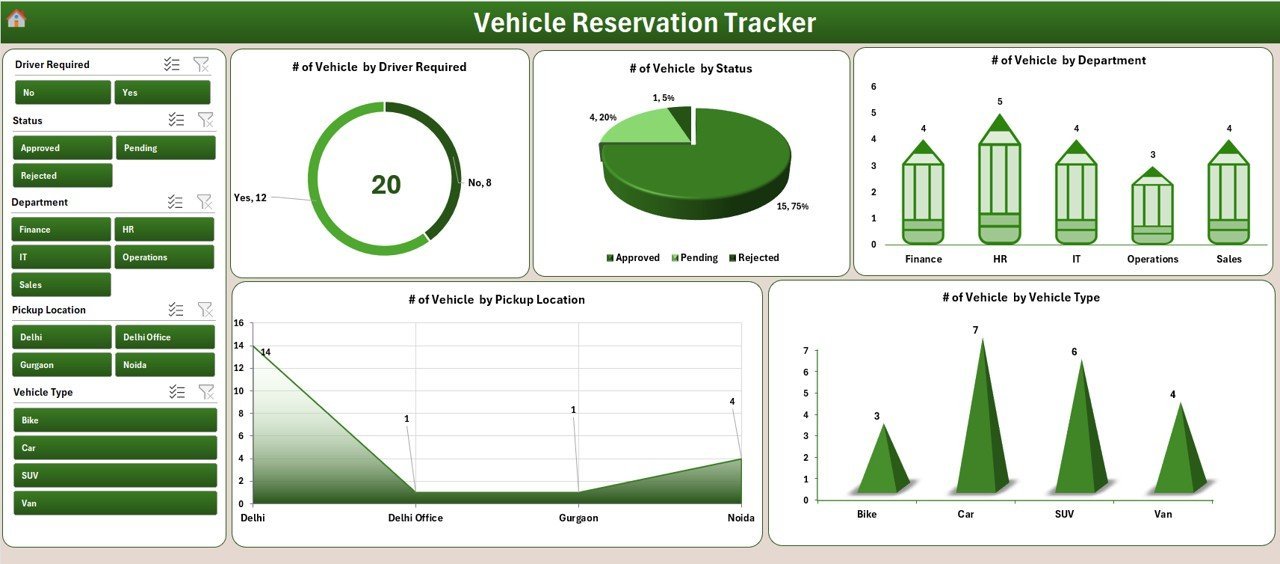
📊 Interactive Dashboard with 4 Slicers and 5 Charts (Sheet 3): Filter reservations by Vehicle, Department, Status, and Date Range. The 5 charts visualise Reservation Status, Department-wise Bookings, Vehicle Utilisation, Approver Breakdown, and Monthly Reservation Trends — every visual updates the moment new data is added.
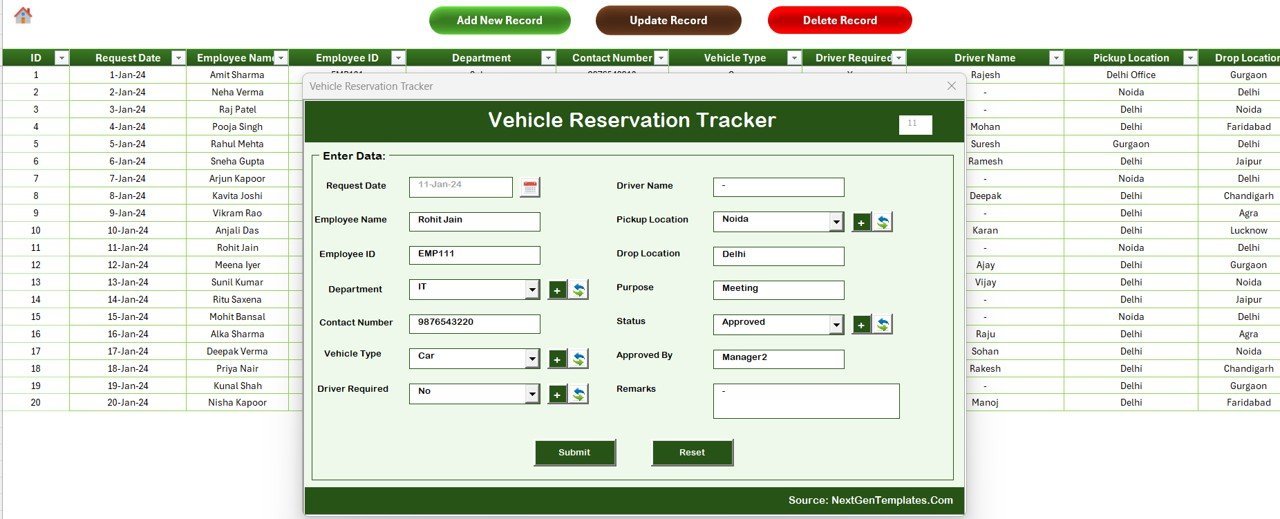
📝 Data Sheet with VBA Forms (Sheet 4): Three action buttons — Add New Record, Update Record, and Delete Record — open a UserForm with combo boxes, date pickers, and validation. Submit refreshes the dashboard automatically.
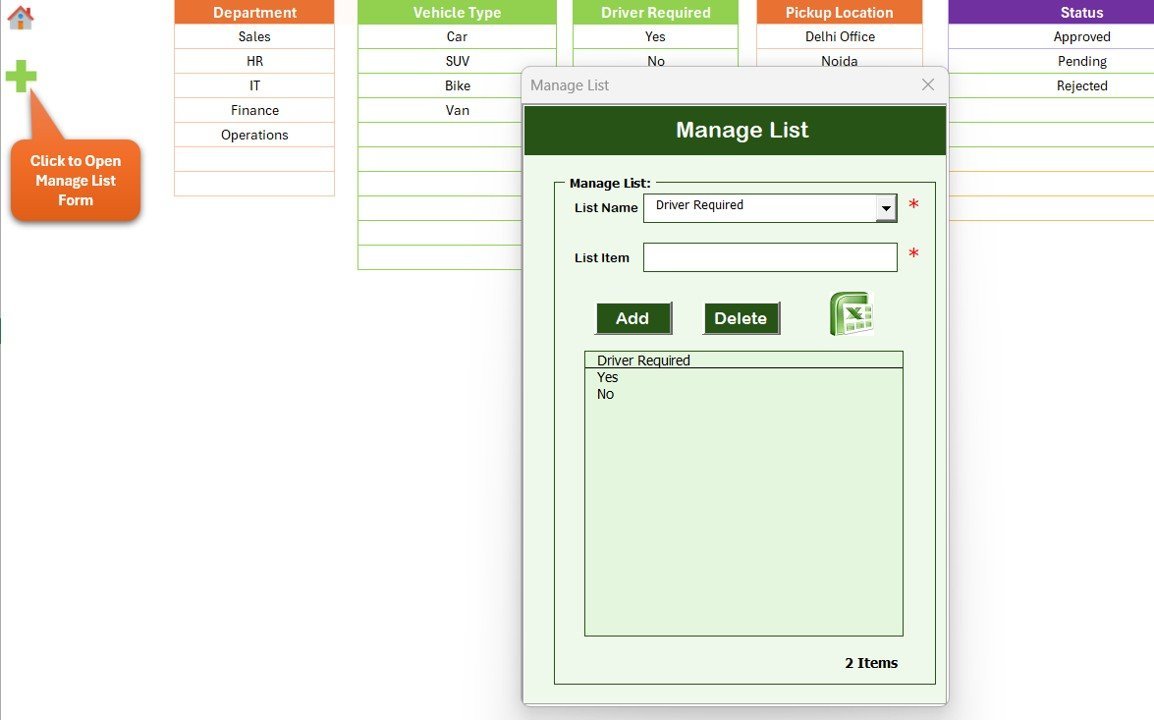
📋 List Sheet (Sheet 5): Drives every dropdown and combo box in the data-entry form. Add new vehicles, departments, drivers, or approvers here once and they appear instantly in the form.
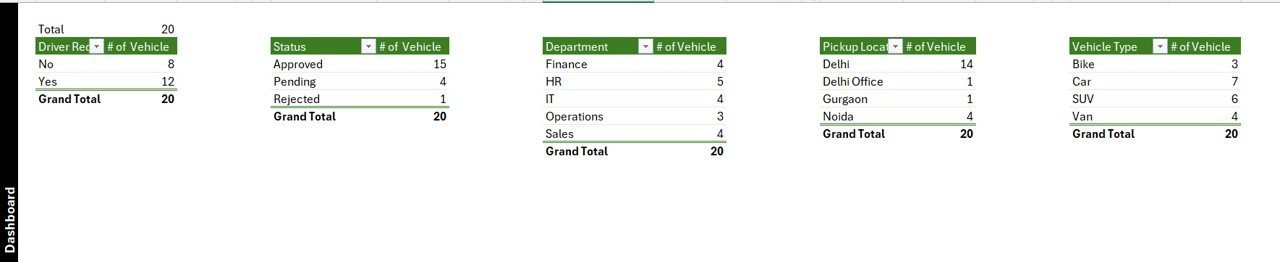
⚙️ Support Sheet (Sheet 6): Hosts the pivot tables that feed the dashboard charts. Hide it once you go live — the dashboard keeps working without it being visible.
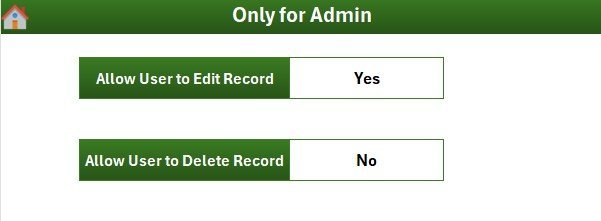
🛠️ Settings Sheet (Sheet 7): Configure organisation name, audit fields, date formats, and visual themes from one place — no formula edits required.
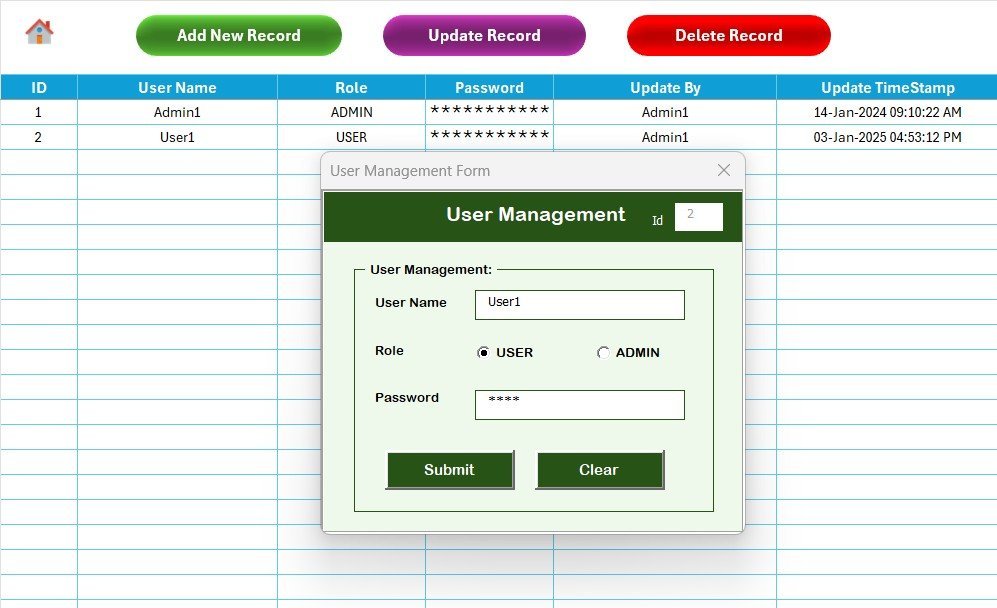
👥 User Management Sheet (Sheet 8): Add, edit, or remove users and assign Admin or Standard roles. Admins can view every reservation; Standard users see only their own bookings, giving you proper segregation of duties for audits.
📦 What’s Inside the Vehicle Reservation Tracker in Excel
🔹 1 macro-enabled Excel workbook (.xlsm)
🔹 8 pre-built worksheets — Login, Home, Dashboard, Data, List, Support, Settings, User Management
🔹 4 dashboard slicers (Vehicle, Department, Status, Date Range)
🔹 5 dynamic charts driven by pivot tables
🔹 VBA UserForm with Add, Update, and Delete buttons
🔹 Multi-user login with role-based access (Admin / Standard)
🔹 Editable list of vehicles, departments, drivers, and approvers
🔹 Step-by-step PDF user guide
Browse more Excel Tracker Templates or explore Excel Dashboard Templates for matching reporting tools.
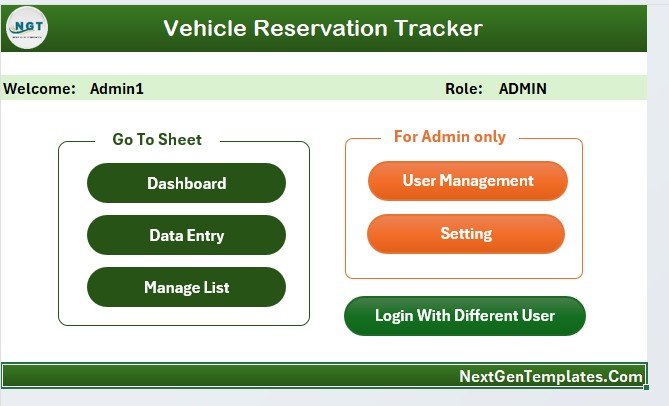
Home Page with one-click navigation buttons
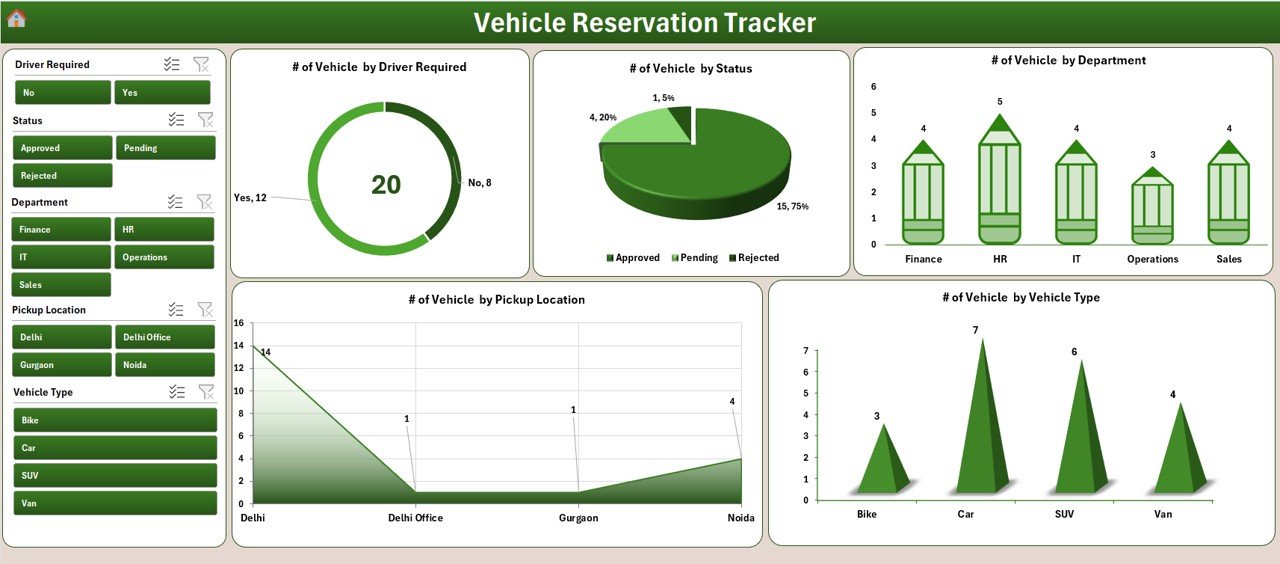
Interactive Dashboard with 4 slicers and 5 charts
📊 Vehicle Reservation Tracker in Excel vs. Google Sheets vs. Paid Fleet SaaS — Where This Fits
| Feature | Vehicle Reservation Tracker (Excel) | Google Sheets Equivalent | Paid Fleet SaaS (Fleetio / Whip Around / TrackVia) |
|---|---|---|---|
| Cost | $6.99 one-time | $10–15 one-time | $4–10 per vehicle / month |
| Platform | Microsoft Excel (offline) | Google Sheets (cloud) | SaaS web + mobile app |
| Setup time | Under 10 minutes | 15 minutes | 2–4 weeks (data import + training) |
| Login & user roles | ✅ VBA login + Admin/Standard roles | Google account-based sharing only | ✅ Full IAM |
| Dashboard with slicers | ✅ 4 slicers + 5 charts | Charts only | Vendor reports |
| Customisable vehicle list | ✅ Edit list sheet — instant | ✅ Edit list sheet | Limited / via vendor support |
| Telematics / GPS integration | ✅ None — manual log only | ✅ None | Built-in (extra hardware required) |
| Year-1 cost at 10 vehicles | $6.99 total | ~$10 total | $480–1,200 + onboarding |
| Audit log | ✅ Full reservation history | ✅ Full reservation history | ✅ Full + GPS-stamped |
For teams that want a structured, audit-ready vehicle-booking workflow without buying telematics hardware or paying per-vehicle SaaS fees, the Vehicle Reservation Tracker in Excel sits in the sweet spot.
👥 Who This Template Is For — and Who It’s Not For
✅ This template is built for:
- Admin and Facilities managers at 10–500 person offices managing pool cars, vans, or shared shuttles
- HR teams handling executive car bookings, airport pick-ups, and field-staff transport
- Fleet coordinators at small logistics, pharma, or NGO operations who don’t need full telematics
- Office managers in co-working spaces, hospitals, schools, hotels, and manufacturing plants
- Internal audit, ISO, and SOX teams that require evidence of vehicle-usage controls
❌ This template is NOT for:
- Logistics companies running 50+ vehicles that already need GPS, fuel cards, and route optimisation
- Ride-hailing or rental businesses needing customer-facing booking apps and payments
- Teams that need automatic vehicle-locator alerts or driver-behaviour scoring
- Organisations on macOS-only without Excel for Mac (VBA forms require Excel desktop)
⚙️ How to Use the Vehicle Reservation Tracker in Excel
- Open the .xlsm workbook and click Enable Macros when Excel prompts.
- Log in via the Login Form using the default Admin credentials, then immediately update the password from the User Management sheet.
- Open the List Sheet and replace the sample vehicles, departments, drivers, and approvers with your own.
- From the Data Sheet, click Add New Record to log every reservation — requester name, vehicle, department, purpose, approver, status, pickup, and return dates.
- Visit the Dashboard and use the 4 slicers (Vehicle, Department, Status, Date Range) to filter the 5 live charts.
- Click Update Record to mark approvals or trip returns; use Delete Record only after audit retention requirements are met.
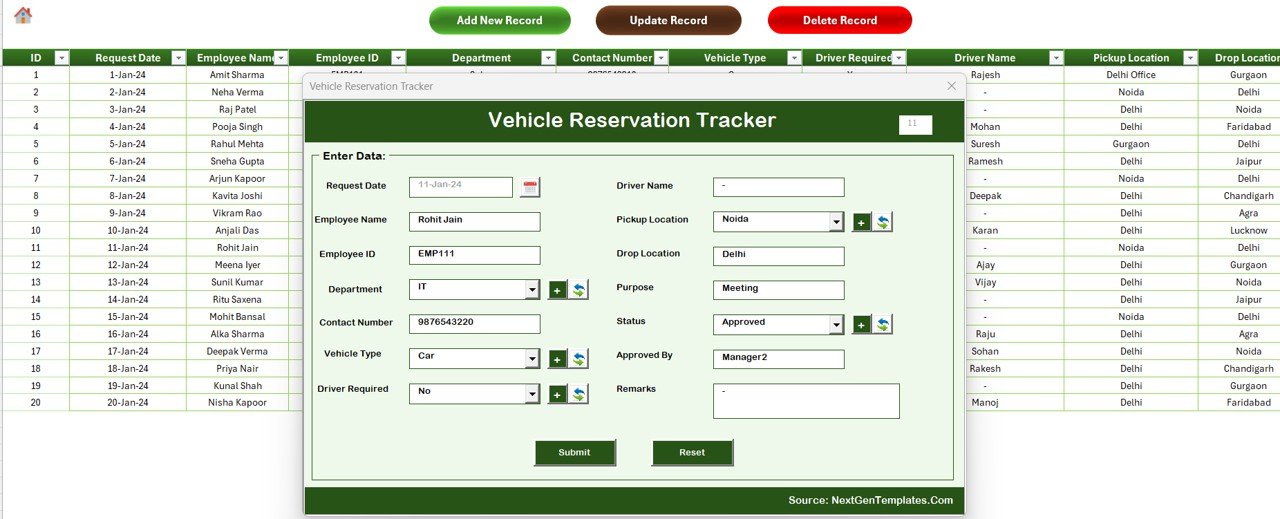
Data Sheet with Add, Update, and Delete VBA buttons
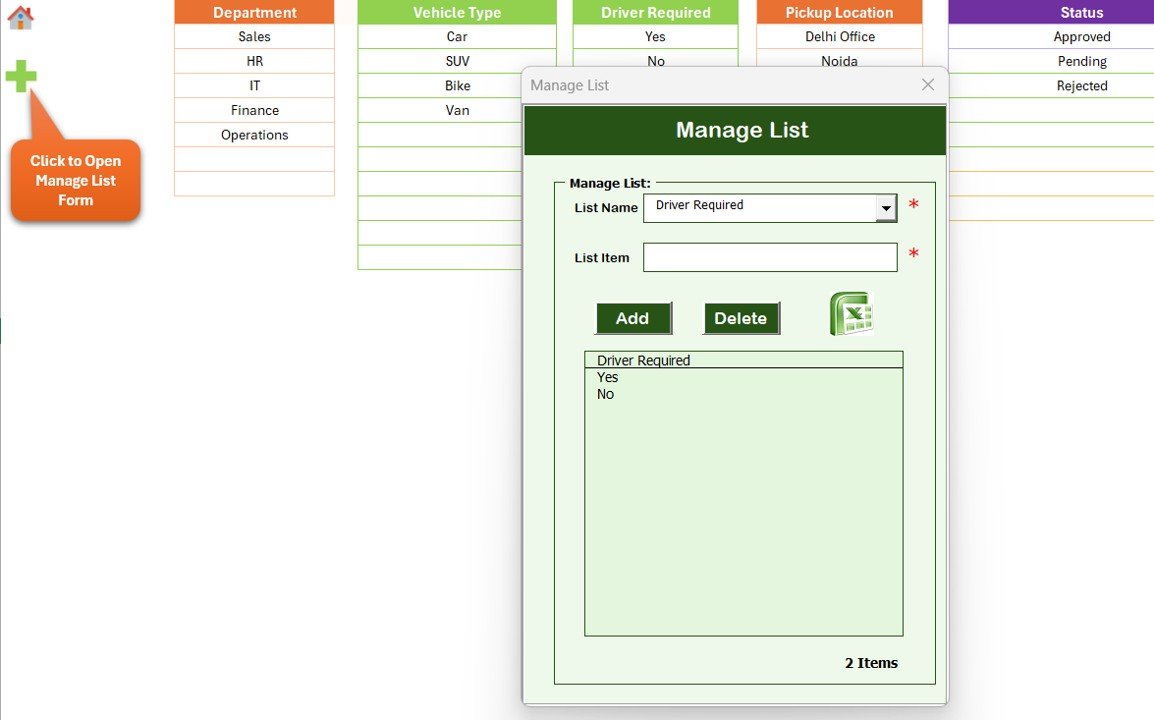
List Sheet — drives every dropdown in the data-entry form
💼 Real-World Use Cases
Anjali manages Admin operations at a 180-person pharma company in Hyderabad. The office maintains 6 pool cars and 2 SUVs used by sales reps, lab couriers, and senior management. She uses the Vehicle Reservation Tracker in Excel to log every booking, route approvals through department heads, and produce a quarterly utilisation report for the COO — without paying $1,200 a year for Fleetio for a fleet that small.
Daniel is the Facilities Lead at a Berlin-based engineering consultancy with 4 client-visit cars. He runs the tracker on a shared OneDrive workbook so the front-desk team can log keys-out, keys-back, and fuel-receipt status using the VBA UserForm, while only he and the operations director have Admin rights via User Management.
Reema is the Hospital Administrator at a 200-bed multi-speciality hospital. She replaced a paper logbook with this Excel tracker to manage 3 ambulances and 4 doctor pick-up cars. The Dashboard slicers help her spot vehicles with consistently late returns, plan maintenance windows, and document vehicle usage for the NABH accreditation audit.
❓ Frequently Asked Questions
What does the Vehicle Reservation Tracker in Excel include?
The Vehicle Reservation Tracker in Excel includes 8 worksheets: Login Form, Home Page, Dashboard with 4 slicers and 5 charts, Data Sheet with VBA Add/Update/Delete buttons, List Sheet, Support Sheet for pivots, Settings Sheet, and a User Management sheet for role-based access.
Does the tracker support multiple users with different permissions?
Yes. The User Management sheet lets Admins create users and assign Admin or Standard roles. Admins see every reservation and can edit anything; Standard users see only their own bookings, which gives you proper segregation of duties for audits.
How does this compare to paid fleet SaaS like Fleetio or Whip Around?
Fleetio, Whip Around, and TrackVia charge $4–10 per vehicle per month and require setup and data imports that take 2–4 weeks. The Vehicle Reservation Tracker in Excel is a $6.99 one-time purchase that covers unlimited vehicles and unlimited users with no recurring cost.
How long does setup take?
Under 10 minutes. Open the workbook, enable macros, log in with the default Admin credentials, replace the sample list values (vehicles, departments, drivers, approvers) with your own, and you can log your first reservation immediately.
Can I customise the dashboard charts?
Yes. The 5 dashboard charts read from pivot tables on the Support Sheet. You can edit the pivots, add new fields, or change the chart types using standard Excel features — no VBA editing needed for visual changes.
Does it work in Excel for Mac and Excel Online?
The Vehicle Reservation Tracker in Excel works fully in Excel for Windows. Excel for Mac runs the workbook but VBA UserForm behaviour can be limited. Excel Online does not run macros, so the Add/Update/Delete buttons require the desktop app.
Can I track fuel, mileage, and maintenance with this template?
The Vehicle Reservation Tracker in Excel focuses on bookings and approvals, not fuel or mileage logging. Pair it with a Fleet Management Dashboard or a Vehicle Maintenance Tracker for full lifecycle coverage. Both companion templates are available on NextGenTemplates.
👤 About the Author
Built by PK — Microsoft Certified Professional with 15+ years of Excel, Google Sheets, and Power BI experience. Founder of NextGenTemplates, reaching 300K+ subscribers across YouTube channels (@PK-AnExcelExpert, @NextGenTemplates, @NeoTechNavigators). Every template is hand-built and tested before release.
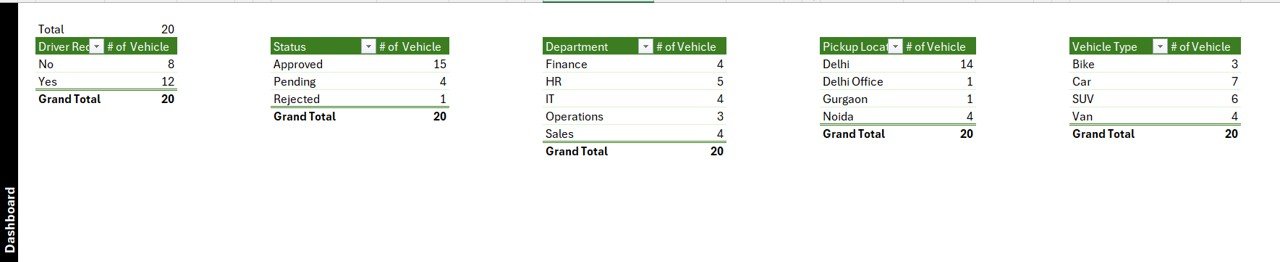
Support Sheet with pivot tables driving the dashboard
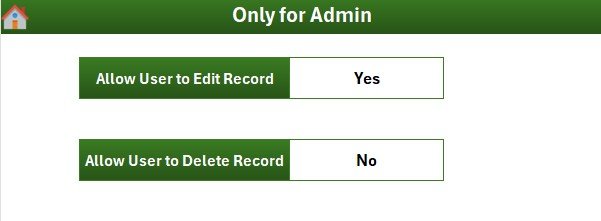
Settings Sheet for organisation name, themes, and date formats
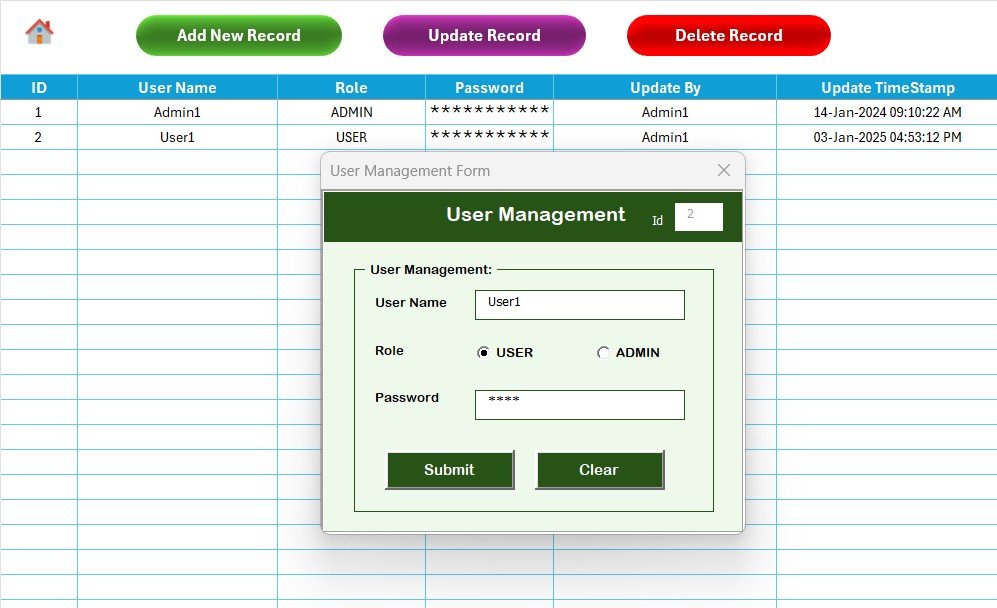
User Management Sheet — assign Admin or Standard roles
🔗 Explore Related Templates
🔸 Office Key Access Request Tracker in Excel — same VBA login + dashboard pattern for tracking office key issuance and returns.
🔸 Office Parking Permit Request Tracker in Excel — manage parking permit requests with the same form-driven workflow.
🔸 Resource Booking Tracker in Excel — book meeting rooms, equipment, and shared resources with VBA forms.
🔸 Fleet Management Dashboard in HTML — pair this tracker with a fleet-wide analytics dashboard for utilisation, fuel, and maintenance.
🔄 Also available as: Vehicle Reservation Tracker in Google Sheets — same workflow, cloud-native, no macros required.
📖 Click here to read the Detailed Blog Post
🎥 Visit our YouTube channel for step-by-step video tutorials
👉 YouTube.com/@NextGenTemplates
📅 Last updated: May 2026