

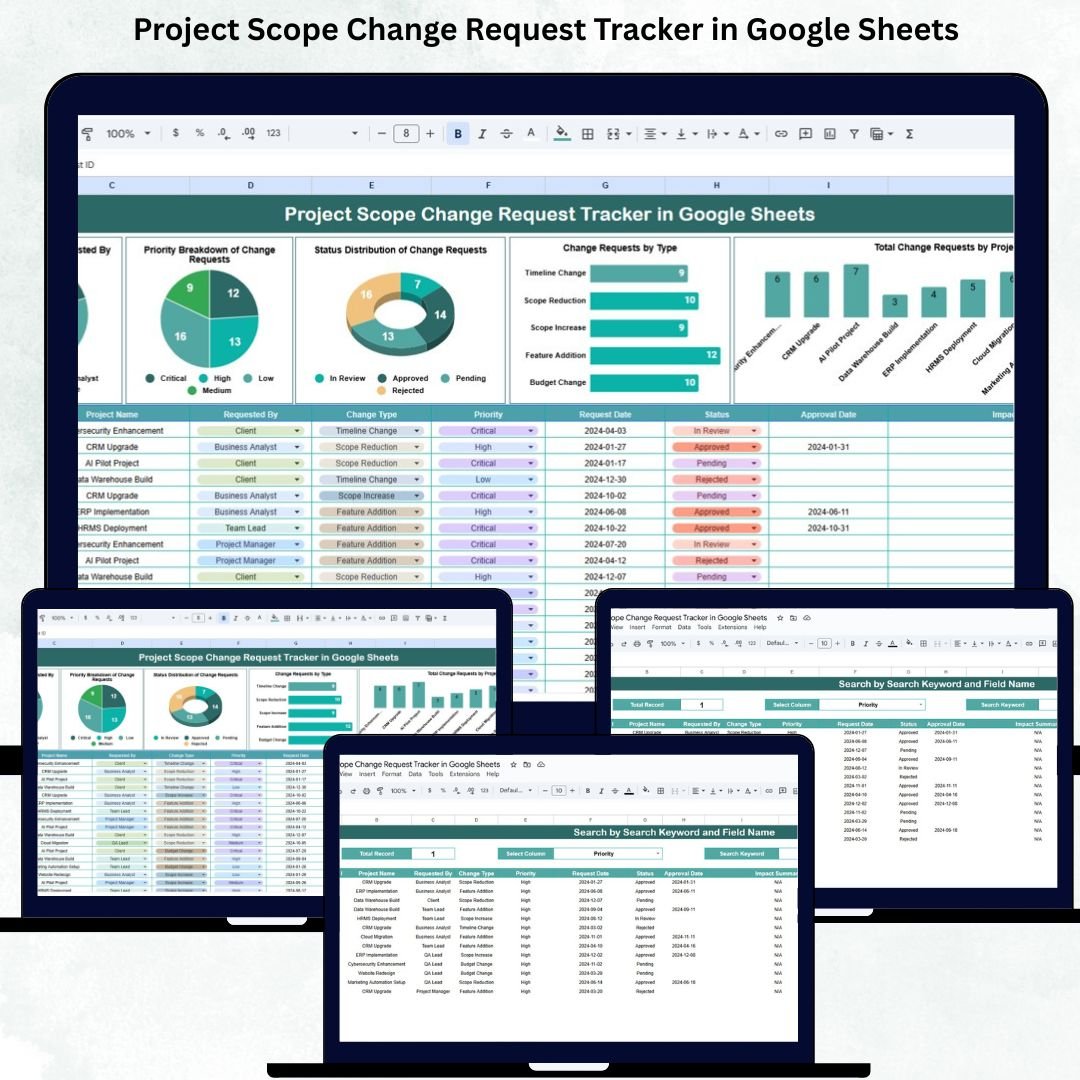

Scope changes are a natural part of every project—but when they are tracked manually through emails, chats, or scattered documents, things quickly become chaotic. Requests get missed, priorities become unclear, approvals are delayed, and project timelines start slipping. That’s why project managers and PMO teams need a structured, centralized, and easy-to-use solution. The Project Scope Change Request Tracker in Google Sheets is the simplest yet most powerful way to manage change requests across projects with total clarity and real-time visibility.Project Scope Change Request Tracker in Google Sheets
This tracker captures every important detail of a change request—including request type, priority, requester name, project name, approval status, and progress stage. Built entirely in Google Sheets, the tool provides cloud-based access, real-time collaboration, and automated analysis without requiring any software installation. Whether you handle one project or multiple ongoing initiatives, this tracker makes change management smoother, more transparent, and more efficient.Project Scope Change Request Tracker in Google Sheets
With its interactive charts, powerful search features, and customizable structure, the Project Scope Change Request Tracker empowers teams to respond faster, manage impact properly, and maintain complete control over evolving project scopes.Project Scope Change Request Tracker in Google Sheets
✨ Key Features of the Project Scope Change Request Tracker in Google Sheets
📊 1. Change Request Distribution by Priority
Visualize all change requests categorized as:
Urgent
High
Medium
Low
This helps teams identify which items need immediate action and where resources should be allocated first.
📈 2. Status-Based Breakdown
See how many requests are:
Submitted
Under Review
Approved
Rejected
In Progress
Completed
This gives managers instant clarity on bottlenecks and progress levels.
👤 3. Change Requests by Requested By
Understand who is raising the most requests—project teams, clients, QA teams, or stakeholders. This insight helps teams identify recurring concerns or requirement gaps.
🧩 4. Change Requests by Type
Categorize requests such as:
Scope Increase
Scope Decrease
Feature Addition
Feature Modification
Bug Fix
Compliance Update
This helps teams understand the nature of requests and plan workload more effectively.
📦 What’s Inside the Project Scope Change Request Tracker in Google Sheets
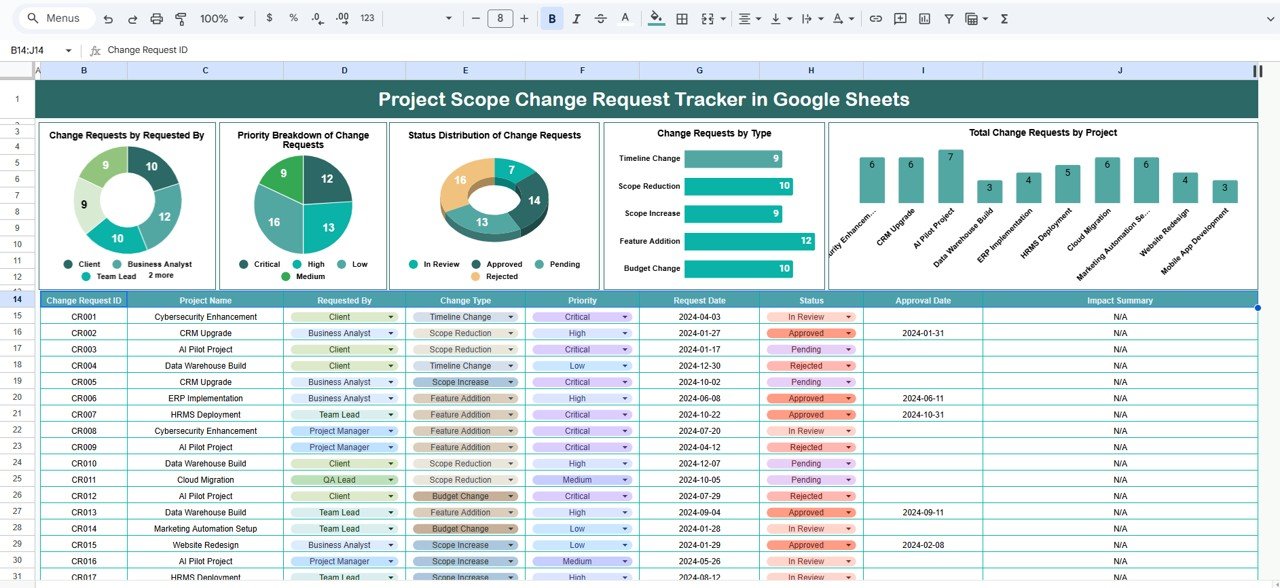
📍 1. Tracker Sheet – Main Change Request Database & Dashboard
The tracker sheet is the core of the system and includes:
Complete list of change requests
Priority indicators
Status updates
Request type
Project name
Requester details
Dates, descriptions, and notes
It also includes automated charts for:
Priority breakdown
Status distribution
Requests by requester
Requests by project
Requests by type
This gives managers a real-time visual summary of all changes happening across projects.
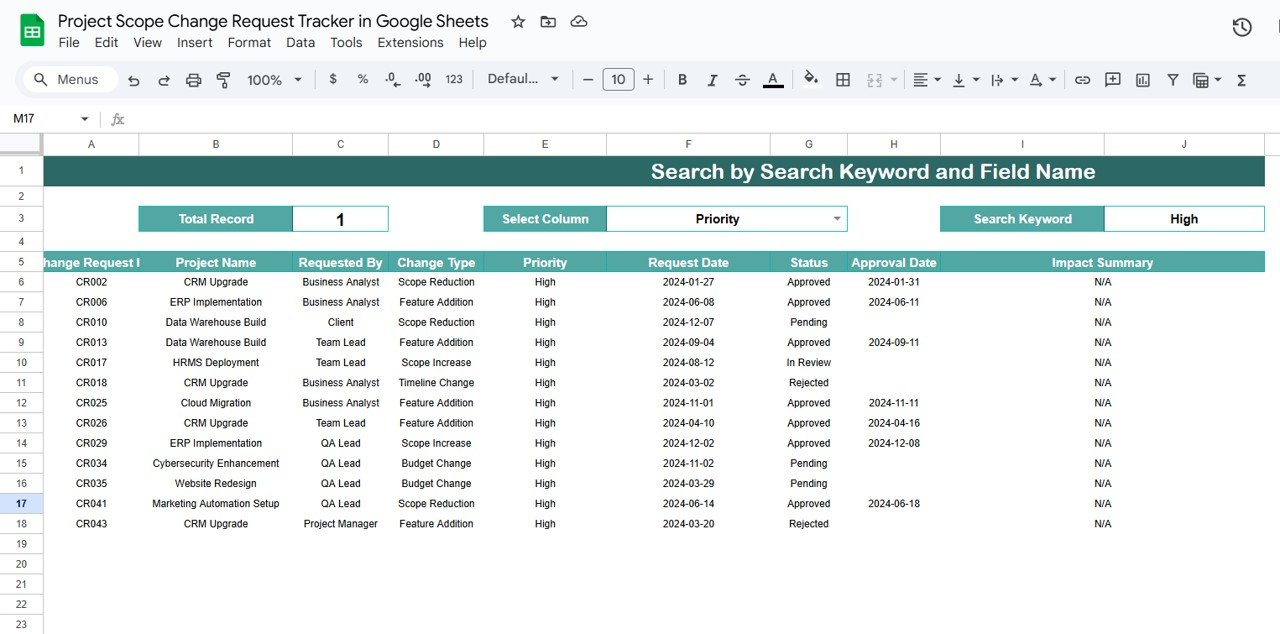
🔍 2. Search Sheet – Instant Change Request Lookup
The Search Sheet lets you find any change request in seconds. You can:
Search by keyword
Filter by field name (Status, Priority, Project, Type, Requested By, etc.)
Review past changes easily
Reduce manual scrolling
Improve accuracy during reviews or meetings
This feature is extremely helpful when dealing with large volumes of project data.
🎯 Who Can Benefit from the Project Scope Change Request Tracker in Google Sheets
🧑💼 Project Managers
Monitor all change requests across multiple projects with ease.
🏢 PMO Teams
Maintain governance, improve change control, and support decision-making.
📦 Product Teams
Track feature-related changes, modifications, and additions.
🛠 Development & QA Teams
Handle bug fixes and compliance updates efficiently.
👥 Stakeholders & Clients
Get clarity on what changes have been requested and approved.
🌟 Advantages of Using This Tracker
Single source of truth for all scope changes
Real-time collaboration for project teams
Better prioritization using urgency-based charts
Faster decision-making with automated visuals
Better control over timelines & budgets
Increased accountability with requester and approver details
Easy reporting during project meetings
100% customizable for any project or industry
🚀 Opportunities for Improvement
You can enhance the tracker with:
Automated approval workflow using email triggers
Impact analysis (time, cost, resources)
Request aging indicators
Project manager comments panel
SLA tracking
Document attachments for detailed requests
📝 Best Practices for Using the Tracker
Use standardized status labels for consistency
Update the tracker daily for accuracy
Review urgent requests in morning standups
Use search/filter options for quick lookups
Conduct weekly review meetings using dashboard charts
Maintain a history log for audits and governance
Conclusion
The Project Scope Change Request Tracker in Google Sheets is a powerful, flexible, and easy-to-use solution that simplifies change management across projects. With clear visibility into requests, priorities, status, request type, and project distribution, this tracker ensures your team stays organized, informed, and in control.
Whether you handle a single project or manage multiple complex initiatives, this tracker helps you eliminate chaos, reduce delays, and ensure that every scope change is documented, reviewed, and completed with precision.
Click here to read the Detailed blog post
Watch the step-by-step video Demo:
Visit our YouTube channel to learn step-by-step video tutorials — Youtube.com/@NeotechNavigators
Compatibility and Requirements
- Works in Google Sheets. You need a free Google account and a web browser.
- The Search sheet filters by field name. Google explains charts, which the Tracker sheet uses, in Add and edit a chart or graph.
Frequently Asked Questions
Which sheets are included?
Two sheets: the Tracker sheet, which holds the change request database and the charts, and the Search sheet for looking up requests.
What does the Tracker sheet record for each request?
It records the project name, requester details, priority, status, request type, dates, descriptions and notes.
Which charts does it show?
Charts for priority breakdown, status distribution, requests by requester, requests by project and requests by type.
How do I find a past change request?
Open the Search sheet, enter a keyword and filter by a field such as Status, Priority, Project, Type or Requested By.
Is there an Excel version?
There is a similar Excel template for change orders: Project Change Order Tracker in Excel.
Related Project Management Templates
- Project Change Order Tracker in Google Sheets: track change orders on a project
- Project Time Extension Request Tracker in Google Sheets: log requests for more time
- Project Budget Request Tracker in Google Sheets: manage budget requests
- Project Issue Tracker in Google Sheets: record and follow project issues
- Project Management Pro Bundle: 9 project templates in one download
Browse all Google Sheets trackers or Google Sheets project management templates.

































Reviews
There are no reviews yet.