

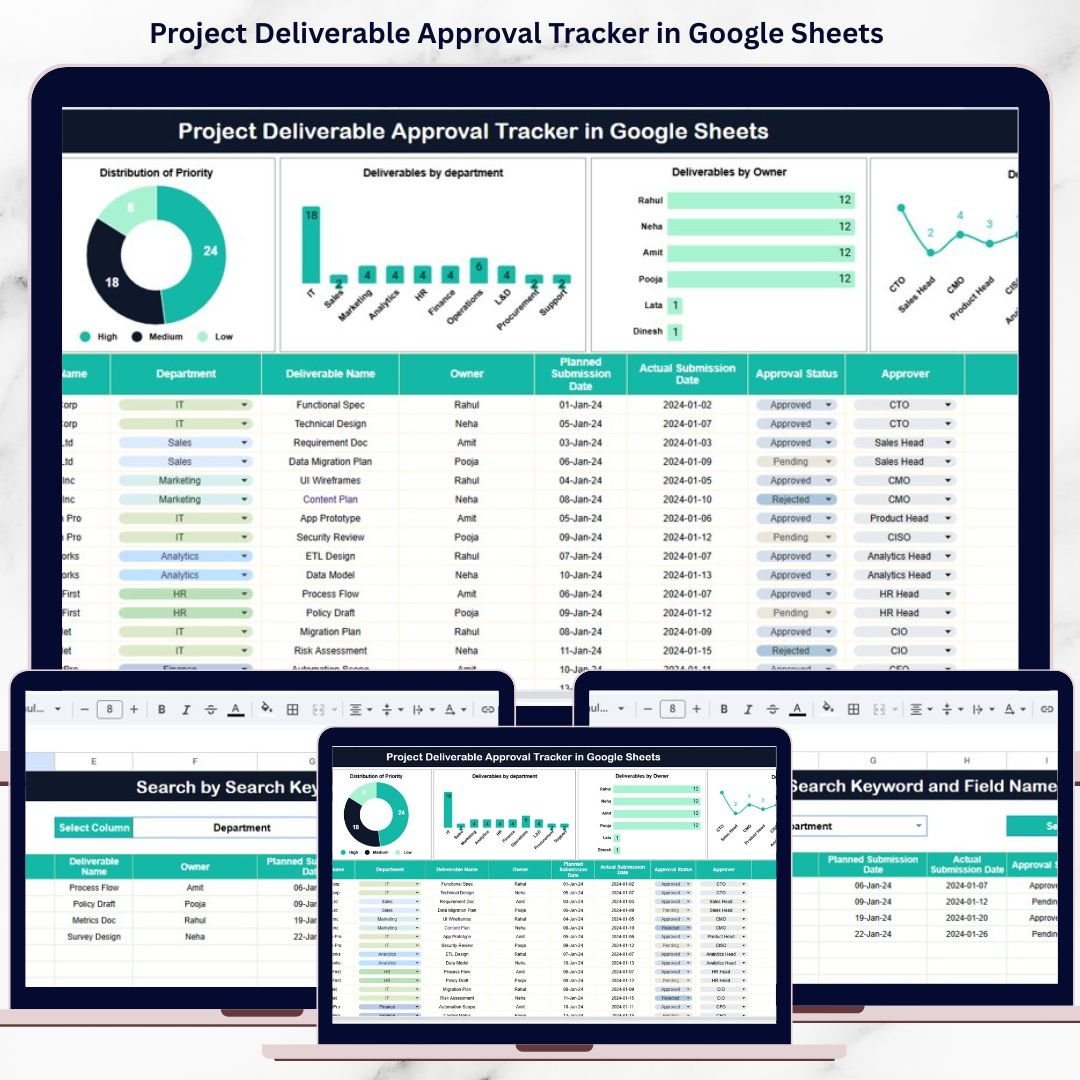

Project success depends heavily on timely approvals. Every deliverable must move smoothly from preparation to review and then to final approval. However, many project teams still depend on emails, chats, or scattered spreadsheets to manage approvals. As a result, approvals get delayed, ownership becomes unclear, and projects miss deadlines.Project Deliverable Approval Tracker in Google Sheets
That is exactly why a Project Deliverable Approval Tracker in Google Sheets becomes an essential project management and governance tool.Project Deliverable Approval Tracker in Google Sheets
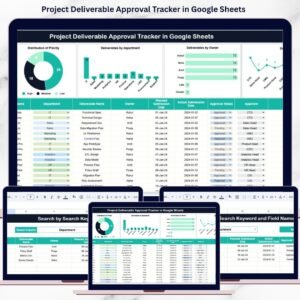
This ready-to-use tracker provides a structured and centralized way to manage all project deliverable approvals in one place. Instead of chasing approvals manually, teams gain complete visibility into approval status, priorities, owners, approvers, and departments—supported by visual charts and a powerful search feature.Project Deliverable Approval Tracker in Google Sheets
Because the tracker is built in Google Sheets, it remains easy to use, collaborative, and accessible from anywhere without additional software costs.
🚀 Key Features of the Project Deliverable Approval Tracker
📌 Centralized Approval Tracking
Track all project deliverables and their approval status from a single source of truth.
⏱️ Faster Approval Cycles
Identify delays early and take corrective action before project timelines slip.
👥 Clear Ownership & Accountability
Know exactly who owns each deliverable and who must approve it.
🎯 Priority-Based Visibility
Focus on high-priority deliverables first to reduce project risk.
📊 Visual Approval Insights
Understand approval bottlenecks instantly using interactive charts.
🔍 Smart Search Capability
Find any deliverable in seconds using keyword-based filtering.
📦 What’s Inside the Project Deliverable Approval Tracker
🗂️ Tracker Sheet Tab – Central Approval Register
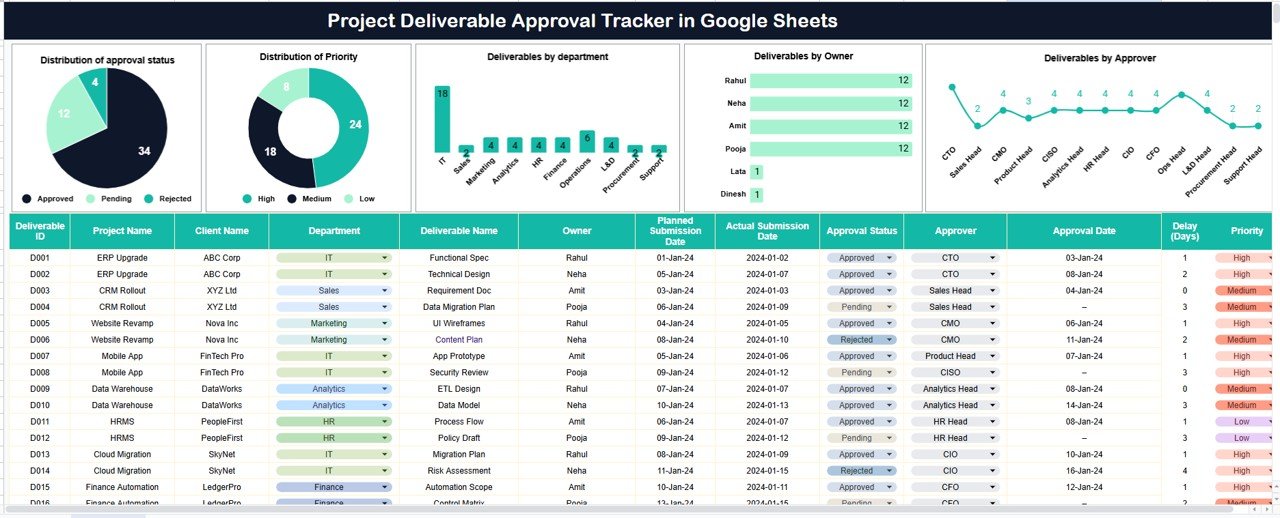
This sheet is the backbone of the tracker. All deliverable details are captured here in a clean and structured format.
Typical fields include:
Project Name
Deliverable Name
Department
Deliverable Owner
Approver
Priority (High, Medium, Low)
Approval Status (Pending, In Review, Approved, Rejected)
Submission Date
Approval Date
Remarks / Comments
Once data is entered or updated, all dashboard charts refresh automatically.
📊 Approval Status Distribution
This chart shows how deliverables distribute across approval stages:
Pending
In Review
Approved
Rejected
It helps project managers quickly identify approval backlogs.
🚦 Priority Distribution
This chart highlights deliverables by urgency:
High
Medium
Low
As a result, teams can prioritize critical approvals and avoid schedule risks.
🏢 Deliverables by Department
This view shows how many deliverables each department submits.
It helps leaders:
Balance workload
Identify recurring approval delays
Improve inter-department coordination
👤 Deliverables by Owner
This chart groups deliverables by owner.
It supports:
Individual accountability
Fair workload distribution
Early detection of overload
✔️ Deliverables by Approver
This chart shows how many deliverables each approver handles.
It helps:
Detect approval bottlenecks
Balance approval responsibilities
Improve turnaround time
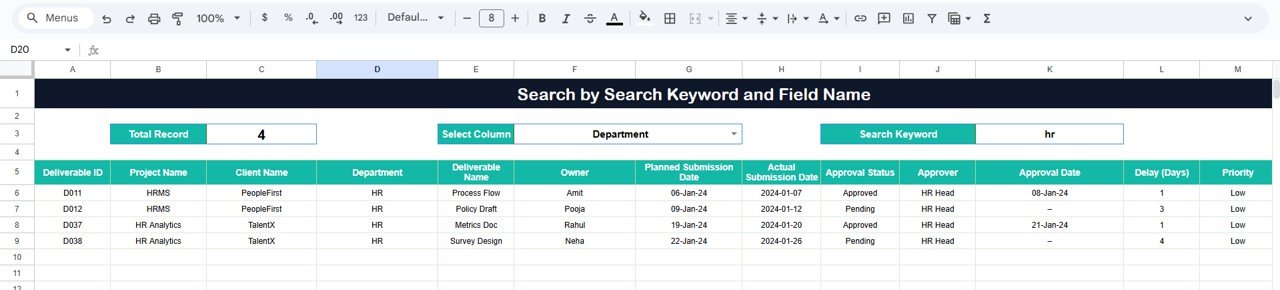
🔍 Search Functionality – Find Anything Instantly
The built-in Search feature allows filtering by:
Project Name
Deliverable Name
Owner
Approver
Department
Status
Priority
This saves time, supports audits, and speeds up daily follow-ups.
🎯 Who Can Benefit from This Project Deliverable Approval Tracker
📋 Project Managers & PMOs
🏢 Department Heads
🧑💼 Approvers & Review Committees
🧠 Governance & Compliance Teams
🚀 Delivery & Operations Teams
🛠️ How to Use the Project Deliverable Approval Tracker
Enter all deliverables into the Tracker Sheet
Assign owners, approvers, and priorities clearly
Update approval status regularly
Review dashboard charts weekly
Use search for quick follow-ups and reporting
Consistent usage ensures faster approvals and smoother project execution.
🔗 ### Click here to read the Detailed blog post
▶️ Visit our YouTube channel to learn step-by-step video tutorials
👉 Youtube.com/@NeotechNavigators
Compatibility and Requirements
- Works in Google Sheets. You need a free Google account and a web browser.
- Approval status and priority use dropdown lists. Google explains them in Create an in-cell dropdown list.
Frequently Asked Questions
Which fields does the tracker hold?
Project Name, Deliverable Name, Department, Deliverable Owner, Approver, Priority, Approval Status, Submission Date, Approval Date and Remarks.
Which approval stages can I use?
Pending, In Review, Approved and Rejected. Priority can be High, Medium or Low.
Which charts are included?
Approval Status Distribution, Priority Distribution, Deliverables by Department, Deliverables by Owner and Deliverables by Approver. They refresh when you update the Tracker sheet.
How do I find a deliverable quickly?
Use the Search feature to filter by project, deliverable, owner, approver, department, status or priority.
Can my team work in it together?
Yes. It runs in Google Sheets, so your team can open and update the same file from anywhere.
Related Project Tracking Templates
- Project Status Update Tracker in Google Sheets: weekly status updates per project
- Multiple Project Management Dashboard in Google Sheets: several projects on one dashboard
- Project Management Issue Tracker in Google Sheets: log and close project issues
- Project Status Update Tracker in Excel: status tracking in Excel
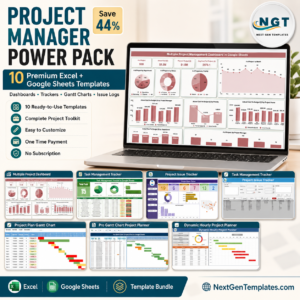
- Project Manager Power Pack: 10 project templates in one download
Browse all Google Sheets trackers or the Google Sheets project management templates.















Reviews
There are no reviews yet.