



The Personal Finance KPI Dashboard in Excel is an invaluable tool designed to help individuals, families, and financial planners track and manage their personal finances. This Excel-based dashboard enables users to monitor key financial metrics such as income, expenses, savings, investments, and debt, all in one easy-to-use interface.
With real-time data updates, clear visualizations, and customizable features, this dashboard provides a comprehensive overview of your financial health. Whether you’re saving for a specific goal, managing monthly expenses, or planning for retirement, this tool allows you to stay on top of your financial progress and make informed decisions about your money.
Key Features of the Personal Finance KPI Dashboard in Excel
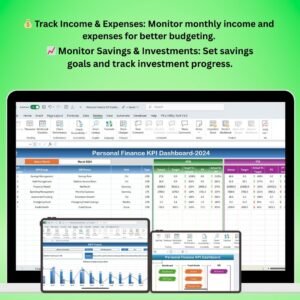
💰 Track Income & Expenses
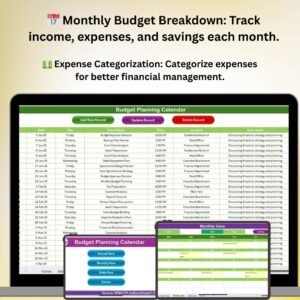
Monitor your monthly income and expenses with ease. The dashboard allows you to categorize spending, track recurring expenses, and assess your overall financial health.
📈 Savings & Investment Monitoring
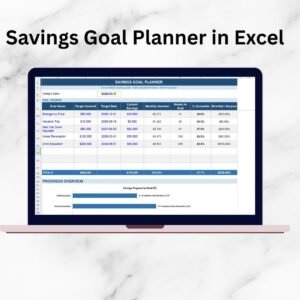
Keep track of your savings goals and investments. Set goals for emergency savings, retirement, and other financial targets. Track your progress and make adjustments to meet your objectives.
🔄 Debt & Loan Management
Manage debt and loans by tracking balances, payment schedules, and interest rates. The dashboard provides insights into how much you owe and helps you stay on top of your payments.
📊 Real-Time Financial Tracking
Get an instant overview of your financial situation with real-time updates on income, expenses, savings, and investments. Monitor your financial metrics to stay on track and reach your goals.
💡 Budgeting & Goal Setting
Set financial goals for saving, investing, and debt repayment. Use the dashboard’s budgeting tools to allocate funds effectively and keep your finances in check.
🖥️ Customizable & User-Friendly Interface
The dashboard is fully customizable, allowing you to tailor the layout to your specific financial needs. Add or remove categories, adjust spending limits, and track unique financial metrics.
Why You’ll Love the Personal Finance KPI Dashboard in Excel

✅ Stay on Top of Your Finances
Keep track of all your personal financial data in one place, making it easier to monitor your progress and stay on top of your income, expenses, savings, and investments.
✅ Manage Debt & Savings Effectively
Track your debt balances and savings progress, ensuring that you stay on target with debt repayment and savings goals. Make informed decisions about your financial future.
✅ Make Data-Driven Financial Decisions
Use real-time data to adjust your budget, prioritize savings, and plan for future investments. The dashboard helps you optimize your finances and achieve your goals more effectively.
✅ Improve Your Financial Health
By tracking your finances consistently, you can identify areas for improvement, reduce unnecessary expenses, and boost your savings to build a stronger financial future.
✅ Customizable to Your Needs
Adapt the dashboard to suit your unique financial situation. Whether you’re managing household finances, planning for a vacation, or preparing for retirement, this dashboard is fully customizable.
What’s Inside the Personal Finance KPI Dashboard Template in Excel?
- Income & Expense Tracking: Track your monthly income and categorize expenses for easy analysis.
- Savings & Investment Monitoring: Set and monitor savings goals and track investment progress.
- Debt & Loan Management: Track debt balances, payments, and interest rates for better financial control.
- Real-Time Updates: Get real-time insights into your financial metrics with dynamic updates.
- Customizable Budgeting Tools: Create budgets for different spending categories and monitor your progress.
- Goal Setting: Set financial goals for saving, investing, and debt repayment, and track your achievements.
How to Use the Personal Finance KPI Dashboard in Excel
1️⃣ Download the Template: Get immediate access to the Personal Finance KPI Dashboard in Excel.
2️⃣ Input Your Financial Data: Enter your monthly income, expenses, debt, savings, and investments.
3️⃣ Track & Monitor KPIs: Use the dashboard to track income, expenses, savings, investments, and debt.
4️⃣ Set Goals & Budgets: Set financial goals and create budgets to guide your financial decisions.
5️⃣ Analyze & Optimize: Use insights from the dashboard to improve your financial management and achieve your financial goals.
Who Can Benefit from the Personal Finance KPI Dashboard in Excel?
🔹 Individuals & Families Managing Personal Finances
🔹 Financial Planners & Advisors
🔹 Small Business Owners
🔹 People Working Towards Debt Repayment & Savings Goals
🔹 Anyone Looking to Improve Financial Health & Budgeting
🔹 Investors & People Planning for Retirement
Track and optimize your personal finances with the Personal Finance KPI Dashboard in Excel. Stay on top of your income, expenses, savings, investments, and debt to achieve your financial goals and build a secure financial future.
Click here to read the Detailed blog post
Visit our YouTube channel to learn step-by-step video tutorials
Youtube.com/@PKAnExcelExpert
Compatibility and Requirements
- Works in Microsoft Excel desktop (Excel 2016 or later, or Microsoft 365).
- The visuals are standard Excel charts. Microsoft explains them in Create a chart from start to finish.
Frequently Asked Questions
What can I track with this dashboard?
You can track income, expenses, savings, investments and debt in one workbook.
Can I set savings and debt goals?
Yes. You can set goals for emergency savings, retirement, investing and debt repayment, then track progress toward them.
Does it track loans?
Yes. You can record debt balances, payment schedules and interest rates.
Can I change the categories?
Yes. You can add or remove categories, adjust spending limits and track your own financial metrics.
Related Personal Finance Templates
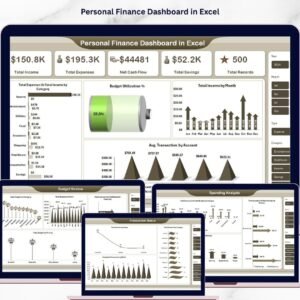
- Personal Finance Dashboard in Excel: a full dashboard view of personal finances
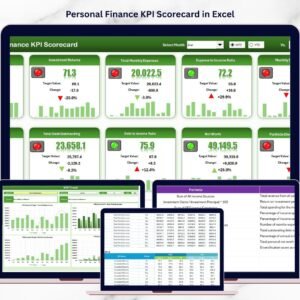
- Personal Finance KPI Scorecard in Excel: a scorecard layout for personal finance KPIs
- Personal Finance Tracker in Excel: record day to day income and spending
- Personal Finance KPI Dashboard in Google Sheets: the same topic for Google Sheets
- Personal Finance KPI Dashboard in Power BI: the same topic built for Power BI
Browse all Excel financial tools or the Excel KPI dashboards.












Reviews
There are no reviews yet.