


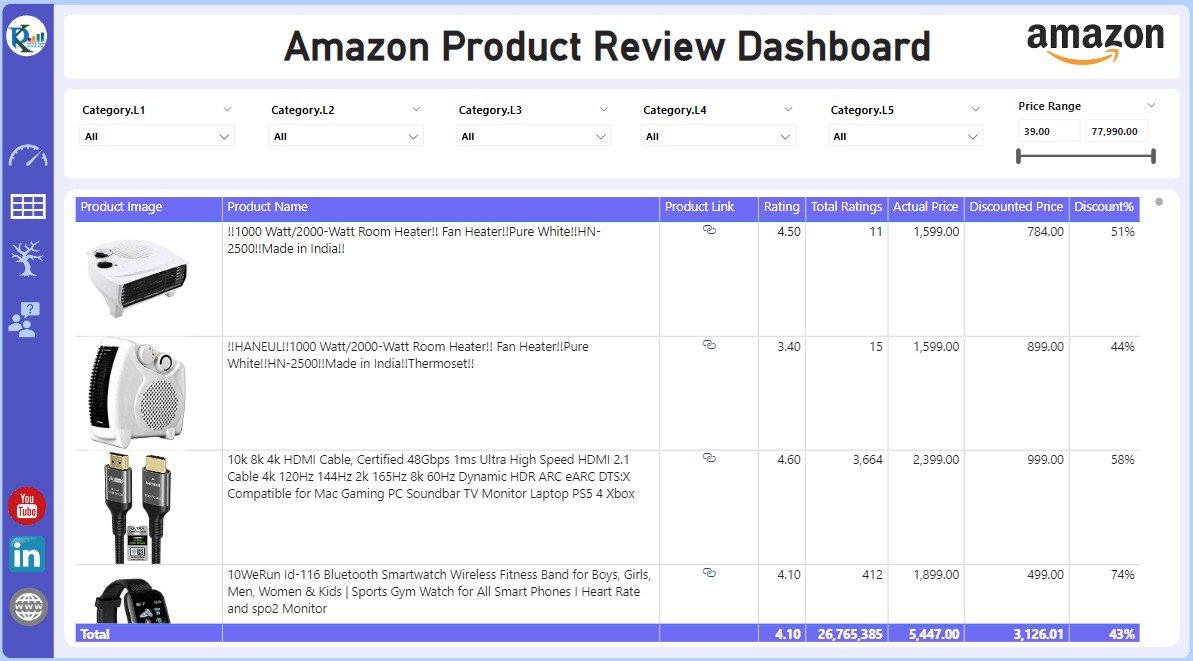


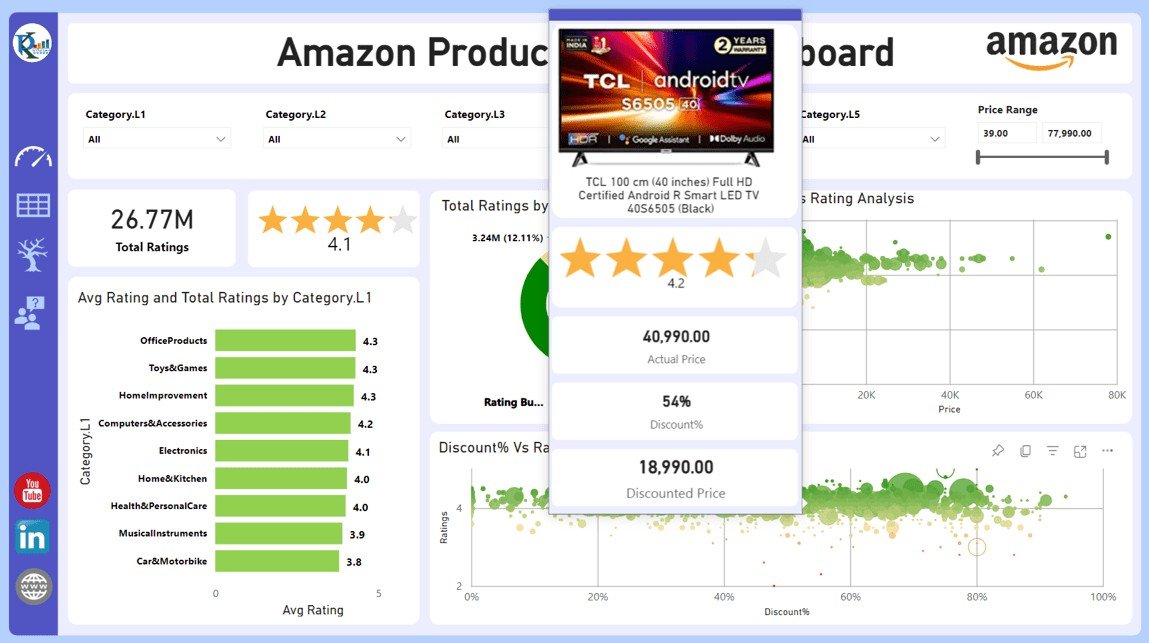


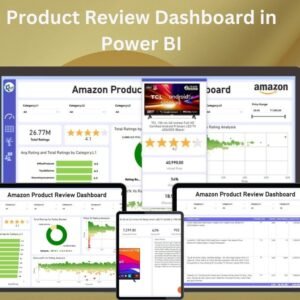
The Product Review Dashboard in Power BI is a ready-made, interactive Power BI dashboard that helps businesses track and analyze product performance based on customer reviews. It is built for product managers, marketing teams, e-commerce businesses and analysts who need one clear view of customer feedback, product ratings and overall satisfaction. The result is a faster way to spot improvement areas and make data-driven product decisions.
You connect product review data from sources such as e-commerce platforms or customer surveys, and the dashboard turns it into easy-to-understand visualizations. You can monitor trends, track sentiment and evaluate product ratings in real time. It works whether you manage a small product line or a large portfolio.
Key Features of the Product Review Dashboard in Power BI
- Comprehensive review tracking: Monitor customer reviews, ratings and feedback in one central dashboard.
- Customizable KPIs: Show the KPIs that matter most to your product review analysis, such as average ratings, number of reviews and sentiment scores.
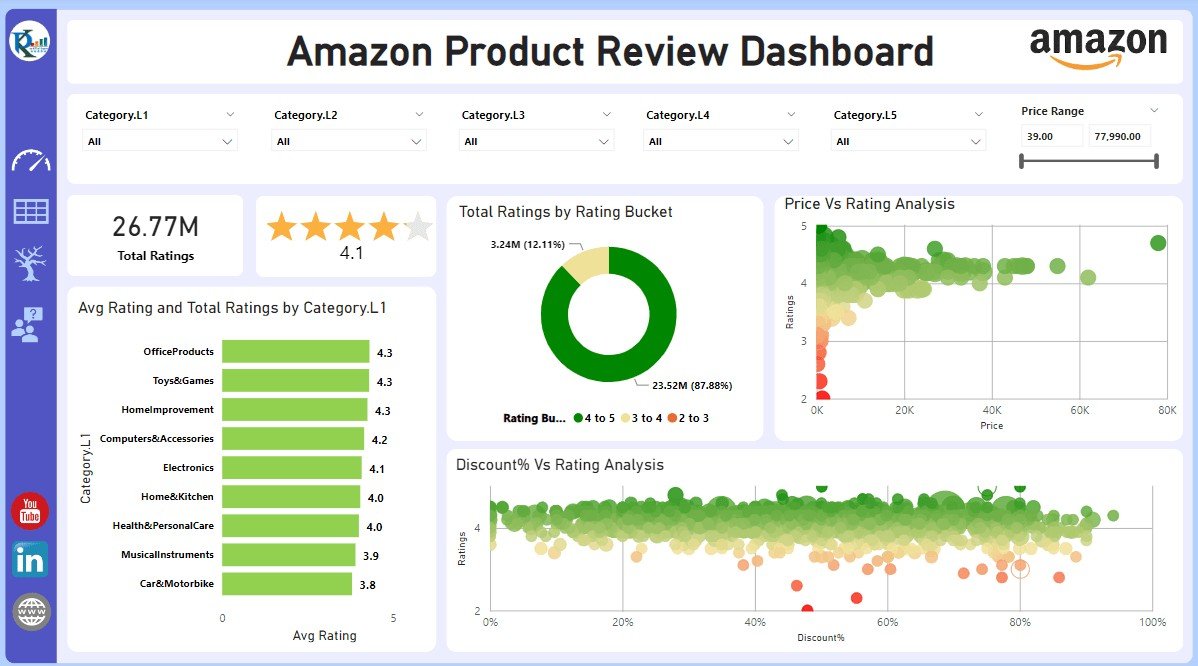
- Product performance visualization: Charts and graphs show product ratings and customer satisfaction over time.
- Sentiment analysis: See how positive, negative and neutral customer feedback is spread across your products.
- Time-based trends: Analyze review trends over specific periods to find seasonal patterns or reactions to product updates.
- Interactive data exploration: Filter by product category, timeframe or customer demographics to dig deeper into product performance.
- User-friendly interface: The familiar Power BI interface makes the data easy to read and interpret at any skill level.
Why You’ll Love This Power BI Dashboard
- Better customer insights: Understand customer satisfaction, find pain points and see how each product is performing.
- Data-driven decision making: Make informed decisions based on real-time review and sentiment analysis data.
- Easy-to-understand visualizations: Clear charts and graphs make product ratings and trends easy to read.
- Customizable to your needs: Tailor the dashboard to your own products and business goals.
- Stronger product development: Use customer feedback to guide product improvements and innovation.
What’s Inside the Dashboard
| Component | What it shows |
|---|---|
| Review and Rating Tracking | The number of reviews and average product ratings |
| Customizable KPIs | Key metrics such as sentiment scores, rating breakdowns and review trends |
| Product Performance Charts | Visual charts that track product ratings over time |
| Sentiment Distribution | The share of positive, negative and neutral customer reviews |
| Interactive Filters | Filters by product category, region or time period |
Who Is It For?
This Power BI dashboard suits any team that needs to understand what customers say about their products:
- Product Managers who want to prioritize improvements based on customer feedback
- Marketing Teams that track how products are perceived
- Customer Service Teams that need to spot recurring issues
- E-commerce Businesses that manage product ratings across their catalog
- Brand Managers who keep watch on brand sentiment
- Data Analysts who build reports for stakeholders
- Retailers who want to evaluate product performance
How to Use the Product Review Dashboard in Power BI
- Download the dashboard: You get the Power BI file when you purchase.
- Input review data: Connect your product review data sources, such as e-commerce platforms or surveys.
- Customize your KPIs: Choose the metrics that match your business goals.
- Analyze and monitor: Track product performance and customer satisfaction in real time.
- Generate reports: Build detailed reports and visualizations for leadership and stakeholders.
Click here to read the detailed blog post
Watch the step-by-step video tutorial:
Visit our YouTube channel for step-by-step video tutorials: Youtube.com/@PKAnExcelExpert
Frequently Asked Questions
What do I get with the Product Review Dashboard in Power BI?
You get the Power BI dashboard file when you purchase. It includes review and rating tracking, customizable KPIs, product performance charts, sentiment distribution and interactive filters.
Where can my review data come from?
You can connect product review data from sources such as e-commerce platforms or customer surveys. The dashboard brings this data together into a single set of visualizations.
Can I change the KPIs shown on the dashboard?
Yes. The KPIs are customizable, so you can focus on metrics such as average ratings, number of reviews, sentiment scores and rating breakdowns.
How does the sentiment analysis work in the dashboard?
The dashboard shows how positive, negative and neutral customer feedback is distributed across your products. This helps you see where customers are happy and where they are not.
Can I filter the data by product or time period?
Yes. Interactive filters let you view data by product category, region, timeframe or customer demographics. Time-based trend views help you spot seasonal patterns or reactions to product updates.
Who is this dashboard best suited for?
It is designed for product managers, marketing teams, customer service teams, e-commerce businesses, brand managers, data analysts and retailers who want a complete view of product ratings and customer feedback.
Get a complete view of how your products are performing with the Product Review Dashboard in Power BI, and use it to improve customer satisfaction and your product offerings.
Also check our Small Business KPI Dashboard
Last updated: October 2026
Compatibility and Requirements
- Works in Power BI Desktop, which is free to download from Microsoft. See Get Power BI Desktop.
- You connect your own product review data, such as an e-commerce export or survey results.
Related Product Review Templates
- Product Reviews and Ratings KPI Dashboard in Power BI: a KPI view of ratings in Power BI
- Product Reviews and Ratings KPI Dashboard in Excel: the same topic in Excel
- Product Reviews and Ratings KPI Dashboard in Google Sheets: the same topic in Google Sheets
- Product Quality KPI Dashboard in Excel: track product quality alongside reviews
- Marketing and Social Media Analytics Kit: 7 templates for marketing analysis in one download
Browse all Power BI dashboards.















Reviews
There are no reviews yet.