

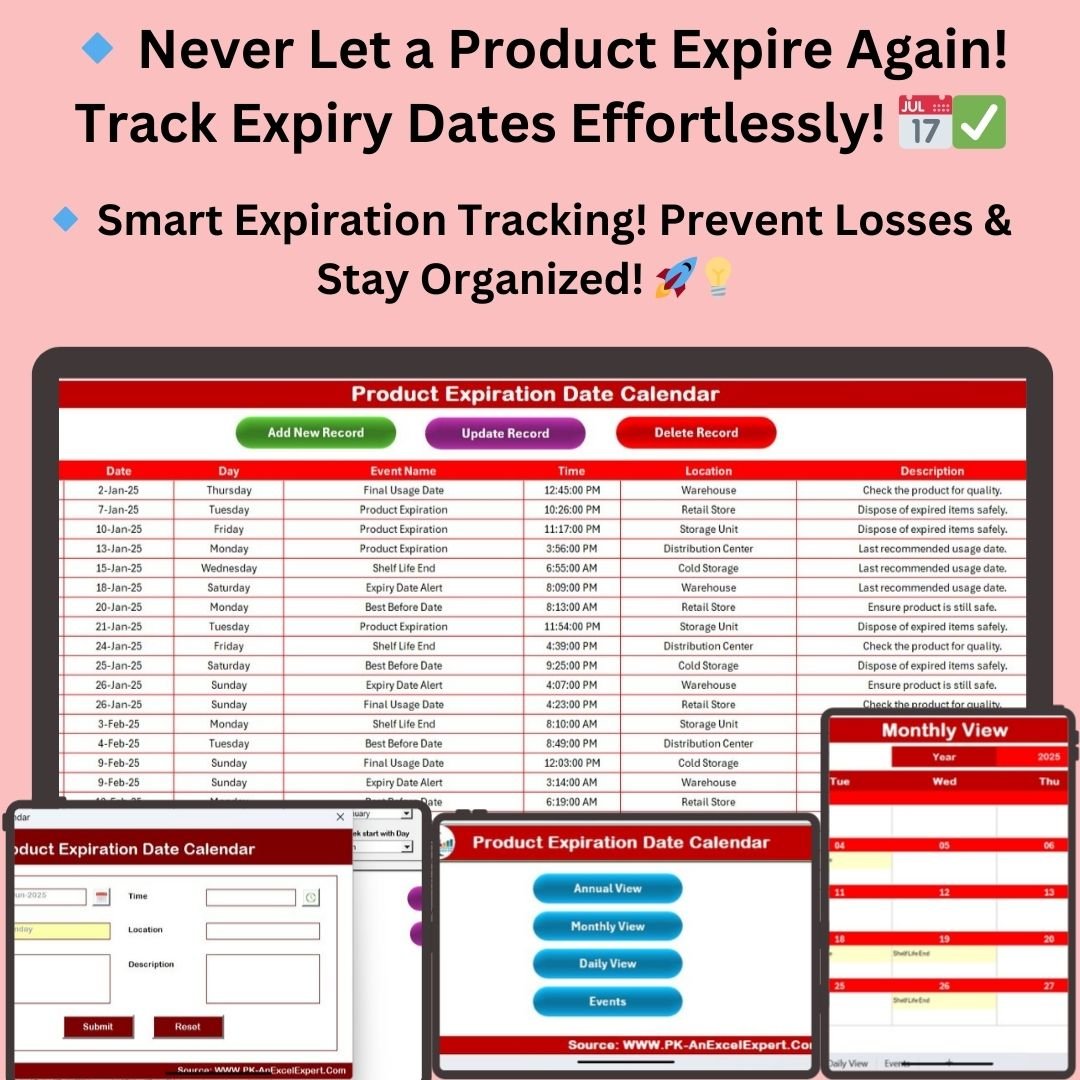


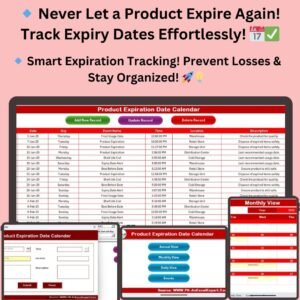
The Product Expiration Date Calendar in Excel is a ready-made template for businesses and individuals who need to track, manage and organize expiration dates for many products. Whether you manage inventory, track food expiry or oversee pharmaceutical supplies, it gives you annual, monthly and daily calendar views with color-coded highlights. The result is fewer losses from expired stock, timely stock rotation and no missed expiry dates.
Why Use an Excel Expiration Date Calendar?
Tracking expiration dates by hand is overwhelming and error-prone. This Excel template automates the process with structured data organization, color-coded tracking and customizable views, so expiry monitoring takes far less effort. It works as a product expiration tracker, an expiry date calendar and an inventory expiration log in one file. If you need a calendar for other purposes, you can also browse our Calendar templates.
Key Features
- Full-year expiration tracking calendar: see every expiry date across the year at a glance.
- Monthly and daily views: drill down to a single month, day or date range.
- Color-coded expiration tracking: instantly spot expired, upcoming and fresh products.
- Alerts and reminders through highlights: expired and upcoming products stand out on the calendar.
- Interactive buttons: navigate between views and manage data with a click.
- Dynamic year selection: pick any year and the calendar updates automatically.
- Customizable start month and weekday: adjust the calendar layout to your needs.
- 5 color themes: choose the theme that suits your visual organization.
- Structured database: every expiration record is stored in one Events sheet.
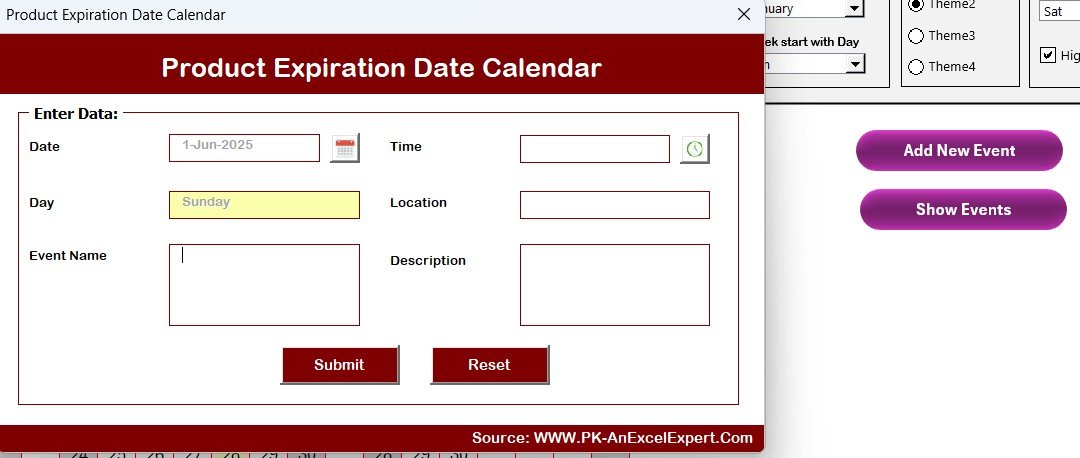
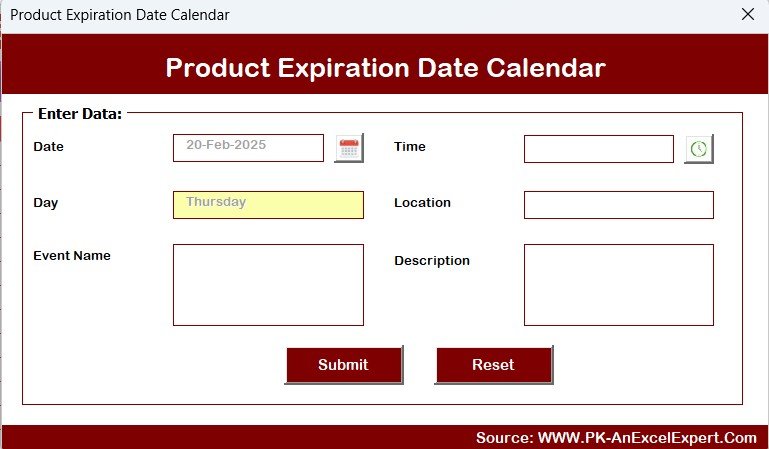
- Easy data entry: add, update or delete expiry records through an interactive form.
What’s Inside: Five Worksheets
This Excel-based expiration date tracker includes five worksheets, each with a specific job.
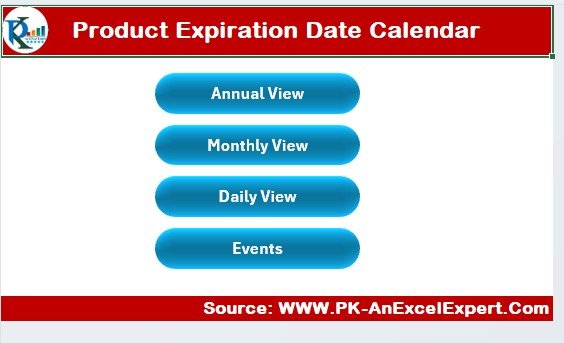
1. Home Sheet: Centralized Navigation
The Home Sheet is the main control panel. Interactive buttons take you straight to each view:
- Annual View: all expiration dates across the year in one place.
- Monthly View: a detailed breakdown of product expirations for a specific month.
- Daily View: focus on a single day’s expiring products.
- Events Database: the complete record of expiration details.
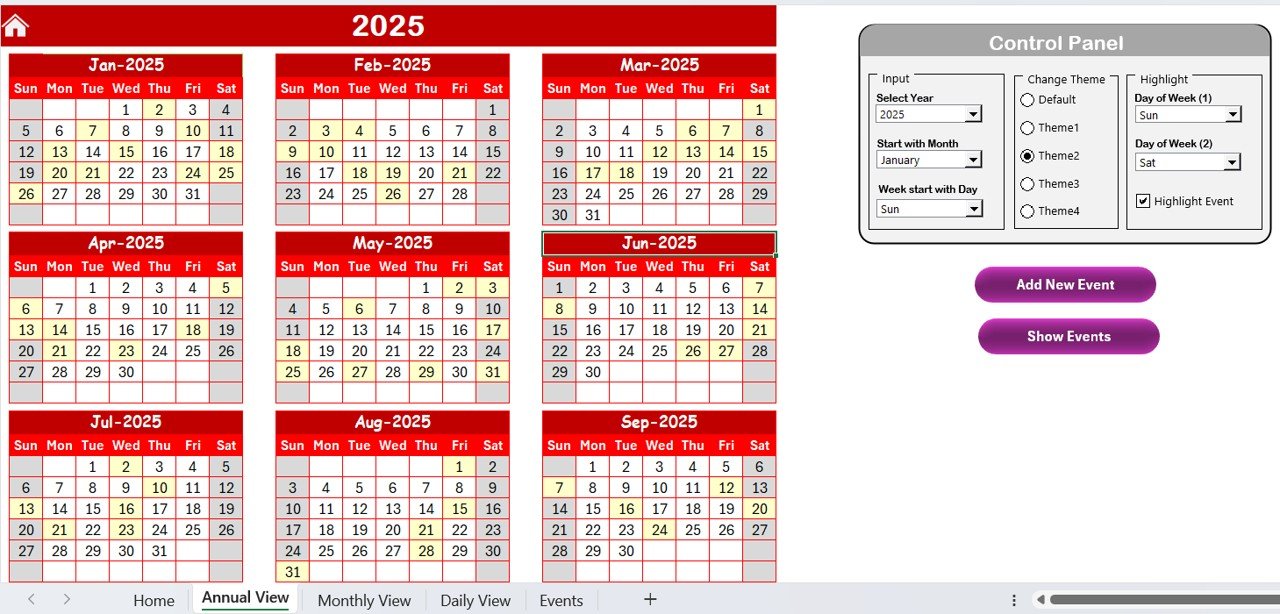
2. Annual View: 12-Month Expiration Overview
The Annual View shows a full-year calendar with color-coded highlights, so you can quickly identify expired and soon-to-expire products.
- Dynamic Year Selection: choose any year and the calendar refreshes automatically.
- Customizable Start Month and Weekday: set the layout that fits your business.
- Event Highlighting: turn on event markers to emphasize crucial dates.
- Customizable Themes: pick from 5 different color themes.
- Add New Event button: click a date and add expiration details instantly.
- Show Event button: view all scheduled events for a selected date.
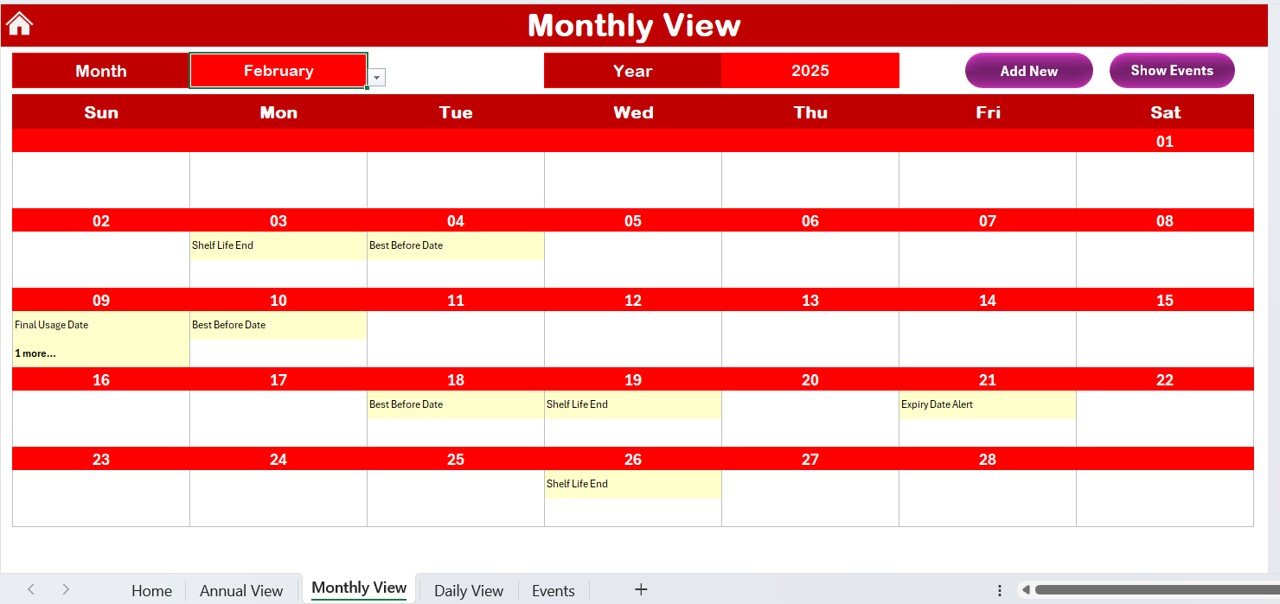
3. Monthly View: Track Expiration by Month
The Monthly View gives an in-depth look at expiration tracking for one selected month.
- Dropdown month selection: pick a month and the calendar updates automatically.
- Limited display for readability: when several items expire on the same date, the cell shows “More than 1…” to signal additional records.
- Quick data entry buttons: Add New Event records new expiration data, and Show Event lists all expiration details for a specific date.
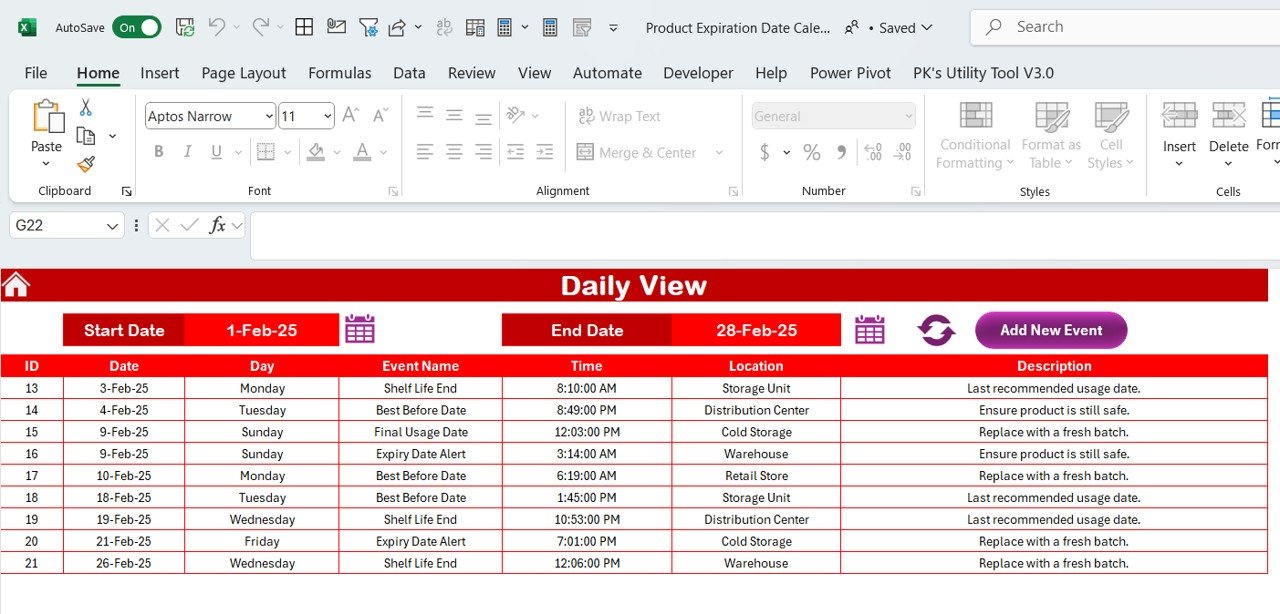
4. Daily View: Expiring Products on a Specific Date
For granular tracking, the Daily View lets you monitor expiration details for a specific day or date range.
- Start and end date selection: choose any date range to review.
- Refresh button: updates the view instantly.
- Add New Event button: enter new expiration dates on the go.
This view is especially useful for businesses that run daily inventory checks or need strict expiry compliance monitoring.
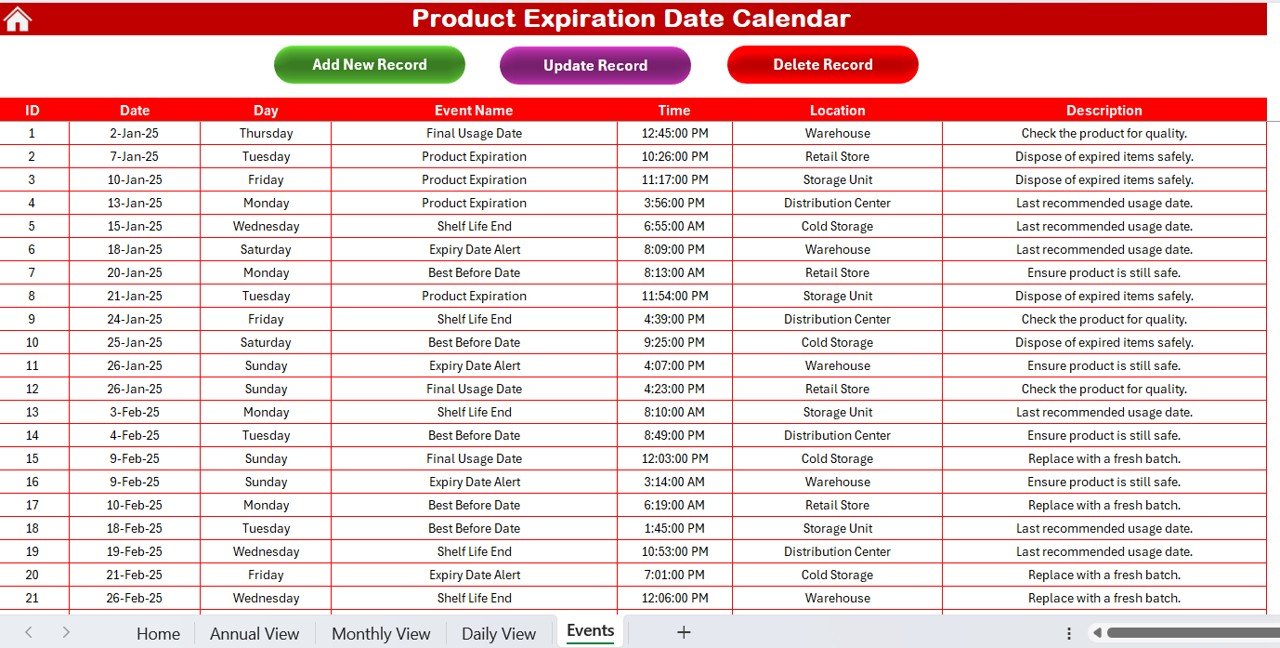
5. Events Sheet: The Database for Expiry Records
The Events Sheet is the central database where all expiration dates and their details are stored. It includes these fields:
| Field | What it holds |
|---|---|
| ID | Auto-generated unique event number |
| Date | Expiration date of the product |
| Day | Weekday name (e.g., Monday, Tuesday) |
| Event Name | Product name or batch number |
| Time | Exact expiration time (if applicable) |
| Location | Storage, warehouse or retail location |
| Description | Additional details or handling instructions |
Three buttons keep the database tidy:
- Add New Record: opens an interactive form for new expiration data.
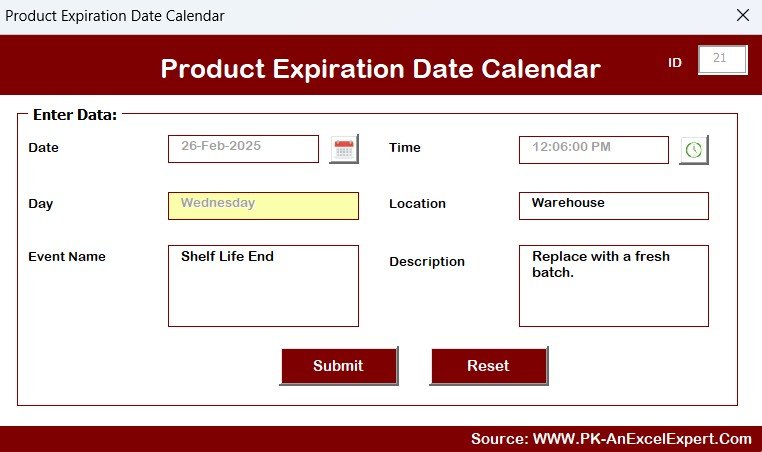
- Update Existing Record: edits the details of any saved record.
- Delete Record: removes expired or irrelevant records.
Who Is It For?
- Retail businesses: track perishable stock and prevent losses from expired items.
- Pharmacies and healthcare providers: monitor medication expiry dates for compliance.
- Food and beverage businesses: help ensure food products meet safety standards.
- Manufacturing companies: keep logs of raw materials and batch expiration dates.
- Personal use: stay organized with home pantry, skincare and household product expiry tracking.
Why Choose This Template?
- User-friendly, no complex formulas needed: just enter your data and track expiry dates.
- Automated and dynamic: views update based on your selections, so you don’t have to update records by hand.
- Customizable and scalable: adapt it to your business or personal needs.
- Instant download: start using it right after purchase.
How to Use the Product Expiration Date Calendar
- Download the template right after purchase.
- Enter your product data in the Events Sheet using the Add New Record form.
- Use the Home Sheet buttons to move between views.
- Monitor expiration dates in the Annual, Monthly or Daily view.
- Use the color-coded highlights to act early on stock that has expired or is about to expire.
Click here to read the detailed blog post
Visit our YouTube channel to learn from step-by-step video tutorials.
Frequently Asked Questions
What views does the Product Expiration Date Calendar in Excel include?
It includes a Home navigation sheet, an Annual View, a Monthly View, a Daily View and an Events database sheet.
How do I add or edit expiration records?
Use the Add New Record, Update Existing Record and Delete Record buttons on the Events Sheet. Add New Record opens an interactive form. You can also add events directly from the Annual, Monthly and Daily views.
How does the color coding work?
The calendar uses color-coded highlights so you can instantly tell expired, upcoming and fresh products apart.
What happens if several products expire on the same day?
The Monthly View shows “More than 1…” in that date to keep the calendar readable. Click Show Event to see every record for that date.
Can I change the calendar year, start month or colors?
Yes. You can pick any year, set the start month and weekday, and choose from 5 color themes.
Is it only for businesses?
No. It suits retail, pharmacies, food and beverage, and manufacturing. It also works for personal tracking of pantry, skincare and household products.
Last updated: October 2026
Compatibility and Requirements
- Works in Microsoft Excel desktop (Excel 2016 or later, or Microsoft 365).
- The Add New Record form and the view buttons use macros. Open the file in Excel desktop on Windows and enable macros. It does not run in Excel for the web, Google Sheets or mobile. Microsoft explains the setting in Enable or disable macros in Microsoft 365 files.
More Questions About This Template
Is there a Google Sheets version?
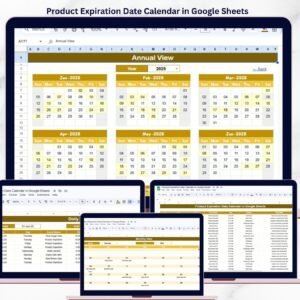
Yes. See the Product Expiration Date Calendar in Google Sheets.
Can I track warranty expiry dates with a similar calendar?
Yes. The Warranty Expiration Calendar in Excel works the same way for product warranties.
Related Calendar Templates
- Product Expiration Date Calendar in Google Sheets: the same expiry tracking in Google Sheets
- Warranty Expiration Calendar in Excel: track warranty end dates in Excel
- Legal Compliance Calendar in Excel: keep compliance deadlines in one calendar
- Audit Schedule Calendar in Excel: schedule audits through the year
- Calendar & Planner Pack: 12 calendar and planner templates in one download
Browse all Excel calendar templates or Excel inventory management templates.








Reviews
There are no reviews yet.