



As AI becomes a cornerstone in education, managing its implementation across HR functions can feel overwhelming. But with the Education HR AI Implementation Calendar in Excel, you get a powerful, structured, and user-friendly system to plan, track, and execute all your AI initiatives—without the hassle. 🎯📆
This ready-to-use Excel template empowers HR professionals in educational institutions to coordinate training, events, workshops, and project milestones with clarity and control. With interactive calendar views and smart automation, your AI integration journey just got easier!
✅ Key Features of Education HR AI Implementation Calendar
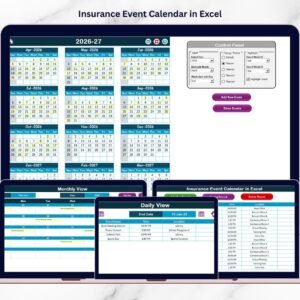
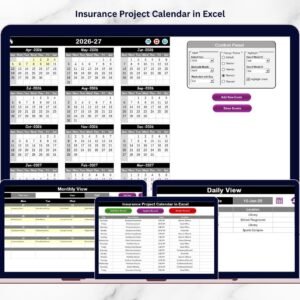
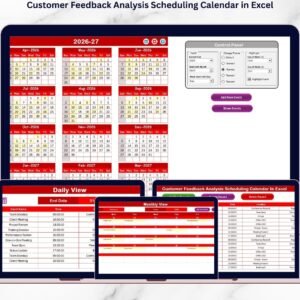
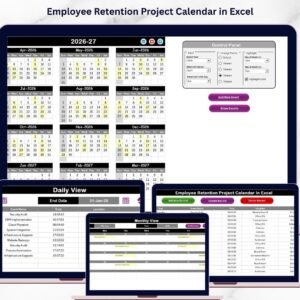
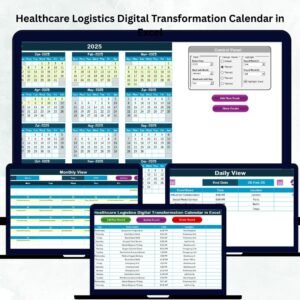
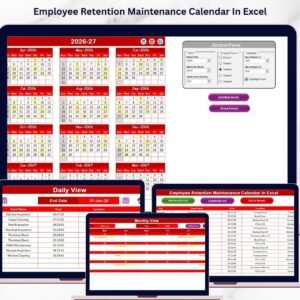
📅 Annual, Monthly & Daily Views – Get flexible insights from yearly overviews to daily task details
🖱️ Quick Navigation Buttons – Instantly jump to any sheet from the Home page
🎨 5 Custom Color Themes – Personalize the look to match your institution’s branding
📌 Highlight Specific Days & Events – Emphasize key dates and recurring tasks
📝 Add, Update & Delete Events via Forms – No manual edits, just seamless form-based control
📂 Smart Event Database – Auto-generated IDs, timestamps, and editable records
📊 Calendar Control Panel – Choose start month, start day of the week, and calendar year
💡 No Coding Required – All features built within Excel, fully accessible to all users
📦 What’s Inside the Education HR AI Implementation Calendar
This Excel tool is designed with five robust worksheets that guide users from planning to execution:
🏠 Home Sheet
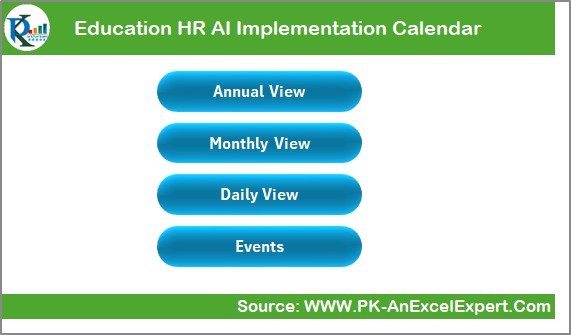
Acts as a dashboard and navigation hub, with buttons to access:
Annual View
Monthly View
Daily View
Events Database
📅 Annual View Sheet
See the big picture with:
Full-year event visualization
Custom start month & week day
Highlight options for weekends and special dates
Theme selector for visual customization
“Add Event” and “Show Event” buttons
📆 Monthly View Sheet
Zoom into one month at a time:
Choose any month/year from dropdown
View one event per day, or “more than 1…” alerts
Add/View event options for specific days
📖 Daily View Sheet
Focus on specific date ranges:
Select start and end dates
See a detailed list of events per day
Add events directly via a pop-up form
📑 Events Sheet
The master database capturing:
Auto-generated Event ID
Date, Day, Event Name, Time, Location, and Description
Buttons to Add, Update, or Delete event records
🛠️ How to Use the Calendar
Open the Template and start from the Home tab.
Set Year & Starting Month in the Annual View.
Click “Add Event” to log sessions, deadlines, or meetings.
Use the Event Sheet for full record management.
Visualize Data by toggling between Annual, Monthly, or Daily views.
Apply Highlight & Theme Settings to enhance clarity and usability.
No macros. No installations. Just smart Excel functionality at your fingertips! 🧑🏫🖥️
👥 Who Can Benefit from This Calendar?
🏫 School & College HR Teams – Plan AI adoption with confidence
📚 Educational Administrators – Track initiatives, workshops & deadlines
👩💻 AI Integration Coordinators – Stay aligned with technical timelines
🧑🏫 Training Coordinators – Schedule sessions and monitor attendance
🗂️ Consultants & Advisors – Use across multiple institutions or clients
Whether you’re managing one campus or many, this calendar ensures nothing slips through the cracks.
🔗 Click here to read the Detailed blog post
🔗 Visit our YouTube channel to learn step-by-step video tutorials
Watch the step-by-step video tutorial:
Compatibility and Requirements
- Works in Microsoft Excel desktop (Excel 2016 or later, or Microsoft 365).
- The Annual, Monthly and Daily views, the Add Event form and the Events sheet are all built inside the workbook. Microsoft’s guide to Excel for Windows training helps if you are new to Excel.
Frequently Asked Questions
Which sheets are included?
Five sheets: Home, Annual View, Monthly View, Daily View and Events.
How do I add an event?
Click Add Event on the Annual View, Monthly View or Daily View sheet and fill in the form. You can also add, update or delete records from the Events sheet.
Can I change the calendar year and the first month?
Yes. On the Annual View sheet you set the year, the starting month and the first day of the week.
What details does each event store?
The Events sheet records an auto-generated Event ID, the date, day, event name, time, location and description.
Is there a version for other departments?
Yes. For example, the HR AI Implementation Calendar in Excel and the Education IT AI Implementation Calendar in Excel.
Related AI Implementation Calendars
- HR AI Implementation Calendar in Excel: the same calendar for general HR teams
- Education Compliance AI Implementation Calendar in Excel: for compliance teams in education
- Education Operations AI Implementation Calendar in Excel: for school operations
- Education IT AI Implementation Calendar in Excel: for IT teams in education
- Dynamic Calendar with Single formula connected with Task List: a free calendar linked to a task list
Browse all Excel calendar templates.

























Reviews
There are no reviews yet.