

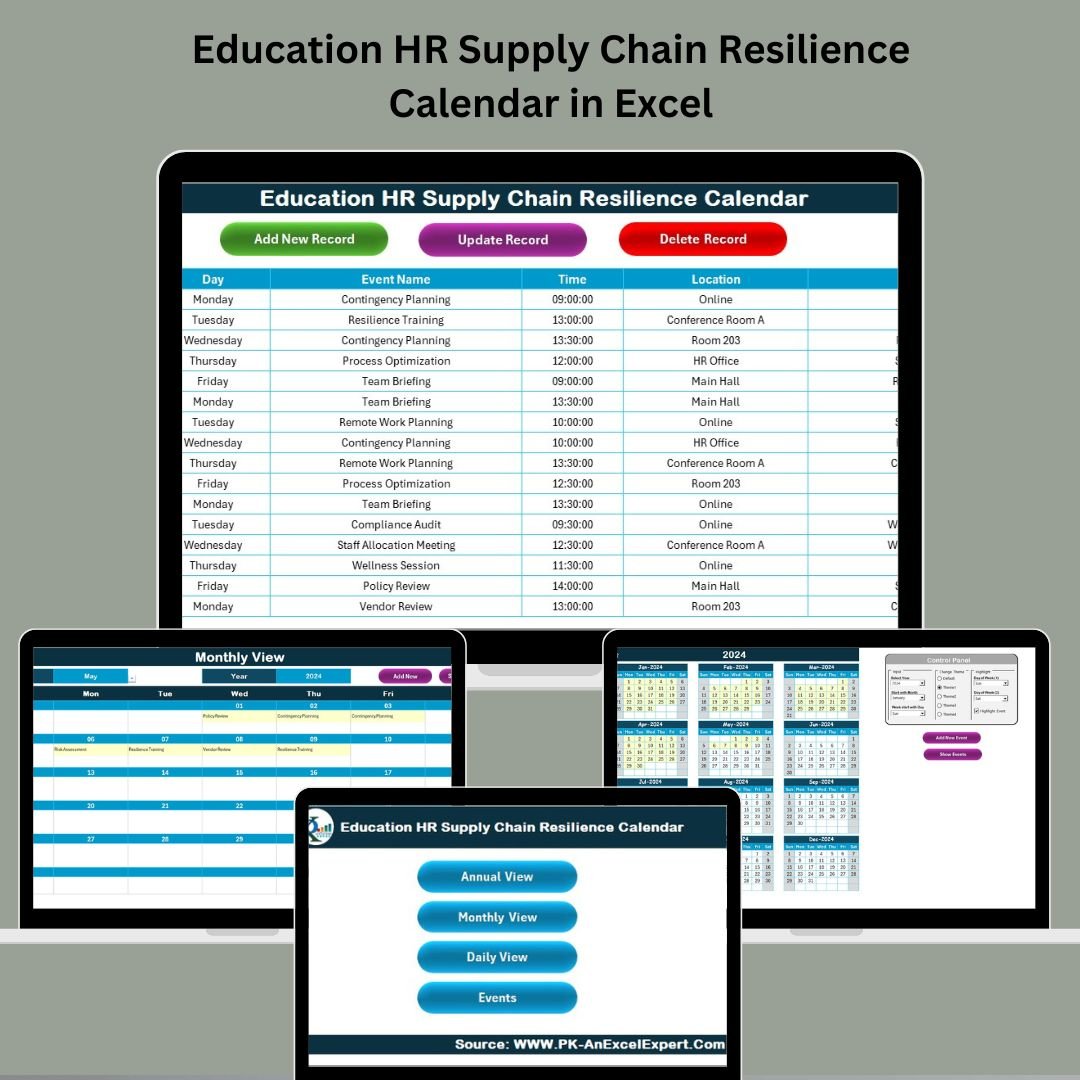

Is your school or institution tired of scrambling through last-minute staffing gaps and supply delays? 🎓📦 It’s time to bring clarity, structure, and agility to your operations with our Education HR Supply Chain Resilience Calendar in Excel — a powerful yet easy-to-use planning tool designed for educational HR and supply chain coordination.
This Excel-based template helps you organize key events, monitor delivery timelines, and respond swiftly to unexpected disruptions — all without needing any advanced software or tech skills!
✅ Key Features of Education HR Supply Chain Resilience Calendar
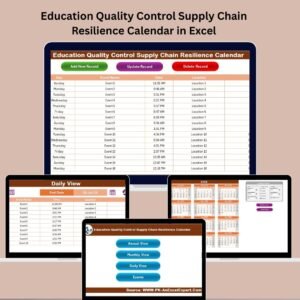
📅 All-in-One Calendar Views – Switch between annual, monthly, and daily calendars with just a click.
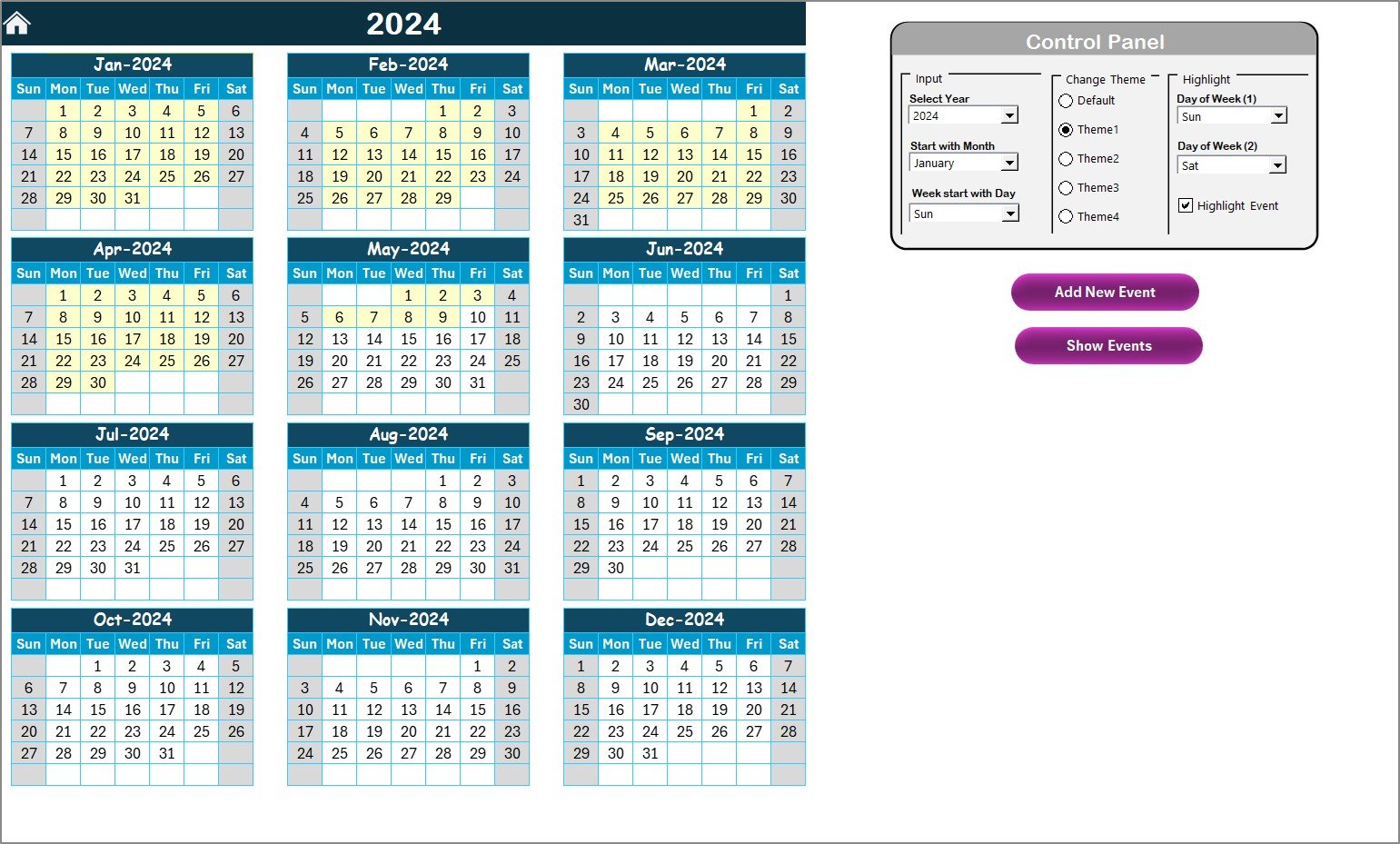
🎨 Color Theme Customization – Choose from 5 vibrant themes to match your institution’s style.
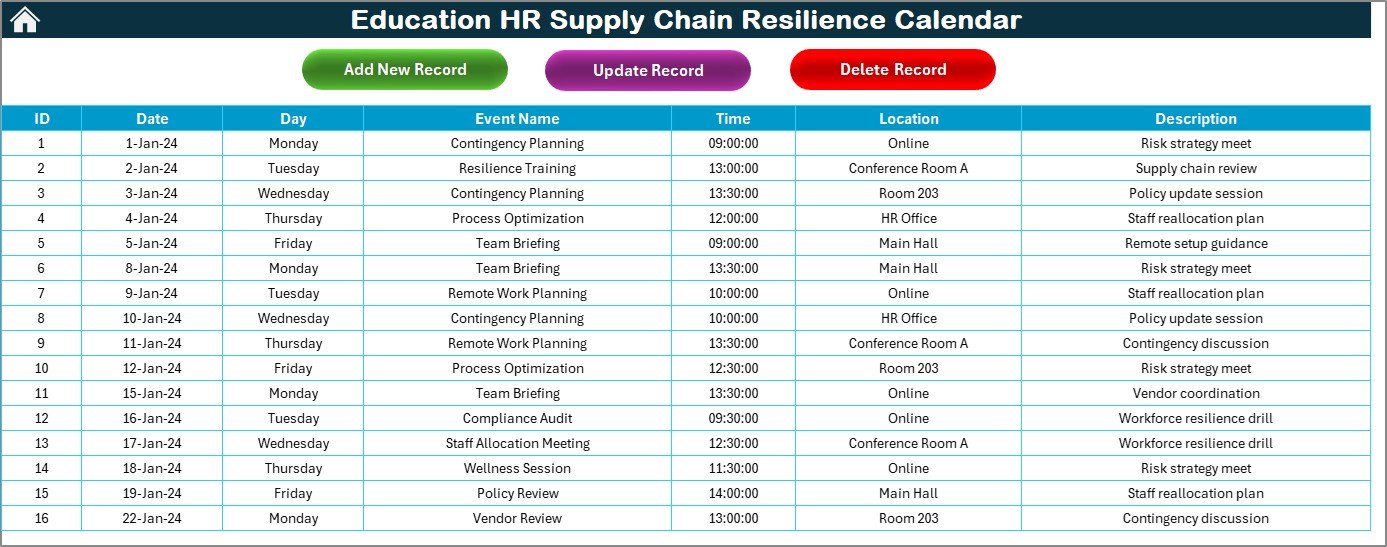
🗂️ Events Database with Forms – Add, update, or delete events using a clean and user-friendly form.
⚙️ Smart Control Panel – Set academic year, start month, and highlight weekends or holidays.
💬 Dynamic Event Highlighting – Quickly spot key events with built-in conditional formatting.
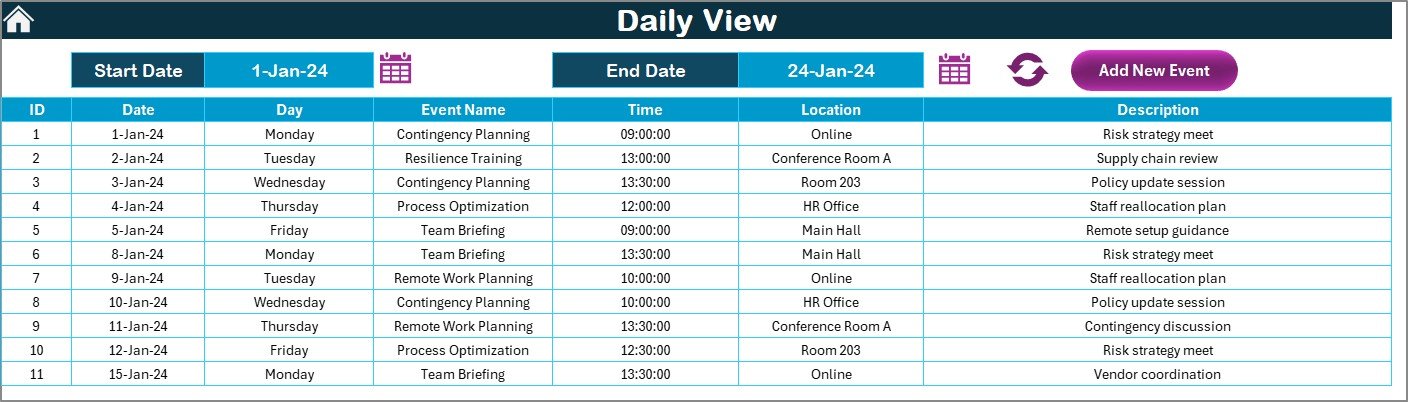
🔄 Real-Time Filtering – View events between date ranges in the daily view tab.
📌 Centralized Data Repository – All event data is stored in one master sheet for easy tracking.
📤 Paperless & Eco-Friendly – Ditch printed calendars and go digital without the need for new tools!
📦 What’s Inside the Education HR Supply Chain Resilience Calendar
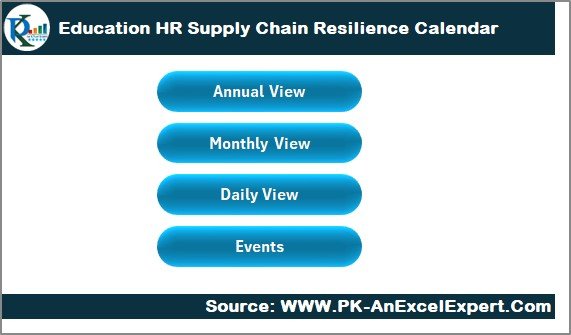
This template includes 5 well-designed worksheet tabs:
🏠 Home Sheet
A central navigation hub with clickable buttons to instantly access other sheets.🗓️ Annual View
Plan the full academic or fiscal year in a single glance. Configure start date, highlight key days, and even change color themes.📆 Monthly View
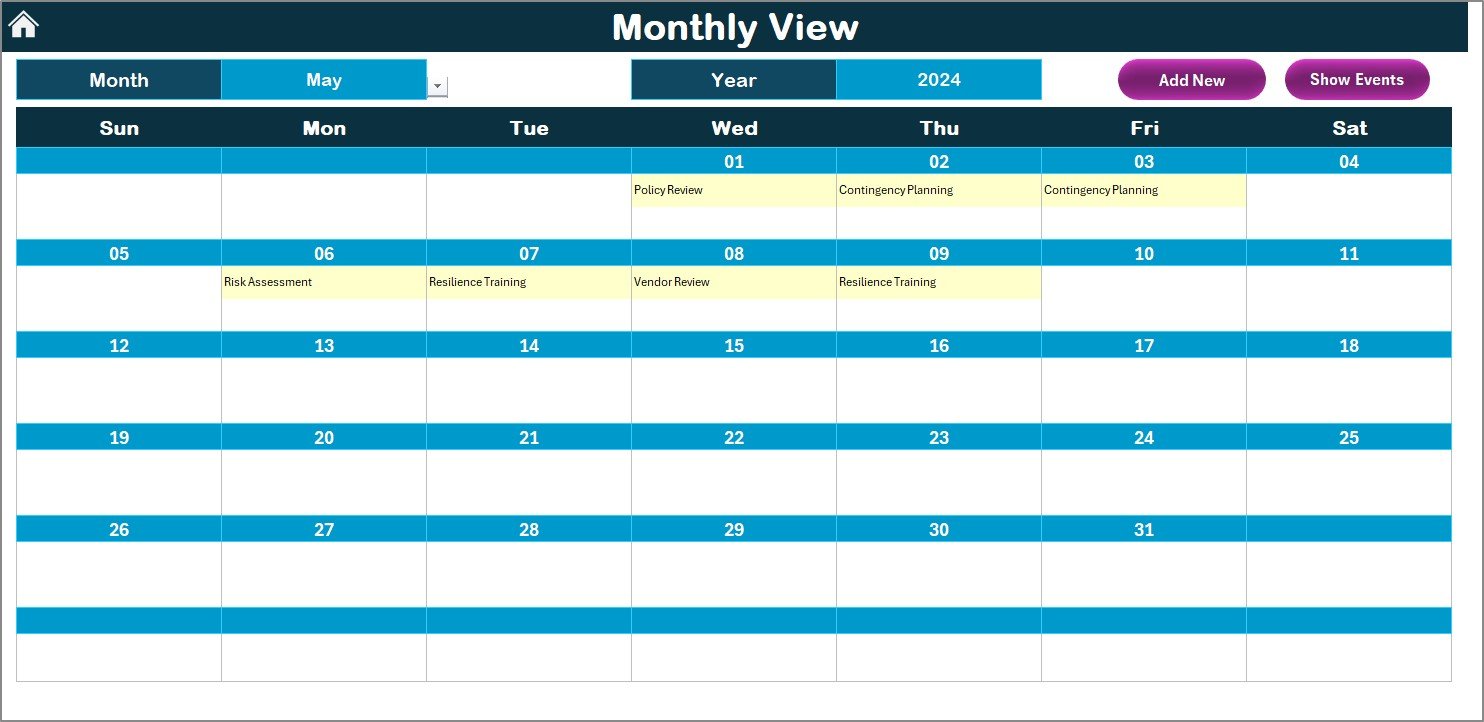
Focus on one month at a time — great for planning interviews, staff onboarding, or training schedules.📋 Daily View
Filter events by date range for detailed oversight during busy seasons like audits or inventory check-ins.📑 Events Sheet
Your database for every event, auto-generating IDs and storing all details including time, place, and description.
🛠️ How to Use the Calendar
Start on the Home Sheet to navigate with a single click.
Set your calendar’s start month and year from the Annual View.
Use the Add Event Form on any tab to input key activities.
Filter by day or date range in the Monthly and Daily views.
Track and manage all records in the Events Sheet using Add, Update, or Delete buttons.
No coding, no complex setup — just Excel and simplicity working in your favor! 🧑🏫
👥 Who Can Benefit from This Calendar
🎓 School and College Admins – Stay organized and prepared.
🧑💼 HR Managers – Plan interviews, onboarding, and training without overlaps.
📦 Procurement Officers – Track delivery schedules and vendor coordination.
👩🏫 Principals & Department Heads – Gain visibility over school-wide planning.
📊 Education Consultants – Manage multiple institutions from one template.
This template is tailored for any educational institution looking to streamline its HR and logistics operations.
🔗 Click here to read the Detailed blog post
🔗 Visit our YouTube channel to learn step-by-step video tutorials
Watch the step-by-step video tutorial:
Compatibility and Requirements
- Works in Microsoft Excel desktop (Excel 2016 or later, or Microsoft 365). It uses buttons and forms, so it does not run in Excel for the web, Google Sheets or mobile.
- Excel has a guide on using conditional formatting to highlight information, which is how the calendar marks events and weekends.
Frequently Asked Questions
Which worksheets are included?
Five: Home, Annual View, Monthly View, Daily View and Events Sheet.
How do I add an event?
Use the Add Event form on any tab. Each event is stored in the Events Sheet with an automatic ID, time, place and description. You can also update or delete events there with the buttons.
Can I change the colors and the start month?
Yes. The Annual View lets you set the start month and year, highlight weekends or holidays, and pick one of 5 color themes.
How do I see events for a date range?
Open the Daily View and filter events between two dates. The Monthly View shows one month at a time.
Are there versions for other departments?
Yes. See the Education Operations Supply Chain Resilience Calendar in Excel and the HR Supply Chain Resilience Calendar in Excel.
Related Calendar Templates
- Education Operations Supply Chain Resilience Calendar in Excel: the same calendar for school operations teams
- Education Procurement Supply Chain Resilience Calendar in Excel: for purchasing and vendor deliveries
- Education IT Supply Chain Resilience Calendar in Excel: for school IT equipment and schedules
- HR Supply Chain Resilience Calendar in Excel: the HR edition for any organization
- Calendar & Planner Pack: 12 Excel and Google Sheets calendar templates in one download
Browse all Excel calendar templates.

































Reviews
There are no reviews yet.