



Managing healthcare compliance and sustainability can feel like juggling too many balls at once—audits, training, green initiatives, and regulatory deadlines all need attention. Missing even one deadline can mean penalties, reputational risks, and inefficiencies. That’s why we created the Healthcare Compliance Sustainability Calendar in Excel—a powerful, ready-to-use solution that keeps your organization compliant and future-ready.
This Excel-based tool is designed specifically for hospitals, clinics, labs, and healthcare organizations that want to manage compliance activities and sustainability initiatives in a structured, error-free, and cost-effective way. Easy to use, customizable, and loaded with interactive features, this calendar is your go-to system for building accountability and visibility.

✨ Key Features of Healthcare Compliance Sustainability Calendar
✅ Centralized Tracking – Keep all compliance and sustainability events in one structured file.
✅ Smart Views – Switch seamlessly between annual, monthly, and daily views.
✅ Interactive Buttons – Add, view, update, and delete events with just one click.
✅ Theme Customization – Choose from 5 different color themes for better clarity.
✅ Highlight Control – Highlight weekends, holidays, or special events easily.
✅ Event Database – Automatically records event ID, date, time, location, and description.
✅ User-Friendly Forms – No advanced Excel skills required—intuitive buttons and forms make event management simple.
✅ Audit Preparedness – Ensures compliance documentation is always structured and ready.
✅ Cost-Effective – A professional alternative to expensive compliance software.
📂 What’s Inside the Healthcare Compliance Sustainability Calendar
The template is structured into 5 powerful worksheets:
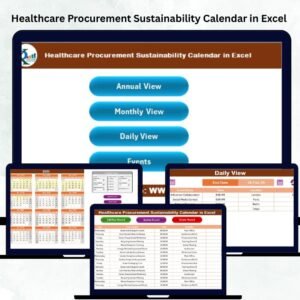
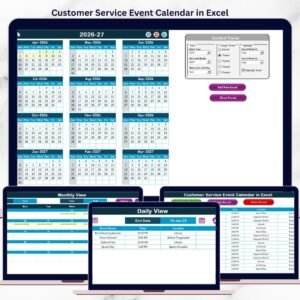
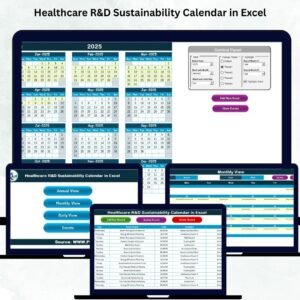
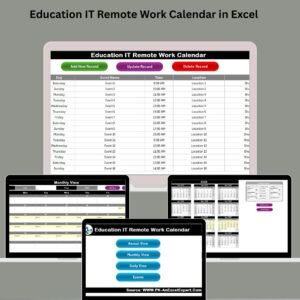
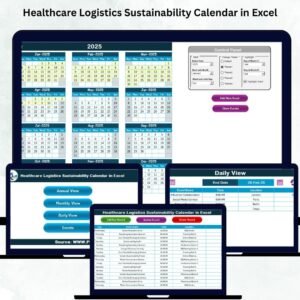
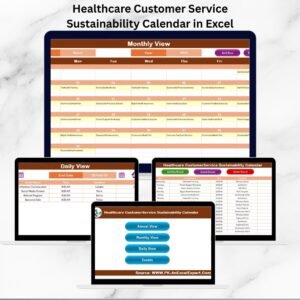
1️⃣ Home Sheet Tab – Navigation hub with quick buttons to Annual, Monthly, Daily, and Events sheets.
2️⃣ Annual View – 12-month calendar with year/month/week customization, event highlights, and add/show event buttons.
3️⃣ Monthly View – A clear one-month calendar for departmental audits, workshops, and training schedules.
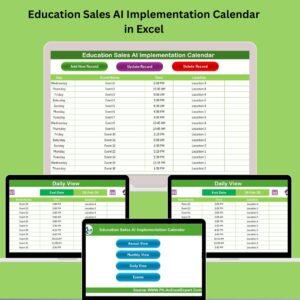
4️⃣ Daily View – Micro-level event management with date range selection and quick add functions.
5️⃣ Events Sheet – Acts as the database with full details like ID, Date, Day, Event Name, Time, Location, and Description.
Every sheet is designed to save time, reduce errors, and provide instant visibility into compliance and sustainability activities.
⚙️ How to Use the Healthcare Compliance Sustainability Calendar
📌 Step 1: Open the Home sheet and navigate to your preferred view (Annual, Monthly, or Daily).
📌 Step 2: Select the Year/Month/Date to filter relevant schedules.
📌 Step 3: Add new events using the “Add Event” button and fill out event details.
📌 Step 4: Review scheduled events through “Show Event” or refresh the Daily View.
📌 Step 5: Update or delete outdated events directly from the Events sheet.
📌 Step 6: Use the Annual View for big-picture planning, Monthly View for departmental deadlines, and Daily View for micro-level activities.
No complex training needed—it’s plug-and-play!
👥 Who Can Benefit from This Healthcare Compliance Sustainability Calendar?
🏥 Hospitals & Clinics – Manage audits, inspections, and sustainability programs.
🧪 Labs & Diagnostic Centers – Track compliance training, certifications, and waste management.
📊 Compliance Officers – Reduce errors, improve accountability, and centralize reporting.
🌍 Sustainability Teams – Schedule eco-friendly initiatives, awareness programs, and audits.
👨⚕️ Healthcare Administrators – Gain visibility into operations and deadlines across departments.
💼 Small Healthcare Providers – Affordable solution for managing compliance without heavy IT investment.
📖 Click here to read the Detailed blog post
Watch the step-by-step video tutorial:
🎥 Visit our YouTube channel to learn step-by-step video tutorials
Compatibility and Requirements
- The calendar uses buttons and forms to add, show, update and delete events. It runs in Excel desktop on Windows with macros enabled. It does not run in Excel for the web, Google Sheets or mobile.
- Microsoft explains how to turn macros on in Enable or disable macros in Microsoft 365 files.
Frequently Asked Questions
Which worksheets are included?
Five worksheets: Home, Annual View, Monthly View, Daily View and Events. The Home sheet has buttons that take you to the other four.
What details are saved for each event?
The Events sheet is the database. It records the event ID, date, day, event name, time, location and description.
Can I change the colors of the calendar?
Yes. There are 5 color themes, and you can highlight weekends, holidays or special events.
How do I add or remove an event?
Use the Add Event button to fill in the event details. You can update or delete an event from the Events sheet, and Show Event lists what is scheduled.
Is there a version for another compliance area?
Yes. See the Healthcare Compliance Calendar in Excel and the Healthcare Compliance Cybersecurity Calendar in Excel.
Related Healthcare Calendars and Dashboards
- Healthcare Compliance Calendar in Excel: the compliance calendar without the sustainability focus
- Healthcare HR Sustainability Calendar in Excel: the same sustainability calendar for HR teams
- Health & Safety Compliance Calendar in Excel: a calendar for safety compliance deadlines
- Healthcare Sustainability KPI Dashboard in Excel: track sustainability KPIs for a healthcare organization
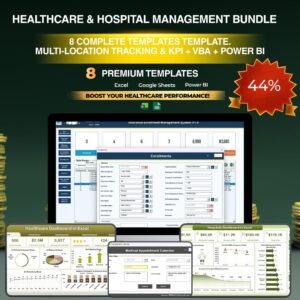
- Healthcare & Hospital Management Bundle: 8 healthcare templates in one download
Browse all Excel calendar templates.






Reviews
There are no reviews yet.