




Managing customer service activities without a proper system often leads to missed events, poor coordination, and unnecessary stress. If your team handles training sessions, service campaigns, meetings, follow-ups, and deadlines, you need more than emails and reminders.
That is exactly why the Customer Service Event Calendar in Excel is a powerful, ready-to-use solution designed to bring structure, visibility, and control to your customer service operations 📊✨.
This Excel-based calendar helps you plan, track, and manage every service-related event from one centralized place—without complex tools or technical skills.
🚀 Key Features of Customer Service Event Calendar in Excel
This template is carefully designed to support both strategic planning and daily execution.
✅ Interactive Annual, Monthly, and Daily views
✅ One-click navigation buttons for easy movement
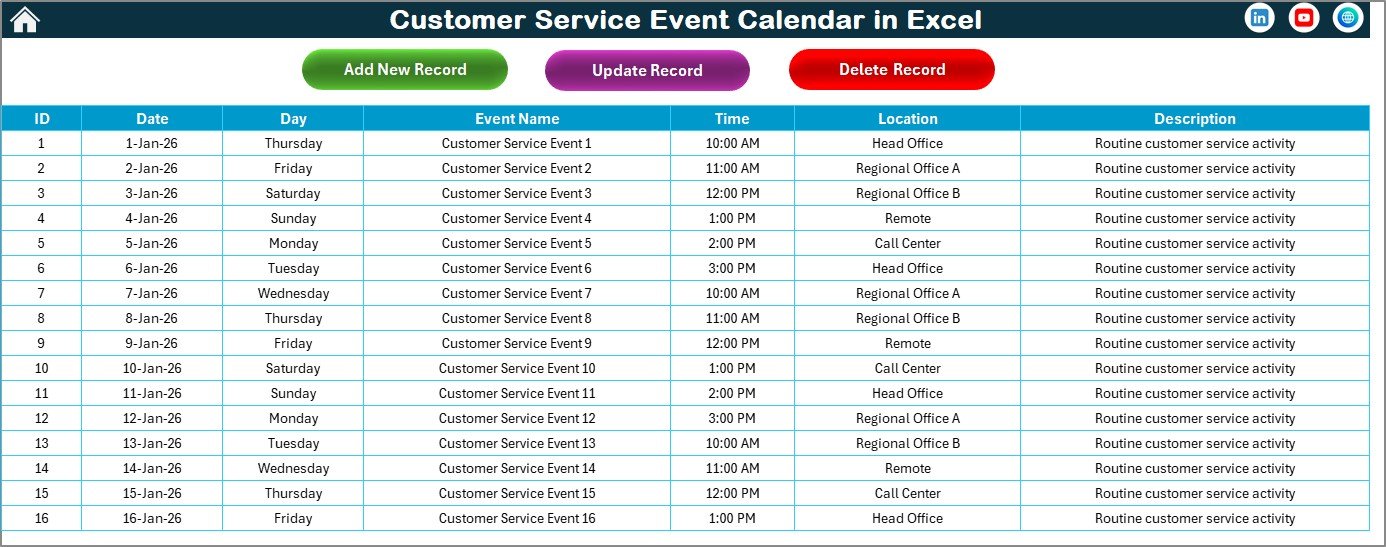
✅ Built-in event form to add, update, or delete events
✅ Control panel to change year, start month, and week start
✅ Theme selection with multiple color options 🎨
✅ Weekend and event highlighting for better visibility
✅ Centralized event database for clean data management
✅ Auto-refresh functionality for instant updates
These features ensure your team always stays informed, prepared, and aligned.
📦 What’s Inside the Customer Service Event Calendar in Excel
This product includes five fully connected worksheets; each designed for a specific purpose:
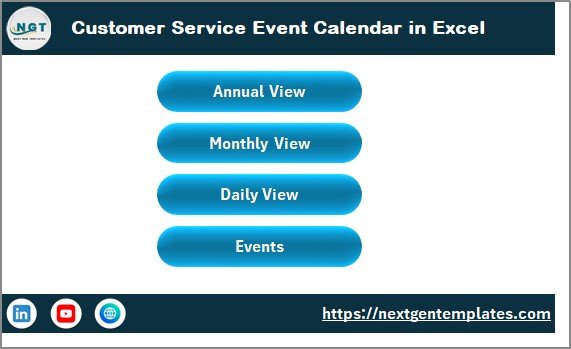
🏠 Home Sheet
Acts as the index page with clear buttons to access Annual View, Monthly View, Daily View, and Events sheet instantly.

📅 Annual View Sheet
Displays all 12 months on one screen. Includes a powerful control panel to change year, start month, week start day, themes, and highlighted days.
🗓️ Monthly View Sheet
Shows a detailed calendar for the selected month. Displays event names directly on dates and indicates when multiple events exist.
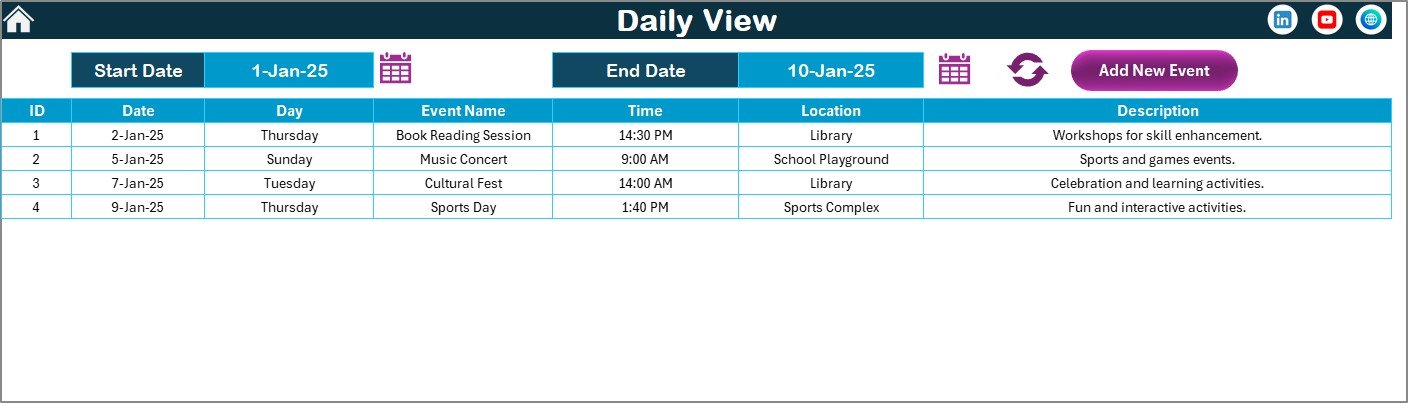
📋 Daily View Sheet
Provides a detailed list of events for a selected date range. Ideal for supervisors and managers who need operational clarity.
🗂️ Events Sheet (Database)
Stores all event records automatically, including date, day, time, location, description, and more. Includes Add, Update, and Delete options.
Together, these sheets create a complete event management system inside Excel.
🛠️ How to Use the Customer Service Event Calendar in Excel
Using this calendar is simple and intuitive—even for beginners.
1️⃣ Select the year and settings from the control panel
2️⃣ Navigate to Annual, Monthly, or Daily view
3️⃣ Click Add New Event to open the event form
4️⃣ Enter event details and save
5️⃣ Use Show Event to view scheduled events
6️⃣ Update or delete events anytime from the Events sheet
No formulas to edit. No setup required. Just open, use, and manage your events efficiently.
🎯 Who Can Benefit from This Customer Service Event Calendar in Excel
This calendar is ideal for:
✔️ Customer service managers
✔️ Call center supervisors
✔️ Support team leaders
✔️ Operations managers
✔️ Training and coaching coordinators
✔️ Small and medium business owners
If you manage service-related activities, meetings, or deadlines, this tool delivers immediate value.
📈 Why This Calendar Improves Customer Service Performance
When your team knows what is coming, when it is happening, and who is responsible, service quality improves naturally.
This calendar helps teams:
Prepare resources in advance
Avoid last-minute confusion
Improve coordination
Maintain consistent service quality
Reduce missed or overlapping events
As a result, customers receive timely, reliable, and professional service.
📖 Click here to read the Detailed Blog Post
🎥 Visit our YouTube channel to learn step-by-step video tutorials
👉 https://youtube.com/@PKAnExcelExpert
Watch the step-by-step video tutorial:
Compatibility and Requirements
- Works in Microsoft Excel desktop (Excel 2016 or later, or Microsoft 365).
- Highlighted days use Excel conditional formatting. Microsoft explains it in Use conditional formatting to highlight information.
Frequently Asked Questions
Which sheets are included?
Five: Home, Annual View, Monthly View, Daily View and an Events sheet that stores every record.
How do I add an event?
Click Add New Event, fill in the event form and save. You can also update or delete events.
Can I change the year or week start?
Yes. The control panel sets the year, start month and first day of the week, and lets you pick a theme.
How do I see events for a date range?
The Daily View lists all events between the dates you choose.
Related Customer Service Templates
- Customer Service Customer Experience Calendar in Excel: plan customer experience activities
- Customer Service Maintenance Calendar in Excel: schedule maintenance tasks
- Customer Service Request Tracker in Excel: log and follow up requests
- Customer Service Dashboard in Excel: service performance charts
- Calendar & Planner Pack: 12 calendar and planner templates in one download
Browse all Excel calendars or the Google Sheets calendars.


































Reviews
There are no reviews yet.