



Are you tired of scrambling through ad platforms, trying to remember which PPC steps you’ve completed and which ones you forgot? Say hello to the PPC Campaign Checklist in Google Sheets — your all-in-one digital marketing assistant that ensures flawless planning, execution, and reporting of paid campaigns.
Whether you’re managing Google Ads, Bing Ads, or Facebook Ads, this professional yet easy-to-use Google Sheets template helps you stay on top of every task. From pre-launch prep to performance analysis, this tool guarantees nothing falls through the cracks. 🚀

✅ Key Features of PPC Campaign Checklist in Google Sheets
📋 Two Smartly Designed Tabs
This checklist template includes two dynamic worksheet tabs:
Main Checklist Sheet: Track every PPC task with ✔ or ✘, progress bar, and responsible person dropdown.
List Sheet: Maintain a clean list of responsible persons for seamless dropdown assignment.
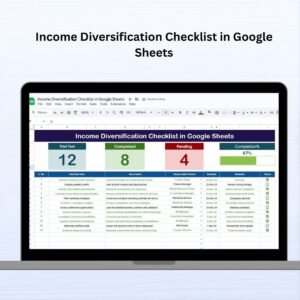
🔍 Visual Progress Tracking
Total Task Count
Completed & Pending Counts
Real-time Progress Bar with auto-calculation
Easy status updates via ✔ or ✘
💡 Built-In Automation
Formulas calculate everything for you — progress bars, counts, and dropdowns all update automatically.
📦 What’s Inside the PPC Campaign Checklist
✔ Task Management – Preloaded tasks for keyword research, targeting setup, bidding strategy, and more.
🧑 Responsible Person Assignment – Assign roles to team members using dropdowns powered by the List tab.
🕒 Deadline Column – Set due dates and avoid last-minute rushes.
🗒️ Remarks Section – Add notes, reminders, or links for each task.
📊 Visual Dashboard Elements – Instantly gauge campaign readiness with dynamic visuals.
🚀 How to Use the PPC Campaign Checklist
Open the Google Sheets template and head to the Main Checklist Sheet.
Update each task’s status with a ✔ (Completed) or ✘ (Pending).
Assign tasks using the Responsible Person dropdown linked to the List tab.
Set deadlines and monitor real-time progress with the built-in progress bar.
After campaign launch, return to the checklist for post-campaign analysis.
💡Pro Tip: Make a copy of the template for each new campaign!
👥 Who Can Benefit from This Template?
This checklist isn’t just for digital marketers—it’s a must-have for any professional involved in PPC campaigns:
💼 Freelancers managing multiple clients
🏢 In-house marketing teams coordinating with departments
📊 Agencies running high-volume ad campaigns
🧑🎓 Students and trainees learning PPC workflow
📈 PPC consultants ensuring consistency and quality
🔁 Click here to read the Detailed Blog Post
Watch the step-by-step video Demo:
📺 Visit our YouTube channel to learn step-by-step video tutorials
Compatibility and Requirements
- Works in Google Sheets. You need a free Google account and a web browser.
- The Responsible Person column uses a dropdown fed by the List sheet. Google explains dropdowns in Create an in-cell dropdown list.
Frequently Asked Questions
Which sheets are included?
Two sheets: the Main Checklist sheet and the List sheet. The List sheet holds the names of responsible persons.
How do I mark a task as done?
Enter a ✔ for completed or a ✘ for pending in the status column. The completed and pending counts and the progress bar update on their own.
How do I assign tasks to team members?
Add the names to the List sheet. Then pick a name from the Responsible Person dropdown on each task row of the Main Checklist sheet.
Can I add deadlines and notes?
Yes. Each task has a Deadline column and a Remarks column for notes, reminders or links.
Is there an Excel version?
Yes. See the PPC Campaign Checklist in Excel. A matching PPC Campaign KPI Dashboard in Google Sheets is also available.
Related PPC and Campaign Templates
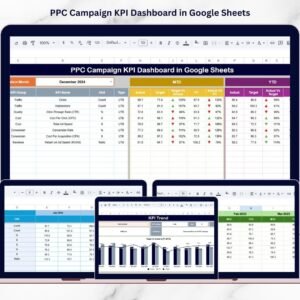
- PPC Campaign KPI Dashboard in Google Sheets: track PPC results after the checklist is done
- PPC Campaign Checklist in Excel: the same checklist for Excel
- PPC Campaign KPI Dashboard in Power BI: a Power BI view of campaign KPIs
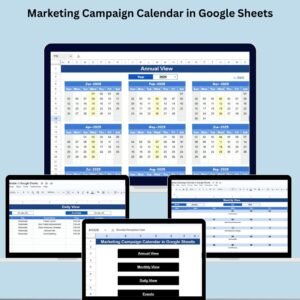
- Marketing Campaign Calendar in Google Sheets: plan campaign dates in one calendar
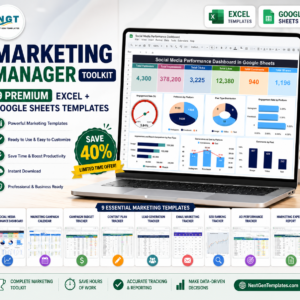
- Marketing Manager Toolkit: 9 marketing templates in one download
Browse all Google Sheets checklists.
























Reviews
There are no reviews yet.