



The Opportunity Tracker and Template in Google Sheets is a versatile and efficient tool designed to help businesses, sales teams, and freelancers track and manage potential opportunities. Whether you’re tracking leads, managing sales pipelines, or evaluating business prospects, this template provides all the necessary tools to monitor and analyze each opportunity in one central location.
With customizable fields, automated calculations, and a simple layout, this tracker helps you stay organized and focused on turning opportunities into successful outcomes. Whether you’re working with clients, customers, or prospects, this tool gives you clear insights into each opportunity’s status, value, and potential.

Key Features of the Opportunity Tracker and Template in Google Sheets
📅 Opportunity Tracking: Organize and track opportunities with detailed information such as name, contact info, status, and estimated value.
⚙️ Sales Pipeline Management: Manage leads and prospects by stages in your sales pipeline, ensuring no opportunities are lost.
📈 Customizable Fields: Modify the template to track specific details such as lead source, follow-up dates, and priority level.
💼 Automated Calculations: Automatically calculate estimated revenue, progress, and conversion rates to assess opportunity value.
📊 Visual Dashboard: Use built-in charts and graphs to visualize your pipeline status, opportunity value, and overall performance.
🔄 Real-Time Collaboration: Share the template with team members or clients to track opportunities and updates in real time.
Why You’ll Love the Opportunity Tracker and Template in Google Sheets
✅ Streamlined Opportunity Management: Stay organized by tracking each opportunity, its status, value, and next steps.
✅ Visualize Your Pipeline: Use charts to visualize your sales pipeline, conversion rates, and opportunity values.
✅ Customizable: Modify the template to suit your sales process, business needs, or customer relationship management strategy.
✅ Data-Driven Insights: Use automated calculations and data analysis to make better decisions based on opportunity value and likelihood of conversion.
✅ Easy Collaboration: Share the opportunity tracker with your team for seamless collaboration and real-time updates.
What’s Inside the Opportunity Tracker and Template in Google Sheets?
📅 Opportunity Log: A detailed list to track all opportunities, including client names, contact details, deal value, and status.
⚙️ Sales Pipeline Stages: Track opportunities through stages such as “Lead,” “Negotiation,” and “Closed.”
📈 Conversion Rate Tracker: Monitor the probability of conversion and estimated revenue.
💼 Custom Fields: Tailor the tracker to your business process by adding custom categories such as priority level, deal source, or follow-up dates.
📊 Performance Dashboard: A visual dashboard with graphs and charts to track sales performance, opportunity value, and conversion trends.
How to Use the Opportunity Tracker and Template in Google Sheets
1️⃣ Download the Template – Access the pre-configured opportunity tracker template in Google Sheets.
2️⃣ Input Opportunity Data: Enter details about your leads and opportunities, including client information, status, and estimated value.
3️⃣ Track Progress: Update each opportunity’s status and monitor its progression through the sales pipeline.
4️⃣ Analyze Performance: Use the dashboard to visualize your sales pipeline’s performance and conversion rates.
5️⃣ Collaborate: Share the opportunity tracker with your team to track and update opportunities in real time.
Who Can Benefit from the Opportunity Tracker and Template in Google Sheets?
🔹 Sales Teams
🔹 Business Development Managers
🔹 Freelancers and Consultants
🔹 Project Managers
🔹 Marketing Teams
🔹 Entrepreneurs
🔹 Small to Medium Businesses (SMBs)
Stay organized and focused with the Opportunity Tracker and Template in Google Sheets. Manage leads, track opportunities, and maximize your chances of success by turning potential into real revenue.
Click here to read the detailed blog post
Visit our YouTube channel to learn step-by-step video tutorials
Watch the step-by-step video tutorial:
Compatibility and Requirements
- Works in Google Sheets with a free Google account and a web browser. No installation is needed.
- You can share the file with your team so everyone updates the same tracker. Google’s guide to adding and editing charts explains how the dashboard charts can be changed.
Frequently Asked Questions
What does the Opportunity Tracker record?
The Opportunity Log lists each opportunity with the client name, contact details, deal value and status. You can add custom fields such as lead source, follow-up dates, priority level or deal source.
Which pipeline stages does it use?
It tracks opportunities through stages such as Lead, Negotiation and Closed. You can rename or add stages to match your own sales process.
What does it calculate for me?
It calculates estimated revenue, progress and conversion rates, and the Conversion Rate Tracker shows the probability of conversion for each opportunity.
What is on the dashboard?
The performance dashboard uses charts and graphs to show pipeline status, opportunity value, sales performance and conversion trends.
Can my team use it at the same time?
Yes. Because it runs in Google Sheets, you can share it with team members or clients and everyone sees updates in real time.
Related Sales Templates
- Sales Lead Submission Tracker in Google Sheets: collect new leads before they become opportunities.
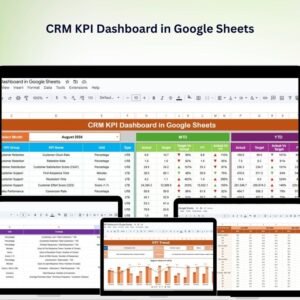
- CRM KPI Dashboard in Google Sheets: track CRM KPIs across the whole customer base.
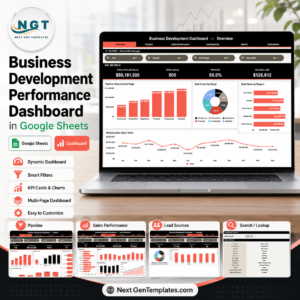
- Business Development Performance Dashboard in Google Sheets
- Monthly Sales Tracker and Report in Google Sheets: report the deals you close each month.
- Lead Tracker Data Entry System in Excel: an Excel option for logging leads.
Browse all Google Sheets sales and marketing templates or the Google Sheets project management templates.



















Reviews
There are no reviews yet.