

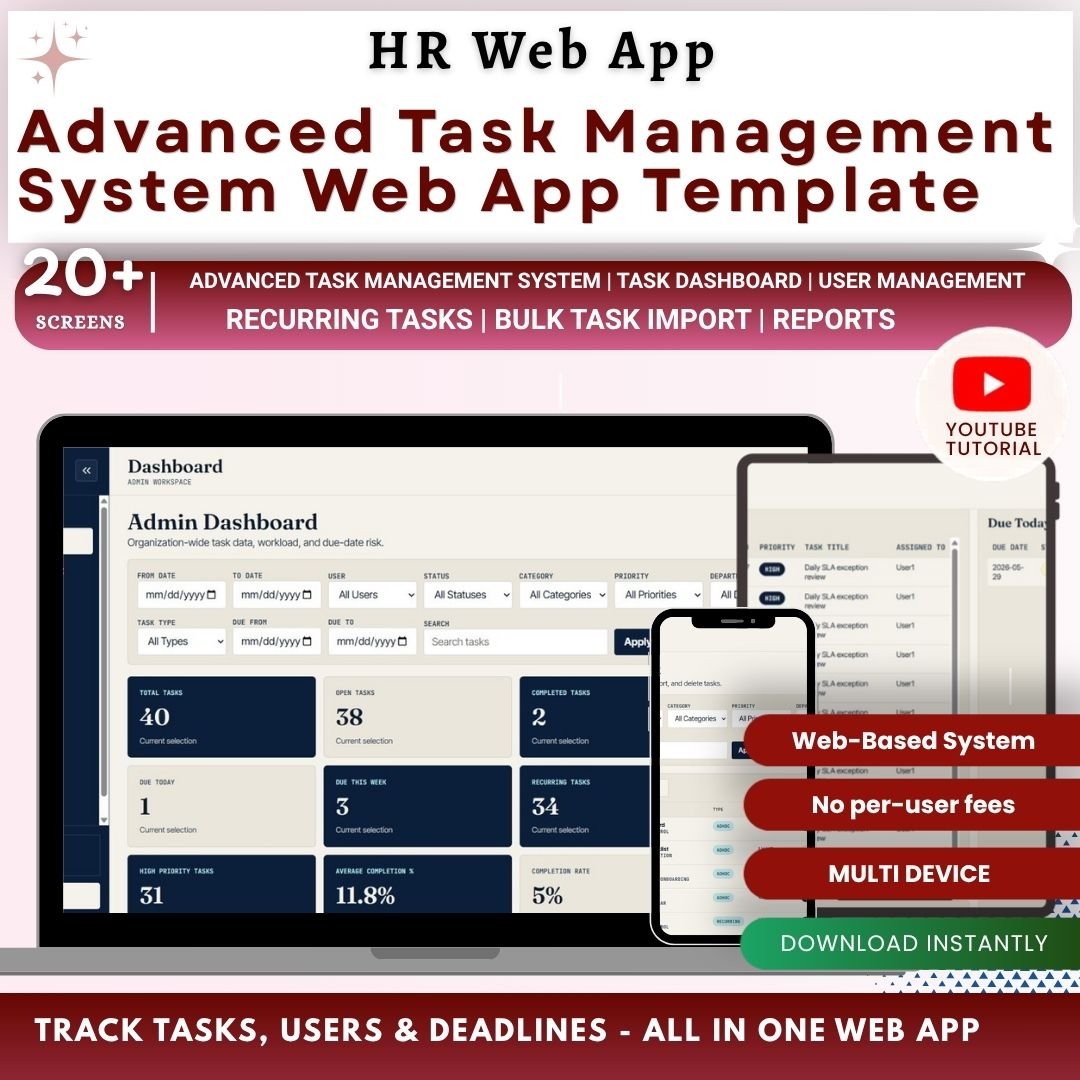

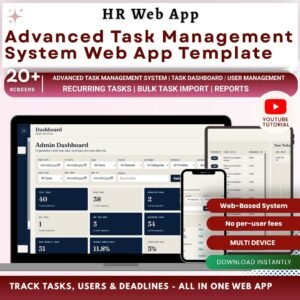
The Advanced Task Management System Web App Template gives project managers, department heads, admins, and operations teams a 12-page task workflow system with role-based sign in, 12 dashboard cards, recurring task rules, bulk import, user management, list management, settings, reports, and a How To Use guide. Teams often lose hours chasing task status across emails, chats, and scattered sheets; this ready-to-customize web app template turns open tasks, overdue work, priorities, owners, categories, departments, and projects into one controlled workspace. NextGenTemplates reaches 300K+ subscribers across tutorial channels, and this template is sold as a one-time purchase with no monthly per-user SaaS fee.
Key Features of Advanced Task Management System Web App Template
- Secure sign in – users enter a username and password before accessing role-controlled pages.
- 12 KPI cards – track Total Tasks, Open Tasks, Completed Tasks, Overdue Tasks, Due Today, Due This Week, Recurring Tasks, Adhoc Tasks, High Priority Tasks, Average Completion %, Completion Rate, and Active Users.
- Dashboard overview – review task counts by status, user, category, priority, due date, and assigned user.
- Visual analysis pages – analyze status, user, category, priority, overdue, due today, and high-priority task patterns.
- Task management workspace – monitor tasks by user, department, project, priority, status, due date, and action history.
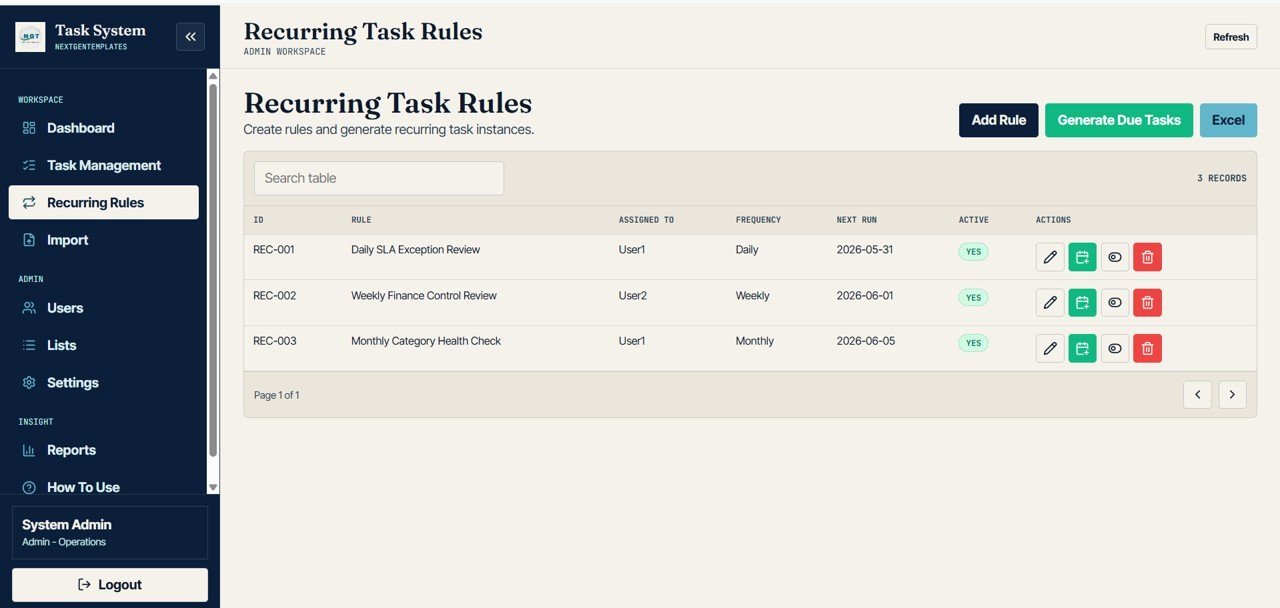
- Recurring task rules – review rule frequency, active rules, next run dates, and generated tasks by rule.
- Bulk import controls – track imported files, validation results, skipped rows, and created tasks by upload.
- Admin pages – manage users, list values, access rules, default settings, reminders, reports, and help steps.
What’s Inside the Advanced Task Management System Web App Template
1. Sign In Page
The Sign In page protects the application before users reach the task workspace. Users enter their username and password, and the system can be configured for role-based access so admins, managers, and team members see the right controls.
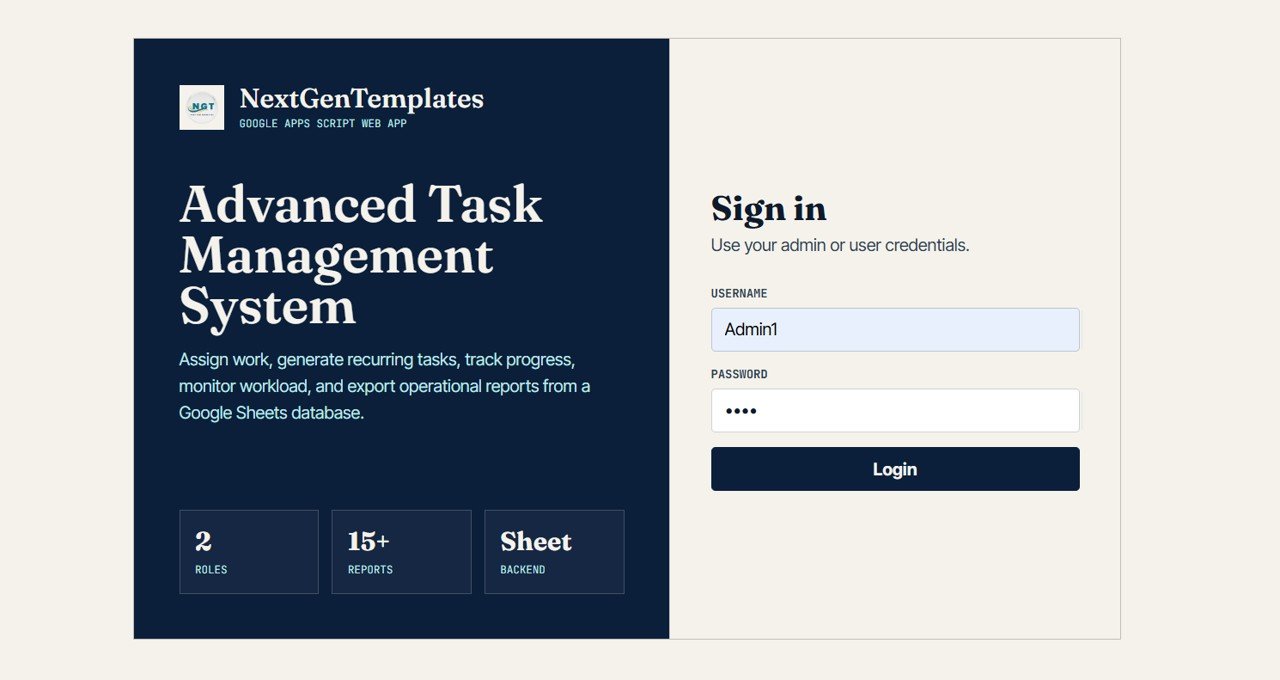
Sign In Page
🚀 Try the Live Demo Before You Buy
We have deployed this web app in our own Google account so you can test every page, every role, and every dashboard — with real sample data — before purchasing. No signup, no email required.
🔑 Test Login Credentials
Sign in as Admin1 to manage users, list values, settings, recurring rules, bulk imports, and every task across all departments, or as User1 to view and update your assigned tasks, due dates, priorities, and status.
💡 What you get after purchase: The full source code (Code.gs + Index.html) plus a step-by-step deployment guide so you can deploy your own private instance in your own Google account in under 15 minutes.
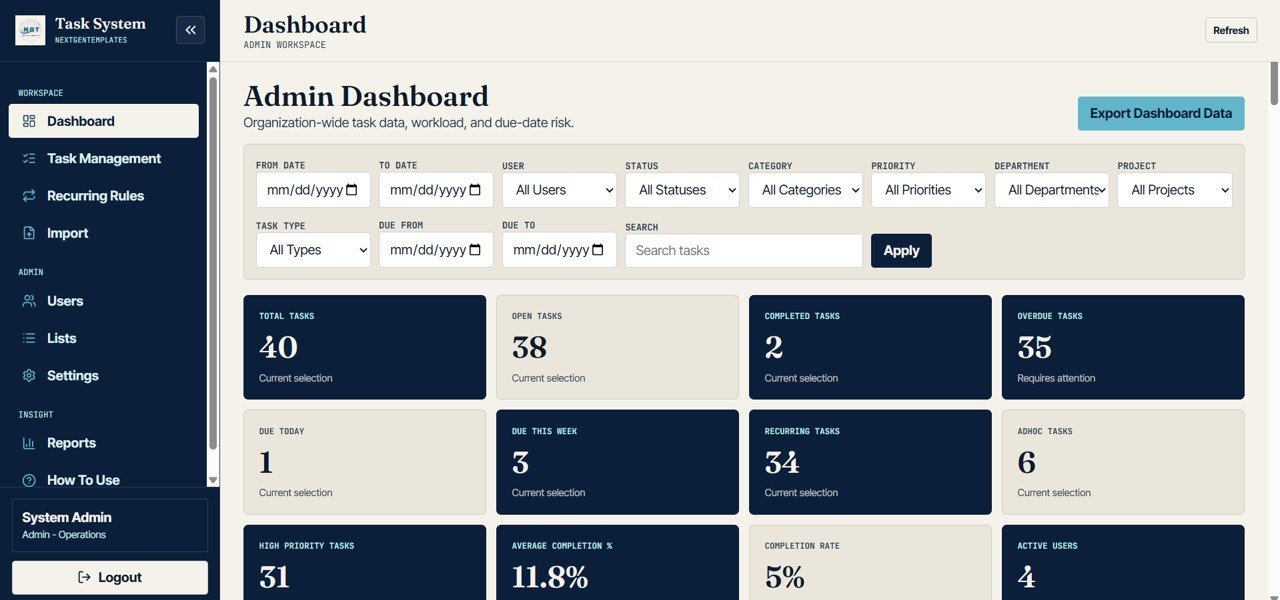
2. Dashboard Overview
The overview page gives leaders a fast read on the full task pipeline. The top cards summarize Total Tasks, Open Tasks, Completed Tasks, Overdue Tasks, Due Today, Due This Week, Recurring Tasks, Adhoc Tasks, High Priority Tasks, Average Completion %, Completion Rate, and Active Users.
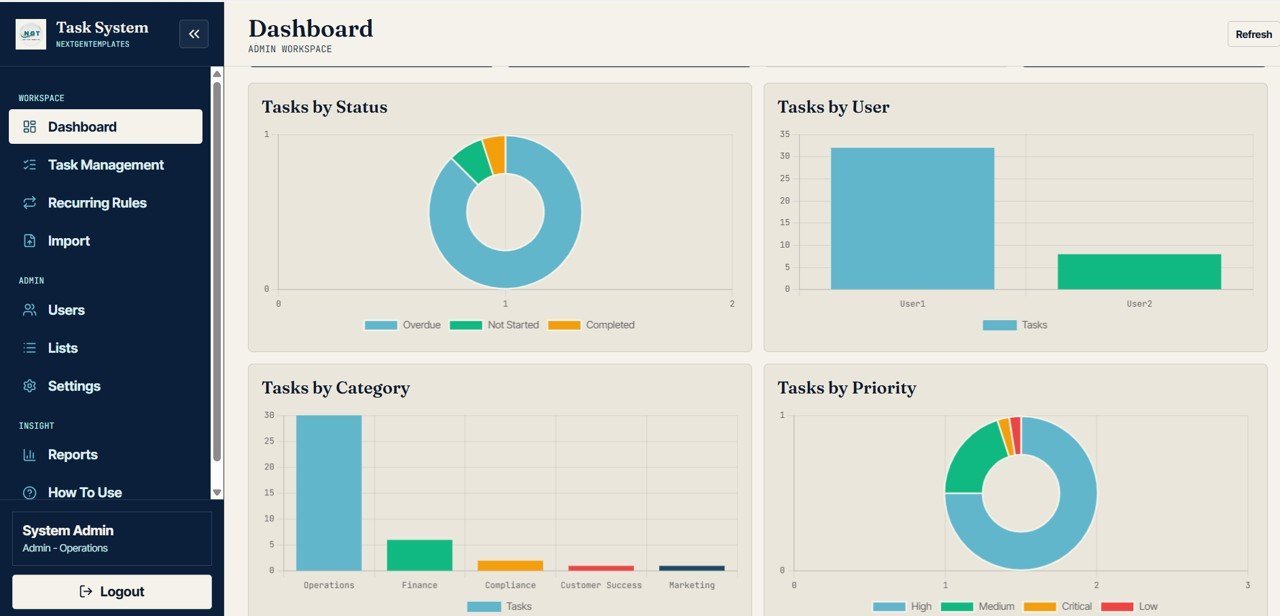
Task Count by Status: Shows how tasks are distributed across open, completed, overdue, and other statuses. Use it to spot where work is slowing down.
Task Count by User: Compares workload across assigned users. It helps managers balance tasks before one person becomes a bottleneck.
Task Count by Category: Groups work by category so recurring themes are visible. This is useful for planning process improvements.
Task Count by Priority: Separates high, medium, and low priority tasks. It helps teams keep urgent work visible during reviews.
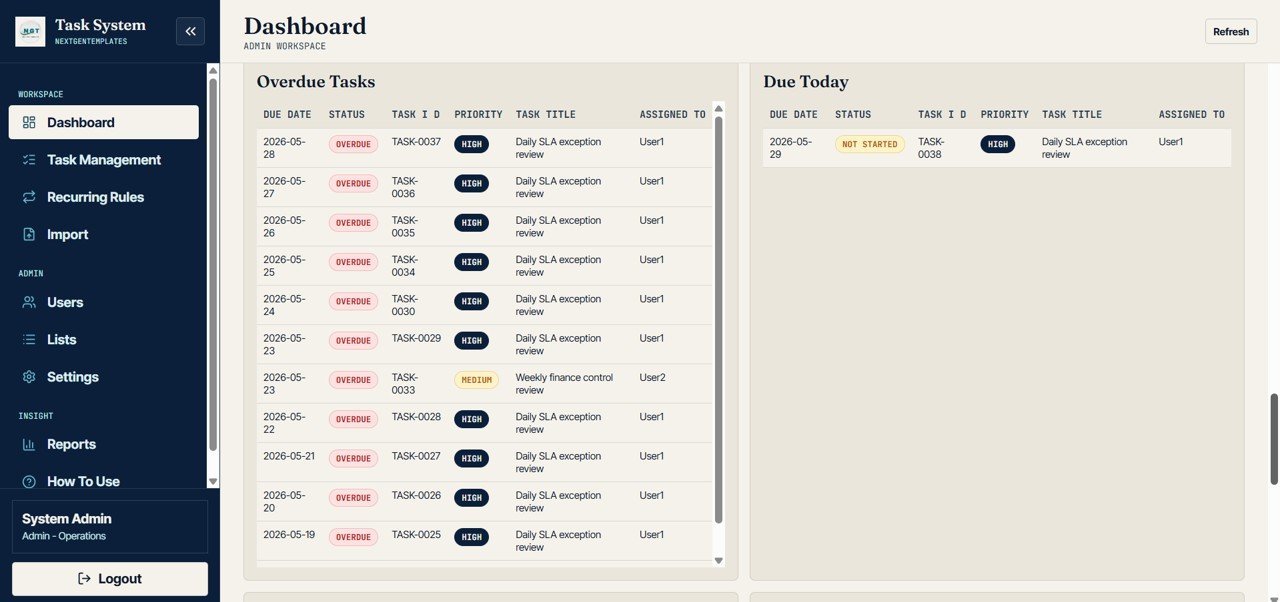
Overdue Tasks by Due Date: Shows overdue tasks by deadline. It helps identify dates where work slipped and needs follow-up.
Due Today Tasks by Assigned User: Highlights today’s work by owner. It supports daily standups and end-of-day checks.
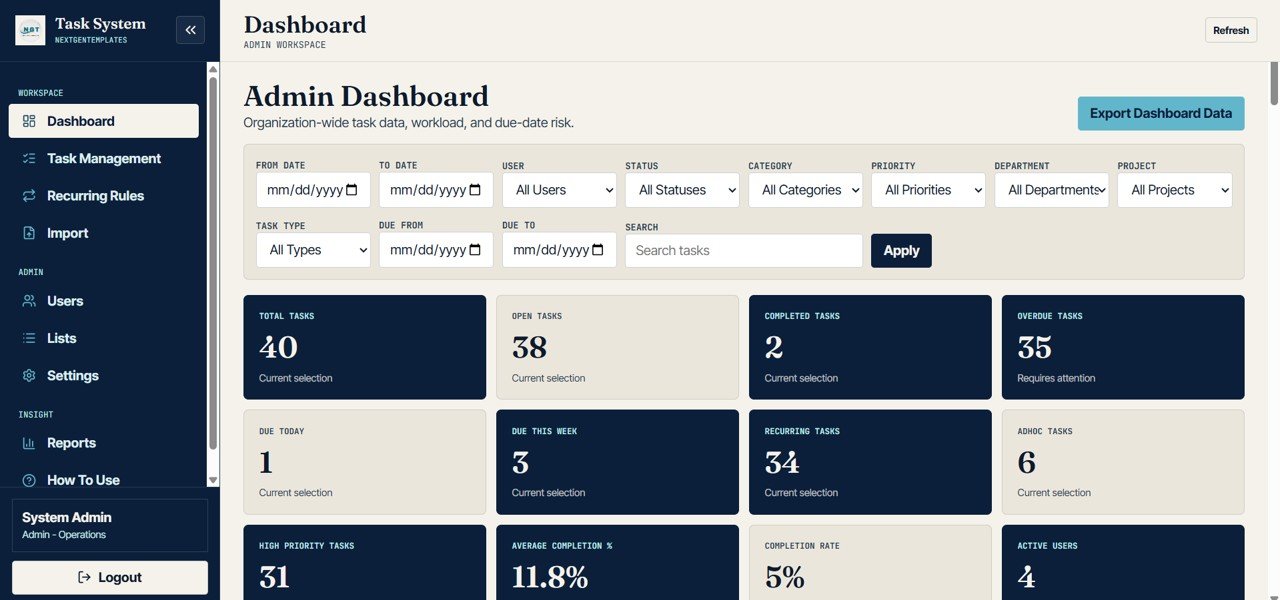
Dashboard Overview
3. Dashboard Visual Analysis
This page focuses on the core breakdowns: Task Count by Status, Task Count by User, Task Count by Category, and Task Count by Priority. It is built for quick visual reviews when a manager wants to understand task mix without opening detailed records.
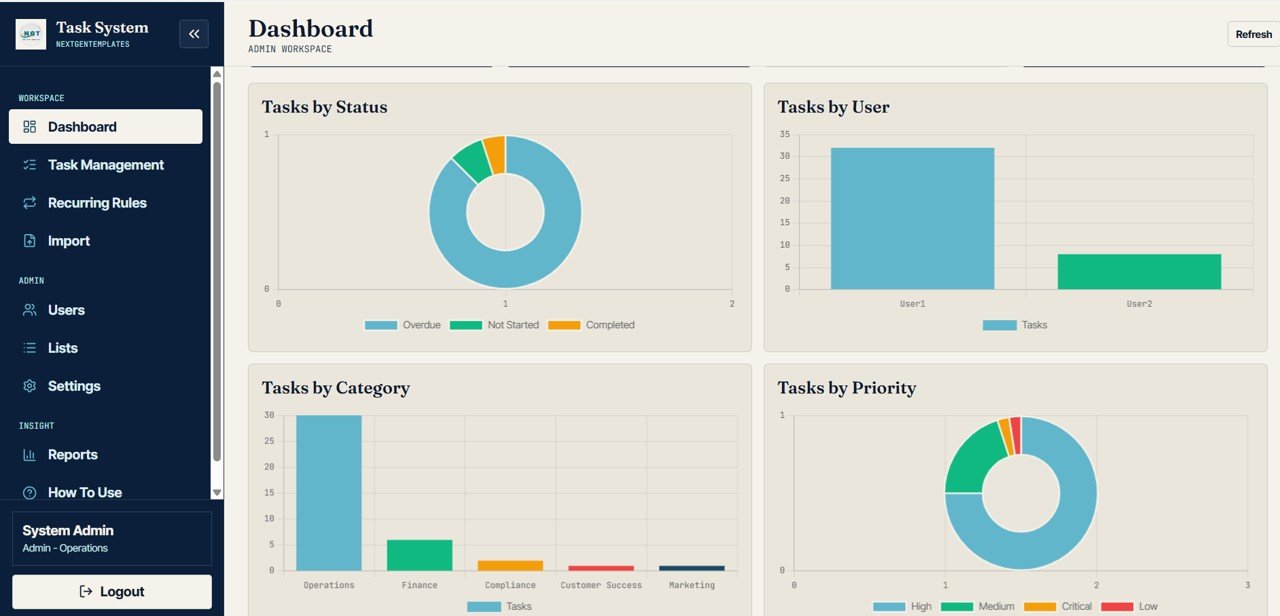
Dashboard Visual Analysis
4. Overdue and Due Today Tasks
This page is for deadline control. It includes Overdue Task Count by Due Date, Overdue Task Count by Assigned User, Due Today Task Count by Assigned User, and High Priority Tasks by Due Date so managers can focus on urgent work first.
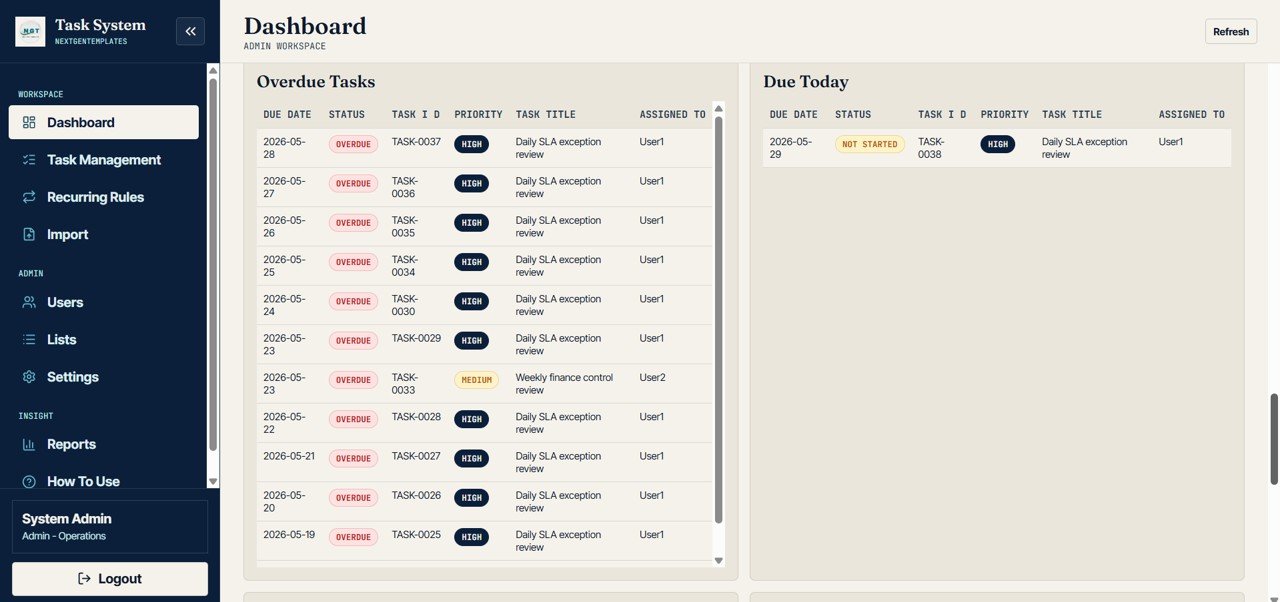
Overdue and Due Today Tasks
5. Task Management
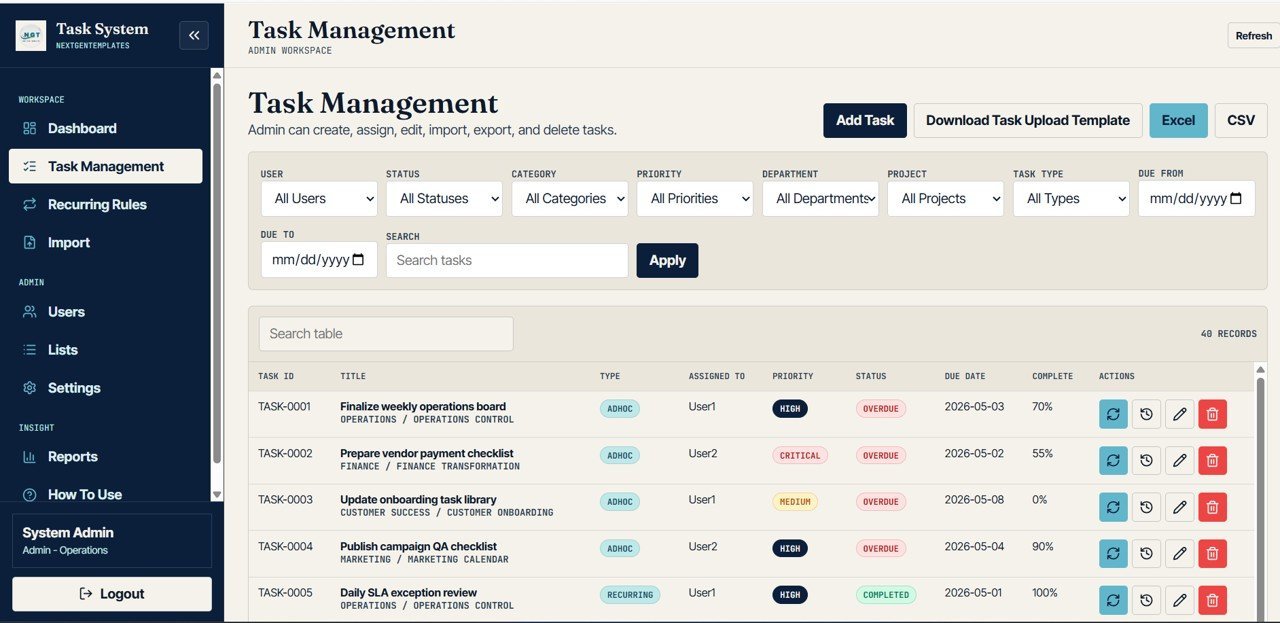
The Task Management page analyzes Task Count by User, Status, Category, Priority, Department, and Project. It also includes Task Completion by Due Date and Task Actions by Task ID, giving admins a clearer view of ownership, progress, and action history.
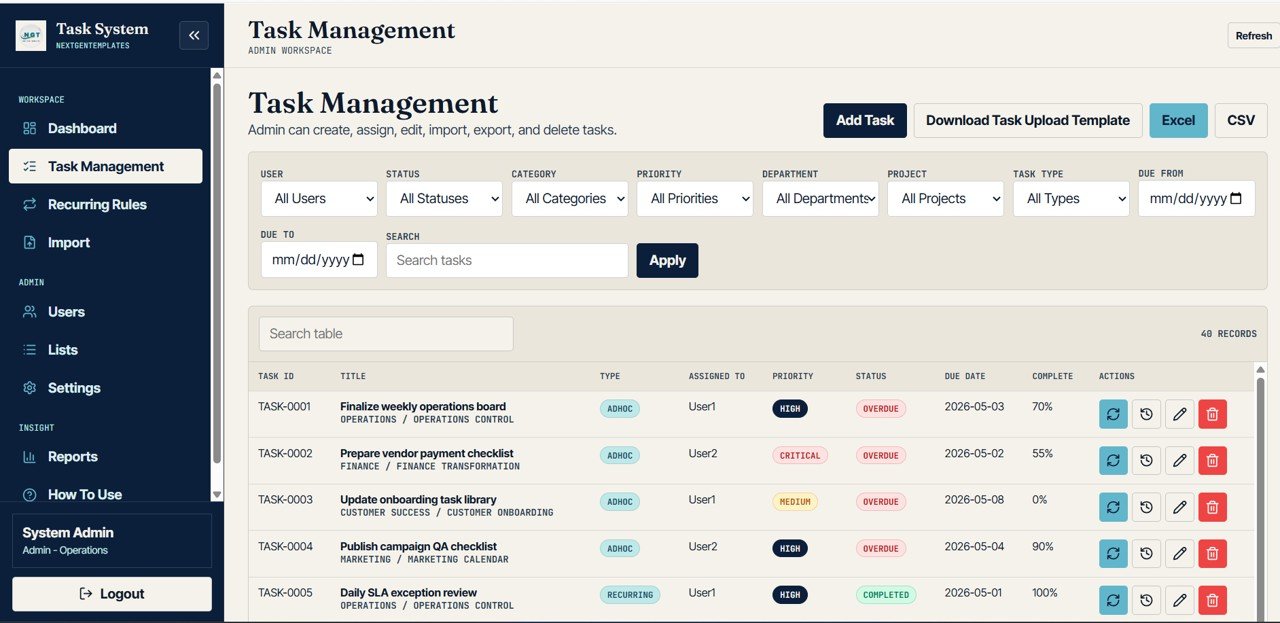
Task Management
6. Recurring Task Rules
The Recurring Task Rules page helps teams manage work that repeats. It tracks Recurring Rule Count by Frequency, Active Rule Count by Assigned User, Next Run Date by Rule, and Generated Tasks by Rule.
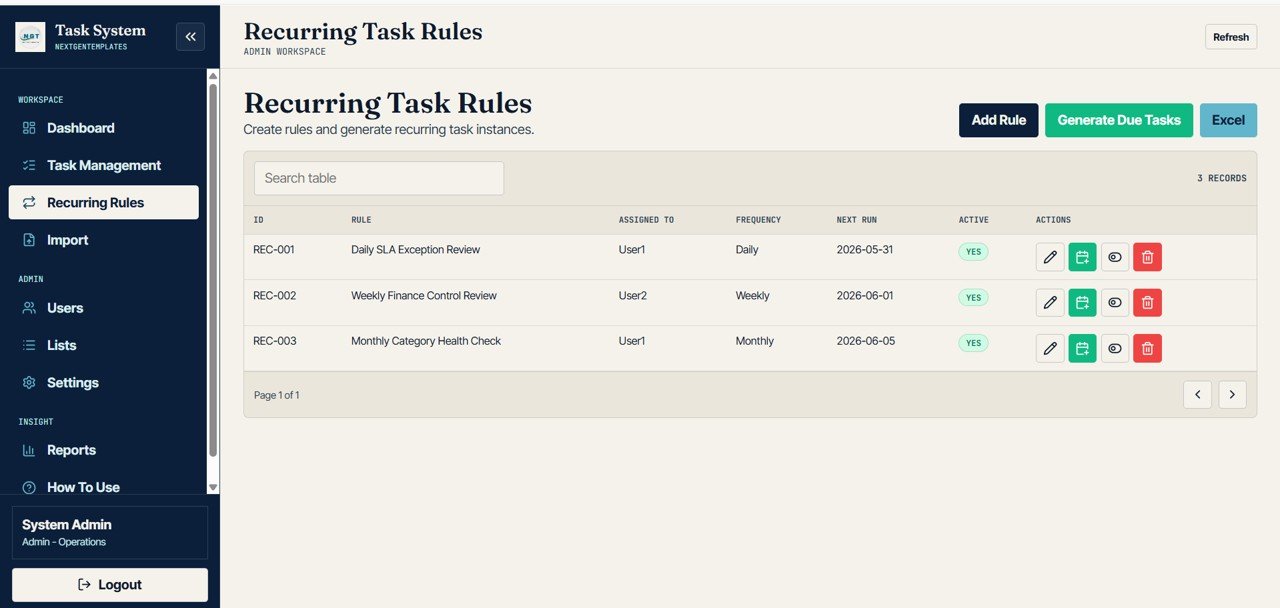
Recurring Task Rules
7. Bulk Task Import
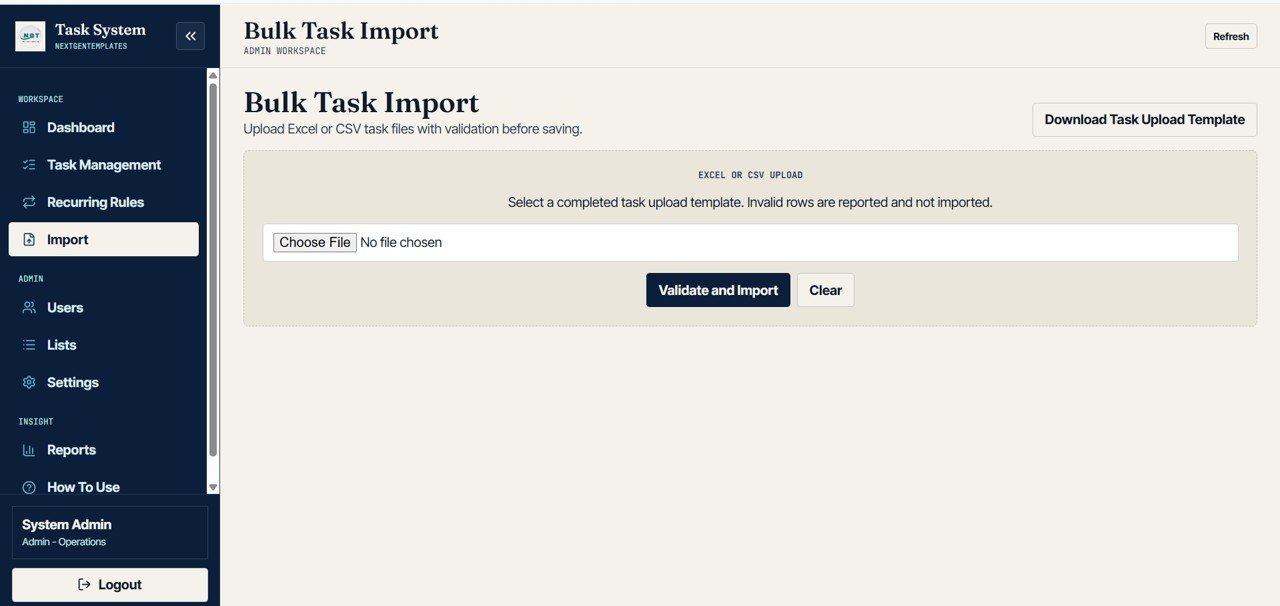
The Bulk Task Import page is built for teams that need to create tasks from uploaded data. It shows Imported Task Count by File, Validation Result by Row, Skipped Rows by Error Type, and Created Tasks by Upload.
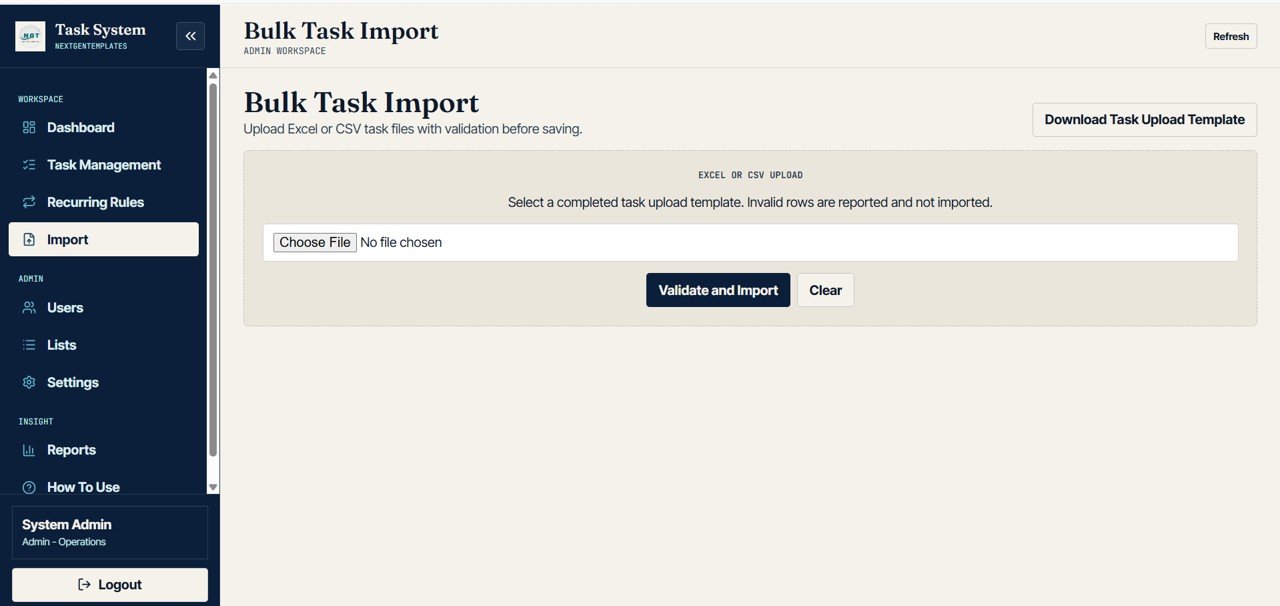
Bulk Task Import
8. User Management
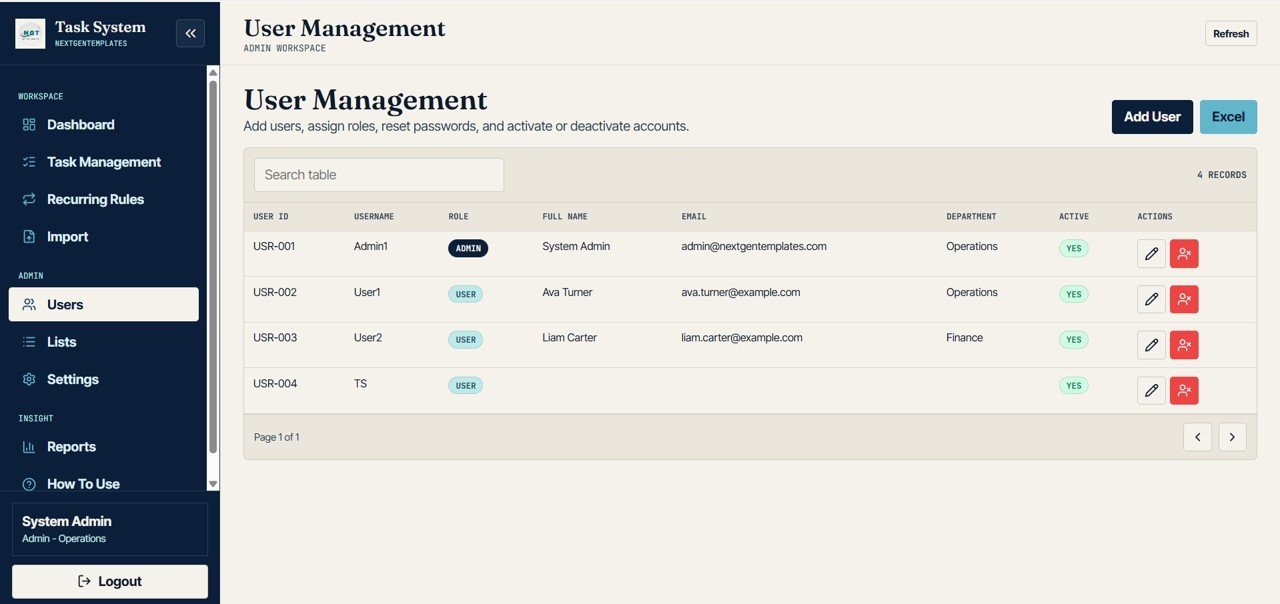
User Management lets admins review User Count by Role, User Count by Department, Active Users by Username, and User Access by Role. This supports cleaner access control and simpler user audits.
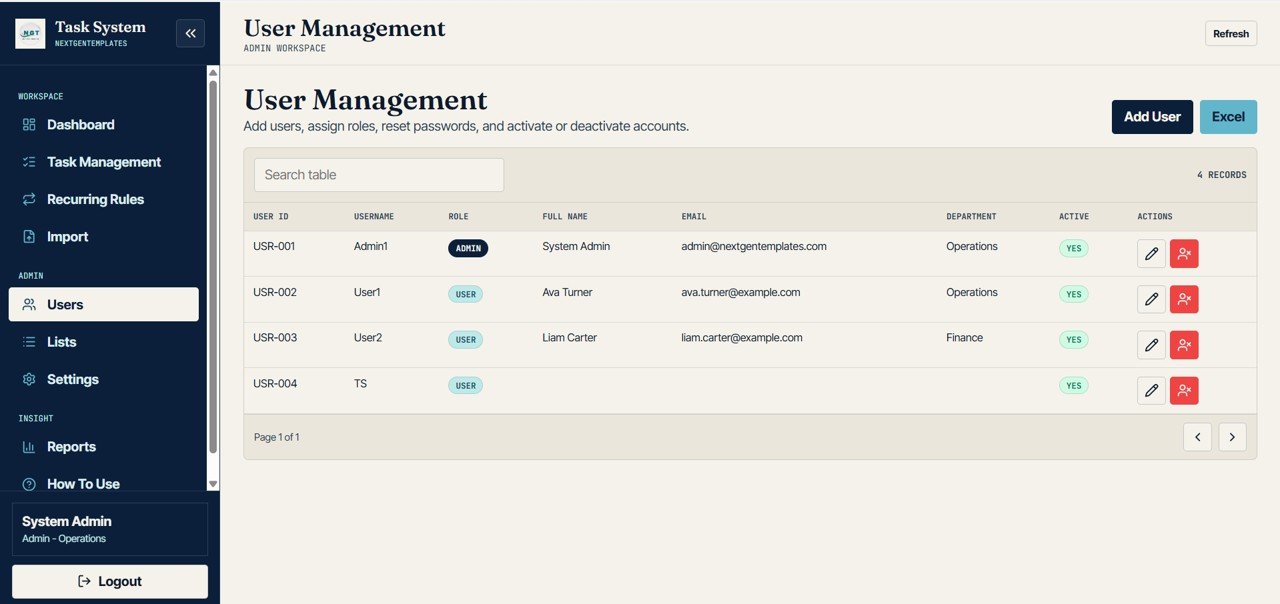
User Management
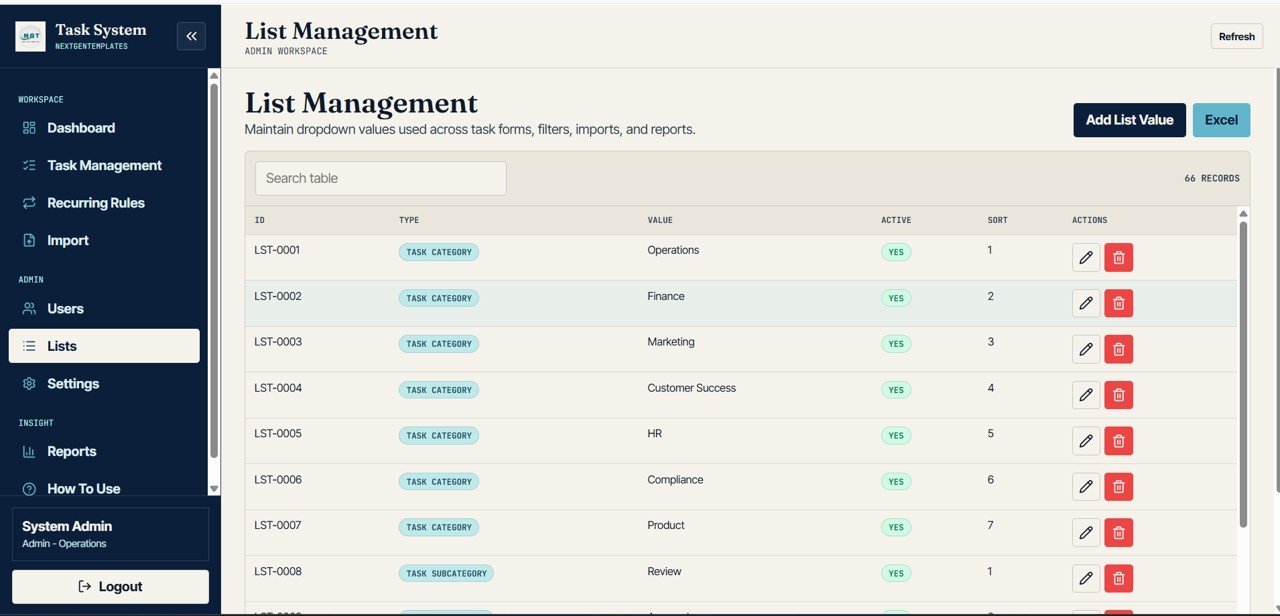
9. List Management
The List Management page organizes dropdown and reference values. It includes List Values by Type, Active Values by Type, Sort Order by Value, and Dropdown Values by Usage.
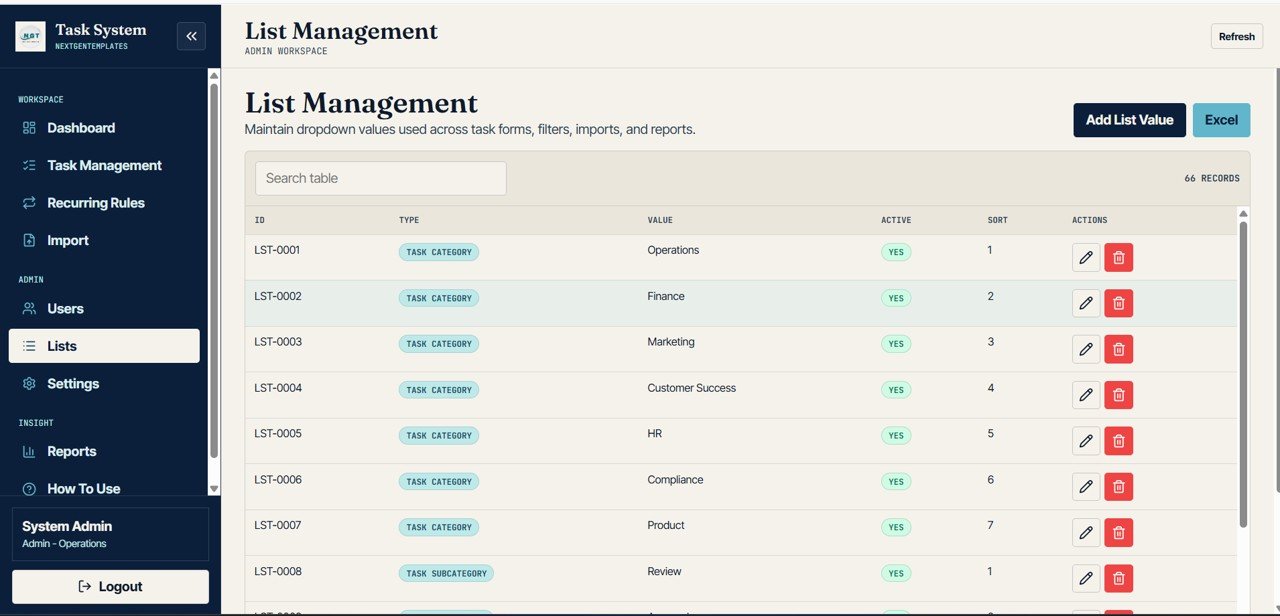
List Management
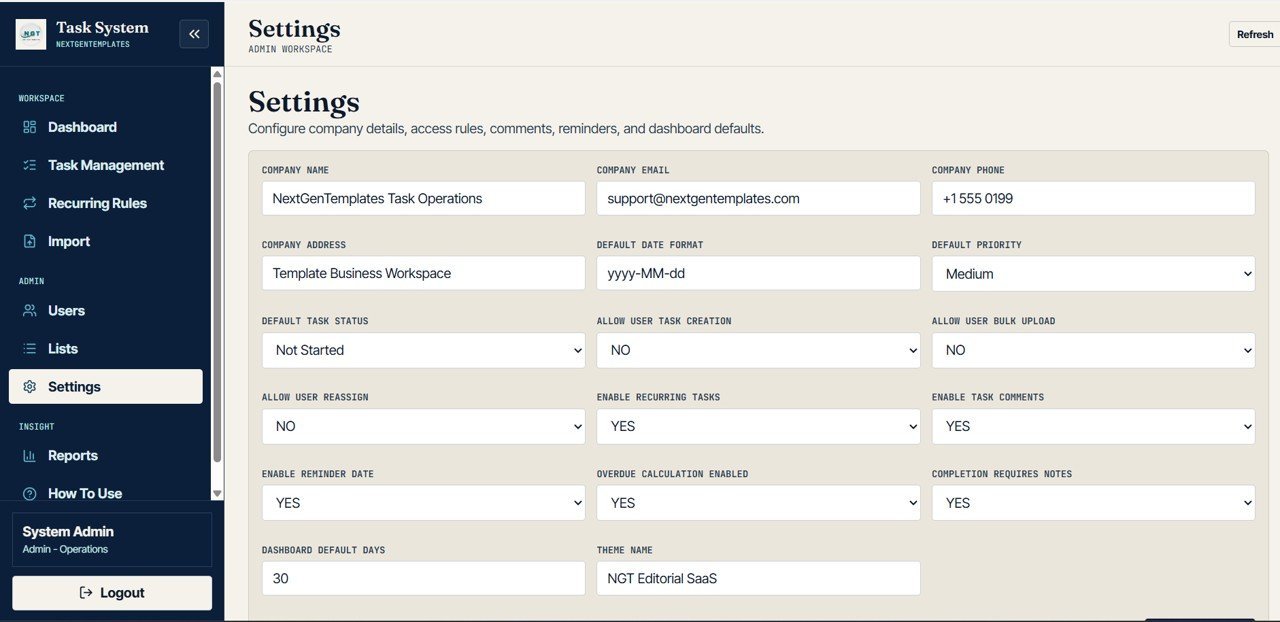
10. Settings
The Settings page covers Access Rules by Permission, Default Values by Configuration, Reminder Settings by Status, and Dashboard Defaults by Days. It helps admins maintain the app behavior without digging through task records.
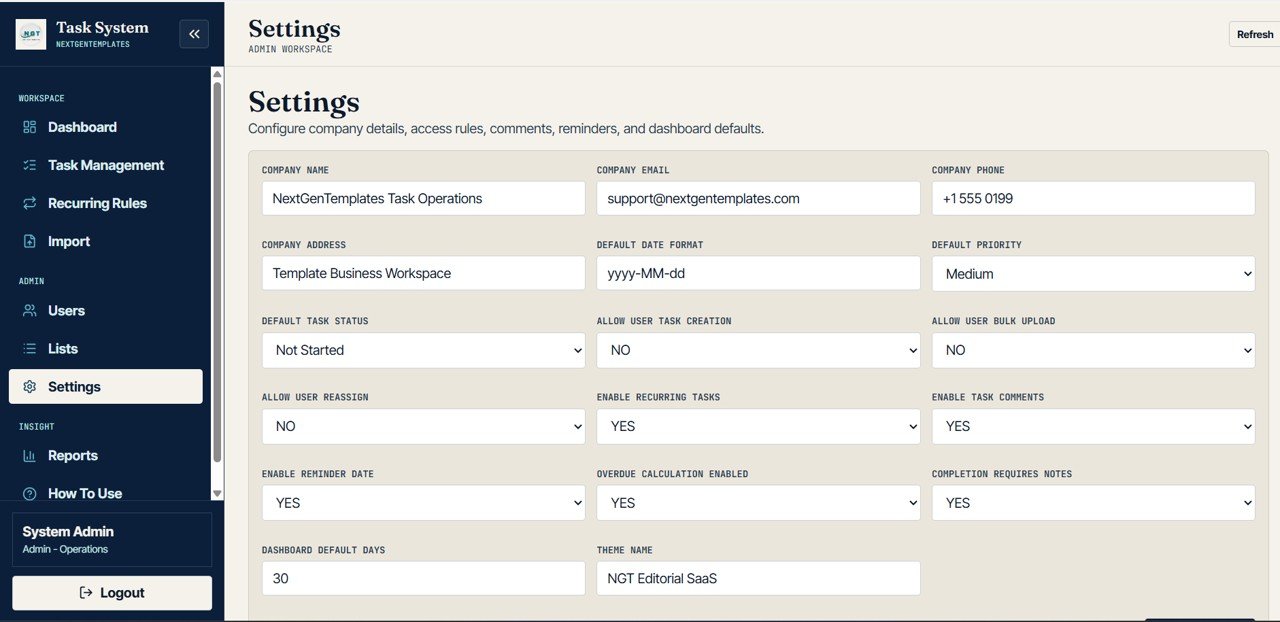
Settings
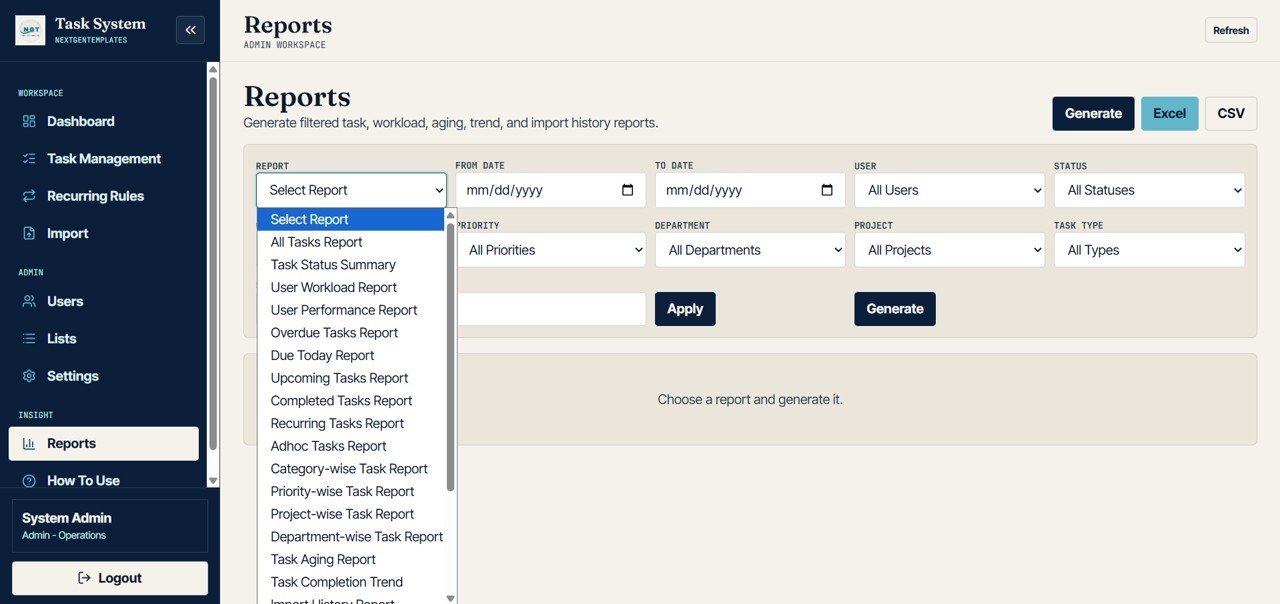
11. Reports
The Reports page includes Task Report by Report Type, Workload Report by User, Status Summary by Status, Aging Report by Due Date, Completion Trend by Date, and Import History by Upload.
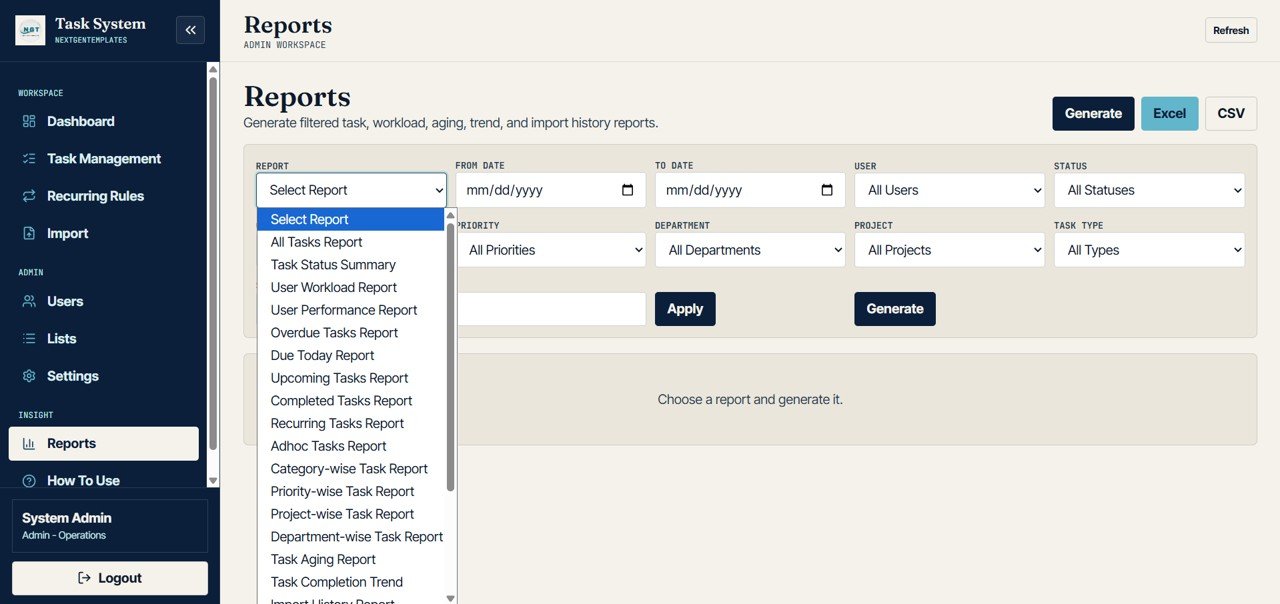
Reports
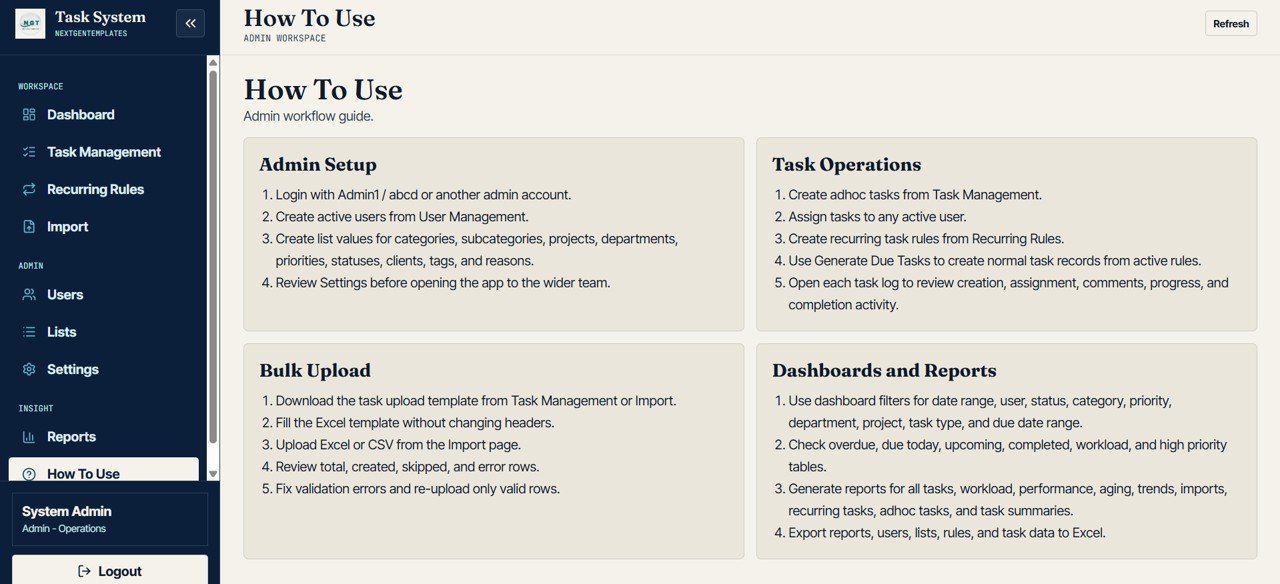
12. How To Use
The How To Use page explains Admin Setup by Step, Task Operations by Step, Bulk Upload by Step, and Dashboards and Reports by Step. It is helpful for onboarding admins and team members after deployment.
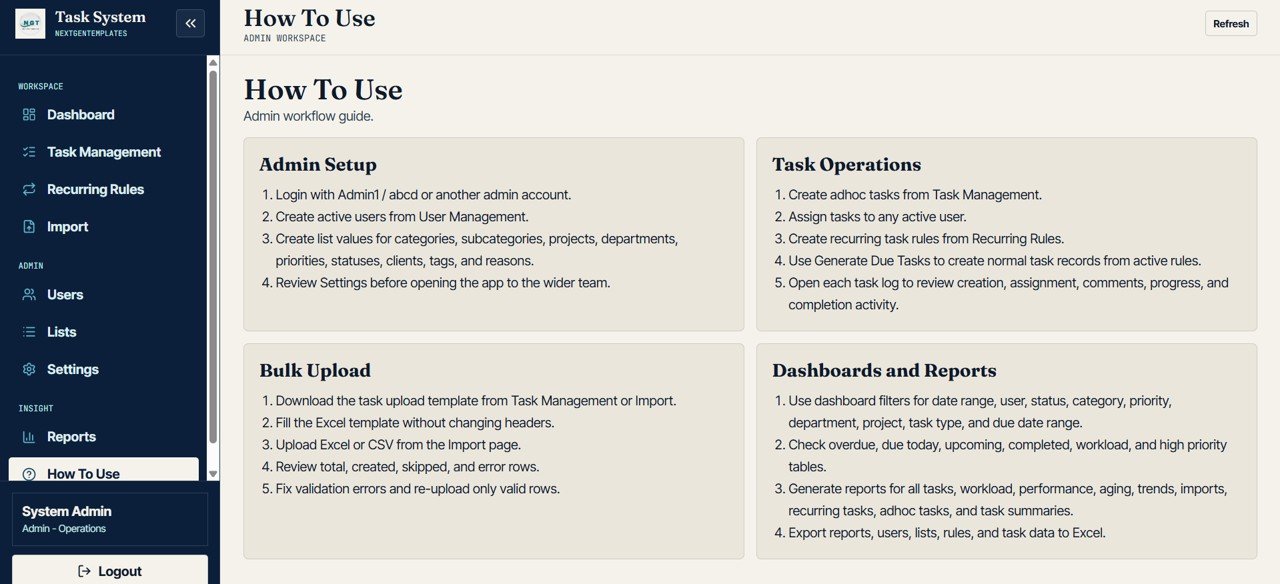
How To Use
Advanced Task Management System Web App Template vs. Google Sheets Task Tracker vs. Paid Project Management SaaS – Where This Fits
| Feature | This Web App Template | Google Sheets Task Tracker | Paid Project Management SaaS |
|---|---|---|---|
| Cost | $39.99 one-time sale price | Low cost but usually manual | Monthly per-user subscription |
| Platform | Deployable web app template | Spreadsheet file | Vendor-hosted cloud app |
| Setup time | Configure users, lists, and task data after deployment | Fast, but limited control | Onboarding, permissions, and migration |
| Real-time team collaboration | Role-based workflow after setup | Shared sheet editing | Included on most plans |
| Mobile access | Browser access after deployment | Google Sheets app or browser | Vendor app or browser |
| Customizable fields | Editable source structure | Editable columns | Depends on plan and admin rights |
| Recurring task rules | Included | Usually manual formulas or scripts | Plan dependent |
| Bulk task import | Included with validation views | Manual paste/import | Often included, but controlled by vendor |
| Year-1 cost at 5 users | $39.99 template cost | Template cost plus setup time | Often $600-$2,400+ per year |
Who This Template Is For – and Who It’s Not For
This template is a strong fit for project coordinators, admin teams, operations managers, agencies, consultants, department heads, and small business owners who want a customizable task management web app starting point.
It is not meant to replace a fully hosted enterprise work management platform with native mobile apps, advanced automation marketplaces, time tracking, billing, or deep third-party integrations. If your team needs those from day one, use Asana, Monday.com, ClickUp, or Smartsheet and treat this template as a lower-cost internal system option.
How to Use the Advanced Task Management System Web App Template
- Download and unzip the template files after purchase.
- Follow the included deployment guide to install the web app in your own environment.
- Open User Management and create admin, manager, and user access records.
- Use List Management to set departments, projects, categories, priorities, and statuses.
- Add tasks manually or use Bulk Task Import to create tasks from structured data.
- Review Dashboard Overview, Visual Analysis, Reports, and deadline pages during daily or weekly meetings.
Real-World Use Cases
Anita, operations manager: Anita reviews overdue tasks, due-today tasks, and high-priority work every morning before assigning follow-ups to department owners.
Marcus, project coordinator: Marcus uses Bulk Task Import to load weekly task lists, then checks validation results and created tasks before the team starts work.
Priya, admin lead: Priya manages users, dropdown lists, access rules, reminders, and dashboard defaults so the app stays clean as the team grows.
Frequently Asked Questions
What is included in this task management web app template?
It includes sign in, dashboard overview, visual analysis, overdue and due-today views, task management, recurring task rules, bulk import, user management, list management, settings, reports, and a How To Use page.
Does the template include role-based access?
Yes. The sign-in workflow is designed for role-based control so different users can access the pages and actions assigned to their role after setup.
Can it manage recurring tasks?
Yes. The Recurring Task Rules page tracks rule frequency, active rules by assigned user, next run dates, and generated tasks by rule.
Can I import tasks in bulk?
Yes. The Bulk Task Import page helps review imported task counts by file, validation results by row, skipped rows by error type, and created tasks by upload.
Is this the same as a paid SaaS task manager?
No. It is a downloadable web app template that you can customize and deploy. Paid SaaS tools may include hosted infrastructure, mobile apps, integrations, and support subscriptions.
Can I customize the fields and dropdown lists?
Yes. The List Management and Settings pages are built so admins can maintain list values, defaults, access rules, reminders, and dashboard defaults.
About the Author
Built by PK – Microsoft Certified Professional with 15+ years of Excel, Google Sheets, and Power BI experience. Founder of NextGenTemplates, reaching 300K+ subscribers across YouTube channels. Every template is hand-built and tested before release.
Explore Related Templates
- Visitor Entry Management System Web App Template
- Web-based Advanced Inventory Management System
- Complaint Management System: Web App Version
- Web App Based Hotel Booking Management System
- Browse Mini Web Apps
Use the Advanced Task Management System Web App Template to organize tasks, owners, deadlines, recurring work, imports, users, settings, and reports in one deployable system.
Download the Complaint Management System: Web App Version to centralize complaint intake, assignment, SLA follow-up, reporting, and admin control in one structured web app.
Watch the step-by-step video tutorial:
Last updated: May 29, 2026
Compatibility and Requirements
- After purchase you get the full source code (Code.gs and Index.html) and a step-by-step deployment guide to set up your own private copy in your own Google account.
- Once deployed, users sign in from a web browser with their username and password.
- Try the live demo above with the Admin1 or User1 test login before you buy.

















Reviews
There are no reviews yet.