

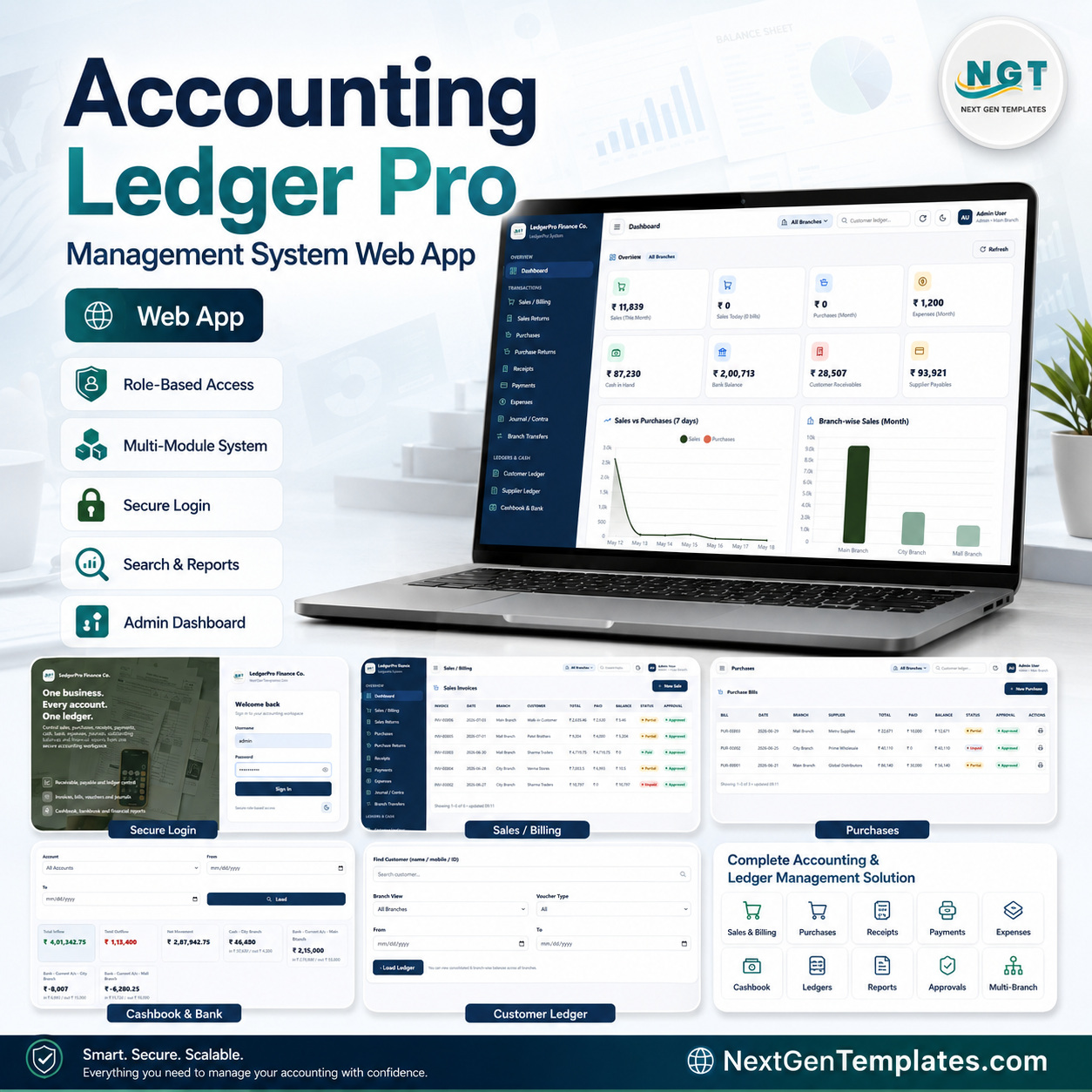
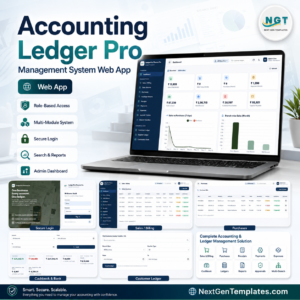
Accounting Ledger Pro Management System Web App gives small businesses, accountants, shop owners, and branch managers a 30-screen accounting workspace for sales, purchases, returns, receipts, payments, expenses, journals, ledgers, stock, reports, approvals, documents, user access, archiving, and audit logs. The system includes 8 dashboard summary cards, 9 cashbook and bank movement cards, searchable module tables, export controls, role-based access messaging, and a one-time $39.99 download with no monthly template subscription. Built by PK, founder of NextGenTemplates and a Microsoft Certified Professional with 300K+ tutorial subscribers, this template is designed as a practical starting point instead of a locked SaaS contract.
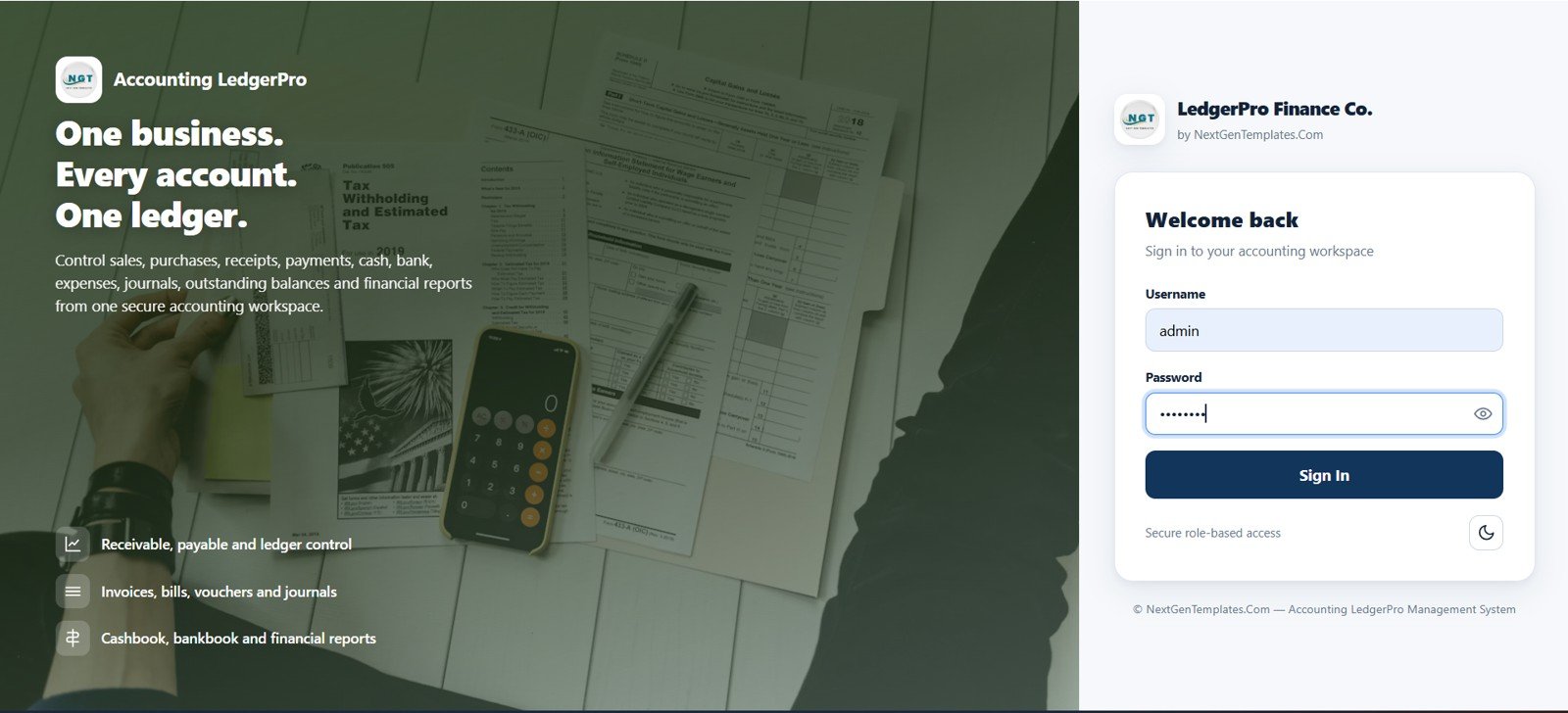
Accounting Ledger Pro Management System Web App – Login Page
🚀 Try the Live Demo Before You Buy
We have deployed this web app in our own Google account so you can test every page, every role — with real sample data — before purchasing. No signup, no email required.
🔑 Test Login Credentials
This system supports 9 role-based logins — sign in as any role below to explore exactly what that user type sees and can do.
💡 What you get after purchase: The full source code (Code.gs + Index.html) plus a step-by-step deployment guide so you can deploy your own private instance in your own Google account in under 15 minutes.
Key Features of Accounting Ledger Pro Management System – Web App
- 30 connected pages covering accounting, inventory, reporting, administration, archive, and audit workflows.
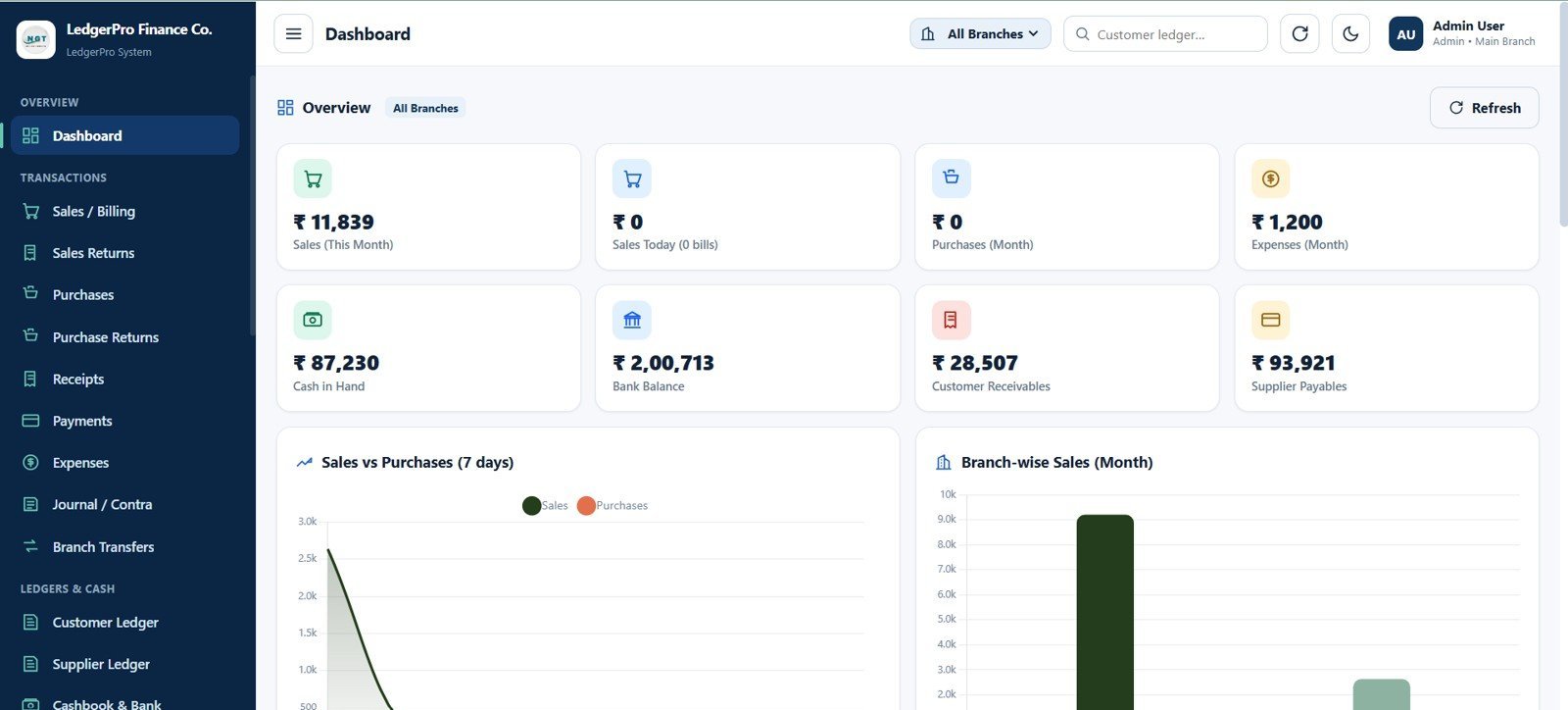
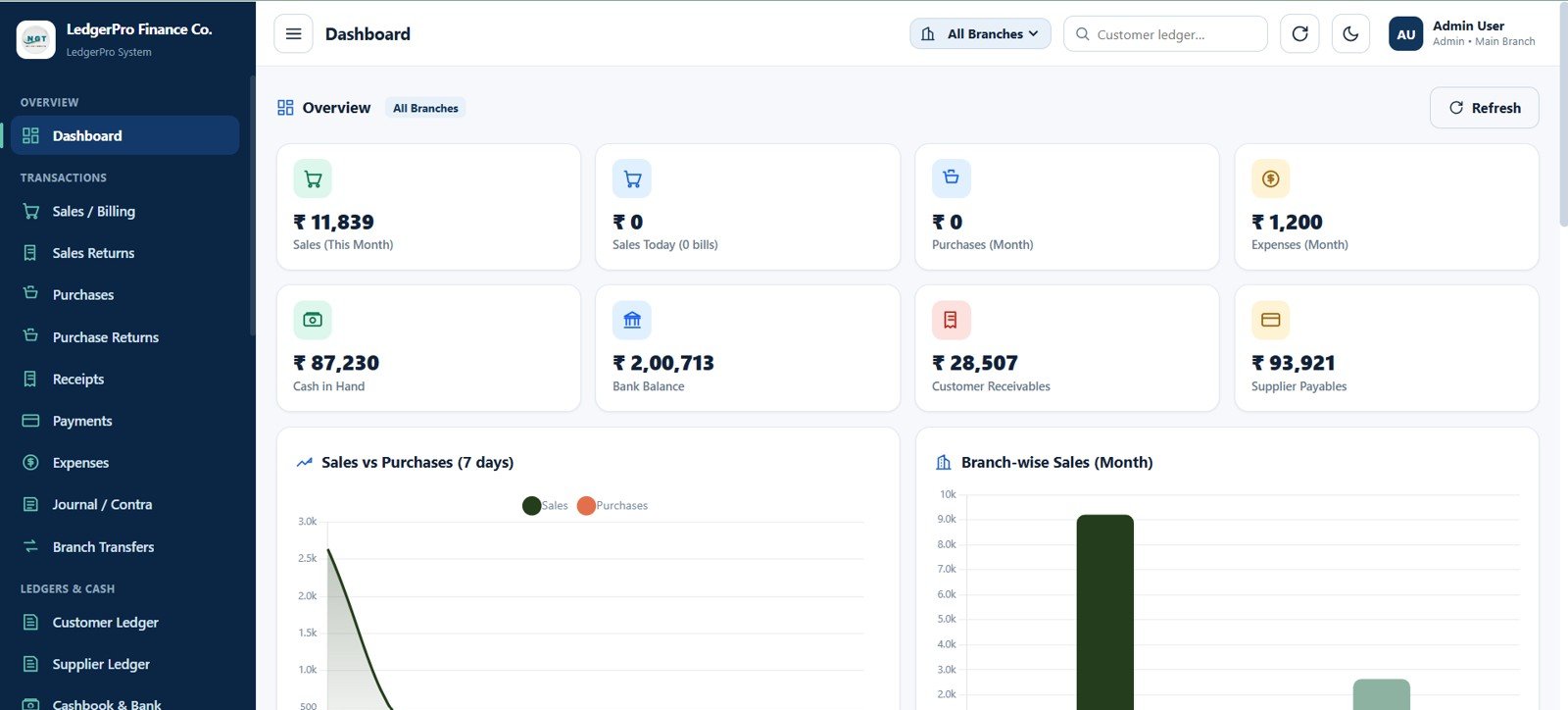
- Executive dashboard with Sales This Month, Sales Today, Purchases This Month, Expenses This Month, Cash in Hand, Bank Balance, Customer Receivables, and Supplier Payables.
- Complete transaction flow for sales invoices, sales returns, purchase bills, purchase returns, receipts, supplier payments, expenses, journal vouchers, and contra entries.
- Ledger control through customer ledger, supplier ledger, chart of accounts, cashbook, bankbook, branch transfers, and stock ledger pages.
- Master data management for customers, suppliers, products, branches, users, dropdown lists, module access, settings, and supporting documents.
- Governance features for approvals, role access, archive database, audit log, search, print, and Excel export.
- One-time ownership for teams that want a private, editable accounting system instead of recurring per-user software fees.
What’s Inside the Accounting Ledger Pro Management System – Web App
The template is organized around the daily accounting cycle: sign in, review the dashboard, enter sales and purchases, record cash and bank movement, reconcile ledgers, manage stock, run reports, approve records, and maintain users and settings.
1. Login Page
Users sign in to the Accounting LedgerPro workspace with secure role-based access messaging. The screen highlights receivable, payable, ledger, invoice, bill, voucher, journal, cashbook, bankbook, and reporting control.
2. Dashboard Page
The dashboard gives owners a fast financial snapshot with sales, purchases, expenses, cash, bank, receivables, and payables. It also includes Sales and Purchases by Date, Branch-wise Sales, branch filtering, customer ledger search, and refresh control.
Dashboard Page
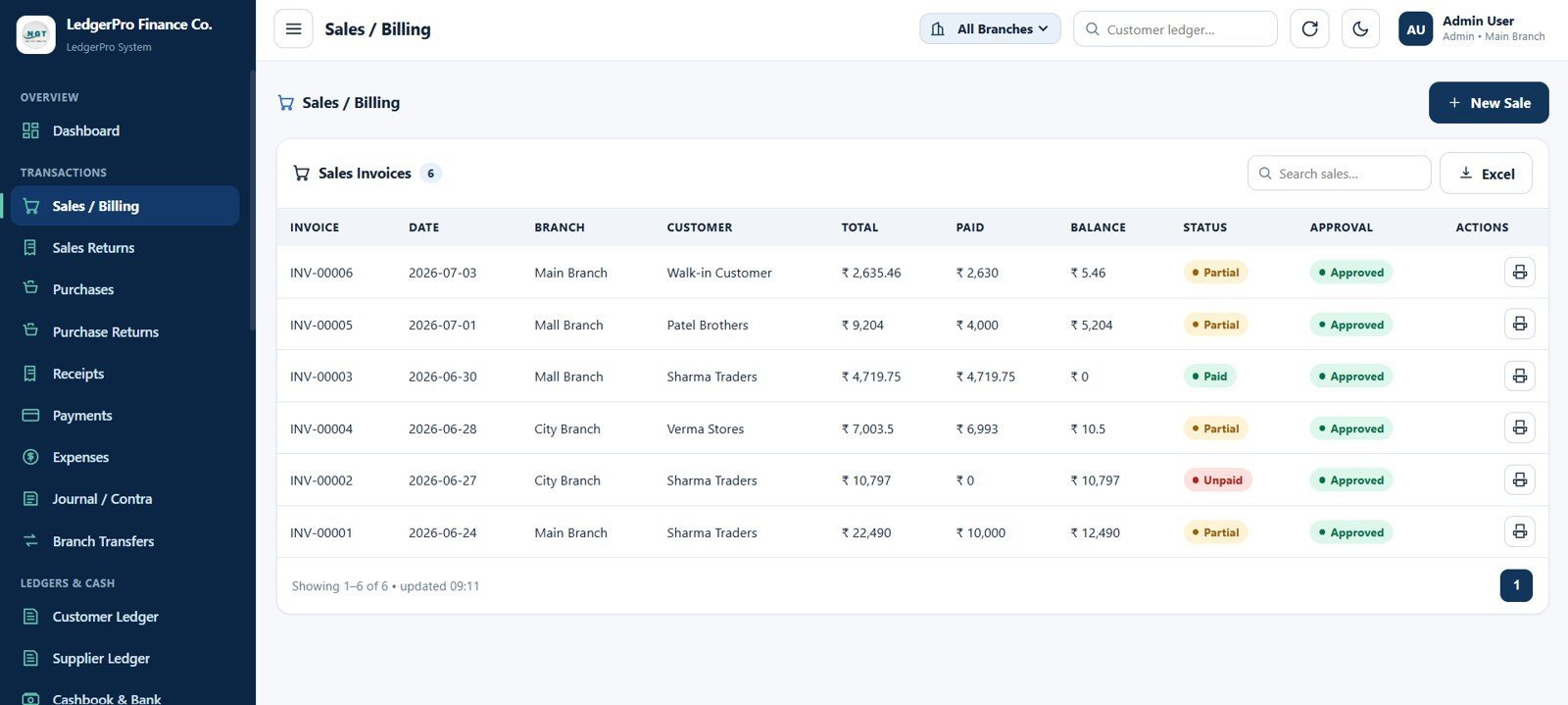
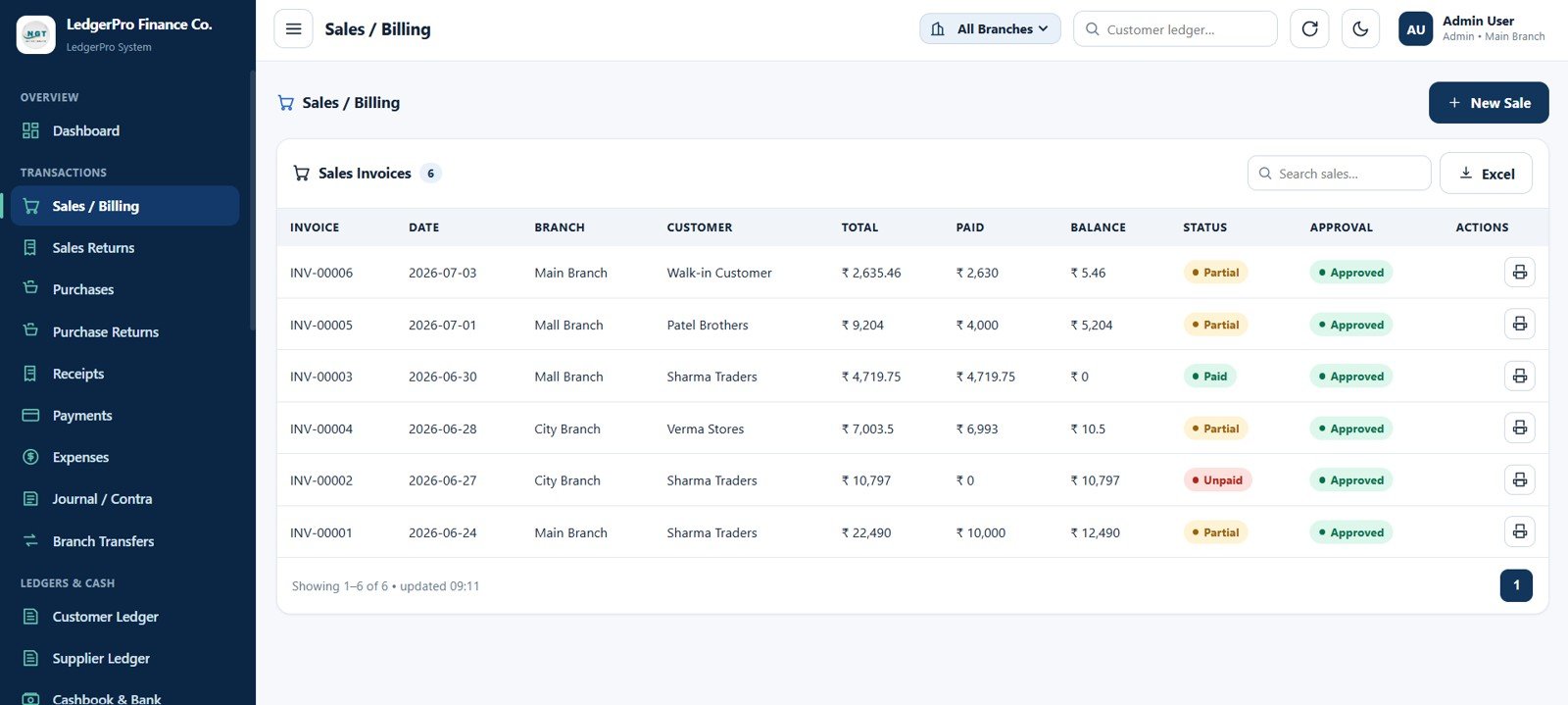
3. Sales / Billing Page
Create and manage sales invoices with invoice number, date, branch, customer, total, paid amount, balance, payment status, approval status, print action, search, and Excel export.
Sales / Billing Page
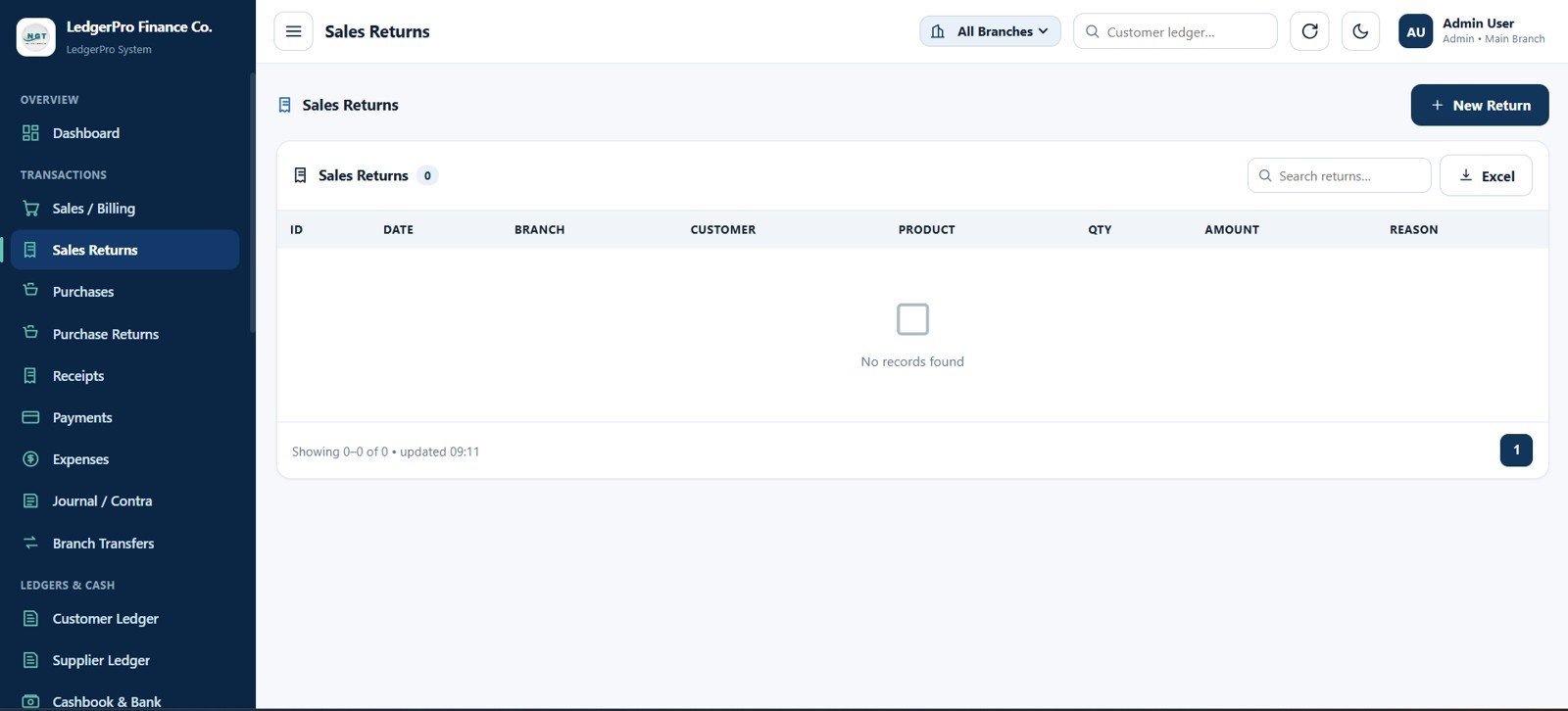
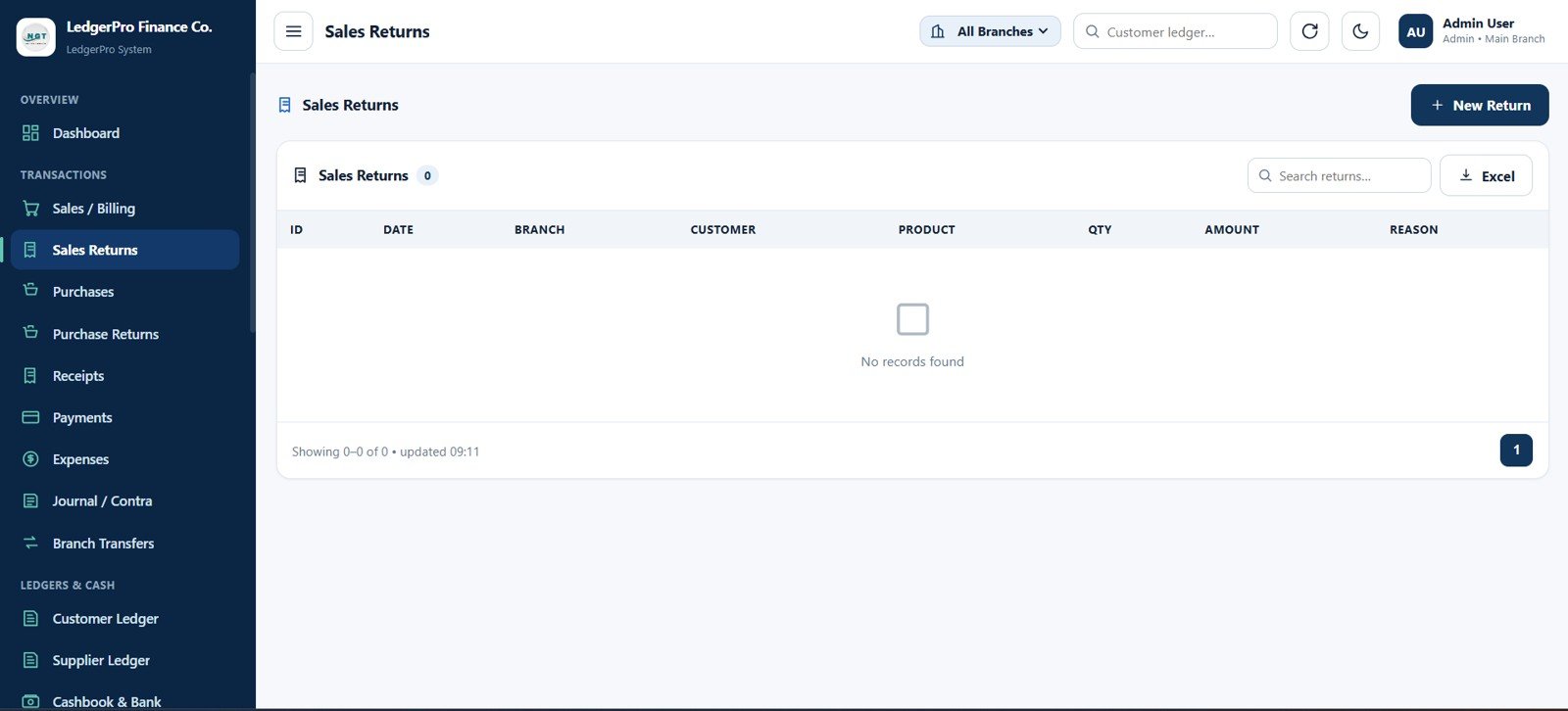
4. Sales Returns Page
Record returned sales items and review return ID, date, branch, customer, product, quantity, amount, reason, new return action, search, and Excel export.
Sales Returns Page
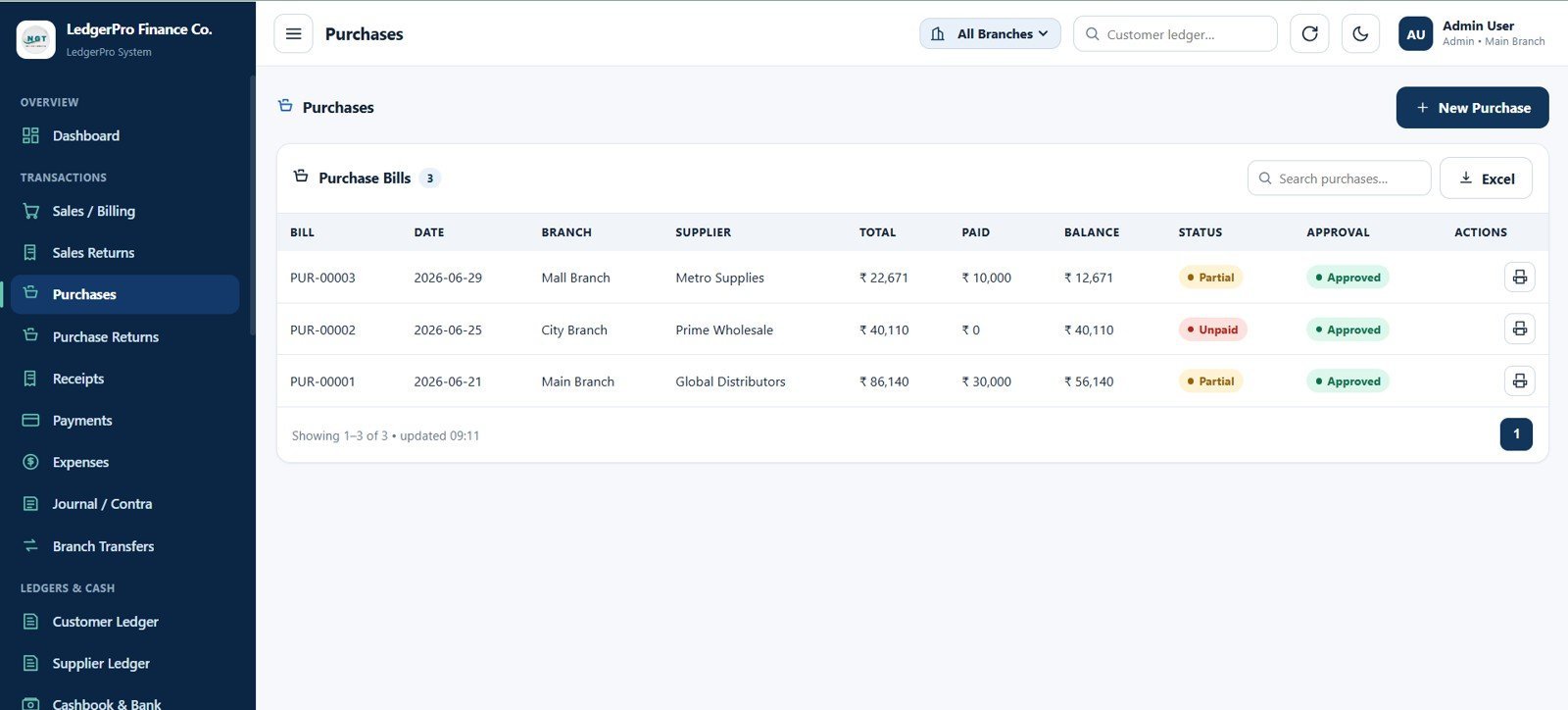
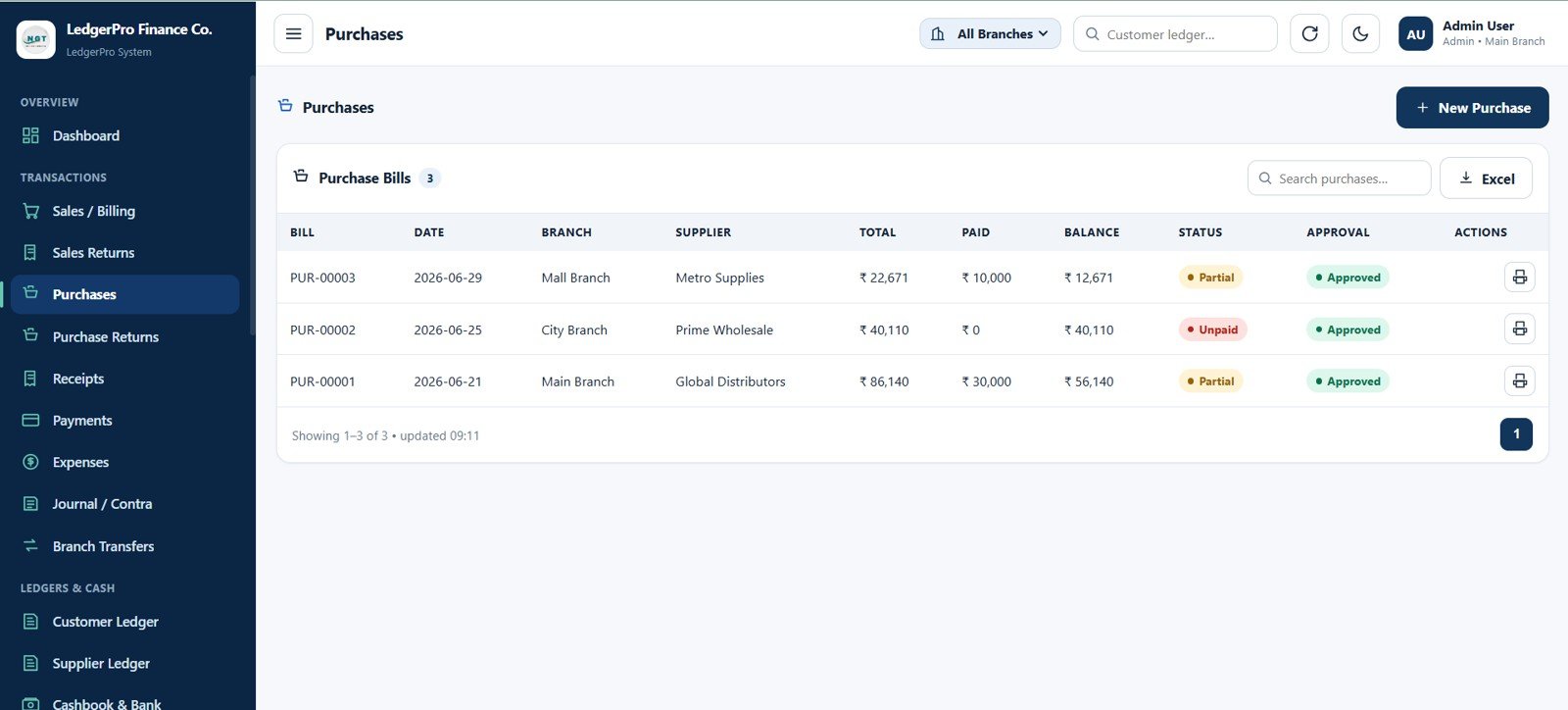
5. Purchases Page
Create supplier purchase bills with bill number, date, branch, supplier, total, paid amount, balance, partial or unpaid payment status, approval status, print action, search, and export.
Purchases Page
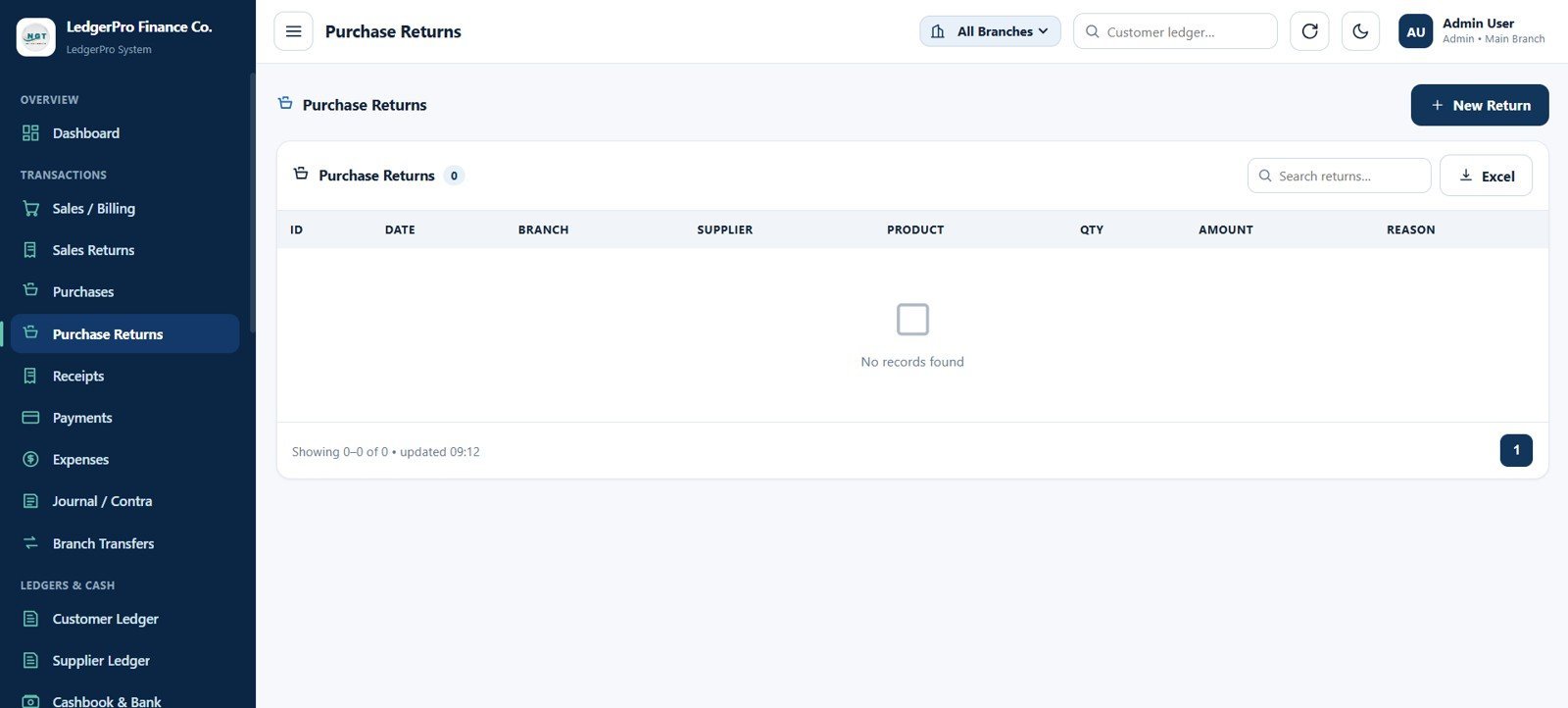
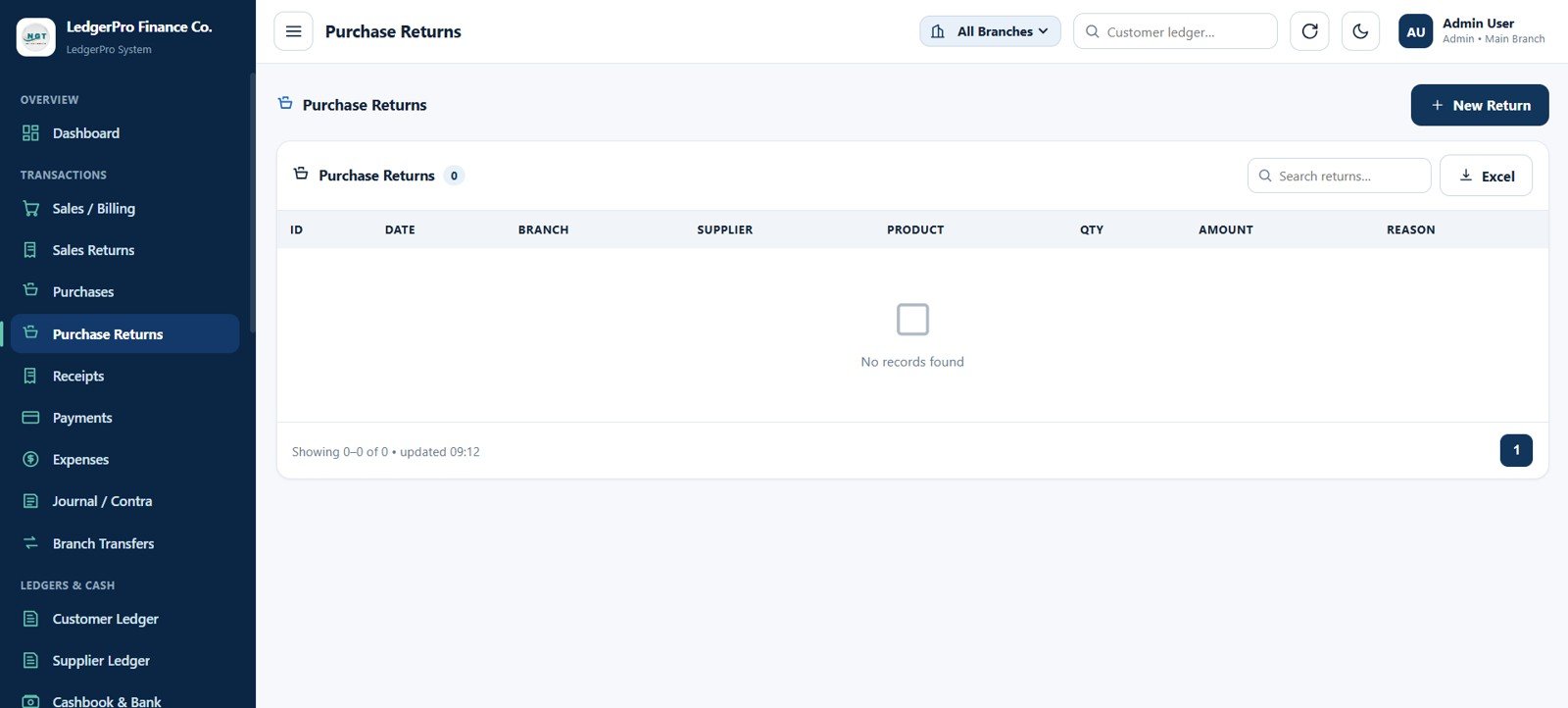
6. Purchase Returns Page
Track items returned to suppliers with return ID, date, branch, supplier, product, quantity, amount, reason, new return action, search, and export.
Purchase Returns Page
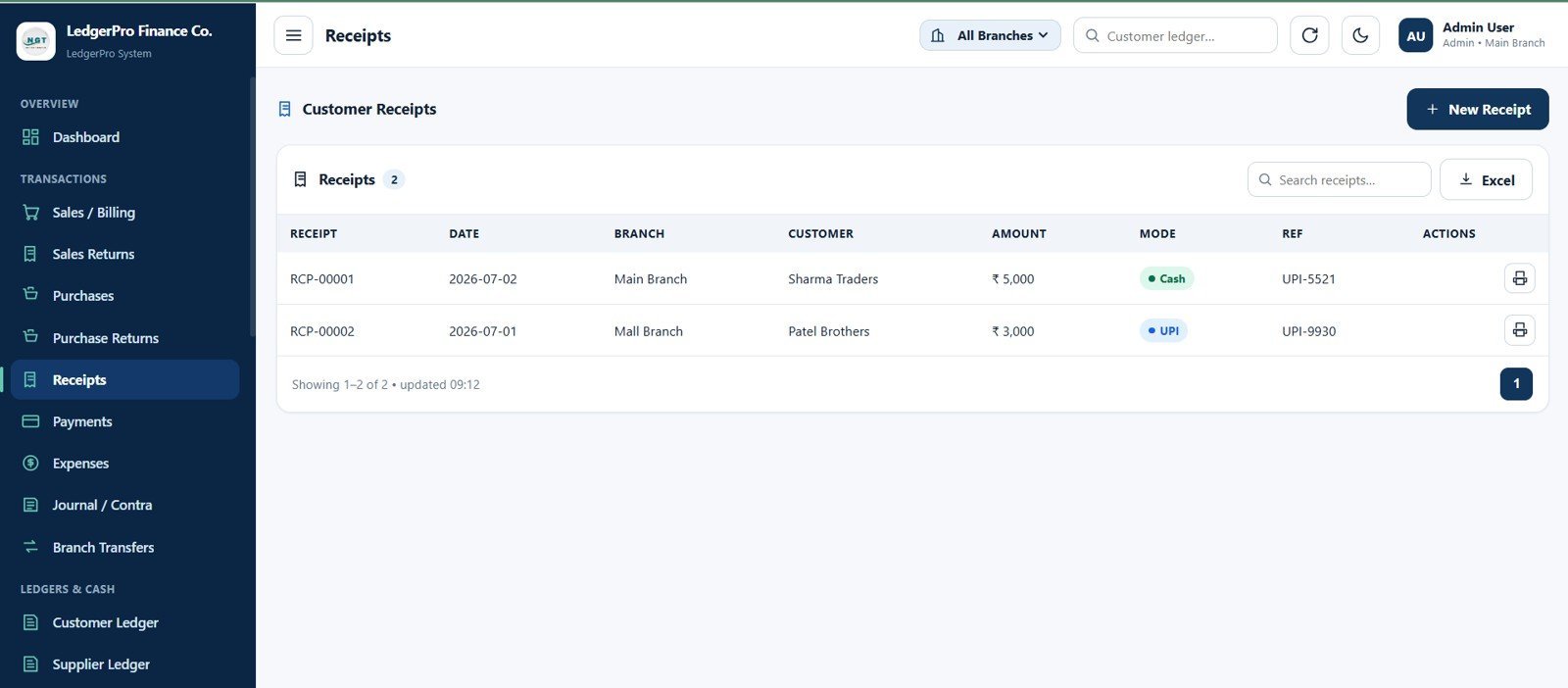
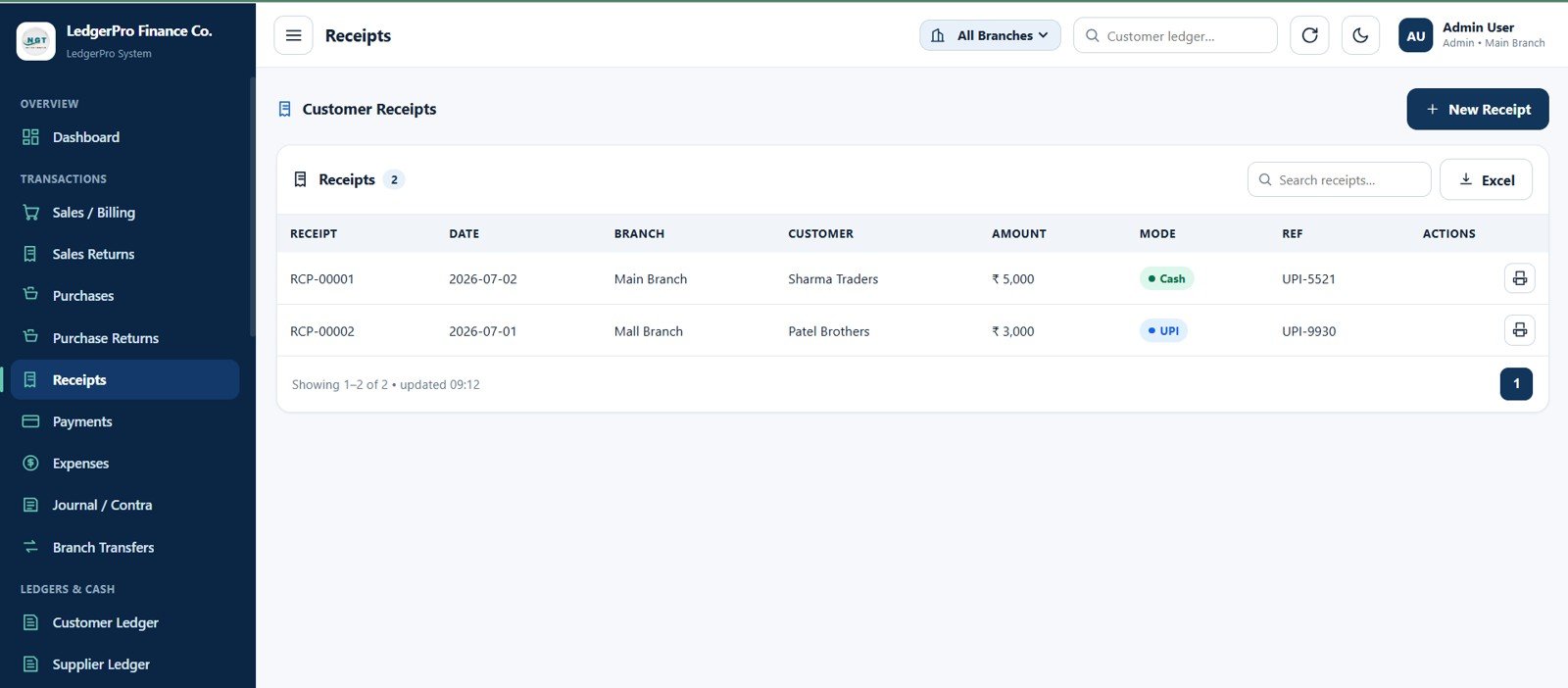
7. Receipts Page
Record customer receipts and collections with receipt number, date, branch, customer, amount, payment mode, reference number, cash and UPI collection modes, print, search, and export.
Receipts Page
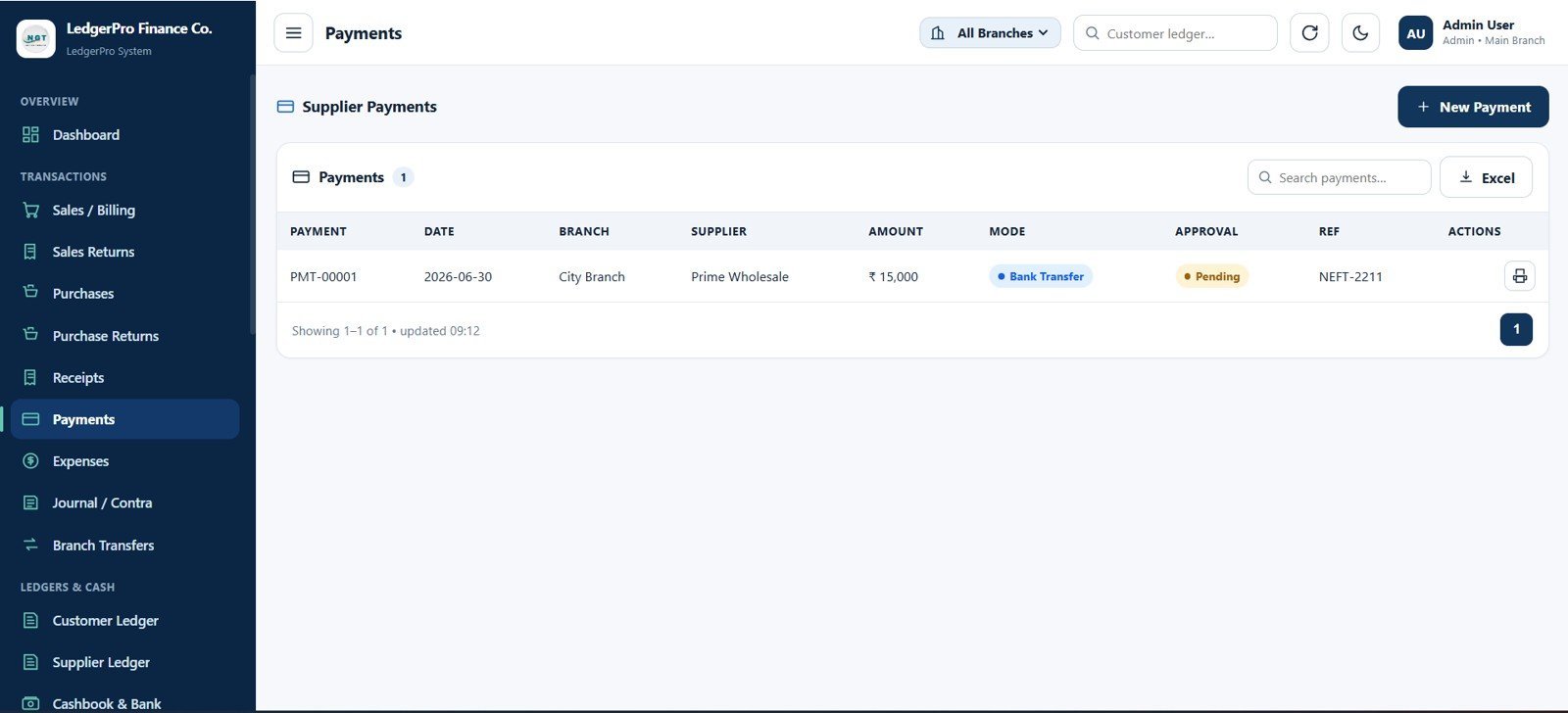
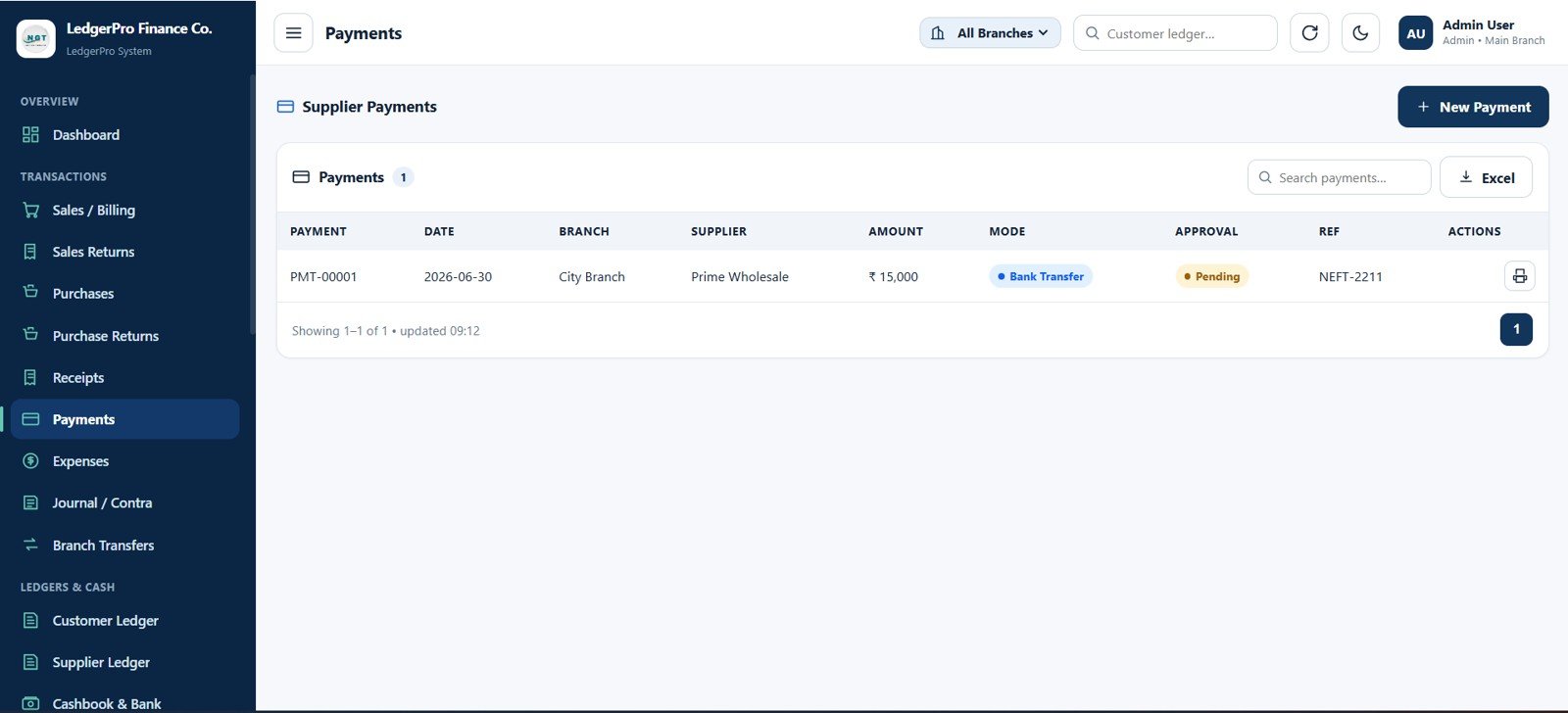
8. Payments Page
Record supplier payments with payment number, date, branch, supplier, amount, payment mode, approval status, reference number, print action, search, and Excel export.
Payments Page
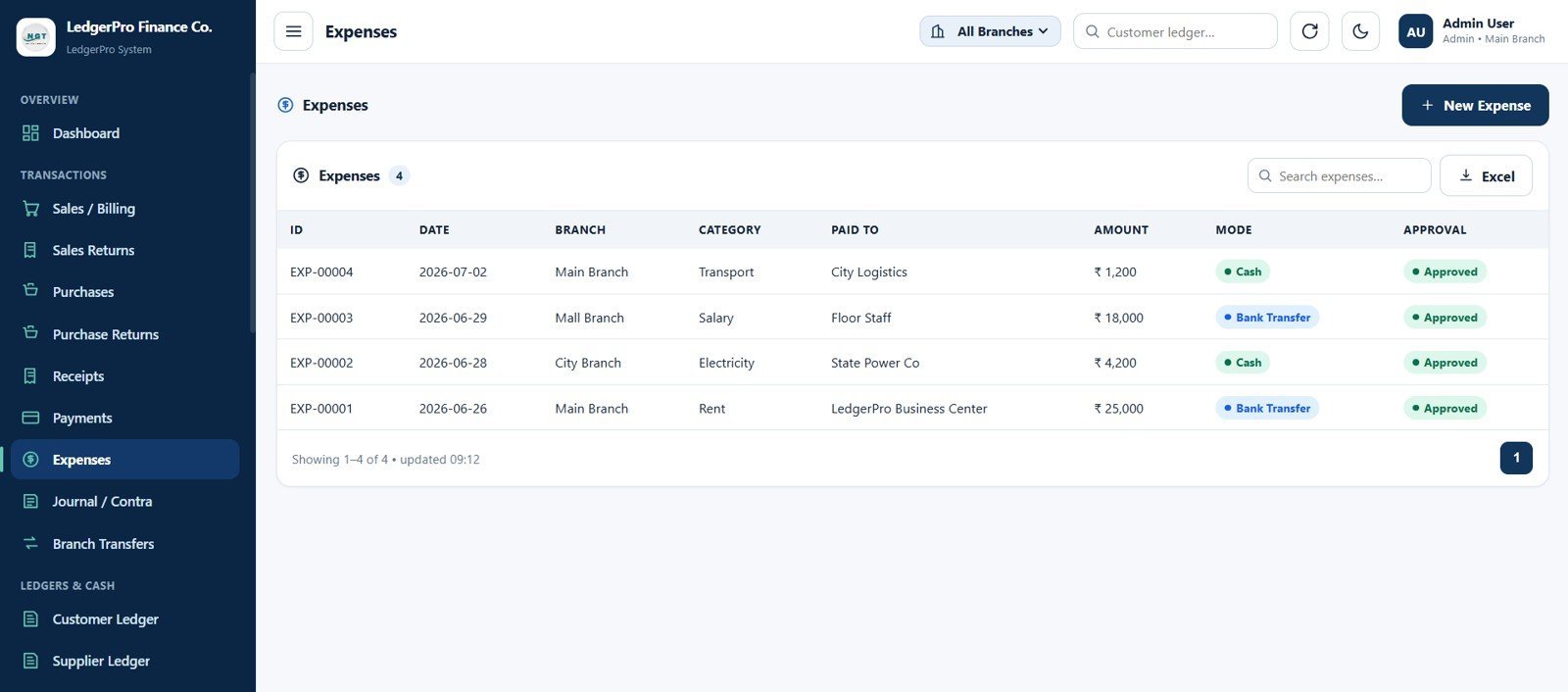
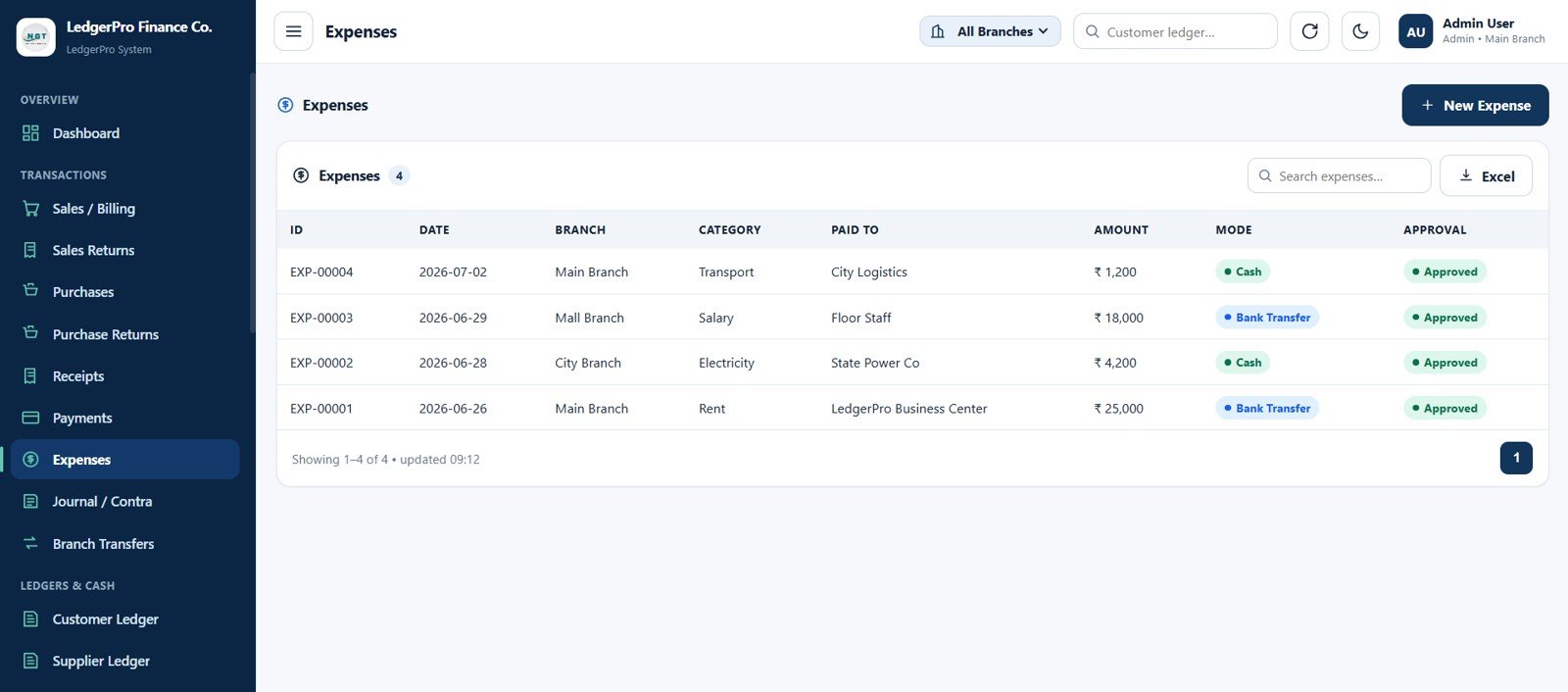
9. Expenses Page
Capture branch expenses with expense ID, date, branch, category, paid to, amount, payment mode, approval status, search, and Excel export.
Expenses Page
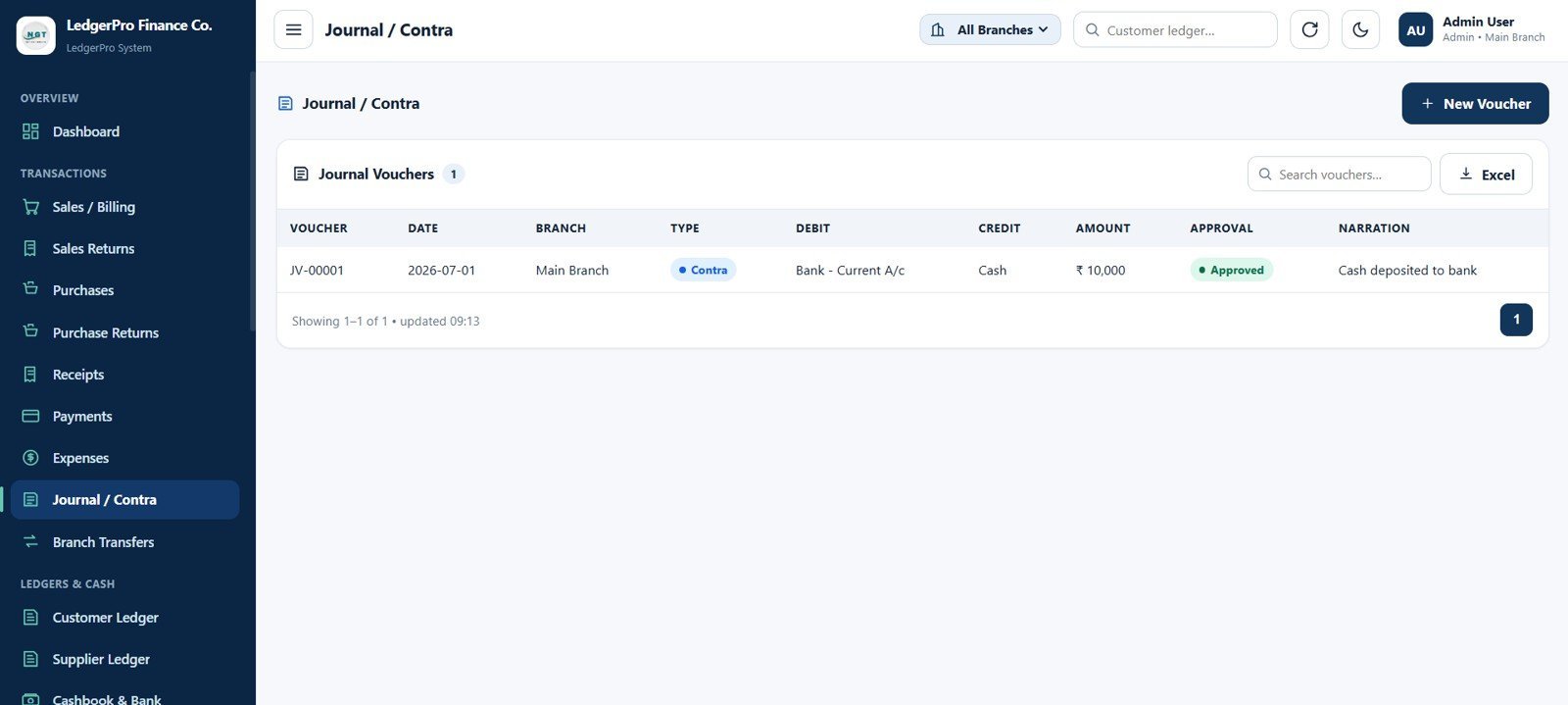
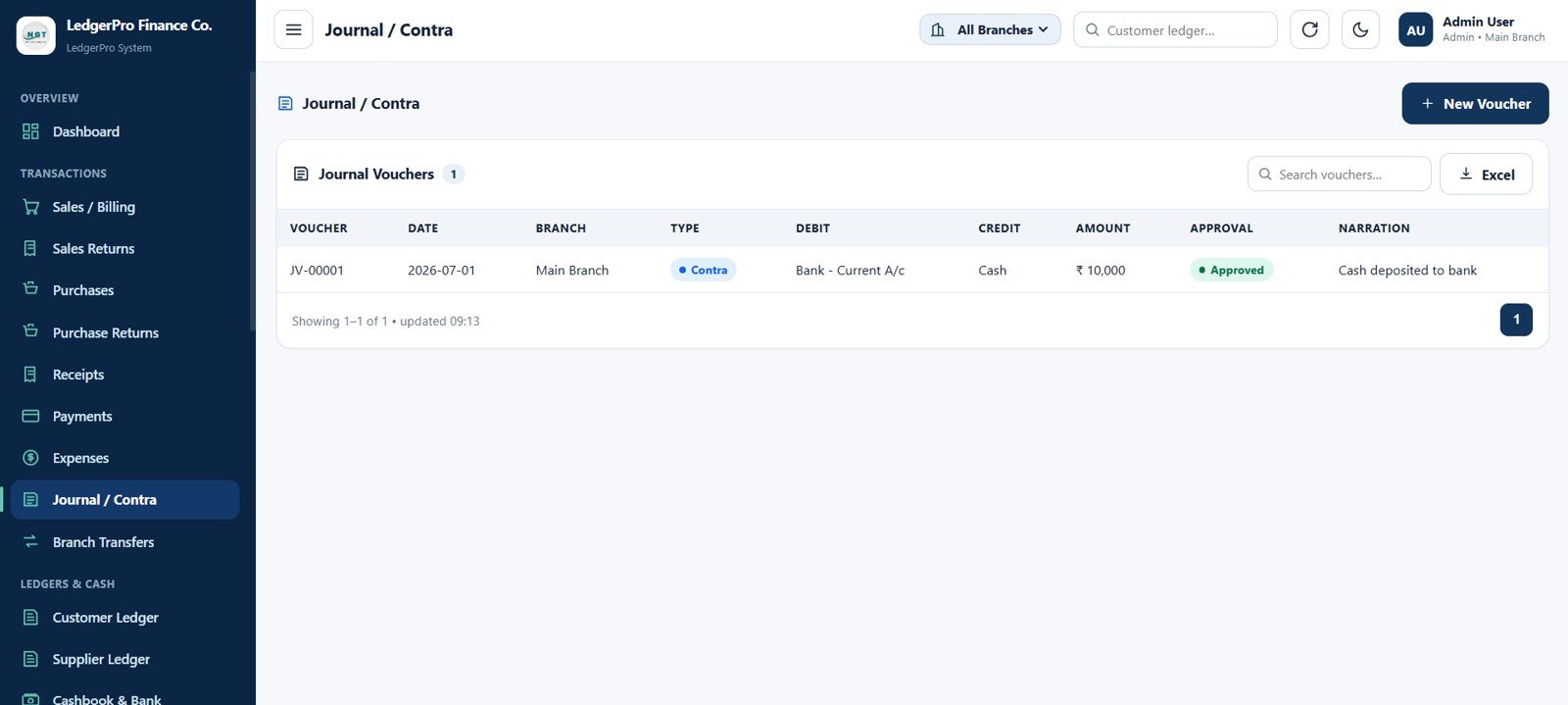
10. Journal / Contra Page
Record journal vouchers and contra entries with voucher number, date, branch, type, debit ledger, credit ledger, amount, approval status, narration, search, and export.
Journal / Contra Page
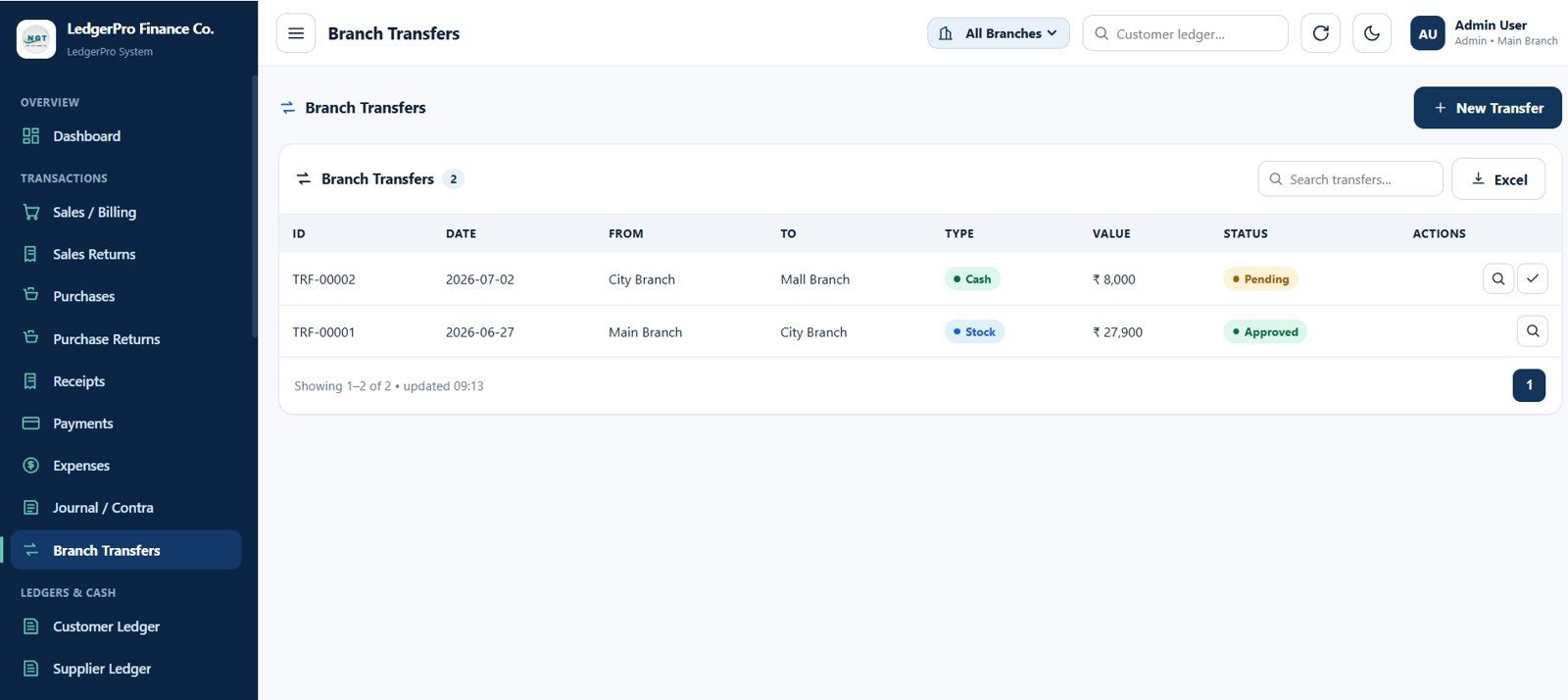
11. Branch Transfers Page
Track cash and stock transfers between branches with transfer ID, date, from branch, to branch, transfer type, transfer value, approval status, view and approval actions, search, and export.
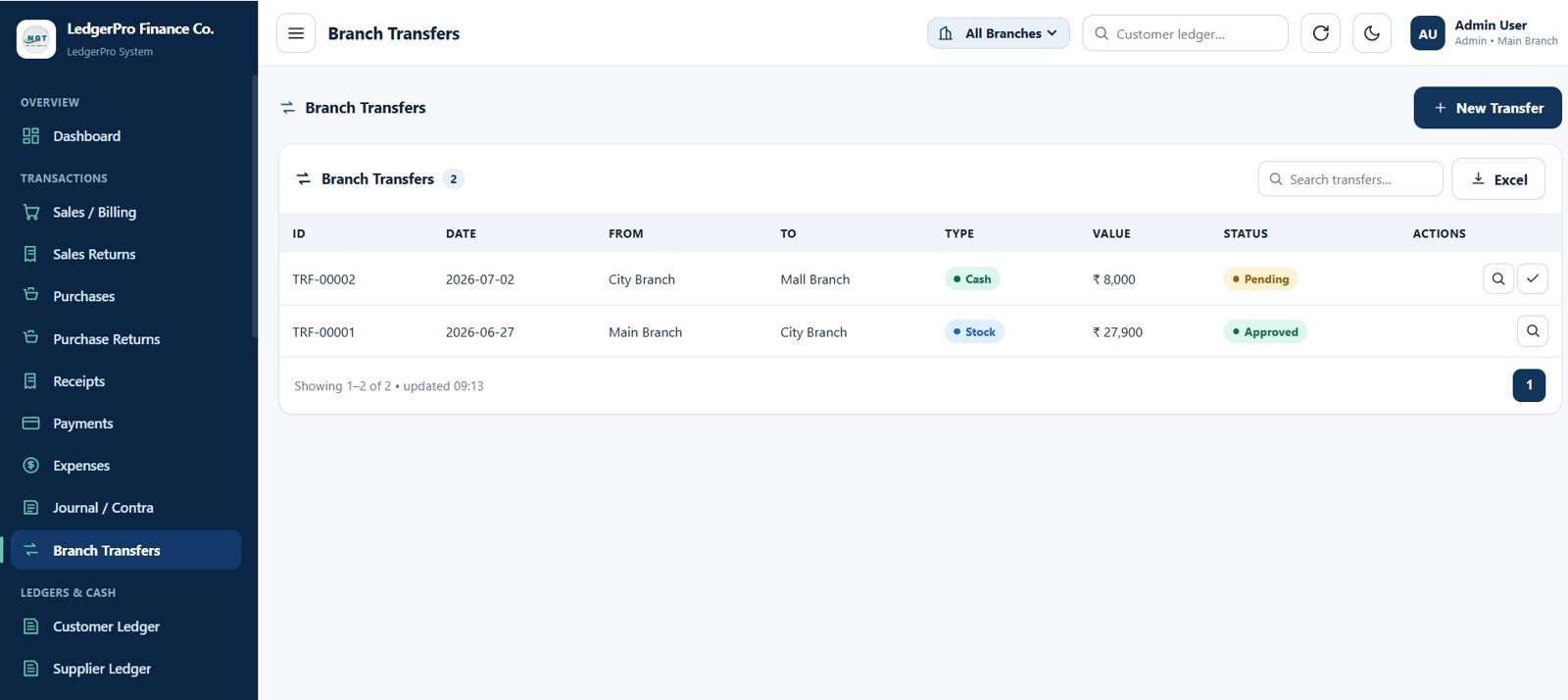
Branch Transfers Page
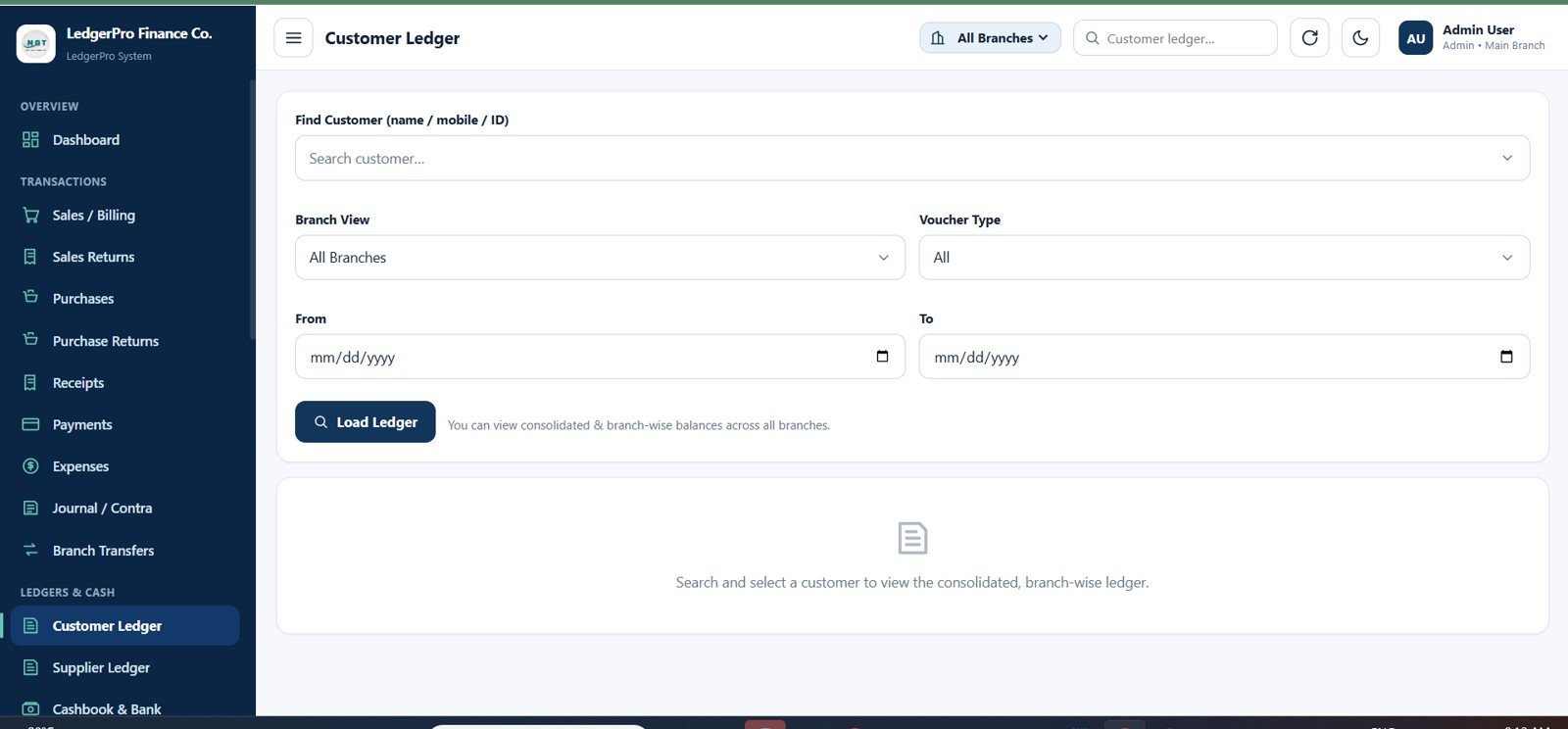
12. Customer Ledger Page
Search customer balances by name, mobile, or ID. Filter by branch view, voucher type, and date range, then load consolidated and branch-wise customer ledger details.
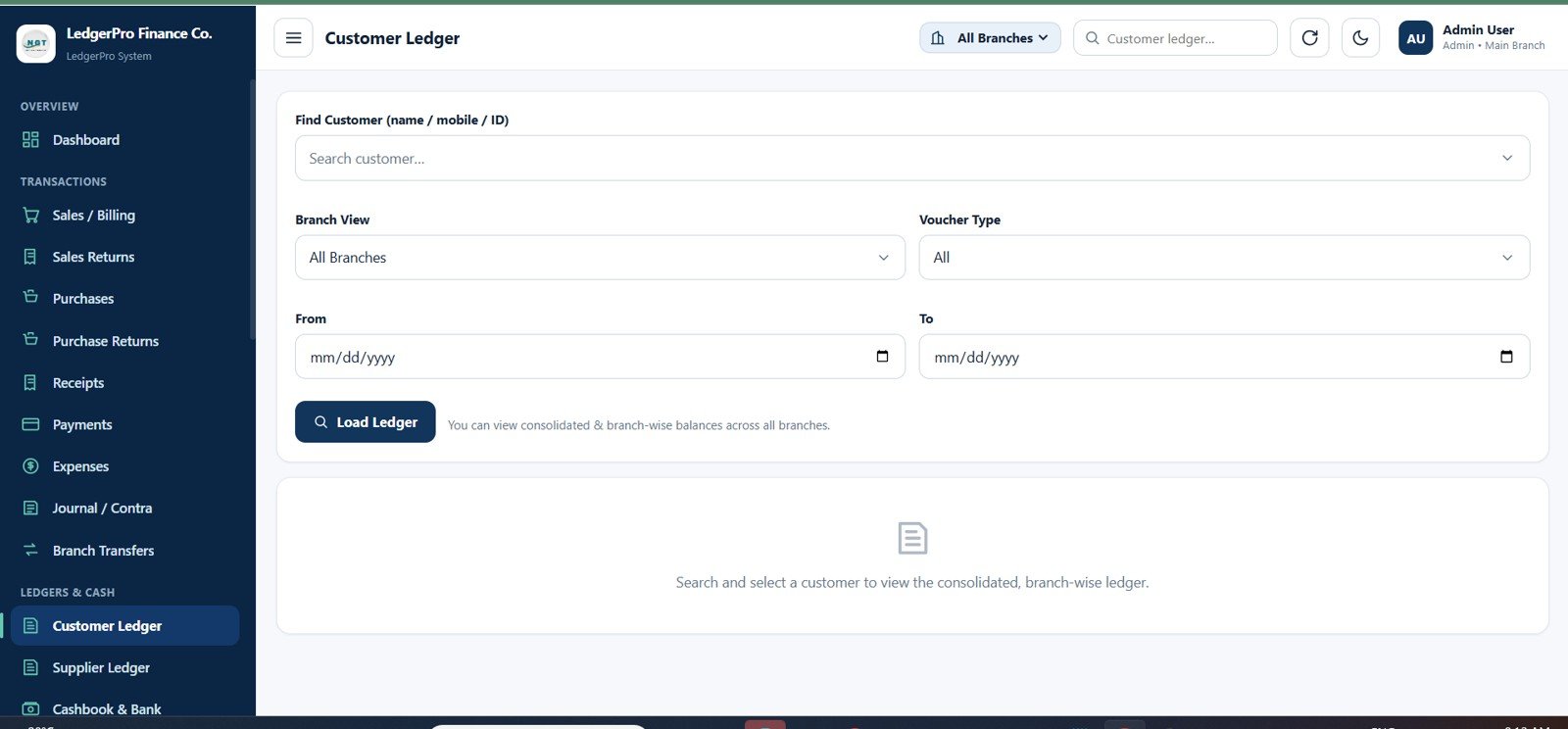
Customer Ledger Page
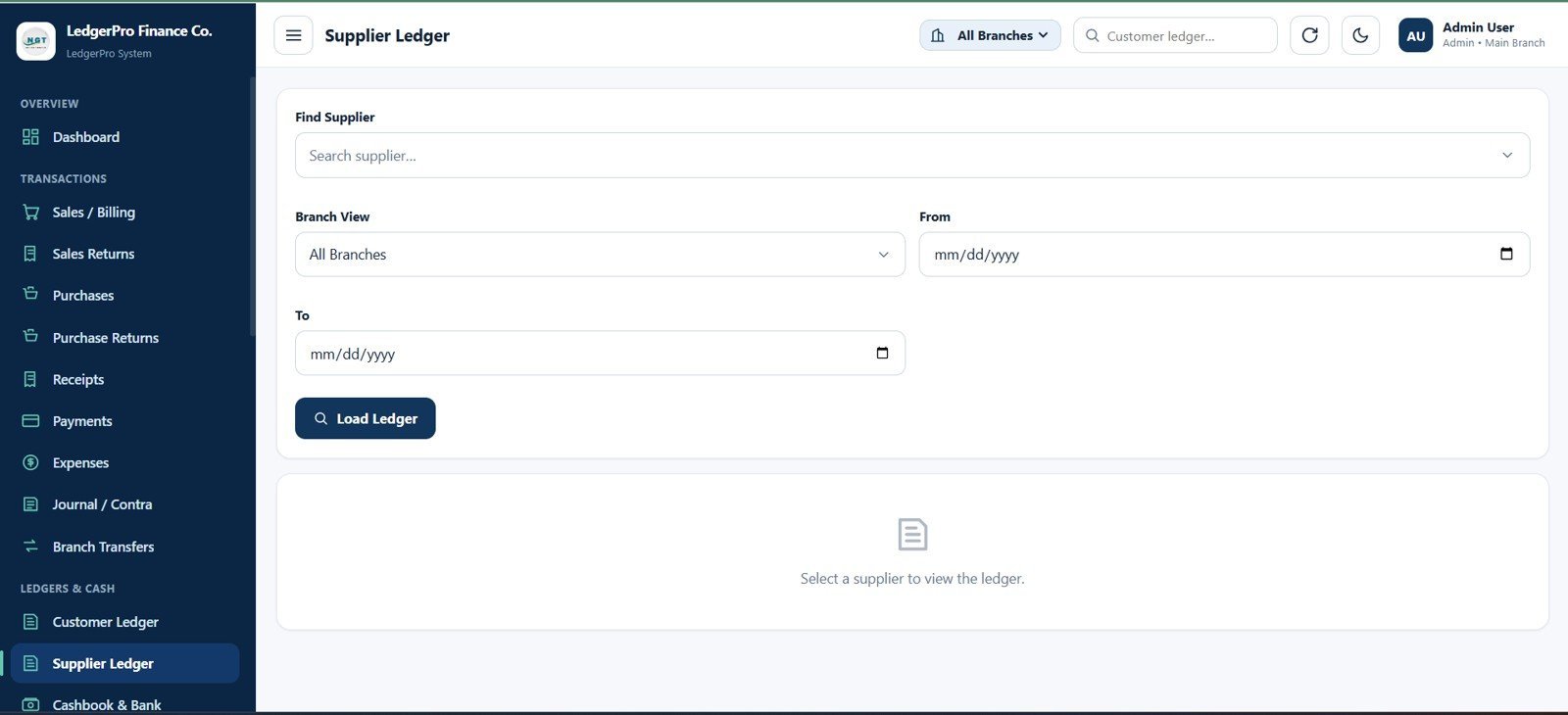
13. Supplier Ledger Page
Load supplier ledger balances using supplier selector, branch view filter, from and to date range, and a dedicated supplier ledger result area.
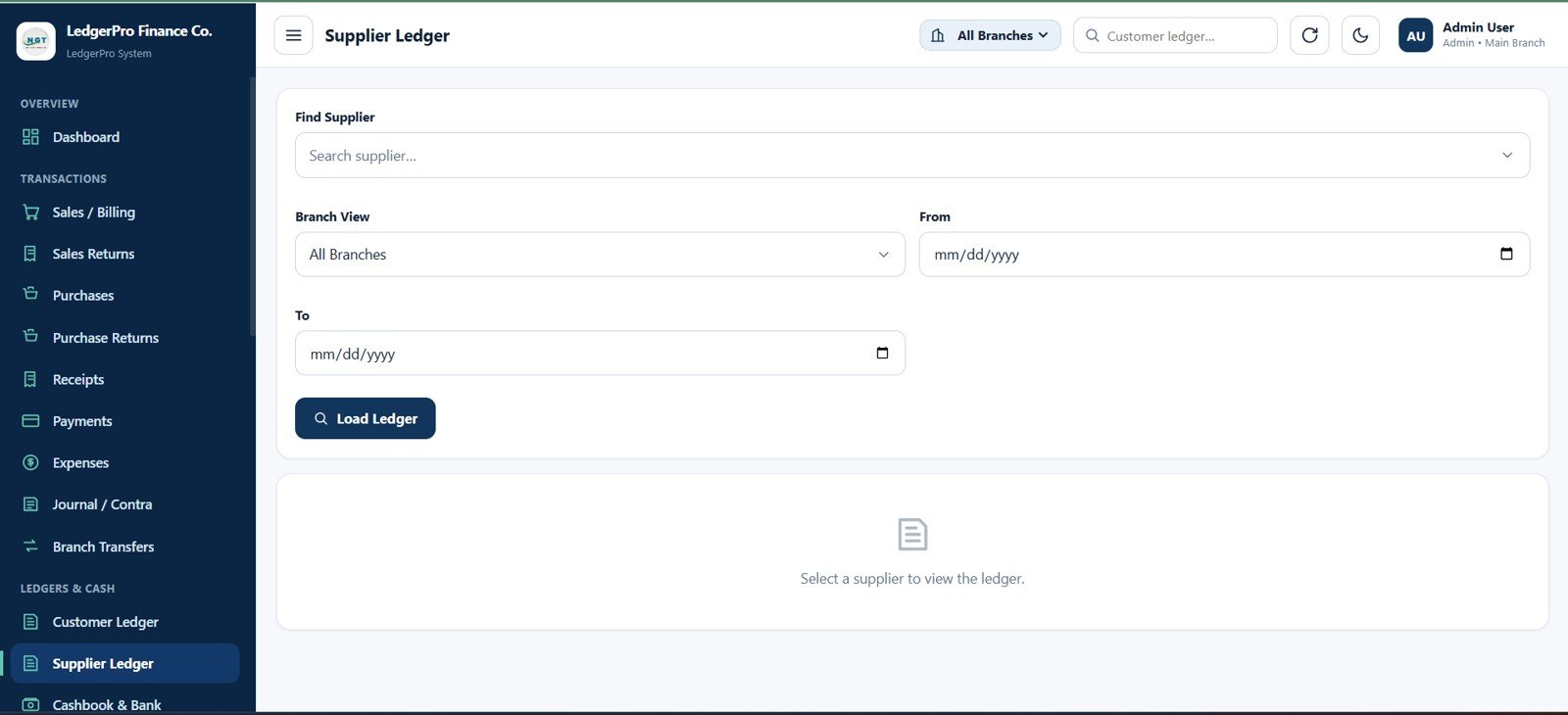
Supplier Ledger Page
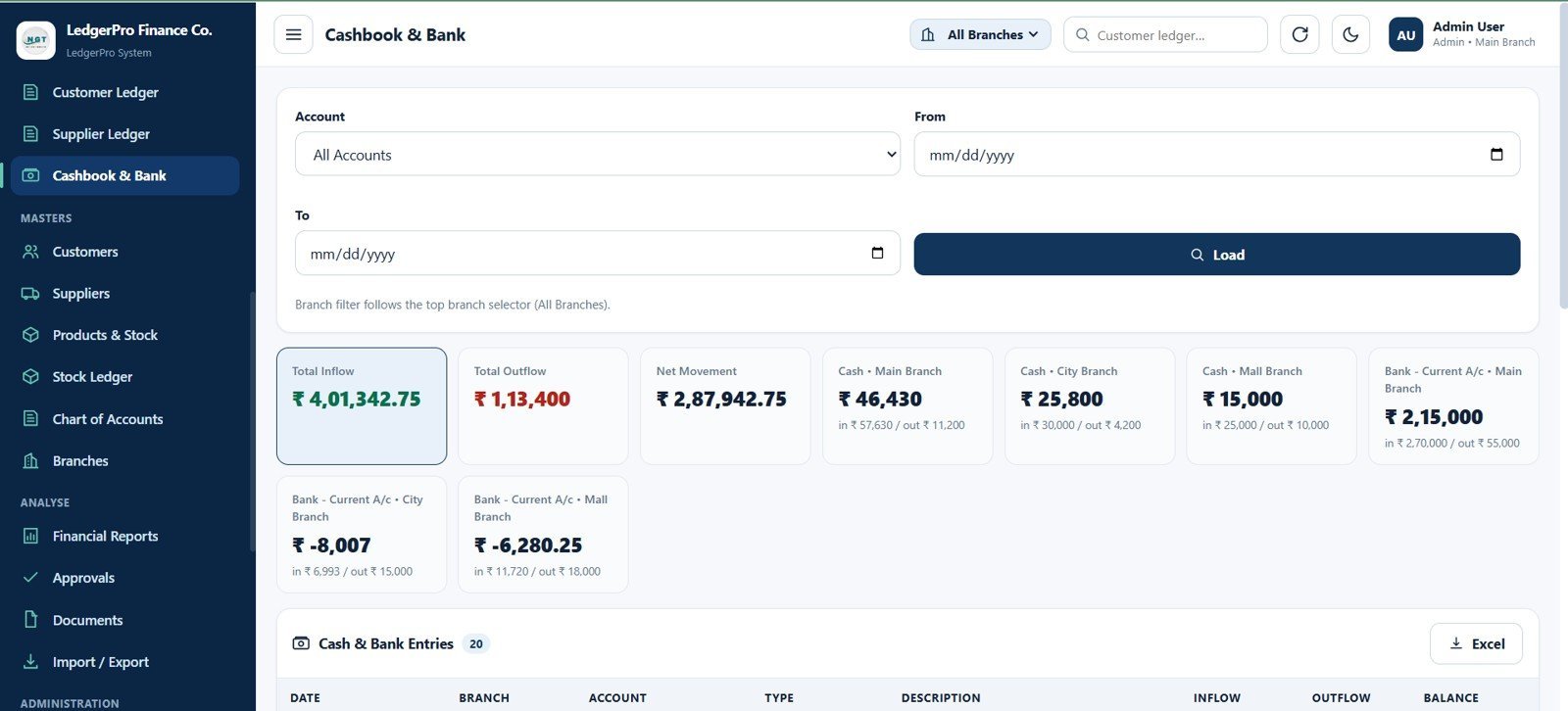
14. Cashbook & Bank Page
Review account-wise cash and bank movement with Total Inflow, Total Outflow, Net Movement, branch cash balances, bank current account balances, account filter, date range, load action, transaction table, and export.
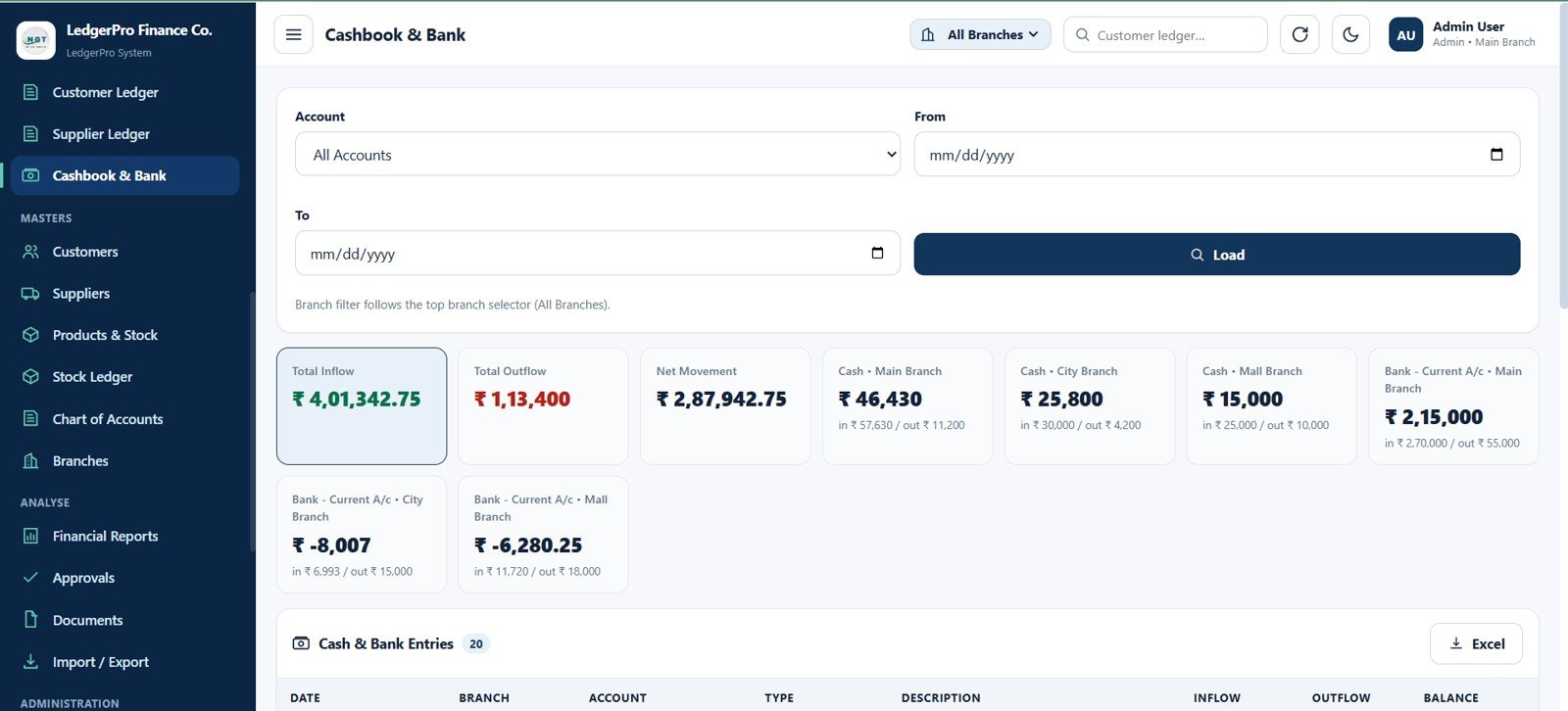
Cashbook & Bank Page
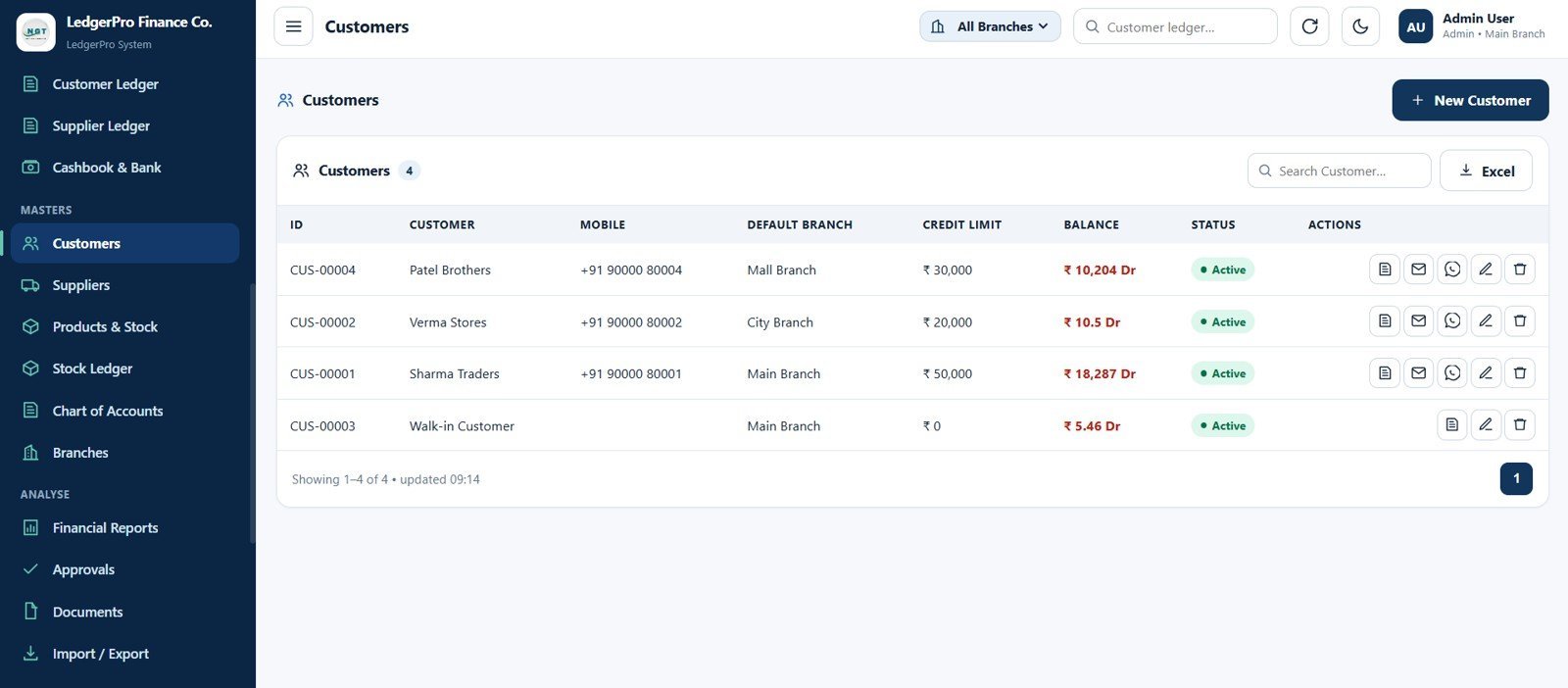
15. Customers Page
Maintain customer master data with customer ID, name, mobile number, default branch, credit limit, customer balance, active status, ledger, email, WhatsApp, edit, delete, search, and export actions.
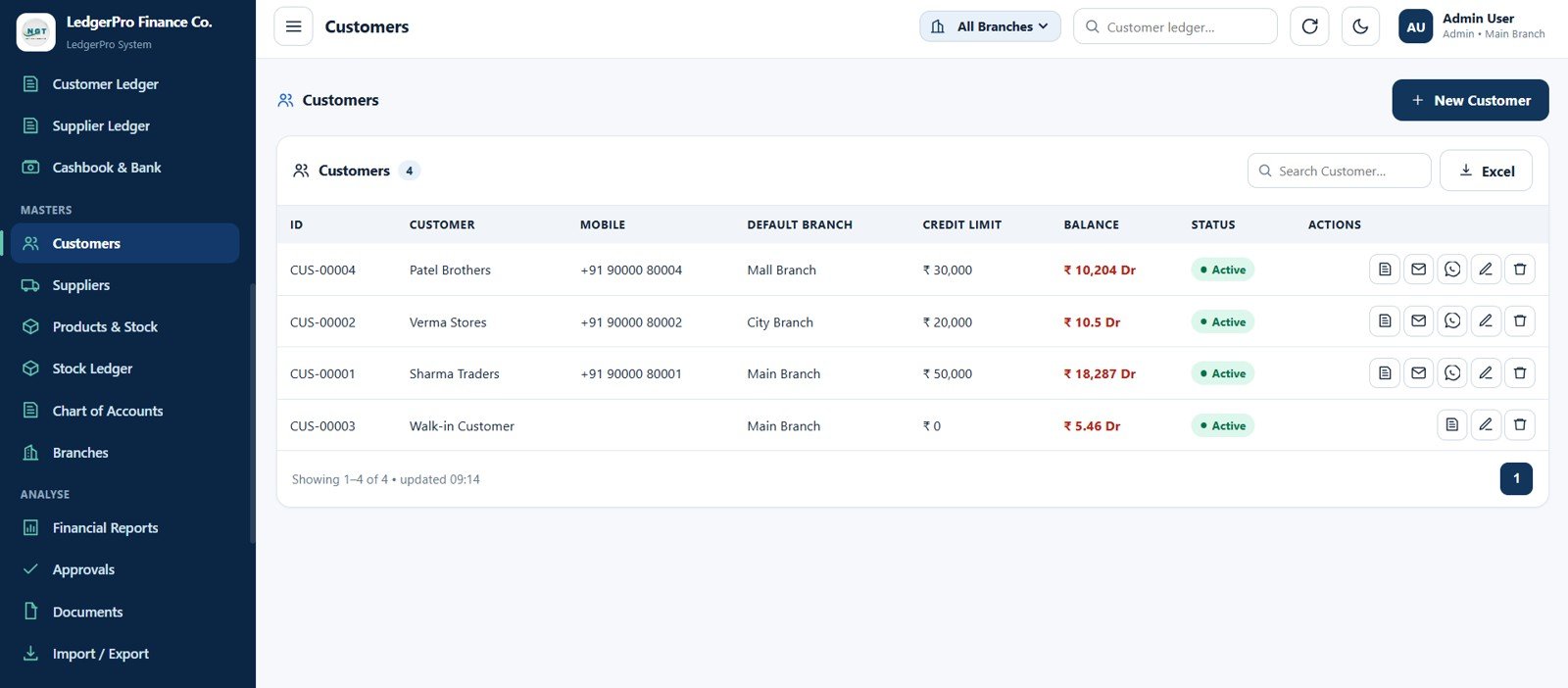
Customers Page
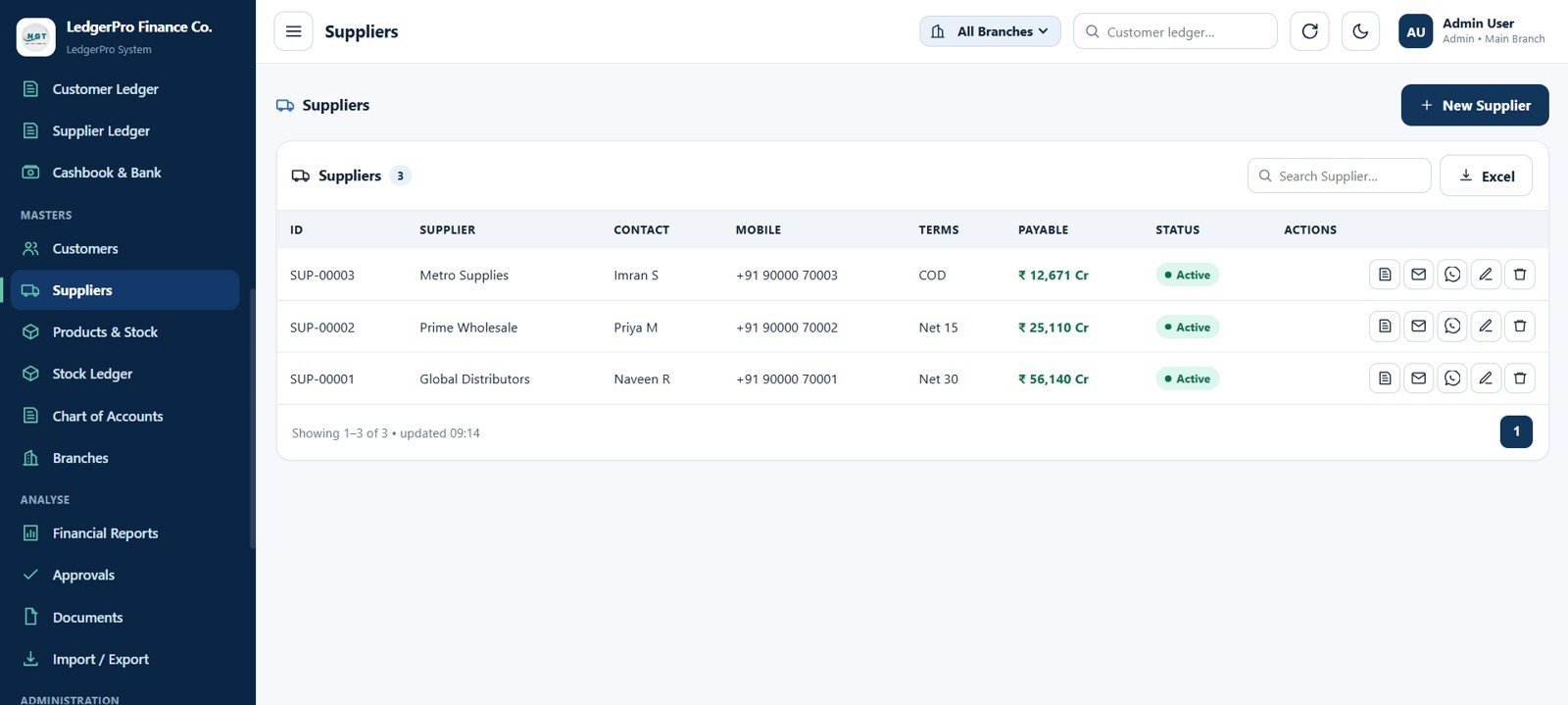
16. Suppliers Page
Maintain supplier records with supplier ID, supplier name, contact person, mobile number, payment terms, payable balance, active status, ledger, email, WhatsApp, edit, delete, search, and export.
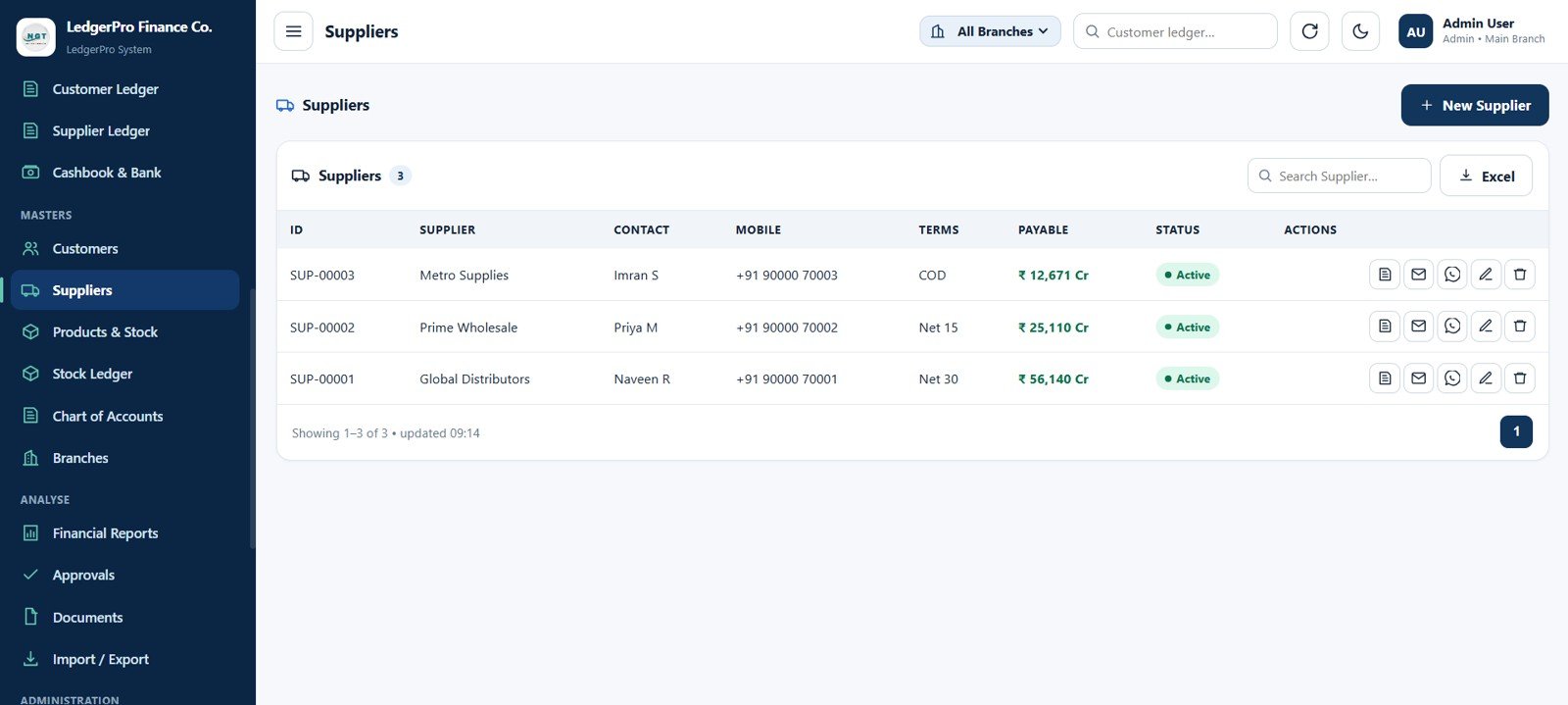
Suppliers Page
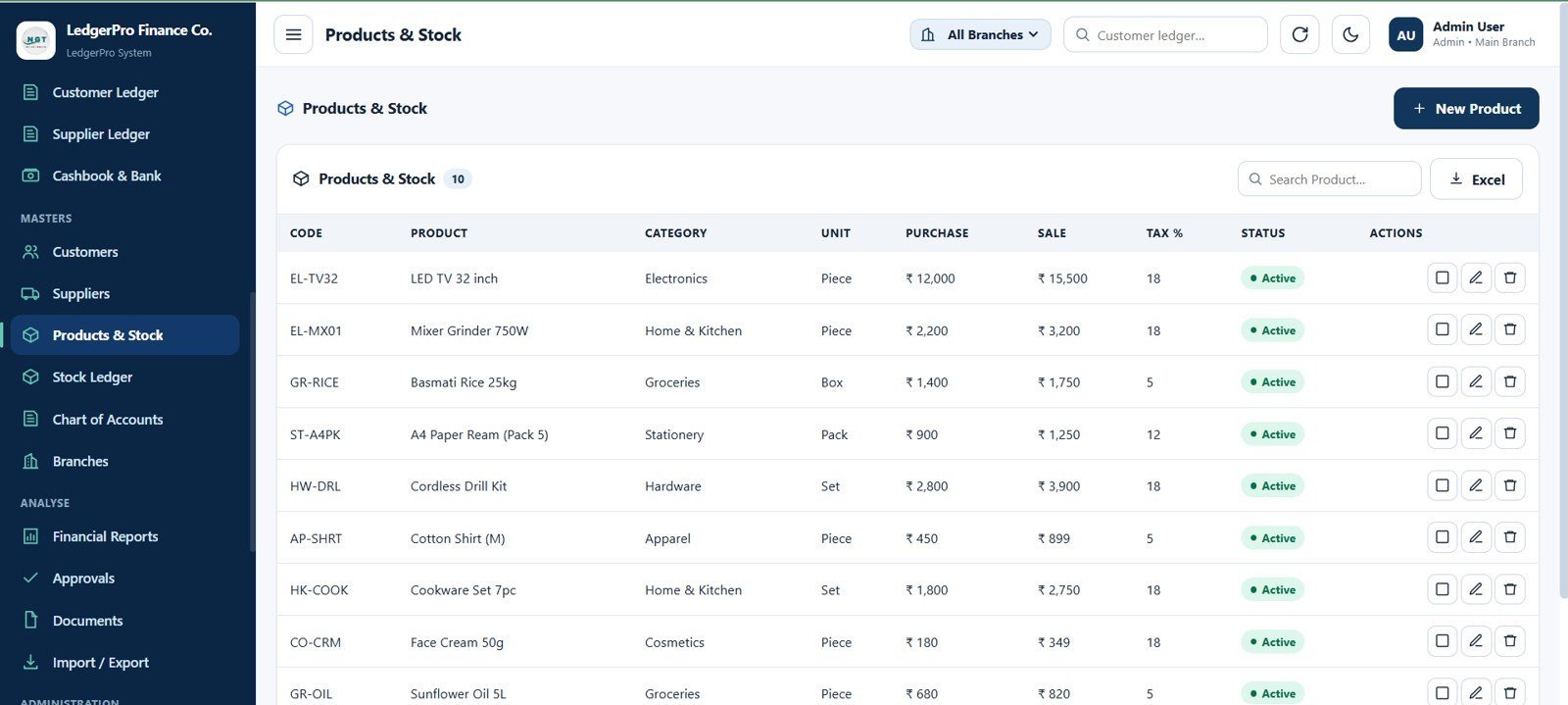
17. Products & Stock Page
Manage product and stock master data with product code, product name, category, unit, purchase price, sale price, tax percentage, active status, view, edit, delete, search, and export actions.
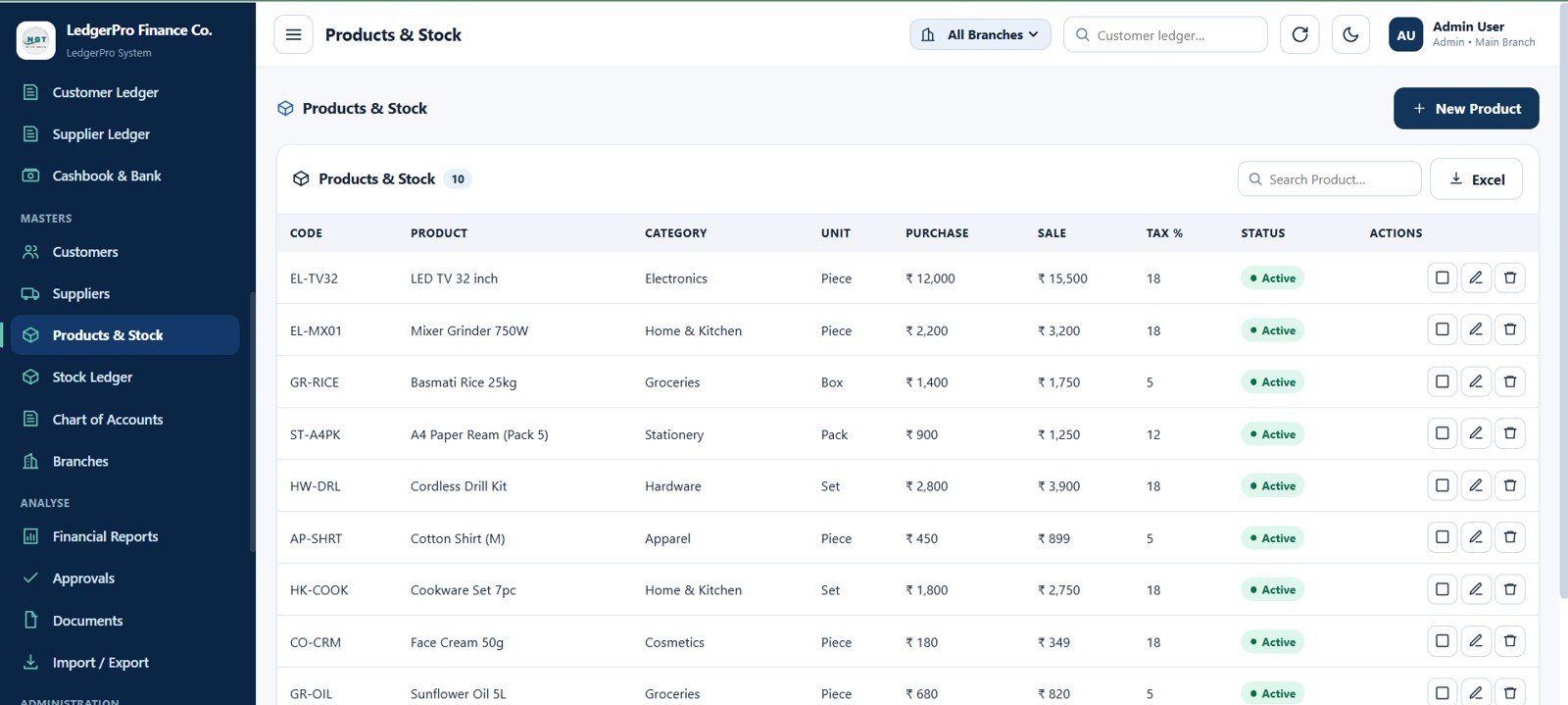
Products & Stock Page
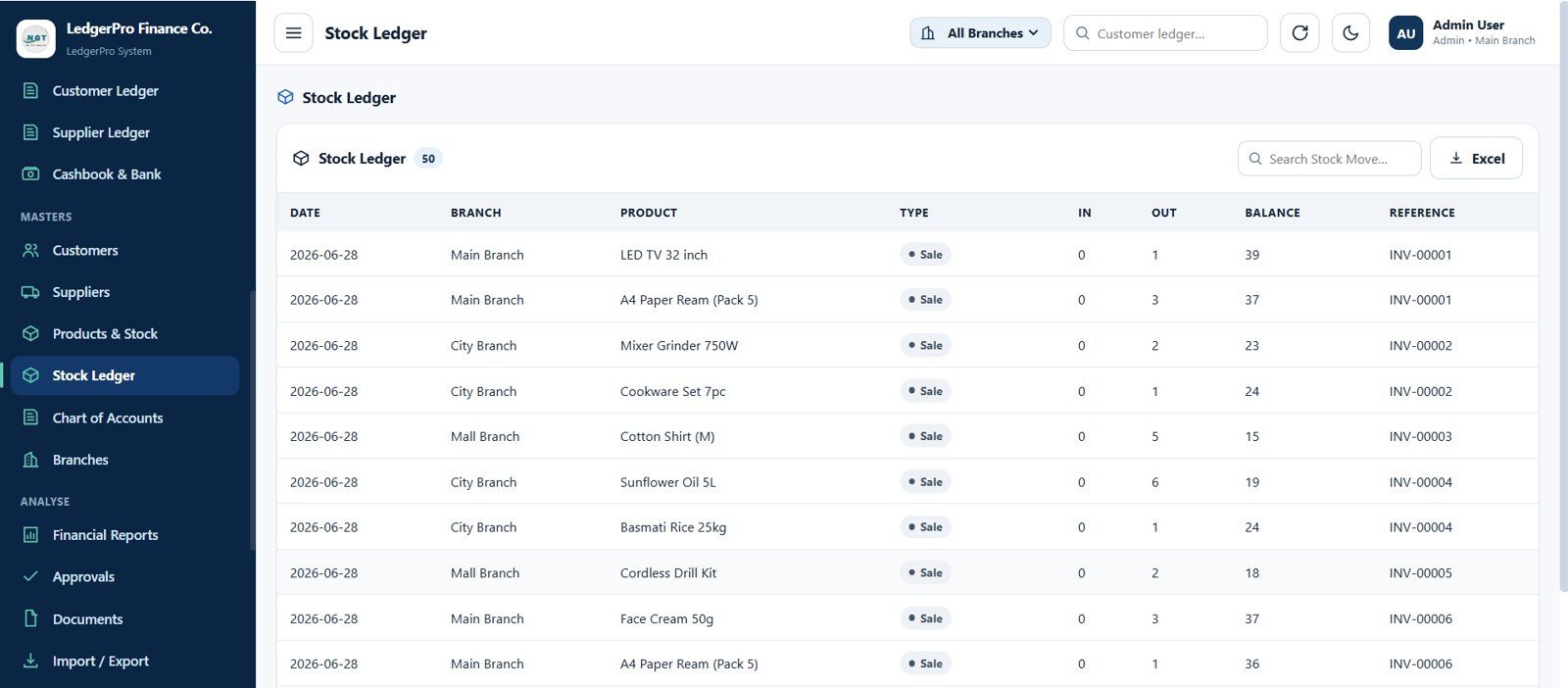
18. Stock Ledger Page
Review inventory movement across branches with date, branch, product, movement type, quantity in, quantity out, balance, reference voucher or invoice, search, and export.
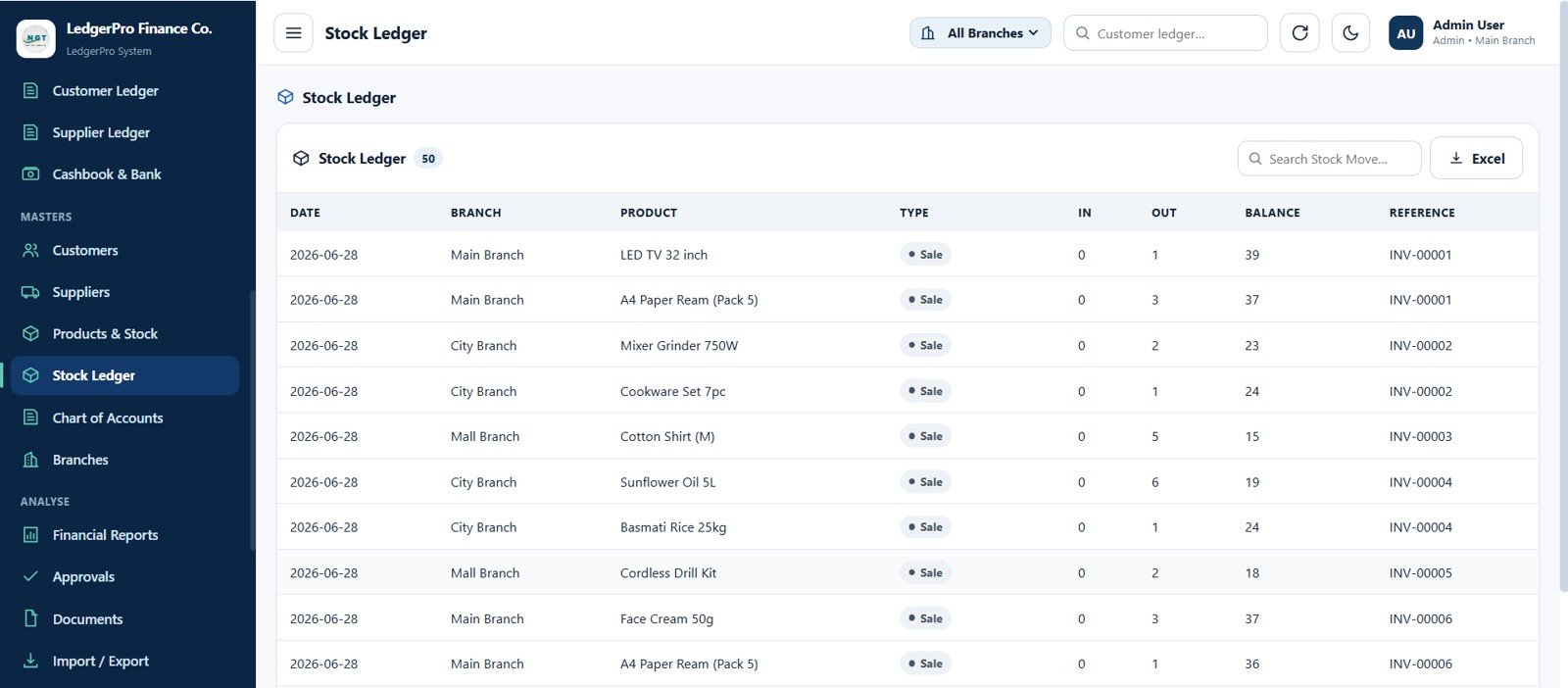
Stock Ledger Page
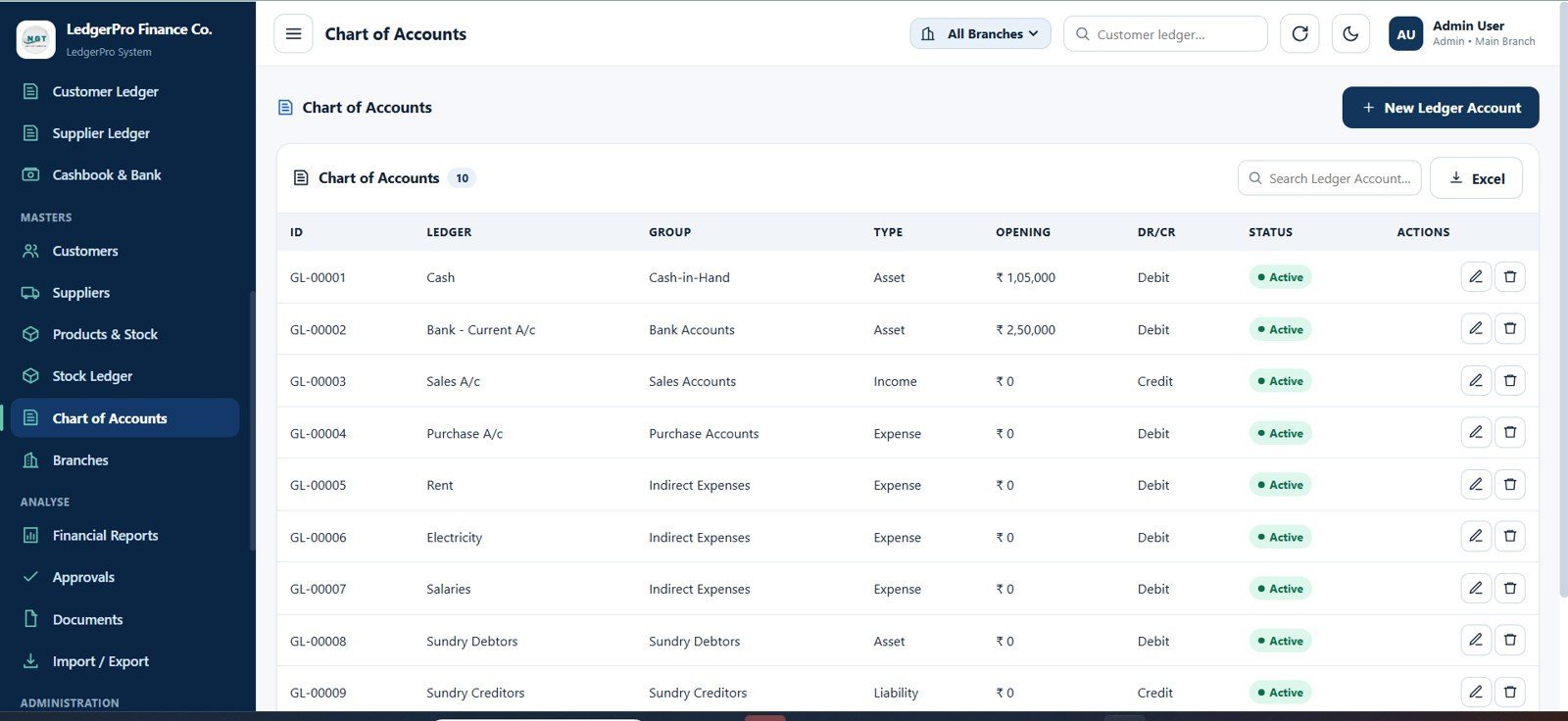
19. Chart of Accounts Page
Maintain accounting ledger accounts with account ID, ledger name, group, account type, opening balance, debit or credit side, active status, edit, and delete actions.
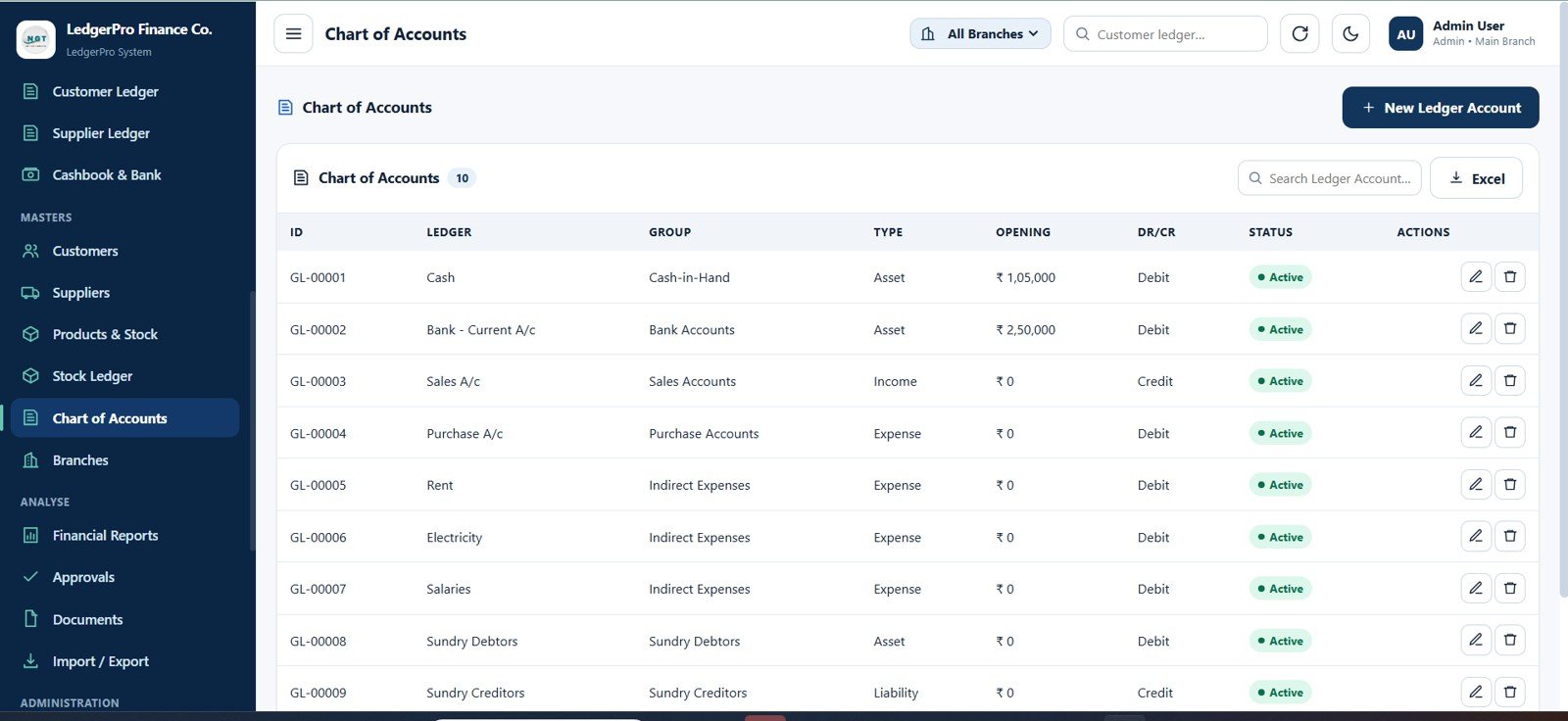
Chart of Accounts Page
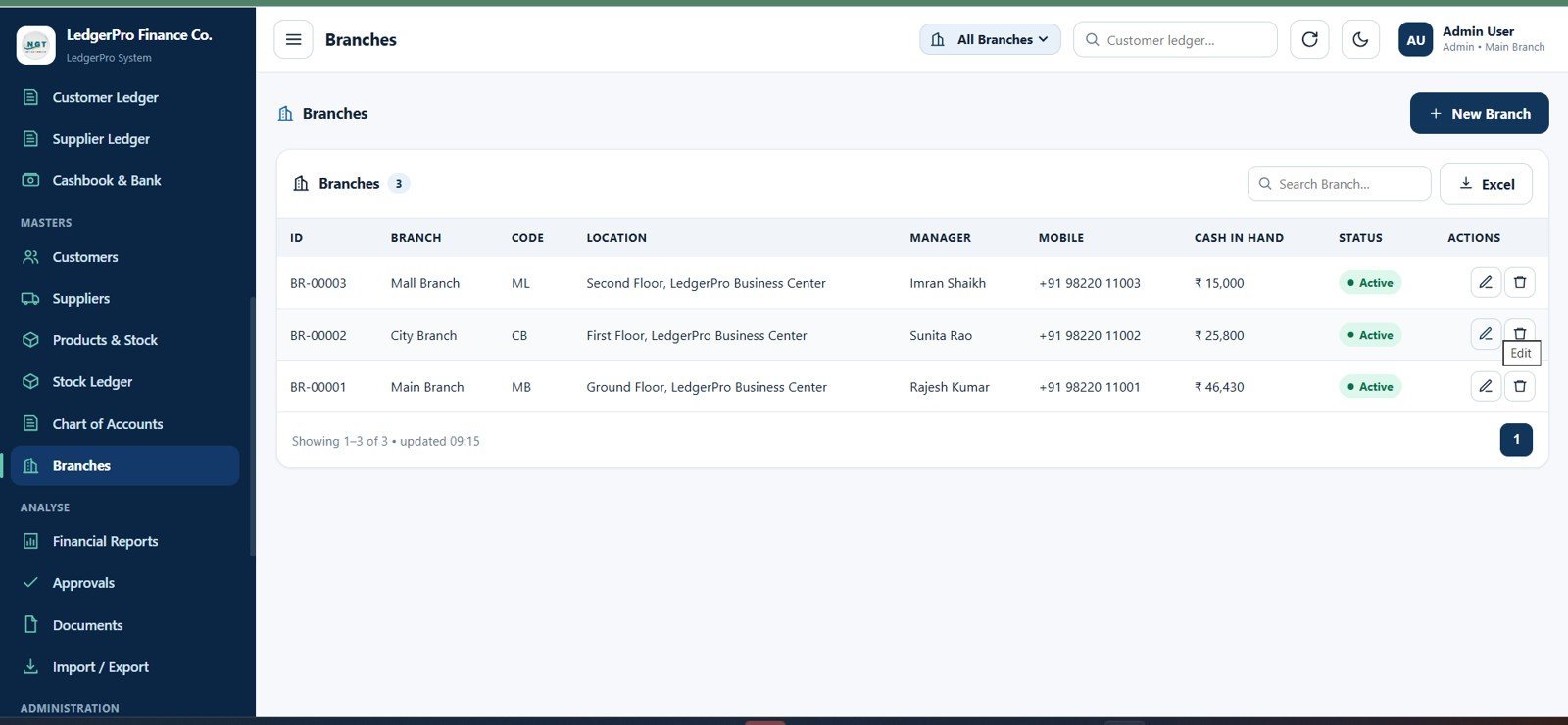
20. Branches Page
Manage branch data with branch ID, branch name, branch code, location, manager, mobile number, cash in hand, active status, edit, and delete actions.
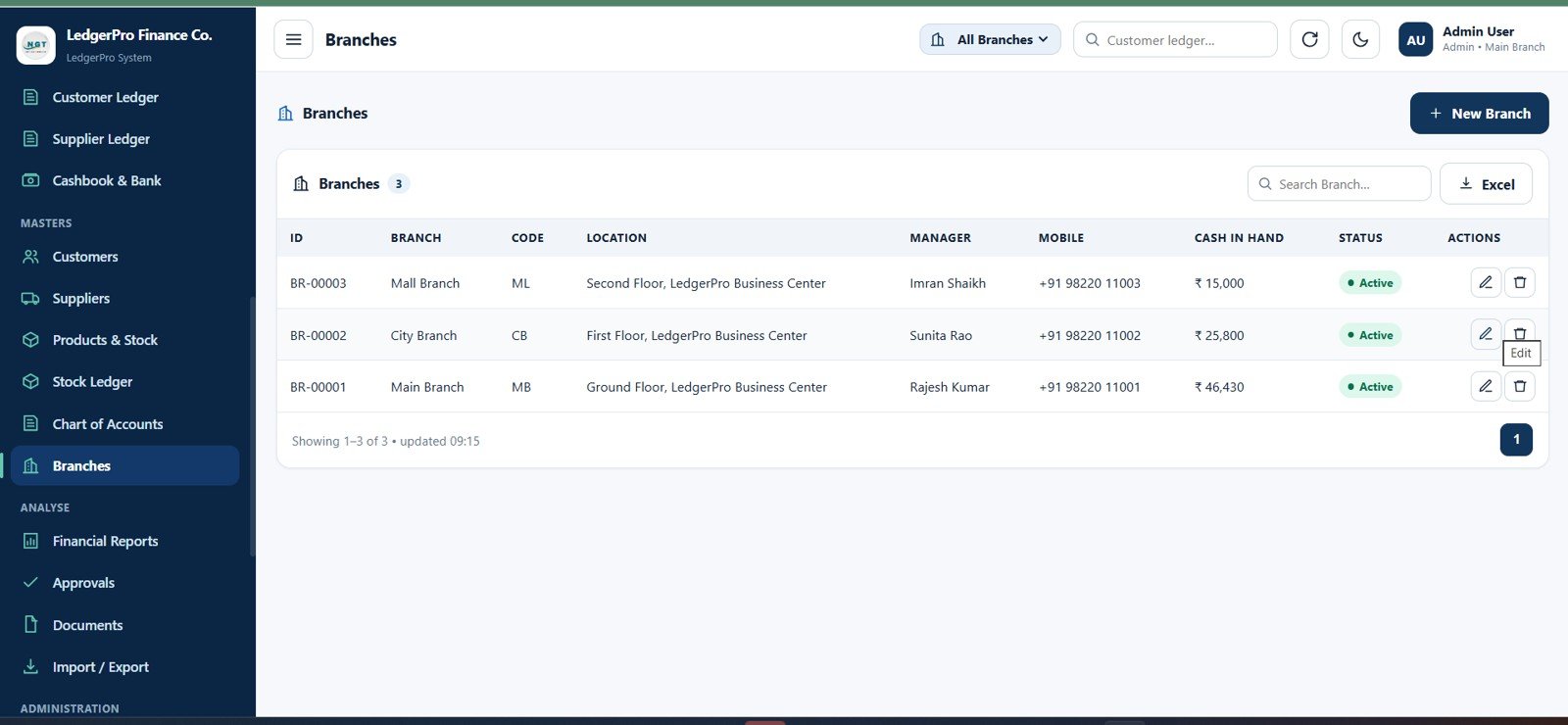
Branches Page
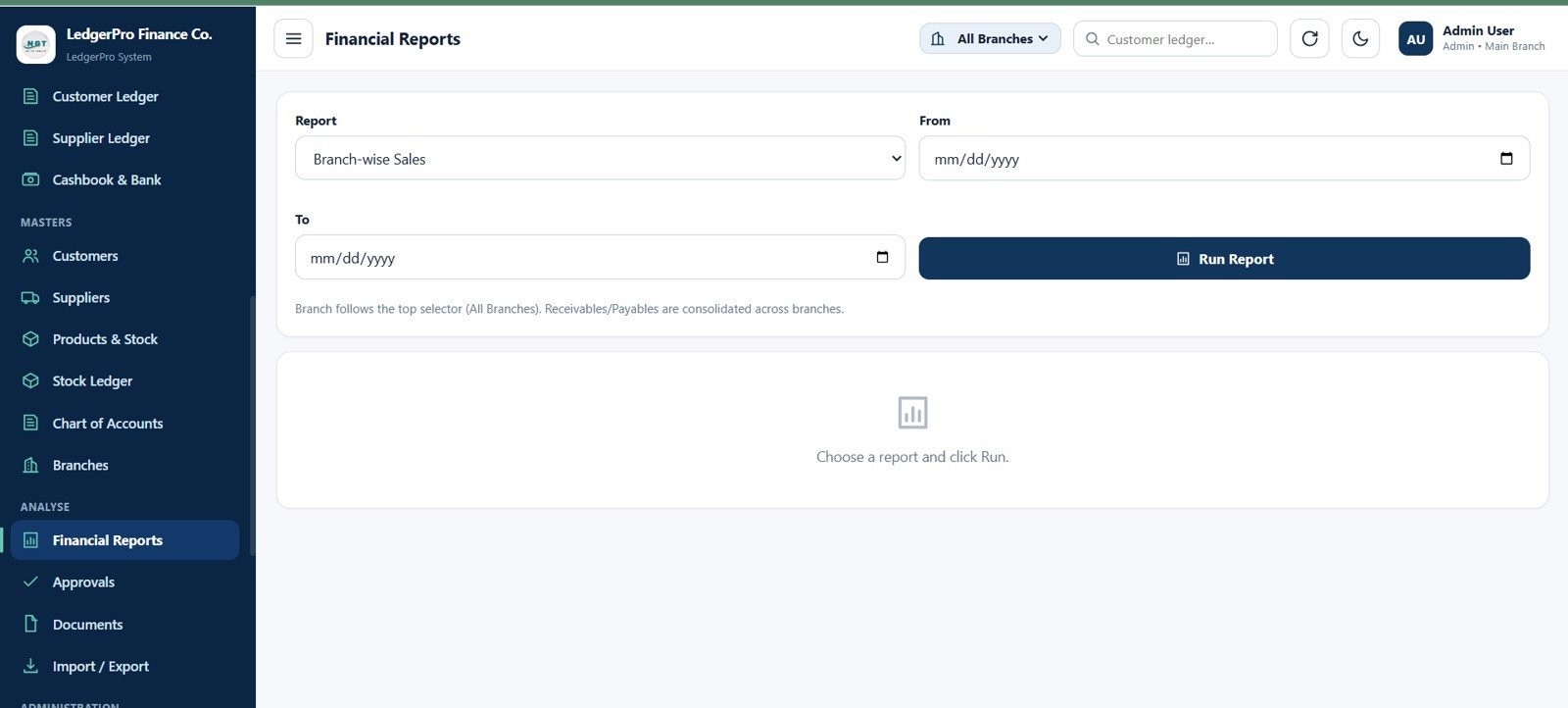
21. Financial Reports Page
Run financial reports using report selector, date range, run report action, branch-wise sales report option, and consolidated receivables and payables note.
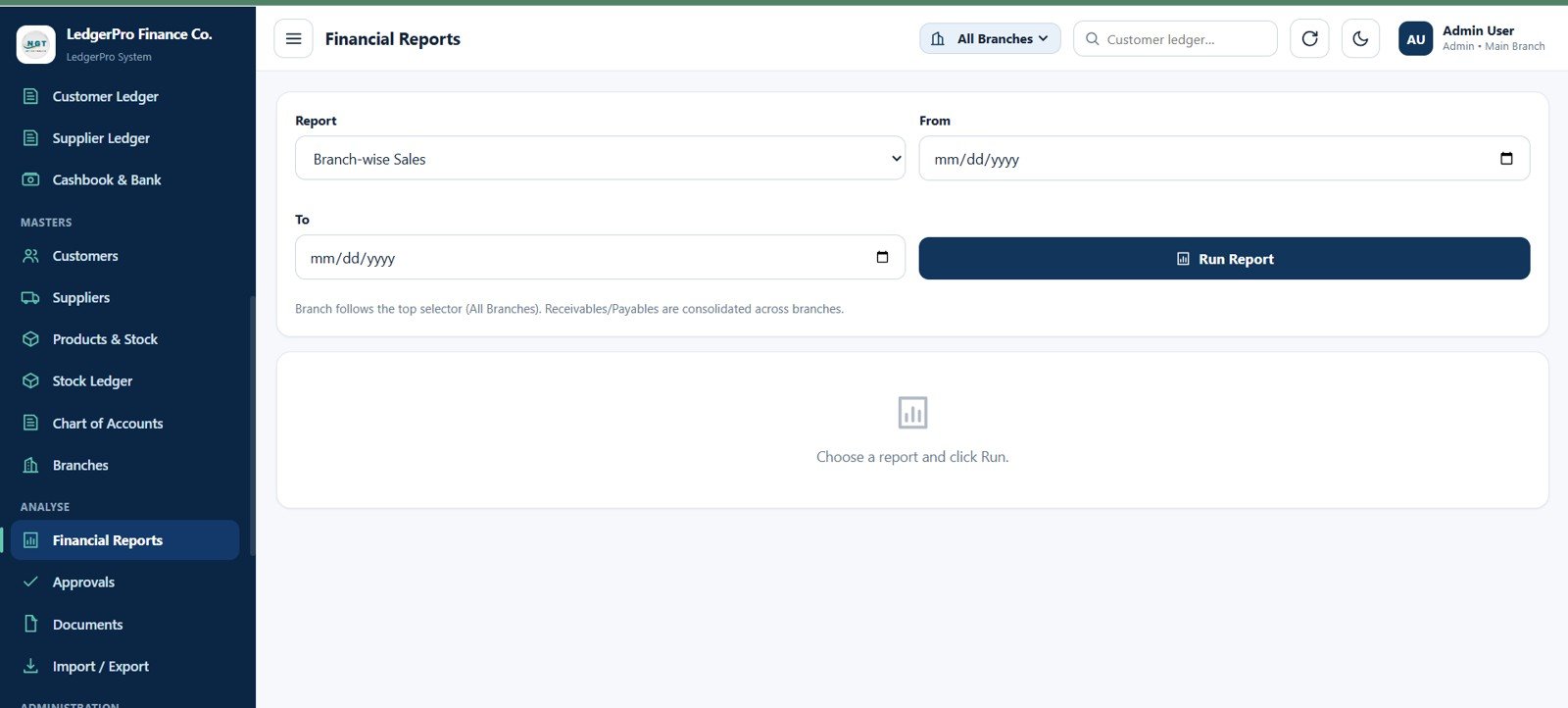
Financial Reports Page
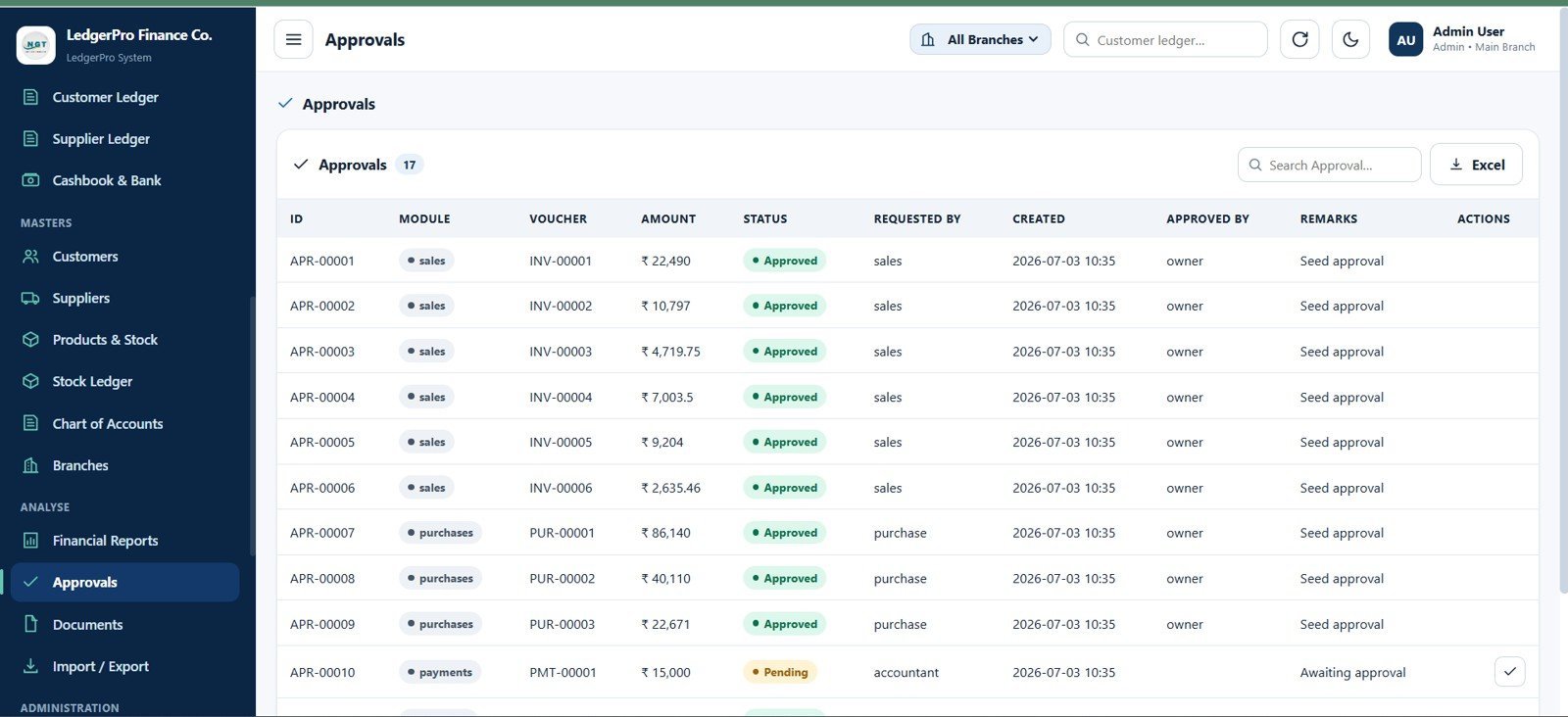
22. Approvals Page
Monitor controlled accounting records with approval ID, module, voucher number, amount, approved or pending status, requester, created date, approver, remarks, approval action, search, and export.
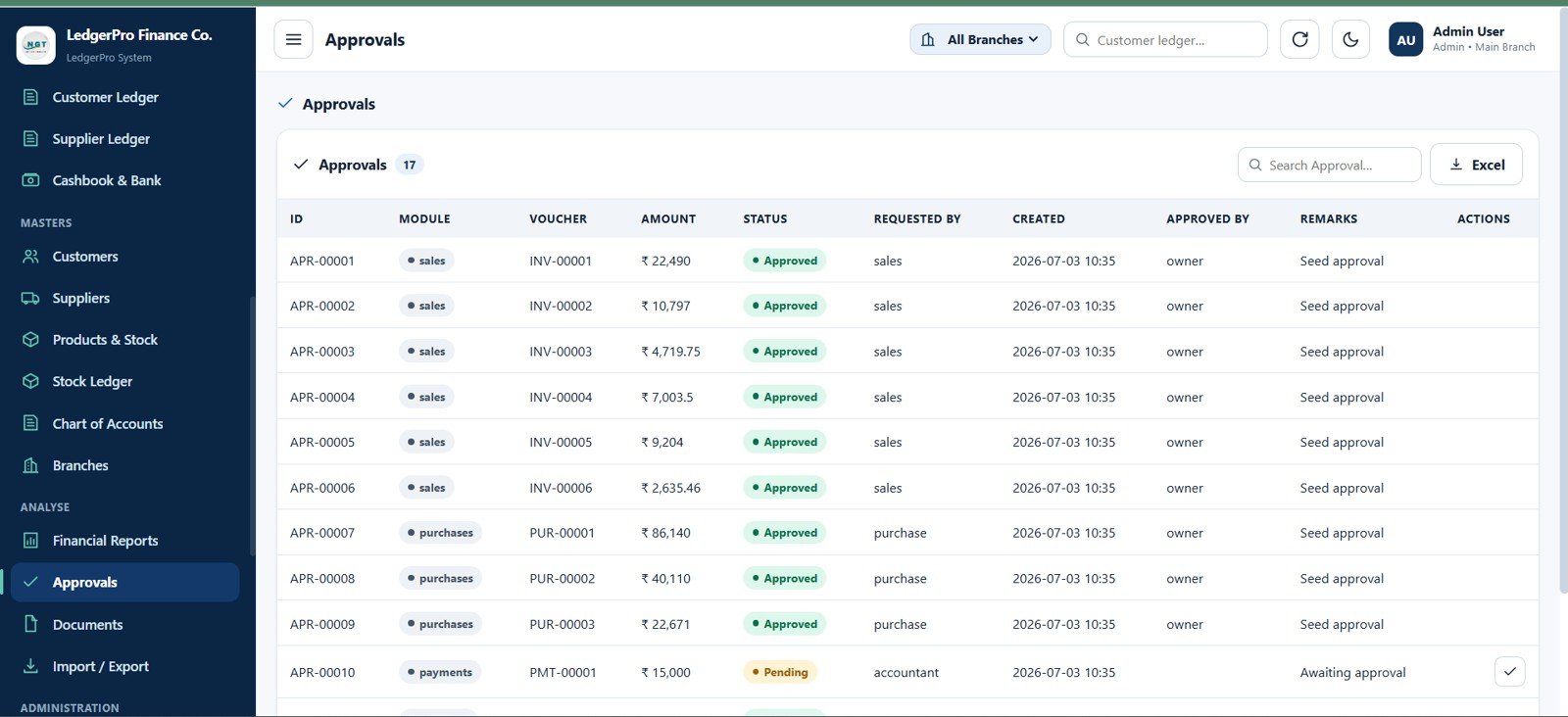
Approvals Page
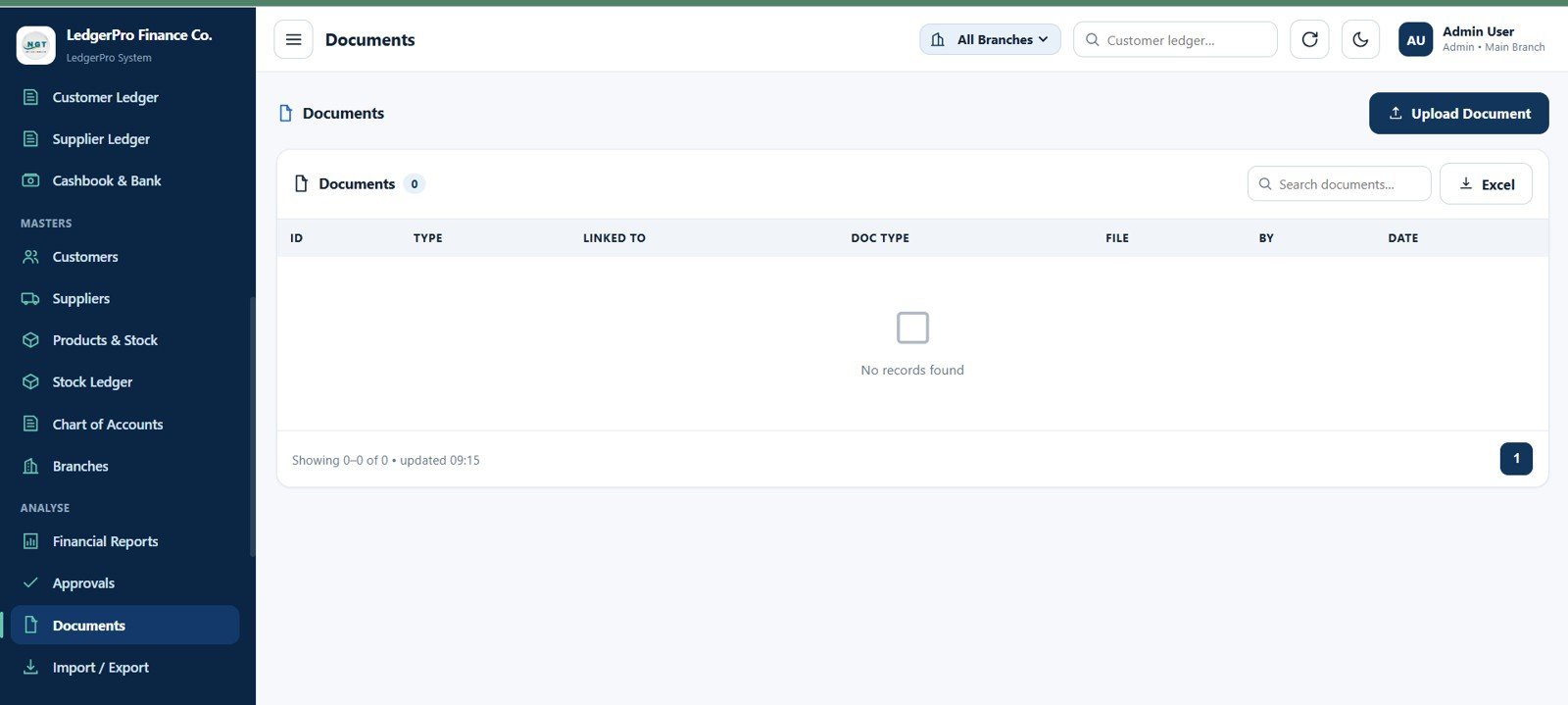
23. Documents Page
Upload and track supporting documents with document ID, type, linked record, file reference, uploaded by, upload date, upload document action, search, and export.
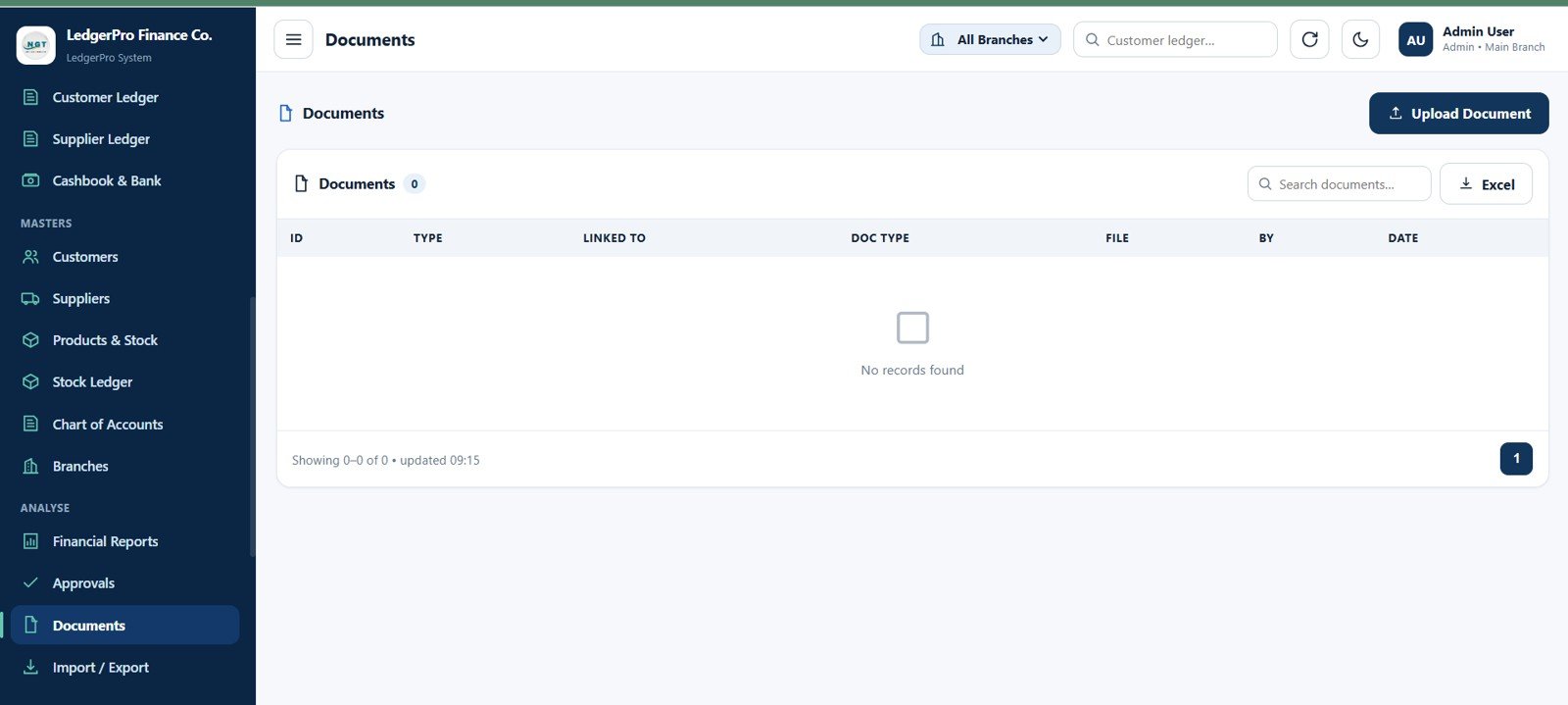
Documents Page
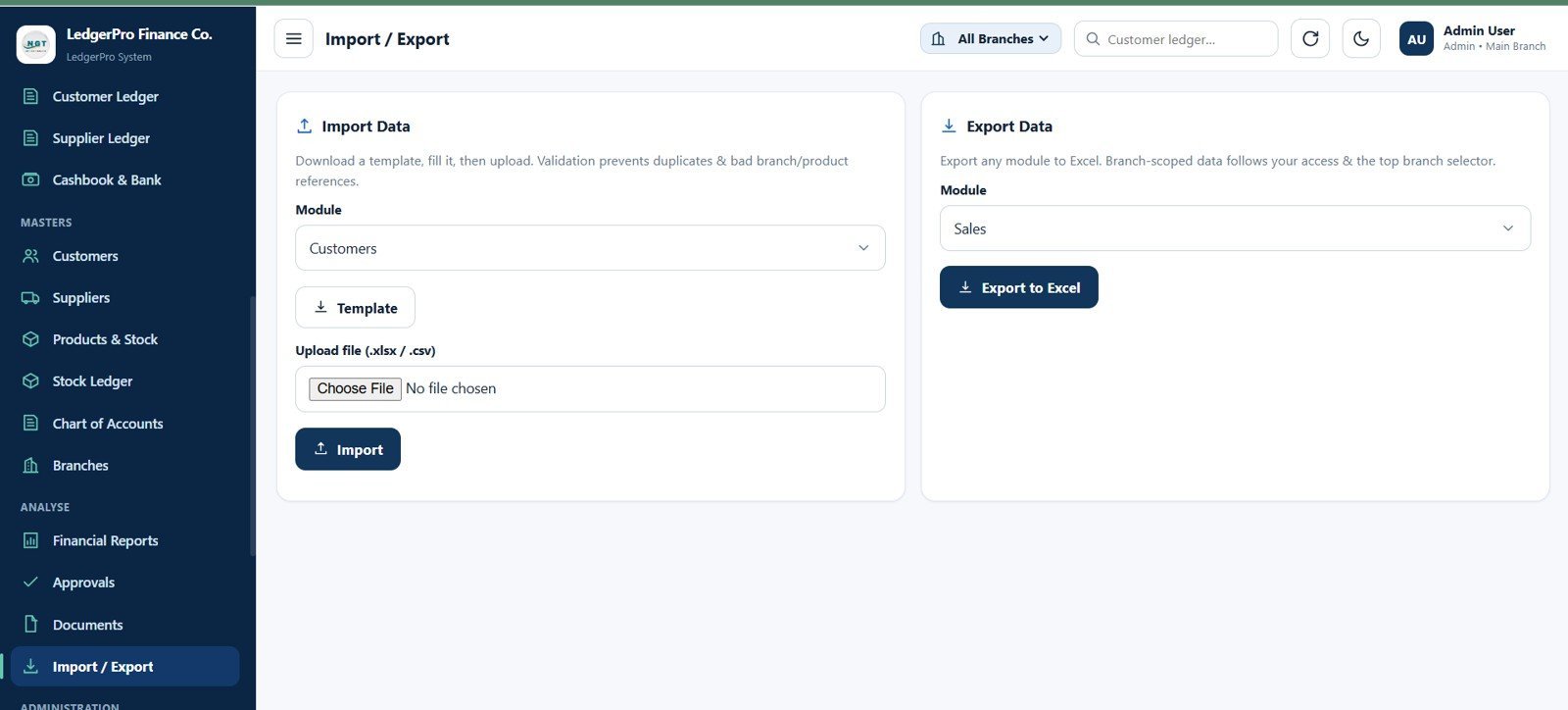
24. Import / Export Page
Import data from templates and export module data with module selector, download template action, Excel or CSV upload field, import action, export module selector, and export to Excel control.
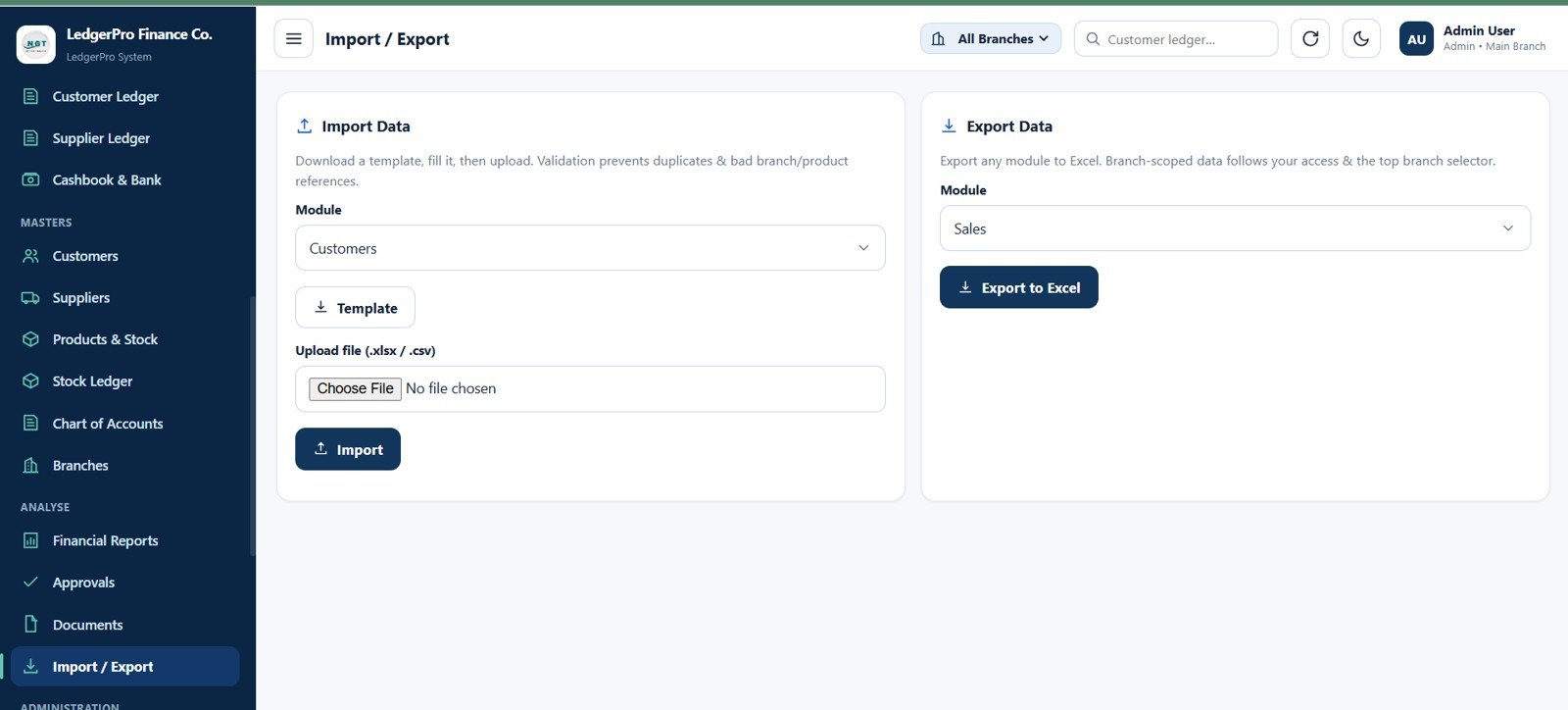
Import / Export Page
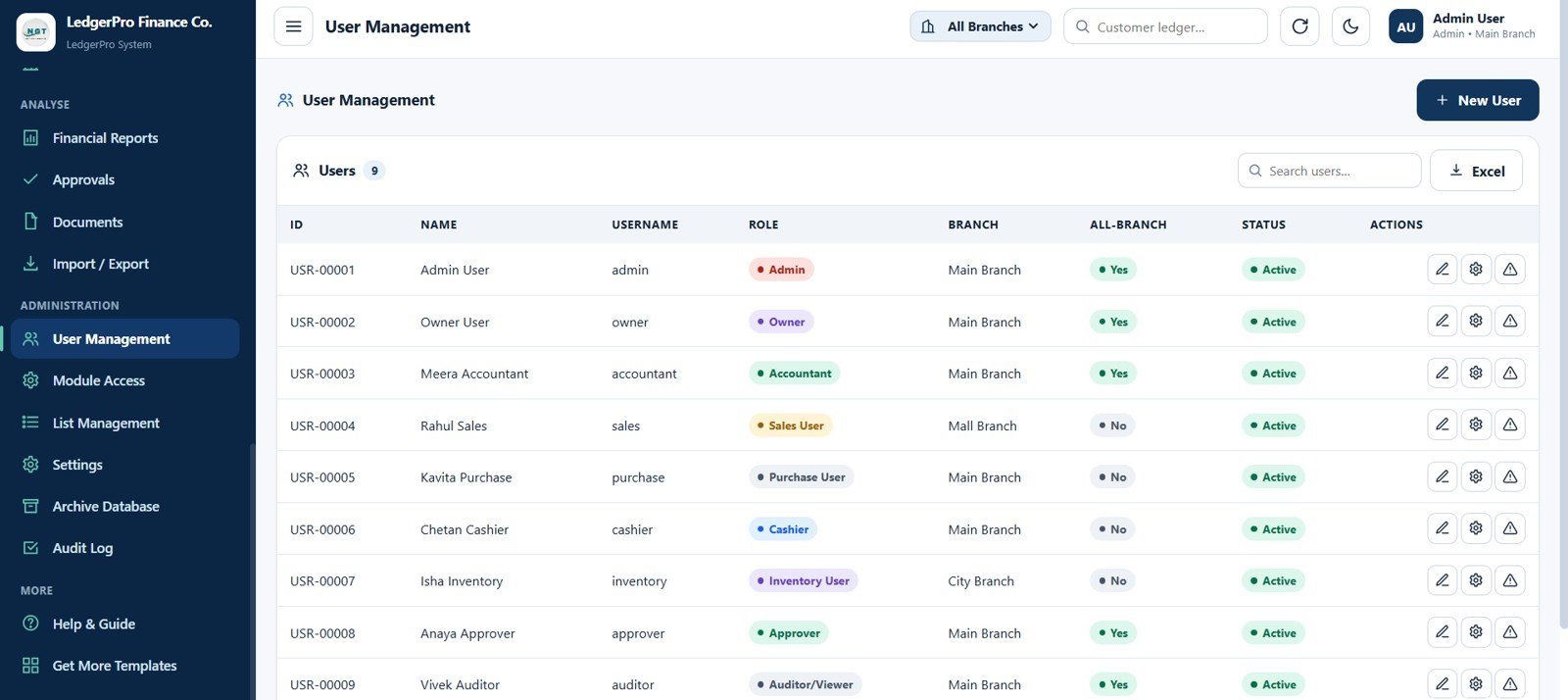
25. User Management Page
Admins manage users, roles, and branch access with user ID, name, username, role, branch assignment, all-branch access, active status, edit, access, warning, search, and export controls.
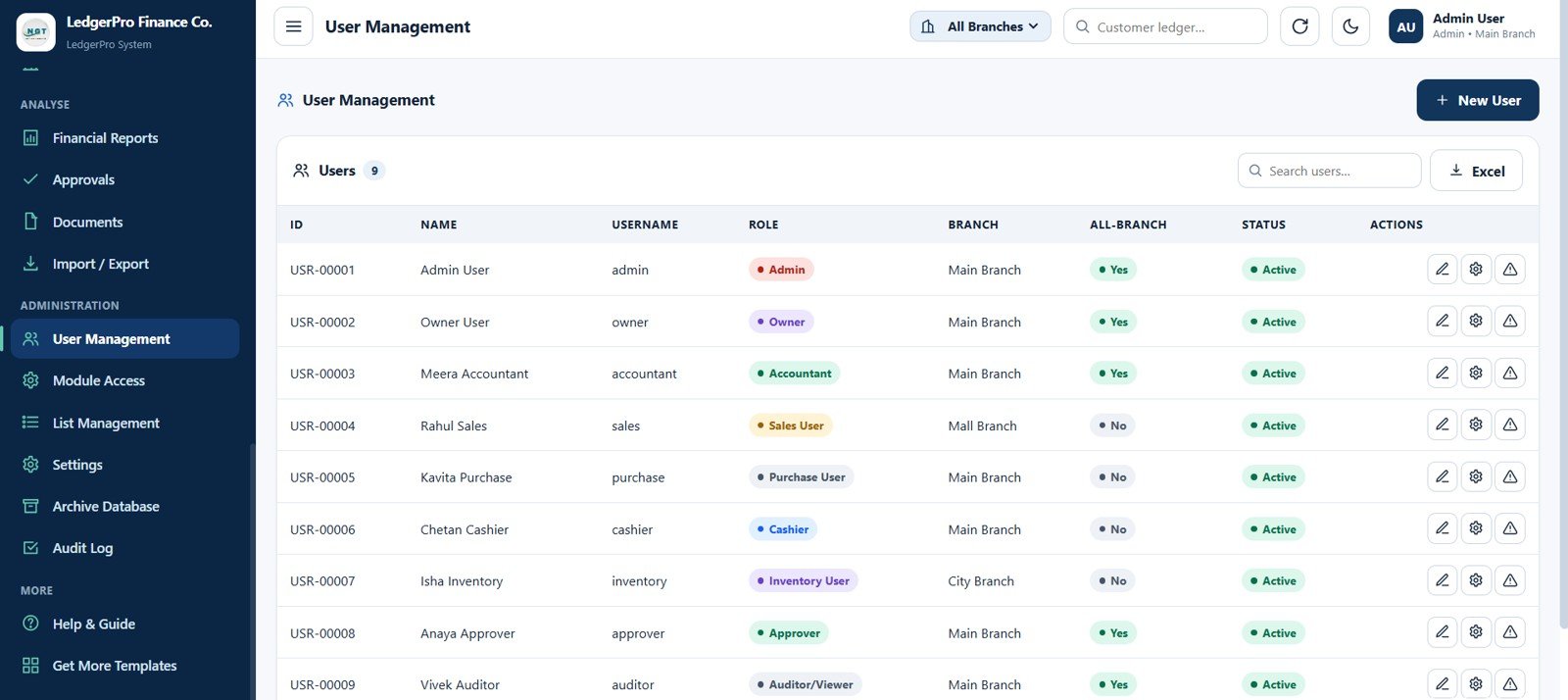
User Management Page
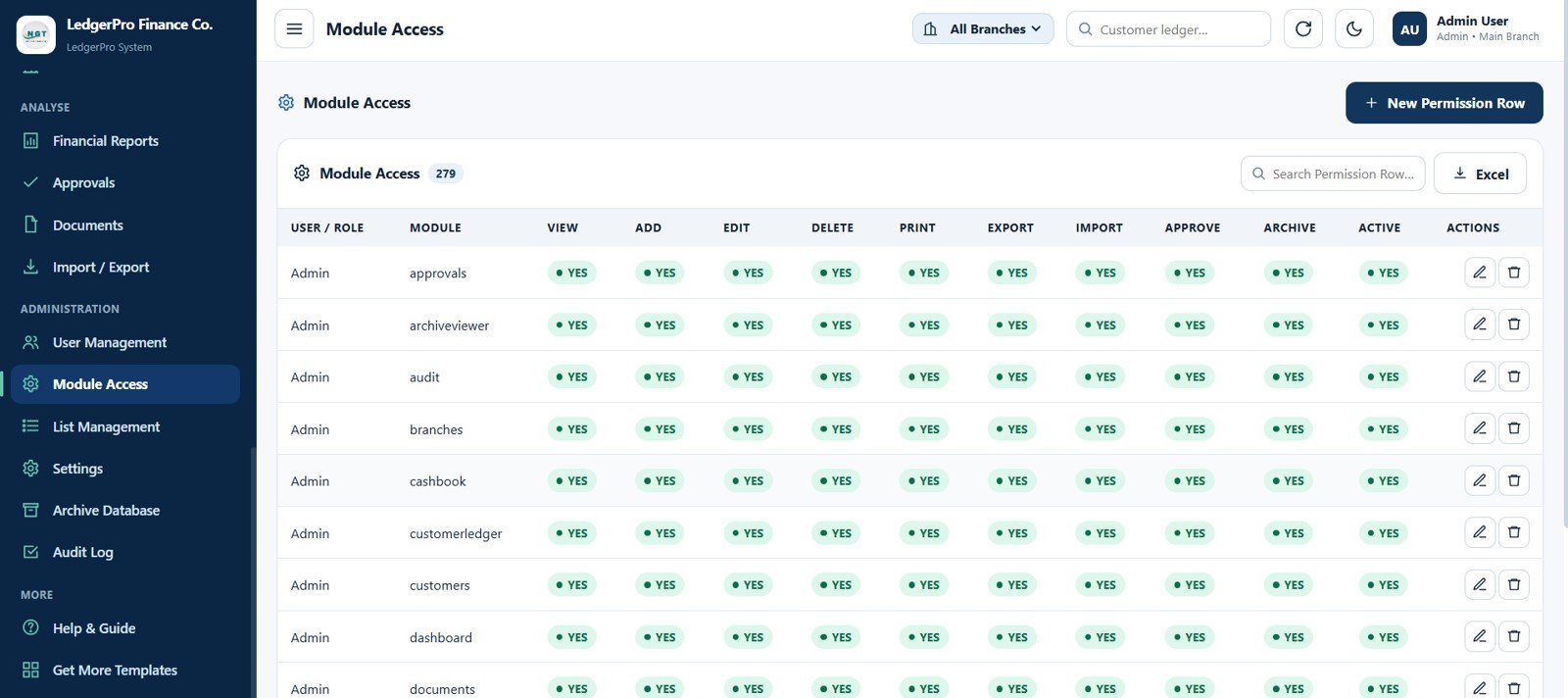
26. Module Access Page
Manage action-level permissions by user or role, including view, add, edit, delete, print, export, import, approve, archive, active status, edit, and delete permissions.
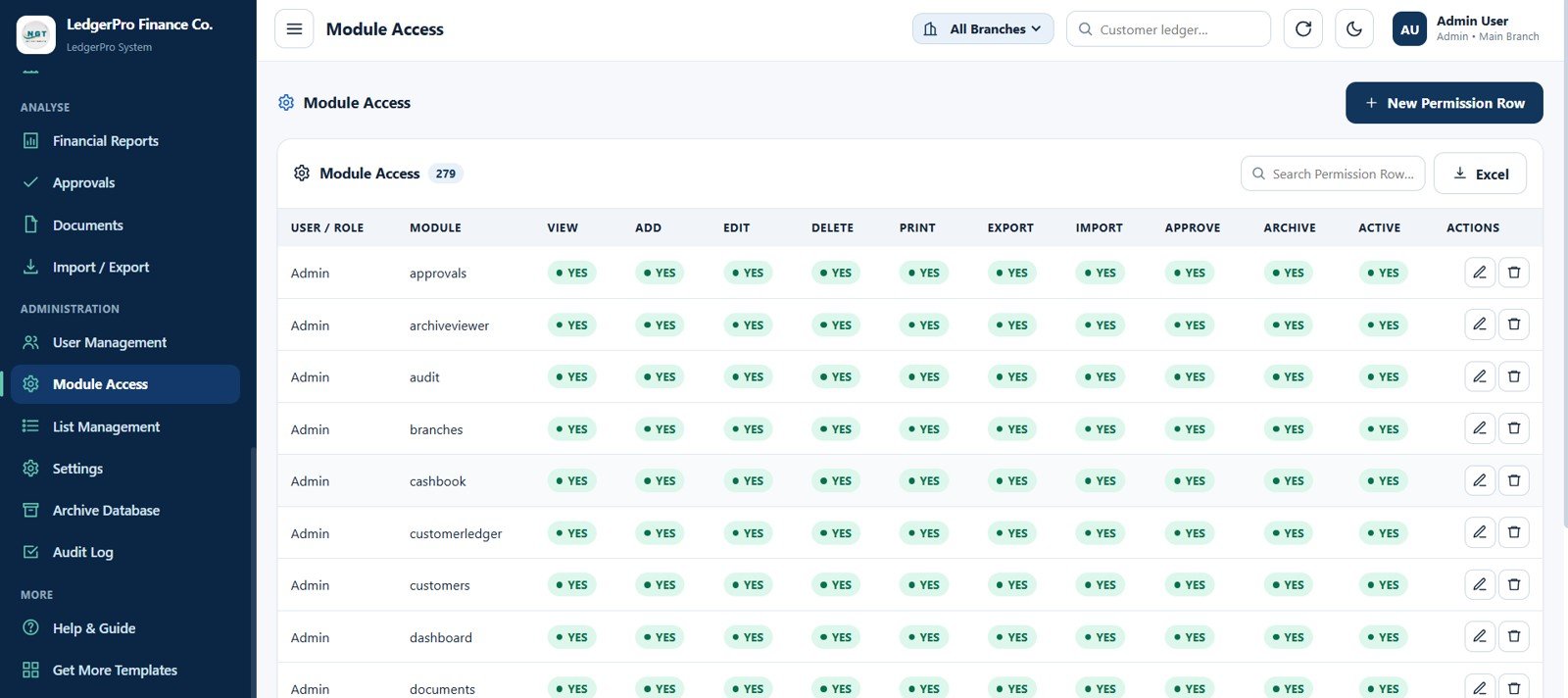
Module Access Page
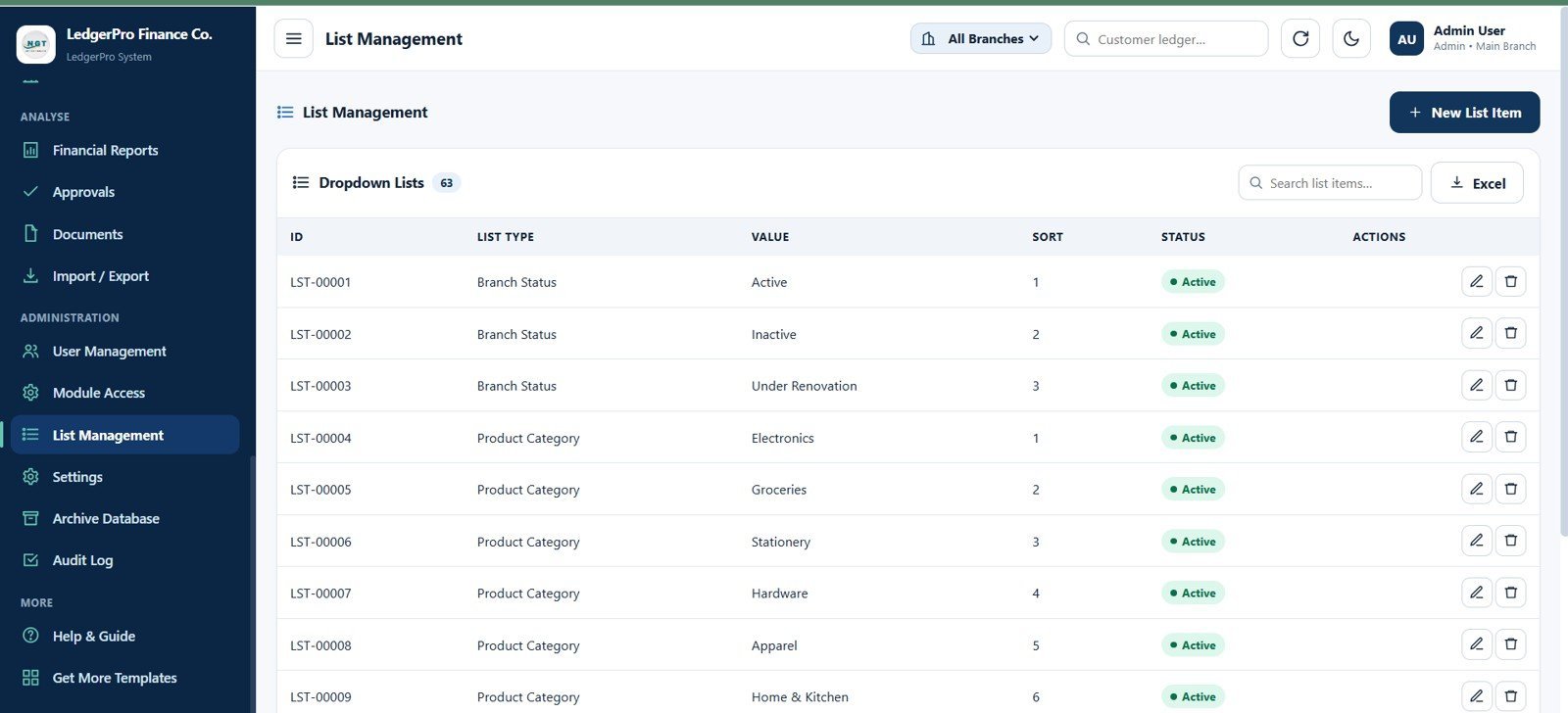
27. List Management Page
Maintain dropdown values with list ID, list type, list value, sort order, active status, edit, delete, search, and export controls.
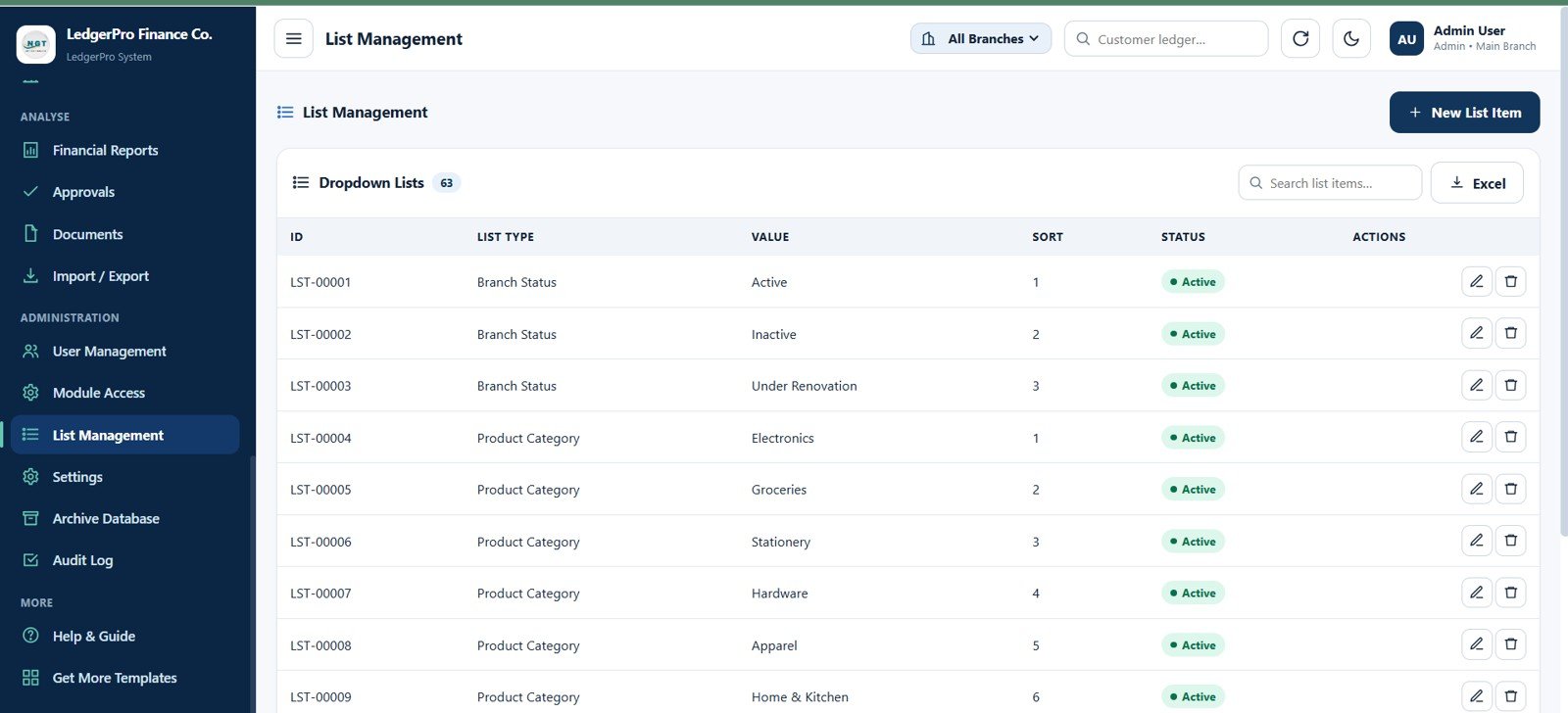
List Management Page
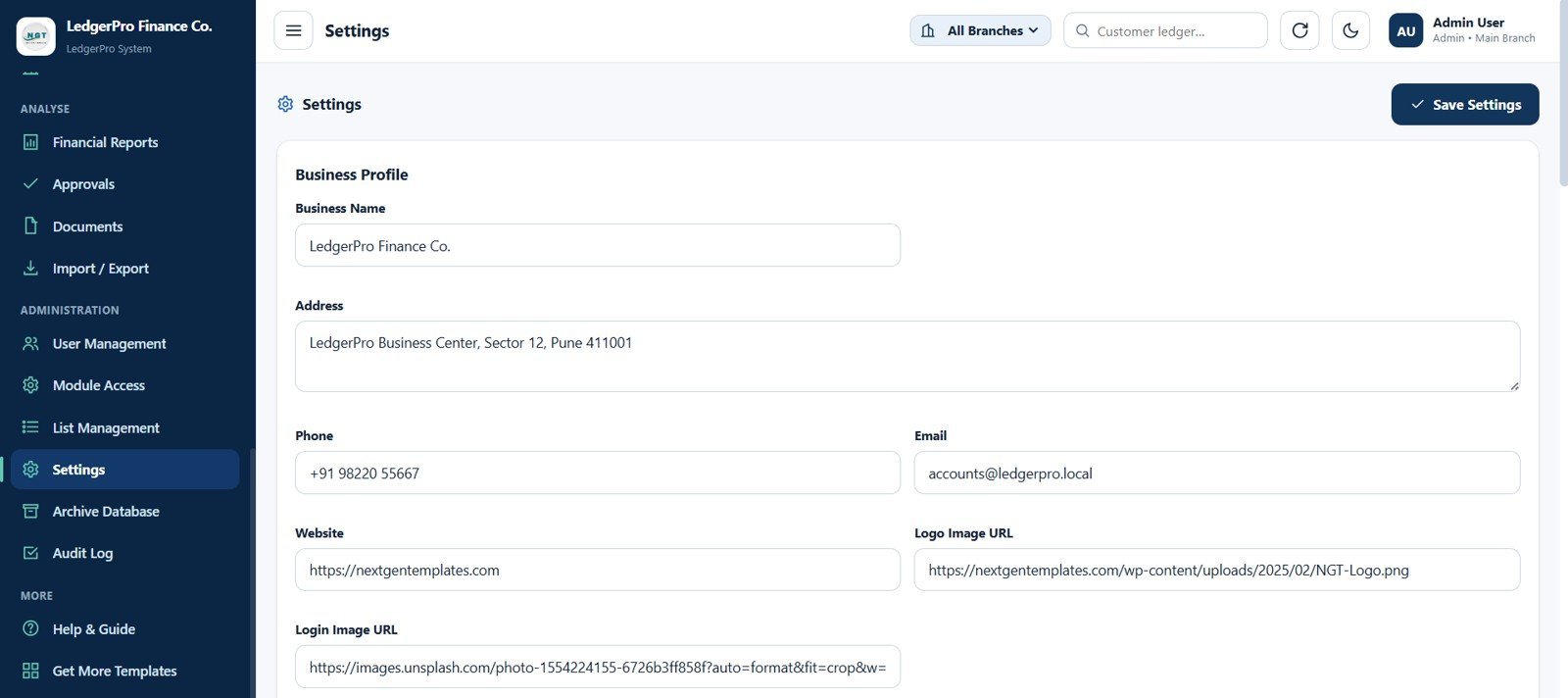
28. Settings Page
Update business profile and branding with business name, address, phone, email, website, logo image URL, login image URL, and save settings action.
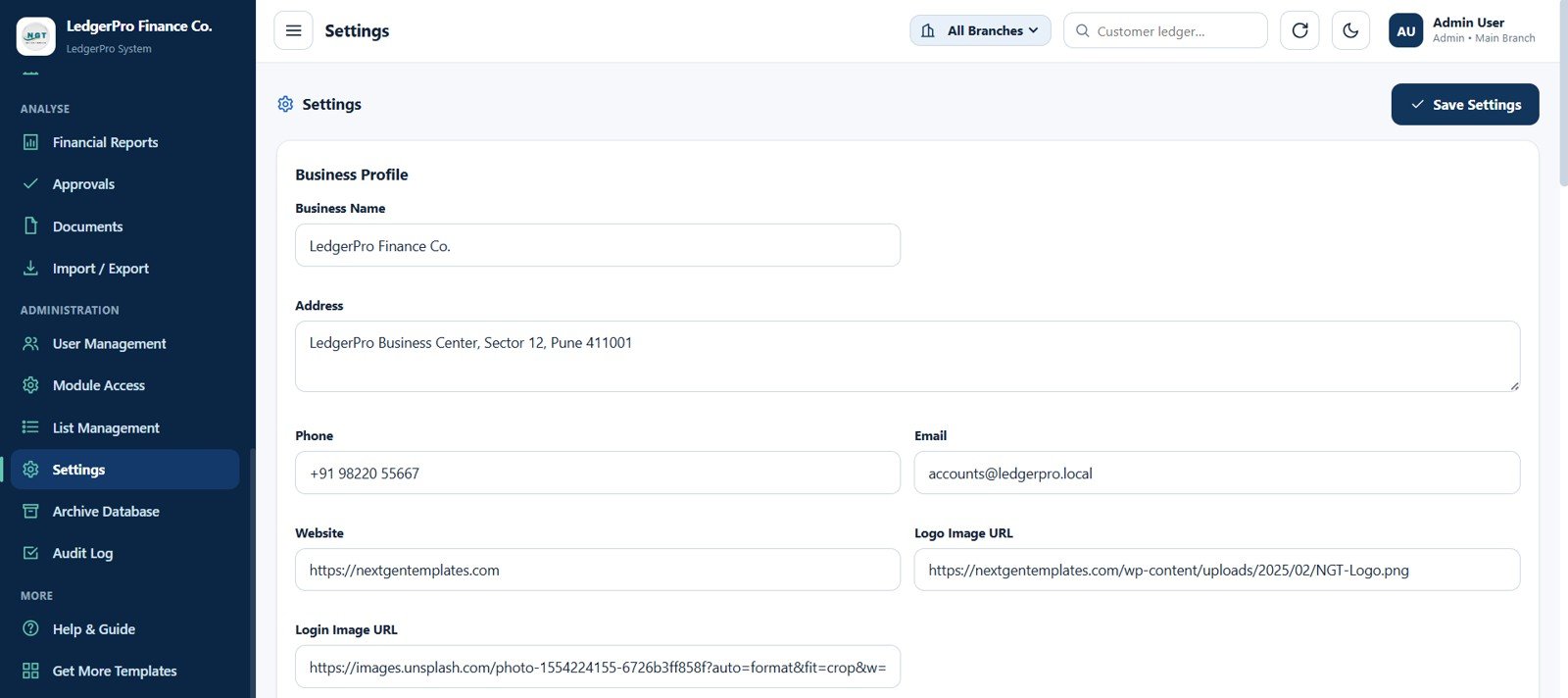
Settings Page
29. Archive Database Page
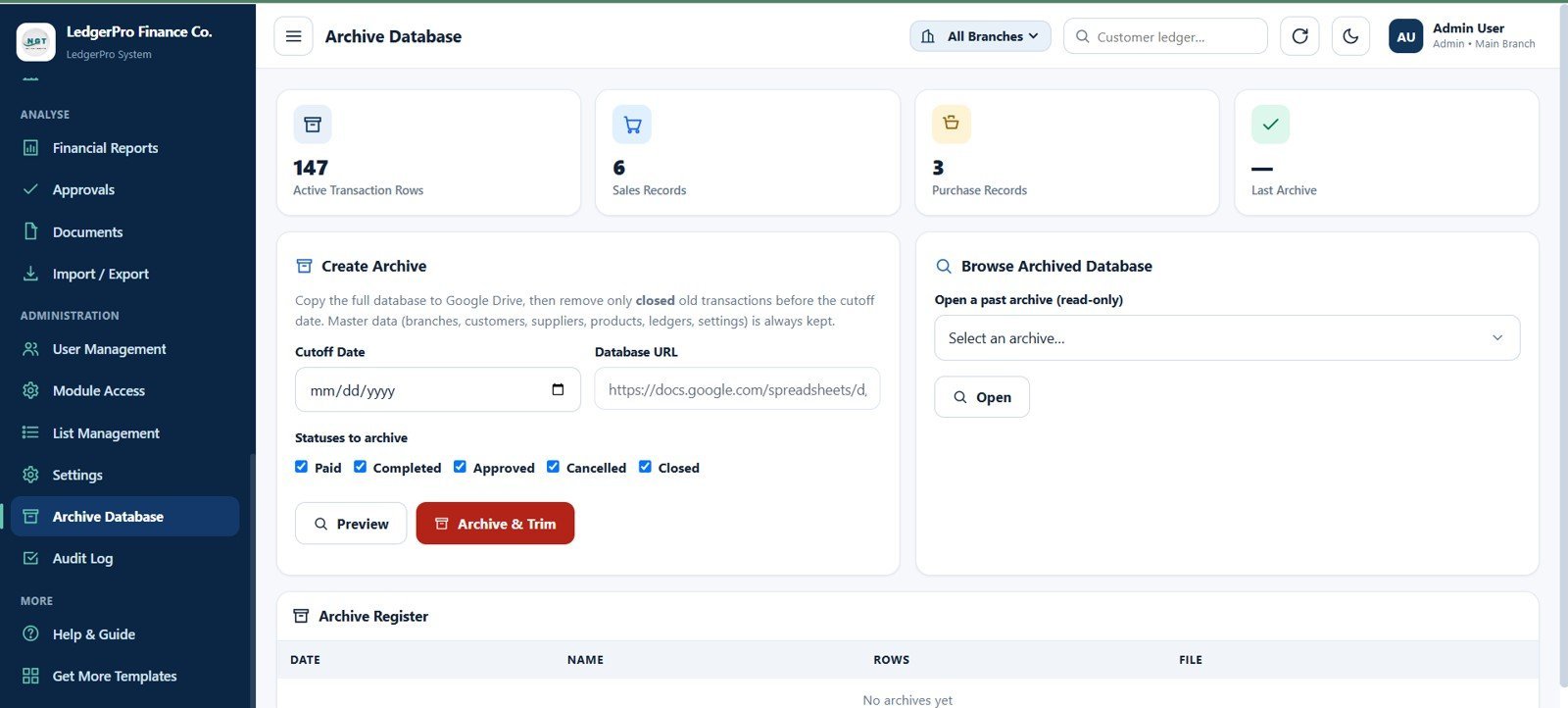
Archive old closed records while keeping master data safe. The page includes Active Transaction Rows, Sales Records, Purchase Records, Last Archive, cutoff date, database URL, statuses to archive, preview, archive and trim action, browse archived database, and archive register.
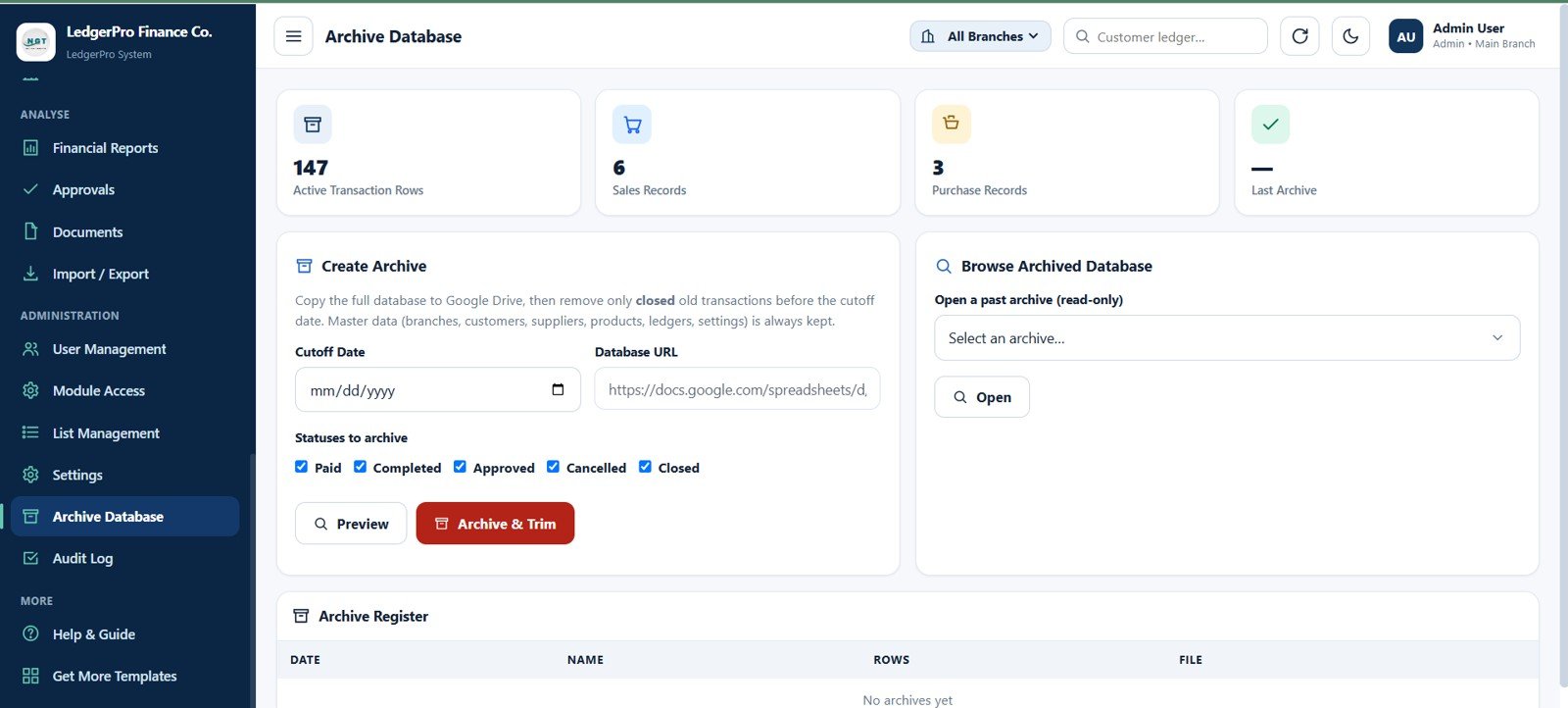
Archive Database Page
30. Audit Log Page
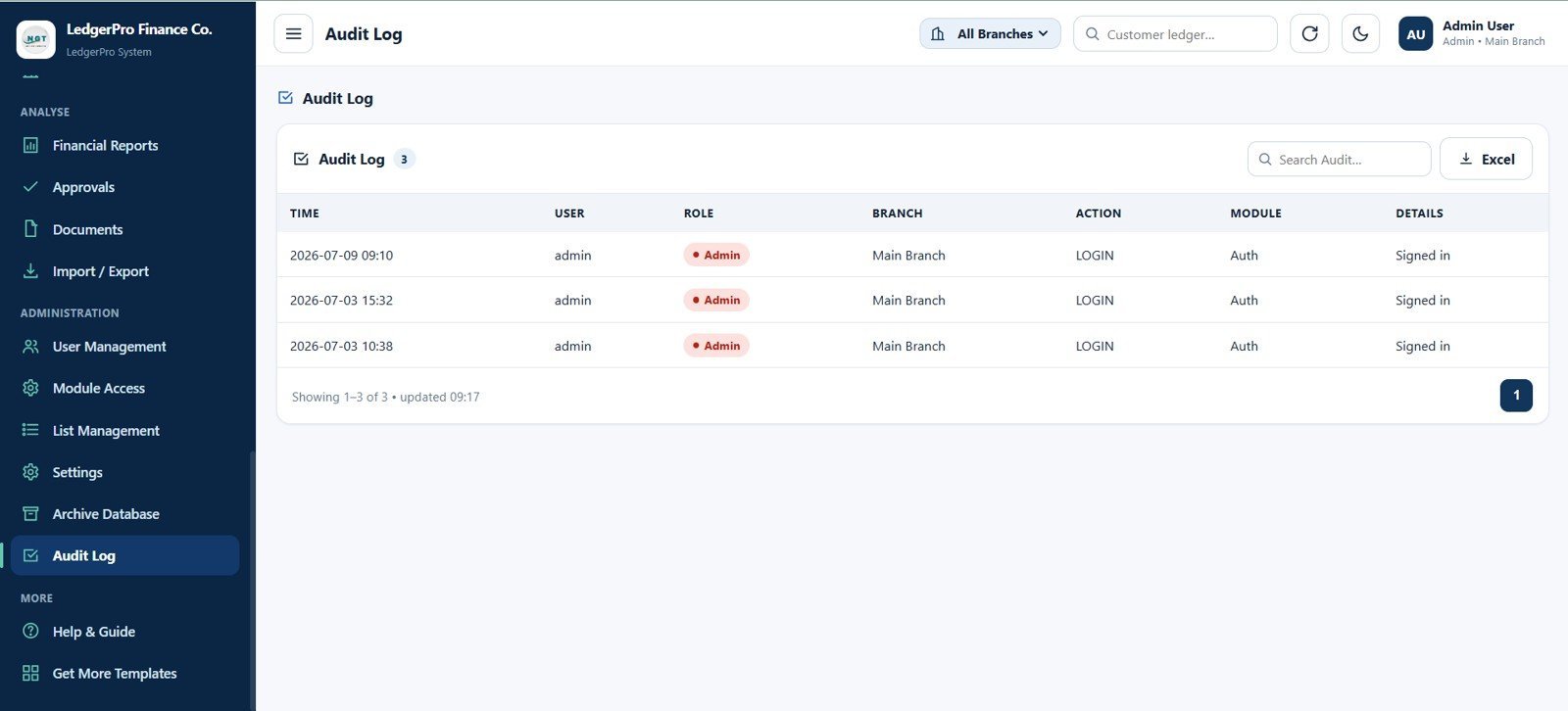
Review system activity with audit time, user, role, branch, action, module, details, login audit records, search, and Excel export.
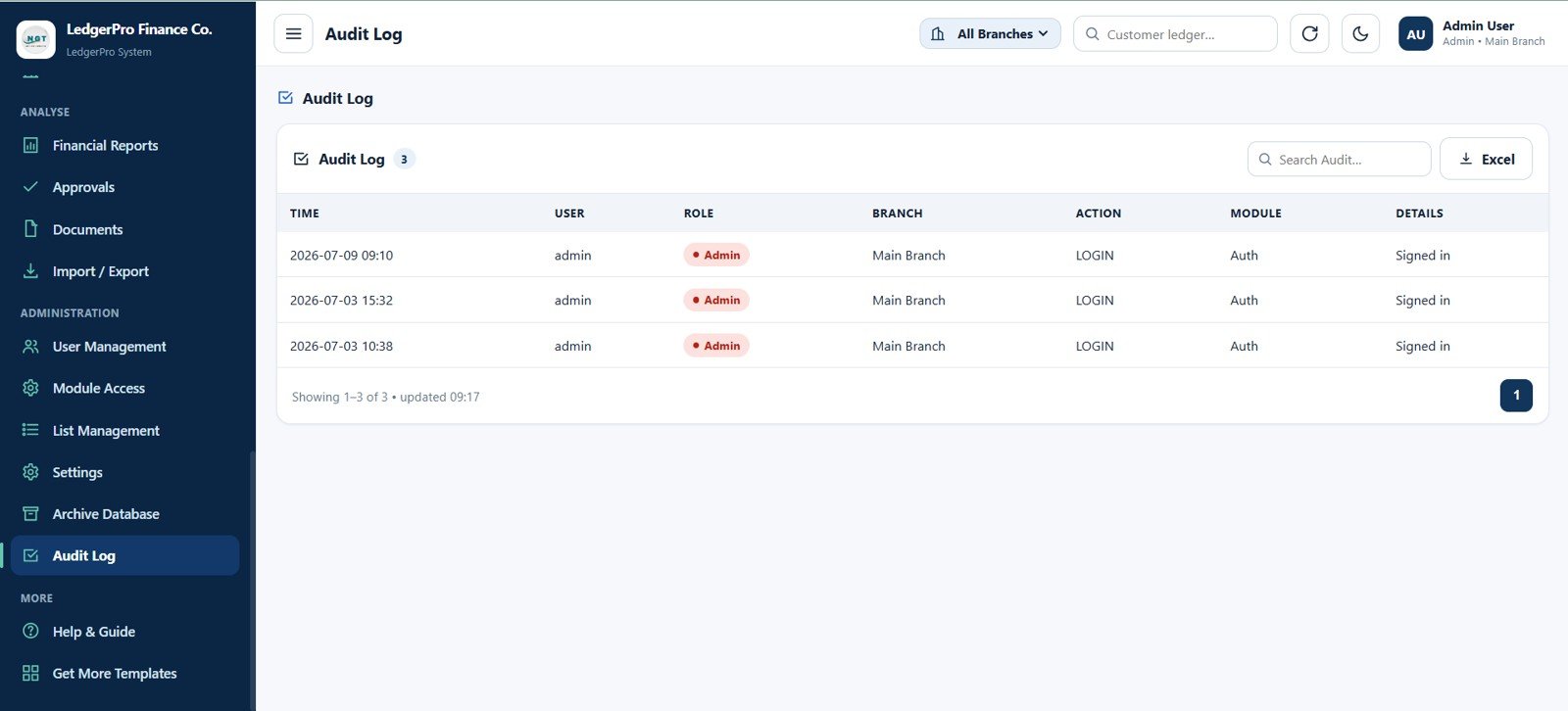
Audit Log Page
Accounting Ledger Pro Management System – Web App vs. Google Sheets Ledger vs. Paid Accounting SaaS – Where This Fits
| Feature | This Web App Template | Google Sheets Ledger | Paid Accounting SaaS |
|---|---|---|---|
| Cost | $39.99 one-time sale price | Low cost but mostly manual | Monthly or annual subscription |
| Platform | Browser-based management system | Spreadsheet tabs | Vendor-hosted cloud app |
| Setup time | Start from 30 prepared pages | Build forms and reports manually | Configuration and onboarding required |
| Receivables and payables | Customer and supplier ledgers included | Manual formulas and filters | Usually included |
| Branch-wise control | Branch filters, branch master, branch transfers | Manual filtering | Often plan dependent |
| Stock tracking | Products, stock ledger, and transfer records | Separate sheet needed | Often add-on or higher tier |
| Approval controls | Approvals, module access, archive, audit log | Usually missing | Included on business plans |
| Year-1 cost at 5 users | $39.99 template cost | Template cost plus setup time | Often hundreds or thousands per year |
Who This Template Is For – and Who It’s Not For
This template is for small businesses, accountants, branch managers, retail operators, distributors, consultants, and finance admins who need one structured accounting and ledger system with transactions, reports, approvals, and controls.
It is not for teams that require direct bank feeds, certified tax filing, payroll, ERP manufacturing, automated e-invoicing compliance, or enterprise-grade accounting integrations from day one. Those use cases may require a dedicated accounting platform or custom development.
How to Use the Accounting Ledger Pro Management System – Web App
- Download and unzip the source package after purchase.
- Follow the included setup or deployment guide for your own workspace.
- Update Settings with business name, address, email, phone, website, logo, and login image.
- Create branches, users, module access, list values, chart of accounts, customers, suppliers, and products.
- Start recording sales invoices, purchases, returns, receipts, payments, expenses, journals, branch transfers, and documents.
- Review dashboards, ledgers, cashbook, bankbook, reports, approvals, archive register, and audit log during daily or weekly finance reviews.
Real-World Use Cases
Neha manages accounts for a three-branch retailer. She checks Sales This Month, Cash in Hand, Bank Balance, Customer Receivables, and Supplier Payables every morning, then uses customer and supplier ledgers to follow up on open balances.
Ravi runs a wholesale trading business. His team records sales, purchases, returns, receipts, payments, stock movements, and branch transfers in one system instead of maintaining separate invoice, ledger, and stock files.
Arjun is a business consultant. He uses the template as a starting point for clients who need accounting workflows, access controls, reports, and audit history without buying a monthly SaaS subscription immediately.
Frequently Asked Questions
What is included in the Accounting Ledger Pro Management System Web App?
It includes 30 pages for login, dashboard, sales, purchases, returns, receipts, payments, expenses, journals, branch transfers, customer and supplier ledgers, cashbook, bankbook, masters, stock, reports, approvals, documents, import/export, users, module access, lists, settings, archive, and audit log.
Can it track customer receivables and supplier payables?
Yes. The dashboard includes Customer Receivables and Supplier Payables cards, and the system includes dedicated customer ledger and supplier ledger pages with branch and date filtering.
Does the template include stock tracking?
Yes. Products & Stock, Stock Ledger, Branch Transfers, Sales Returns, Purchase Returns, and related transaction pages help track product movement across branches.
Is this a hosted accounting SaaS product?
No. This is a downloadable web app template package sold as a one-time purchase. You can configure and adapt it for your own business workflow.
Can I manage users and permissions?
Yes. User Management handles users, roles, branch assignments, and all-branch access. Module Access controls view, add, edit, delete, print, export, import, approve, and archive permissions.
Does it replace professional accounting advice?
No. It is an accounting workflow and record-management template. For tax filing, statutory compliance, audit requirements, and accounting policy decisions, work with a qualified accountant.
About the Author
Built by PK – Microsoft Certified Professional with 15+ years of Excel, Google Sheets, and Power BI experience. Founder of NextGenTemplates, reaching 300K+ subscribers across YouTube channels. Every template is hand-built and tested before release.
Explore Related Templates
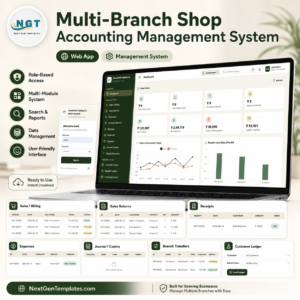
- Multi-Branch Shop Accounting Management System Web App – a close companion for shop and branch-wise accounting workflows.
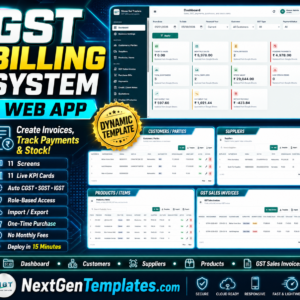
- GST Billing System Web App – a billing and GST-focused web app for invoices, purchases, payments, and tax tracking.
- Web-based Advanced Inventory Management System – a stock control companion for multi-warehouse inventory teams.
- Advanced Task Management System Web App Template – manage tasks, recurring work, users, and reports.
- Finance and Accounting Dashboard in Google Sheets – a lighter dashboard for budget, forecast, actual, and variance tracking.
- Browse all Web Apps on NextGenTemplates.
Download the Accounting Ledger Pro Management System Web App to manage sales, purchases, ledgers, cash, bank, stock, reports, approvals, users, archive records, and audit history in one structured workspace.
Watch the step-by-step video Demo:



























Reviews
There are no reviews yet.