

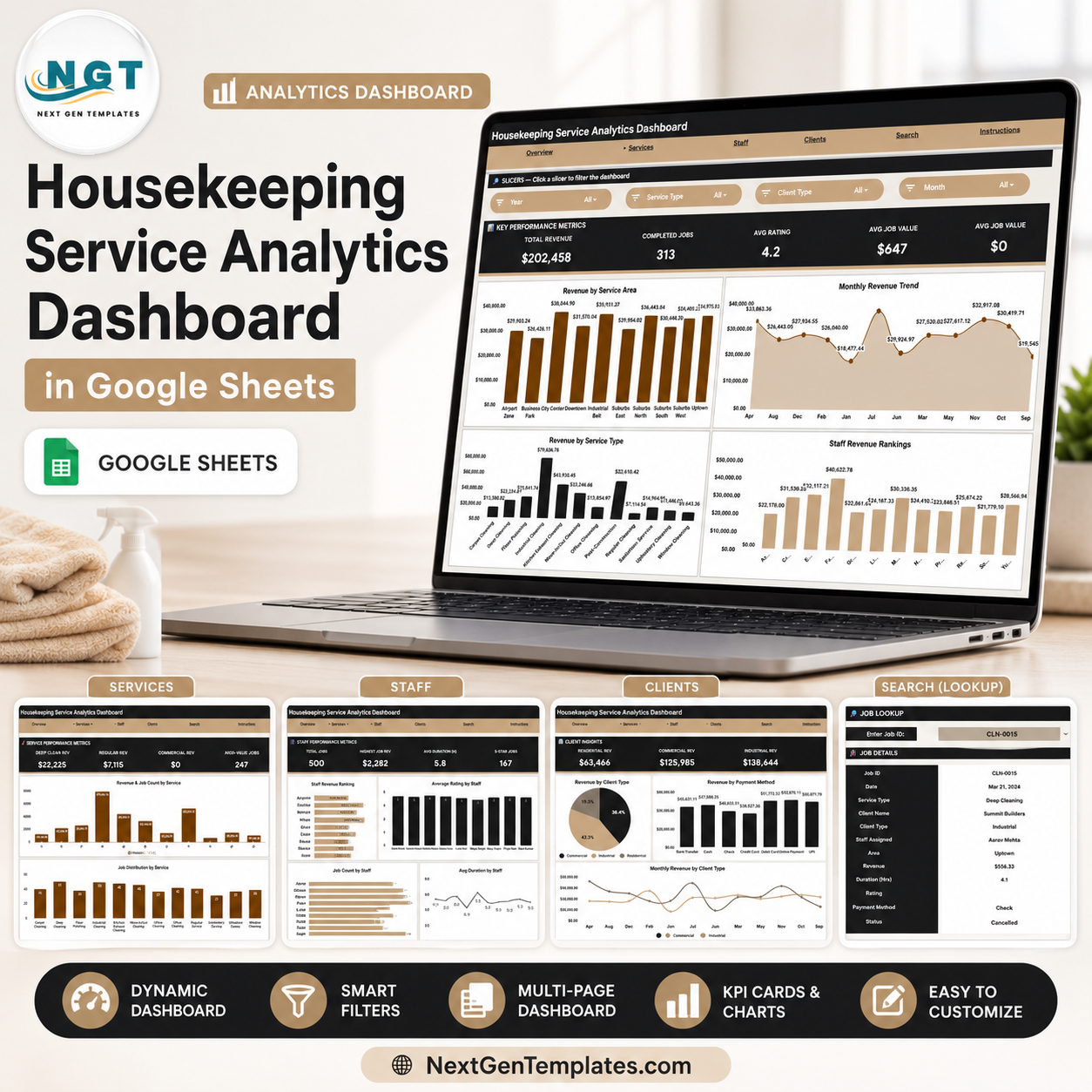
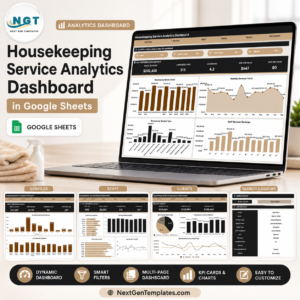
The Housekeeping Service Analytics Dashboard in Google Sheets gives housekeeping managers 4 KPI cards, 14 ready charts, 6 working tabs, and instant Job ID lookup in one shareable Google Sheets file. Instead of rebuilding reports from cleaning logs every week, paste your job records into the Data sheet and review revenue, completed jobs, ratings, staff output, service areas, client types, and payment methods from connected dashboard pages. NextGenTemplates supports 8,400+ template buyers across 40+ countries, and this template is a one-time purchase with no subscription, no per-user fee, and lifetime file access.
Key Features of Housekeeping Service Analytics Dashboard in Google Sheets
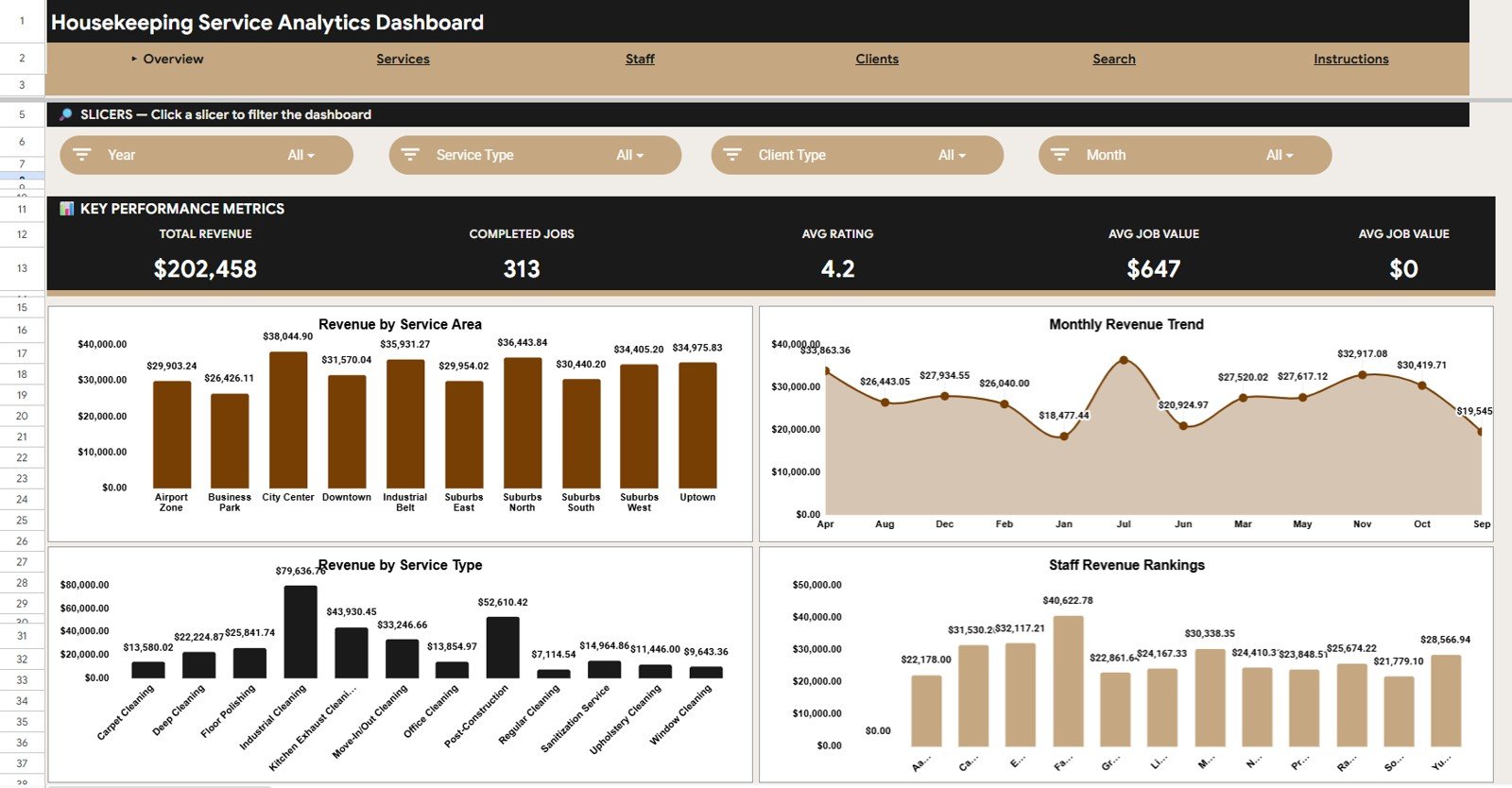
- 4 executive KPI cards: Total Revenue, Completed Jobs, Avg Rating, and Avg Job Value show the health of your housekeeping operation at a glance.
- 14 analysis charts: Review revenue, job count, duration, ratings, service type, staff, client type, payment method, and monthly movement.
- Interactive slicers: Filter the dashboard quickly by available fields and see the cards and charts update for the selected segment.
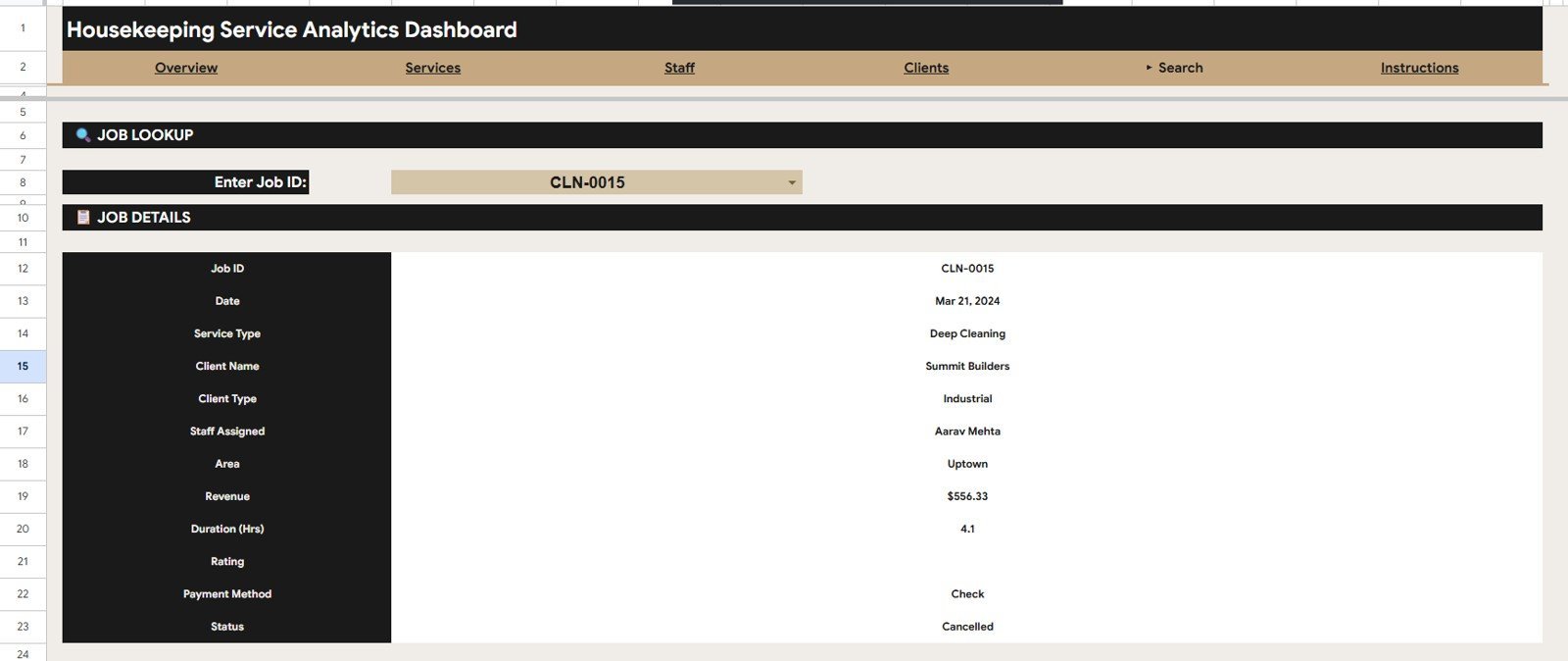
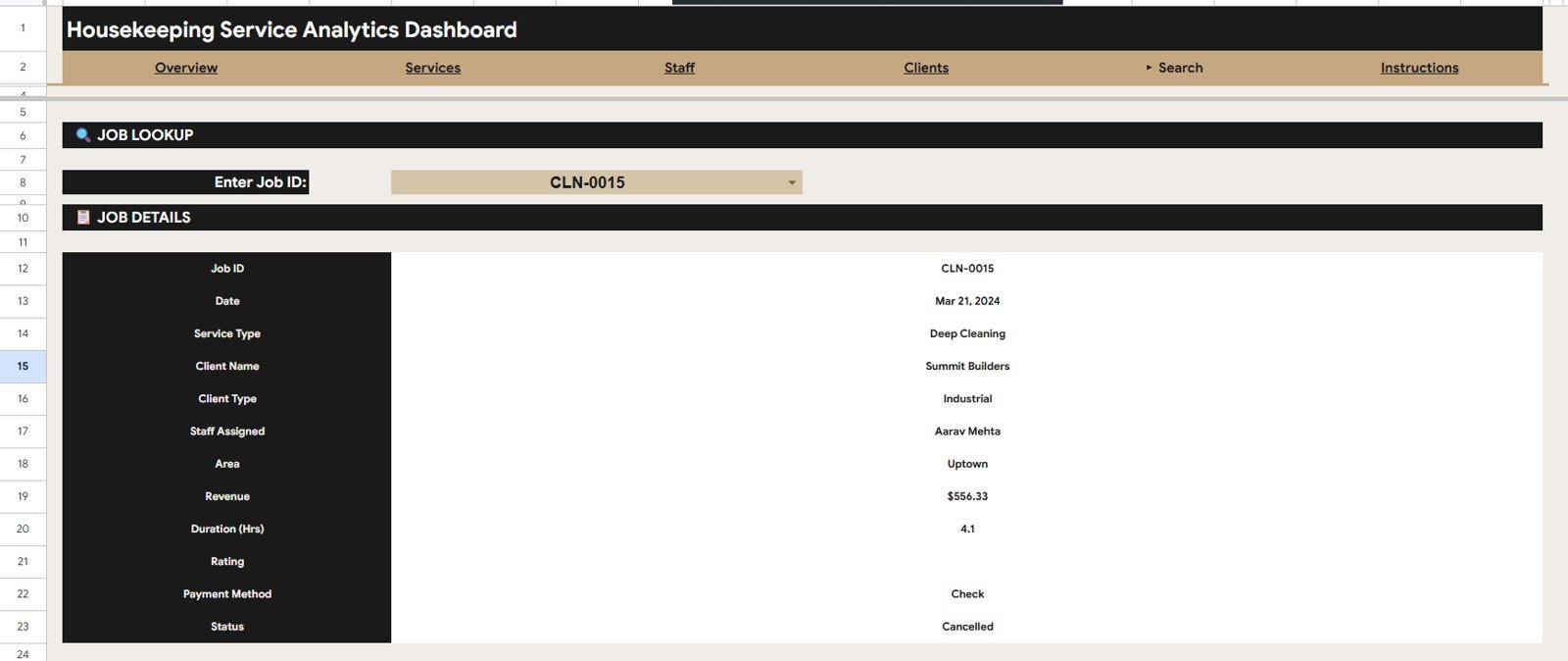
- Job ID search: Enter a Job ID to pull the date, service type, client, assigned staff, area, revenue, duration, rating, payment method, and status.
- Google Sheets format: Copy the file to Google Drive, share it with your team, and update data from any browser.
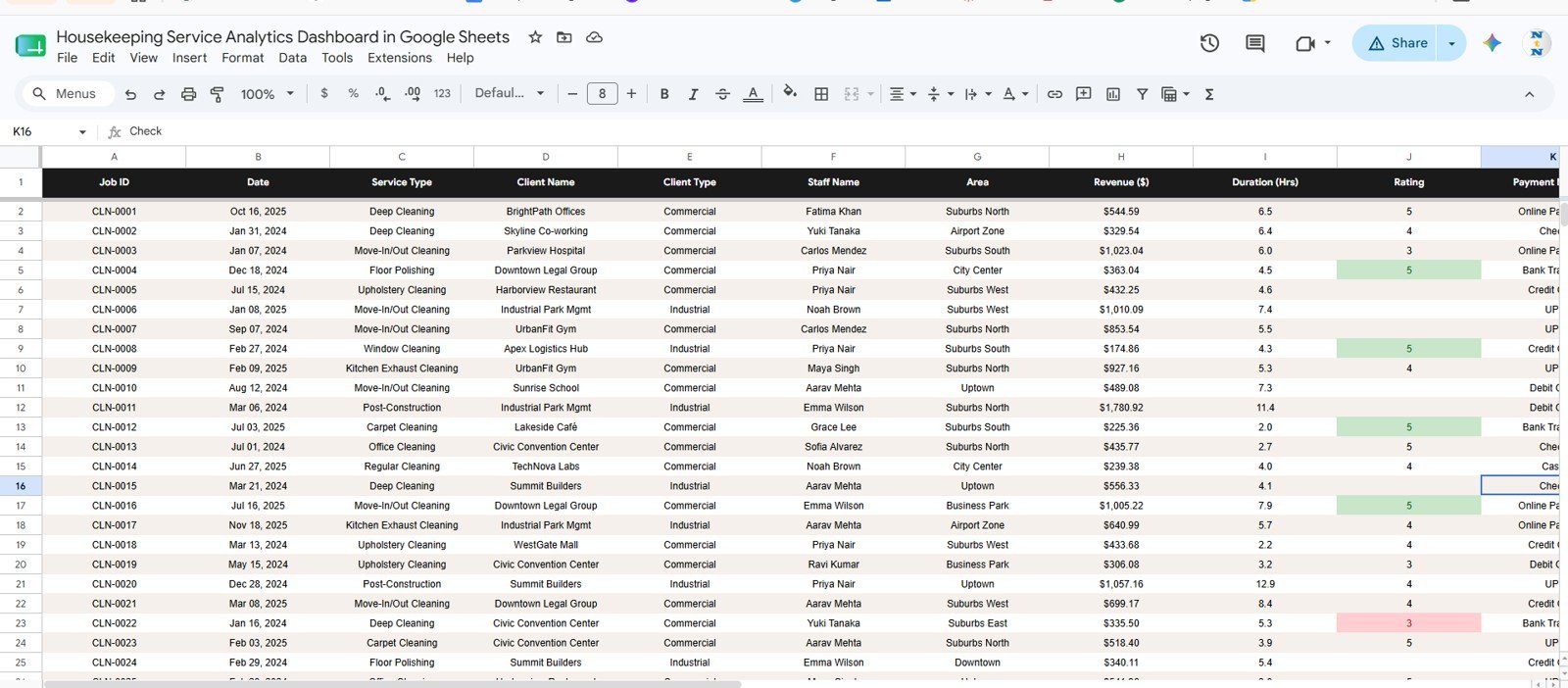
- Editable source table: Keep the provided column format, replace the sample rows, and use the file as your housekeeping reporting layer.
What’s Inside the Housekeeping Service Analytics Dashboard in Google Sheets
Overview Page
The Overview page displays Total Revenue, Completed Jobs, Avg Rating, and Avg Job Value at the top. It also includes Revenue by Service Area, Revenue by Month, Revenue by Service Type, and Revenue by Staff so managers can see where income and team workload are moving.
Services Page
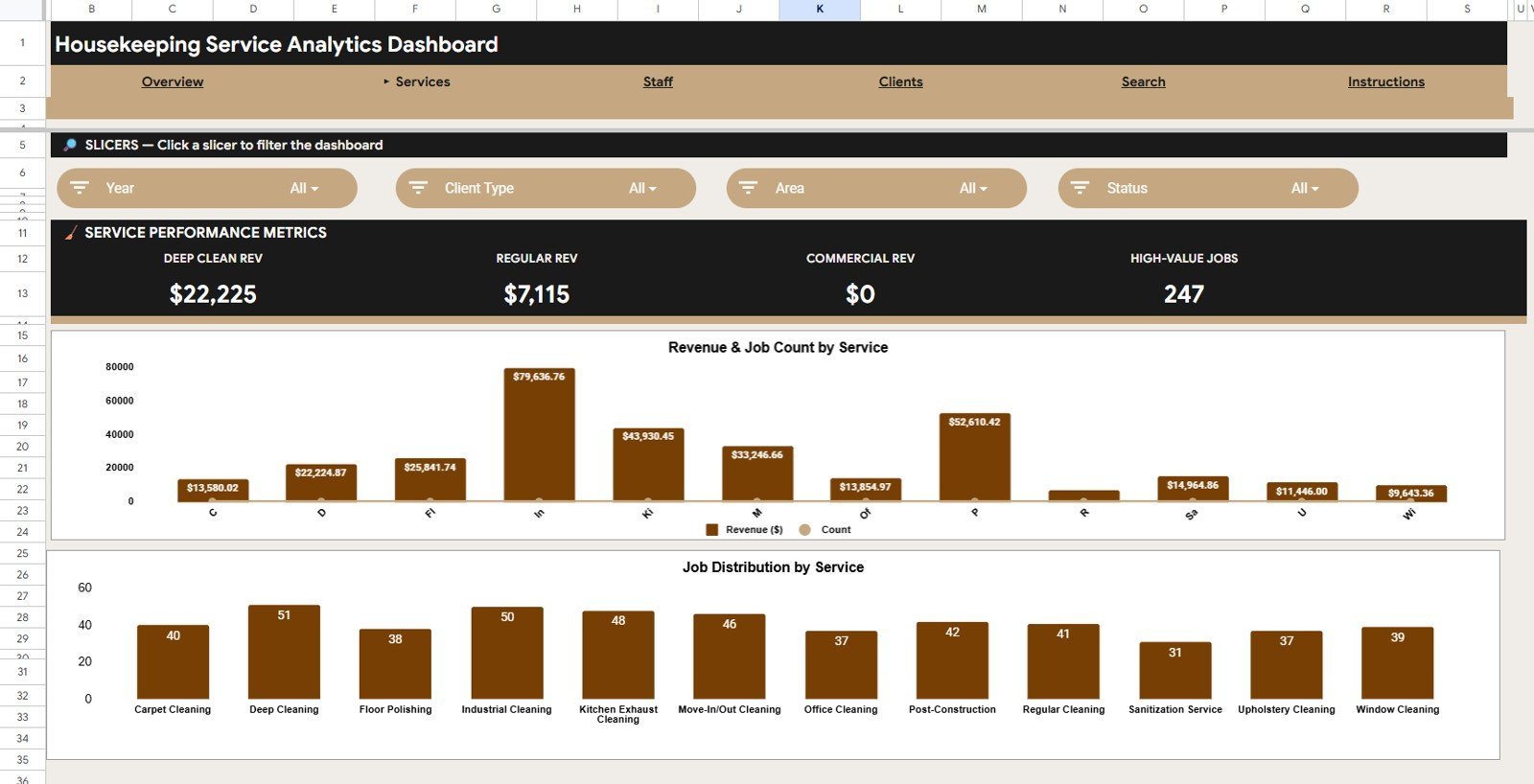
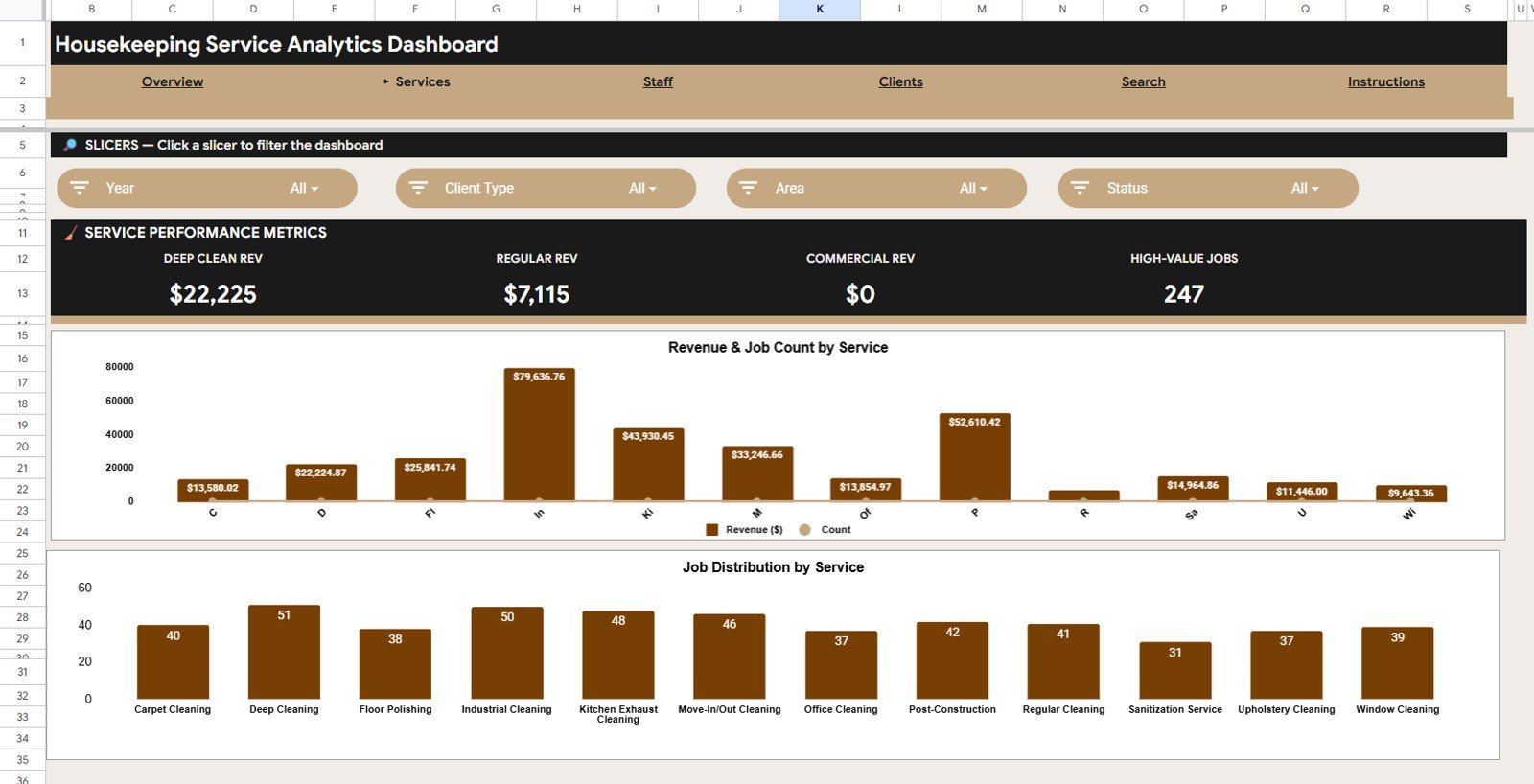
The Services tab compares each housekeeping service by revenue and job count. Use it to identify which service categories generate the most income and which services create the most work volume.
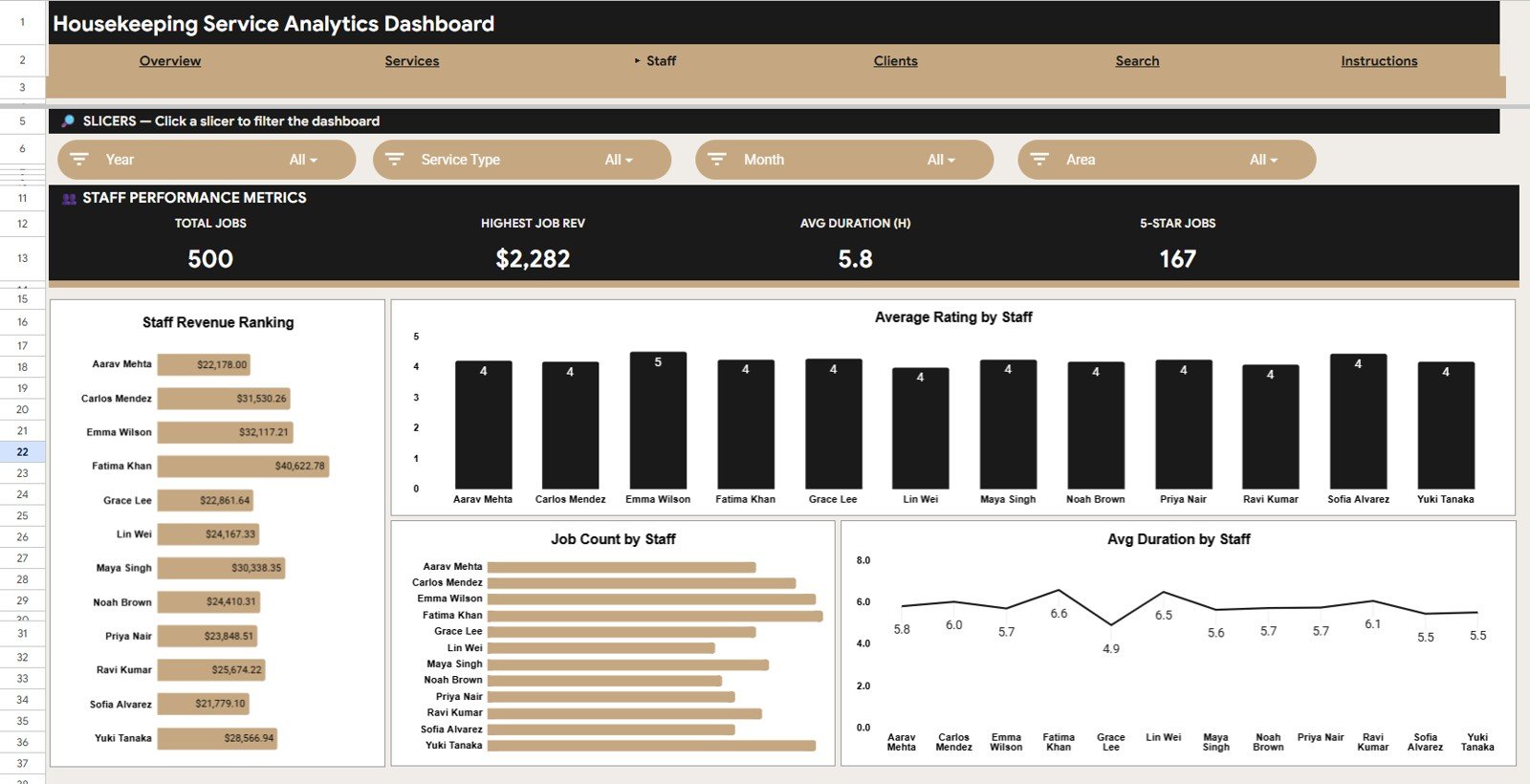
Staff Page
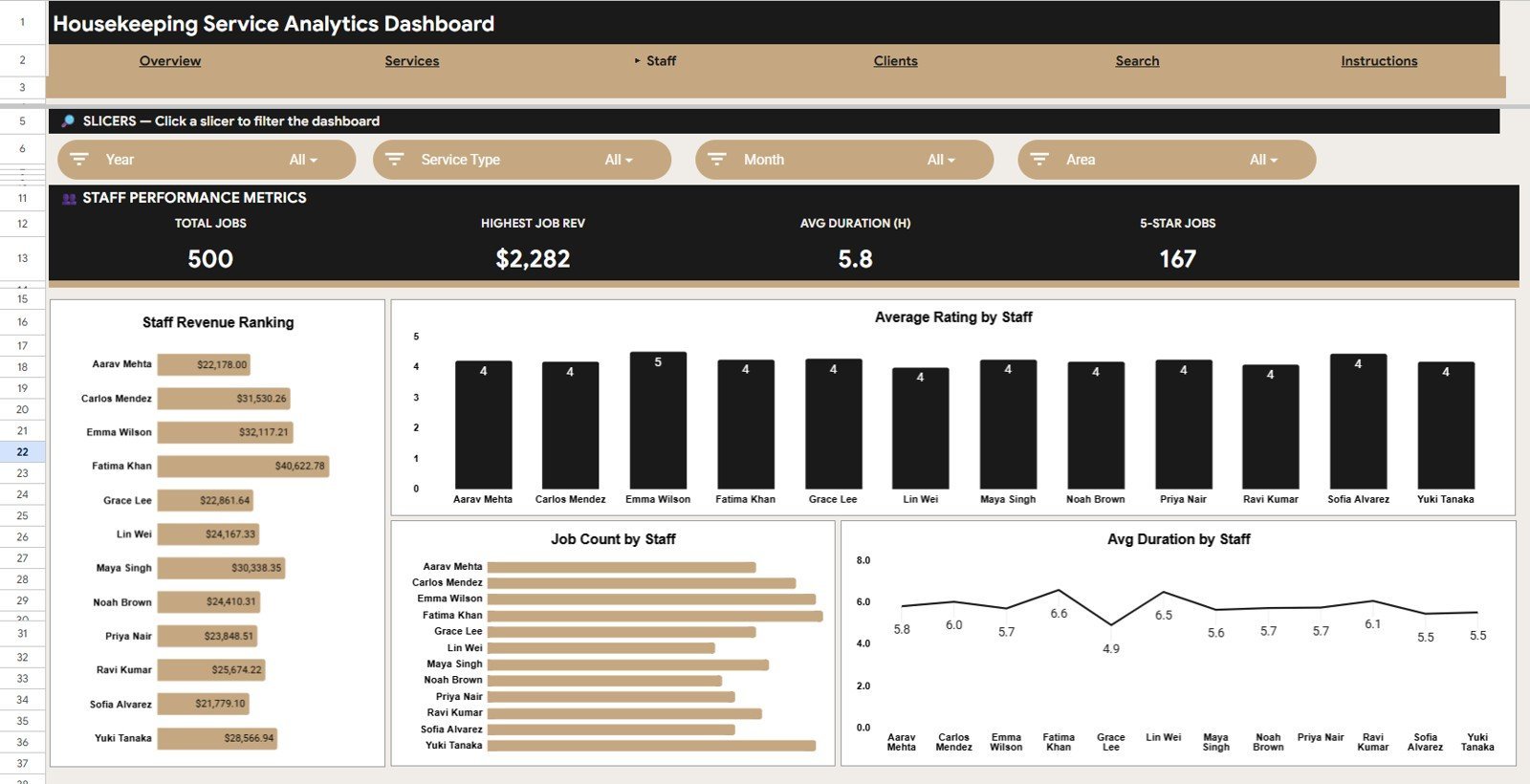
The Staff tab helps compare revenue, average rating, job count, and average duration by staff member. It is useful for coaching, workload balancing, and recognizing consistent service performance.
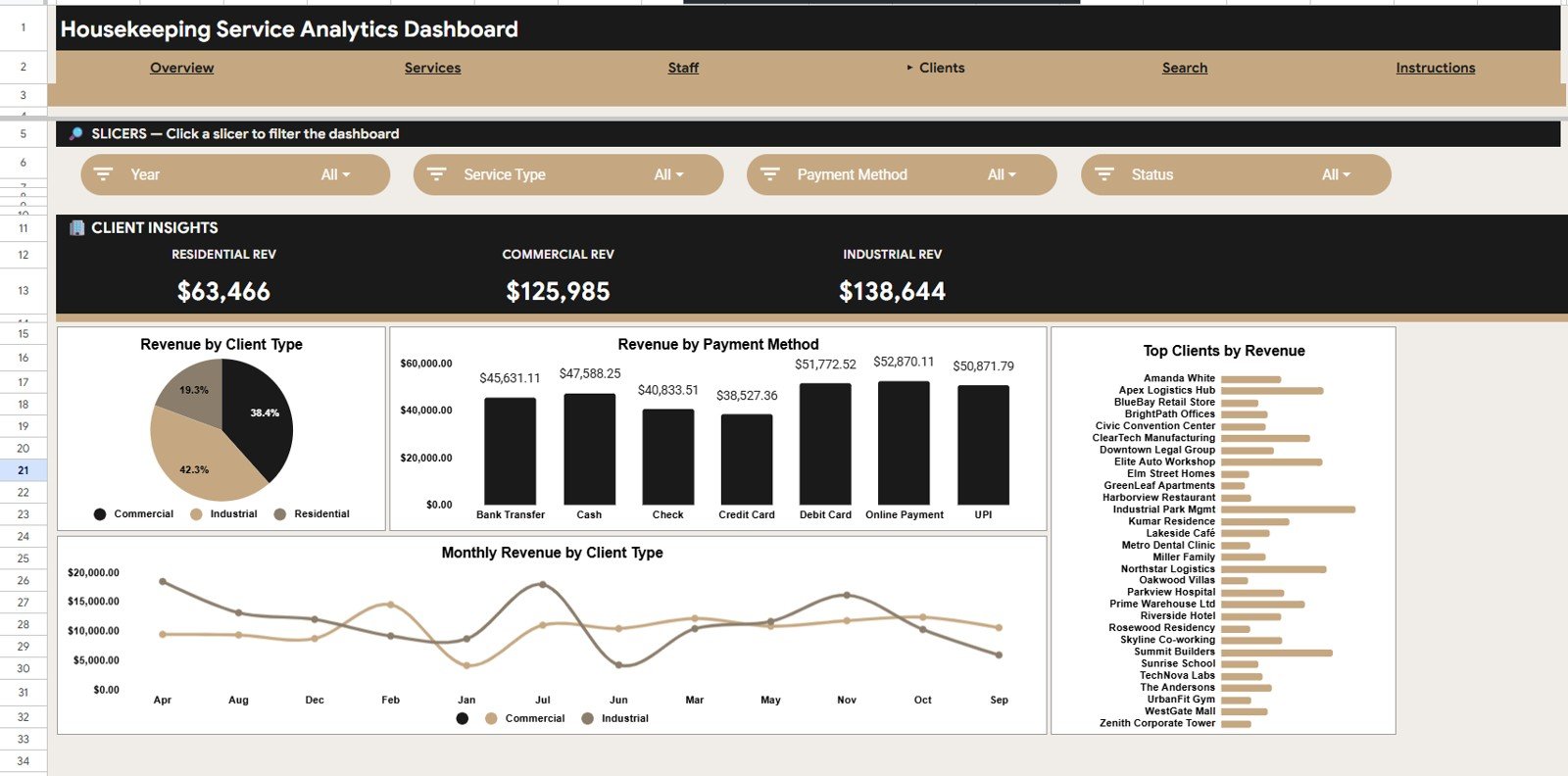
Clients Page
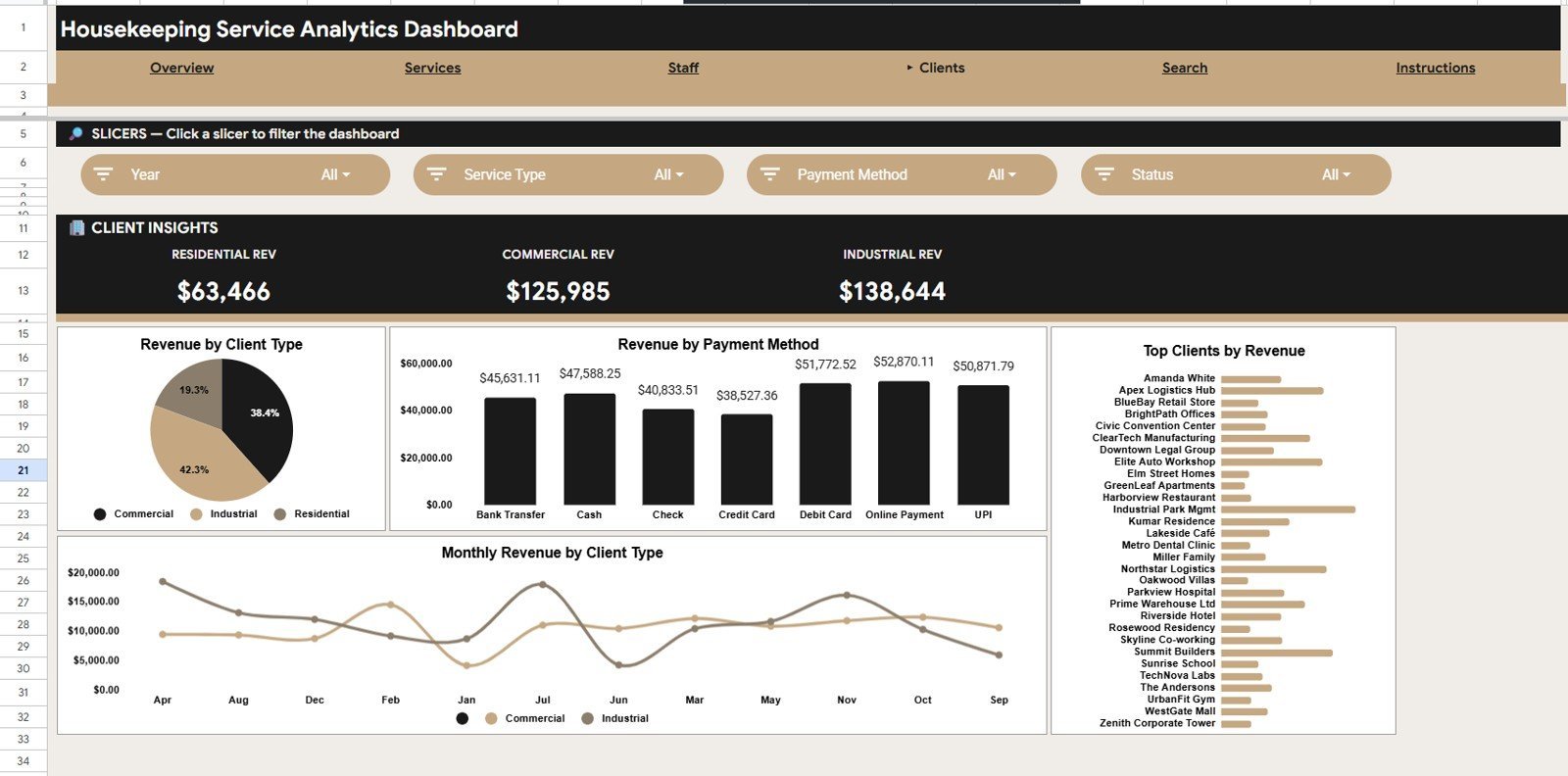
The Clients tab breaks revenue down by client type, payment method, top clients, and monthly revenue by client type. It helps housekeeping businesses see which customer segments and payment channels matter most.
Search Sheet
The Search sheet is built for quick record lookup. Type a Job ID and the sheet returns the matching job details without scrolling through the raw data table.
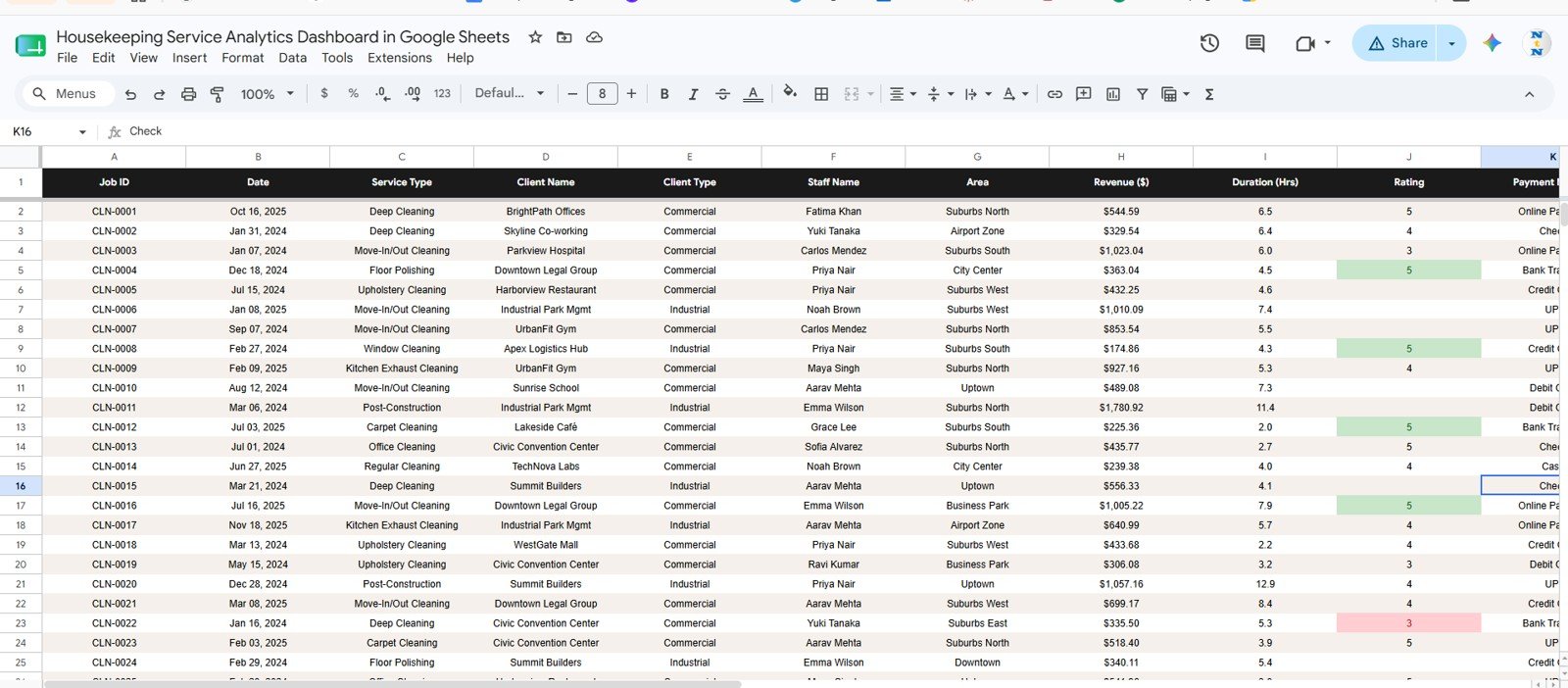
Data Sheet
The Data sheet is where you add your housekeeping job records. Keep the same column layout and the dashboard pages, search sheet, KPI cards, charts, and slicers stay connected.
Housekeeping Service Analytics Dashboard in Google Sheets vs. Microsoft Excel vs. Paid Field Service SaaS – Where This Fits
| Feature | This Google Sheets Dashboard | Microsoft Excel Dashboard | Paid Housekeeping SaaS |
|---|---|---|---|
| Cost | $9.99 one-time | One-time template cost plus Excel access | Monthly subscription |
| Platform | Google Sheets in browser | Excel desktop or web | Vendor-hosted web app |
| Setup time | Copy file and replace data | Open workbook and replace data | Configuration and onboarding |
| Real-time team collaboration | Built into Google Drive sharing | Possible with OneDrive | Usually included |
| Mobile access | Google Sheets app | Excel app | Vendor mobile app |
| Customizable fields | Edit sheet columns and charts | Edit workbook fields | Depends on plan and admin rights |
| Share with link | Yes, through Google Drive | Possible through cloud storage | Role-based access |
| Year-1 cost at 5 users | $9.99 total | Template cost plus licenses | Often hundreds or thousands of dollars |
| Job lookup | Job ID Search sheet included | Depends on workbook design | Usually included |
| Staff rating and duration analysis | Included in Staff tab | Depends on workbook design | Often available in higher plans |
Who This Template Is For – and Who It’s Not For
This template is for housekeeping companies, cleaning service operators, hotel housekeeping teams, facility managers, janitorial supervisors, property managers, and operations analysts who already track job records in a spreadsheet and want faster reporting.
It is not a booking app, payroll system, route optimizer, GPS tracking tool, invoice system, or live workforce management platform. If you need dispatching, payment processing, employee time clocks, or automated client reminders, use this dashboard as the analysis layer beside those tools.
How to Use the Housekeeping Service Analytics Dashboard in Google Sheets
- Open the PDF guide in your download and click the Google Sheets copy link.
- Create your own editable copy in Google Drive.
- Go to the Data sheet and replace the sample rows with your housekeeping job data.
- Use slicers on the dashboard pages to filter by service, area, staff, client type, status, or other available fields.
- Use the Search sheet when you need to find one specific job record by Job ID.
Real-World Use Cases
Maria, a housekeeping business owner, reviews Revenue by Service Type every Friday to see whether deep cleaning, move-out cleaning, or recurring cleaning is driving the week.
James, a hotel operations manager, uses Average Rating by Staff and Avg Duration by Staff to coach teams and identify service patterns before guest complaints repeat.
Anika, a facility services analyst, updates the Data sheet monthly and shares the Overview page with leadership during operations review.
Frequently Asked Questions
Is this dashboard built in Google Sheets?
Yes. The Housekeeping Service Analytics Dashboard in Google Sheets runs in Google Sheets and can be copied to your own Google Drive.
What KPI cards are included?
The Overview page includes Total Revenue, Completed Jobs, Avg Rating, and Avg Job Value.
What analysis pages are included?
The template includes Overview, Services, Staff, Clients, Search Sheet, and Data Sheet tabs.
Can I search for one job record?
Yes. Enter a Job ID in the Search sheet and it returns the full job details, including date, service type, client, staff, area, revenue, duration, rating, payment method, and status.
Can multiple people use the file?
Yes. Since it is a Google Sheets file, you can share it through Google Drive with viewer or editor access.
Can this replace housekeeping management software?
No. It is an analytics dashboard, not a full scheduling, billing, dispatching, or staff management system.
About the Author
Built by PK – Microsoft Certified Professional with 15+ years of Excel, Google Sheets, and Power BI experience. Founder of NextGenTemplates, reaching 300K+ subscribers across YouTube channels. Every template is hand-built and tested before release.
Explore Related Templates
Browse more Google Sheets Dashboard templates or compare this dashboard with related housekeeping, hospitality, and booking templates:
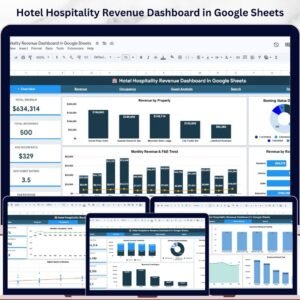
- Hotel Hospitality Revenue Dashboard in Google Sheets
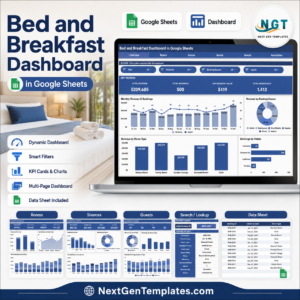
- Bed and Breakfast Dashboard in Google Sheets
- Airbnb Host Dashboard in Google Sheets
Download the Housekeeping Service Analytics Dashboard in Google Sheets today and turn housekeeping service records into clear, shareable performance insight.
Watch the step-by-step video Demo:
Click here to Read Detailed blog post
Last updated: June 14, 2026.






























Reviews
There are no reviews yet.