

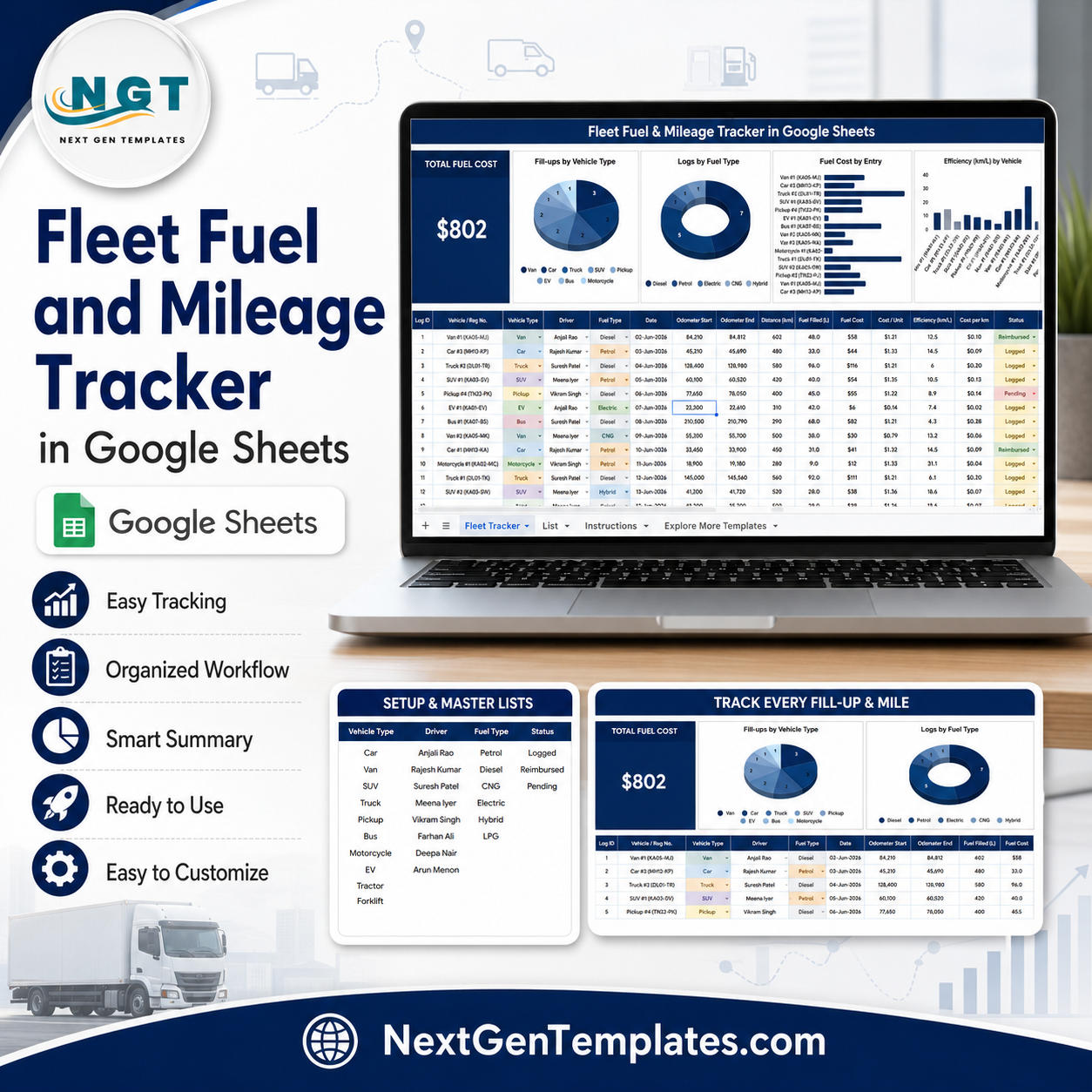


Fleet Fuel and Mileage Tracker in Google Sheets helps fleet, logistics, and operations teams track fuel spend, fill-ups, mileage, fuel type, driver names, vehicle types, and km/L efficiency in one shared spreadsheet. ATRI’s 2025 operational cost update reported average motor-carrier costs of $2.26 per mile in 2024, with fuel alone at 48.1 cents per mile, so clean fuel records are not a small admin detail. Built by PK, trusted by 300K+ spreadsheet learners across YouTube channels, this $6.99 one-time Google Sheets tracker gives you an editable system without SaaS contracts, per-vehicle pricing, or locked vendor data.
Key Features of Fleet Fuel and Mileage Tracker in Google Sheets
- Overview Page: Monitor fuel cost and mileage performance from one visual dashboard.
- Total Fuel Cost card: See the headline fuel spend before reviewing individual vehicle details.
- Fill-ups by Vehicle Type: Compare how many refueling entries come from cars, vans, trucks, bikes, or other fleet categories.
- Logs by Fuel Type: Review petrol, diesel, CNG, EV charging, or custom fuel categories with consistent labels.
- Fuel Cost by Entry: Spot unusually expensive fill-ups quickly instead of scanning row after row.
- Efficiency (km/L) by Vehicle: Compare vehicle efficiency and identify units that need maintenance, driver coaching, or route review.
- List Sheet controls: Maintain vehicle type, driver name, fuel type, and status options from one setup tab.
- Google Sheets collaboration: Share the tracker with drivers, admin staff, finance, or operations managers using normal Drive permissions.
What’s Inside the Fleet Fuel and Mileage Tracker in Google Sheets
1 – Overview Page
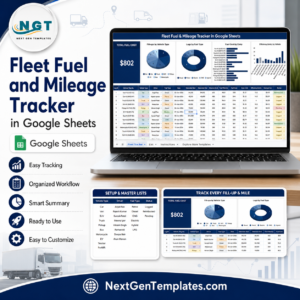
The Overview Page is the main dashboard. At the top, the Total Fuel Cost card gives a fast high-level view of total fuel spend, while slicers help you filter the dashboard by fields such as vehicle, vehicle type, driver, fuel type, and status.
Fill-ups by Vehicle Type: This chart shows how many fuel logs belong to each vehicle type. It helps managers understand which class of vehicles drives most refueling activity and where operating behavior may need closer review.
Logs by Fuel Type: This chart separates records by fuel type. It is useful when your fleet uses mixed fuel sources and you want a clean split between diesel, petrol, EV charging, CNG, or custom categories.
Fuel Cost by Entry: This visual compares the fuel cost of individual log entries. It makes unusually high transactions easier to investigate before they become part of monthly reporting.
Efficiency (km/L) by Vehicle: This chart compares vehicle-level fuel efficiency. Lower km/L values can point to maintenance issues, idling, aggressive driving, poor route planning, or incorrect odometer entries.

Fleet Fuel and Mileage Tracker in Google Sheets
2 – List Sheet
The List Sheet keeps dropdown values consistent so reports do not break because one person typed Diesel and another typed diesel. It includes setup lists for vehicle type options, driver names, fuel type options, and status options.
Vehicle Type Options by List Tab: Standardize fleet categories such as Car, Van, Truck, Bike, Bus, SUV, or any custom type. This keeps dashboard filters clean.
Driver Names by List Tab: Maintain the driver list in one place so fuel entries can be assigned consistently for accountability and review.
Fuel Type Options by List Tab: Control fuel labels such as Petrol, Diesel, CNG, EV Charge, Hybrid, or Other.
Status Options by List Tab: Manage status labels for active, reviewed, pending, flagged, reimbursed, or custom workflow states.

List Sheet
Fleet Fuel and Mileage Tracker in Google Sheets vs. Excel Tracker vs. Paid Fleet SaaS – Where This Fits
| Feature | This Google Sheets Tracker | Microsoft Excel Tracker | Paid Fleet SaaS |
|---|---|---|---|
| Cost | $6.99 one-time sale price | Template cost or manual workbook build | Often monthly per vehicle or per user |
| Platform | Google Sheets in Drive | Excel desktop or web | Vendor-hosted web app |
| Setup time | Copy template, update list sheet, enter logs | Open workbook or build formulas | Create account, import fleet, train users |
| Real-time team collaboration | Included through Google Sheets sharing | Depends on Microsoft 365 workflow | Usually included by plan |
| Customizable fields | Edit lists, labels, and sheet columns | Editable if workbook is unlocked | Often limited by vendor schema |
| Fuel efficiency analysis | Efficiency (km/L) by Vehicle chart included | Requires formulas or customization | Usually included, less spreadsheet-editable |
| Year-1 cost at 5 users | $6.99 before Google Workspace costs | Template plus Microsoft licensing | Can become recurring per user or vehicle |
Who This Template Is For – and Who It’s Not For
This tracker is for fleet managers, office administrators, transport coordinators, delivery teams, school transport offices, NGO field teams, and operations managers who need a simple way to record fuel fill-ups and compare mileage efficiency in Google Sheets.
It is not the best fit if you need GPS tracking, live fuel-card integration, automatic telematics import, route optimization, driver behavior scoring, or compliance-grade enterprise fleet controls. For those needs, use a specialist fleet platform alongside this tracker.
How to Use the Fleet Fuel and Mileage Tracker in Google Sheets
- Open the PDF guide included with your purchase and click the Google Sheets copy link.
- Create your own editable copy in Google Drive.
- Open the List Sheet and update vehicle type, driver name, fuel type, and status options.
- Enter fuel logs with vehicle, driver, fuel type, cost, quantity, odometer, mileage, and status fields.
- Use slicers on the Overview Page to filter by vehicle type, driver, fuel type, or status.
- Review Total Fuel Cost, Fill-ups by Vehicle Type, Logs by Fuel Type, Fuel Cost by Entry, and Efficiency (km/L) by Vehicle.
Real-World Use Cases
Ravi, a fleet coordinator at a local delivery company: uses the tracker weekly to compare fuel cost by entry and flag fill-ups that look higher than normal.
Meera, an office admin managing shared company vehicles: keeps driver names and vehicle type options standardized so finance can reimburse fuel claims cleanly.
Daniel, a school transport manager: reviews km/L by vehicle each month to decide which buses need inspection before the next maintenance cycle.
Frequently Asked Questions
Does this tracker work in Google Sheets?
Yes. The template is built for Google Sheets and is designed to be copied into your own Google Drive account.
What dashboard charts are included?
The Overview Page includes Fill-ups by Vehicle Type, Logs by Fuel Type, Fuel Cost by Entry, and Efficiency (km/L) by Vehicle.
Can I customize the dropdown lists?
Yes. The List Sheet lets you edit vehicle type options, driver names, fuel type options, and status options.
Does it calculate fuel efficiency?
Yes. The tracker includes an Efficiency (km/L) by Vehicle chart so you can compare mileage performance across vehicles.
Is this a full fleet management SaaS replacement?
No. It is a spreadsheet tracker for fuel, mileage, and efficiency analysis. It does not include GPS, telematics, fuel-card syncing, or route optimization.
Can multiple users update the tracker?
Yes. Since it runs in Google Sheets, you can share your copied file with team members using Google Drive permissions.
About the Author
Built by PK – Microsoft Certified Professional with 15+ years of Excel, Google Sheets, and Power BI experience. Founder of NextGenTemplates, reaching 300K+ subscribers across YouTube channels. Every template is hand-built and tested before release.
Explore Related Templates
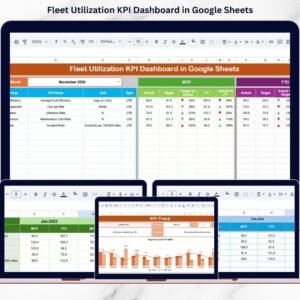
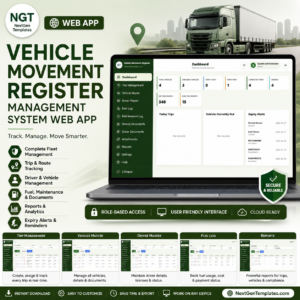
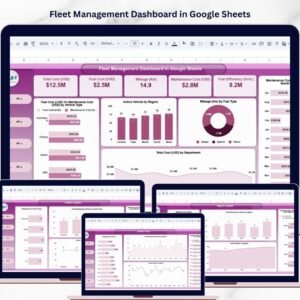
You may also like Fleet Management Dashboard in Google Sheets, Fleet Utilization KPI Dashboard in Google Sheets, Vehicle Reservation Tracker in Google Sheets, and Vehicle Movement Register Management System Web App. Browse more Google Sheets tracker templates and Google Sheets templates.
Watch the step-by-step video Demo:
Download the Fleet Fuel and Mileage Tracker in Google Sheets and start reviewing fuel cost, fill-up activity, and km/L efficiency in one editable spreadsheet.
Last updated: July 22, 2026.






























Reviews
There are no reviews yet.