

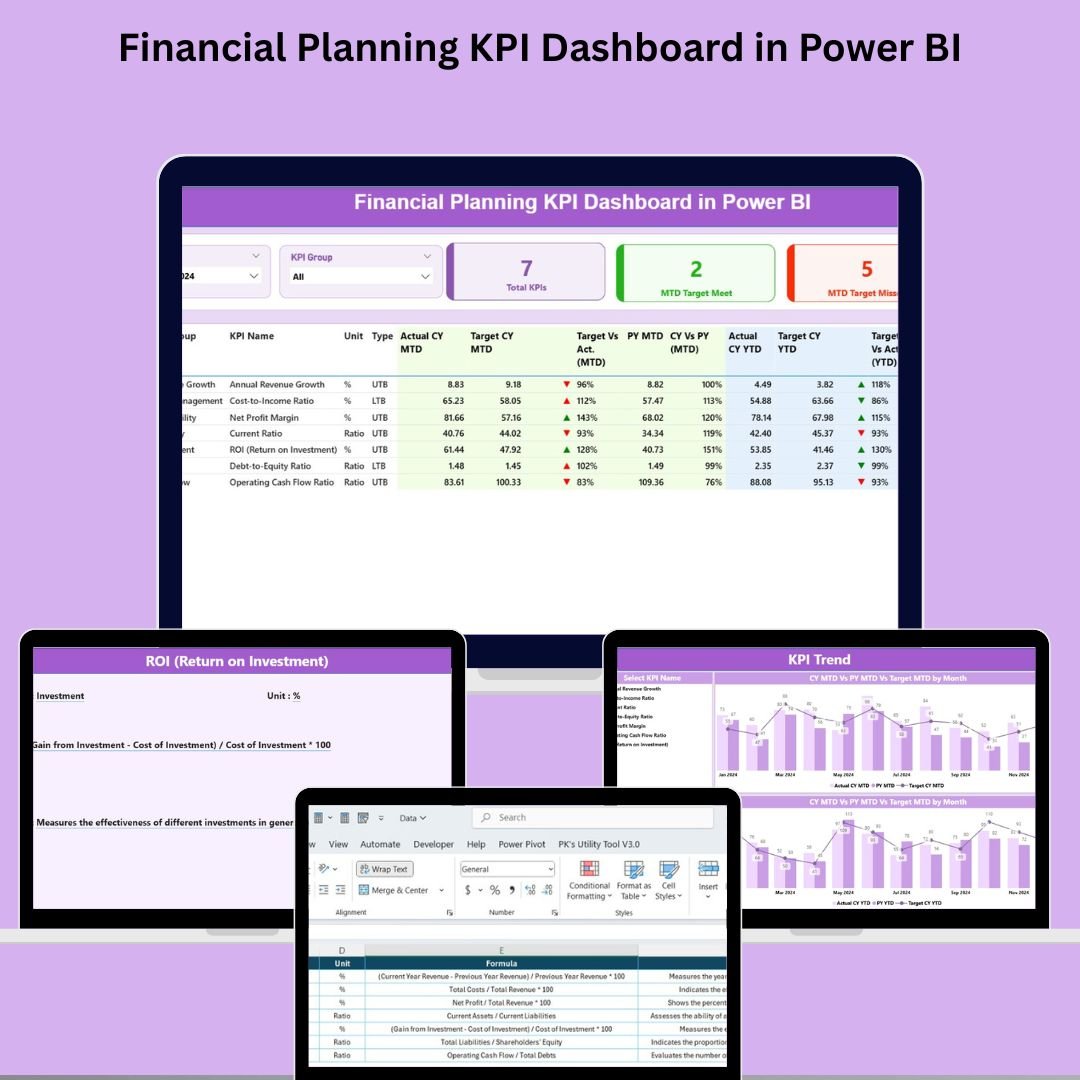

Financial planning is the heartbeat of every thriving organization. But in a world driven by data, spreadsheets and static reports are no longer enough. You need dynamic, real-time visibility into your performance—and that’s exactly what the Financial Planning KPI Dashboard in Power BI delivers.
Designed for CFOs, finance teams, and business strategists, this dashboard offers a crystal-clear view of your Month-to-Date (MTD) and Year-to-Date (YTD) financial performance. Whether you want to track revenue, control expenses, compare targets, or analyze trends—this is your all-in-one financial intelligence tool. 📊🚀
Let’s explore why this Power BI dashboard should be in every financial planner’s toolkit:
🛠️ Key Features of Financial Planning KPI Dashboard in Power BI
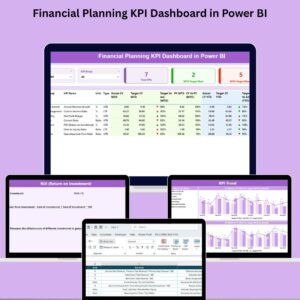
📌 Summary Page – Your Financial Control Hub
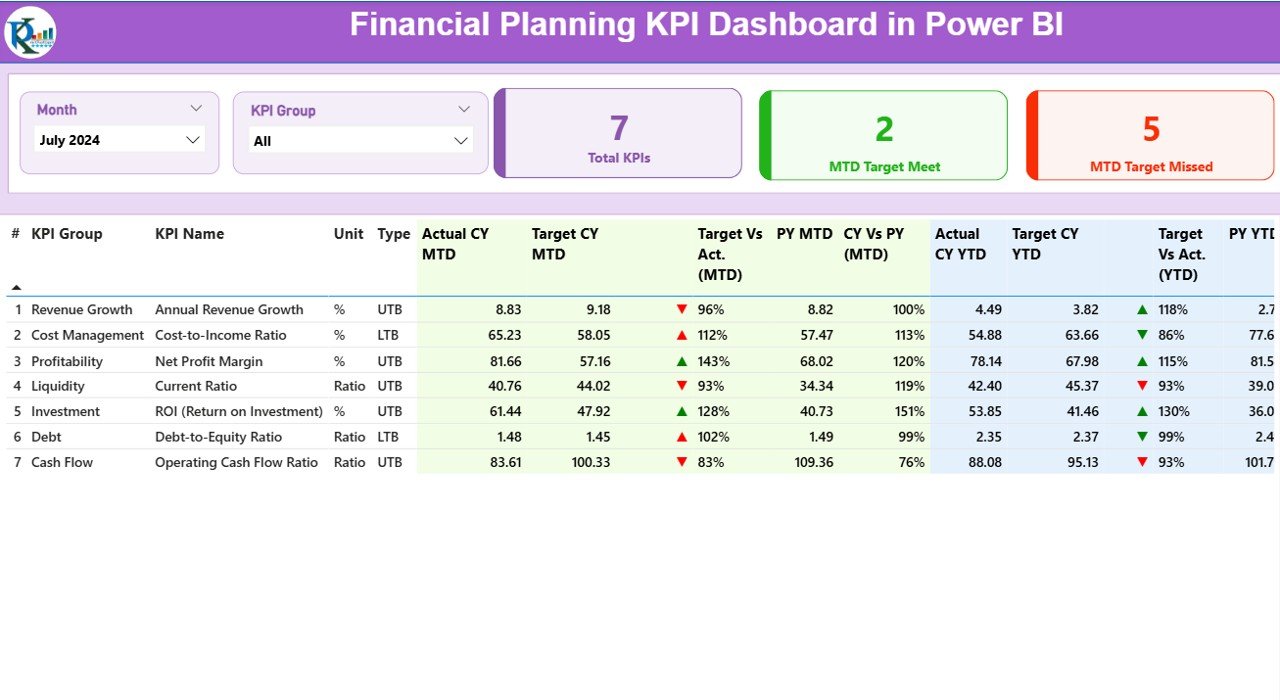
Filter by Month and KPI Group, and get an at-a-glance view of:
✅ Total KPIs
🎯 MTD Target Met
⚠️ MTD Target Missed
📋 Detailed KPI Table
View and compare for each KPI:
KPI Number, Name, Group, Unit, and Type (UTB/LTB)
MTD & YTD Actuals vs Targets with percentage performance
CY vs PY comparisons (MTD and YTD)
Conditional formatting with green/red arrows (▲▼) for instant visual cues
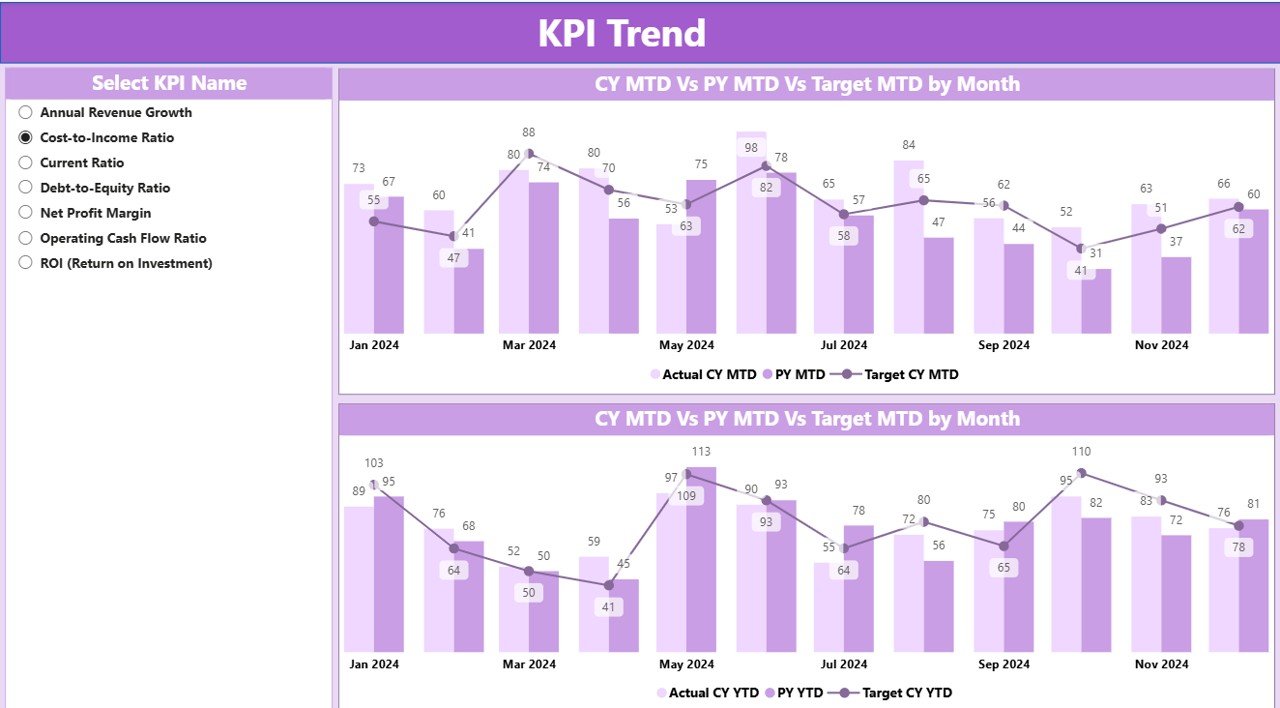
📈 KPI Trend Page – Visualize Growth Over Time
Use combo charts to track:
📅 Current Year vs Previous Year Actuals
🎯 Target Values
📉 Month-by-month trends to identify seasonal dips or spikes
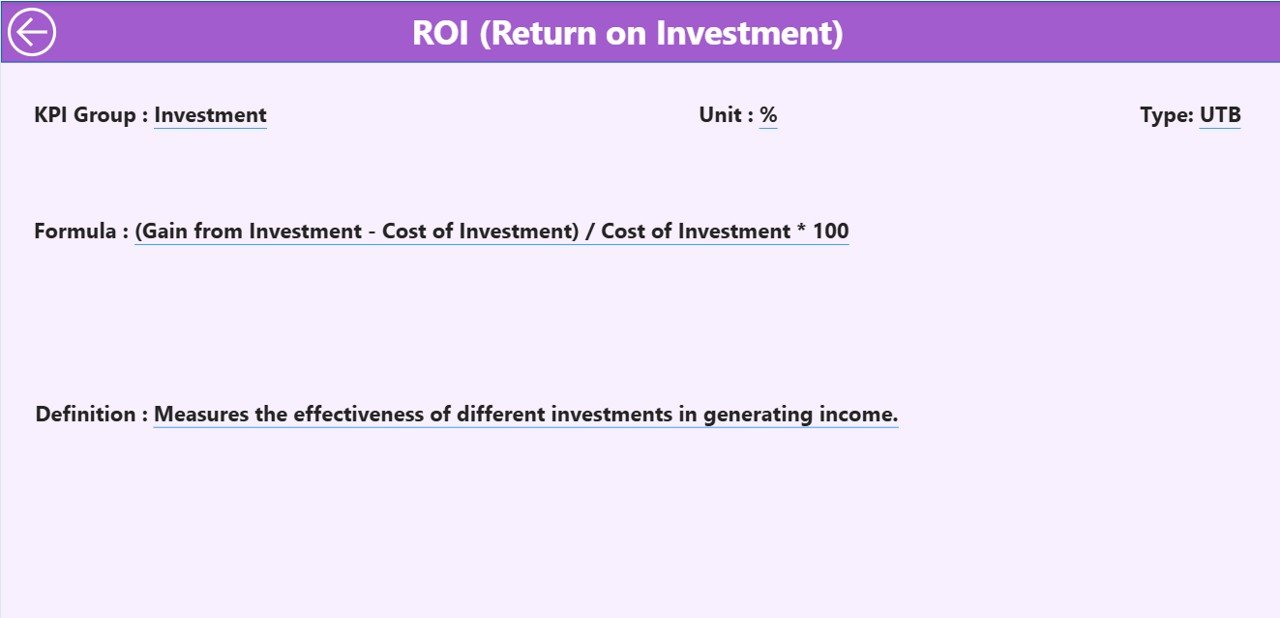
🎯 KPI Definition Page – Drill Through Transparency
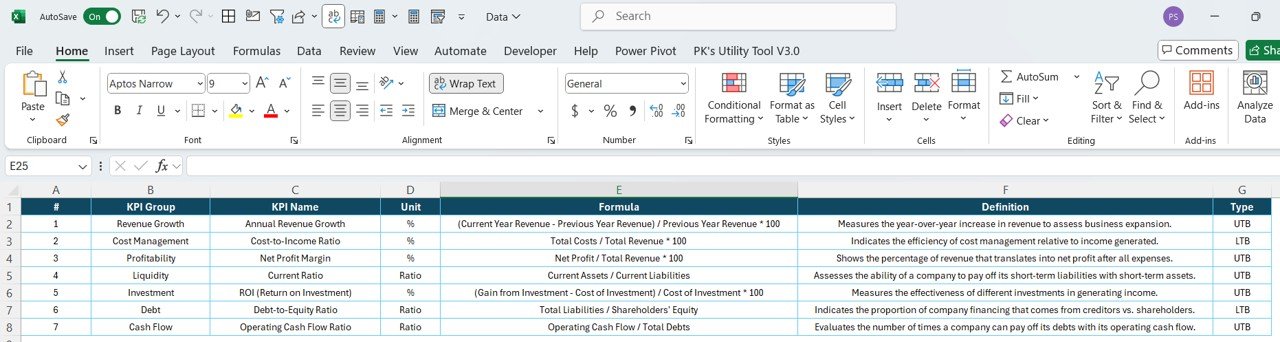
Click on any KPI to drill through and access its:
Formula
Description
Unit of Measurement
Type (LTB or UTB)
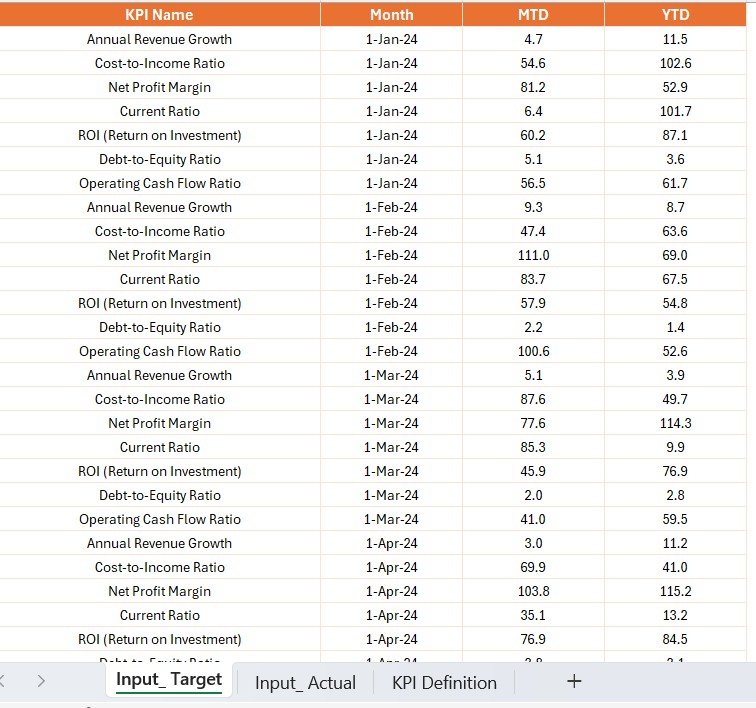
📥 Excel-Driven Backend
Connects directly to a structured Excel file with:
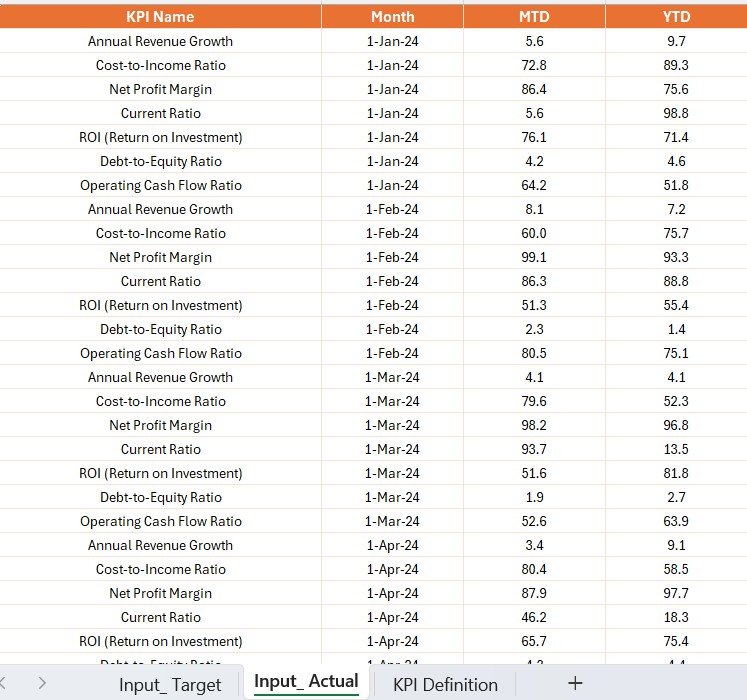
Input_ActualSheet – Enter actual monthly MTD & YTD dataInput_TargetSheet – Define target values for each KPIKPI DefinitionSheet – Set KPI logic, formulas, units, and categories
📦 What’s Inside the Financial Planning KPI Dashboard?
🔸 Summary Page
Gives a big-picture overview of your financial health using slicers, cards, and a powerful data table.
🔸 KPI Trend Page
Visualize individual KPI performance over time with interactive combo charts.
🔸 KPI Definition Page
Understand every metric with in-depth drill-through access to KPI logic and definitions.
🔸 Excel Integration
Keep things flexible and user-friendly for your finance team—no need for SQL or ERP complexity.
📌 How to Use the Dashboard
✔️ Step 1: Enter actuals into the Input_Actual Excel sheet
✔️ Step 2: Define your monthly targets in the Input_Target sheet
✔️ Step 3: Set KPI logic and descriptions in the KPI Definition sheet
✔️ Step 4: Open Power BI and refresh the dataset
✔️ Step 5: Use filters, slicers, and drill-through to analyze performance and compare trends
👥 Who Can Benefit from This Dashboard?
✅ Finance Teams & CFOs – Monitor department budgets, variances, and forecasts
✅ Business Analysts – Dive deep into performance data for actionable insights
✅ Consulting Firms – Share KPI-rich dashboards with clients
✅ Startups & SMEs – Visualize growth targets without an ERP system
✅ Project Managers – Track cost per unit, spend ratios, and financial health
✅ Nonprofits & Educational Institutes – Manage grants, donations, and expenditures
🎯 Whether you’re reviewing monthly budgets or planning next quarter’s strategy, this dashboard gives you the clarity and agility to pivot at the right time.
🔗 Click here to read the Detailed blog post
🎥 Visit our YouTube channel to learn step-by-step video tutorials
Watch the step-by-step video tutorial:
Compatibility and Requirements
- Open it in Power BI Desktop, which is free: Get Power BI Desktop.
- Data is entered in the Excel input workbook, so you also need Excel to update it.
Frequently Asked Questions
Which pages are in the dashboard?
Summary, KPI Trend and KPI Definition.
What does the Summary page show?
Total KPIs, MTD target met and missed counts, and a table of MTD and YTD actuals vs targets and current vs previous year.
Where do I enter my numbers?
In the Excel file: the Input_Actual sheet for actuals, the Input_Target sheet for targets and the KPI Definition sheet for KPI logic.
Is there an Excel version?
Yes. See the Financial Planning KPI Dashboard in Excel.
Related Financial Planning Templates
- Financial Planning KPI Dashboard in Excel: the same KPIs in Excel
- Financial Planning KPI Dashboard in Google Sheets: the online edition
- Financial Planning Calendar in Excel: plan finance dates and deadlines
- FP&A Financial Planning & Analysis Pack: nine FP&A templates in one download
- Finance & Accounting Command Center: eight finance templates in one download
Browse all Power BI KPI dashboards or the Excel financial tools.
































Reviews
There are no reviews yet.