

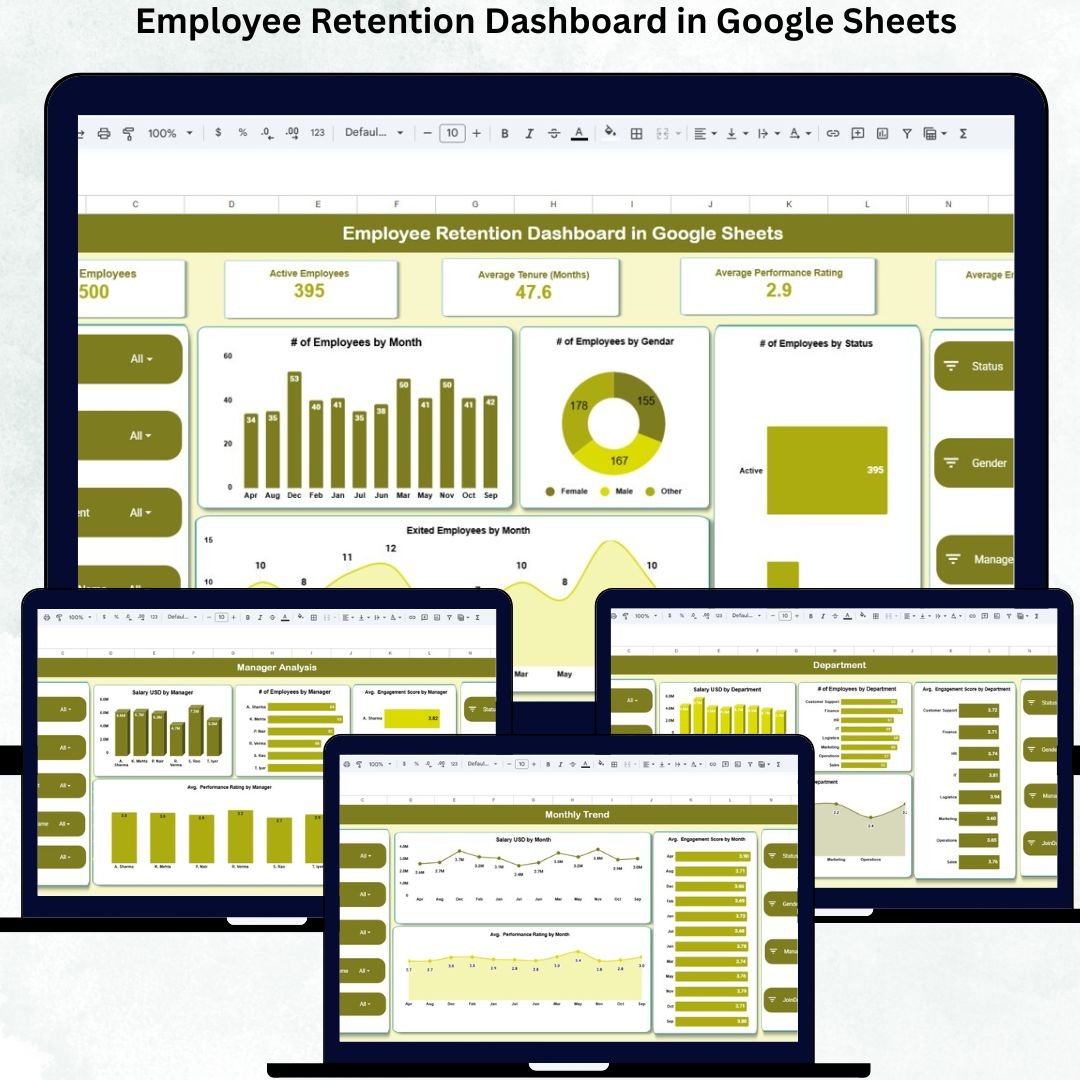

Employee retention is crucial for organizational growth, productivity, and cost efficiency. High turnover not only increases recruitment costs but also leads to knowledge loss, decreased morale, and lowered overall performance. The Employee Retention Dashboard in Google Sheets is a ready-to-use, interactive tool designed to help HR teams and managers monitor workforce metrics in real-time, make informed decisions, and proactively manage retention strategies.
This cloud-based dashboard brings all employee data together in one centralized location, allowing you to track performance, engagement, and tenure effortlessly. With visual charts, KPIs, and trend analysis, the dashboard provides insights at every level—from company-wide overviews to departmental and individual employee metrics.
✨ Key Features of Employee Retention Dashboard in Google Sheets
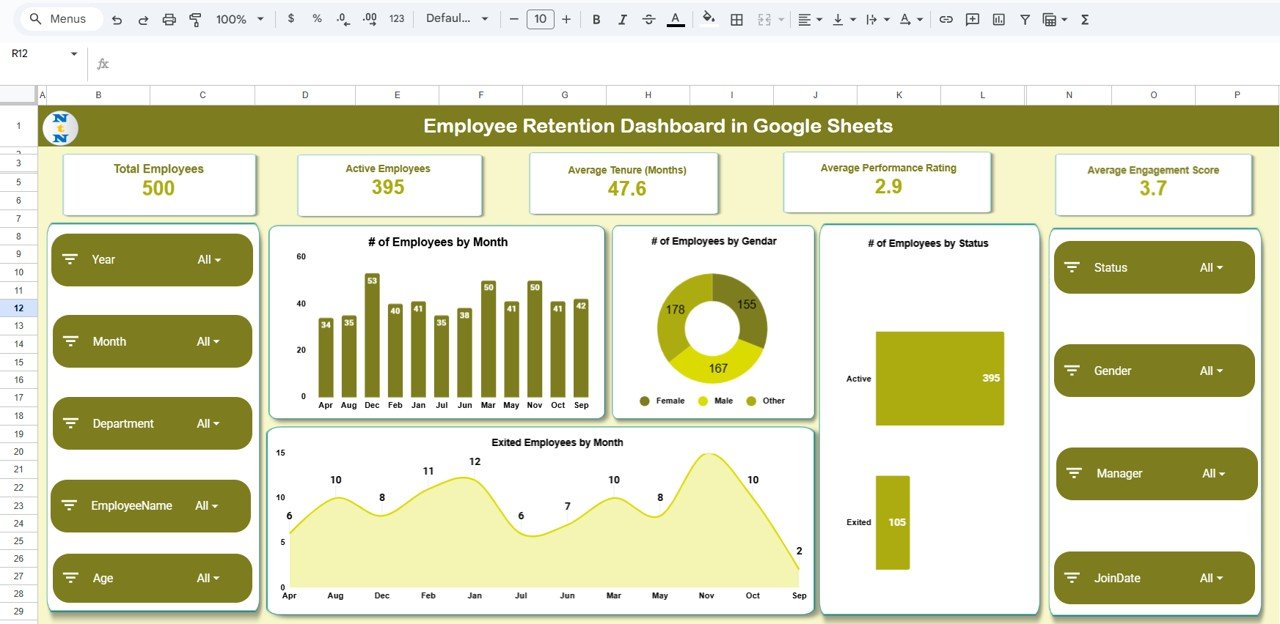
📊 Overview Sheet – Snapshot of Key Metrics
Get instant insights with summary cards and charts showing:
Total Employees
Active Employees
Average Tenure (Months)
Average Performance Rating
Average Engagement Score
Quickly visualize workforce trends over time, gender distribution, exits, and employee status for informed HR decision-making.
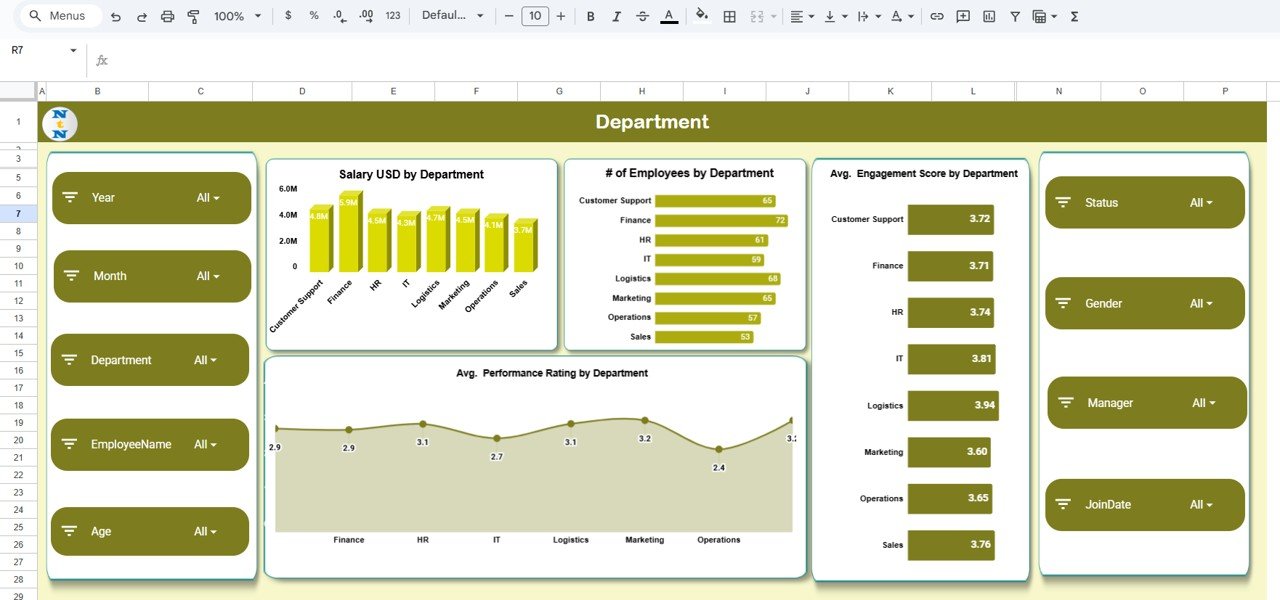
🏢 Department Analysis
Track departmental performance with visual charts:
Salary USD by Department
Number of Employees by Department
Average Performance Rating by Department
Average Engagement Score by Department
Identify strengths and weaknesses across departments to improve retention strategies.
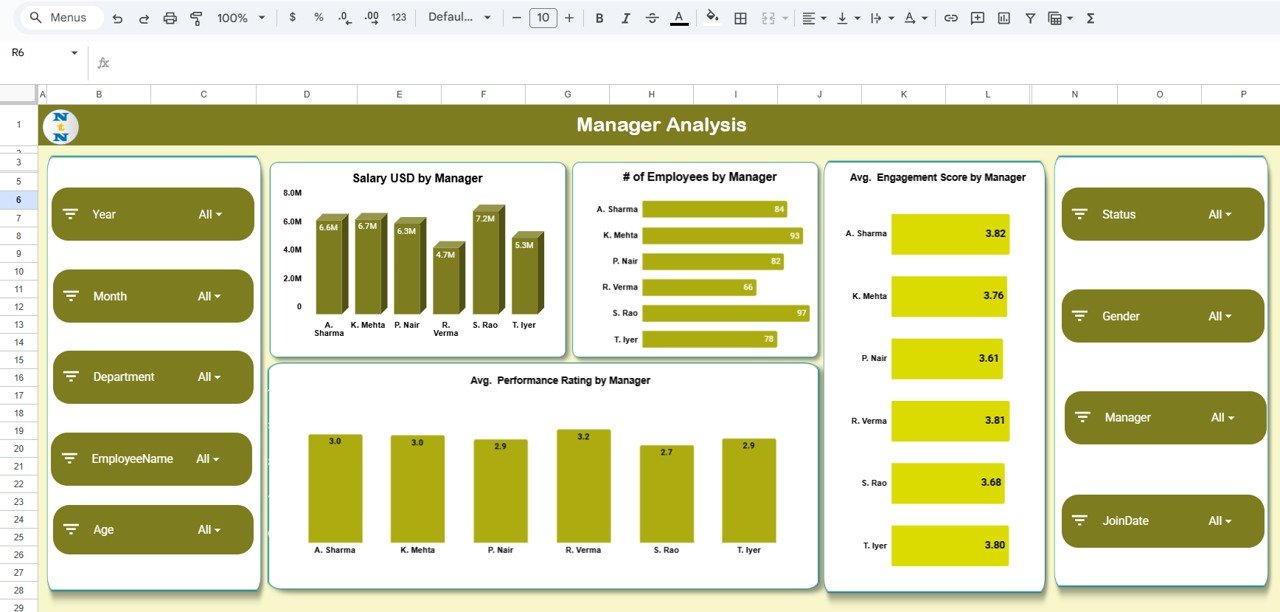
👔 Manager Analysis
Monitor manager-level metrics to understand team performance:
Salary USD by Manager
Number of Employees by Manager
Average Performance Rating by Manager
Average Engagement Score by Manager
Quickly assess how different managers influence engagement and retention.
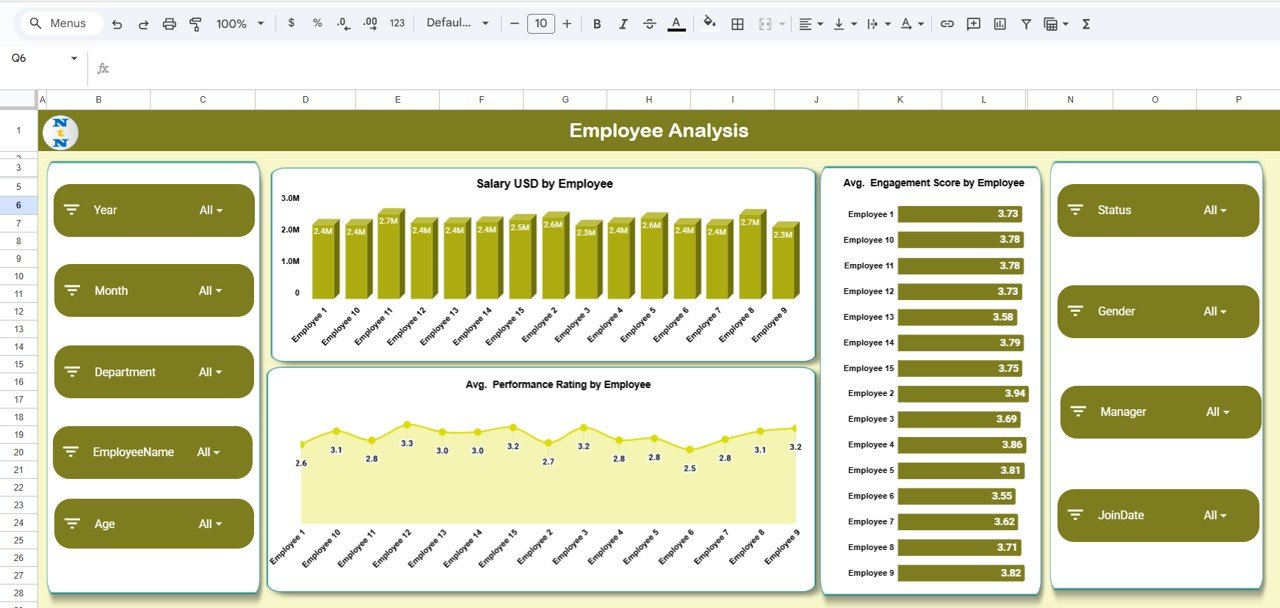
🧑 Employee Analysis
Dive deep into individual employee data:
Salary USD by Employee
Performance Rating
Engagement Score
Spot trends and address issues proactively.
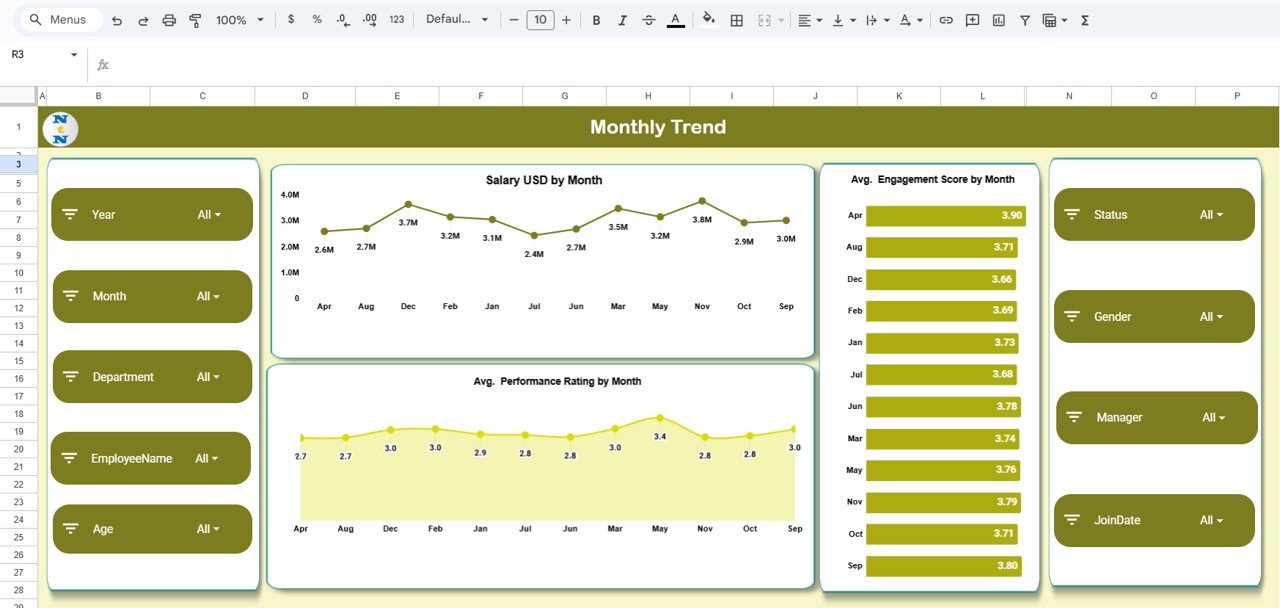
📈 Monthly Trend Sheet
Analyze workforce trends over time:
Salary USD by Month
Average Performance Rating by Month
Average Engagement Score by Month
Track patterns, highlight improvements, and detect risks early.
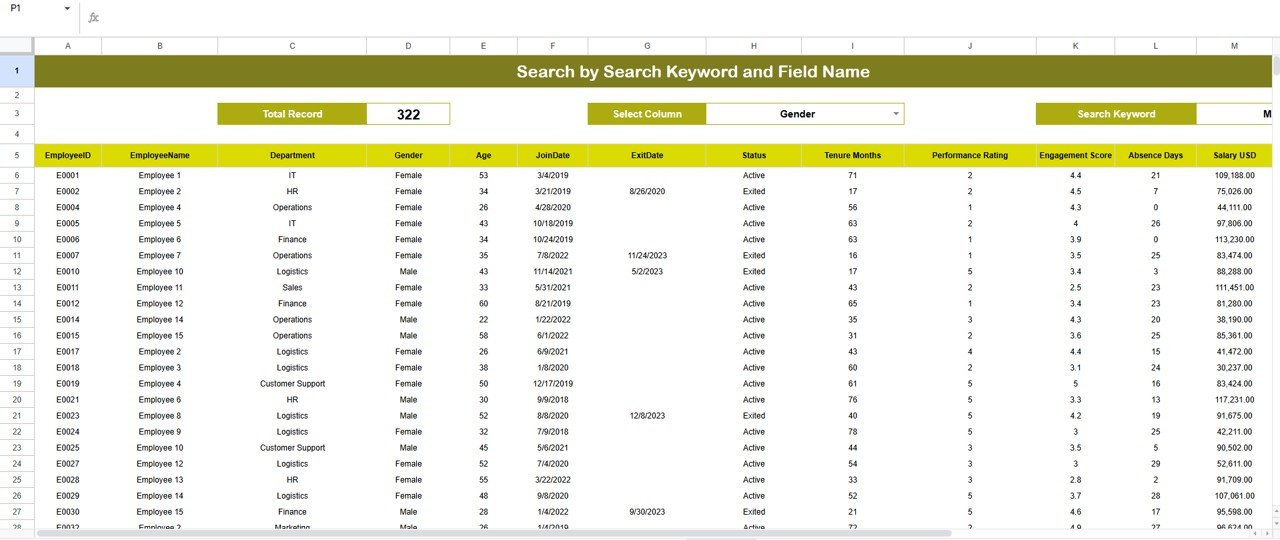
🔍 Search Sheet
Easily locate employees or data points by keyword:
Search by Name, Department, Manager, or Status
Save time and enhance HR efficiency
📦 What’s Inside the Employee Retention Dashboard in Google Sheets
Overview Sheet – Snapshot of all key retention metrics
Department Analysis Sheet – Department-wise insights
Manager Analysis Sheet – Manager-specific performance monitoring
Employee Analysis Sheet – Individual employee insights
Monthly Trend Sheet – Salary, performance, and engagement trends
Search Sheet – Quick search functionality for employees and records
🛠 How to Use the Employee Retention Dashboard in Google Sheets
1️⃣ Download the Dashboard – Ready-to-use Google Sheets file.
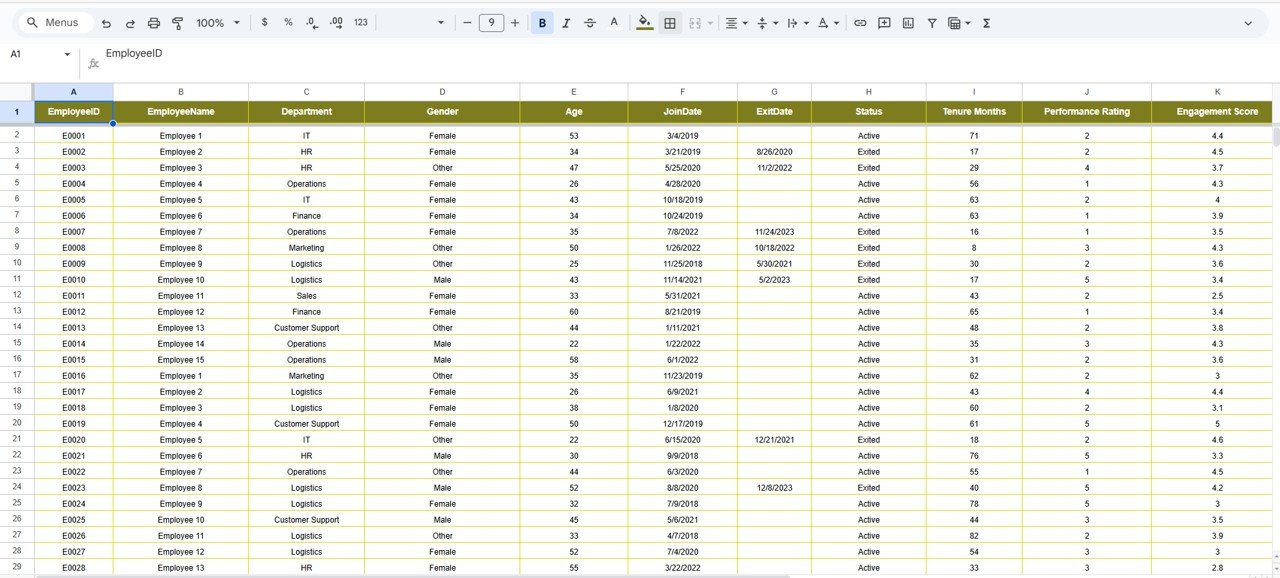
2️⃣ Input Employee Data – Include active and exited employees.
3️⃣ Customize Metrics – Adjust KPIs for your organization.
4️⃣ Update Monthly – Track retention trends, performance, and engagement scores.
5️⃣ Analyze Trends – Use charts and summaries for departmental and managerial reporting.
6️⃣ Make Data-Driven Decisions – Identify retention risks, improve engagement, and optimize workforce planning.
🎯 Who Can Benefit from This Employee Retention Dashboard
💼 HR Teams – Monitor workforce health and retention metrics.
📊 Managers – Track team engagement, performance, and satisfaction.
🏢 Executives – Make strategic decisions with real-time insights.
📚 Business Analysts & Consultants – Assess HR trends and offer actionable solutions.
🧑 Employees – Gain transparency in engagement metrics and performance expectations.
📘 Click here to read the Detailed blog post
Watch the step-by-step video Demo:





























Reviews
There are no reviews yet.