


Electricity contracts are high-value, long-term, and compliance-heavy by nature. Electricity Contract Management Dashboard in Excel Whether it is a power purchase agreement, EPC contract, transmission deal, or maintenance agreement, even a small oversight can lead to financial losses, disputes, or regulatory risks. However, many organizations still track contracts using scattered Excel files, emails, and PDFs, which reduces visibility and slows decision-making.
That is exactly why the Electricity Contract Management Dashboard in Excel becomes a powerful and practical solution.
Electricity Contract Management Dashboard in Excel This ready-to-use Excel dashboard transforms complex electricity contract data into clear KPIs, interactive visuals, and actionable insights. Instead of manually reviewing contracts one by one, decision-makers gain instant visibility into contract value, costs, revenue, profitability, compliance, risk exposure, and outstanding amounts—all in a single Excel file. As a result, organizations move from reactive contract tracking to proactive contract intelligence.
🔑 Key Features of Electricity Contract Management Dashboard in Excel
⚡ Centralized Contract Visibility
Track all electricity-related contracts in one structured and interactive dashboard.
💰 Bid Value, Cost & Revenue Tracking
Monitor contracted bid value, estimated cost, actual cost, and recognized revenue clearly.
📈 Profit & Margin Analysis
Instantly analyze profit amount and profit margin % across contracts.
🛡️ Compliance & Risk Monitoring
Identify contracts with compliance issues, SLA risks, and high change-order exposure.
🏗️ Contract Type & Procurement Insights
Analyze performance by contract type and procurement method.
🌍 Region-Wise Contract Performance
Understand cost, profit, and outstanding payments by region.
📅 Monthly Trend Analysis
Track cost, profit, and outstanding amounts over time.
🧭 Interactive Page Navigator & Slicers
Move across pages and filter data instantly without touching formulas.
⚙️ 100% Excel-Based & Customizable
No macros or BI tools required—easy to customize and extend.
📦 What’s Inside the Electricity Contract Management Dashboard in Excel
This professional dashboard includes five powerful analytical pages, supported by structured backend sheets:
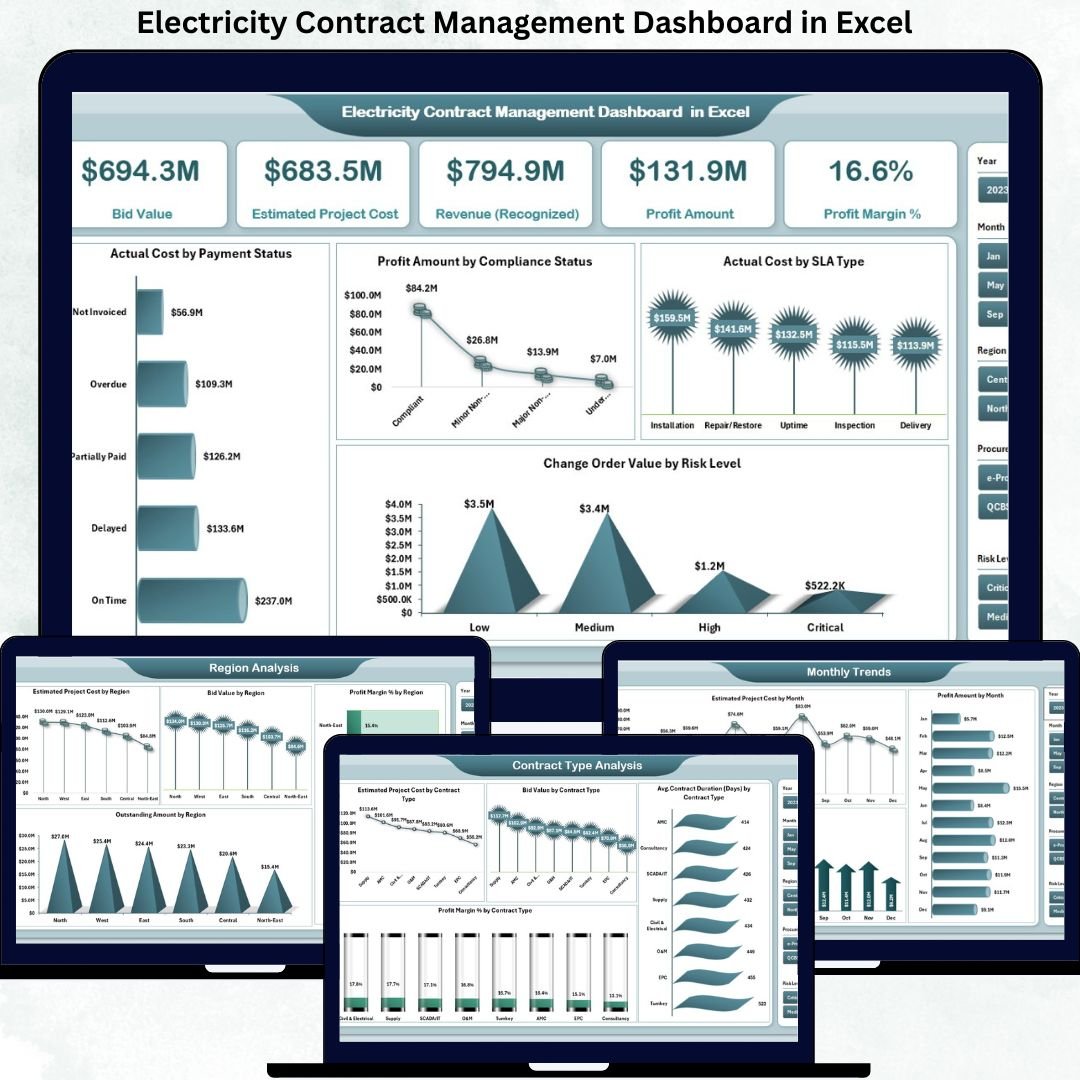
📊 Overview Page
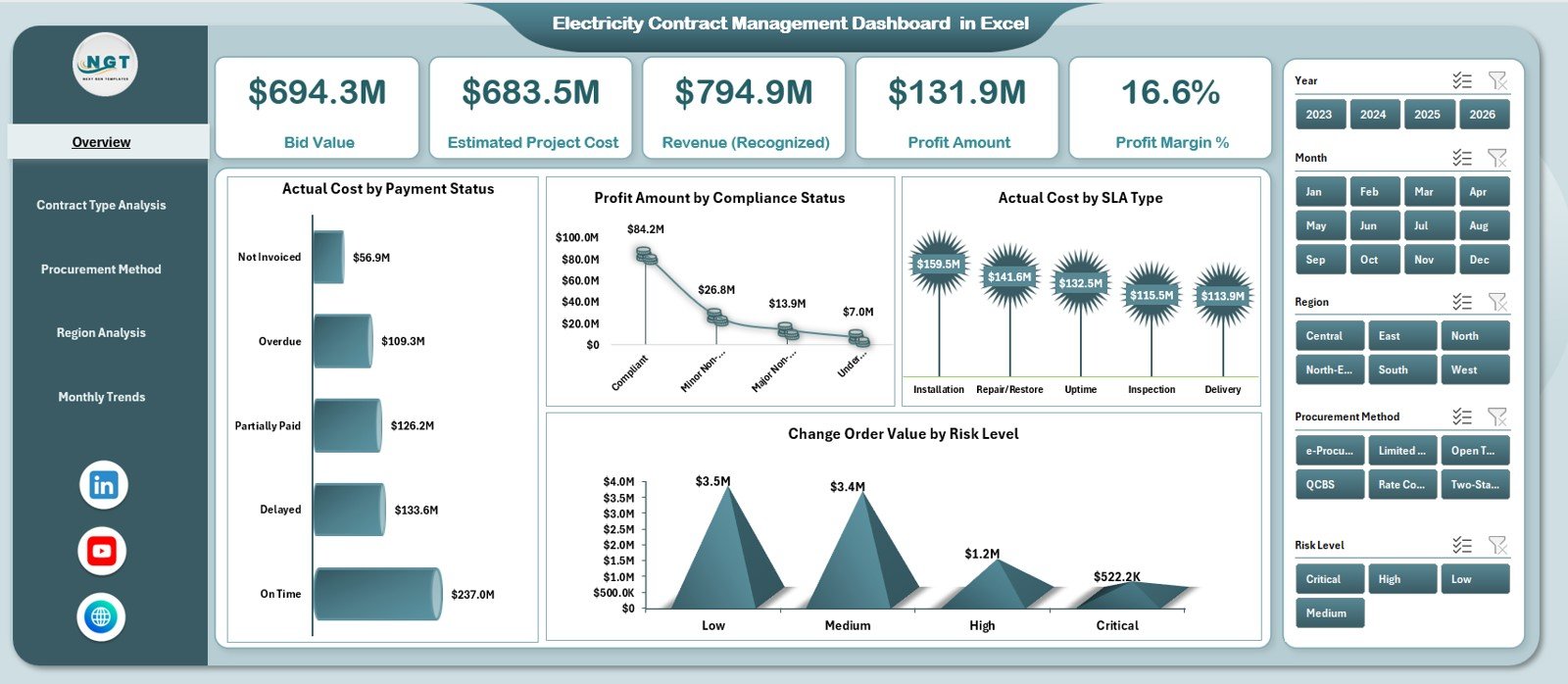
Acts as the executive summary with KPI cards for:
Bid Value
Estimated Project Cost
Revenue (Recognized)
Profit Amount
Profit Margin %
Includes charts for:
Actual Cost by Payment Status
Profit Amount by Compliance Status
Actual Cost by SLA Type
Change Order Value by Risk Level
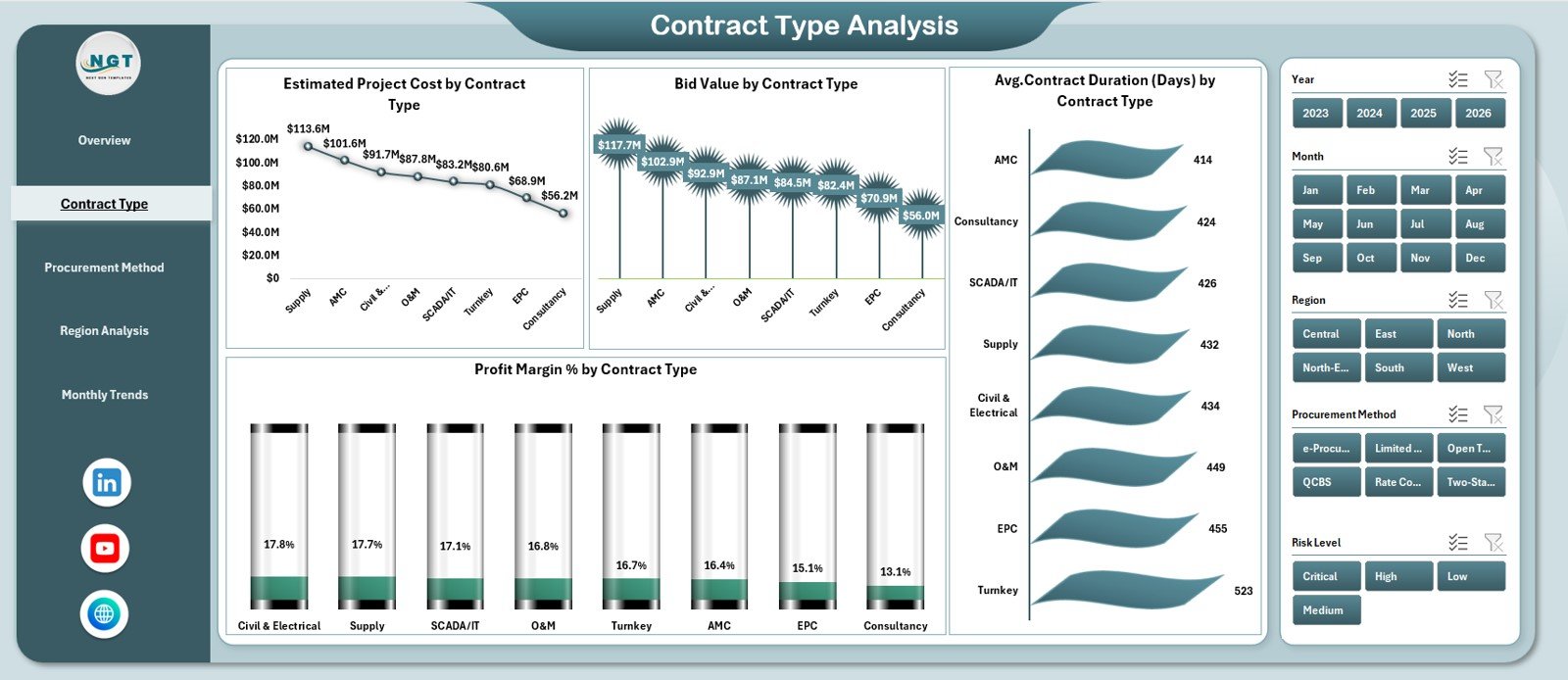
🏗️ Contract Type Analysis Page
Provides contract-type performance insights using:
Estimated Project Cost by Contract Type
Bid Value by Contract Type
Profit Margin % by Contract Type
Average Contract Duration (Days) by Contract Type
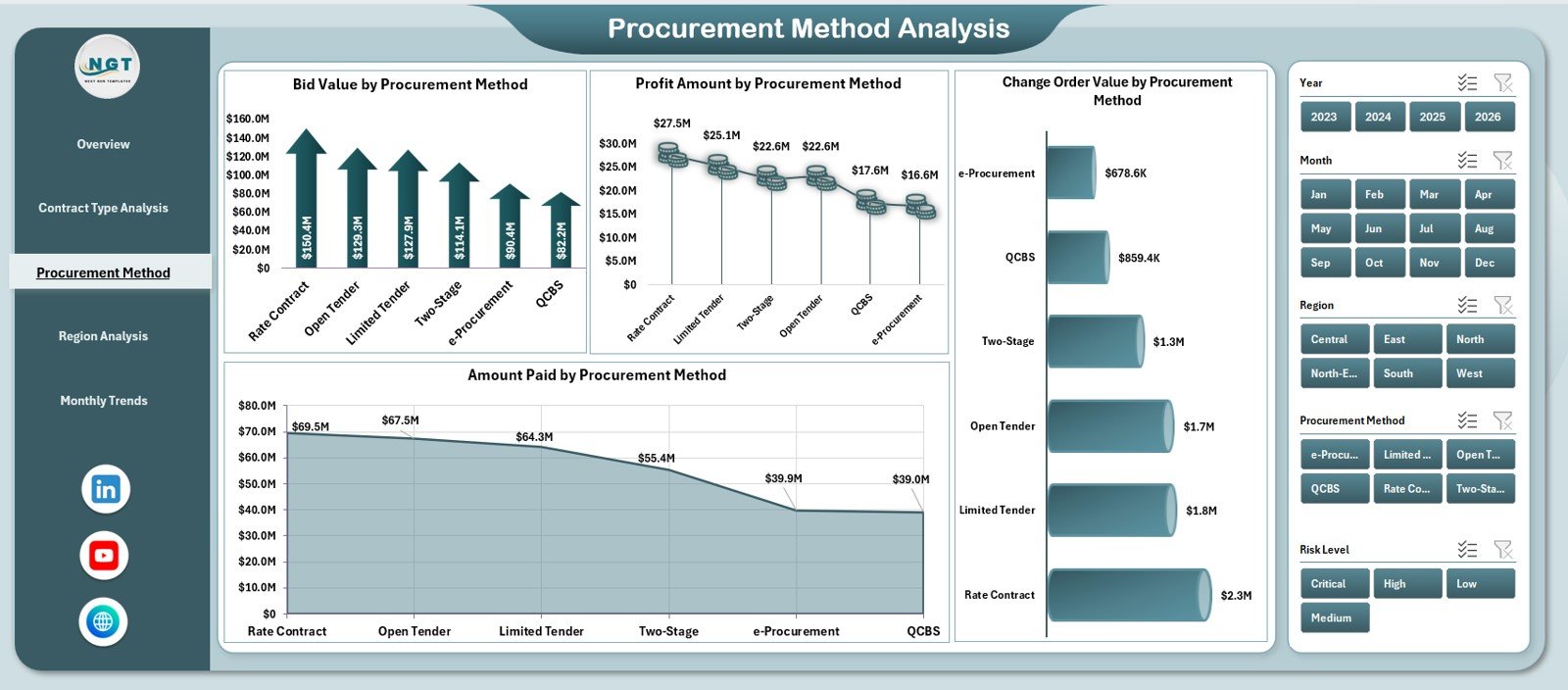
📑 Procurement Method Analysis Page
Evaluates procurement strategies with:
Bid Value by Procurement Method
Profit Amount by Procurement Method
Change Order Value by Procurement Method
Amount Paid by Procurement Method
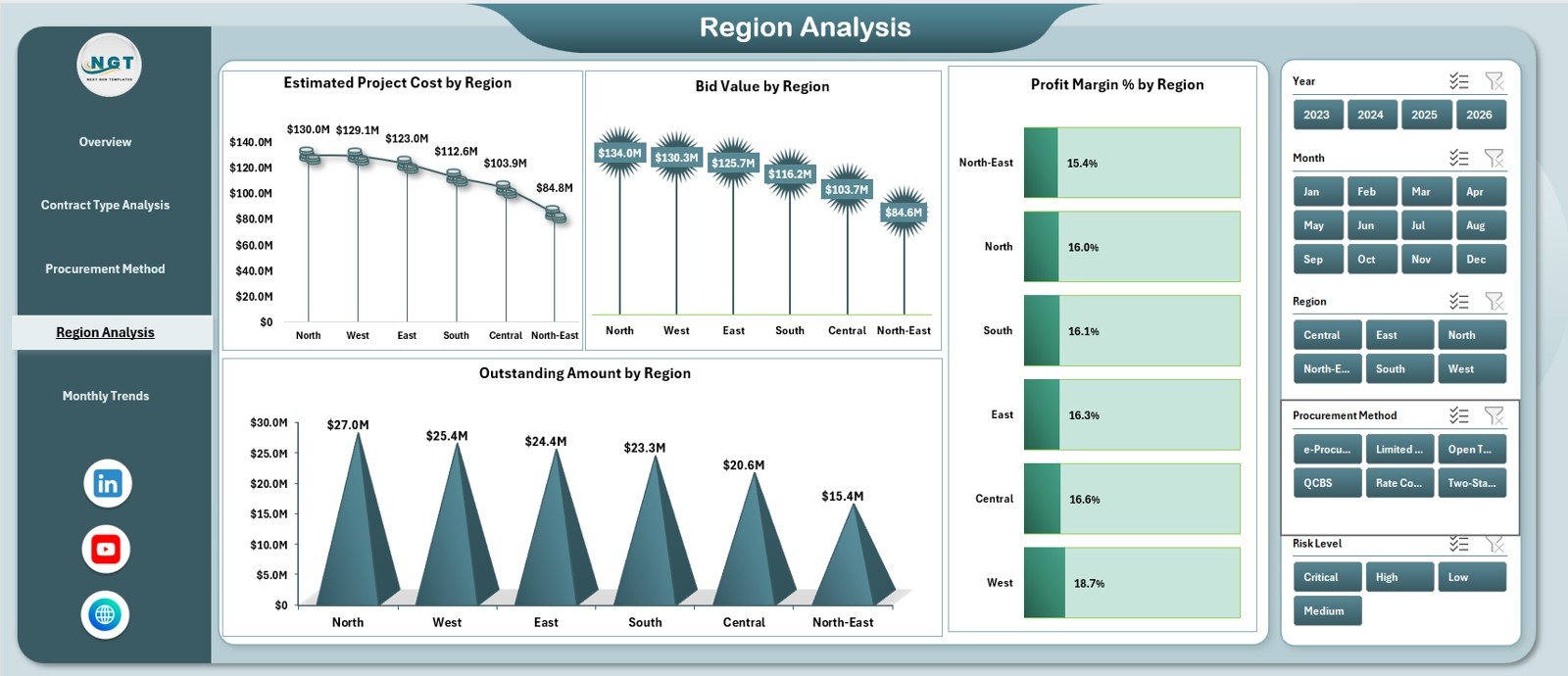
🌍 Region Analysis Page
Delivers region-wise insights using:
Estimated Project Cost by Region
Bid Value by Region
Profit Margin % by Region
Outstanding Amount by Region
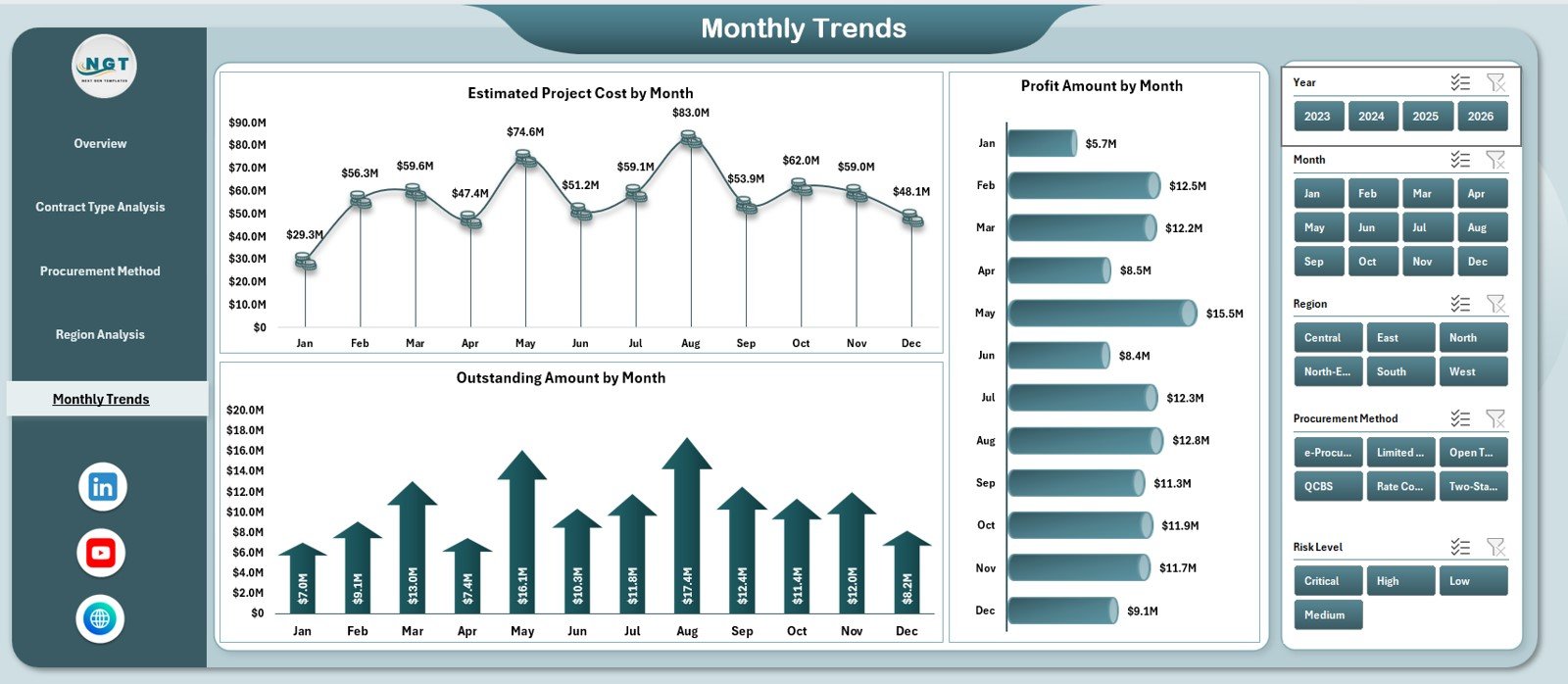
📅 Monthly Trends Page
Tracks time-based performance with:
Estimated Project Cost by Month
Profit Amount by Month
Outstanding Amount by Month
🗂️ Data Sheet
Stores all contract-level data in a structured format.
🧩 Support Sheet
Manages dropdowns, validations, and helper tables to ensure clean and consistent data.
▶️ How to Use the Electricity Contract Management Dashboard in Excel
Using the dashboard is simple and business-friendly:
1️⃣ Enter or update contract data in the Data Sheet
2️⃣ Use dropdowns and validations for clean data entry
3️⃣ Review KPIs on the Overview Page
4️⃣ Navigate to Contract Type, Procurement, or Region Analysis
5️⃣ Track monthly trends and outstanding amounts
6️⃣ Identify risk, compliance, and margin issues early
7️⃣ Take faster, data-driven contract decisions
No advanced Excel skills are required.
🎯 Who Can Benefit from This Electricity Contract Management Dashboard in Excel
⚡ Electricity Utilities – Gain full contract visibility and control
🏗️ Power Generation & EPC Companies – Track cost, revenue, and margins
💼 Contract & Compliance Managers – Monitor SLAs, risks, and obligations
💰 Finance & Accounting Teams – Control profitability and outstanding payments
📊 Procurement Teams – Evaluate procurement strategies
🏛️ Audit & Governance Teams – Improve transparency and reporting
This dashboard supports both operational control and strategic contract management.
👉 Click here to read the Detailed Blog Post
🔔 Visit our YouTube channel to learn step-by-step video tutorials
👉 YouTube.com/@PKAnExcelExpert
Watch the step-by-step video tutorial:
Compatibility and Requirements
- Works in Microsoft Excel desktop (Excel 2016 or later, or Microsoft 365).
- The dashboard pages use slicers to filter the data. Microsoft explains them in Use slicers to filter data.
Frequently Asked Questions
How many dashboard pages does the template have?
Five analytical pages: Overview, Contract Type Analysis, Procurement Method Analysis, Region Analysis and Monthly Trends. A Data Sheet and a Support Sheet sit behind them.
Where do I enter my contract data?
Enter it in the Data Sheet. The Support Sheet holds the dropdowns and helper tables that keep entries consistent.
Which KPIs show on the Overview page?
Bid Value, Estimated Project Cost, Revenue (Recognized), Profit Amount and Profit Margin %. The page also charts actual cost by payment status, profit by compliance status, actual cost by SLA type and change order value by risk level.
Can I see outstanding amounts by region and by month?
Yes. The Region Analysis page shows outstanding amount by region, and the Monthly Trends page shows outstanding amount by month.
Is there a Power BI version?
Yes. See the Electricity Contract Management Dashboard in Power BI.
Related Electricity Contract Templates
- Electricity Contract Management Dashboard in Power BI: the Power BI edition of this dashboard
- Electricity Contract KPI Dashboard in Excel: a KPI-focused view of electricity contracts
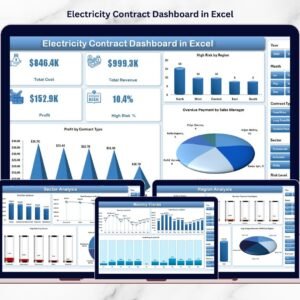
- Electricity Contract Dashboard in Excel: another Excel dashboard for electricity contracts
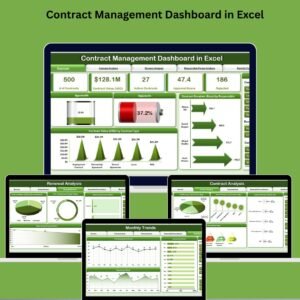
- Contract Management Dashboard in Excel: a general contract dashboard for any industry
- Contract Management Tracker in Excel: a simple tracker for contract records
Browse all Excel dashboards.



Reviews
There are no reviews yet.