



Running a successful online store means staying on top of every transaction, payment, and delivery. The E-Commerce Sales Performance Tracker in Google Sheets provides a simple, automated, and data-driven way to do just that. It gives store owners and marketing or sales teams real-time visibility into sales trends, payment methods, and shipping performance — all inside one dynamic spreadsheet. 📊💻
Built entirely in Google Sheets, this tracker transforms raw sales data into clear visual reports and key performance metrics that refresh automatically as new orders come in. It’s the perfect solution for entrepreneurs, e-commerce managers, and online retailers who want professional analytics without complex software or coding.

🔑 Key Features of the E-Commerce Sales Performance Tracker in Google Sheets
📋 Tracker Sheet Tab (Main Dashboard)
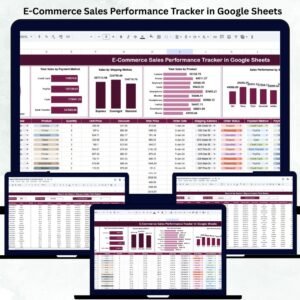
Your control center for all e-commerce insights. It automatically displays charts and summaries that visualize sales performance and order activity.
Charts Displayed:
💳 Payment Status Overview: Shows how many orders are Paid, Pending, or Refunded.
🏦 Total Sales by Payment Method: Compares revenue collected via Credit Card, PayPal, UPI, or Bank Transfer.
🚚 Sales by Shipping Method: Reveals performance across Standard, Express, and International shipping.
📦 Total Sales by Product: Highlights top-selling products or categories.
👥 Sales Performance by Sales Representative: Evaluates the contribution of each rep, reseller, or partner.
These visuals update in real time whenever you add or edit order data — no need for manual recalculation or pivot tables.
🔍 Search Sheet Tab (Quick Lookup)
Instantly locate any record using keyword-based search filters.
Examples:
Status = Paid → Shows all completed transactions.
Sales Rep = John Doe → Displays orders handled by that team member.
Product = Wireless Earbuds → Filters results for a specific item.
This functionality helps you analyze performance faster and generate custom views for meetings or audits.
🧾 Data Sheet Tab (Core Database)
The heart of the system — a structured dataset that powers all charts and calculations.
Columns Typically Include:
Order ID | Date | Product | Customer Name | Sales Rep | Payment Status | Payment Method | Shipping Method | Total Sale ($) | Region
Once data is entered, the dashboard automatically aggregates totals, counts, and trends — eliminating manual effort and spreadsheet errors.
⚙️ Support Sheet Tab (Back-End Logic)
Contains formulas, dropdown lists, and reference data to ensure consistent entry and clean reporting.
Avoid editing this sheet directly to maintain formula integrity.
📦 What’s Inside the Tracker
✅ Interactive dashboard for real-time sales monitoring
✅ Auto-updating charts for payment & shipping performance
✅ Product and sales-rep comparisons
✅ Searchable dataset for instant report generation
✅ Cloud collaboration via Google Sheets
✅ No add-ons or coding required
🧑💼 Who Can Use This Tracker
🛒 Online Store Owners — Track orders, revenue, and refunds effortlessly.
📈 Marketing & Sales Teams — Measure rep or campaign performance.
🏬 E-Commerce Startups — Gain real-time sales visibility without costly tools.
💻 Retail Operations Managers — Monitor payment methods and delivery efficiency.
Whether you sell physical goods or digital downloads, this tracker helps you stay organized, identify profitable products, and optimize fulfillment performance.
⚙️ Opportunities for Improvement
Enhance your tracker by adding:
📅 Monthly & Quarterly Summary Sheets for trend analysis.
💰 Profit Margin & Net Revenue Calculations per product.
👥 Customer Lifetime Value (CL V) tracking.
🔗 Automated data import from Shopify or WooCommerce via Apps Script.
🚨 Email alerts for pending or refunded orders.
🧠 Best Practices
✅ Keep data formats consistent for payment & shipping fields.
✅ Validate order IDs to avoid duplicates.
✅ Review pending orders weekly to maintain cash flow.
✅ Protect formula cells and charts from editing.
✅ Use filters to segment sales by region or product category.
🌟 Why Choose the E-Commerce Sales Performance Tracker
📊 Automated sales monitoring in real time.
💳 Comprehensive payment & revenue visibility.
🚚 Shipping efficiency tracking across methods.
🧮 Accurate data analysis without manual work.
☁️ 100% Google Sheets — accessible from anywhere.
💼 Ideal for online businesses of any size.
The E-Commerce Sales Performance Tracker in Google Sheets helps you simplify data entry, eliminate errors, and gain real-time insights to drive sales growth and profitability.
🔗 Read the detailed blog post
Watch the step-by-step video Demo:
🔗 Visit our YouTube channel for step-by-step tutorials
Compatibility and Requirements
- Works in Google Sheets. You need a free Google account and a web browser.
- The Support sheet holds the dropdown lists used for payment status, payment method and shipping method. Google explains dropdowns in Create an in-cell dropdown list.
Frequently Asked Questions
Which sheets are included?
Four sheets: Tracker, Search, Data and Support. The Tracker sheet shows the charts, the Search sheet finds records by keyword, the Data sheet stores your orders and the Support sheet holds formulas and dropdown lists.
What do I enter to update the charts?
Add your orders to the Data sheet. Each row has Order ID, Date, Product, Customer Name, Sales Rep, Payment Status, Payment Method, Shipping Method, Total Sale ($) and Region. The charts on the Tracker sheet update from those rows.
Which charts are on the Tracker sheet?
Payment Status Overview, Total Sales by Payment Method, Sales by Shipping Method, Total Sales by Product and Sales Performance by Sales Representative.
Can I look up orders from one sales rep or one product?
Yes. Use the Search sheet and filter by a keyword such as a sales rep name, a product name or a payment status like Paid.
Is there another sales performance template for Google Sheets?
Yes. See the E-Commerce Sales Performance Dashboard in Google Sheets.
Related Sales Templates
- E-Commerce Sales Performance Dashboard in Google Sheets: a dashboard view of e-commerce sales
- Monthly Sales Tracker and Report in Google Sheets: track sales month by month
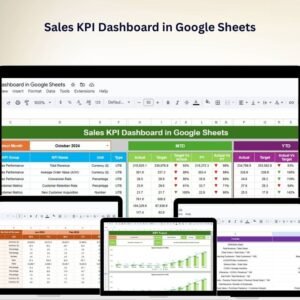
- Sales KPI Dashboard in Google Sheets: sales KPIs against targets
- Daily Sales Report Form in Google Sheets: a form for daily sales entries
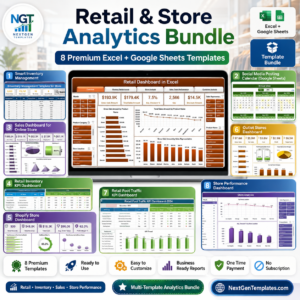
- Retail & Store Analytics Bundle: 8 templates for store analytics in one download
Browse all Google Sheets trackers.









Reviews
There are no reviews yet.