

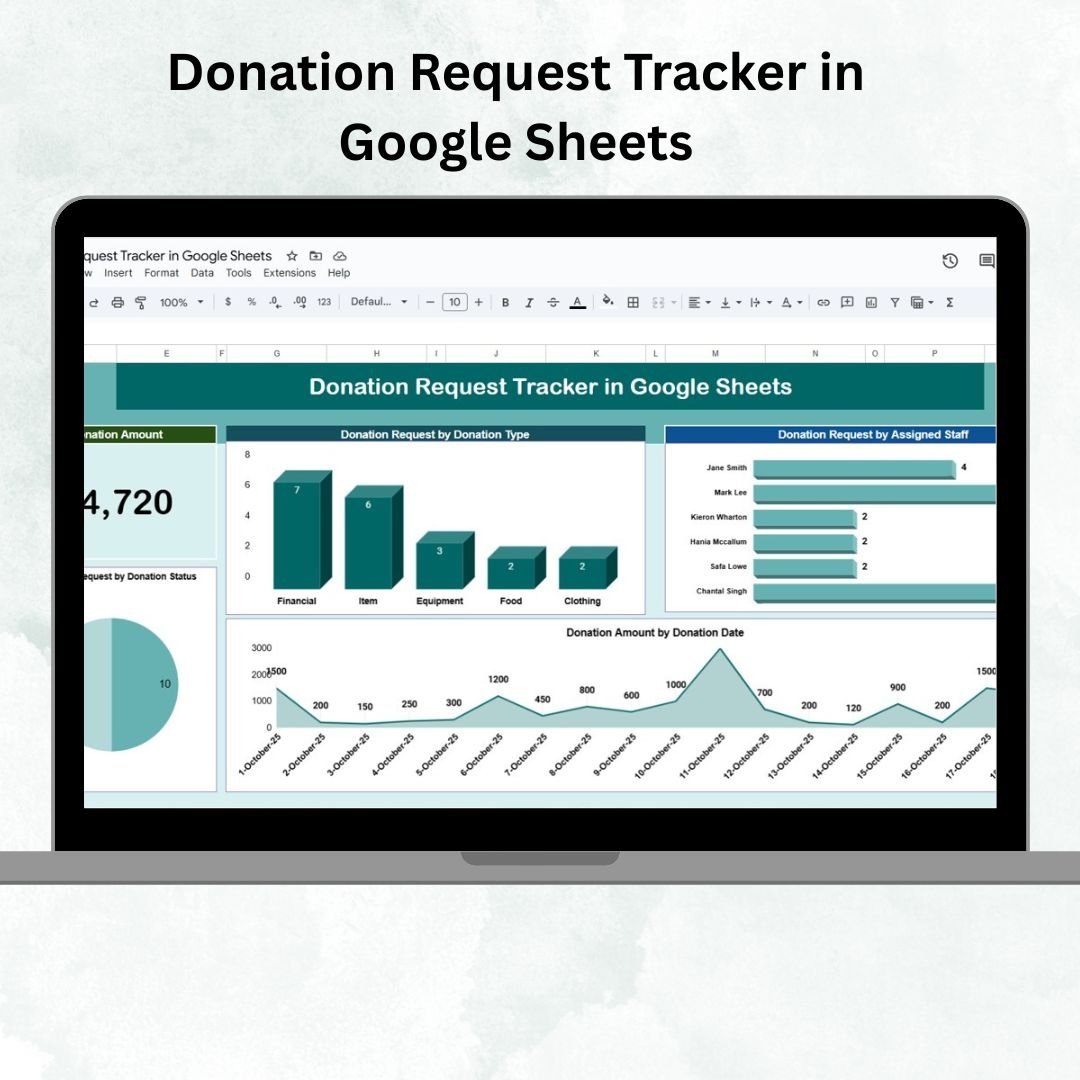

Managing donations effectively is crucial for non-profits, fundraising teams, and organizations that rely on donor contributions. Without a structured system, donation requests can easily slip through the cracks — leading to missed opportunities, delayed follow-ups, or donor dissatisfaction.
The Donation Request Tracker in Google Sheets is a ready-to-use template designed to streamline the donation management process. It provides a centralized platform for tracking donor details, request statuses, donation amounts, and staff responsibilities — all with interactive dashboards and visual insights.
This tool is perfect for teams looking to improve accountability, transparency, and efficiency while ensuring that no donation request is overlooked.
🔑 Key Features of Donation Request Tracker in Google Sheets
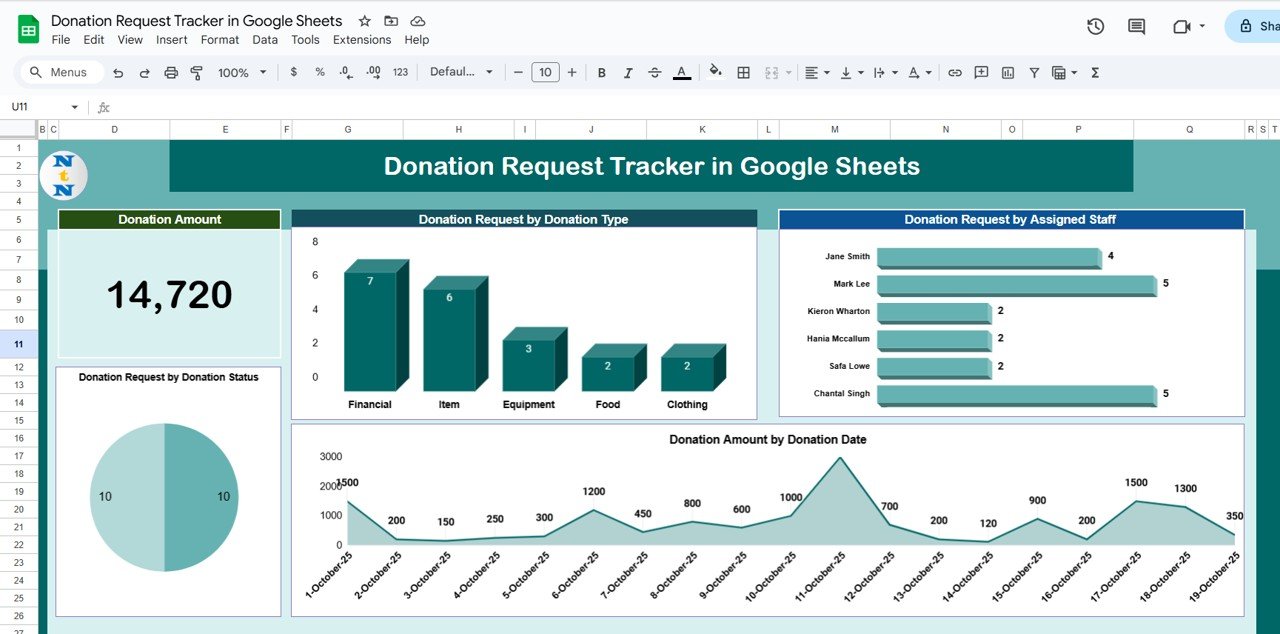
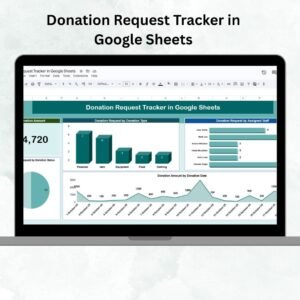
📊 Tracker Sheet (Dashboard View)
Cards Section: Instantly view the total donation amount collected.
Charts Section: Gain valuable insights through interactive visualizations:
Donations by Type (monetary, item, service)
Donations by Assigned Staff (workload distribution)
Donation Amount by Date (trends over time)
Donations by Status (pending, approved, completed)
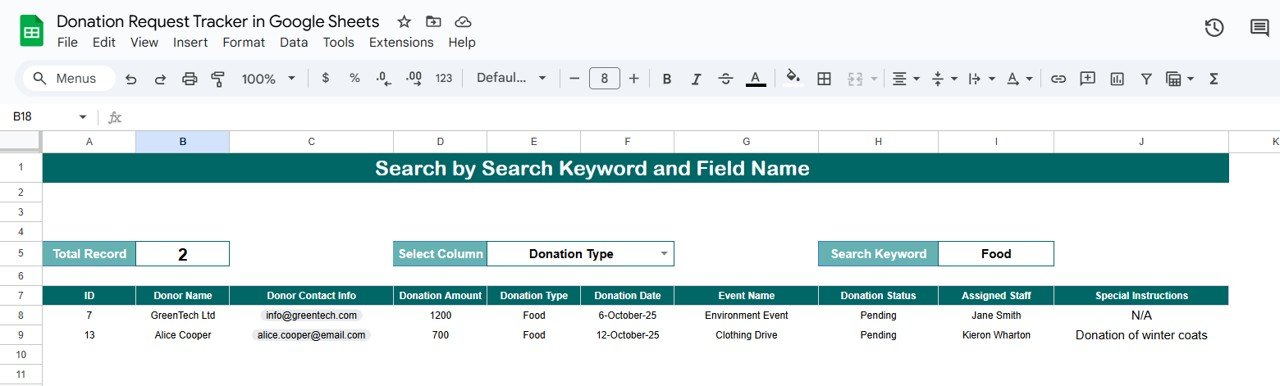
🔍 Search Sheet (Quick Record Finder)
Search by Donor Name, Donation Type, or Assigned Staff.
Displays the total number of records found instantly.
Saves time by locating donor or event-specific details without scrolling through long lists.
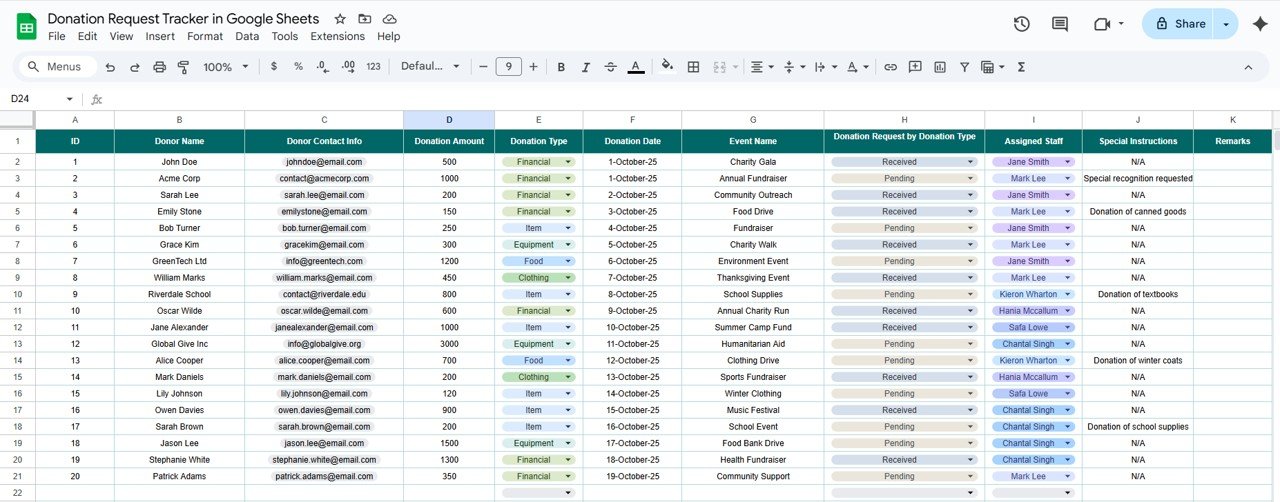
🧾 Data Sheet (Backend Database)
Store all donation request details in a structured format.
Key fields include:
ID (Unique Request Identifier)
Donor Name & Contact Info
Donation Amount & Type
Event Name (if associated)
Donation Date
Donation Status (Pending, Approved, Completed)
Assigned Staff
Special Instructions / Notes
All visualizations in the Tracker Sheet pull directly from this database, ensuring accuracy and consistency.
📦 What’s Inside?
✅ 3 Interactive Worksheets – Tracker, Search, and Data Sheet.
✅ Donation Analytics Dashboard – Visual cards and charts for quick insights.
✅ Search-Friendly Design – Locate donor requests instantly.
✅ Customizable Fields – Add or edit donation types, staff names, and events.
✅ Cloud-Based Access – Update and collaborate in real time with Google Sheets.
⚡ Advantages of Using the Donation Request Tracker
✨ Centralized Donation Management – Keep all requests and donor data in one place.
✨ Improved Accountability – Assign staff and monitor progress.
✨ Data Transparency – Visualize pending, approved, and completed donations.
✨ Time-Saving – Avoid manual errors with structured tracking.
✨ Donor Relationship Building – Ensure timely updates and efficient management.
👥 Who Can Benefit?
🏢 Non-Profits & NGOs – Manage fundraising campaigns with ease.
🎓 Schools & Universities – Track donations for scholarships, events, or projects.
🏥 Healthcare Institutions – Record contributions for hospital funds or charity drives.
🎭 Community Groups & Events – Manage sponsorships and donations for local events.
🧑🤝🧑 Fundraising Teams – Stay organized and efficient with real-time tracking.
🧾 How to Use the Tracker
📥 Download & Open in Google Sheets.
📝 Enter Donation Data in the Data Sheet.
📊 View Insights in the Tracker Sheet with interactive charts.
🔍 Search Quickly using the Search Sheet for donors or requests.
✅ Update Regularly to ensure accurate and transparent reporting.
🛠 Best Practices
✔ Update Records Promptly – Enter new donations immediately.
✔ Use Consistent Naming – Avoid errors in donor or event entries.
✔ Monitor Trends – Check charts for donation patterns.
✔ Assign Clear Responsibilities – Track ownership using the “Assigned Staff” field.
✔ Maintain Data Quality – Ensure accuracy in contact info and donation details.
📌 Conclusion
The Donation Request Tracker in Google Sheets is more than just a spreadsheet — it’s a complete donation management system. With its interactive dashboard, search functionality, and centralized data entry, this tool ensures your team can:
Track donation requests seamlessly
Monitor staff assignments
Visualize donation trends
Improve donor communication
This template is a must-have for any organization looking to enhance donation transparency, accountability, and efficiency.
🔗 Click here to read the Detailed blog post
Watch the step-by-step video Demo:
🔗 Visit our YouTube channel to learn step-by-step video tutorials
Compatibility and Requirements
- Works in Google Sheets. You need a free Google account and a web browser.
- The dashboard charts are standard Google Sheets charts. Google explains how to edit them in Add & edit a chart or graph.
Frequently Asked Questions
Which sheets are in the Donation Request Tracker?
There are three: a Tracker sheet with cards and charts, a Search sheet for finding records, and a Data sheet where you enter every donation request.
What details can I record for each request?
Each row holds an ID, donor name and contact info, donation amount and type, the event name if there is one, donation date, status (Pending, Approved, Completed), assigned staff and notes.
How do I find a donor quickly?
Use the Search sheet. You can search by donor name, donation type or assigned staff, and it shows how many records match.
Which charts does the Tracker sheet show?
It charts donations by type, by assigned staff, by status and the donation amount by date, plus a card with the total amount collected.
Can I change the donation types and staff names?
Yes. You can add or edit donation types, staff names and events to match your organization.
Related Donation and Fundraising Templates
- Donation Request Tracker in Excel: the same tracker as an Excel workbook
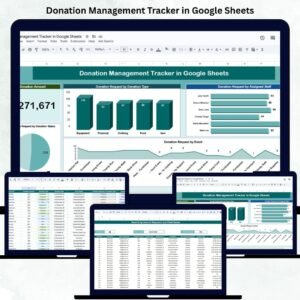
- Donation Management Tracker in Google Sheets: manage donors and donations in one sheet
- Corporate Donation Request Tracker in Google Sheets: track requests from companies and sponsors
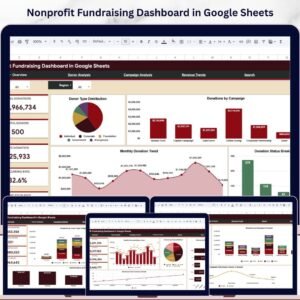
- Nonprofit Fundraising Dashboard in Google Sheets: charts for fundraising results
- Nonprofit & NGO Operations Bundle: 7 nonprofit templates for Excel and Google Sheets
Browse all Google Sheets trackers or the Google Sheets templates.






























Reviews
There are no reviews yet.