



Are you struggling to manage your daily tasks effectively? Do you often forget important deadlines or struggle with prioritizing responsibilities? Our Daily Routine To-Do List Checklist in Excel is the ultimate tool to help you plan, organize, and track your daily tasks efficiently. Whether for personal use, office work, team collaboration, or business management, this easy-to-use template ensures that every task is completed on time.
With its structured format, intuitive design, and real-time progress tracking, this Excel template will help boost productivity, reduce stress, and keep you focused on your most important tasks.
🔹 Key Features of the Daily Routine To-Do List Checklist
📌 1. Daily Routine To-Do List Checklist Sheet
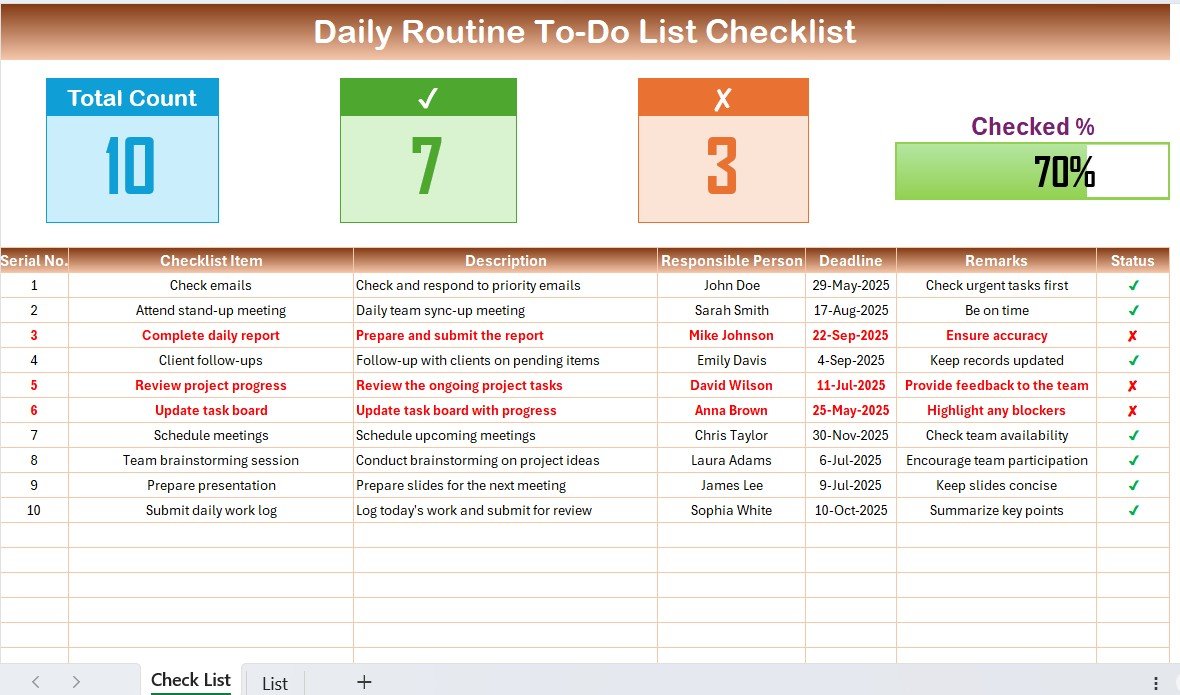
This is the core of the template, designed to simplify your task management. Here’s what you get:
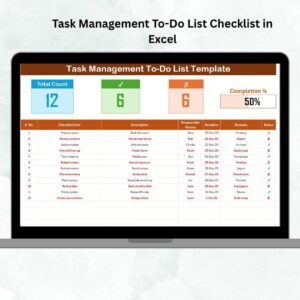
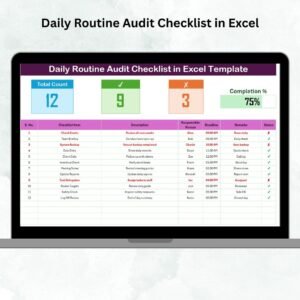
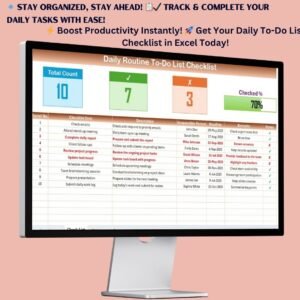
✅ Task Table – A structured table with columns for:
- Checklist Item: Name of the task to be completed.
- Description: Brief details of the task.
- Responsible Person: Assign tasks to specific individuals or team members.
- Deadline: Set due dates for each task to ensure timely completion.
- Remarks: Add important notes, updates, or comments.
- Status: Track task completion with ✔ (completed) and ✘ (pending).
✅ Automated Progress Tracking – Visual representation of completed and pending tasks with a progress bar and summary indicators.
✅ Status Indicators – Easily distinguish completed tasks (✔) from unfinished ones (✘) to stay on track.
✅ Deadline Alerts – Ensures timely completion of important activities.
📌 2. Automated Task Tracking & Performance Overview
📊 Visual Progress Summary: Instantly see your daily completion percentage with a progress bar.
📌 Task Prioritization: Highlight urgent tasks in red for immediate attention.
📅 Deadline Alerts: Ensure critical deadlines are never missed.
🔄 Easy Updates: Simply mark tasks as completed when done, and watch your progress bar update automatically.
📈 Performance Tracking: See how many tasks are completed daily and monitor productivity trends over time.
📌 3. List Sheet – Simplifies Task Assignment
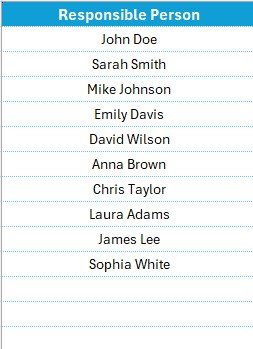
🔄 Predefined Responsible Persons List – This sheet contains a unique list of task owners, ensuring accurate and efficient task assignment.
🔍 Dropdown Menus for Quick Task Allocation – Easily select task owners from a predefined list instead of manually entering names every time.
📊 Data Validation for Accuracy – Minimizes data entry errors and keeps the checklist structured.
🔍 Search & Filter Options – Quickly find tasks assigned to specific individuals and sort by priority, deadline, or completion status.
📌 Why Use the Daily Routine To-Do List Checklist in Excel?
✔ Stay Organized – Have all your tasks in one place with clear deadlines and statuses.
✔ Boost Efficiency – Focus on priority tasks and avoid time-consuming distractions.
✔ Reduce Stress – Know exactly what needs to be done every day, preventing last-minute rushes.
✔ Improve Accountability – Assign tasks and track performance across teams or individuals.
✔ Customizable & Flexible – Modify task lists, add additional columns, and adjust deadlines as needed.
✔ Better Collaboration – Teams can track shared responsibilities and keep projects moving smoothly.
✔ No Software Installation Required – Works on any version of Microsoft Excel and Google Sheets.
📌 Who Can Use This Template?
🔹 Professionals & Teams – Stay on top of work-related tasks, meeting deadlines, and improving efficiency.
🔹 Students & Teachers – Keep track of assignments, schedules, and academic responsibilities.
🔹 Small Business Owners – Manage daily business operations effectively.
🔹 Freelancers & Entrepreneurs – Organize client projects, meetings, and deadlines.
🔹 Project Managers – Assign and track team responsibilities easily.
🔹 Anyone Who Wants to Stay Organized!
📥 Instant Download – Get Started Now!
📁 Format: Excel (.xlsx)
✅ Fully Editable & Customizable
🖥 Compatible with Microsoft Excel & Google Sheets
📊 User-Friendly & Printable
Click hare to read the Detailed blog post
Visit our YouTube channel to learn step-by-step video tutorials
Compatibility and Requirements
- Works in Microsoft Excel desktop (Excel 2016 or later, or Microsoft 365). The page also lists Google Sheets as a compatible option.
- The Responsible Person column uses dropdowns fed by the List sheet. Microsoft explains them in Create a drop-down list.
Frequently Asked Questions
What columns does the checklist have?
Checklist Item, Description, Responsible Person, Deadline, Remarks and Status. Status is marked with a tick for completed tasks and a cross for pending ones.
How do I assign a task to someone?
Add the names to the List sheet. Then pick a person from the dropdown in the Responsible Person column on the checklist sheet.
Does it show how much I have finished?
Yes. A progress bar and summary indicators show completed and pending tasks. They update when you change the status of a task.
What file format is it?
An Excel file (.xlsx). It is fully editable and can be printed.
Is there a Google Sheets version of a daily routine checklist?
Yes. See the Daily Routine Action Plan Checklist in Google Sheets.
Related Daily Routine Templates
- Daily Routine Planner Checklist in Excel: a checklist for planning your day
- Daily Routine Tracking Checklist in Excel: for tracking routine tasks as you finish them
- Daily Routine Action Plan Checklist in Google Sheets: the same idea in Google Sheets
- Daily Work Schedule Checklist Template in Excel: a checklist built around your work schedule
- Automated Daily Task Manager with auto Check boxes: a free task manager with check boxes
Browse all Excel checklist templates.


























Reviews
There are no reviews yet.