


Customer service compliance is no longer optional—it is a daily operational necessity. Teams must track regulatory deadlines, internal audits, training schedules, service reviews, and customer-related compliance activities with absolute accuracy. Customer Service Compliance Calendar in Excel However, many organizations still depend on emails, reminders, and unstructured spreadsheets. As a result, deadlines are missed, audits become stressful, and compliance turns reactive.
That is exactly where the Customer Service Compliance Calendar in Excel delivers massive value.
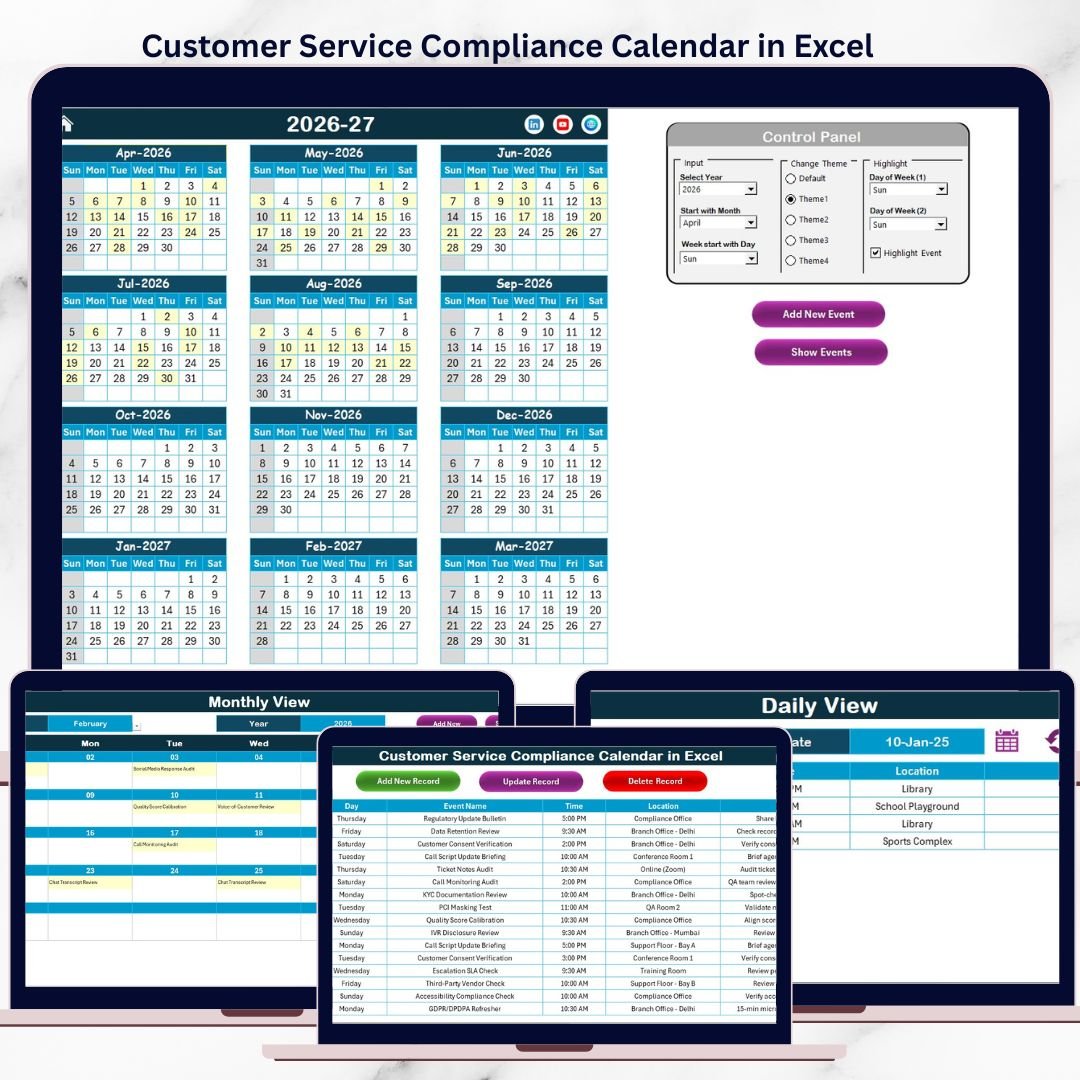
Customer Service Compliance Calendar in Excel This ready-to-use Excel compliance calendar provides a structured, visual, and centralized way to manage all customer service compliance activities. Instead of juggling reminders and files, teams gain complete visibility across annual, monthly, and daily views—ensuring nothing slips through the cracks.
Designed for simplicity, control, and audit readiness, this Excel calendar helps customer service teams stay compliant, organized, and confident—every single day.
✅ Key Features of Customer Service Compliance Calendar in Excel
📅 Annual, Monthly & Daily Compliance Views – Track compliance obligations at every level
🏠 Home Sheet with Smart Navigation – Jump instantly to required views using buttons
🎛️ Dynamic Control Panel – Change year, starting month, and week start day easily
🎨 Theme & Highlight Controls – Apply color themes and highlight weekends or critical days
➕ Add, Update & Delete Compliance Events – Manage events using buttons and forms
🗂️ Centralized Compliance Events Database – Maintain consistent and accurate records
🧩 Excel-Native & Cost-Effective – No additional software required
📦 What’s Inside the Customer Service Compliance Calendar in Excel
This ready-to-use template includes five well-structured worksheets, each serving a specific compliance purpose:
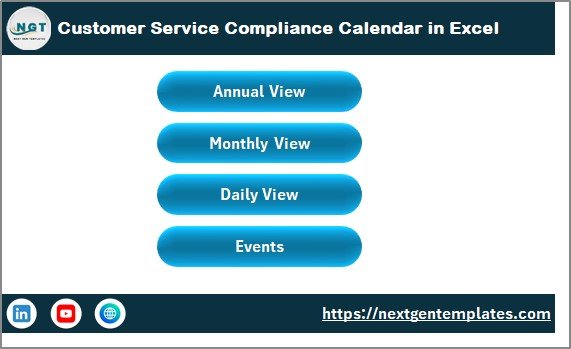
🏠 Home Sheet – Control Center
The Home Sheet acts as the navigation hub of the entire calendar.
It includes four clear buttons:
Annual View
Monthly View
Daily View
Events
This layout allows even non-technical users to navigate the calendar effortlessly.
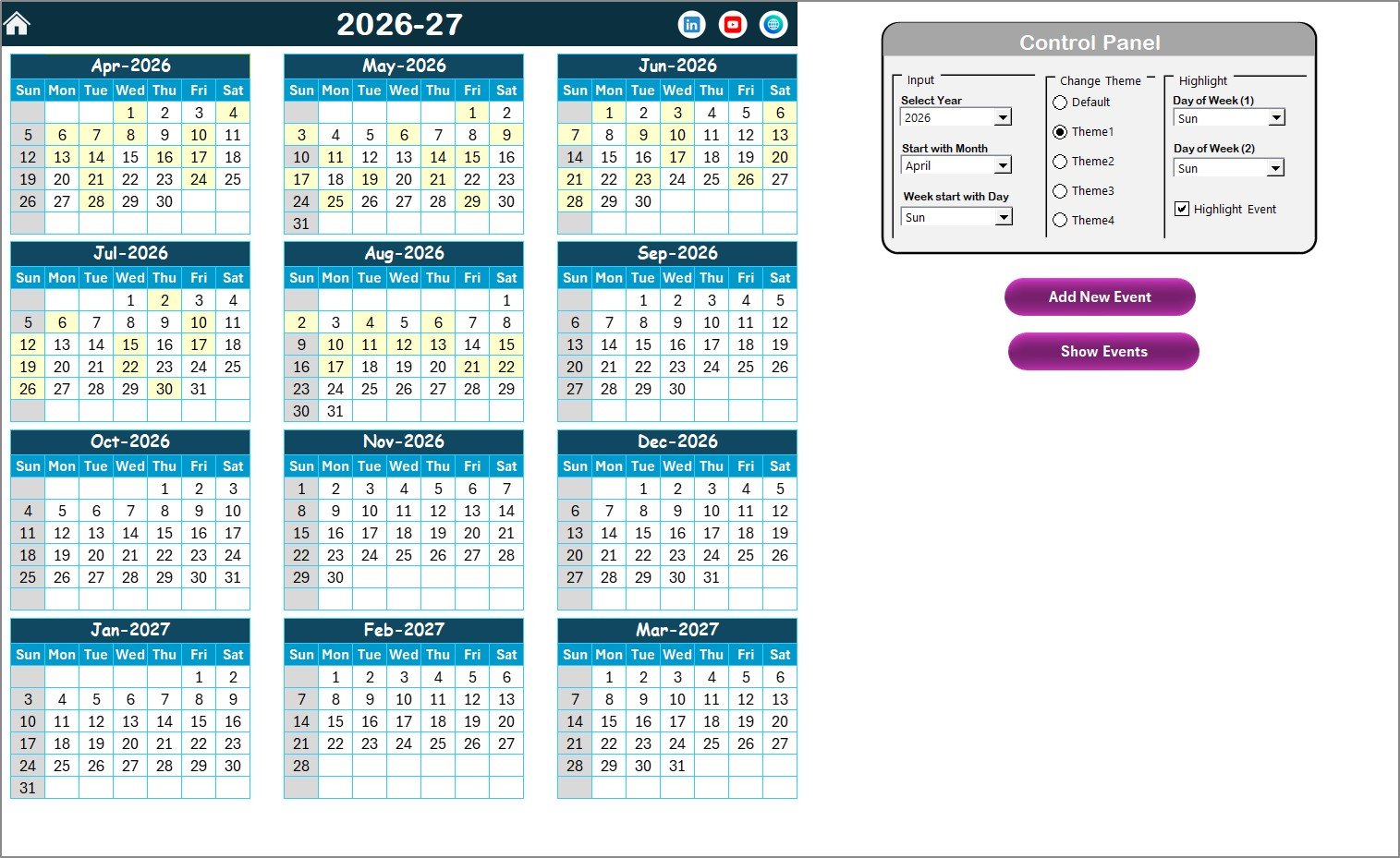
📆 Annual View Sheet – One Year at a Glance
The Annual View displays all 12 months on a single screen, ideal for long-term compliance planning.
🔹 Control Panel Features
Select Year dynamically
Change starting month
Modify week start day
Apply one of five color themes
Highlight weekends or specific days
Highlight event dates automatically
🔹 Action Buttons
Add New Event – Add compliance events directly from the calendar
Show Event – View all events scheduled on a selected date
This view helps teams plan audits, renewals, and regulatory milestones well in advance.
🗓️ Monthly View Sheet – Focused Compliance Tracking
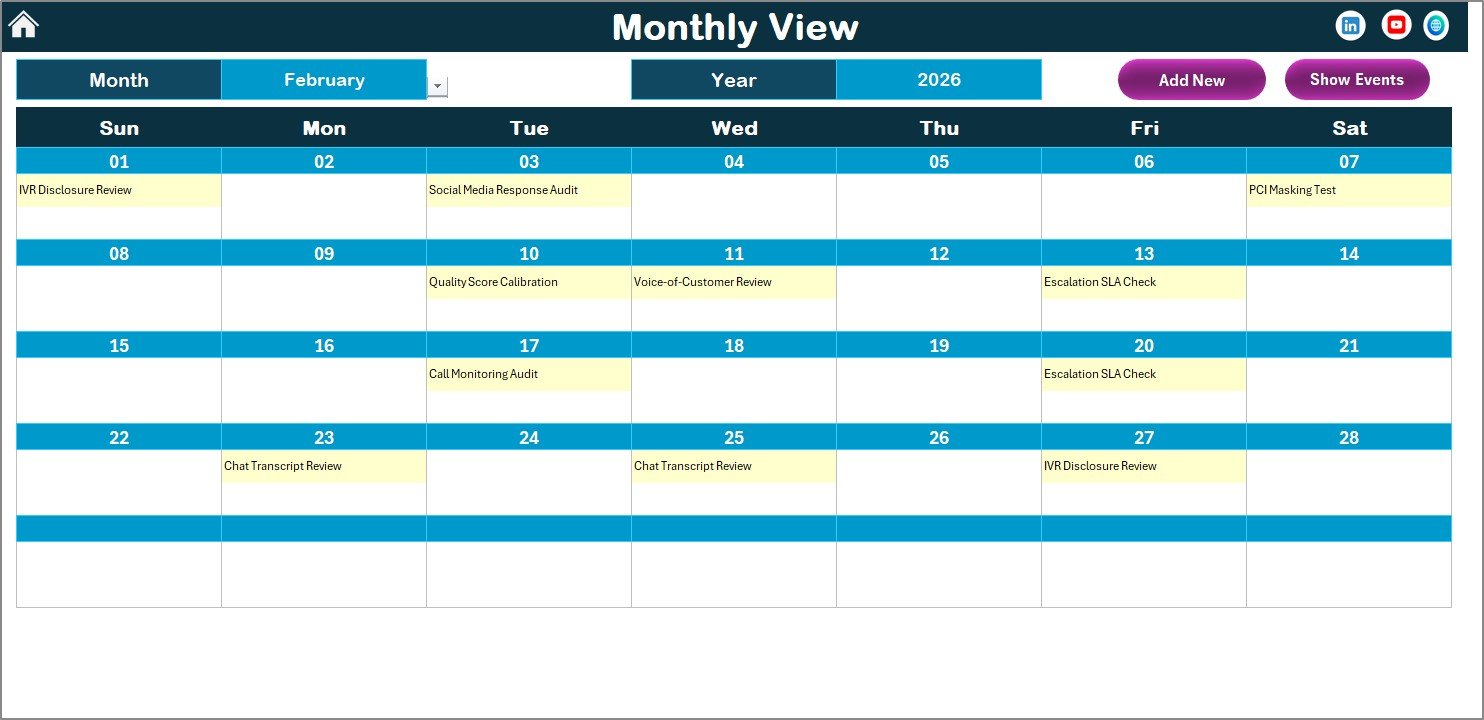
The Monthly View displays a single selected month with all compliance events.
Key highlights:
Month & Year dropdowns
Auto-refresh calendar
Event indicators on dates
“More than 1…” indicator for multiple events
Buttons allow users to add or view compliance events instantly.
📋 Daily View Sheet – Audit-Ready Event Listing
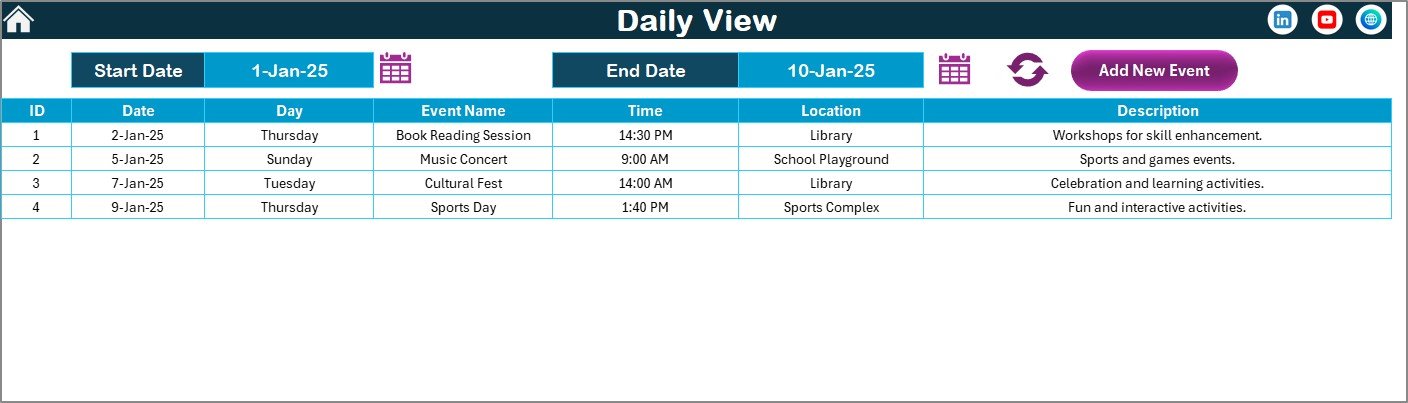
The Daily View provides a detailed list of compliance events within a selected date range.
Users can:
Select Start Date & End Date
Click Refresh to load events
Add new compliance events directly
This view is extremely useful during audits, reviews, and reporting cycles.
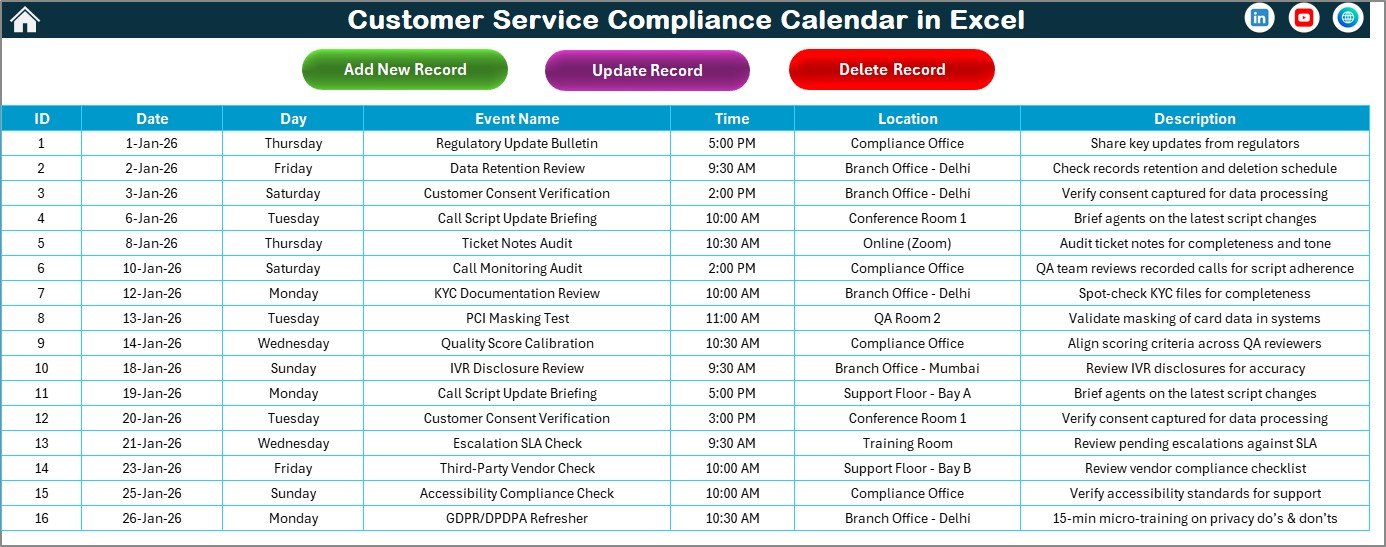
🗂️ Events Sheet – Compliance Database
The Events Sheet acts as the backend database.
Each record includes:
Auto-generated ID
Date & Day
Event Name
Time
Location
Short Description
Buttons allow users to add, update, or delete records safely, protecting data integrity.
🛠️ How to Use the Customer Service Compliance Calendar in Excel
Using the calendar is simple and intuitive:
1️⃣ Select the compliance year and calendar settings
2️⃣ Navigate to Annual, Monthly, or Daily View
3️⃣ Add compliance events using built-in buttons
4️⃣ Review upcoming deadlines regularly
5️⃣ Update or delete events when requirements change
6️⃣ Use Daily View during audits and reviews
No advanced Excel skills are required—basic Excel familiarity is enough.
👥 Who Can Benefit from This Customer Service Compliance Calendar?
This Excel calendar is ideal for:
🧑💼 Customer Service Managers
🛡️ Compliance Officers
📋 Quality Assurance Teams
🎧 Call Center Operations
🧠 Audit & Risk Teams
It works equally well for small teams and large customer service organizations.
📖 Click here to read the Detailed blog post
🎥 Visit our YouTube channel to learn step-by-step video tutorials
👉 https://youtube.com/@PKAnExcelExpert
Watch the step-by-step video tutorial:
Compatibility and Requirements
- Works in Microsoft Excel desktop (Excel 2016 or later, or Microsoft 365).
- The Add, Update and Delete event buttons use macros, so Excel desktop on Windows with macros enabled is needed. The template does not run in Excel for the web, Google Sheets or mobile. Microsoft explains the setting in Enable or disable macros in Microsoft 365 files.
Frequently Asked Questions
Which sheets are included?
Five sheets: Home, Annual View, Monthly View, Daily View and Events.
What details can I store for each compliance event?
Each record on the Events sheet has an auto-generated ID, date, day, event name, time, location and a short description.
Can I change the year, starting month and week start day?
Yes. The Annual View has a control panel where you select the year, the starting month and the week start day. You can also pick one of five color themes and highlight weekends or specific days.
How do I see all events between two dates?
Open the Daily View, select a start date and an end date, then click Refresh. The events in that range are listed, which helps during audits and reviews.
Can I add events directly from the calendar?
Yes. The Annual, Monthly and Daily views have an Add New Event button. The Annual and Monthly views also let you show the events on a selected date.
Is there another calendar for customer service teams?
Yes. See the Customer Service Customer Experience Calendar in Excel.
Related Customer Service and Compliance Templates
- Customer Service Customer Experience Calendar in Excel: a calendar for customer experience activities
- Customer Service Schedule Calendar in Excel: a calendar for team schedules
- Legal Compliance Calendar in Excel: the same calendar layout for legal deadlines
- Customer Service Request Tracker in Excel: a tracker for customer requests
- Customer Service Dashboard in Excel: a dashboard view of service results
Browse all Excel calendar templates.
































Reviews
There are no reviews yet.