

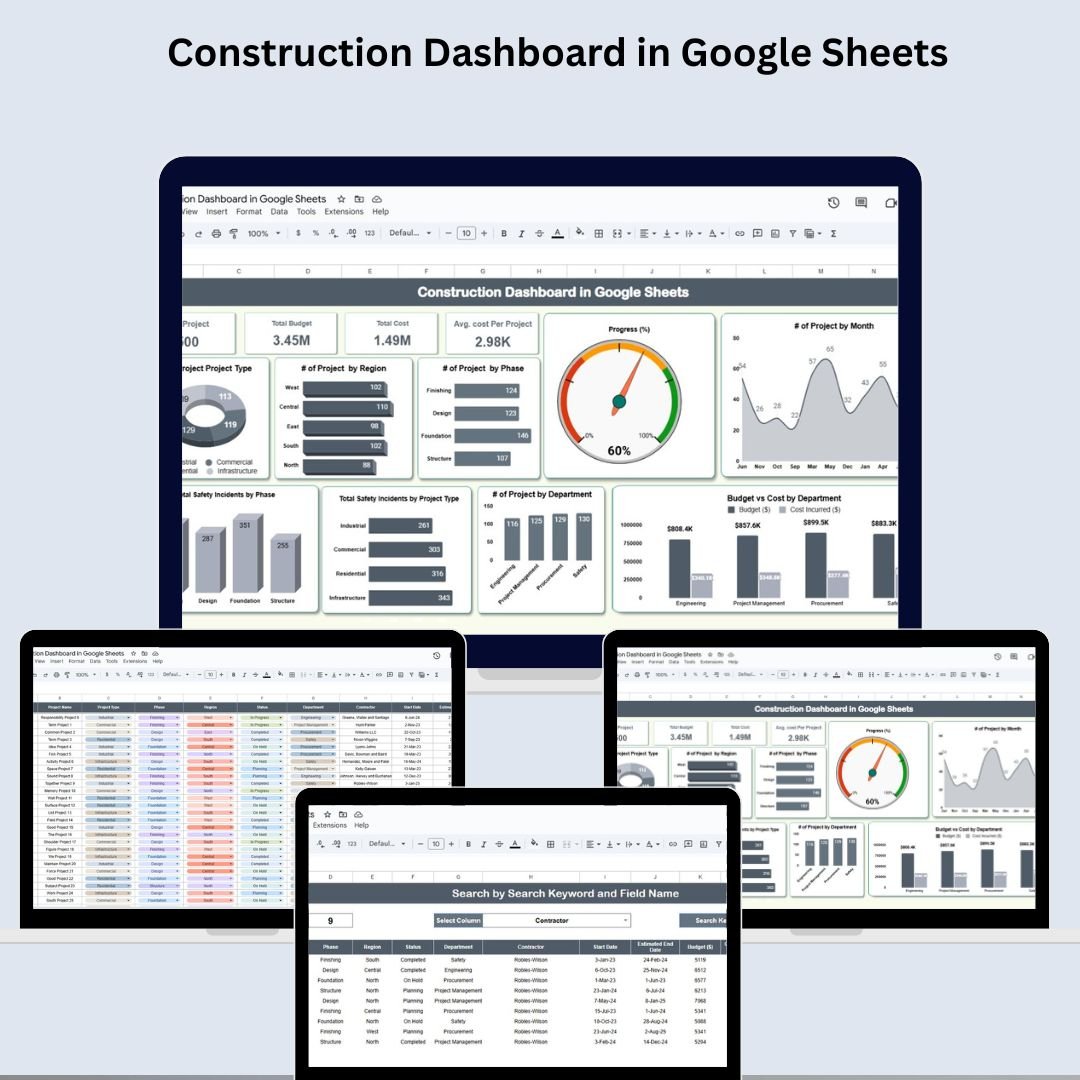
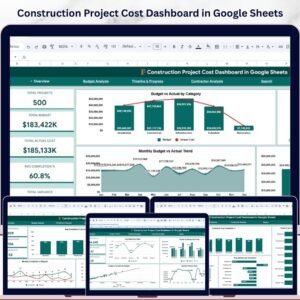
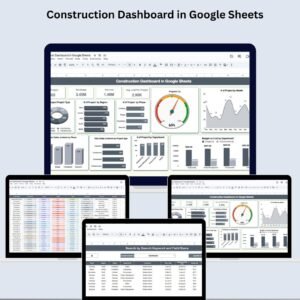
The Construction Dashboard in Google Sheets is your all-in-one solution for efficiently managing construction projects. From tracking budgets and safety incidents to monitoring phases and progress, this ready-to-use Google Sheets template provides real-time visibility into every critical aspect of your construction operations.
Designed for project managers, contractors, and department heads, the dashboard combines data, charts, and cards into a powerful visual tool to help you stay on top of timelines, costs, and performance—all in one place!
🔍 Key Features of the Construction Dashboard in Google Sheets
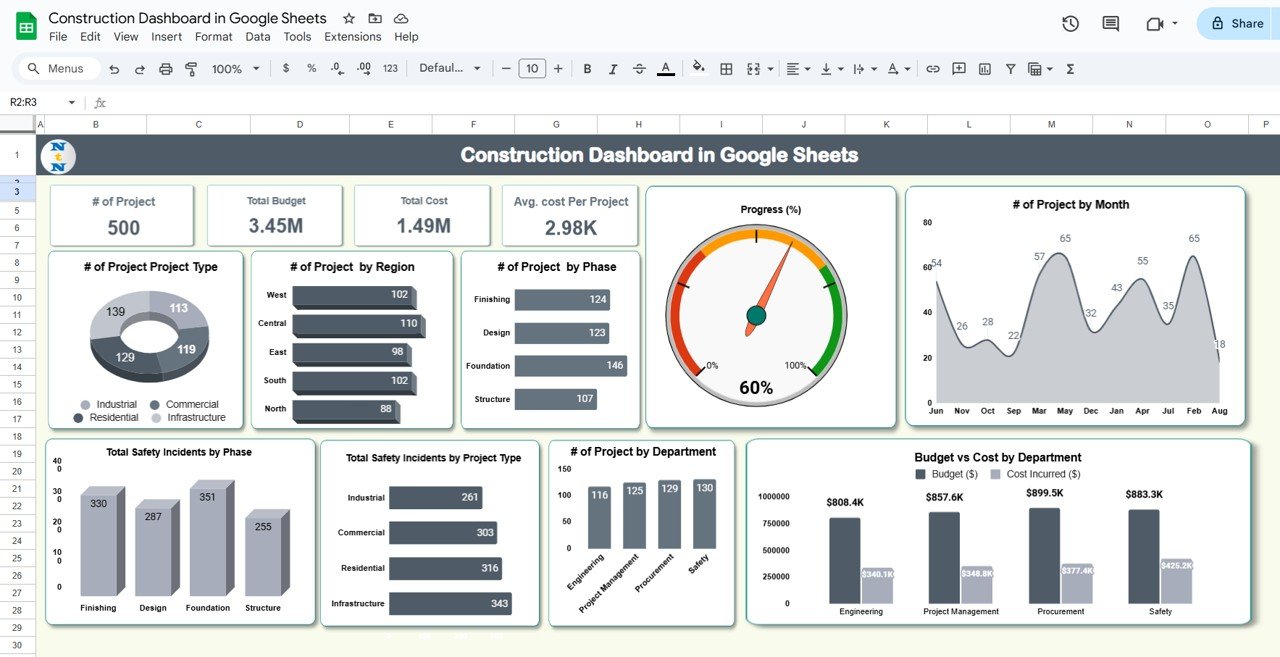
📊 Dashboard Sheet Tab – Visual Control Center
Get high-level insights with dynamic KPIs and graphs:
🔢 # of Projects
💰 Total Budget
📉 Total Cost
🧮 Avg. Cost per Project
📌 Charts by Project Type, Region, Phase & Department
🔴 Safety Incident Breakdown
📈 Budget vs Cost by Department
🗓️ Monthly Launch Trend
📟 Progress (%) Visuals
It’s the perfect one-stop view for quick decision-making and project health checks.
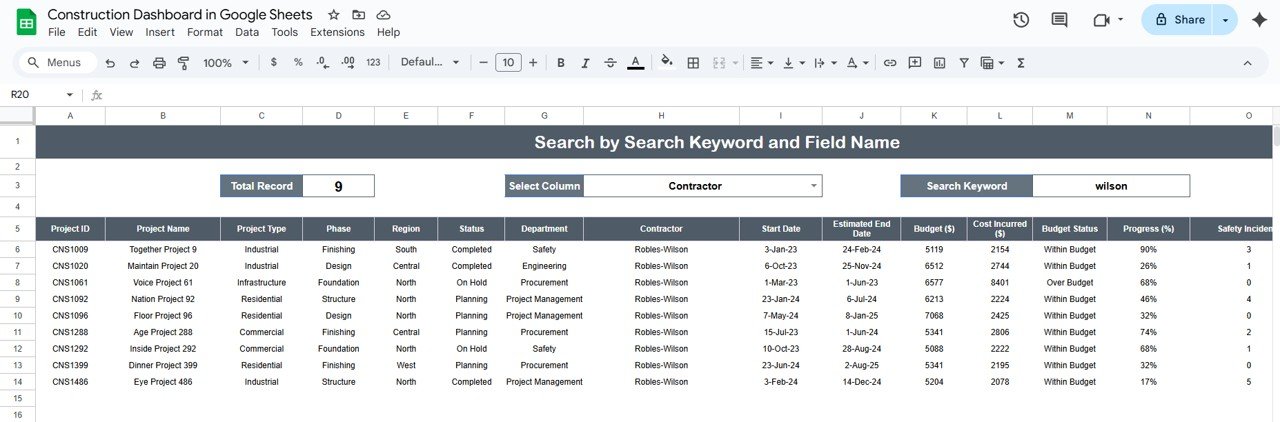
🔎 Search Sheet Tab – Quick Project Lookup
Need to find a specific project or contractor?
🧠 Search by Keyword or Field
🔄 Real-Time Filtering
📦 Total Record Count & Filtered Results
This sheet streamlines your ability to retrieve and review project-specific data instantly.
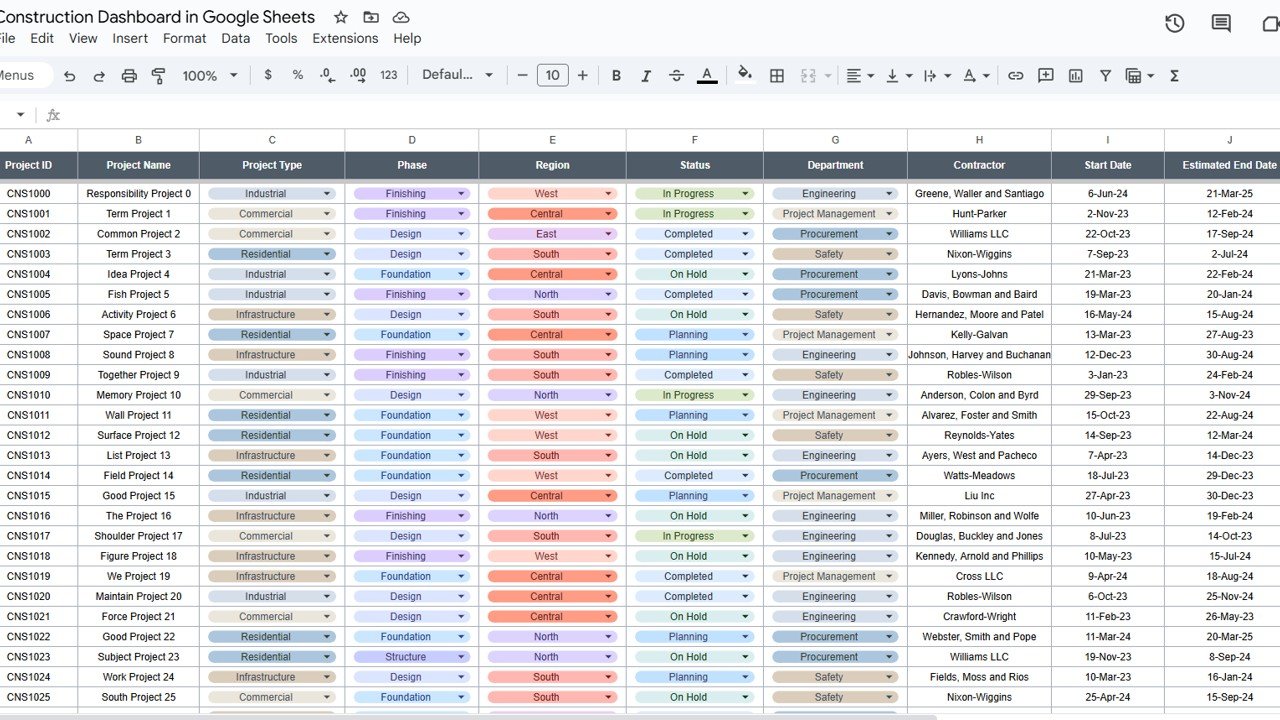
📋 Data Sheet Tab – Your Construction Record Book
A complete repository of all your project details:
🆔 Project ID & Name
🏗️ Project Type & Phase
📍 Region & Department
🧱 Contractor
📅 Start & End Dates
💵 Budget vs Cost
🚧 Progress % & Safety Incidents
📆 Month & Year
Everything is structured for accurate reporting and historical tracking.
📦 What’s Inside This Dashboard Template?
✅ Dashboard Sheet with cards & graphs
✅ Search Sheet for keyword-based filtering
✅ Data Sheet with editable project records
✅ Prebuilt formulas, conditional formatting & dynamic charts
✅ Fully compatible with Google Sheets – no plugins needed!
🛠️ How to Use
🔓 Open the Google Sheets file
📩 Add project records in the Data Sheet
📊 Watch the Dashboard Sheet auto-update
🔎 Use the Search Tab to filter by keywords
👥 Share the file with your team for collaboration
No coding. No formulas to build. Just plug, play, and manage construction like a pro!
🧑💼 Who Is It For?
Construction Project Managers 🏗️
Safety Officers & Compliance Teams 🚨
Contractors & Site Supervisors 🧱
Engineering & Budgeting Teams 📐
Architects & Interior Planners 🏢
Real Estate Developers 🏘️
Municipal or Government Infrastructure Teams 🏛️
🎯 Benefits of the Construction Dashboard
🧭 Centralized Project Management
🔁 Real-Time Project Insights
📊 Clear Budget vs Cost Visibility
🚧 Track Safety Incidents by Phase
🕒 Monitor Timelines and Delays
🧠 Data-Driven Decisions
⚙️ Fully Customizable & Shareable
💡 Best Practices
✔️ Update data regularly in the Data Sheet
✔️ Use charts to monitor safety & budget metrics
✔️ Filter projects for quick reviews
✔️ Review trends to predict potential delays
✔️ Customize fields to match your company’s project requirements
🔗 Click here to read the Detailed blog post
Watch the step-by-step video Demo:
📺 Visit our YouTube channel to learn step-by-step video tutorials:
👉 youtube.com/@NeotechNavigators






















Reviews
There are no reviews yet.