

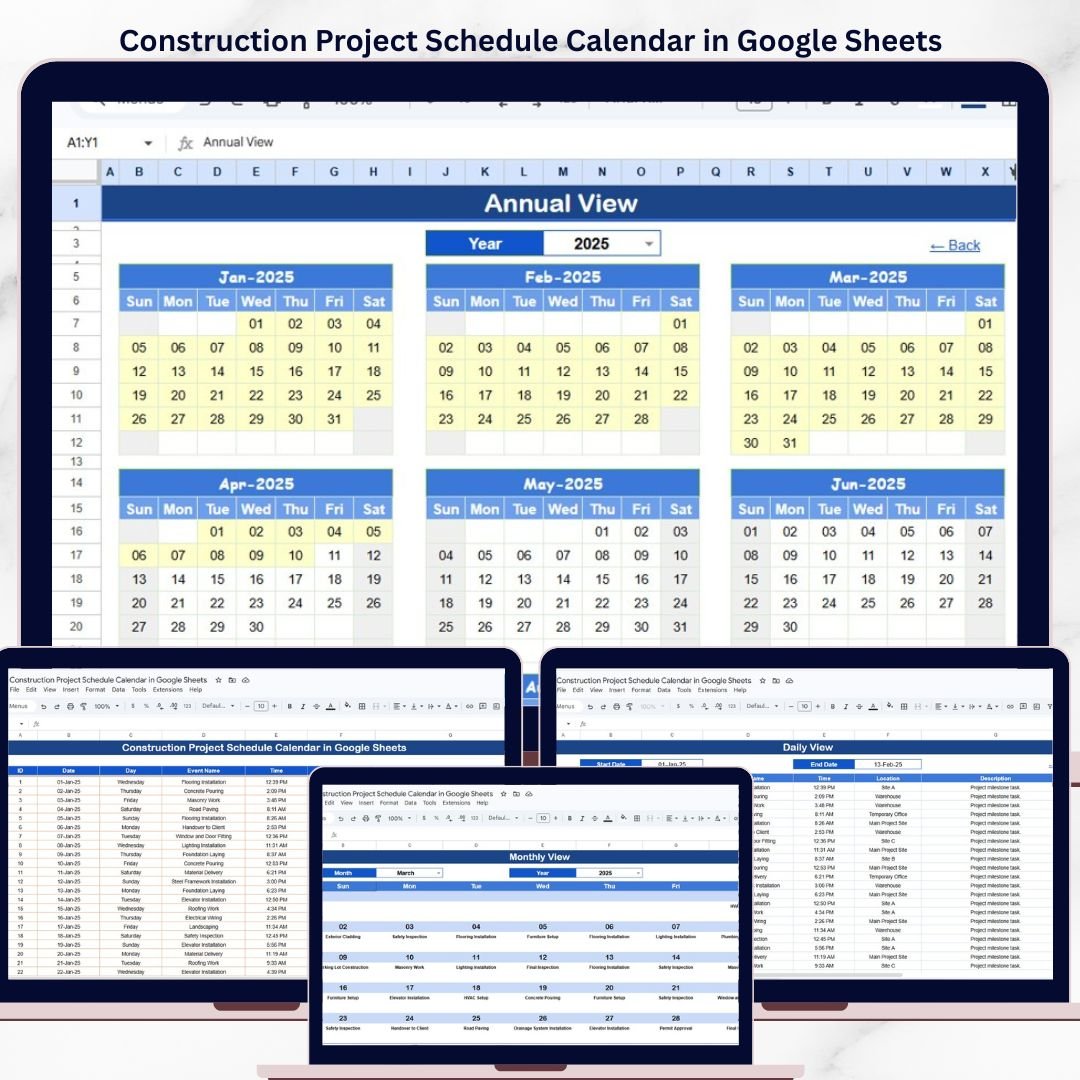
The Construction Project Schedule Calendar in Google Sheets organizes construction activities across 5 interactive worksheets with annual, monthly, and daily calendar views plus a centralized events database. Setup takes under 5 minutes — just paste your project events and every view updates automatically.
🌍 Join 8,400+ teams in 40+ countries using NextGenTemplates to replace paid SaaS tools with one-time-purchase Excel, Google Sheets, Power BI, and HTML templates.
✅ Instant download · One-time payment · No subscription · No per-user fees · Lifetime access
🔑 Key Features of Construction Project Schedule Calendar in Google Sheets
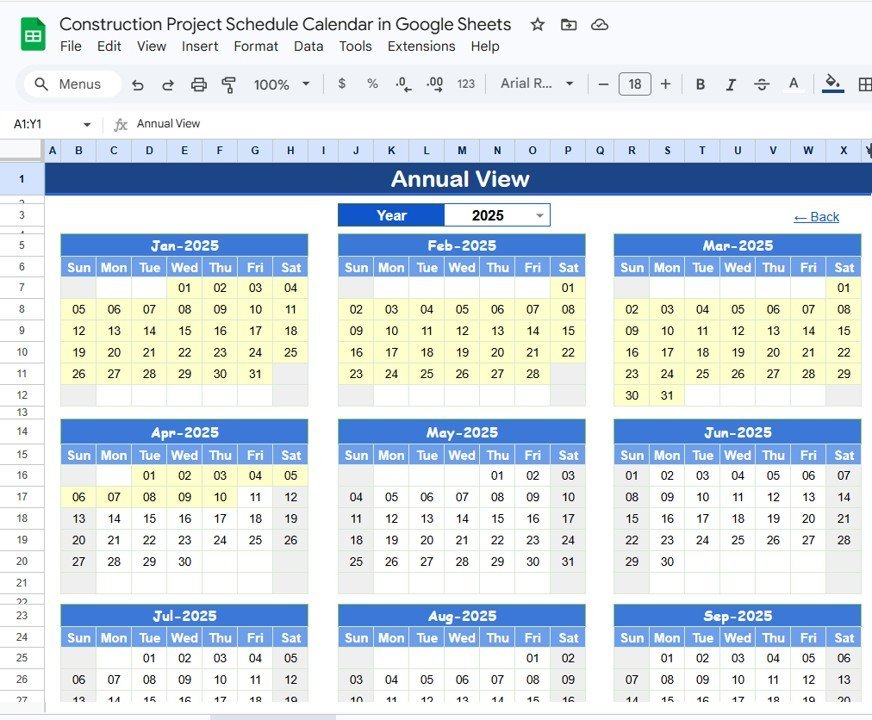
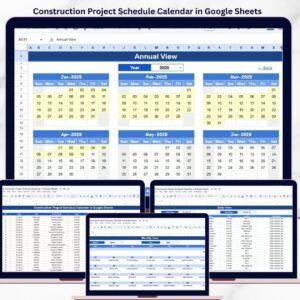
This ready-to-use calendar template in Google Sheets includes 5 worksheets designed specifically for construction project scheduling. The Home sheet acts as a navigation hub with 4 buttons linking directly to the Annual View, Monthly View, Daily View, and Events sheets. The Annual View displays all 12 months in a single view with customizable year, starting month, and starting day of the week — ideal for viewing the full construction project timeline at a glance.
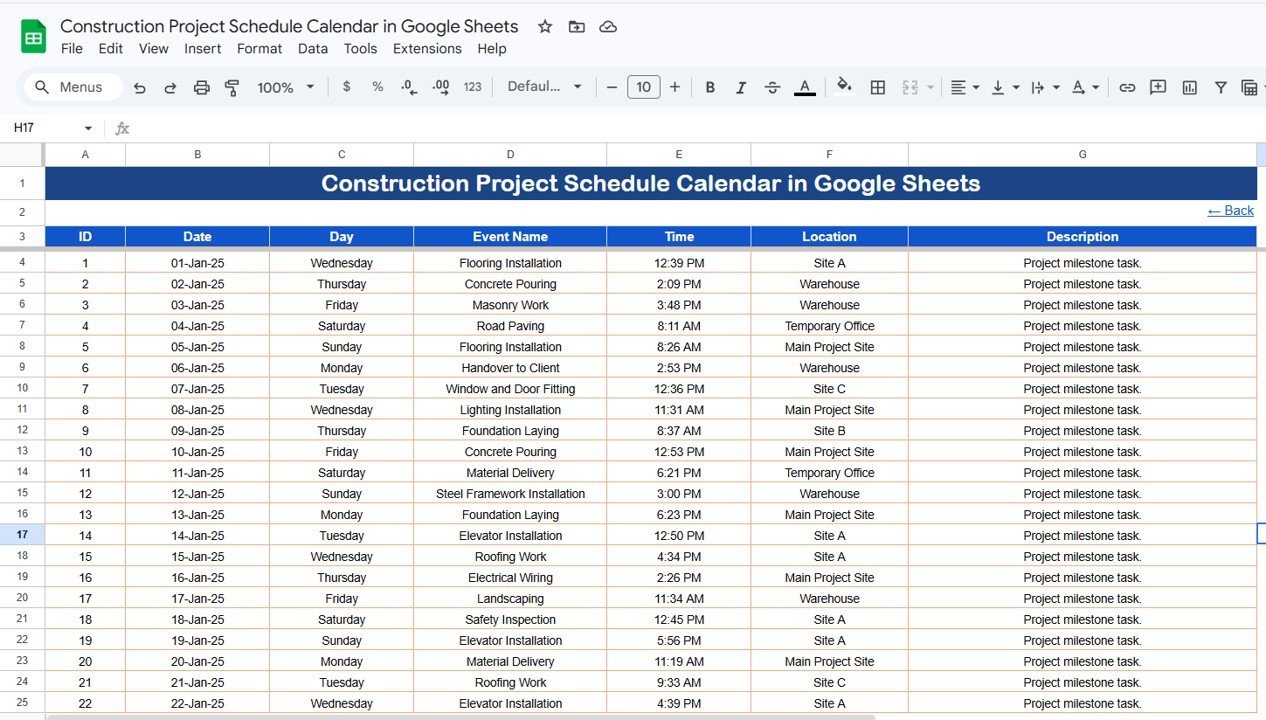
The Monthly View shows a single calendar for any selected month and year, displaying 1 event per date with a “more than 1…” indicator when multiple events exist on the same day. The Daily View lists all events within a user-defined date range, with start and end dates selectable via a calendar picker. The Events sheet serves as the centralized database capturing 7 fields per event: ID (auto-generated), Date, Day, Event Name, Time, Location, and Description. This structure makes it easy for construction managers, contractors, and project coordinators to track inspections, milestones, deliveries, and site meetings in one organized template.
Construction Project Schedule Calendar in Google Sheets
📦 What’s Inside the Construction Project Schedule Calendar
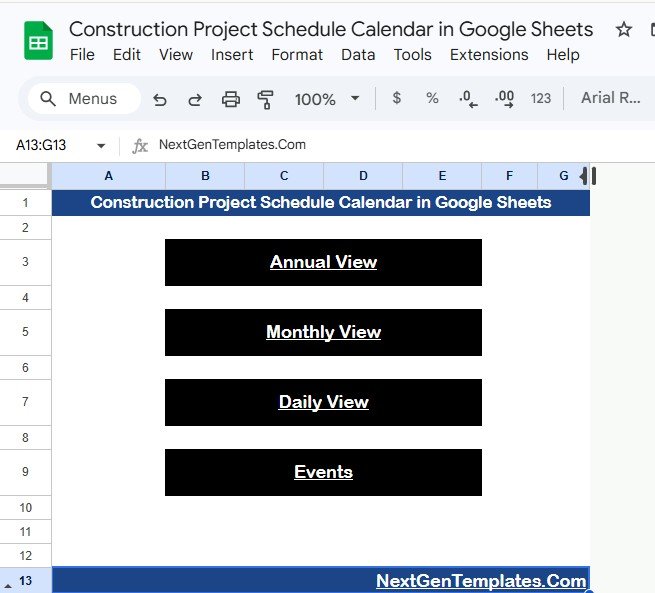
📌 Home Sheet – Index page with 4 navigation buttons (Annual View, Monthly View, Daily View, Events) for quick access to any section.
Home Sheet
📌 Annual View Sheet – Displays 12 months in a single view. Select the year, starting month, and starting day of the week to customize the calendar layout for your construction project timeline.
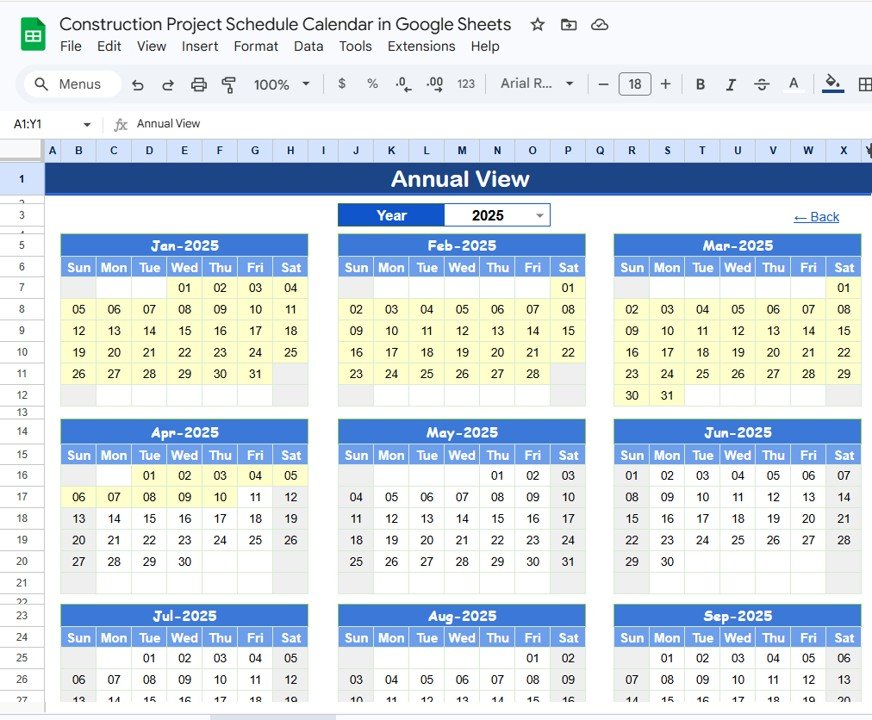
Annual View Sheet
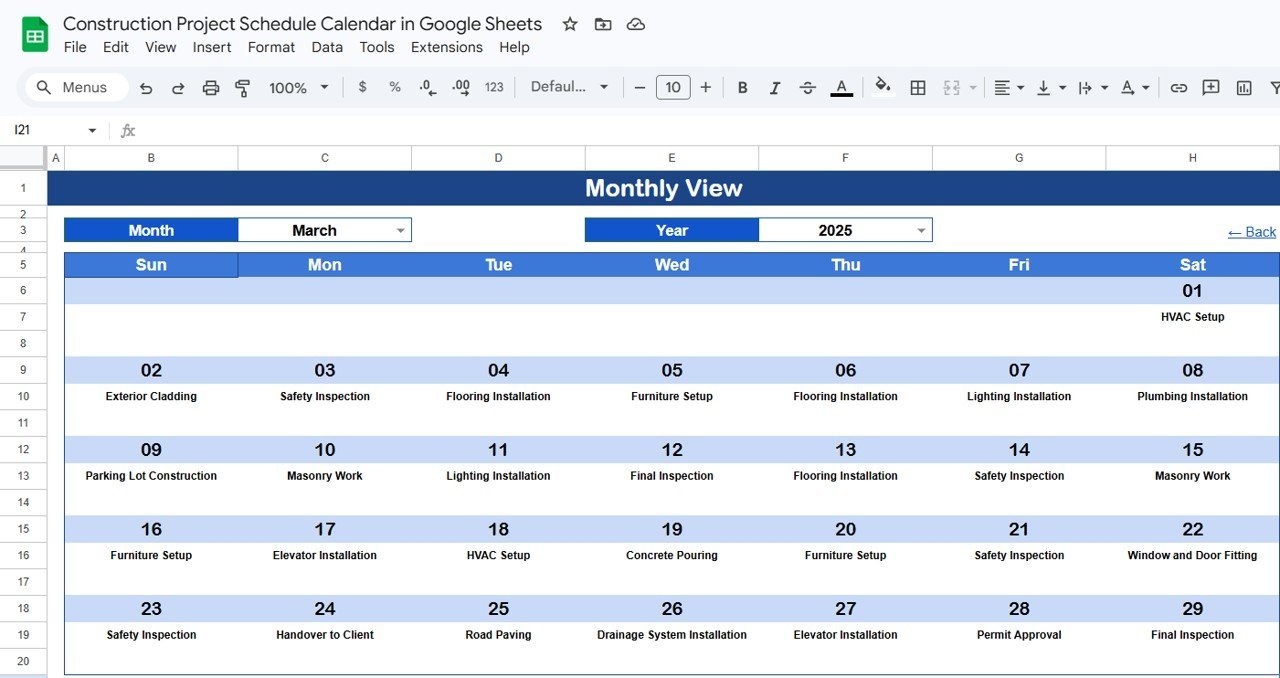
📌 Monthly View Sheet – Shows a single month calendar for your selected month and year. Displays 1 event per date on the calendar grid. If more than 1 event exists on any date, it shows “more than 1…” so you know to check the Daily View for full details.
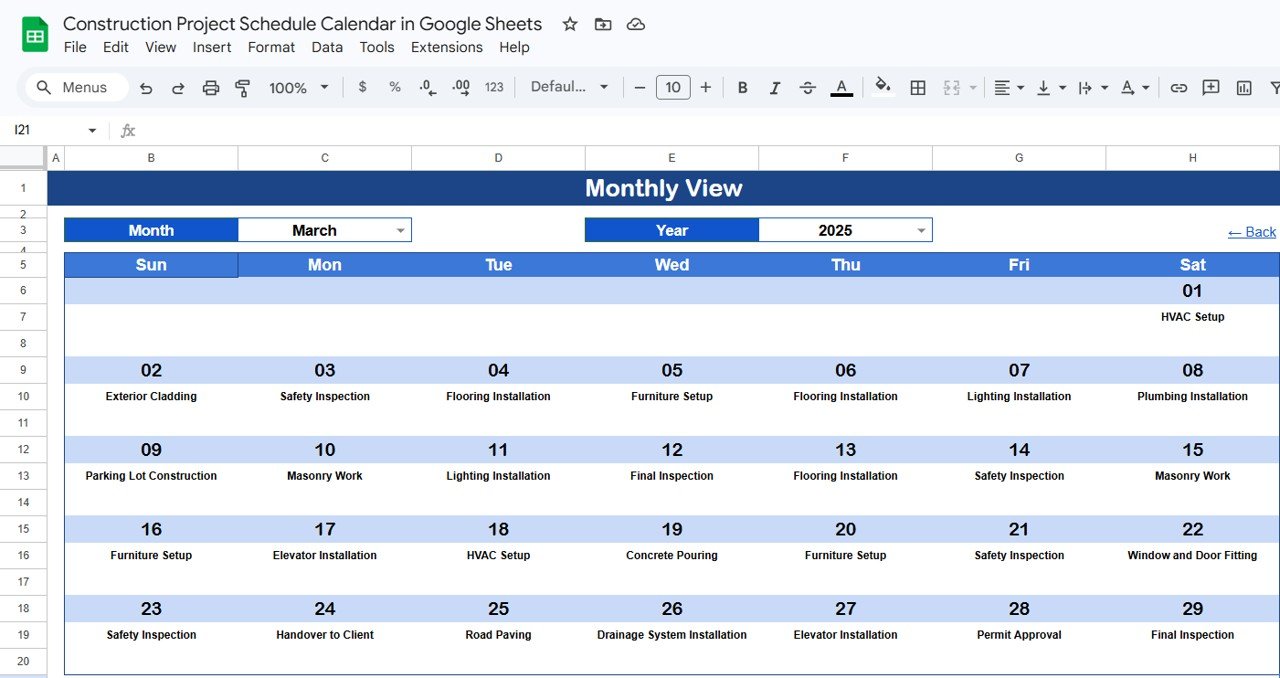
Monthly View Sheet
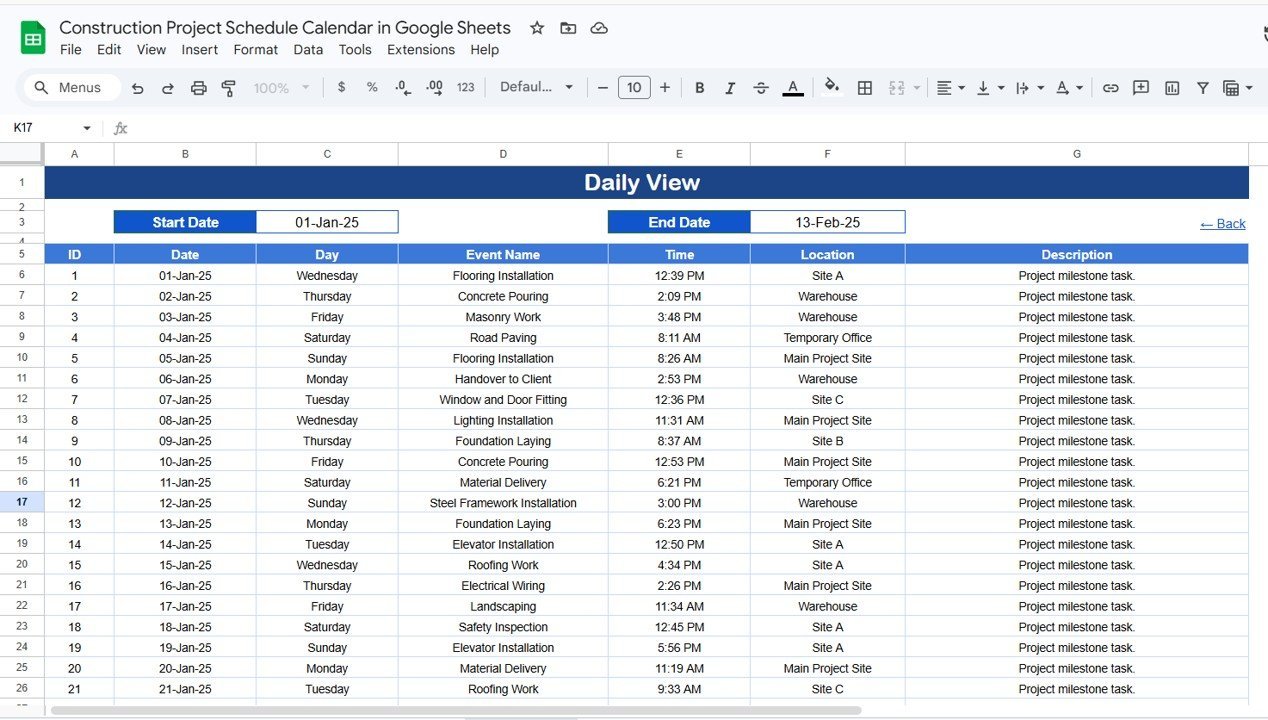
📌 Daily View Sheet – Lists all events with full details for a selected date range. Set the Start Date and End Date at the top — double-click any date cell to open the calendar picker for easy date selection.
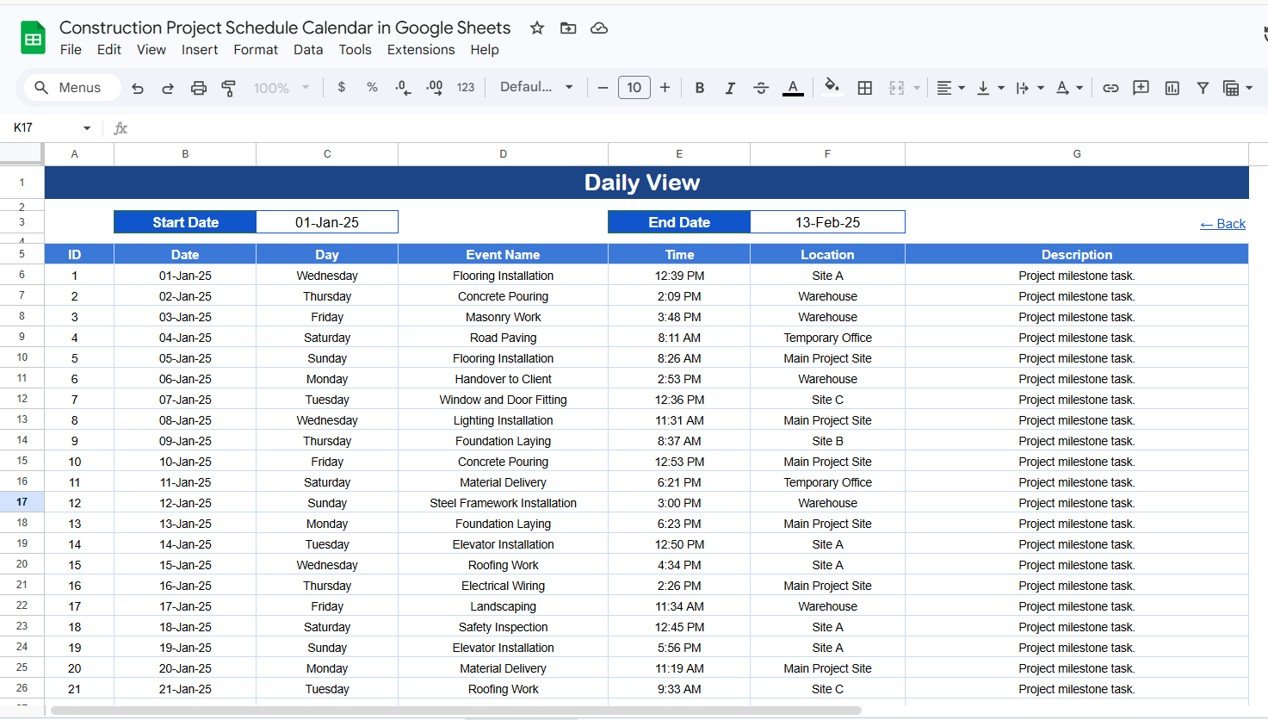
Daily View Sheet
📌 Events Sheet – The database sheet where all event details are stored. Each event captures: ID (auto-generated number), Date, Day (Sunday, Monday, etc.), Event Name, Time, Location, and Description. Enter data manually to add new construction events like inspections, deliveries, meetings, or milestone reviews.
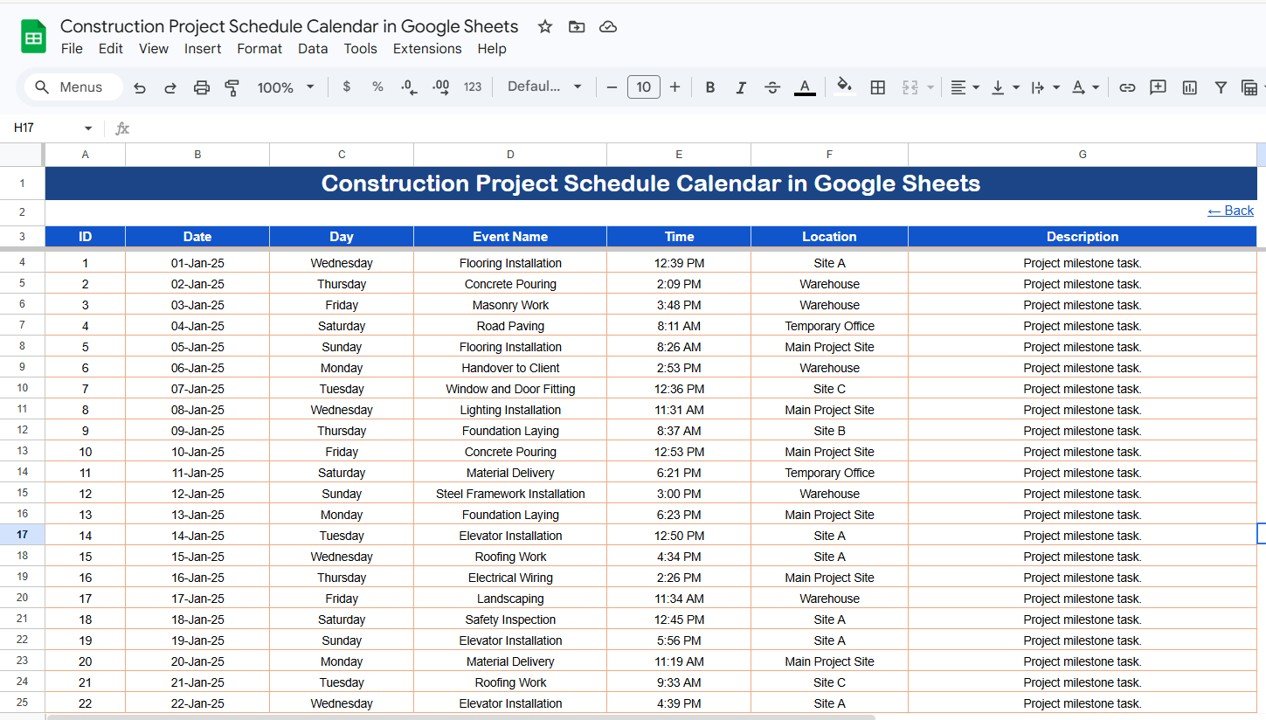
Events Sheet
📊 Construction Project Schedule Calendar vs. Microsoft Excel vs. Smartsheet — Where This Fits
| Feature | Construction Project Schedule Calendar (Google Sheets) | Microsoft Excel Calendar | Smartsheet |
|---|---|---|---|
| Cost | $4.99 one-time | Requires Microsoft 365 ($6.99/mo) | $9–$32/user/month |
| Platform | Google Sheets (browser-based) | Desktop application | Cloud-based SaaS |
| Setup Time | Under 5 minutes | 15-30 minutes | 30-60 minutes |
| Real-Time Team Collaboration | ✅ Built-in | Limited (OneDrive needed) | ✅ Built-in |
| Mobile Access | ✅ Google Sheets app | Limited mobile experience | ✅ Mobile app |
| Annual + Monthly + Daily Views | ✅ All 3 included | Usually 1 view per template | Gantt-focused, limited calendar |
| Events Database | ✅ Built-in with 7 fields | Manual setup required | Custom columns needed |
| Year-1 Cost at 5 Users | $4.99 total | $419.40/year | $540–$1,920/year |
For construction teams that want organized project scheduling without paying monthly SaaS fees, the Construction Project Schedule Calendar in Google Sheets sits in the sweet spot.
👥 Who This Template Is For — and Who It’s Not For
✅ This template is built for:
- Construction project managers scheduling inspections, deliveries, and milestones across multiple sites
- Small to mid-size contractors (5-100 person teams) who need a shared project calendar without per-user software costs
- Site coordinators tracking daily construction activities, subcontractor schedules, and permit deadlines
- Real estate developers managing timelines for residential or commercial building projects
❌ This template is NOT for:
- Enterprise construction firms needing ERP-integrated scheduling with resource leveling and critical path analysis (consider Primavera P6 or MS Project)
- Teams requiring automated Gantt charts with task dependencies (see our Project Gantt Chart in Google Sheets)
⚙️ How to Use the Construction Project Schedule Calendar
1. Open the PDF guide included in your download and click the Google Sheets copy link to create your own editable copy in Google Drive.
2. Go to the Events sheet and enter your construction project events — add the date, event name, time, location, and a short description for each activity.
3. Navigate to the Annual View to see all 12 months at a glance. Select the year and customize the starting month and day of the week.
4. Switch to the Monthly View and select any month and year to see events mapped to specific dates on the calendar grid.
5. Use the Daily View to filter events by a date range — set the Start Date and End Date to see a detailed list of all scheduled construction activities.
6. Share the Google Sheets file with your construction team, subcontractors, or clients using Google’s built-in sharing permissions.
💼 Real-World Use Cases
Raj manages construction for a 50-unit residential project in Pune. He uses the Construction Project Schedule Calendar in Google Sheets to track 120+ events including foundation inspections, plumbing installations, electrical walkthroughs, and final handover dates. His team of 8 site supervisors access the shared calendar from their phones, and the monthly view helps him present progress updates to the project owner every 2 weeks — without paying for Smartsheet or MS Project licenses.
Maria runs a small general contracting firm in Texas with 3 active job sites. She enters all permit deadlines, material deliveries, and subcontractor schedules into the Events sheet. The daily view lets her quickly check what’s happening across all 3 sites on any given day, while the annual view helps her plan crew allocation for the next quarter. The $4.99 one-time cost saved her team from a $1,200/year Smartsheet subscription.
David coordinates infrastructure projects for a municipal government office. He uses the calendar to schedule road repair timelines, bridge inspection dates, and public utility shutdowns. The events database with location and description fields helps him share precise schedules with multiple departments and external contractors working on overlapping projects.
❓ Frequently Asked Questions
What views does the Construction Project Schedule Calendar in Google Sheets include?
The Construction Project Schedule Calendar in Google Sheets includes 5 worksheets: a Home navigation page, Annual View showing all 12 months, Monthly View for a single selected month, Daily View listing events by date range, and an Events database sheet storing all event details with 7 fields per entry.
How long does it take to set up this construction schedule calendar?
Setup takes under 5 minutes. Click the copy link from the PDF guide, paste your construction events into the Events sheet, and every calendar view updates automatically. No formulas to edit, no macros to enable — just enter your data and start scheduling.
Can multiple team members edit this calendar at the same time?
Yes. Since this template runs in Google Sheets, multiple team members can view and edit the calendar simultaneously from any device with internet access. Use Google’s sharing settings to control who can edit versus view-only.
How does this compare to using Smartsheet for construction scheduling?
Smartsheet costs $9-32 per user per month and focuses on Gantt-style project management. The Construction Project Schedule Calendar in Google Sheets costs $4.99 one-time for unlimited users, and provides annual, monthly, and daily calendar views specifically designed for event-based construction scheduling. Choose Smartsheet if you need automated Gantt dependencies; choose this template for straightforward calendar-based scheduling.
Can I track different types of construction events like inspections, deliveries, and meetings?
Yes. The Events sheet captures Event Name, Time, Location, and Description for each entry. You can categorize events by typing the type directly into the Event Name or Description field — for example, “Foundation Inspection,” “Material Delivery – Steel,” or “Client Site Walk.”
Does this calendar work on mobile devices?
Yes. Google Sheets works on Android and iOS through the Google Sheets app. Construction site managers and field supervisors can check the daily view, add new events, and share updates directly from their phones or tablets.
What event details can I store in the Events database sheet?
Each event captures 7 fields: ID (auto-generated), Date, Day (Sunday through Saturday), Event Name, Time, Location, and Description. This gives you enough detail to track any construction activity from site inspections to permit submissions to subcontractor meetings.Construction Project Schedule Calendar in Google Sheets
👤 About the Author
Built by PK — Microsoft Certified Professional with 15+ years of Excel, Google Sheets, and Power BI experience. Founder of NextGenTemplates, reaching 300K+ subscribers across YouTube channels (@PK-AnExcelExpert, @NextGenTemplates, @NeoTechNavigators). Every template is hand-built and tested before release.Construction Project Schedule Calendar in Google Sheets
🔗 Explore Related Templates
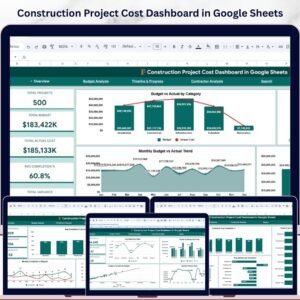
📌 Construction Project Cost Dashboard in Google Sheets — Track budgets, actual costs, variances, and contractor performance across construction projects with 6 KPI cards and interactive charts.Construction Project Schedule Calendar in Google Sheets
📌 Client Project Timeline Calendar in Google Sheets — Plan and track client project timelines with the same 5-sheet calendar structure for any industry.Construction Project Schedule Calendar in Google Sheets
📌 Construction Project Timeline Calendar in Excel — Prefer Excel? Get the same construction scheduling calendar in Microsoft Excel format.Construction Project Schedule Calendar in Google Sheets
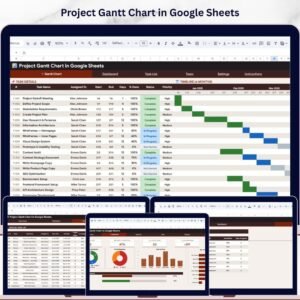
📌 Project Gantt Chart in Google Sheets — Need task dependencies and Gantt bars? This Google Sheets Gantt chart template covers project planning with visual timelines.Construction Project Schedule Calendar in Google Sheets
Browse all Google Sheets Dashboard Templates | Calendar Templates
📖 Click here to read the Detailed Blog Post
🎥 Visit our YouTube channel for step-by-step video tutorials
👉 YouTube.com/@NextGenTemplates








Reviews
There are no reviews yet.