


🔐 Confidential Incident Report Tracker in Excel
In every organization, safety and confidentiality go hand in hand. When incidents occur, it’s critical that they are reported, tracked, and resolved in a secure and structured manner — without compromising sensitive information.
Unfortunately, many companies still rely on basic spreadsheets or email reporting, which often leads to lost follow-ups, data exposure, and poor accountability.
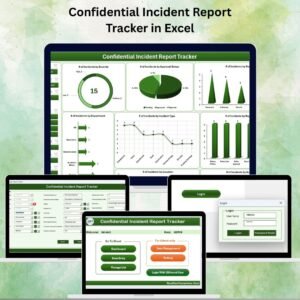
The Confidential Incident Report Tracker in Excel is a secure, VBA-powered solution designed to help you record, monitor, and manage confidential incidents from start to finish. Equipped with user login, data entry forms, real-time dashboards, and user management tools, it transforms incident tracking into a controlled and professional process — all inside Excel.
✨ Key Features of the Confidential Incident Report Tracker
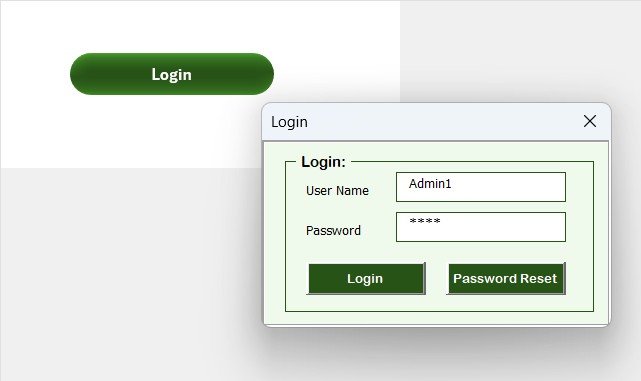
✅ Secure Login Form
Only authorized users can access the tool using predefined credentials (default: Admin1 / abcd).
Keeps all sensitive incident data safe and confidential.
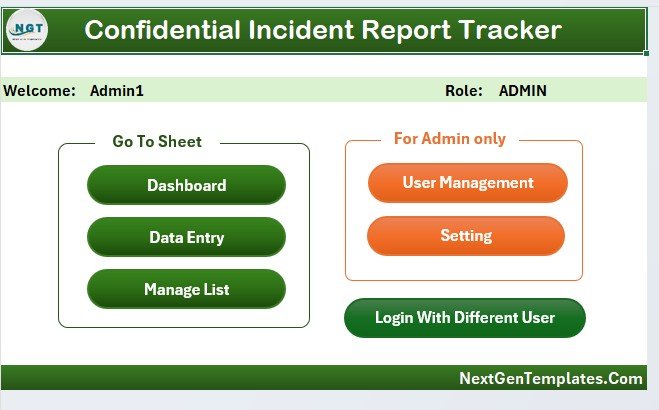
✅ Main Control Panel (Main Form)
Central navigation hub for Data Entry, Dashboard, User Management, Manage Lists, and Settings.
Simple and intuitive — no Excel experience required.
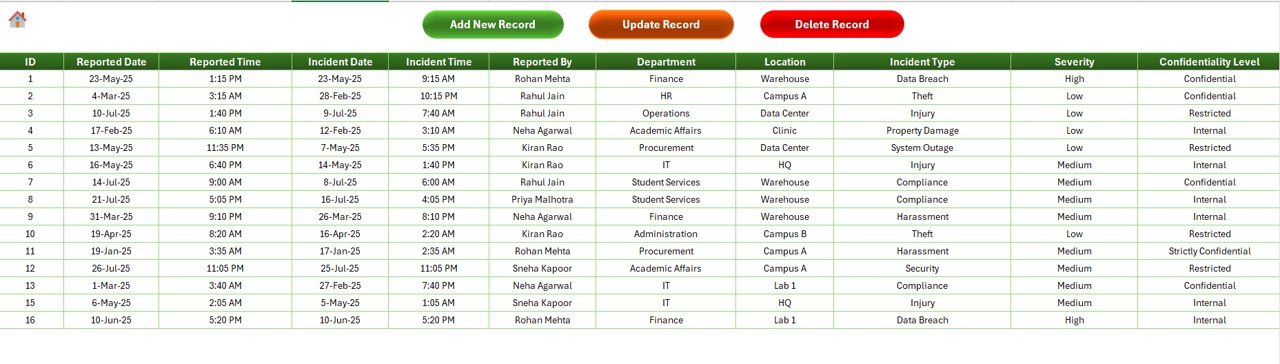
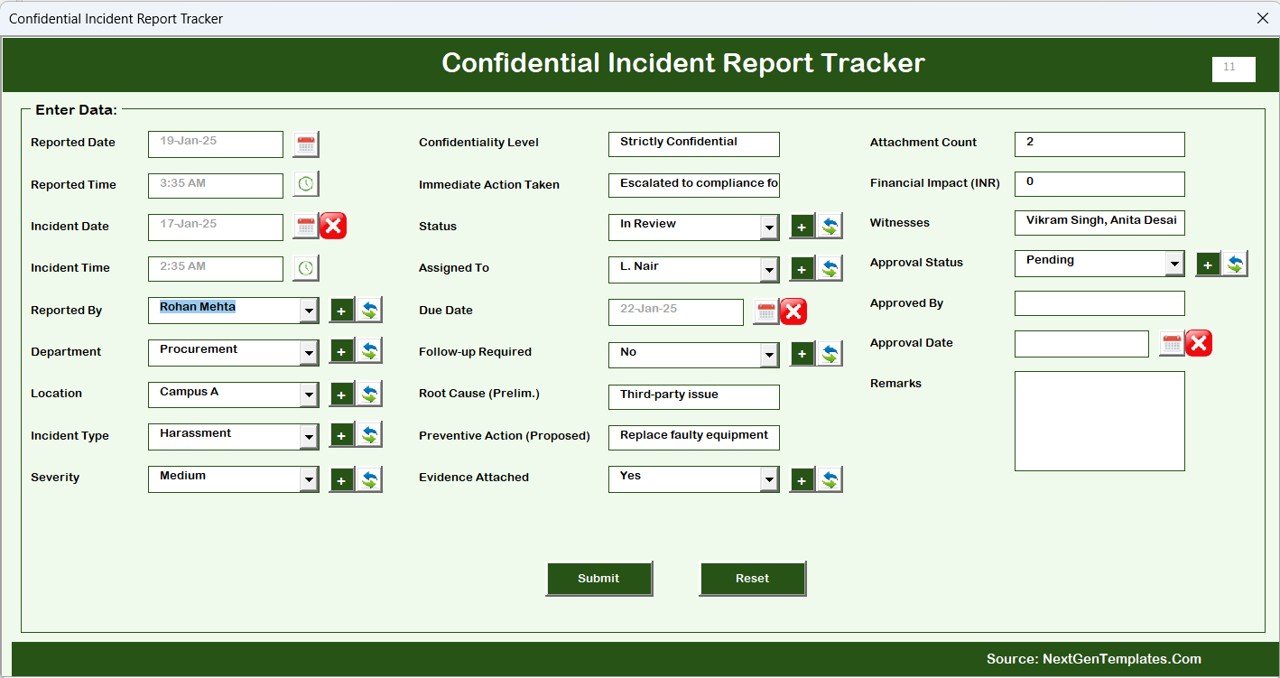
✅ Data Entry Form (Add / Update / Delete)
Log new incidents, edit existing records, or remove entries without touching the raw data sheet.
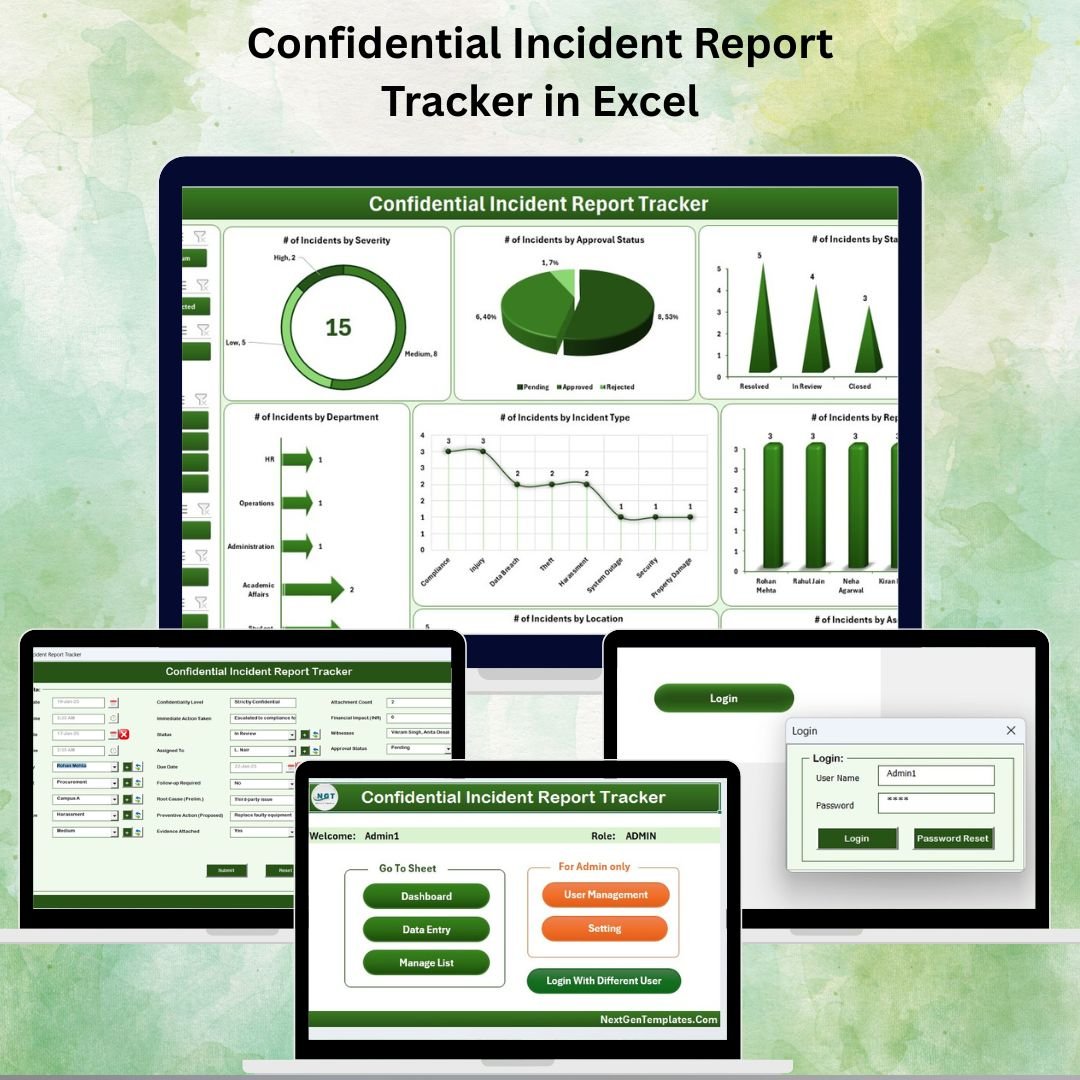
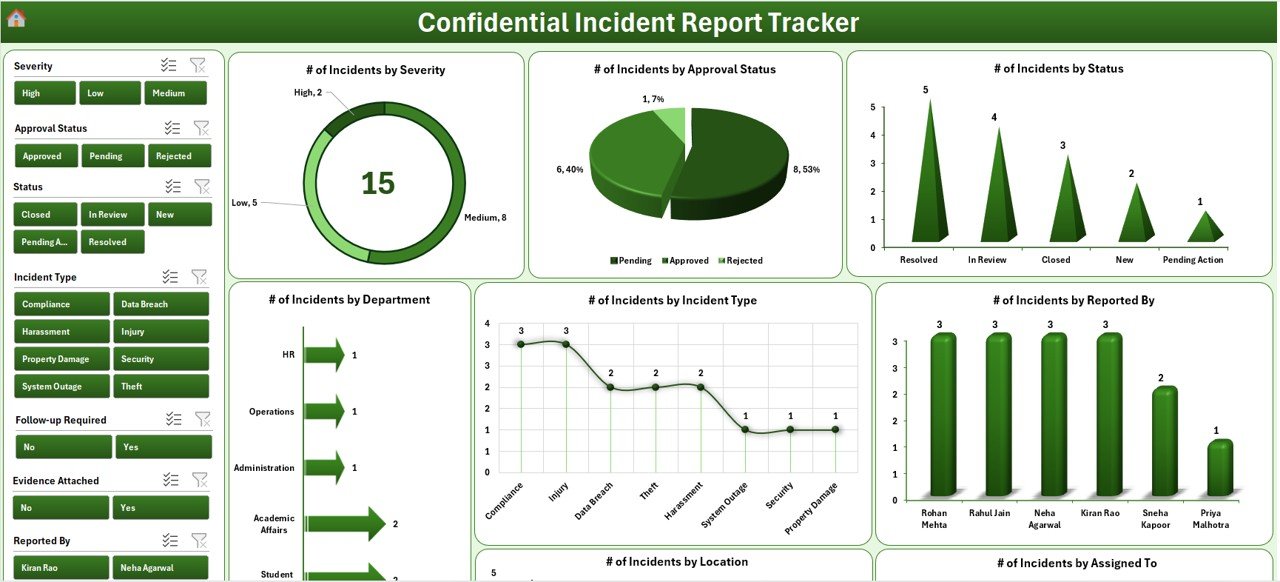
✅ Interactive Dashboard with Slicers & Charts
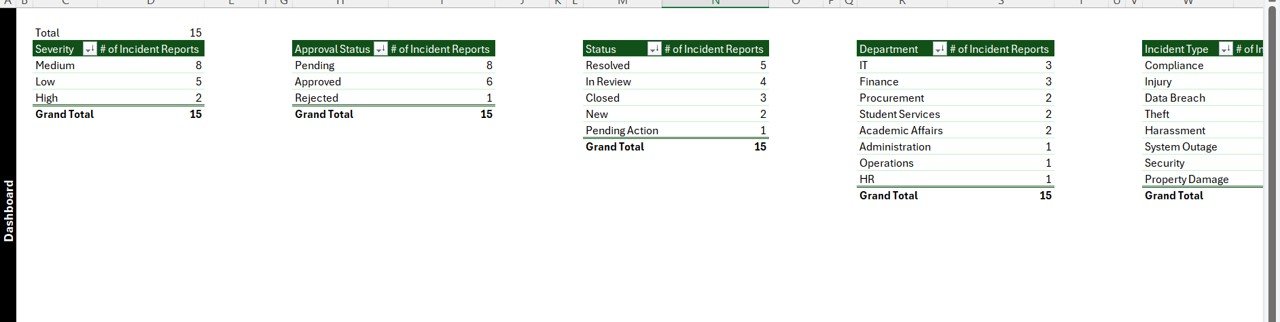
8 dynamic charts showing incidents by:
Severity
Approval Status
Current Status
Department
Incident Type
Reported By
Location
Assigned To
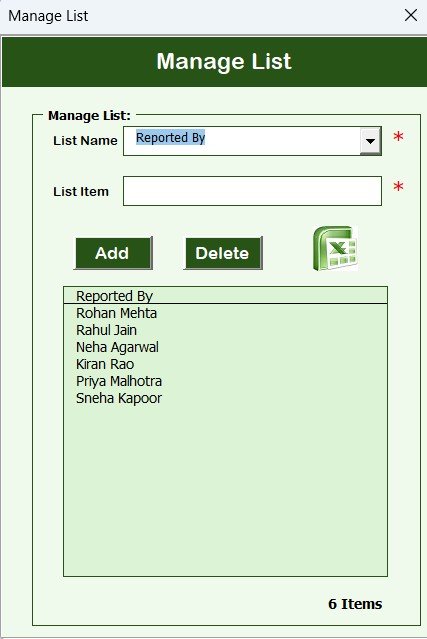
✅ Manage Lists Sheet
Easily update dropdown values for departments, severity levels, locations, and more.
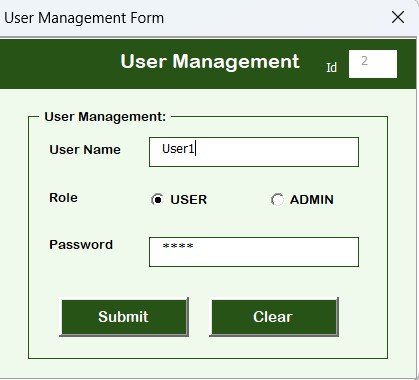
✅ User Management Screen
Add, edit, or delete users and change passwords.
Provides access control & full traceability.
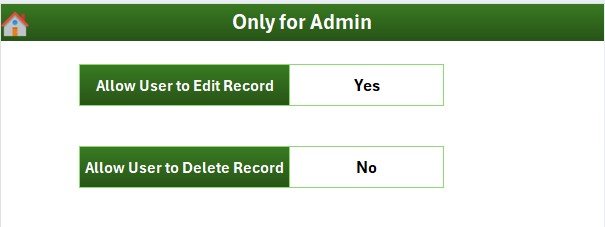
✅ Settings Sheet
Configure key options and customize the tool to match your specific reporting process.
✅ Support Sheet (Back-End)
Hidden data processing area for dashboard and pivots — fully automated.
📂 What’s Included in the Incident Tracker
| Component | Purpose |
|---|---|
| Secure Login Form | Restricts access to authorized users |
| Main Form | Central dashboard for easy navigation |
| Data Entry Sheet/Form | Record and manage incident details |
| Dashboard Sheet | Real-time incident insights through charts/slicers |
| Manage Lists Sheet | Maintain dropdown values used in forms |
| User Management Sheet | Add/edit/remove users & reset passwords |
| Settings Sheet | Control general configurations |
| Support Sheet | Powers dashboards in the background (no manual editing required) |
🛠 How to Use the Confidential Incident Report Tracker
Log In using your User ID and Password.
Navigate to the Data Entry Form from the Main Form.
Add or Update Incidents by selecting the appropriate fields from dropdowns.
Open the Dashboard to review status, severity, and department-level trends.
Use User Management to assign or restrict tool access.
Update Master Lists (departments, severity levels, locations, etc.) via the Manage Lists sheet.
Review Dashboards Weekly and take action to resolve open incidents.
🎯 Who Should Use This Tool
🔐 HR & Compliance Teams – Monitor employee safety and conduct issues confidentially
🏭 Operations & Facility Managers – Track incident trends across departments or locations
🏢 Corporate Risk & Safety Teams – Maintain full traceability and audit-ready reports
👥 Senior Management – Get a real-time overview of overall safety / incident performance
🚀 Why This Tracker is a Must-Have
Protects Confidential Data with login-based access
Drives Accountability by assigning owners to incidents
Supports Fast Decision-Making with real-time dashboards
Saves Time with dropdowns, forms, and automated charts
Reduces Manual Errors vs free-form spreadsheets
Easy to Customize for any process, team, or industry
📖 Click here to read the Detailed blog post
Visit our YouTube channel to learn step-by-step video tutorials
Watch the step-by-step video tutorial:
Compatibility and Requirements
- Needs Microsoft Excel desktop on Windows with macros enabled. The login, forms and buttons run on VBA.
- It does not run in Excel for the web, Google Sheets or the Excel mobile apps.
- Microsoft explains how to turn on macros in Enable or disable macros in Microsoft 365 files.
Frequently Asked Questions
What is the default login?
The default credentials are Admin1 / abcd. Change the password in User Management after your first login.
What does the dashboard show?
Eight charts show incidents by severity, approval status, current status, department, incident type, reported by, location and assigned to.
How are incident records kept confidential?
Only users with a login can open the tool, and admins control access from the User Management screen.
Can I change the departments, locations and severity levels?
Yes. Update the dropdown values on the Manage Lists sheet and they appear in the data entry form.
Related Incident Report Templates
- Incident Report Tracker in Excel: a general incident log with a dashboard
- Confidential Incident Report Tracker in Google Sheets: the same topic for Google Sheets users
- Office Security Incident Report Tracker in Excel: track office security incidents
- Office Security Incident Dashboard in Excel: report security incident trends
- Workplace Safety and Incident Management Dashboard in Google Sheets: safety incidents in Google Sheets
Browse all Excel tracker templates or the Excel health and safety templates.
































Reviews
There are no reviews yet.