



Managing confidential workplace incidents requires accuracy, privacy, and transparency. The Confidential Incident Report Tracker in Google Sheets is a ready-to-use tool designed to help organizations record, track, and analyze sensitive incidents securely. Whether you’re in HR, compliance, or management, this tracker ensures incidents are handled efficiently while maintaining full confidentiality and compliance. 🛡️
By centralizing all incident data into one structured dashboard, this tracker allows authorized teams to gain real-time insights into incident patterns and risk areas without compromising privacy. Built in Google Sheets, it offers collaboration, automation, and security controls for modern workplaces.

🔑 Key Features of the Confidential Incident Report Tracker
📊 Tracker Sheet Tab
Get a complete visual overview of all incidents through interactive charts and summaries:
Incidents by Department – Identify departments with the highest number of reports.
Incident Severity Breakdown – View critical, high, medium, and low-level incidents.
Incident Status Summary – Track the number of open, resolved, or ongoing incidents.
Incidents by Type – Categorize issues (e.g., HR, IT, or safety-related).
Reported By – Identify reporting patterns across employees and managers.
Confidentiality Level Breakdown – Segregate incidents into high, medium, or low confidentiality for controlled access.
This dashboard empowers HR and compliance officers to spot recurring risks, prioritize resolutions, and improve overall workplace safety.
🔍 Search Sheet Tab
Quickly find what you need — no scrolling through endless rows.
Search by keyword or field name (e.g., department, type, severity, reporter).
Filter incidents by status, type, or confidentiality level.
Ideal for instant lookups during audits or compliance checks.
📑 Data Sheet Tab
Your structured database for all incident entries:
Input fields for Date, Department, Severity, Type, Reporter, Status, Description, Resolution, and Confidentiality Level.
Automatically updates charts and KPIs across the dashboard.
Built-in accuracy through organized data columns and consistent input structure.
📦 What’s Inside the Tracker?
✅ Pre-built Dashboard with charts and metrics
✅ Search & Filter Sheet for fast data access
✅ Data Entry Sheet with organized fields
✅ Sample data included for easy onboarding
✅ Automatic updates across visuals and summaries
✅ Customizable structure for departments, severity, or confidentiality levels
🧑💼 Who Can Benefit from This Tracker?
🎯 HR Departments – Manage and review employee-related incidents confidentially
🎯 Compliance Officers – Track audit trails and ensure procedural adherence
🎯 Security Teams – Monitor operational and data security incidents
🎯 Executives – Gain strategic insights without exposing sensitive information
🎯 Small & Large Organizations – Scalable and adaptable for any workplace
🧪 How to Use the Confidential Incident Report Tracker
Enter Data: Record each incident with details in the Data Sheet.
Analyze Trends: Review the Tracker Sheet for department-level or severity insights.
Search Fast: Use the Search Tab to instantly find specific records.
Ensure Confidentiality: Control access for authorized personnel only.
Take Action: Use visual insights to plan preventive and corrective measures.
This plug-and-play tracker is designed for instant usability — no coding or advanced setup required. 🚀
🌟 Why Choose This Tracker?
🧾 Centralized Reporting: Manage all incidents in one secure place.
🔄 Real-Time Dashboards: Visuals auto-update when data is added.
🧠 Smart Insights: Identify high-risk departments and recurring issues.
🔐 Confidential Management: Restrict visibility based on sensitivity levels.
📈 Audit-Ready: Structured format ideal for reporting and compliance reviews.
⚙️ Fully Customizable: Adapt fields, severity levels, or incident types to your needs.
The Confidential Incident Report Tracker in Google Sheets simplifies sensitive incident tracking, ensuring compliance, accountability, and proactive risk management — all in a secure and easy-to-use format. 🌟
🔗 Click here to read the Detailed blog post
Watch the step-by-step video Demo:
🔗 Visit our YouTube channel to learn step-by-step video tutorials
Compatibility and Requirements
- Works in Google Sheets with a free Google account and a web browser. Nothing to install.
- Access is controlled through Google Sheets sharing, so only the people you add can open it. Google explains the basics in How to use Google Sheets.
Frequently Asked Questions
What do I record for each incident?
Each entry has Date, Department, Severity, Type, Reporter, Status, Description, Resolution and Confidentiality Level.
Which charts are on the Tracker sheet?
Charts show incidents by department, severity, status, type, reporter and confidentiality level.
How do I find a specific incident?
Use the Search sheet to search by keyword or field name and filter by status, type or confidentiality level.
How do I keep reports confidential?
Share the file only with authorized people, and use the Confidentiality Level field to separate high, medium and low sensitivity cases.
Is sample data included?
Yes. The tracker comes with sample data so you can see how it works before adding your own incidents.
Related Incident Tracking Templates
- Confidential Incident Report Tracker in Excel: the Excel edition
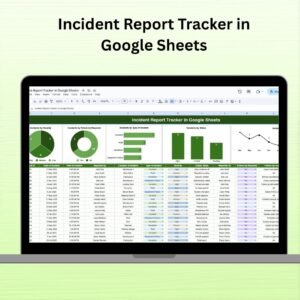
- Incident Report Tracker in Google Sheets: a general incident tracker
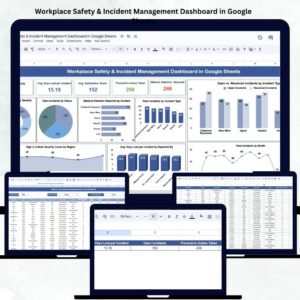
- Workplace Safety & Incident Management Dashboard in Google Sheets: safety incidents on a dashboard
- Employee Grievance Tracker in Google Sheets: log employee grievances
- Tracker Toolkit: 12 premium Excel and Google Sheets trackers in one bundle
Browse all Google Sheets trackers or the Google Sheets HR and payroll templates.



























Reviews
There are no reviews yet.