


Running a coaching or tutoring business today is not just about delivering great lessons 📚. You must also track enrollments, manage fees, monitor attendance, evaluate assessment scores, and review trainer performance regularly. However, when this data stays scattered across spreadsheets and manual reports, decision-making becomes slow and unclear.
That is exactly where the Coaching & Tutoring Dashboard in Excel becomes a smart and powerful business solution 🚀.
This ready-to-use Excel dashboard converts raw academic and operational data into clear, visual insights. Instead of spending hours creating reports, you instantly understand what is happening in your coaching or tutoring center. From student enrollment to city-wise revenue, from trainer performance to monthly trends—everything appears in one professional dashboard.
Because this dashboard is built entirely in Microsoft Excel, it remains familiar, flexible, and cost-effective. You do not need advanced Excel skills, macros, or external tools. With Pivot Tables, Pivot Charts, slicers, and structured data sheets, the dashboard delivers business-grade analytics with simplicity.
Whether you manage a single coaching center or multiple cities, this dashboard helps you grow faster, stay organized, and make data-driven decisions with confidence.
🔑 Key Features of Coaching & Tutoring Dashboard in Excel
📊 All-in-One Academic & Business View
🎯 Enrollment, Fees, Attendance & Assessment Tracking
📍 City-Wise & Subject-Wise Performance Analysis
🧑🏫 Trainer-Level Performance Insights
📈 Monthly Trends & Growth Analysis
🖱️ Interactive Slicers for Instant Filtering
🧭 Page Navigator for Easy Dashboard Navigation
⚙️ Pivot-Based, Fully Customizable Structure
📂 What’s Inside the Coaching & Tutoring Dashboard in Excel
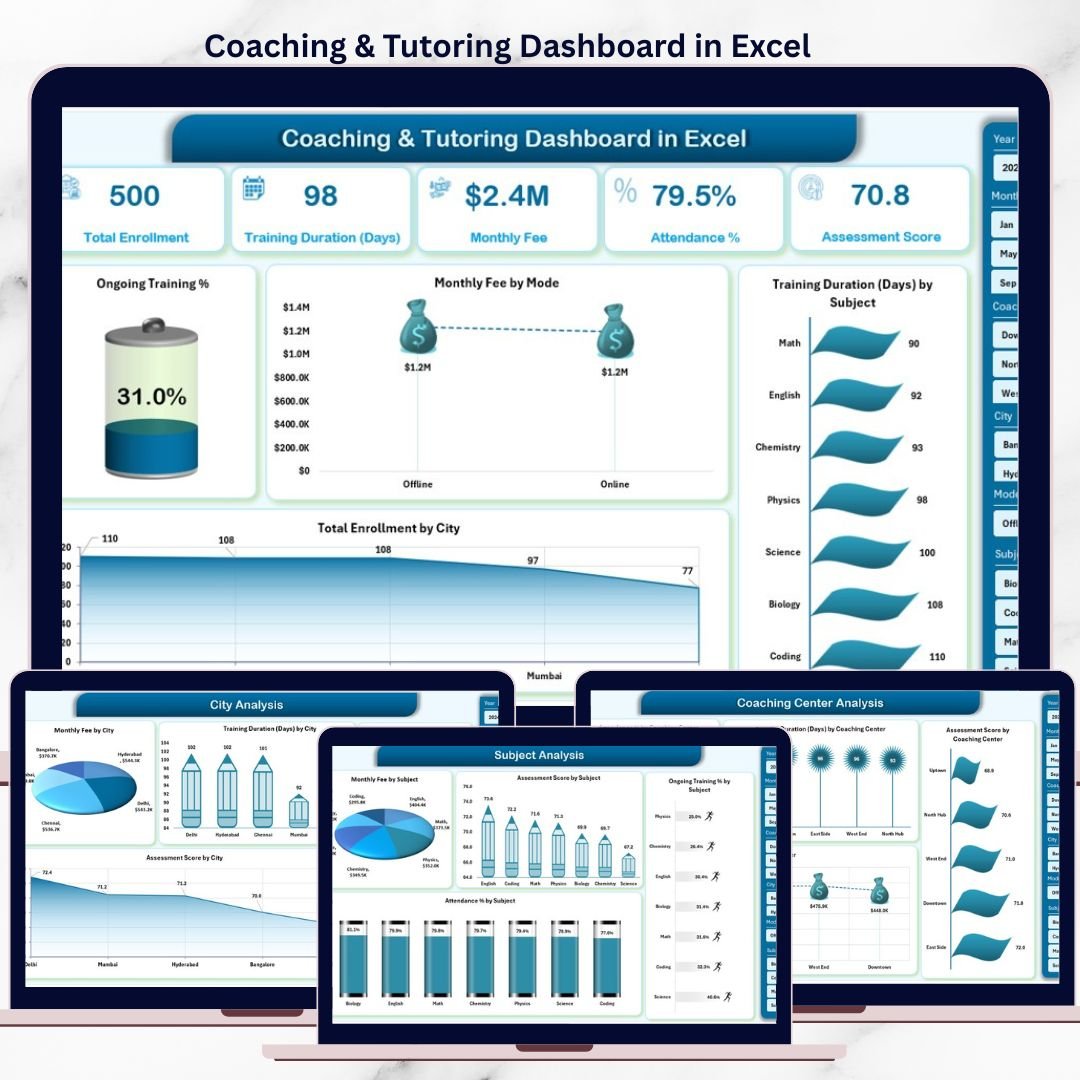
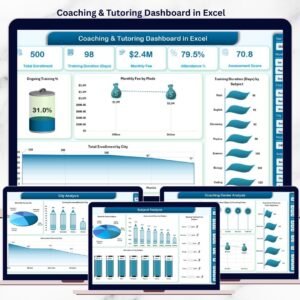
📊 Overview Page – Business Snapshot

Coaching & Tutoring Dashboard
The Overview Page acts as the control panel of your coaching business.
What you see instantly:
Right-side slicer for quick filtering
KPI cards showing:
Total Enrollment
Monthly Fee
Ongoing Training %
Average Training Duration
Key charts included:
📈 Ongoing Training %
💰 Monthly Fee by Mode (Online vs Offline)
⏱️ Training Duration by Subject
🌍 Total Enrollment by City
This page gives management a quick and clear overview of overall performance.
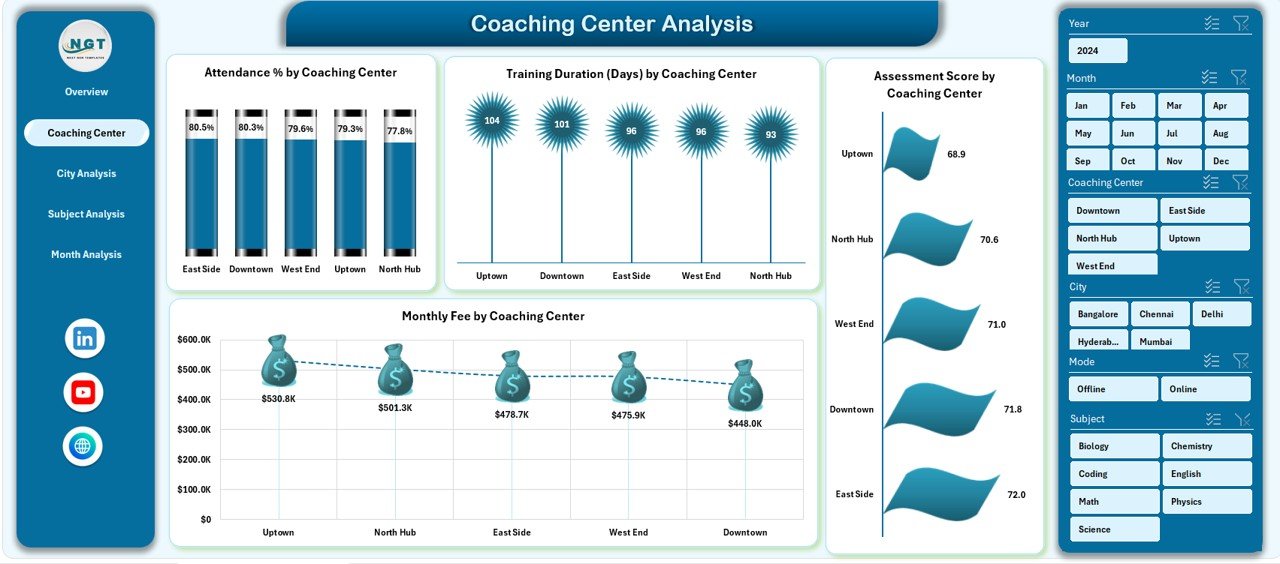
🏙️ Coaching Center Analysis – City-Wise Comparison
This page focuses on location-level insights.
Charts included:
Monthly Fee by City
Training Duration by City
Ongoing Training % by City
Assessment Score by City
With these visuals, owners identify top-performing cities and improvement areas instantly.
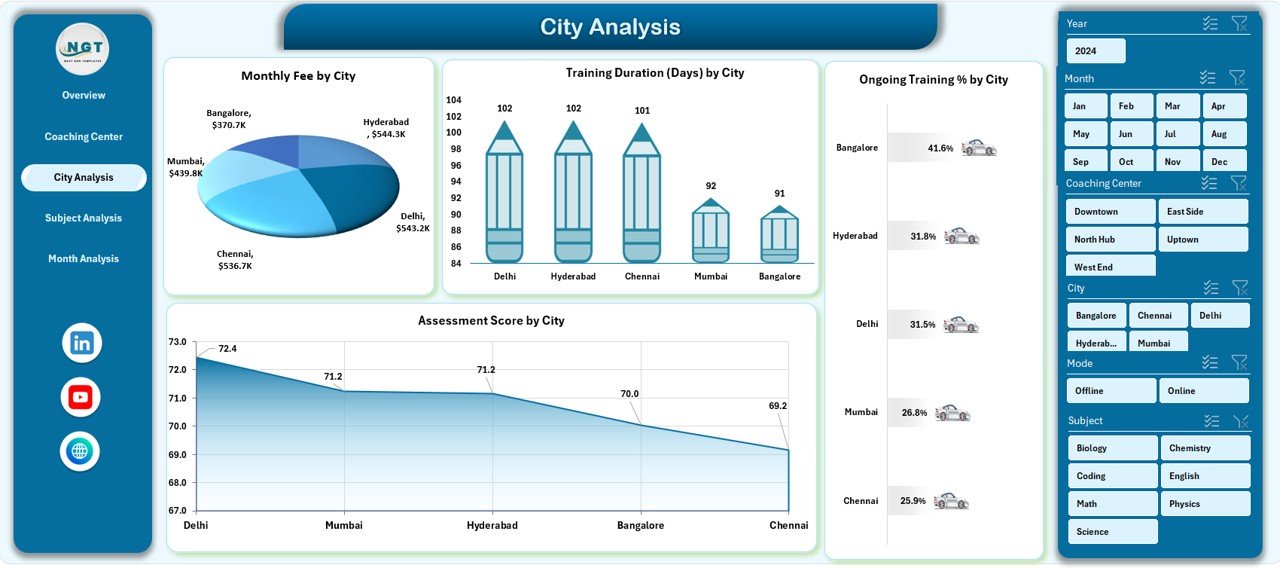
📚 City Analysis – Course Category Performance
The City Analysis Page evaluates how different course categories perform.
Insights you gain:
Ongoing Training % by Course Category
Attendance % by Course Category
Training Duration Days by Course Category
Assessment Score by Course Category
This analysis helps academic heads optimize curriculum and course offerings.
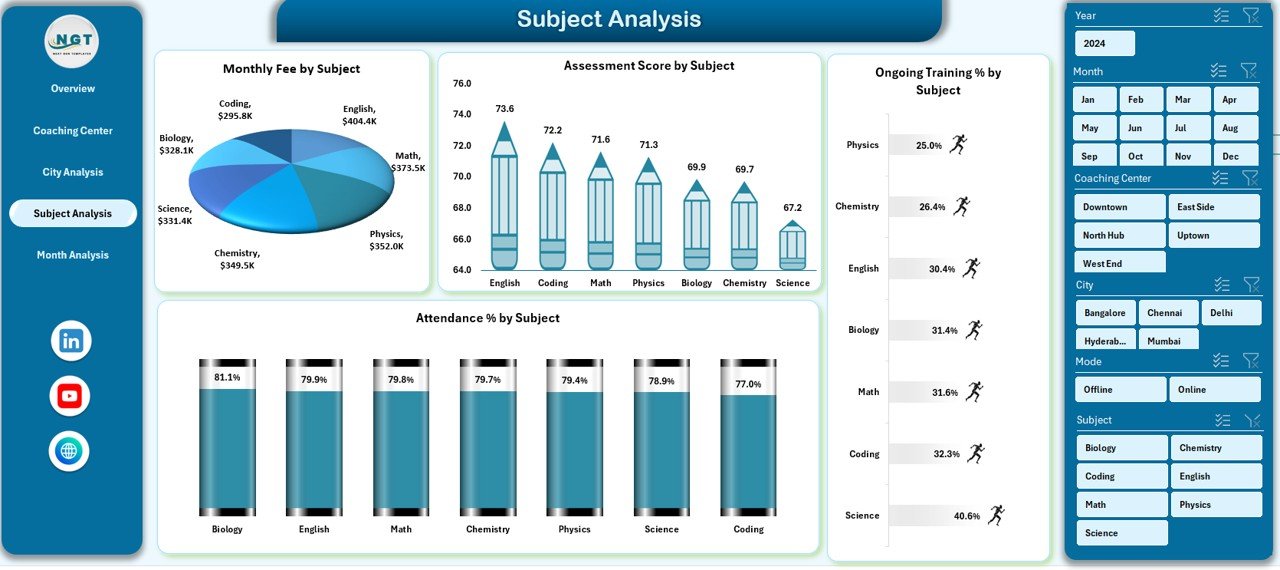
🧑🏫 Subject Analysis – Trainer Performance Review
Trainer quality directly impacts student success.
This page shows:
Monthly Fee by Trainer Name
Training Duration Days by Trainer Name
Completed Training % by Trainer Name
Assessment Score by Trainer Name
As a result, management can recognize top trainers and support improvement where needed.
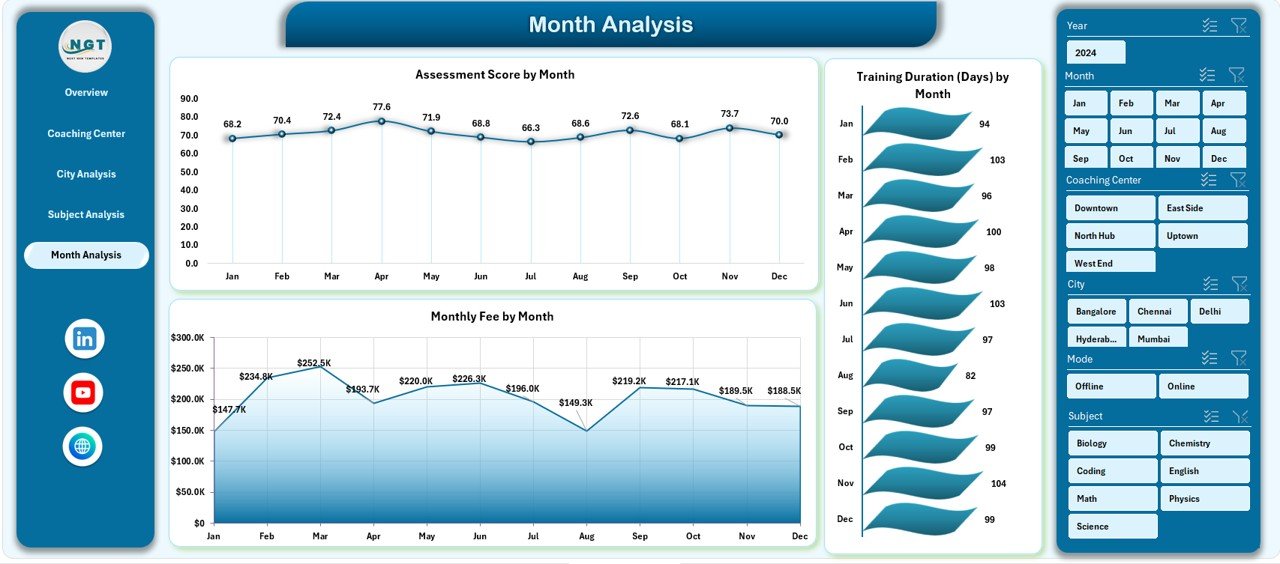
📅 Month Analysis – Trend & Growth Tracking
The Month Analysis Page reveals time-based patterns.
Charts included:
Monthly Fee by Subject
Training Duration by Month
Monthly Fee by Month
With these insights, coaching centers forecast demand, plan batches, and manage revenue cycles effectively.
⚙️ How to Use the Coaching & Tutoring Dashboard in Excel
1️⃣ Enter data in the structured Data Sheet
2️⃣ Refresh Pivot Tables
3️⃣ Use slicers to filter by city, subject, or month
4️⃣ Review KPIs and charts
5️⃣ Identify trends and gaps
6️⃣ Take informed academic and business decisions
Simple, fast, and reliable.
🎯 Who Can Benefit from This Dashboard?
🏫 Coaching Institutes
📘 Tutoring Centers
🎓 Training Academies
🧑💼 Education Entrepreneurs
🌐 Online & Offline Learning Providers
### 👉 Click here to read the Detailed blog post
▶️ Visit our YouTube channel to learn step-by-step video tutorials
https://youtube.com/@PKAnExcelExpert
Watch the step-by-step video tutorial:
Compatibility and Requirements
- Works in Microsoft Excel desktop (Excel 2016 or later, or Microsoft 365).
- The dashboard uses Pivot Tables, Pivot Charts and slicers. Microsoft explains slicers in Use slicers to filter data.
Frequently Asked Questions
Which pages does the dashboard include?
Five pages: Overview, Coaching Center Analysis, City Analysis, Subject Analysis and Month Analysis. A page navigator helps you move between them.
Which KPIs show on the Overview page?
Four KPI cards: Total Enrollment, Monthly Fee, Ongoing Training % and Average Training Duration. A slicer on the right side filters the page.
Can I compare trainers?
Yes. The Subject Analysis page shows Monthly Fee, Training Duration Days, Completed Training % and Assessment Score by trainer name.
Can I compare cities?
Yes. The Coaching Center Analysis page shows Monthly Fee, Training Duration, Ongoing Training % and Assessment Score by city.
How do I update the dashboard with my own data?
Enter your records in the structured Data Sheet, then refresh the Pivot Tables. The charts and KPI cards update from there.
Is there a Power BI or Google Sheets version?
Yes. See the Coaching & Tutoring Dashboard in Power BI and the Coaching & Tutoring Dashboard in Google Sheets.
Related Coaching and Tutoring Templates
- Coaching & Tutoring KPI Dashboard in Excel: a KPI-focused view for the same business
- Coaching & Tutoring Dashboard in Power BI: the Power BI edition
- Coaching & Tutoring Dashboard in Google Sheets: the Google Sheets edition
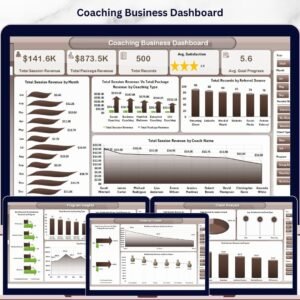
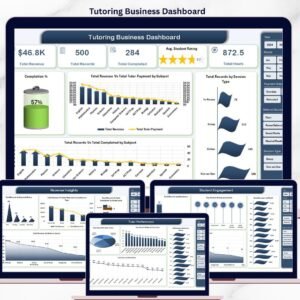
- Tutoring Business Dashboard in Excel: a business dashboard for tutors
- Coaching Batch Calendar in Excel: a calendar for planning batches
Browse all Excel dashboards and Excel education templates.



























Reviews
There are no reviews yet.