

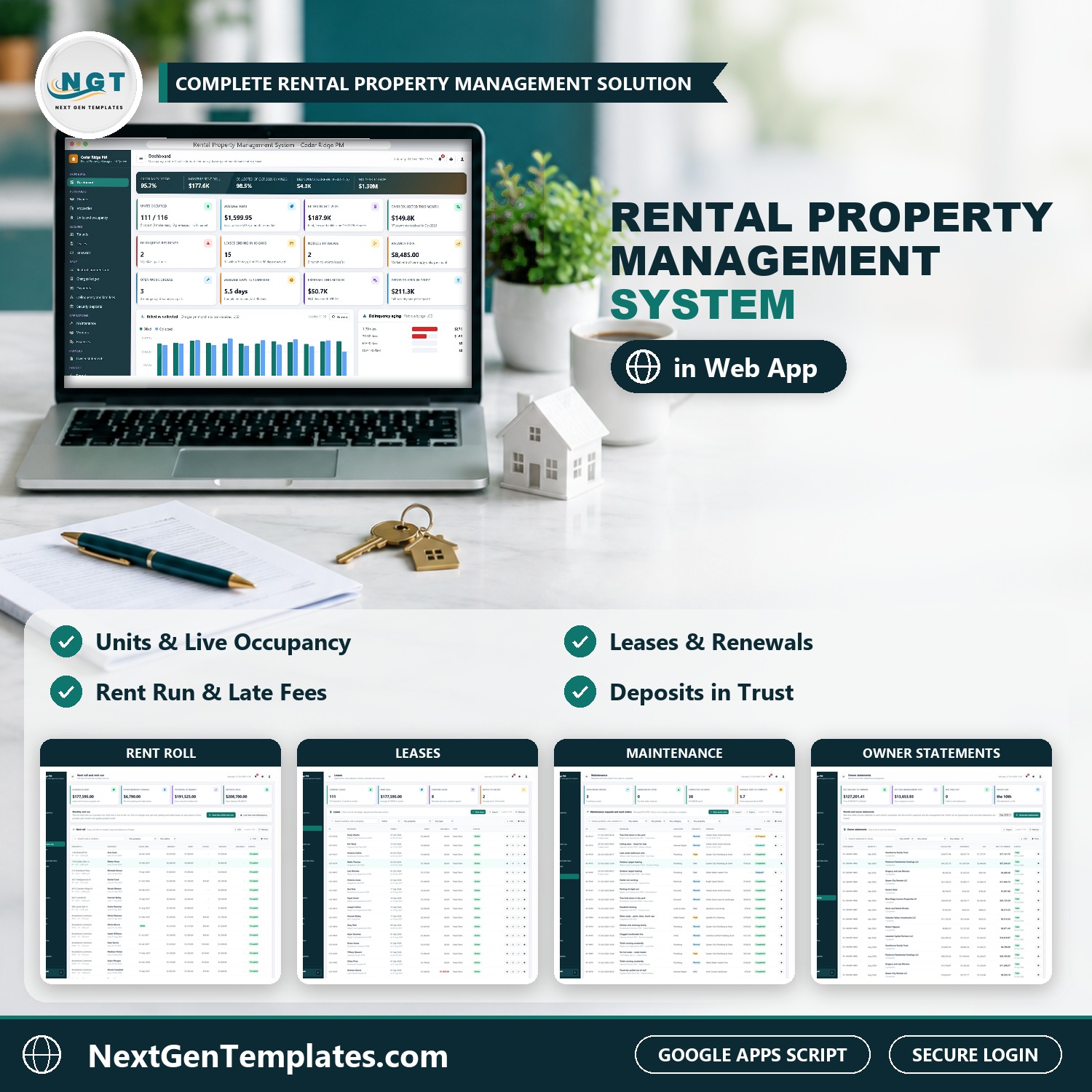

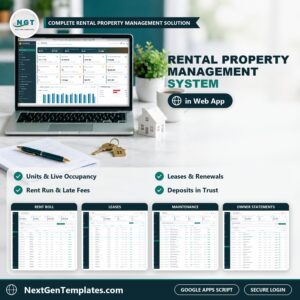
The Rental Property Management System Web App runs a rental portfolio in one browser application: owners and properties, units and occupancy, tenants and leases, renewals, the monthly rent run, the charges ledger, payments and receipts, delinquency and late fees, security deposits held in trust, maintenance and vendors, expenses, month-end owner statements and 20 ready-made reports, with 7 logins across 6 roles. It is built on Google Apps Script and stores everything in a Google Sheet in your own Drive, so it works as rental property management software you own outright.
From the signed lease to the owner’s net payout, every step updates the same live database, so the dashboard, the rent roll and the tenant ledger always agree. Think of it as landlord software, a property management web app and a lease and rent tracking tool in one download.
✅ Instant download · One-time payment · No subscription · No per-user fees
Join 10,000+ customers in 180+ countries.
Watch the Rental Property Management System Web App walkthrough
🚀 Try the Live Demo: Login Details
Open the working Rental Property Management System Web App in your browser right now: no download, no sign-up, nothing to install. Sign in as any role below and see exactly which screens that person can and cannot reach.
Demo sign-in details: 7 logins across 6 roles
| Role | Username | Password | What this role can reach |
|---|---|---|---|
| Administrator | admin | Admin@123 | Everything, including users and roles, settings, the audit log, the database archive and backups |
| Property Manager | manager | Manager@123 | Owners, properties, units, tenants, leases (new, renew, notice, move out), the rent run, late fees, payments, NSF, waivers, deposits, maintenance, vendors, expenses, owner statements, reports, lists, audit log, import, export and email |
| Leasing Agent | leasing | Leasing@123 | Units, tenants, leases and renewals, payments, work orders and reports |
| Leasing Agent (second login) | leasing2 | Leasing@123 | The same leasing screens, for a second agent on the team |
| Accountant | accounts | Accounts@123 | Owners, the rent run, late fees, payments, NSF, waivers, deposits, expenses, owner statements, reports, audit log, import and export |
| Maintenance Coordinator | maintenance | Maint@123 | Work orders, vendors, expenses and reports |
| Owner Viewer | owner | Owner@123 | Read only: dashboard, owners, properties, leases, rent, deposits, maintenance, expenses, owner statements and reports |
These credentials are public on purpose. The demo is a shared instance seeded with a fictional company (Cedar Ridge Property Management, Charlotte, North Carolina, with 117 units, 20 properties and 10 owners) and it may be reset at any time. It is not anybody’s live rental portfolio. Your own copy gets its own database, its own users and its own passwords, and the setup notes ask you to change every seeded password before anyone else signs in.
🔑 Key Features of the Rental Property Management System Web App
🏠 Owners and properties. Ten owners with management fee, payout method, operating reserve and W-9 status, and twenty properties (apartment communities, a townhome community, fourplexes, duplexes and single-family homes) with units, an occupancy bar, rent roll, market value and gross yield.
🔑 Units and live occupancy. One row per rentable unit with market rent, bedrooms, baths and square feet. Status follows the leases: Occupied, Notice Given, Pre-Leased, Make Ready (the 10 days after a move out), Vacant or Off Market.
👥 Tenants and leases. Residents, future residents, applicants and former residents with pets, vehicles and income, and leases with term, rent, due day, grace days, late fee rule, pet rent, parking, water and sewer, and deposits. A new lease checks the unit is free and prorates the first month.
🔁 Renewals, notices and move outs. Every lease ending in the next 120 days with the market rent beside the proposed offer, the renewal rate, notice to vacate, withdraw notice, month-to-month conversion and move out, which voids later rent, prorates the last month and opens a make-ready work order.
💵 One-click monthly rent run. Post next month’s rent, pet rent, parking and water and sewer for every lease in force. Part months are prorated, prepaid credit is applied, and running it twice never double-charges.
🧾 Charges ledger and payments. Every charge on every lease, payments applied to the oldest open charge first with any leftover kept as credit, returned (NSF) payments that reopen the charges and post the fee, and receipts at 3 inch, 4 inch or A4. Only a reference such as a check number or ACH trace is stored, never a bank account or card number.
⏰ Delinquency aging and late fees. Past-due money split into 1 to 30, 31 to 60, 61 to 90 and over 90 days, current residents separated from former residents who owe, and a late fee run that follows each lease’s own rule and charges each month once.
🏦 Security and pet deposits in trust. Every deposit held, the settle-by date after a move out, itemized deductions charged to the final lease, and the refund worked out for you.
🔧 Maintenance, vendors and expenses. Work orders with category, priority, entry permission, vendor and schedule, completion with labor and materials that posts the property expense, repairs billed to the tenant, vendors with license and insurance expiry alerts, and expenses by property.
📄 Month-end owner statements. Rent and other income collected, less expenses and the management fee, equals net to owner. Drafts can be regenerated, and sent or paid statements are locked.
📊 Live dashboard and 20 reports. Occupancy, rent roll, average rent, loss to lease, billed against collected, delinquency aging, lease expirations, vacancy loss, open work orders and net operating income, plus 20 ready-made reports with date range, property filter, print and CSV export.
🔐 7 logins, 6 roles and an audit log. Administrator, Property Manager, Leasing Agent, Accountant, Maintenance Coordinator and Owner Viewer, each seeing only the screens the job needs. Passwords are stored as salted SHA-256 hashes and every change is written to the audit log.
⚙️ Settings, import and archive. Company profile, fee and increase rules, print size, editable dropdown lists, Excel or CSV import with templates, email for receipts, reminders and a daily 6 am digest, and a database archive with backup, restore and purge.
The download includes realistic starter data so every screen is populated the moment you sign in: about 14,470 seeded rows across 19 tables, including 10 owners, 20 properties, 117 units, 234 tenants, 365 leases, 6,388 charges, 2,923 payments, 294 deposits, 935 work orders, 16 vendors, 2,557 expenses and 240 owner statements. All figures are in US dollars and the company is fictional. Replace it with your own data from the screens or with Import.
🖥️ What’s Inside: Screen by Screen
Sign-in page
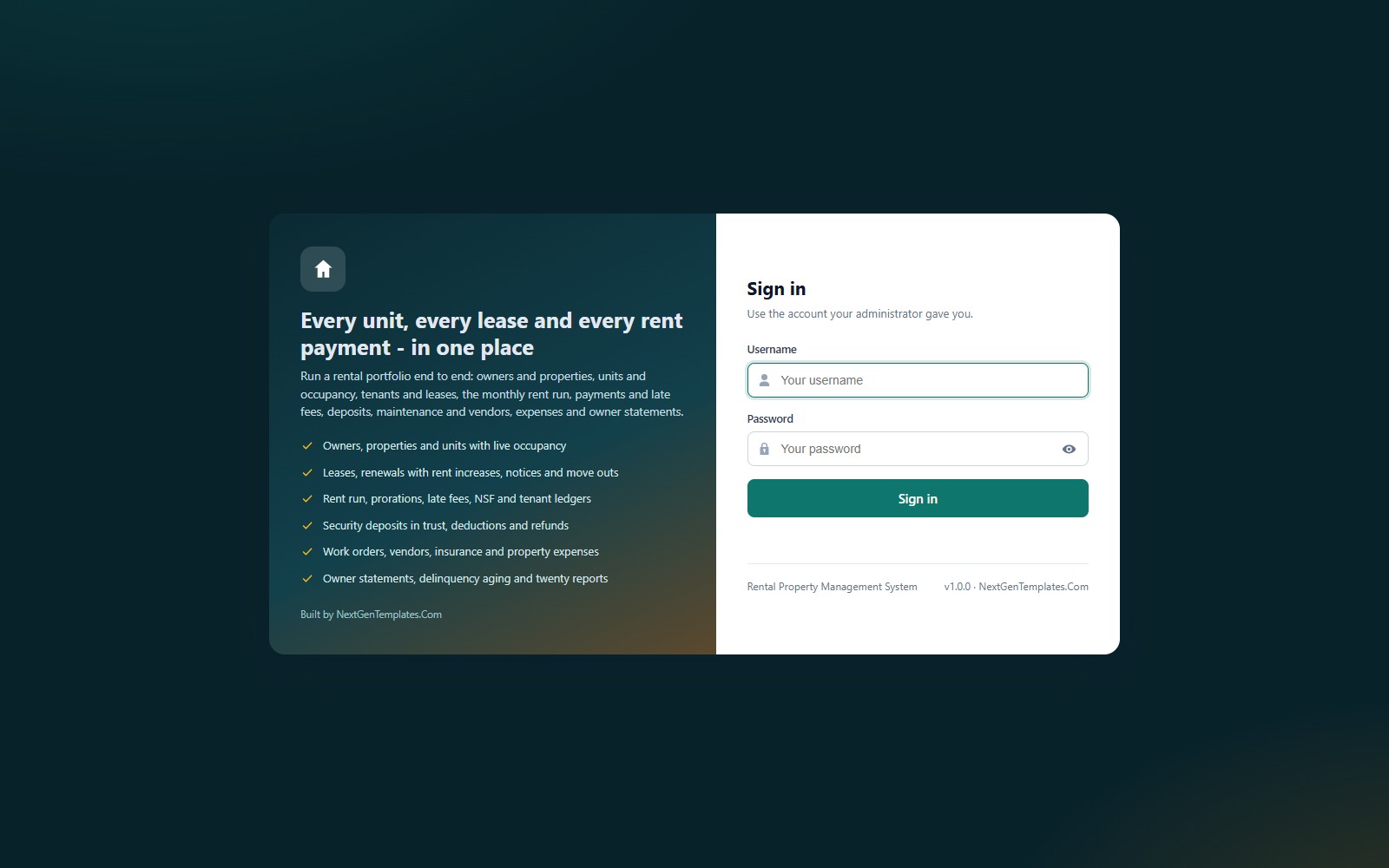
A branded sign-in card with a show and hide password button. The default credentials are never printed on the screen, and a fresh install shows a first-run panel with a Run setup now button that builds the database for you.
Dashboard
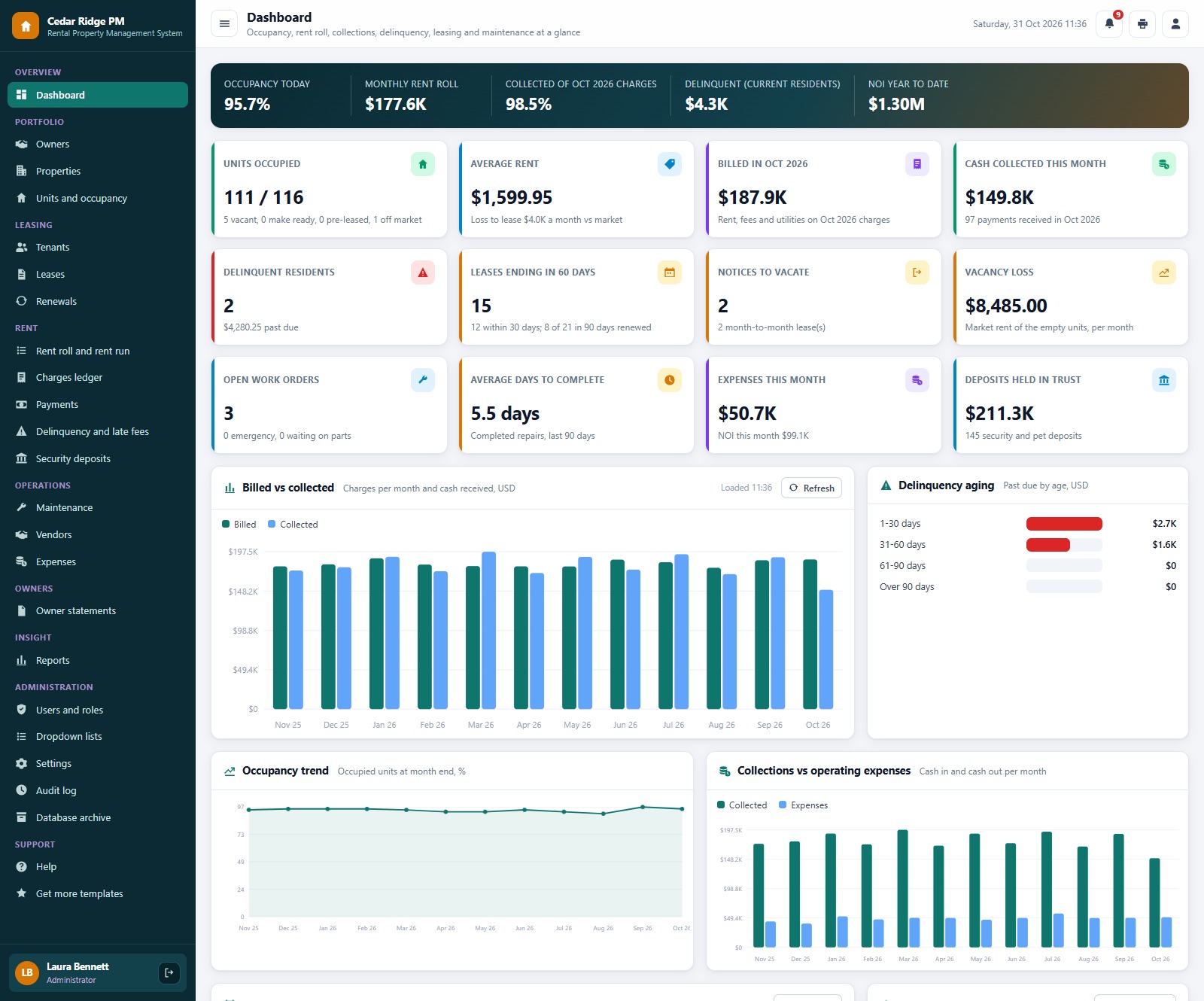
A hero band with occupancy today, the monthly rent roll, the share of the month’s charges collected, past-due rent and net operating income year to date, then twelve KPI cards: units occupied, average rent, billed this month, cash collected, delinquent residents, leases ending in 60 days, notices to vacate, vacancy loss, open work orders, average days to complete, expenses and deposits held in trust. Below them sit Billed vs Collected, Delinquency aging, the occupancy trend and collections against operating expenses.
Properties
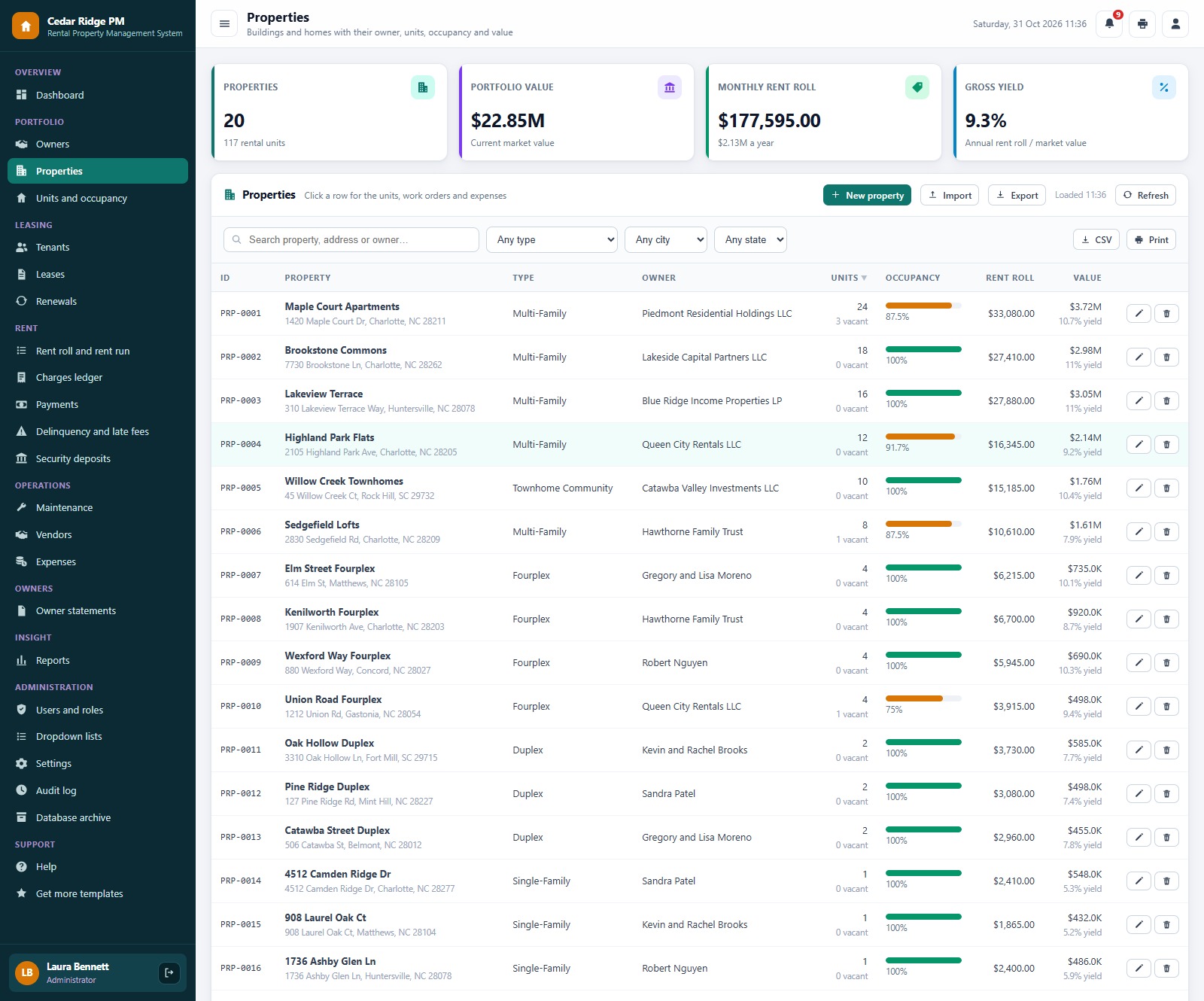
Every building or home with its owner, units, vacancies, an occupancy bar, rent roll and gross yield. Click a property for its units, work orders and expenses.
Units and occupancy
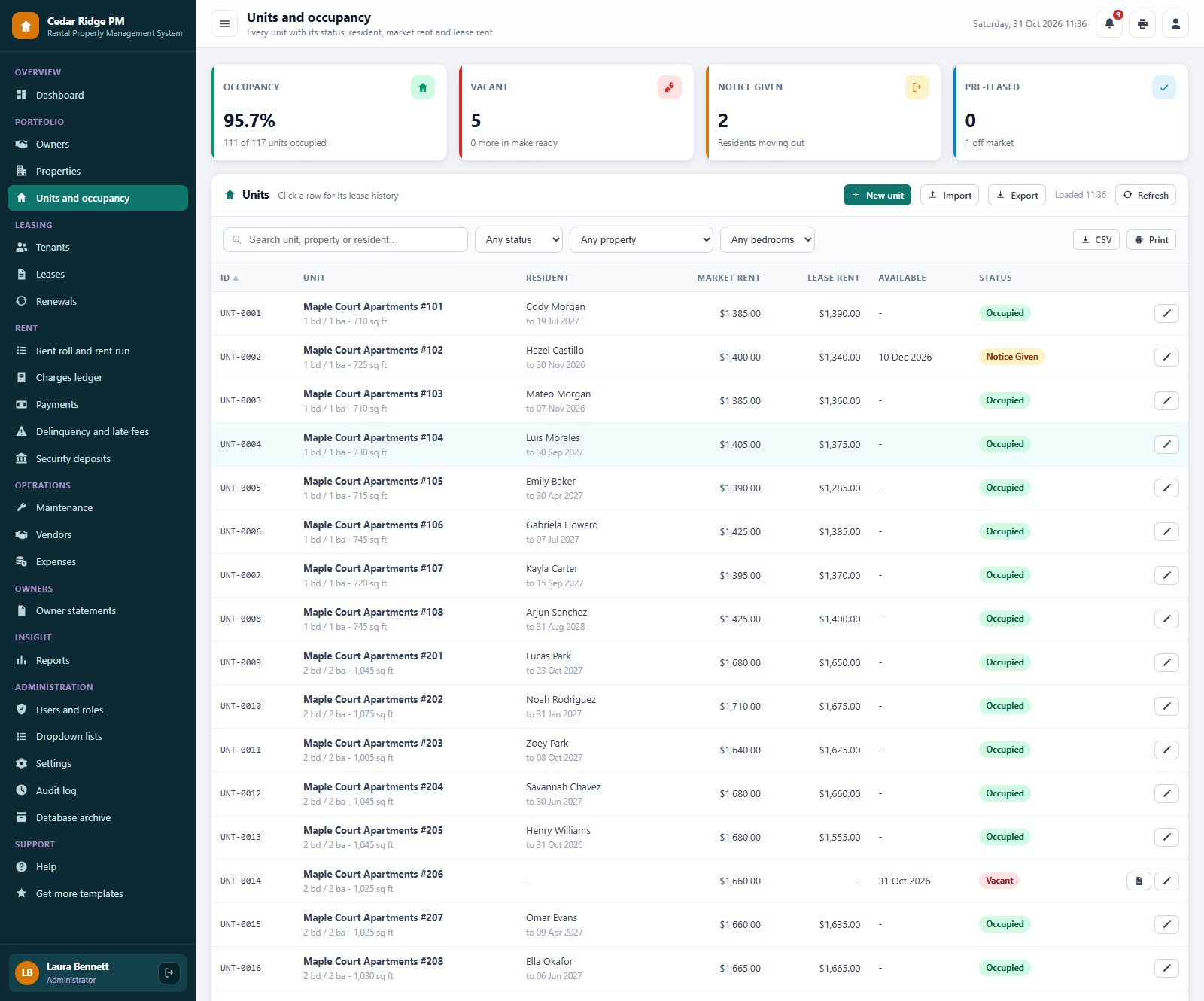
Occupancy, vacant units and units being made ready as cards, then one row per unit with its resident and market rent. On a vacant unit one click starts a new lease.
Leases
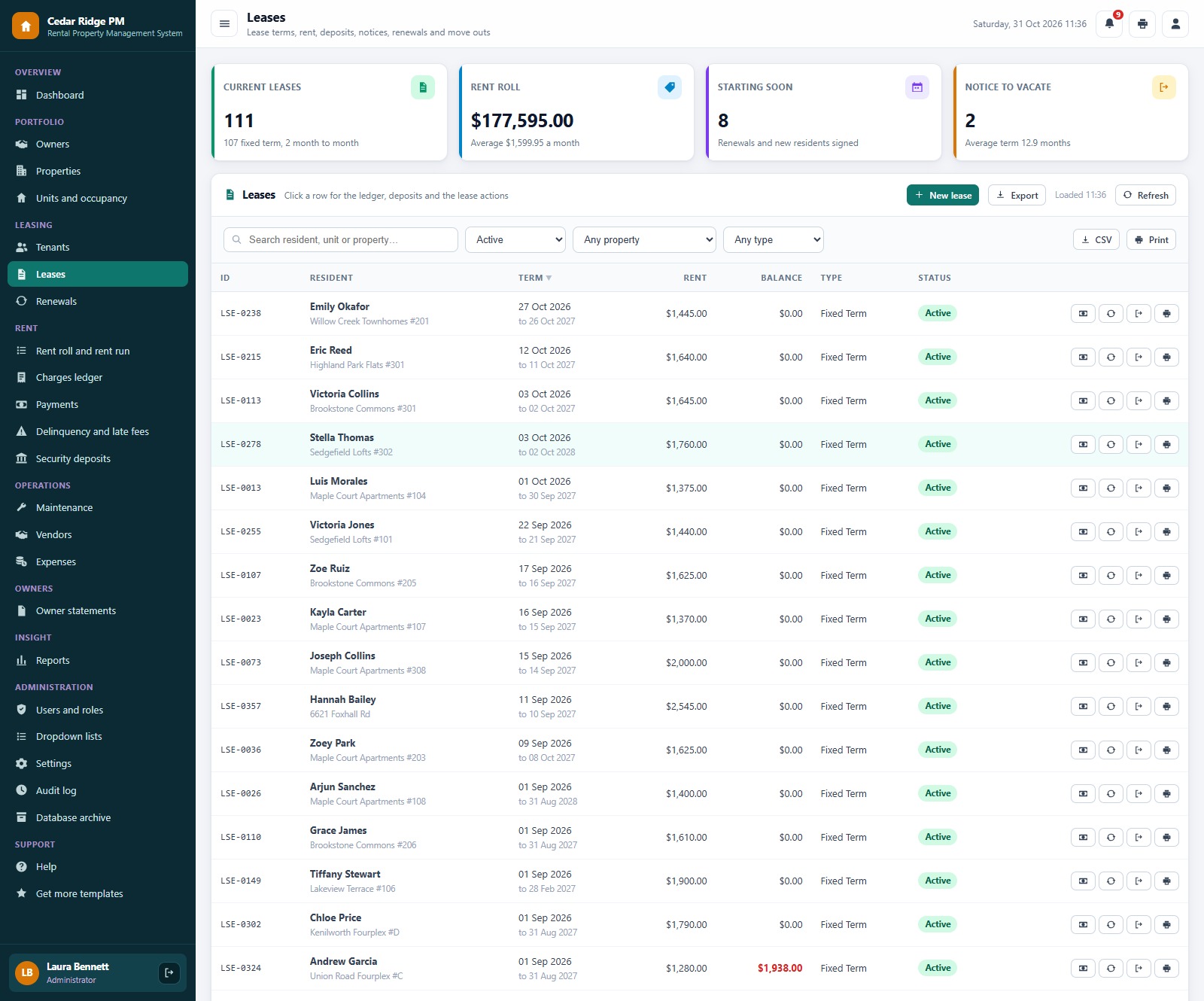
Current leases, signed leases that start soon and notices, with row buttons to record a payment, renew, record a notice to vacate or print the tenant ledger.
Rent roll and the rent run
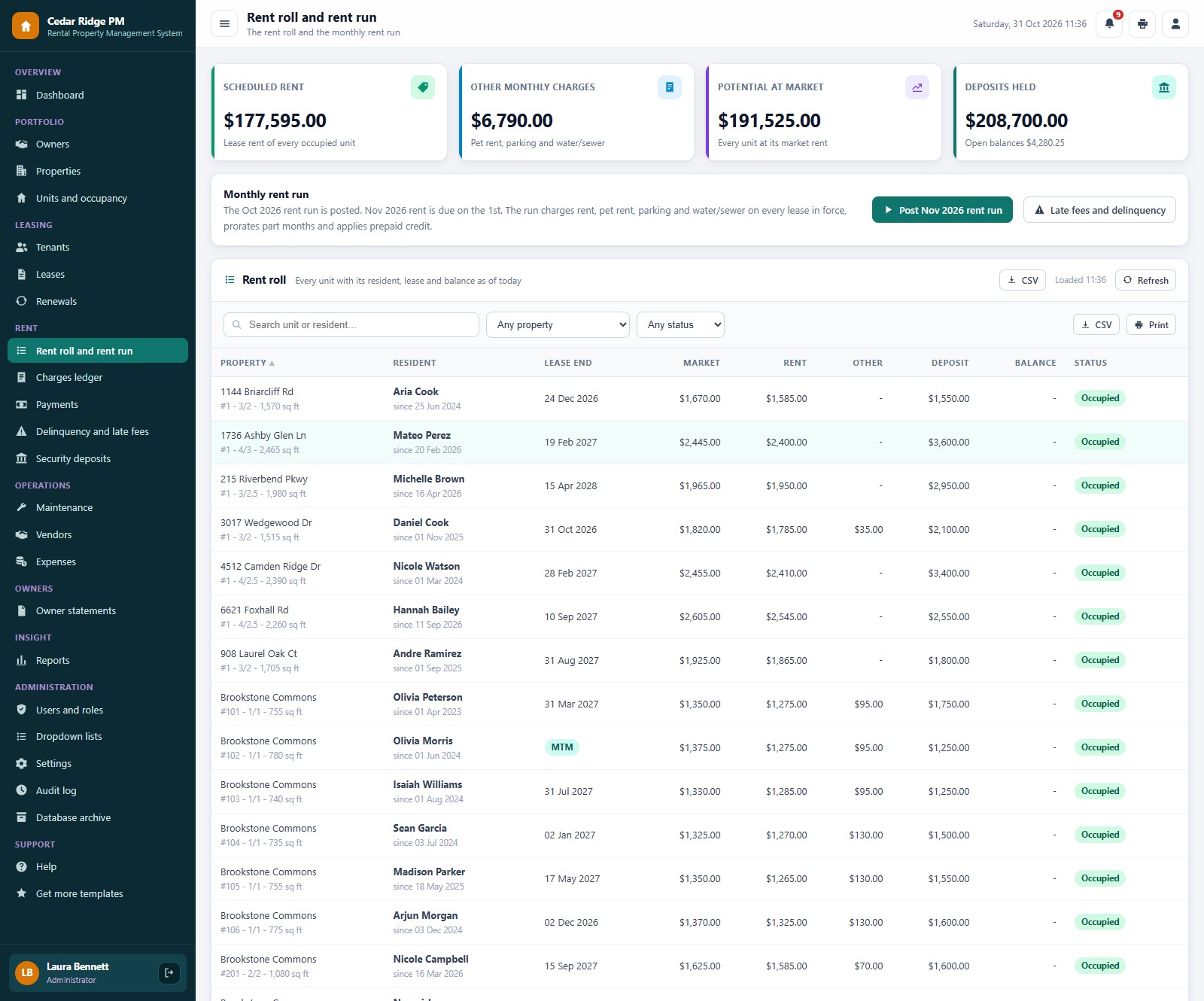
Scheduled rent against potential rent at market, with the Post rent run button and a rent roll you can download as CSV.
Delinquency and late fees
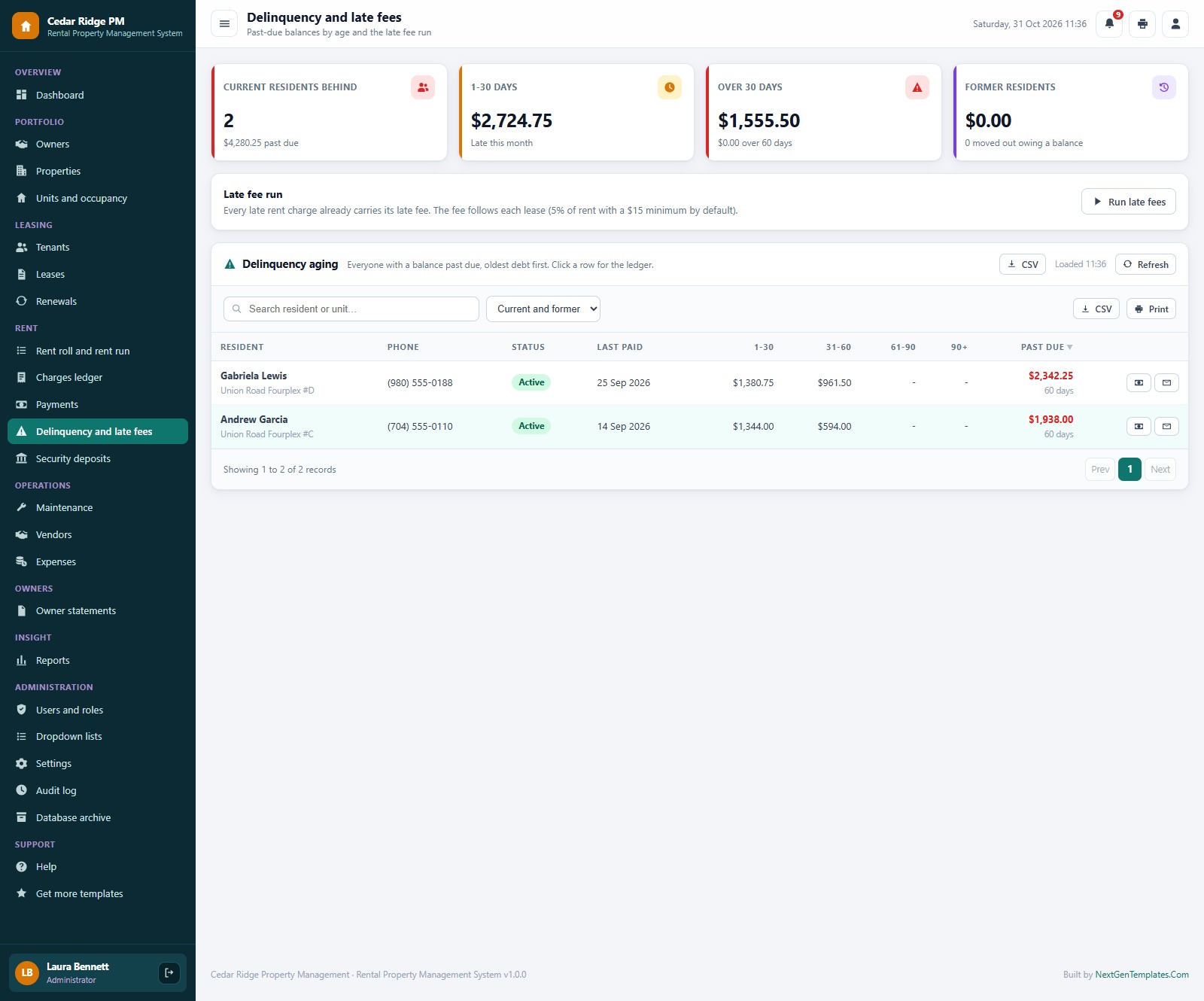
Residents behind on rent in age bands, former residents who moved out owing money, and the late fee run with record payment and email reminder on every row.
Maintenance
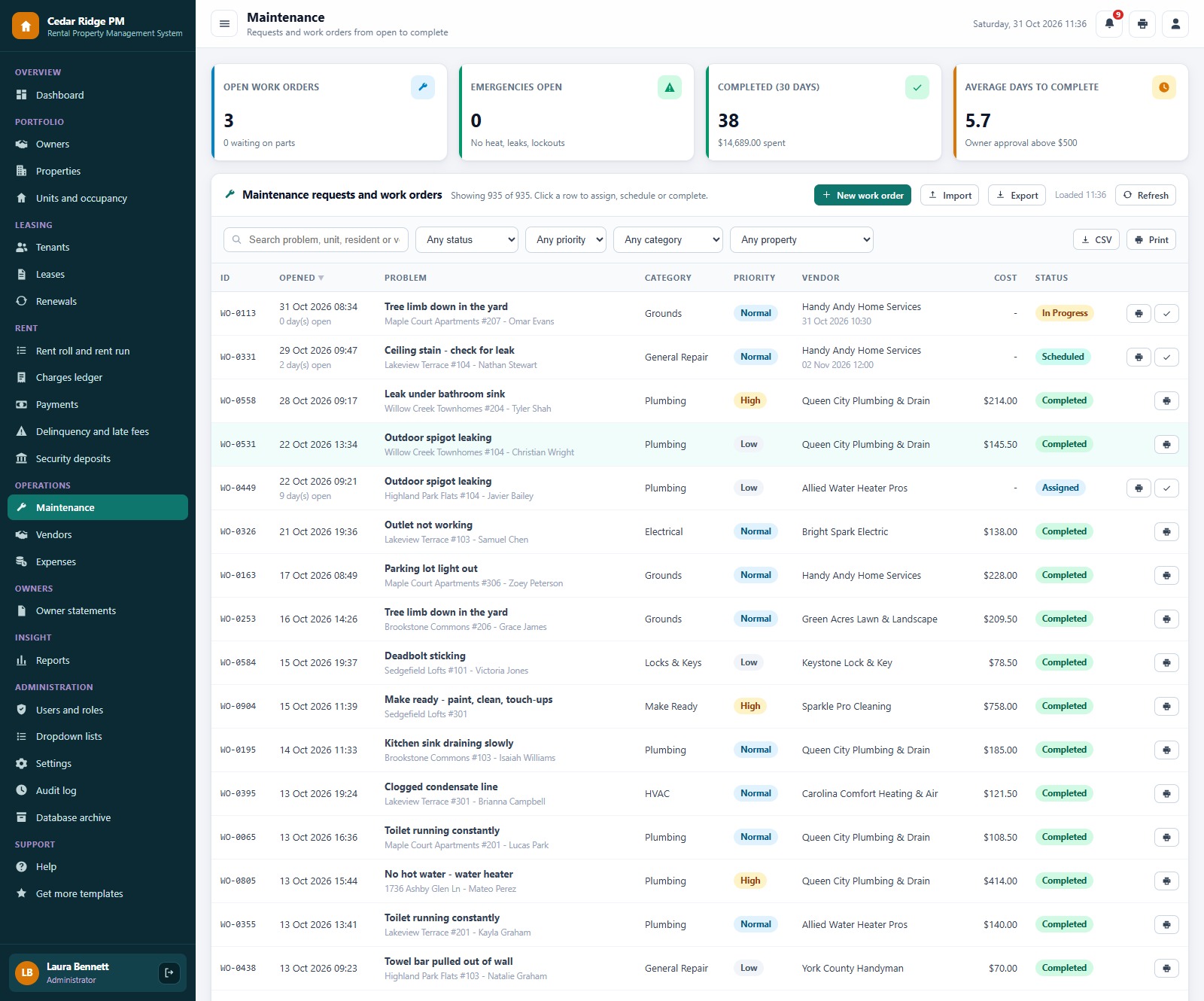
Open work orders, emergencies, average days to complete and cost, with vendor, category, priority and status on every row.
Owner statements
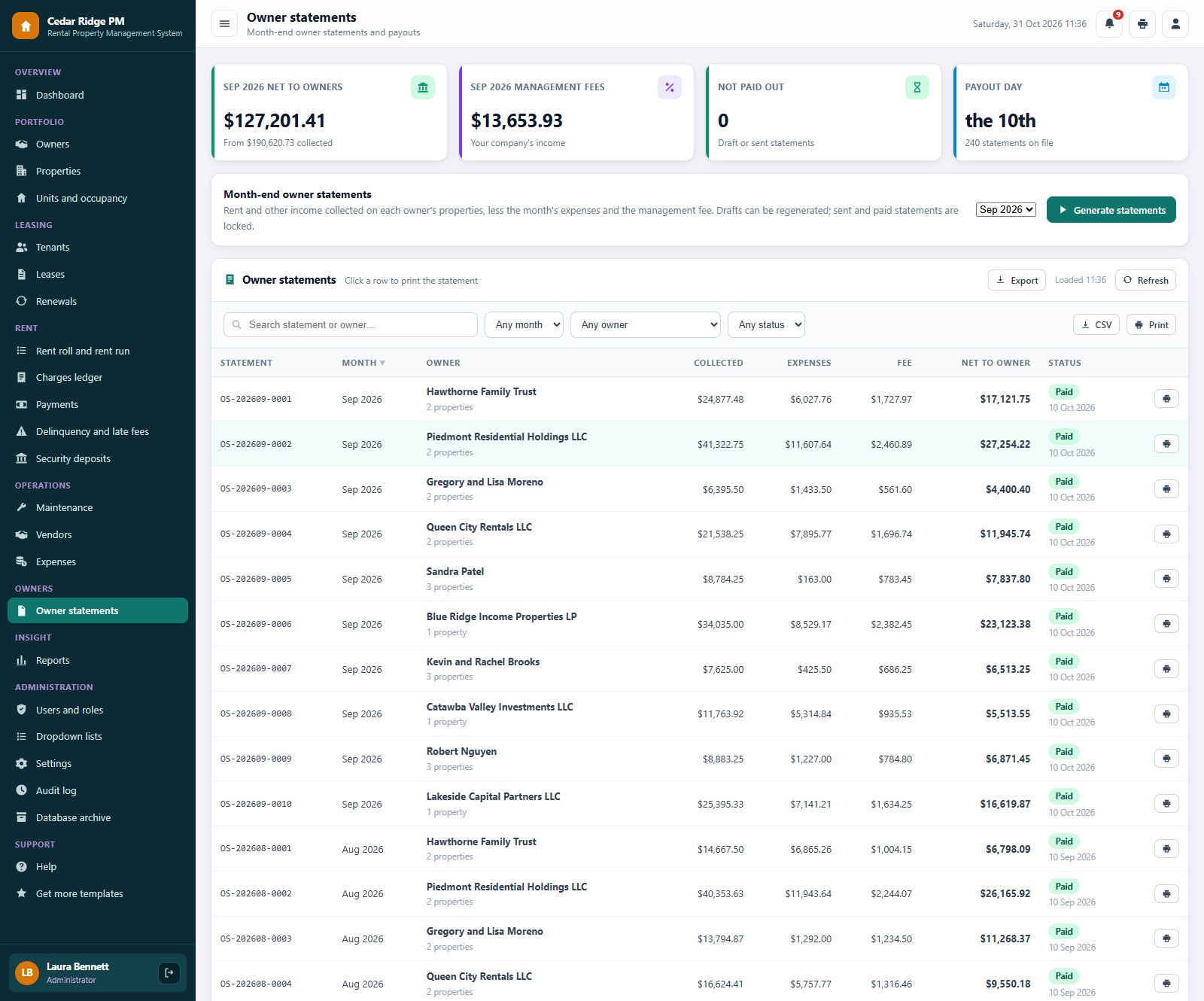
Generate the statement for a closed month and see collected, expenses, management fee and net to owner for every owner.
Users and roles
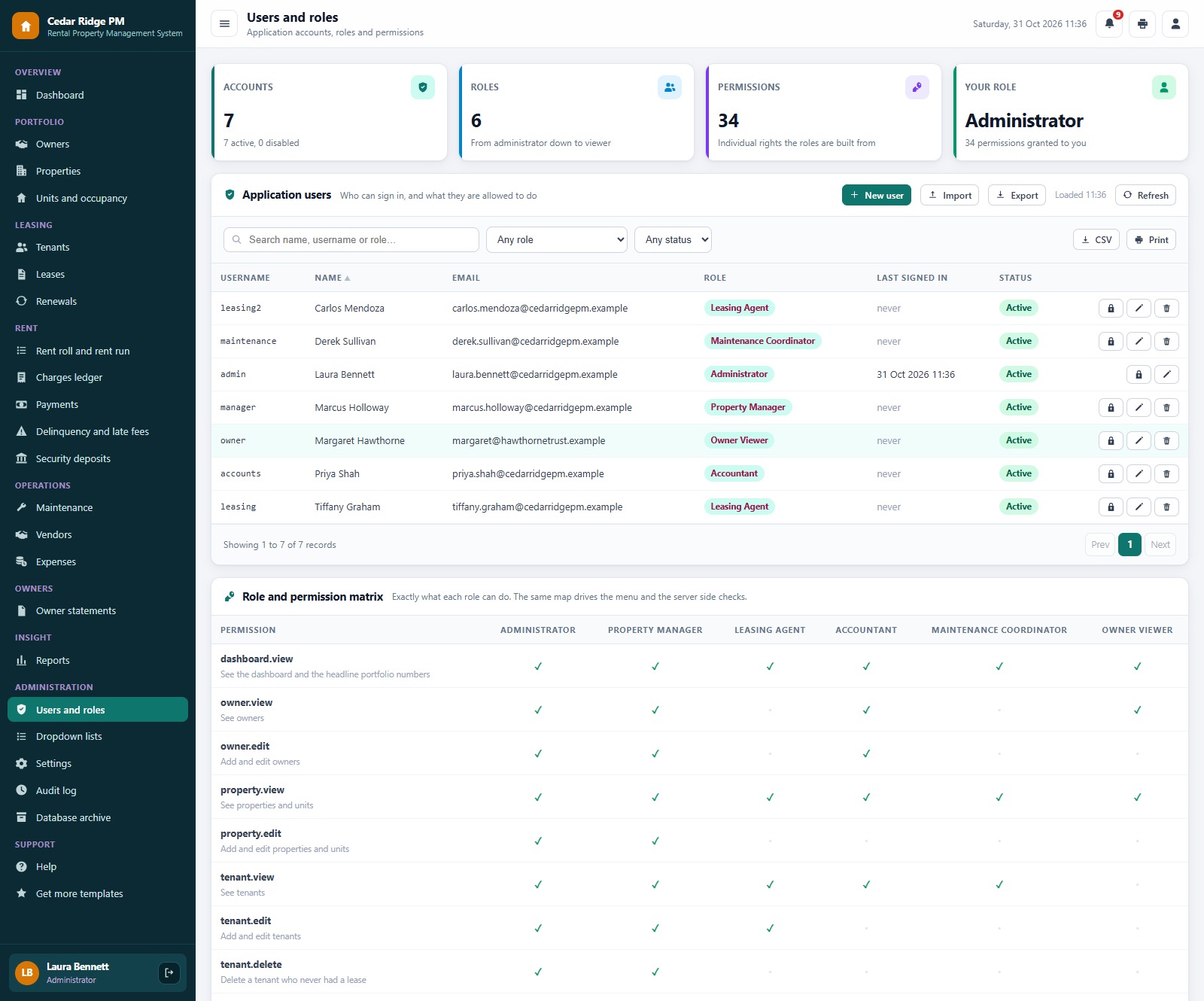
Application users with role and status, and the permission matrix that drives both the menu and the server-side checks, so a hidden screen cannot be reached by calling the server directly.
Also included: Owners, Tenants, Renewals, Charges Ledger, Payments, Security Deposits, Vendors, Expenses, Reports, Dropdown Lists, Settings, Audit Log, Database Archive, Help and a Get More Templates page.
📊 Rental Property Management System Web App vs. Spreadsheet vs. Paid Property Management Software
| Feature | Rental Property Management System | Shared spreadsheet | Paid property management software |
|---|---|---|---|
| Cost | ✅ One-time purchase | Free to low cost | Monthly subscription, often per unit or per user |
| Platform | ✅ Browser, on your own Google account | A file everyone edits | Vendor cloud |
| Monthly rent run with proration | ✅ One click, never double-charges | Manual | ✅ Yes |
| Leases, renewals and notices | ✅ Built in | Separate sheets | ✅ Yes |
| Delinquency aging and late fees | ✅ Per lease rule | Manual | ✅ Yes |
| Deposits held in trust | ✅ Settlement with deductions | Manual | Varies by plan |
| Owner statements | ✅ Month-end, net to owner | Manual | Often a higher plan |
| Role-based logins | ✅ 6 roles and an audit log | No | ✅ Yes |
| Online rent portal for residents | Not included, payments are recorded with a reference | No | ✅ Yes |
| Your data stays in your Drive | ✅ A Google Sheet you own | ✅ Yes | No, vendor hosted |
| Source code you can change | ✅ Full Apps Script code | ✅ Yes | No |
👥 Who This Web App Is For, and Who It’s Not For
✅ Built for:
- Small and mid-size property managers who run apartments, townhomes, duplexes, fourplexes and single-family rentals for several owners
- Landlords and investors who want landlord software for their own portfolio, with a rent roll, leases and deposits in one place
- Brokers and leasing teams that need a property management web app with separate logins for the manager, agents, accountant, maintenance and the owner
❌ Not built for:
- Teams that need an online rent portal, a tenant app or built-in card and ACH collection, because payments are recorded with a reference and collected by your bank or processor
- Operations that need tenant screening, e-signature or accounting and tax filing, because this system tracks leases, rent, deposits and owner payouts, not your books
- Teams that must work offline, because the app runs in the browser and needs an internet connection
⚙️ How to Set Up the Rental Property Management System Web App
- Try the live demo first with the login details above, one role at a time.
- Create a new Google Apps Script project, paste Code.cs.txt into Code.gs, and add an HTML file named exactly Index containing Index.txt.
- Deploy it as a web app (Execute as: Me, choose who has access) and accept the Google permission prompt.
- Open the web app URL and press Run setup now on the first-run panel, or run setup once from the editor. Setup creates the database spreadsheet, its 19 tables and the Drive folders, and resumes by itself if Google’s time limit interrupts it.
- Sign in as admin and change every seeded password (or delete the accounts you do not need).
- In Settings, enter your company details, late fee and renewal increase rules and print size.
- Add your owners, properties, units, tenants and leases, or import them from a sheet, then post your first rent run.
The ZIP contains Code.cs.txt, Index.txt and the PDF user manual with every screen explained. The Rental Property Management System Web App needs nothing else but a Google account.
💼 Real-World Use Cases for the Rental Property Management System Web App
A property manager with ten owners. The manager keeps every owner’s properties, management fee and payout method in one place, posts the rent run around the 25th, and sends each owner a month-end statement showing rent collected, expenses, the fee and the net payout.
A leasing team chasing renewals. Agents open Renewals every week, see which leases end with no decision, compare the current rent with market rent, and send offers first to the units that sit furthest below market.
An accountant closing the month. The accountant runs late fees, records payments with check numbers or ACH traces, settles deposits after move outs and prints the tenant ledger when a resident asks for it.
❓ Frequently Asked Questions
Can I try the Rental Property Management System Web App before buying?
Yes. The live demo above runs the full system with fictional data. Sign in with any of the 7 demo accounts to see the dashboard, the screens each role can reach and all 20 reports before you spend anything.
What do I need to run it?
A Google account. The web app runs on Google Apps Script and creates its own Google Sheet database in your Drive during setup. Your team signs in with the usernames you create, so they do not need their own Google accounts.
Does it collect rent online?
No. It records every payment with a reference such as a check number or ACH trace, applies it to the oldest open charge and prints a receipt. Your bank, resident portal or payment processor collects the money, and the app never stores a bank account or card number.
Can it handle part months and prepaid rent?
Yes. The first month of a lease and the last month after a move out are prorated, and any credit left over from a payment is applied on the next rent run.
Can an owner sign in to see their own numbers?
Yes. The Owner Viewer role is read only and covers the dashboard, owners, properties, leases, rent, deposits, maintenance, expenses, owner statements and reports.
Can I change the currency, dates and print size?
The demo uses US dollars and US date formats. Settings lets you change the company details, the fee and increase rules and the print size for receipts (3 inch, 4 inch or A4).
👤 About the Author
Built by PK, Microsoft Certified Professional with 15+ years of Excel, Google Sheets, Apps Script and Power BI experience, founder of NextGenTemplates and the YouTube channels @PKAnExcelExpert, @NextGenTemplates and @NeoTechNavigators. Every template is hand-built and tested before release.
🔗 Explore Related Templates
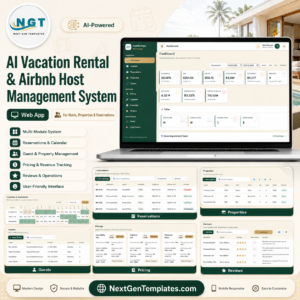
🏖️ AI Vacation Rental & Airbnb Host Management System Web App: short-term rentals with bookings and guest messaging.
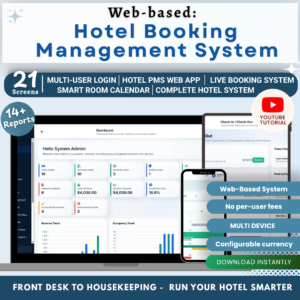
🏨 Web App Based: Hotel Booking Management System: rooms, bookings and guests.
🏢 Co-working Space Booking Management System Web App: desks, rooms and memberships.
📈 Need only KPIs? The Tenant and Property Management Dashboard in Google Sheets and the Property Portfolio Dashboard in Google Sheets track performance without running the whole operation. Prefer Excel? See the Rent Collection Data Entry System in Excel, or save with the Real Estate & Property Bundle. Browse every system in Web Apps.
📖 Click here to read the Detailed Blog Post
🎥 Visit our YouTube channel for step-by-step video tutorials
👉 YouTube.com/@NextGenTemplates
📅 Last updated: October 2026




























Reviews
There are no reviews yet.