
Managing automotive operations without structured reporting creates confusion and inefficiency. Many fleet managers, transport departments, and automotive companies still rely on scattered spreadsheets. As a result, they struggle to monitor fuel costs, maintenance expenses, vehicle utilization, and mileage trends in a clear and centralized manner.
That is exactly why the Automotive Dashboard in Google Sheets is an essential tool for modern fleet management.
This ready-to-use and fully interactive dashboard transforms raw operational data into powerful visual insights. Instead of manually compiling multiple reports, you can track total cost, fuel efficiency, vehicle activity, regional performance, and monthly trends — all within one dynamic Google Sheets environment.
Because the dashboard runs in Google Sheets, your team can collaborate in real time from anywhere, ensuring faster decision-making and better operational control.
🚀 Key Feature of Automotive Dashboard in Google Sheets
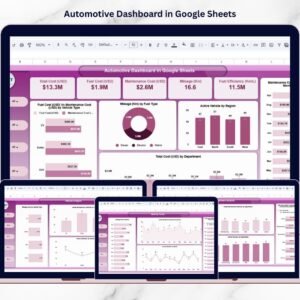
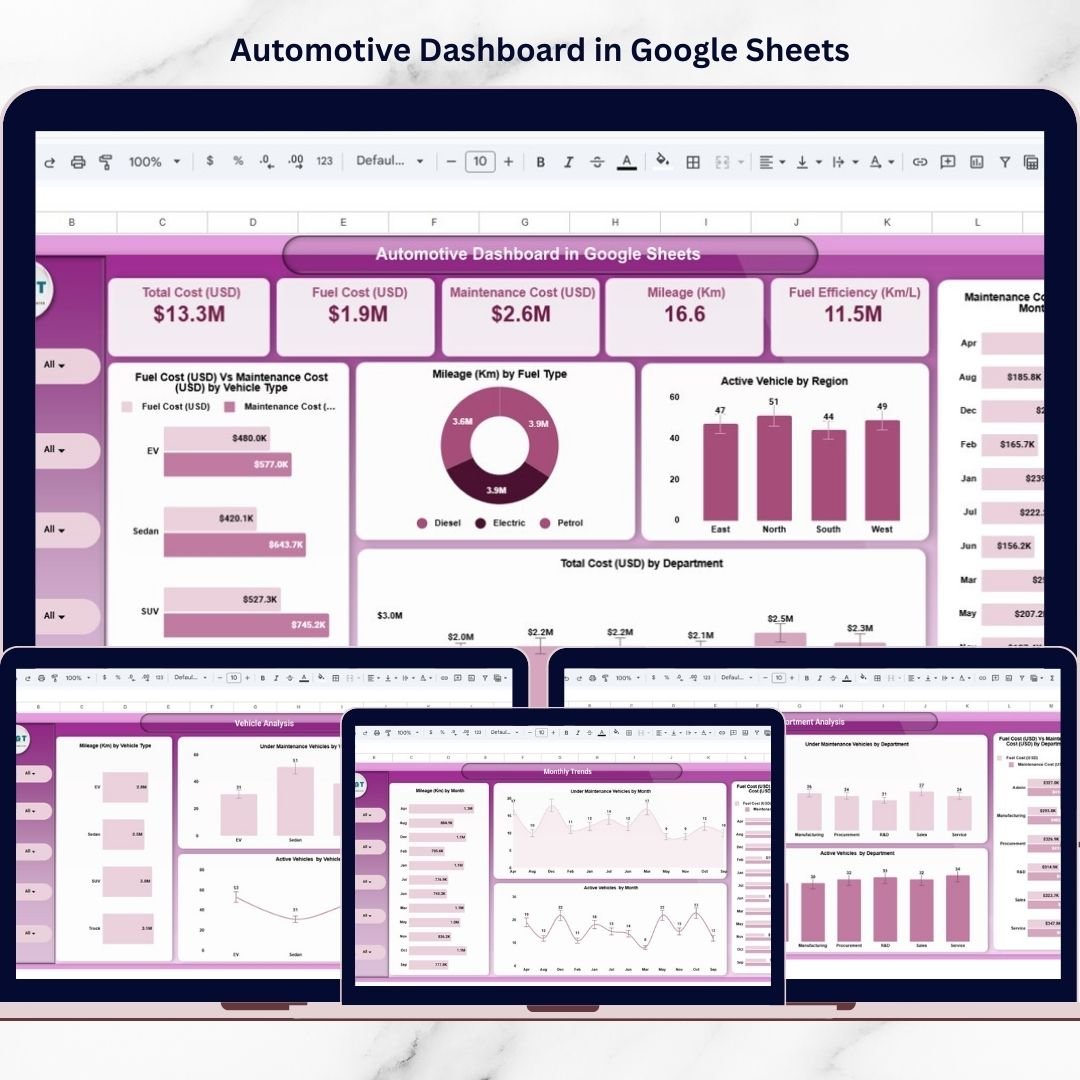
✅ Executive KPI Cards – Instantly view Total Cost, Fuel Cost, Maintenance Cost, Mileage, and Fuel Efficiency.
✅ Multi-Page Analytical Structure – Overview, Department, Region, Vehicle, and Monthly Trend pages.
✅ Interactive Filters & Slicers – Drill down by department, region, vehicle type, and fuel type.
✅ Fuel vs Maintenance Cost Comparison – Identify cost-heavy areas quickly.
✅ Vehicle Utilization Monitoring – Track active and under-maintenance vehicles clearly.
✅ Monthly Trend Analysis – Analyze performance patterns over time.
✅ Smart Search & Record Lookup – Find specific records instantly.
Because of these features, automotive managers gain full visibility into fleet operations without complex systems.
📦 What’s Inside the Automotive Dashboard in Google Sheets
This professionally structured dashboard includes multiple analytical pages designed for complete fleet performance tracking.
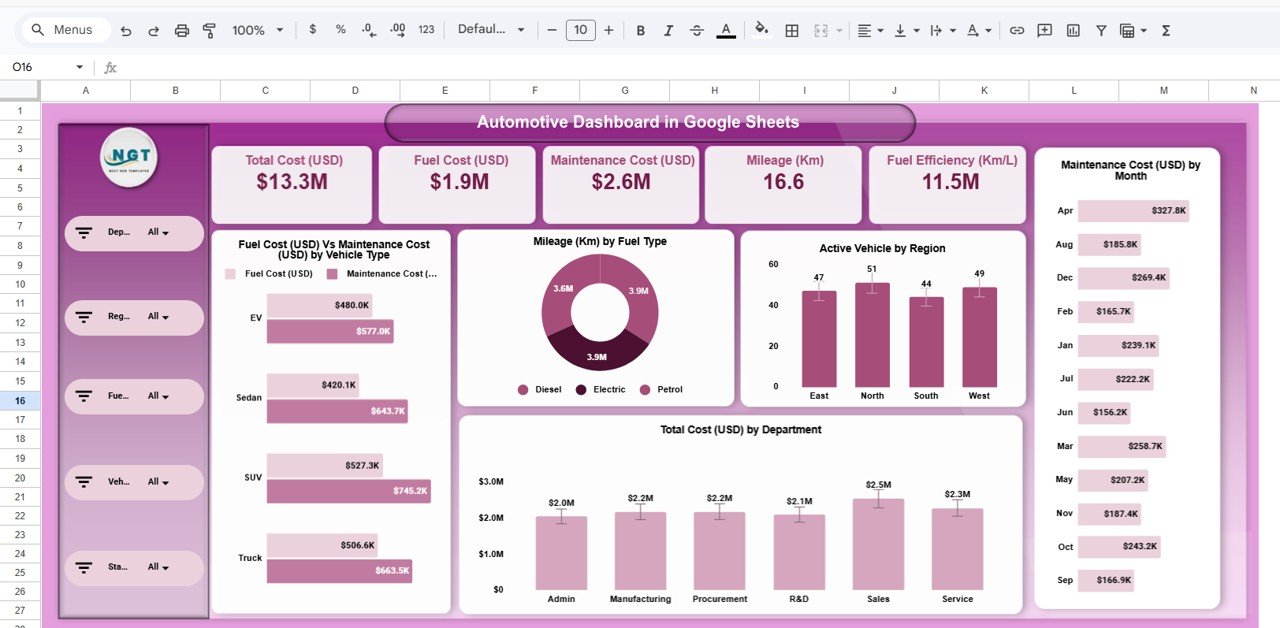
1️⃣ Overview Page – Executive Summary
The main dashboard presents a high-level operational snapshot:
Total Cost (USD)
Fuel Cost (USD)
Maintenance Cost (USD)
Mileage (Km)
Fuel Efficiency (Km/L)
Visual insights include:
Fuel Cost vs Maintenance Cost by Vehicle Type
Mileage by Fuel Type (Donut Chart)
Active Vehicles by Region
Maintenance Cost by Month
Total Cost by Department
This page gives leadership instant clarity.
2️⃣ Department Analysis Page – Operational Comparison
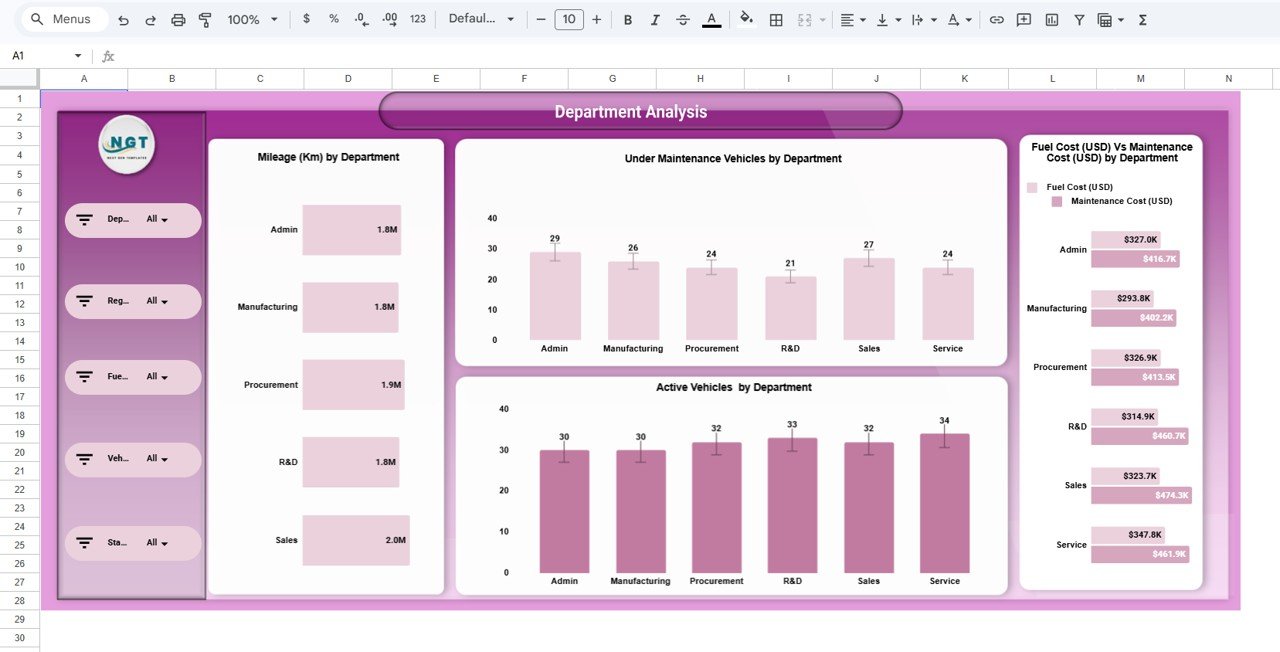
Analyze performance across departments with reports on:
Mileage by Department
Under Maintenance Vehicles by Department
Active Vehicles by Department
Fuel Cost vs Maintenance Cost by Department
This helps identify high-cost departments and improve utilization.
3️⃣ Region Analysis Page – Geographic Insights
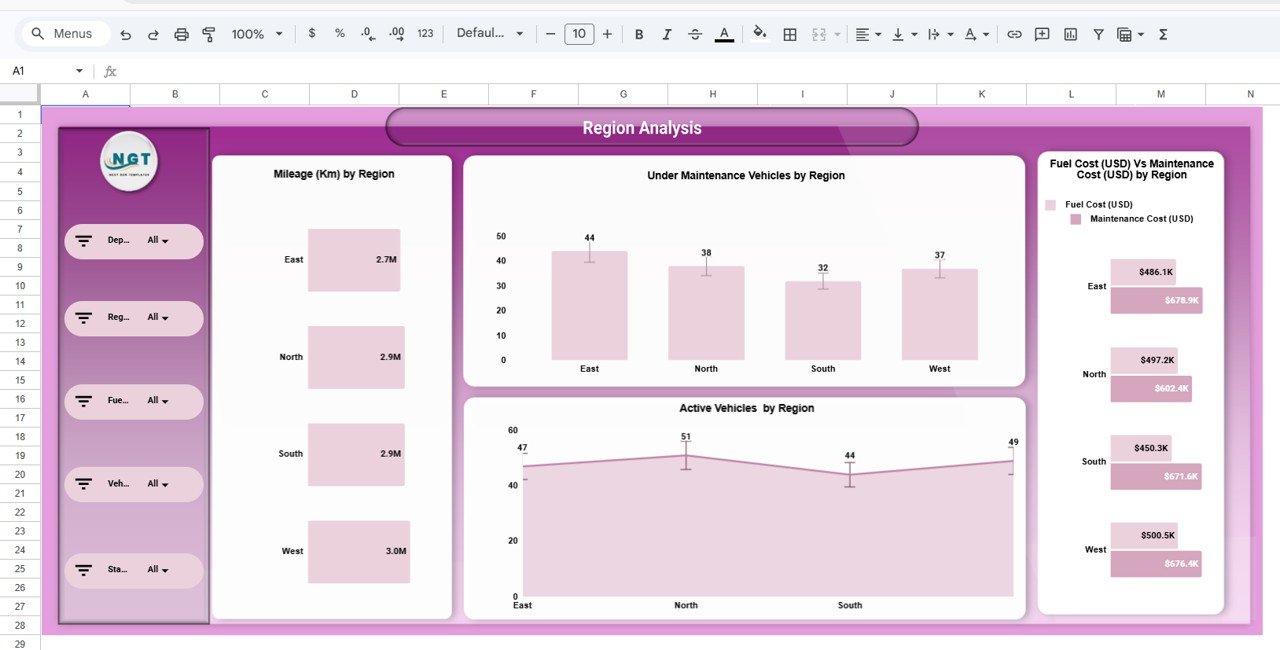
Evaluate fleet performance by location:
Mileage by Region
Under Maintenance Vehicles by Region
Active Vehicles by Region
Fuel vs Maintenance Cost by Region
This supports regional cost control and performance benchmarking.
4️⃣ Vehicle Analysis Page – Category Performance
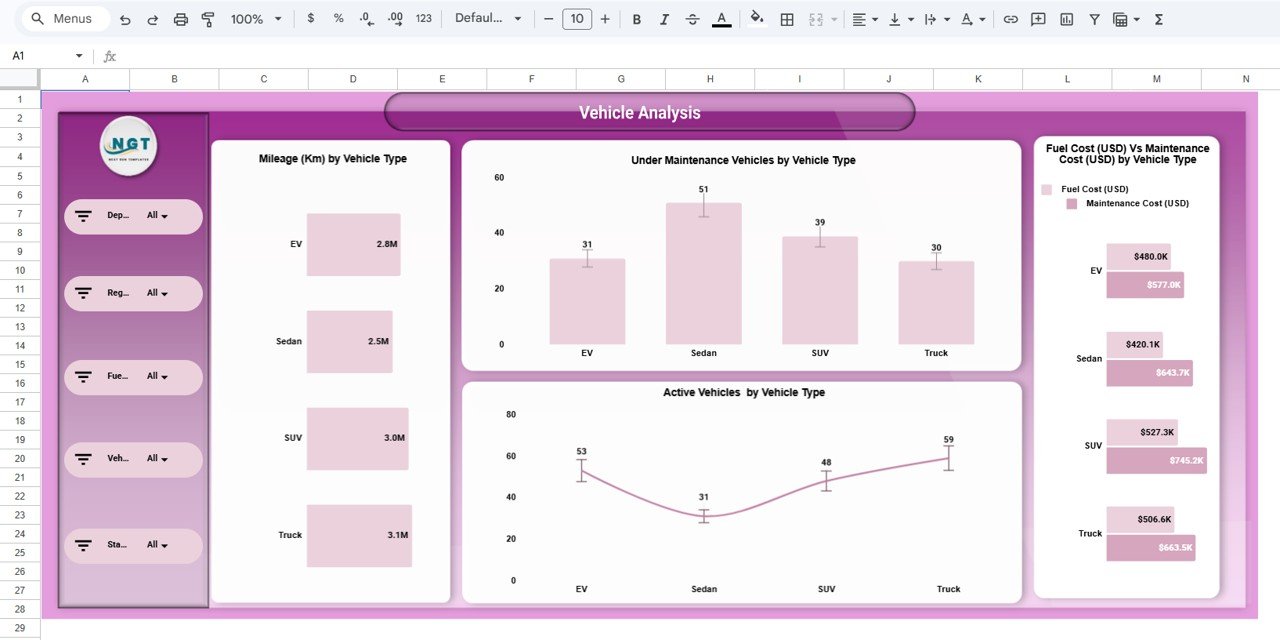
Track vehicle types such as EV, Sedan, SUV, and Truck:
Mileage by Vehicle Type
Under Maintenance Vehicles by Vehicle Type
Active Vehicles by Vehicle Type
Fuel vs Maintenance Cost by Vehicle Type
This helps detect underperforming vehicle categories.
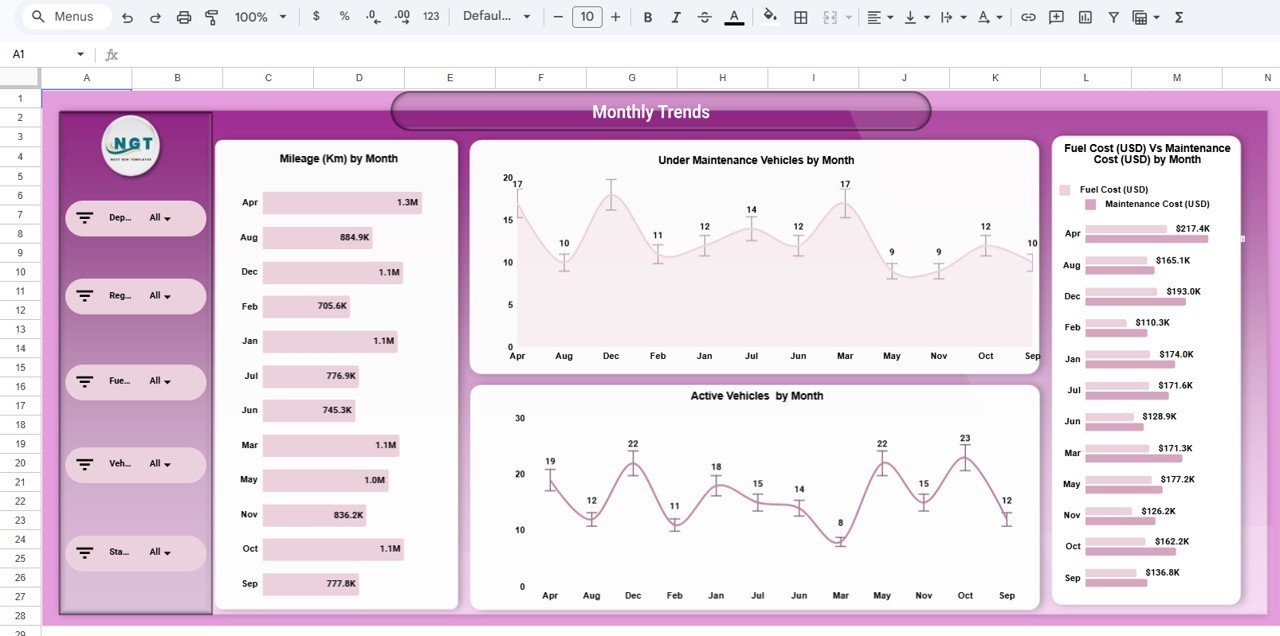
5️⃣ Monthly Trends Page – Time-Based Analysis
Monitor monthly operational changes:
Mileage by Month
Under Maintenance Vehicles by Month
Active Vehicles by Month
Fuel vs Maintenance Cost by Month
Trend analysis improves forecasting and budgeting accuracy.
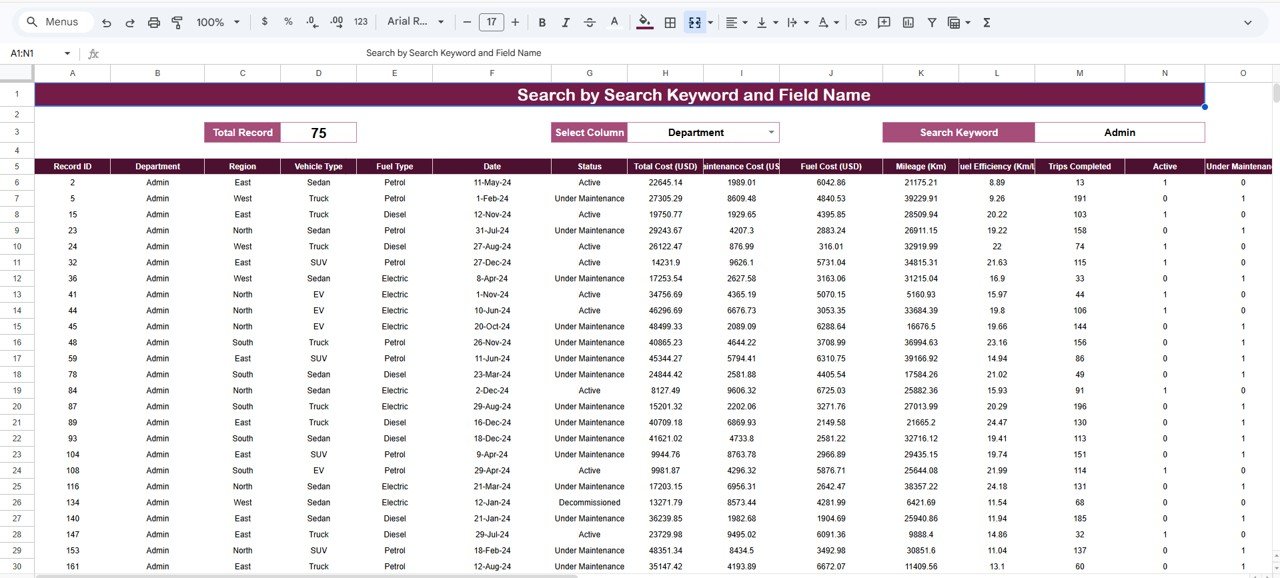
6️⃣ Search & Record Analysis Section – Advanced Lookup
Use keyword and field search to:
Select a column
Enter a search keyword
View filtered records instantly
This enhances data exploration and audit flexibility.
⚙️ How to Use the Automotive Dashboard in Google Sheets
Getting started is simple:
Open the Google Sheets template
Enter your fleet data into the data table
Use filters to drill down by region, department, or vehicle type
Review KPI cards for instant operational insight
Analyze trends before making strategic decisions
Use the Search panel for quick record lookup
Within minutes, your automotive data becomes clear and actionable.
👥 Who Can Benefit from This Automotive Dashboard in Google Sheets
This dashboard is ideal for organizations managing vehicles and transport operations.
Perfect for:
🚚 Fleet Managers
🚗 Automotive Companies
🏢 Corporate Transport Departments
🚛 Logistics Companies
🏭 Service Providers
🏛️ Government Transport Authorities
Because automotive operations require continuous monitoring, this dashboard supports multiple industries.
By implementing the Automotive Dashboard in Google Sheets, your organization gains:
Centralized fleet visibility
Real-time operational insights
Improved cost transparency
Better maintenance planning
Smarter vehicle utilization tracking
Faster data-driven decisions
In today’s competitive environment, reactive fleet management is expensive and inefficient. You need proactive performance monitoring.
This dashboard delivers exactly that.
🔗 Click here to read the Detailed blog post
Watch the step-by-step video tutorial:
▶️ Visit our YouTube channel to learn step-by-step video tutorials
👉 YouTube.com/@PKAnExcelExpert
Compatibility and Requirements
- Works in Google Sheets. You need a free Google account and a web browser.
- The dashboard uses filters and slicers to drill down by department, region, vehicle type and fuel type. Google covers charts in Add and edit a chart or graph.
Frequently Asked Questions
Which pages are included?
Five analysis pages: Overview, Department, Region, Vehicle and Monthly Trends. There is also a Search and Record Analysis section for looking up individual records.
Which cost and performance figures does the dashboard show?
The Overview page has KPI cards for Total Cost, Fuel Cost, Maintenance Cost, Mileage and Fuel Efficiency (Km/L). Charts compare fuel cost with maintenance cost by vehicle type, department, region and month.
How do I use it with my own fleet data?
Enter your fleet data into the data table. Then use the filters to drill down by region, department or vehicle type, and review the KPI cards and trend pages.
Can I find a specific record?
Yes. In the Search and Record Analysis section, select a column, enter a keyword and the matching records are shown.
Is there an Excel or Power BI version?
Yes. See the Automotive Dashboard in Excel and the Automotive Dashboard in Power BI.
Related Automotive Templates
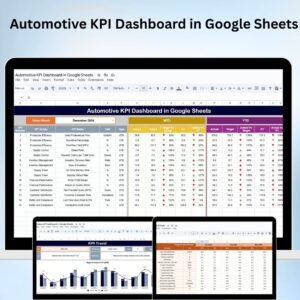
- Automotive KPI Dashboard in Google Sheets: a KPI-focused view in Google Sheets
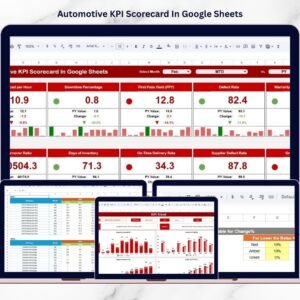
- Automotive KPI Scorecard In Google Sheets: a scorecard layout for automotive metrics
- Automotive Dashboard in Excel: the same dashboard topic in Excel
- Automotive Dashboard in Power BI: the Power BI edition
- Google Sheets Business Pack (Pro): 14 business templates in one download
Browse all Google Sheets dashboards.