

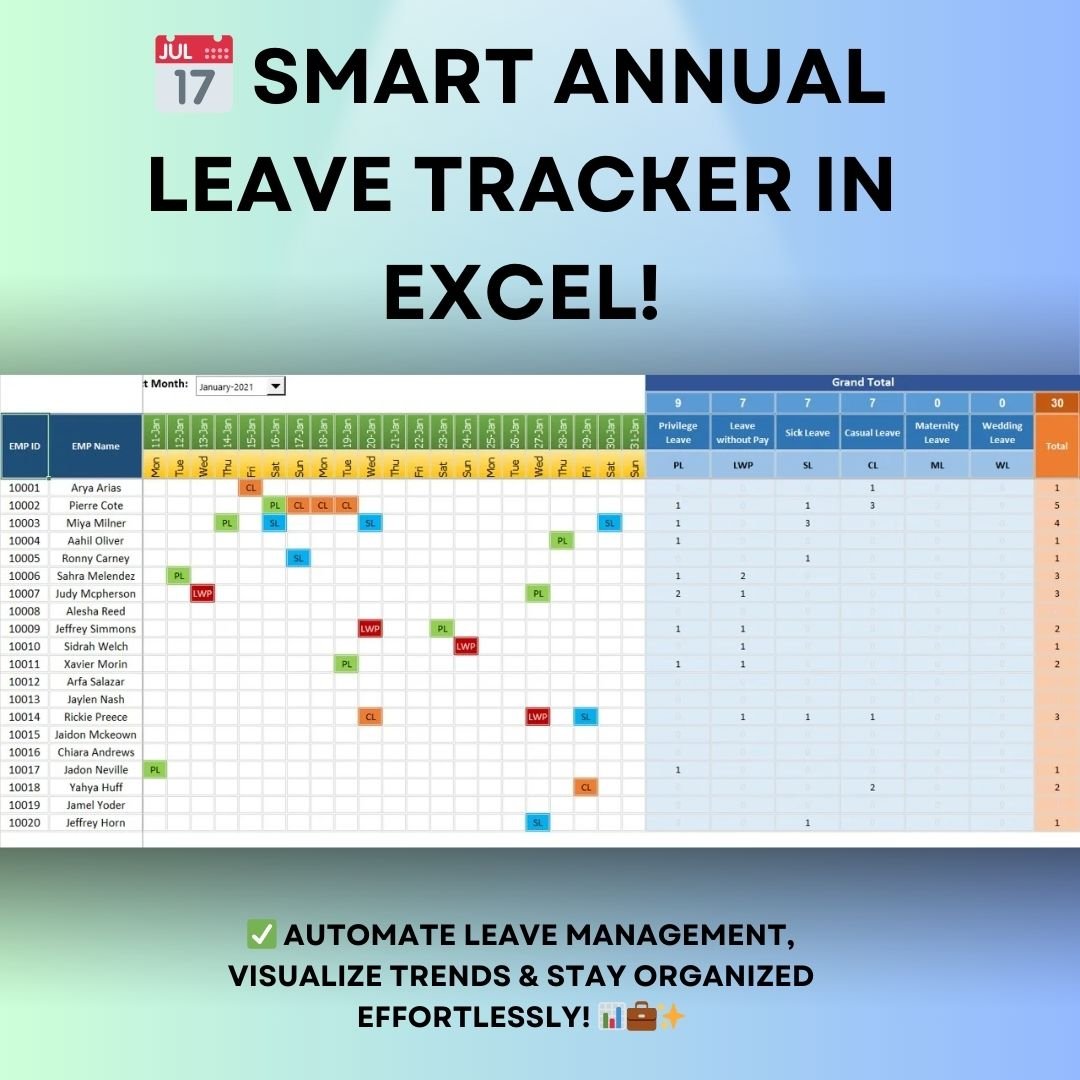
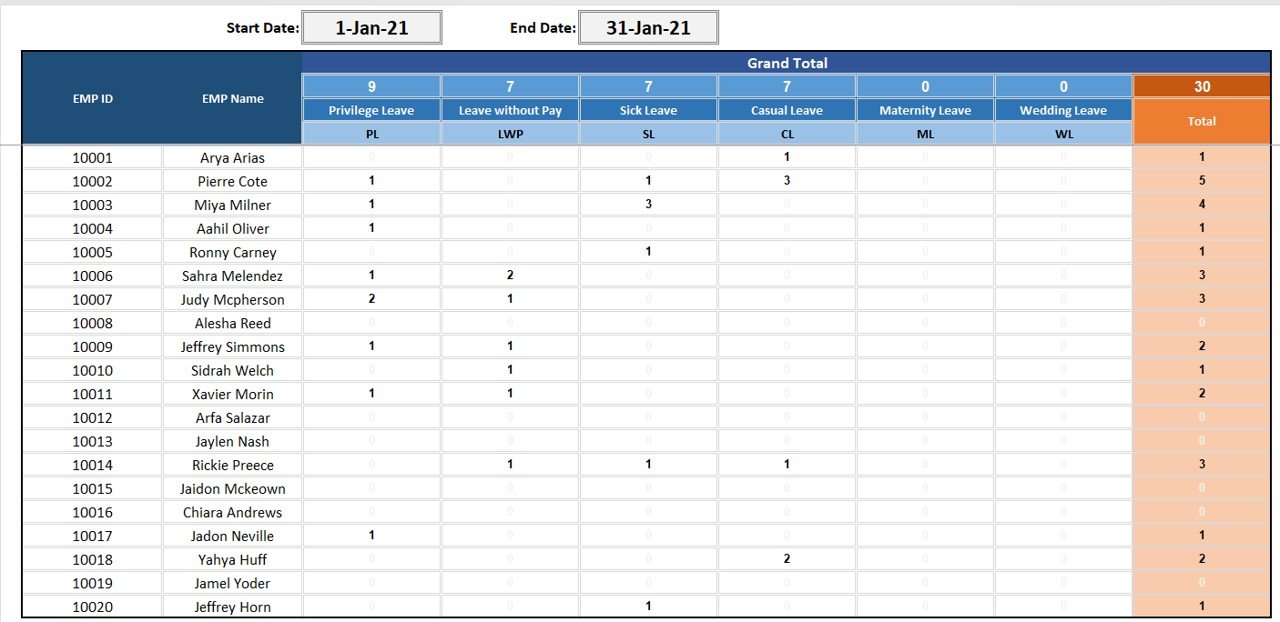

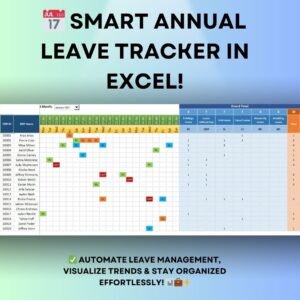
The Annual Leave Tracker with Daily Monthly View in Excel records employee leave and presents it in date-range summaries, monthly grids and a color-coded calendar. Its settings sheet lets users define leave categories and abbreviations to match the records their organization maintains.
Key Features
1. Summary Sheet
✔ Comprehensive Leave Overview – Get a snapshot of all employee leave records for a specific time period.
✔ Custom Date Selection – Set the start and end dates to filter leave records accordingly.
✔ Auto-Calculation of Leave Totals – Quickly view the total number of leaves taken under each category such as Privilege Leave (PL), Sick Leave (SL), Casual Leave (CL), Maternity Leave (ML), Wedding Leave (WL), and more.
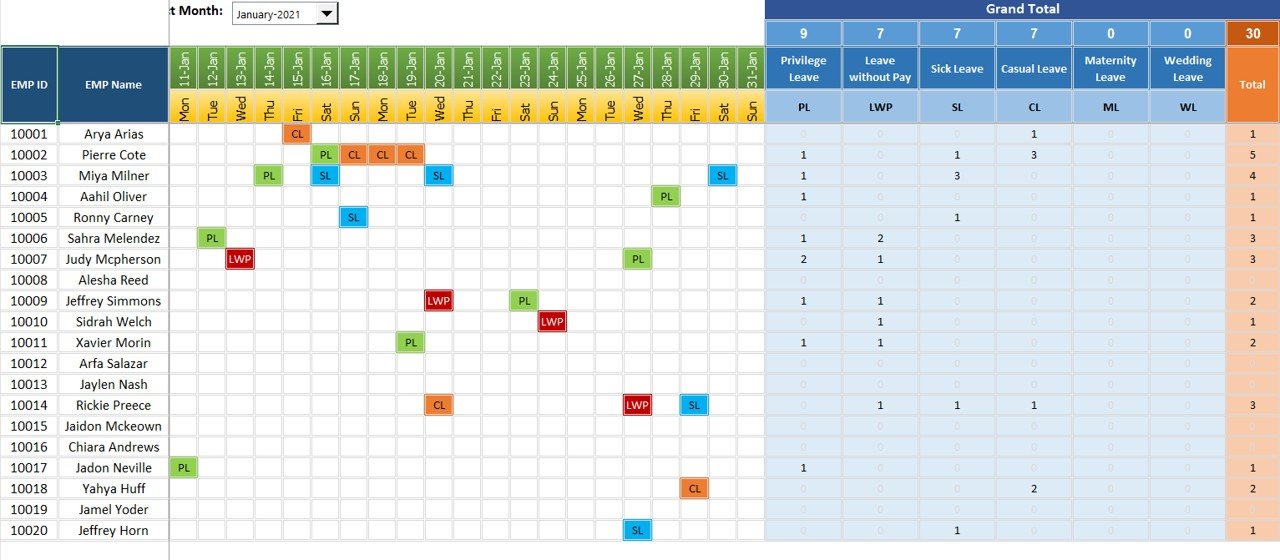
2. Monthly Summary
✔ Dropdown-Based Selection – Easily switch between months to analyze leave trends.
✔ Employee-Wise Leave Data – View leave records sorted by individual employees, helping managers identify leave patterns.
✔ Day-Wise Leave Breakdown – A structured grid showing which employees were on leave on specific dates, ensuring accurate record-keeping.
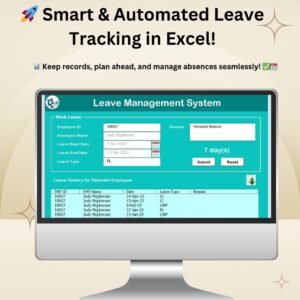
3. Leave Marking Interface
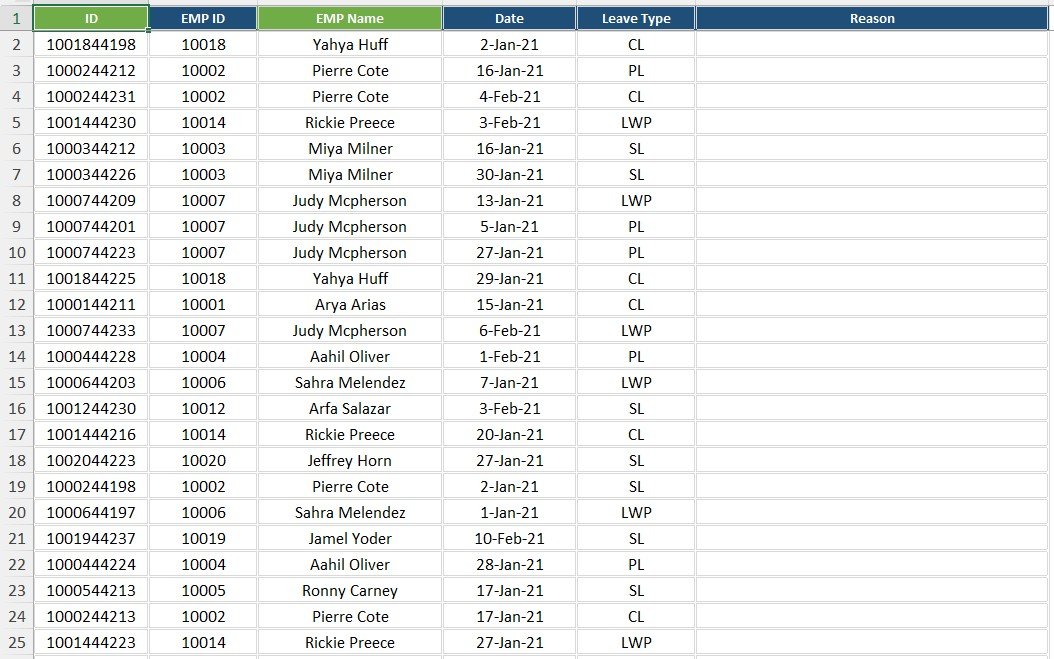
✔ User-Friendly Input Section – Quickly mark leaves without manual calculations.
✔ Auto-Filled Employee Data – Select an employee, and the tracker auto-fills basic details, reducing data entry errors.
✔ Leave Type Selection – Choose from predefined leave types to maintain consistency.
✔ Real-Time Updates – Any changes made are automatically reflected in the summary and dashboard.
4. Interactive Leave Calendar
✔ Color-Coded Leave Types – Different leave types are color-coded for quick recognition.
✔ Automatic Cell Highlighting – Leaves are marked in a visual format to enhance readability.
✔ Filter and Search Options – HR teams can filter by employee name, department, or leave type to find relevant data instantly.
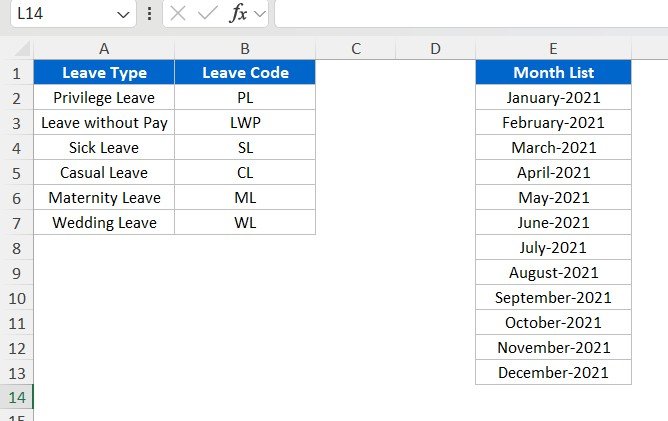
5. Settings & Customization Sheet
✔ Customizable Leave Types – Define your own leave categories, abbreviations, and policies based on company rules.
✔ Month Selection – Set up months dynamically to track data for any period.
✔ Fully Editable Excel Format – Modify and personalize the tracker to fit organizational needs.
Benefits of Using This Annual Leave Tracker
✅ Automates Leave Calculation – Say goodbye to manual tracking and complex calculations.
✅ Enhances Transparency – Employees and management can easily track leave records.
✅ Improves Workforce Planning – Ensures proper leave distribution, preventing understaffing.
✅ Saves Time & Reduces Errors – Automates repetitive tasks, ensuring accurate leave data.
✅ Ideal for Small & Large Businesses – Scalable to accommodate any workforce size.
Who Can Use This Tracker?
- HR Professionals – Manage and report employee leaves efficiently.
- Small Business Owners – Keep track of team availability without expensive software.
- Team Leads & Managers – Plan resources based on employee leave patterns.
- Freelancers & Self-Employed Professionals – Track personal leaves and work schedules.
This Annual Leave Tracker with Daily and Monthly View in Excel is a must-have tool for any organization looking to enhance leave management efficiency. Get started today and streamline your HR operations! 🚀
Click here to read the detailed blog post:Annual Leave Tracker
Watch the step-by-step video tutorial:
Also check our Restaurant Management System V1.0 in Excel
Questions about this template
How can I review leave for a particular period?
Use the Summary sheet start and end dates to select a period, or choose a month in the Monthly Summary. The monthly grid shows employee leave day by day.
For help comparing reporting tools for this area, see our HR and payroll template guide.
Which leave types are included?
Privilege Leave (PL), Sick Leave (SL), Casual Leave (CL), Maternity Leave (ML), Wedding Leave (WL) and more. You can define your own categories and abbreviations on the Settings sheet.
How do I mark a leave?
Use the Leave Marking section. Select an employee, and the tracker fills in the basic details. Then choose the leave type, and the summary and calendar update.
Can I filter the leave calendar?
Yes. The color-coded calendar can be filtered by employee name, department or leave type.
What’s Inside the Leave Tracker
- Summary sheet with custom start and end dates and leave totals by category
- Monthly Summary with a month dropdown and a day-wise grid for each employee
- Leave Marking section with auto-filled employee details and leave type selection
- Color-coded leave calendar with filters
- Settings sheet for leave types, abbreviations and months
Compatibility and Requirements
- Works in Microsoft Excel desktop (Excel 2016 or later, or Microsoft 365).
- Months and leave types are picked from drop-down lists. Microsoft explains drop-downs in Create a drop-down list.
Related Leave and Attendance Templates
- Employee Leave Dashboard in Excel: analyze leave trends across the team.
- Leave Management System: a full leave management system in Excel.
- Annual Leave Calendar in Excel: plan leave on a yearly calendar.
- Leave Application Form Template in MS Word and Google Docs: a free form for leave requests.
- HR & Workforce Analytics Bundle: 10 HR templates across Excel, Google Sheets and Power BI.
Browse all HR and Payroll templates or the Excel tracker templates.













Reviews
There are no reviews yet.